
tl;dr: Google Stitch Review 2026
Key features | Multi-screen flows, interactive prototyping, MCP setup |
Strenghts | Design system creation for consistency and Figma/code export |
Weaknesses | Generic visuals lack polish, unpredictable credit usage |
Best for | Quick prototyping/wireframing and MVP validation |
Price | Free (400 daily credits, ~12,450/month). No paid plan. |
Alternatives |
Verdict: Is Google Stitch Worth it?
Yes, Google Stitch is genuinely worth trying for UI generation, especially at zero cost. The transparency of watching it work, plus multi-screen capabilities and clean exports, make it invaluable for founders and PMs with limited design skills. However, it's not production-ready without designer refinement, and no option to top-up credit can be limiting for vibe design at scale.
For teams needing premium visuals and predictable credit systems, alternatives like Banani offer clearer long-term value, despite a small subscription cost.
What is Google Stitch AI?
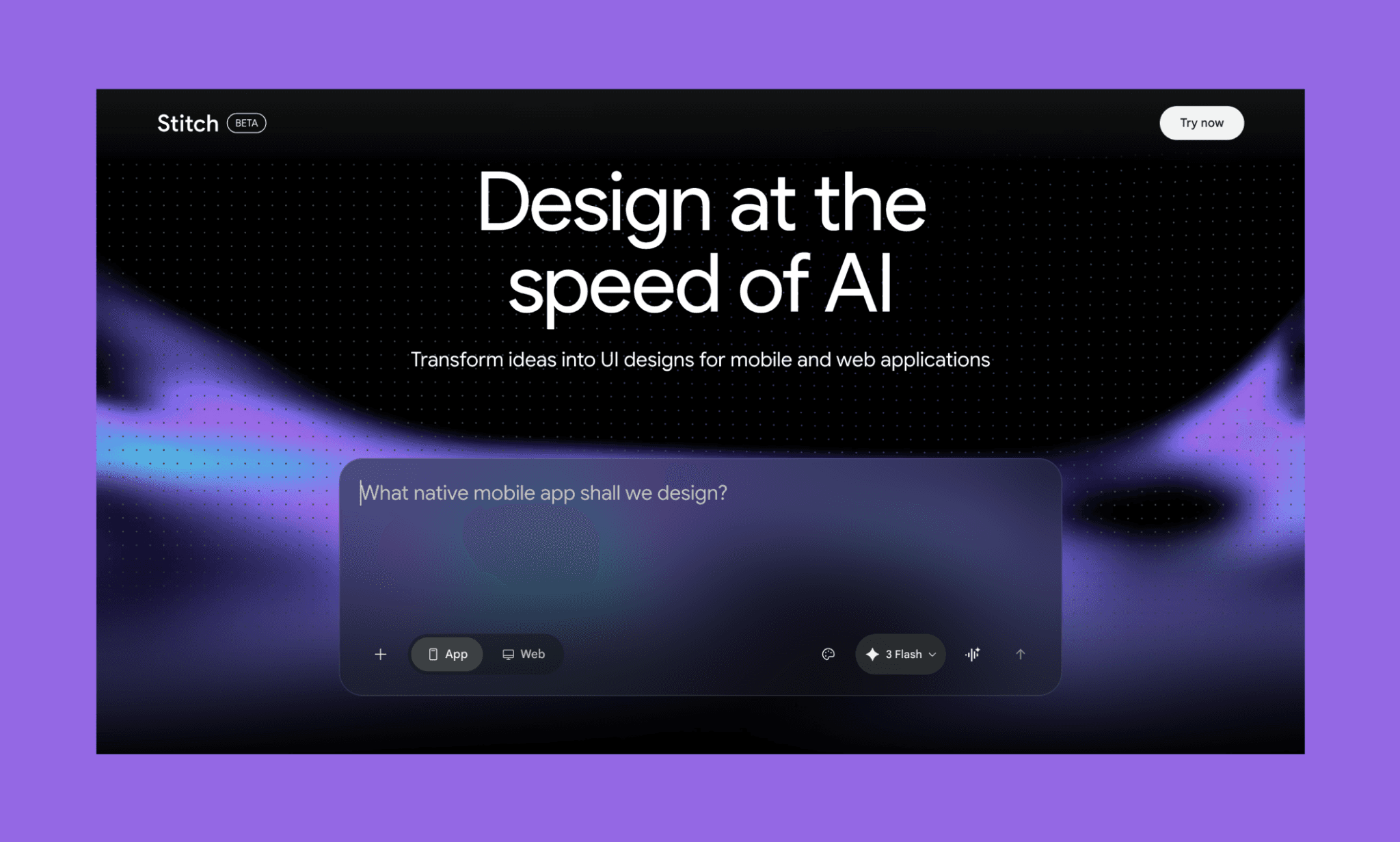
Stitch is Google's AI design tool that turns text prompts into UI designs. Announced at Google I/O 2025, it's a successor of Galileo AI, which was recently acquired by them and promptly rebranded. Stitch AI is powered by the latest Gemini 3.1 Pro and Flash models.
As of April 2026, since its release, Google Stitch has been in Beta and free.
Google Stitch 2.0
In March 2026, Google revamped the branding and features of the existing Stitch AI beta to release Stitch 2.0. The announcement positioned Stitch as a partner in vibe design. Interestingly, it is still in beta, and free to use.
My list of top AI for UI/UX Design in 2026 >
Google Stitch Example UI
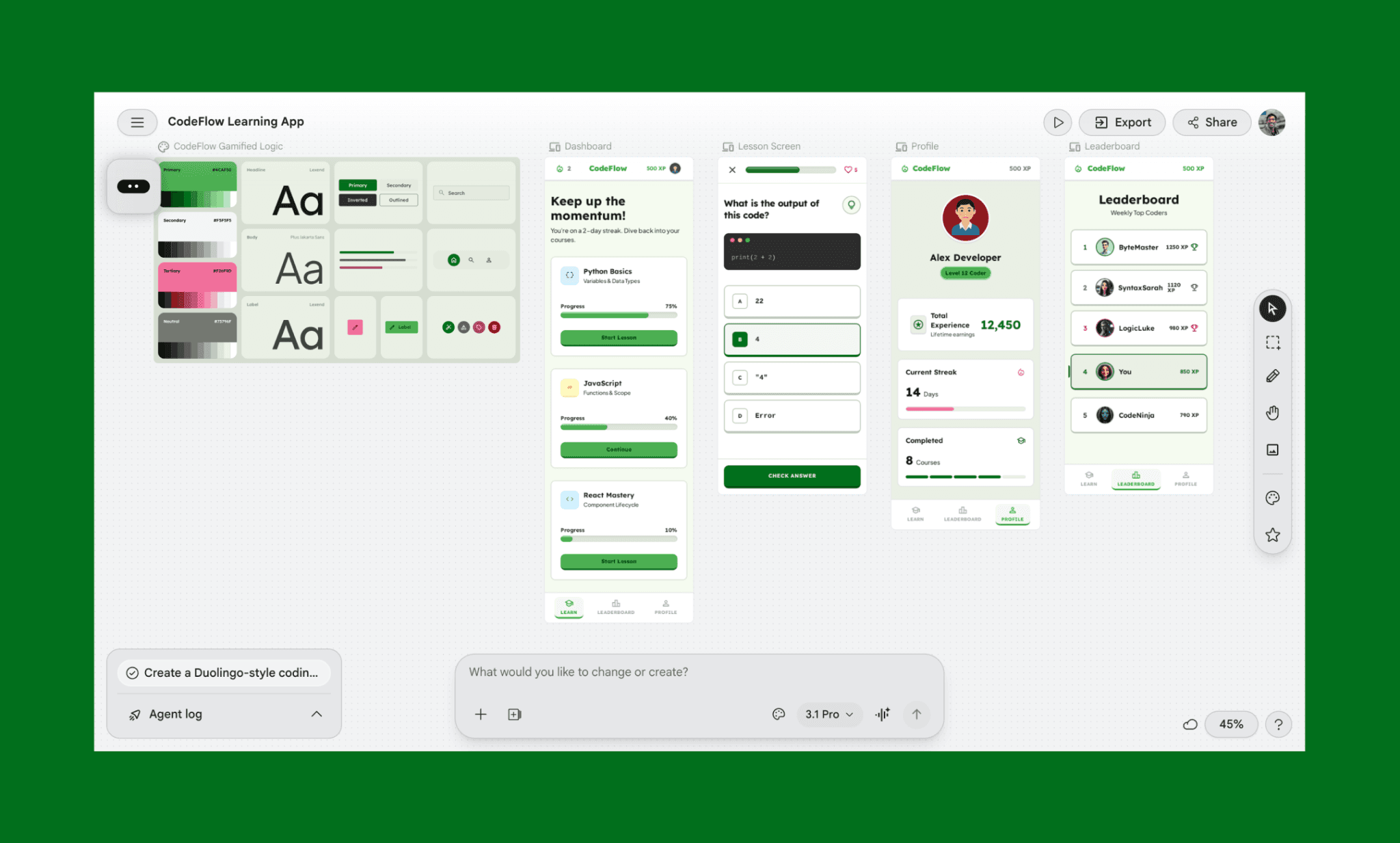
For a practical review of Google Stitch 2.0, I started off with using it for what it’s meant to: create UI from a prompt. I created a code learning app (with a Duolingo-like UI) using its most advanced model, Gemini 3.1 Pro for design.
My prompt
“Create a Duolingo-style coding app called CodeFlow with 4 screens: (1) Dashboard with user avatar, streak counter, and 3 course cards (Python, JavaScript, React) with progress bars and green Start buttons; (2) Lesson screen with question, 4 multiple-choice options, hint button, and Check Answer CTA; (3) Leaderboard showing top 5 users ranked by XP with avatars and trophies; (4) Profile page displaying avatar, username, XP, streak, level badge, and stats cards. Use green (#4CAF50) primary color, light gray backgrounds, dark text, 12px rounded corners throughout."
Stitch AI UI output
My thoughts on Stitch AI UI design
First off, seeing how Stitch AI works was so pleasing. I instantly gave it positive points for the way it started off with breaking down my prompt, creating a design system, generating UI — all the while presenting what it is up to. As for the UI design Stitch generated, here’s my honest take: Stitch delivers functional, usable designs—not premium ones.
It nailed 85% of my requirements: all 4 screens (Dashboard, Lesson, Profile, Leaderboard), course cards with progress, multiple-choice questions, ranked users, and a proper color scheme. However, Stitch AI UI feels like a colored wireframe rather than a polished mockup. Bottom nav and trophy icons felt underwhelming, course cards are flat, buttons are generic, and such. And the profile avatar looks so sad for a gamified learning app. Likely an AI illustration limitation; either way, it made me laugh.
See Stitch Credit cost for UI generation >
Features of Stitch AI by Google
Text-to-UI generation
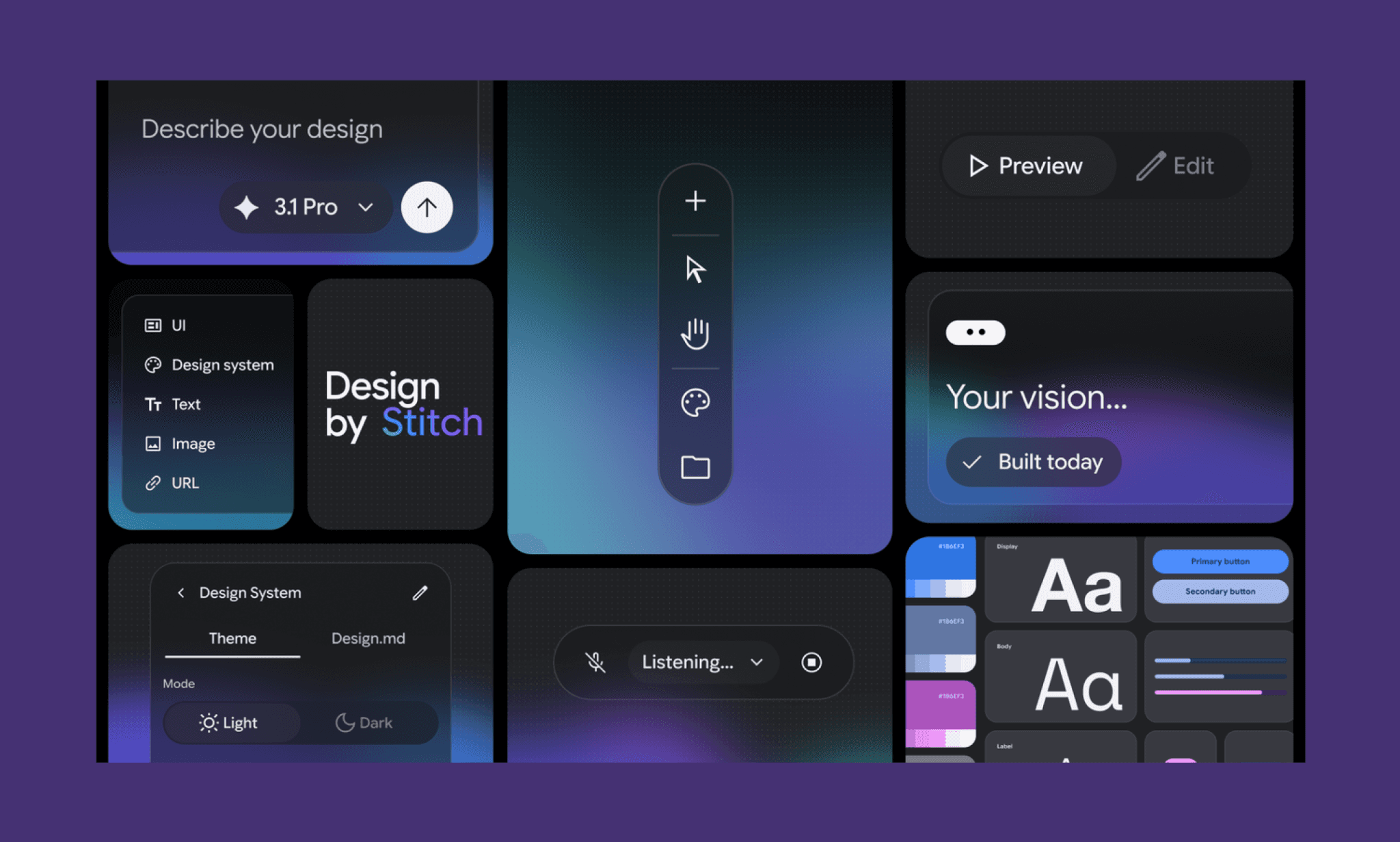
The main feature of Stitch AI is to convert plain text into a UI interface. You simply type your idea of an app or website UI (add details like what, for whom, interactions, etc.), and Stitch will generate a static UI design with layout, visuals, and structure.
Image-to-UI generation
Upload a napkin sketch or app screenshot, and Stitch AI will convert it into UI designs that you can later edit using text prompts and through their interface.
In fact, you can also upload a Design.md file in Google Stitch to get started.
Check out popular app UI references >
Multi-screen flow
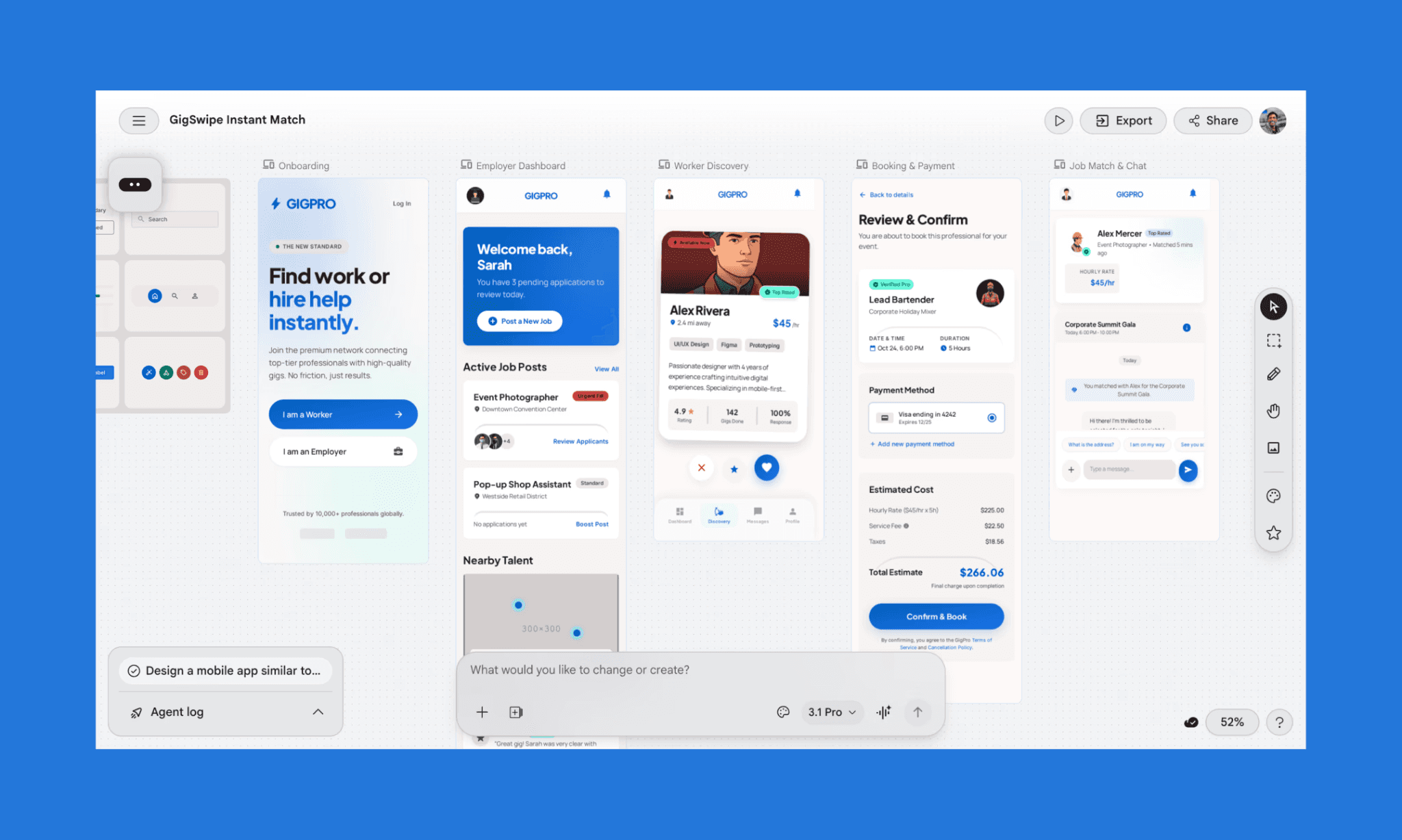
Describe your app's flow in natural language, and Stitch generates connected screens with logical navigation patterns. The output includes a design system to maintain visual consistency across screens.
Interactive Prototyping
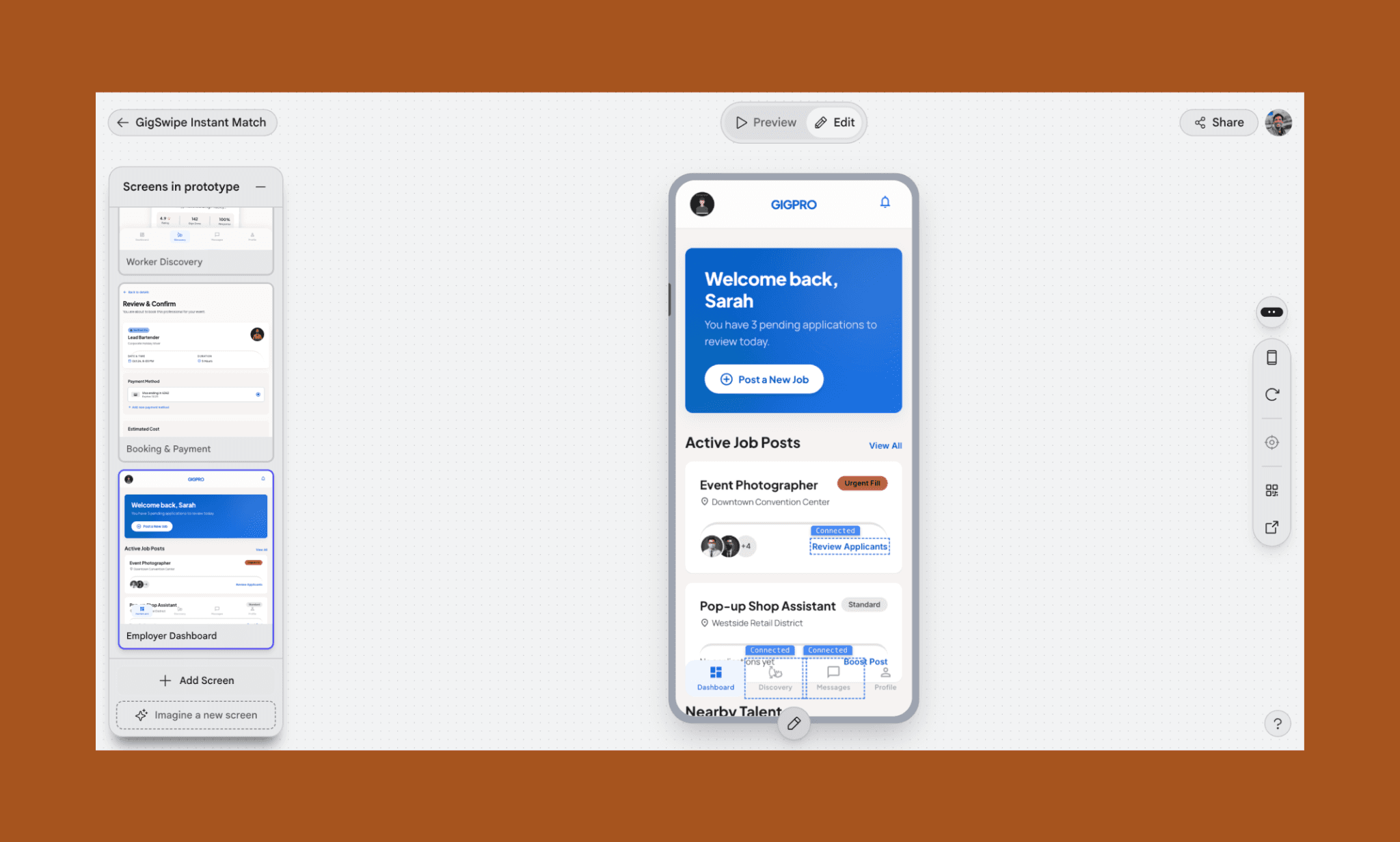
Stitch AI can wire together your multi-screen UI into an interactive prototype – in one click, without leaving the canvas. It understands the possible connections between the screens automatically and also gives manual controls to connect them.
Export as Figma, Code & more
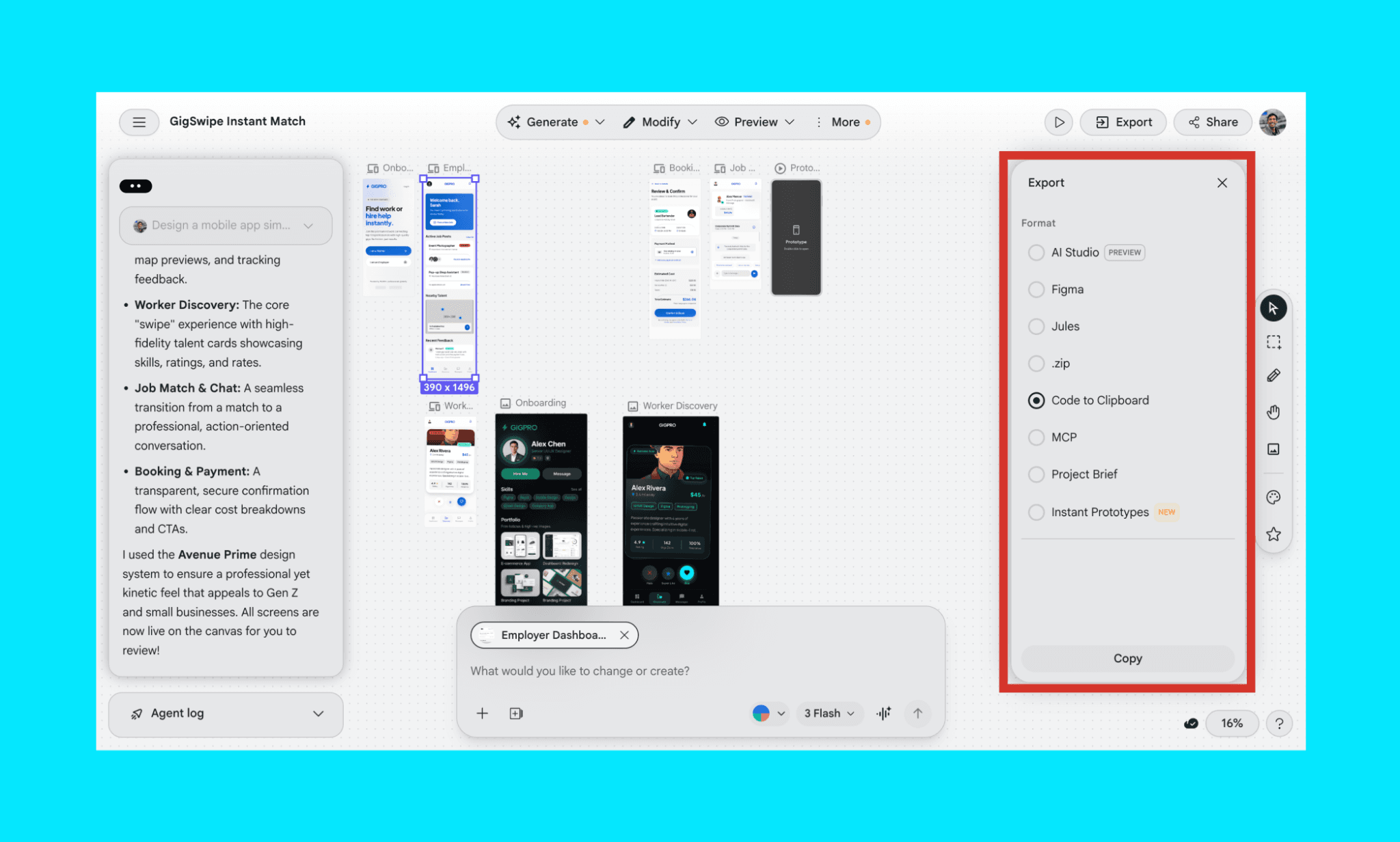
Stitch can export your designs in multiple formats, including Figma and clean HTML/CSS code. You can even summarize the project into a brief, share as a .zip file, and more. I found these options quite handy as a design-to-code tool.
MCP setup with IDEs & CLIs
For advanced design workflows, there’s Google Stitch MCP (Model Context Protocol). It creates a two-way sync between the design canvas and external coding agents or IDEs like Cursor, Blackbox, or even OpenClaw.
Stitch AI Price: Free, with Limits
As of 2026, Google Stitch is currently free to use as part of Google Labs. There is no paid plan; so it needs no credit card to use Stitch AI either.
However, free Stitch is not completely free. It has credit limitations: 400 daily design credits and 15 redesign credits (~12,450/month). Credits use a complexity-based system: simple prompts cost ~3 credits, multi-screen flows cost double digits.
You cannot buy additional Stitch credits; daily limits reset at midnight UTC.
Stitch 2.0 AI pricing & credits explained in 2026 >
Best Use Cases of Stitch AI
Quick Prototyping
Need to turn an idea into something real? Stitch lets you go from a rough concept to a working interface in minutes. It’s perfect for testing ideas fast without getting stuck in design tools.
My picks for 2026 Top AI Prototyping Tools >
Wireframing
If you want something more polished than a hand-drawn sketch but not as heavy as a full design file, Stitch AI hits the sweet spot. It generates wireframes that are clean, clear, and ready to share.
Team Alignment
Stitch makes it easier for product managers, designers, and developers to get on the same page. Whether you're kicking off a sprint or mapping out a new feature, it helps everyone see the same thing, fast.
Pros and Cons of Stitch AI
Strengths of Google Stitch | Weaknesses of Google Stitch |
Quickly converts text or sketches into editable UI designs. | Produces generic visuals that often lack unique brand identity or creativity. |
Generates multiple design variations and versions for every specific user prompt. | Difficult to generate cohesive user flows involving more than three related screens. |
Seamlessly exports options into Figma and code for seamless developer handoff. | Imported Figma files may be cluttered with poorly structured layers. |
Currently available as a free tool within the Google Labs experimental platform. | Does not offer credit top-up options, and the free status may change anytime. |
Stitch AI Alternatives Comparison
Banani vs Stitch AI
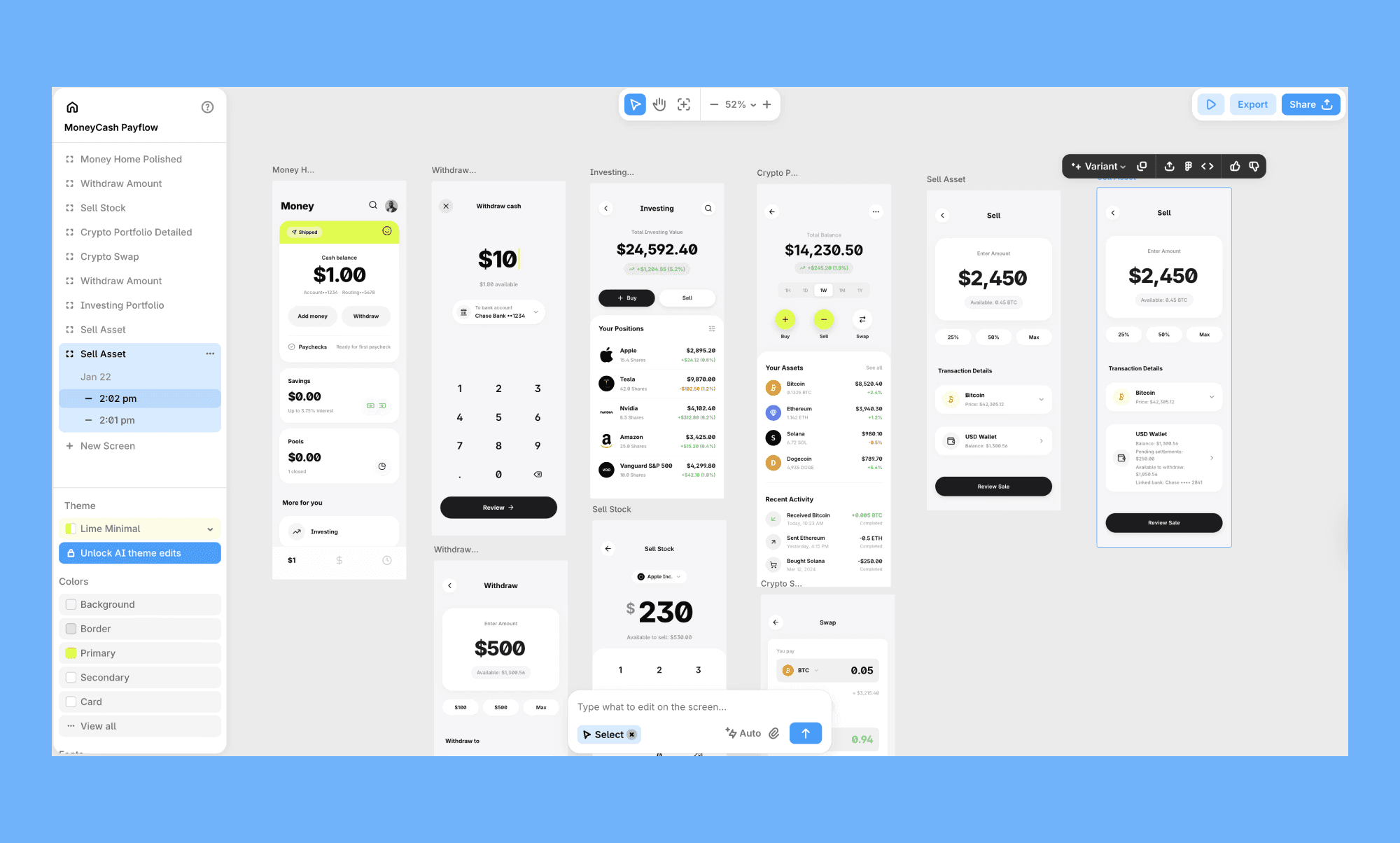
Banani is another AI design tool that converts text prompts into UI designs, similar to Stitch. In fact, I’d say it’s the closest alternative to Google Stitch for its excellent multiple design generation, AI chat editing, Figma/Code/MCP export, and more. And, it has an edge with clear credit consumption (1 credit = 1 generation/edit) and an affordable pricing plan
Figma vs Stitch AI
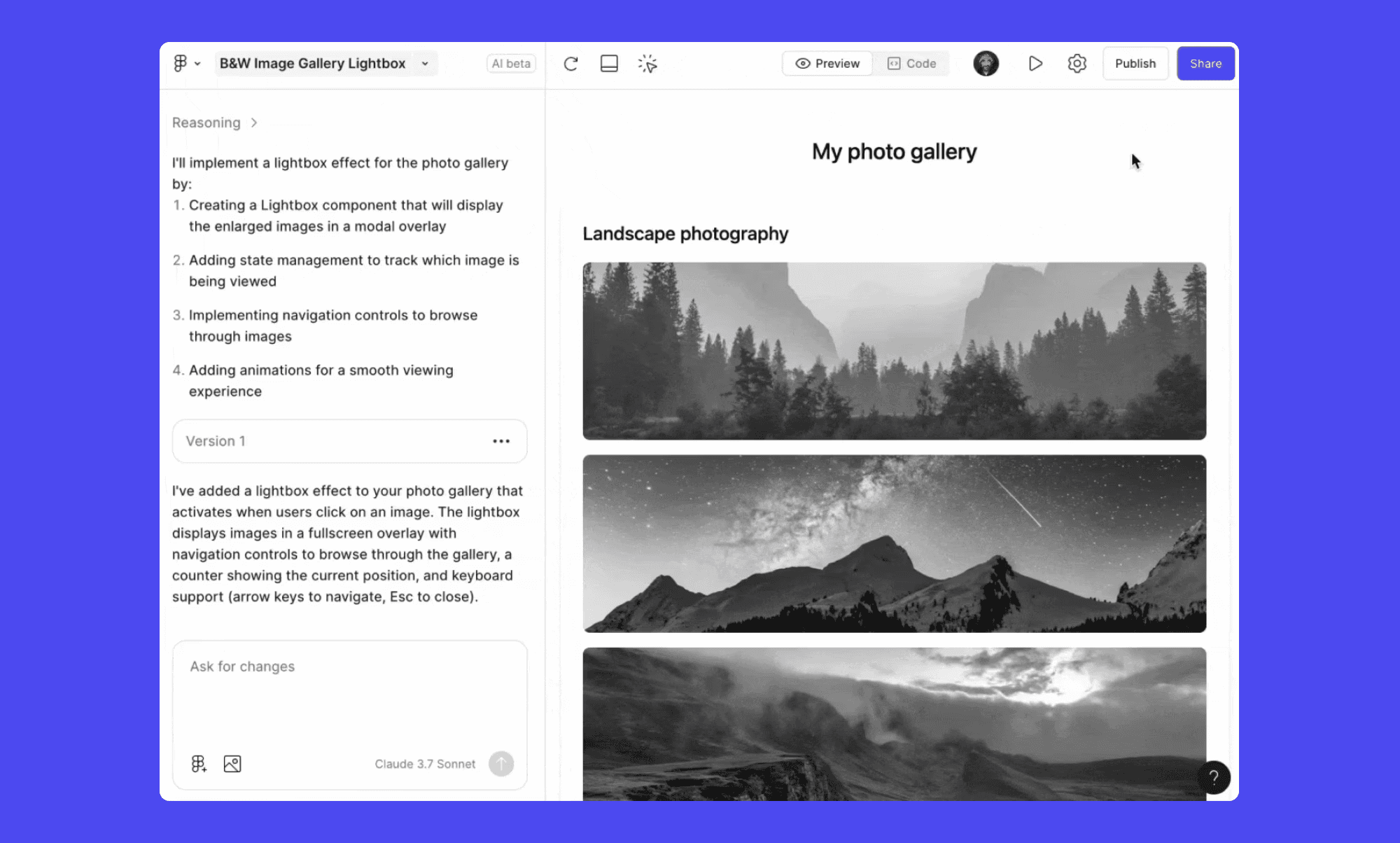
Figma AI or Figma Make, rather, is catching up fast with its prompt-to-interactive UI mockup generation capabilities. Yet, Figma's ecosystem, plugins, and refinement capabilities still outpace Stitch for production-ready, pixel-perfect designs.
Uizard vs Stitch AI
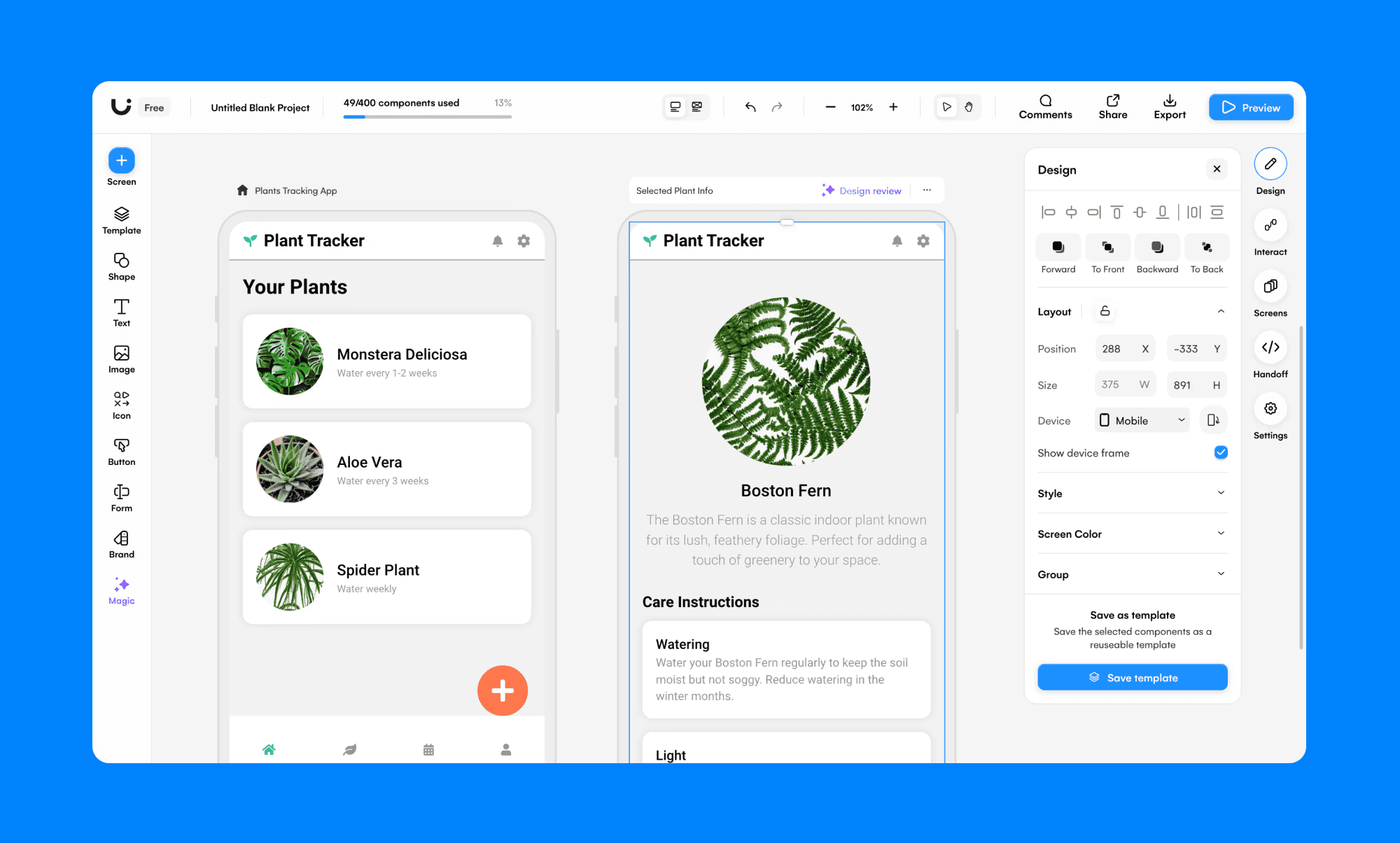
Uizard is a simpler, non-designer-focused tool that converts sketches and text into basic app screens quickly. In my opinion, Uizard wins for absolute simplicity, while Stitch wins for comparatively higher fidelity and connected workflows.
Claude Design vs Stitch AI
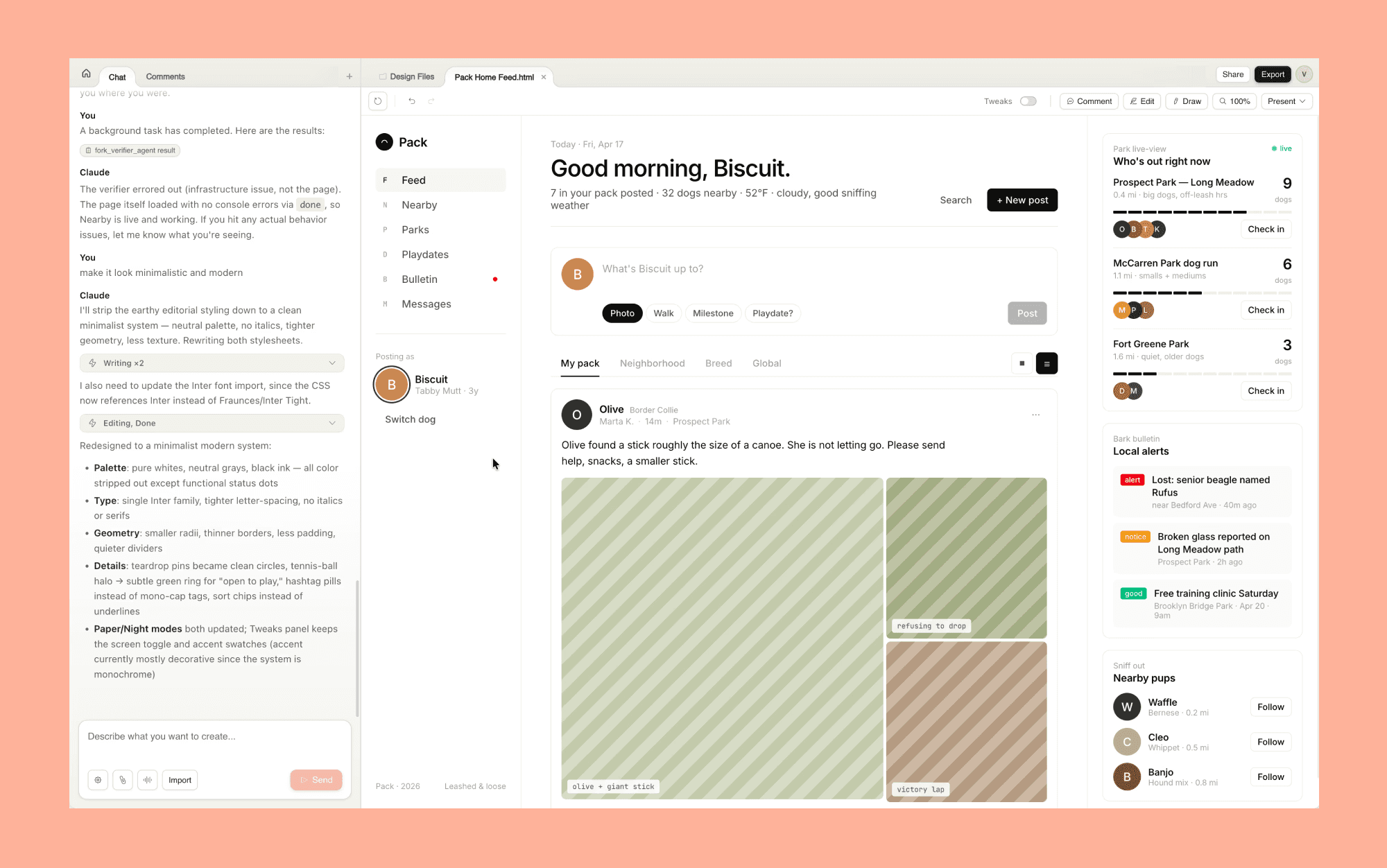
Claude Design generates broader design outputs (prototypes, decks, marketing assets) and includes design system integration. Per my review, Claude Design excels for end-to-end workflows, but when it comes to pure design iteration, Stitch AI is the winner.
Top Claude Design Alternatives >
Lovable vs Stitch AI
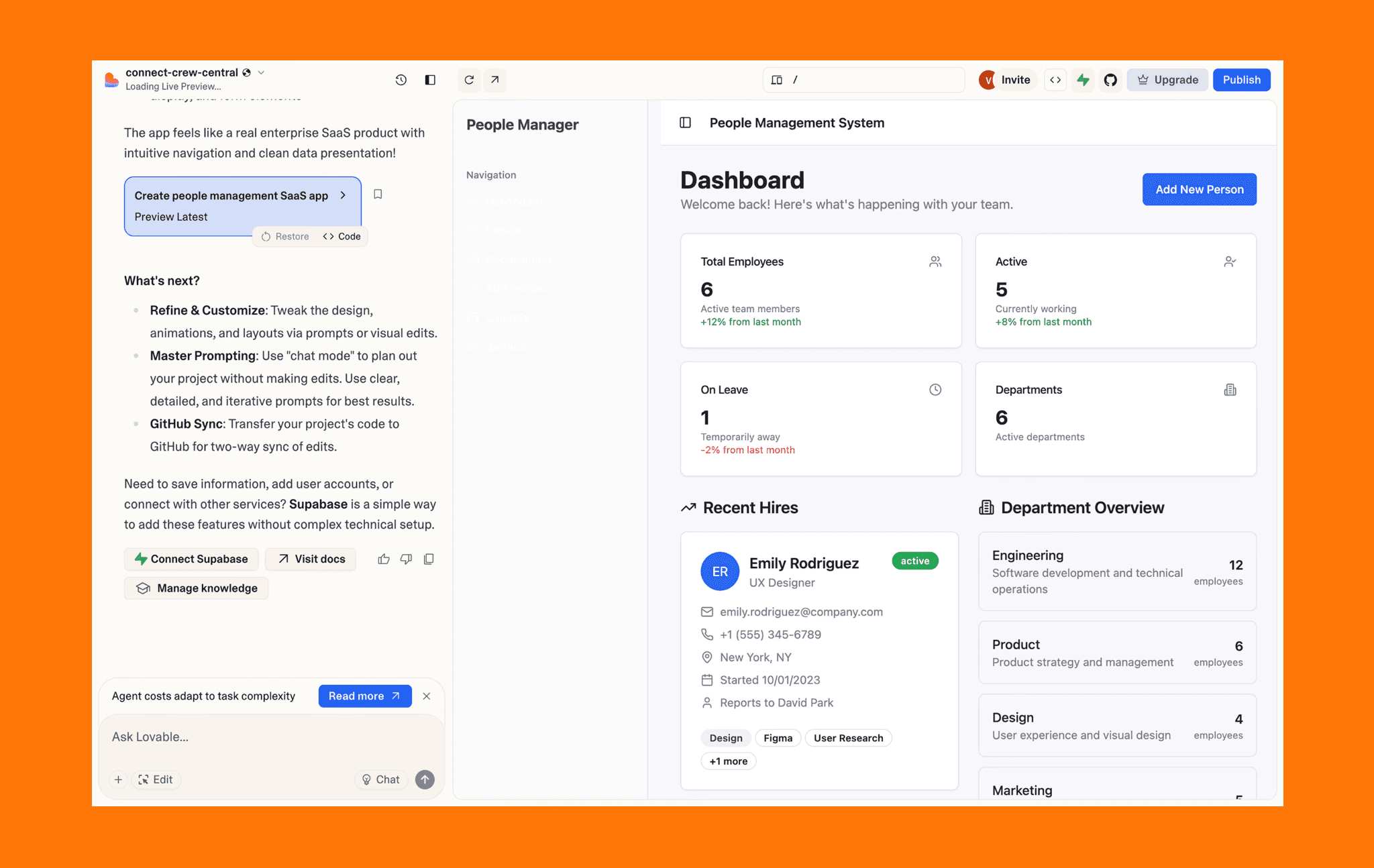
Lovable is an AI app builder with UI generation capabilities. If your goal is to produce an interactive prototype with decent UI, then choose Lovable over Stitch. That said, if visual refinement matters before handing off to a dedicated development team, go for Stitch.
Check Out Top Alternatives of Google Stitch >
Overall, my Google Stitch review reveals that it delivers impressive speed and functionality for a free AI UI tool. If you need more refined, production-ready designs with transparent (and scalable) credit management, explore Banani AI, a powerful alternative vibe design tool for a design-to-code workflow.
FAQs on Google Stitch Design Tool
Is Google Stitch actually good?
Yes, Stitch excels at rapid UI generation and prototyping, delivering functional wireframes in seconds. However, output may not be premium designs. So, best for early-stage validation and MVP testing.
What is Google Stitch used for?
Stitch converts text prompts, images, and PRDs into clickable UI prototypes. It’s typically used by product managers and founders to visualize features, designers test concepts fast, and teams align on flows before development.
How to use Google Stitch platform?
Using Google Stitch AI is straightforward: Sign in with a Google account (no credit card needed), describe your app in natural language (or upload a sketch), select your AI model (Flash or 3.1 Pro), and hit generate. Stitch breaks down your prompt, builds a design system, and creates UI. You can further use its AI chat to edit, prototype by wiring screens, and export to Figma or code.
Is Google Stitch totally free?
Technically, yes—no subscription or credit card required in Google Stitch AI. However, it operates on a daily credit system: 400 design credits and 15 redesign credits per day. And you cannot buy additional credits.
If you are a power user of AI UI Tools, Banani should be more suitable for you, given their features and affordable pricing plan that scales with usage.
Was Galileo AI acquired by Google?
Yes. Google acquired Galileo AI in mid-2025 and rebranded it as Stitch. You can read more about Galileo AI here >
Where can I find Google Stitch documentation?
You can find the Google Stitch documentation on “https://stitch.withgoogle.com/docs”. You can also get it from the header of your Google Stitch dashboard.
Is Google Stitch AI an image generator?
Not primarily. Stitch is a UI design tool that synthesizes mobile/web app visual design from descriptions and references. It can generate images or vectors if that serves the description/references.
If you need one, you can use Banani AI Image Generator for free. It is powered by Gemini models and can produce multiple variations for the same prompt.
Is Google Stitch AI meant for UI or UX?
Google Stitch focuses on UI—visual design, layouts, and interactive screens. It handles UX indirectly through multi-screen flows and prototyping, but doesn't address research, user testing, or behavior design.
In which countries is Google Stitch available during beta in 2026?
Although it’s meant to be used globally, Google Stitch may be unavailable in many countries in its beta phase in 2026. Some users have reported geographic restrictions to access ‘https://stitch.withgoogle.com/’ in Ukraine, parts of the Balkan region (including North Macedonia, Serbia, Bosnia and Herzegovina), and specific issues noted in the UAE, Andorra, and Spain.
But during its writing, it is plausibly undergoing a gradual, global rollout.


