

Figma Make is a fun way to spin up quick UI ideas with AI. It's good for light prototyping without leaving Figma. Yet there are many reasons why people have been testing Figma Make alternatives, from seeking more suitable vibe coding experience to just avoid Figma’s bundle pricing. Whether you're a product designer (like me) needing richer visual editing, a founder building an MVP, or a PM explaining feature flows, specialized tools often deliver better results for specific use cases. This guide groups and ranks the strongest sites like Make AI in 2026 by role and need, helping you find the exact fit for your workflow.
Turn Text Prompts into Figma Designs >
Sites Like Figma Make by Use Case
For quick MVP validation | |
For rapid UI prototyping | |
For refining existing product | |
For large product teams | |
For pro developers | |
For open-source usage |
My Favorite AI App Builders of 2026 >
For Quick MVP Validation
Lovable vs Figma Make
Just like Make, Lovable lets you generate full apps with text prompts. It's an OG vibe-coding tool that kickstarted the whole hype, and that inspired Figma Make in the first place. It handles front-end, generates back-end and database, installs packages, and deploys generated apps.
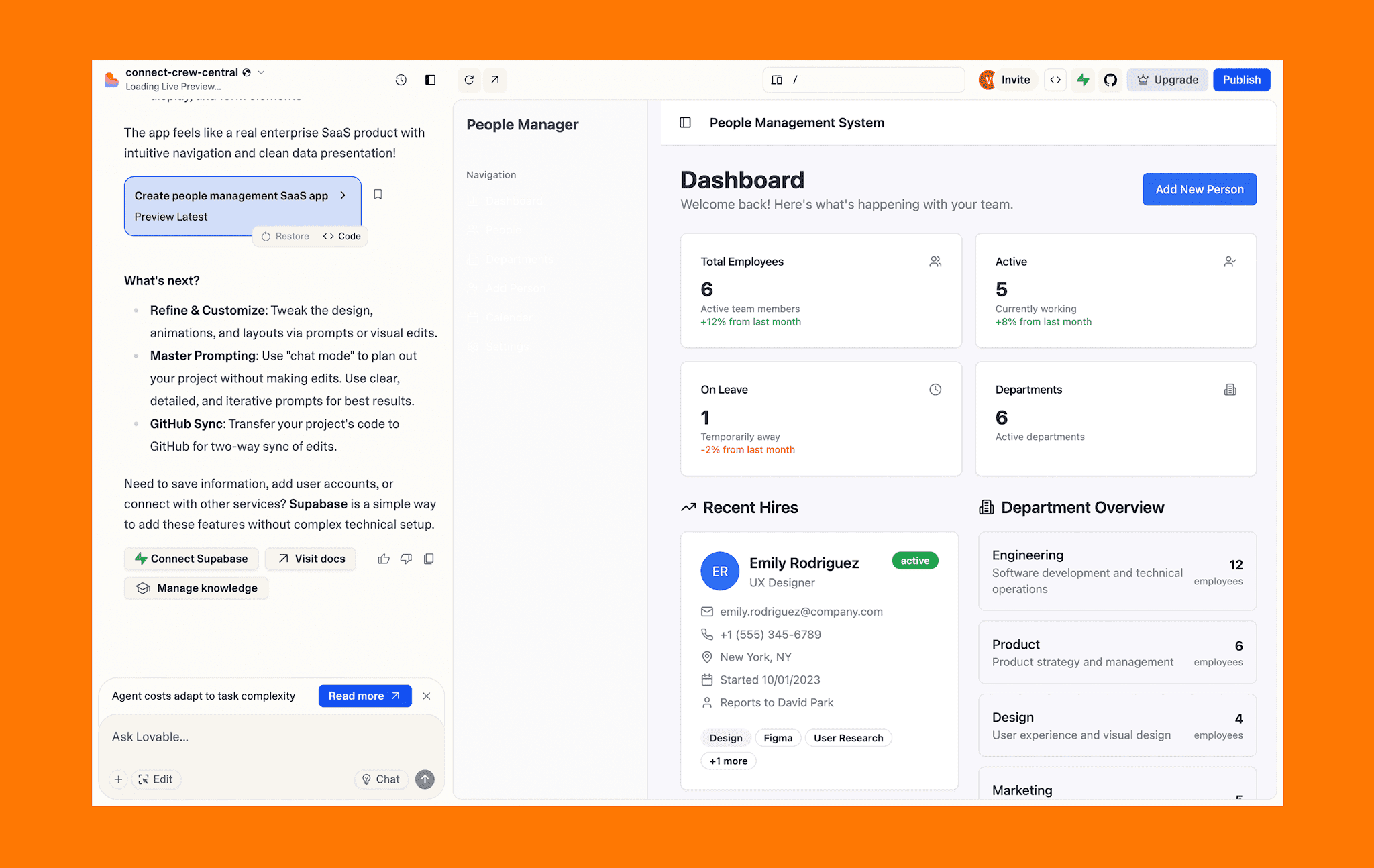
Why Lovable beats Figma Make for MVPs:
Backend logic and databases are included for full-stack functionality.
It provides one-click deployment to ship real, usable applications immediately.
The platform manages user authentication and integrations like Stripe easily.
v0 vs Figma Make
v0 generates React components styled with shadcn/ui, making it ideal for teams already working within this ecosystem and seeking rapid layout generation that integrates smoothly with their codebase.
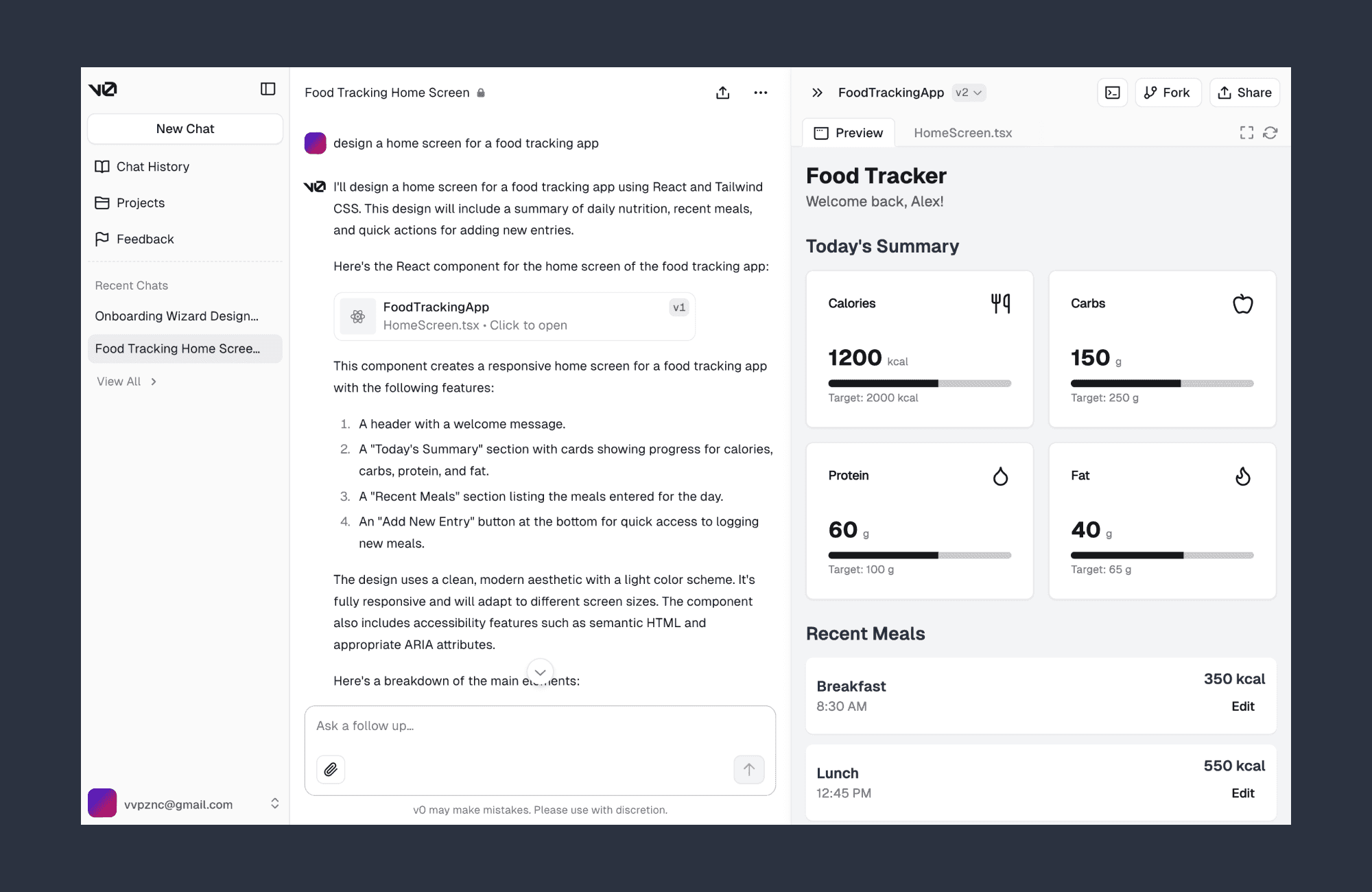
Why choose v0 by Vercel over Figma Make:
Production-ready React components with shadcn/ui integration
Seamless developer handoff; code goes straight to your codebase
Full-stack capabilities to generate frontend, backend, and database logic
For Rapid UI Prototyping
Banani vs Figma Make
Banani converts text prompts into editable UI layouts displayed on a Figma-like canvas. Just like Make, Banani has all of the cool features that speed up prototyping, like image-to-design, AI chat to edit, Figma export, code generation, and so on.
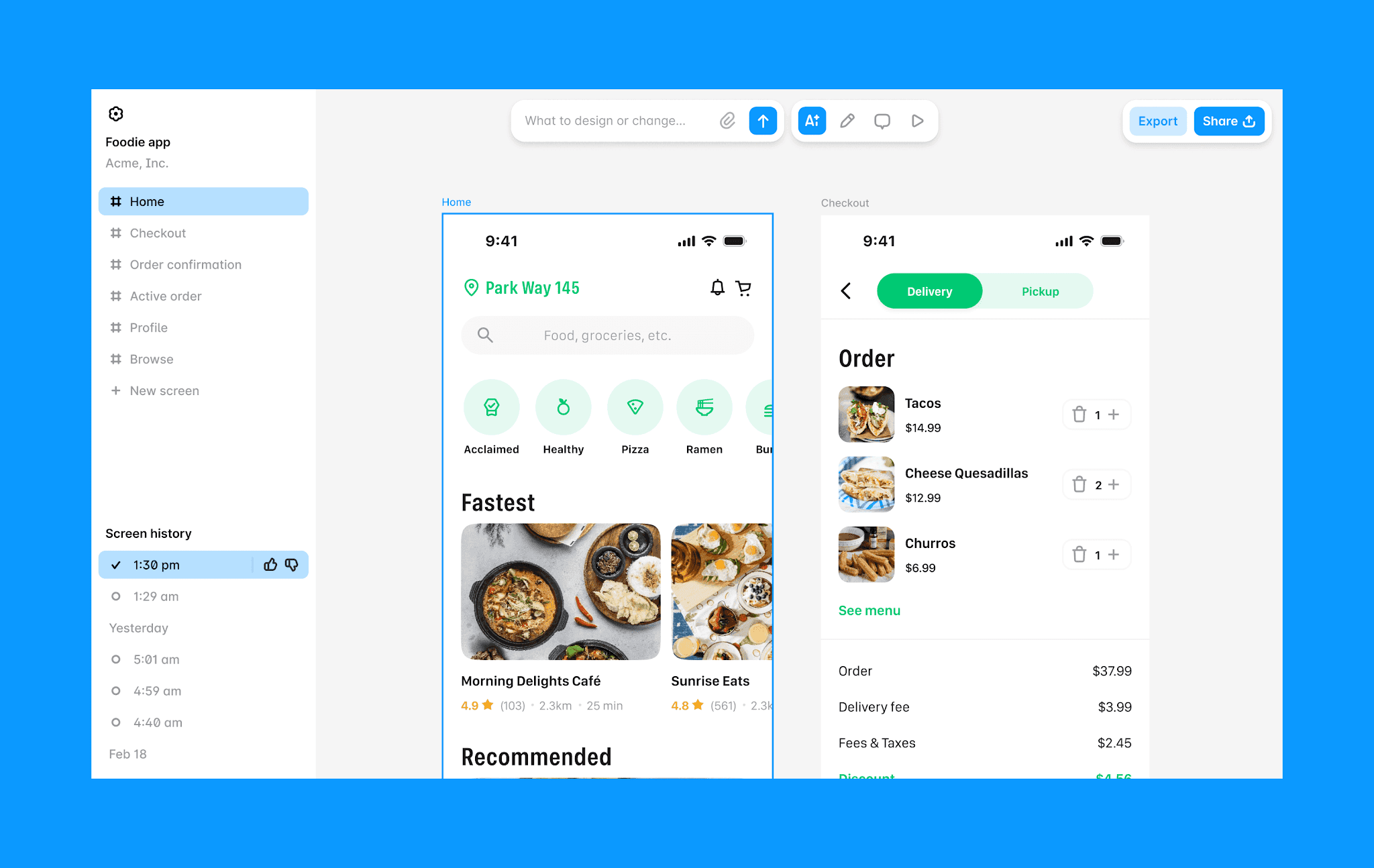
Why Banani is better at prototyping than Figma Make:
Multiple UI screens generation from same prompt
Organizes full app flow on the visible canvas
Faster and easier to iterate by AI and manually
Robust design-to-code tool with clean HTML/CSS & MCP
Prototype with Banani AI, free >
Google Stitch vs Figma Make
Stitch is Google's answer to Figma Make. Formerly Galileo AI, it works similarly to Figma Make but puts more emphasis on visual control, design system creation. And Stitch's complete free pricing is also a relief for those looking for a free Figma Make alternative (although the free credits have monthly limitations).
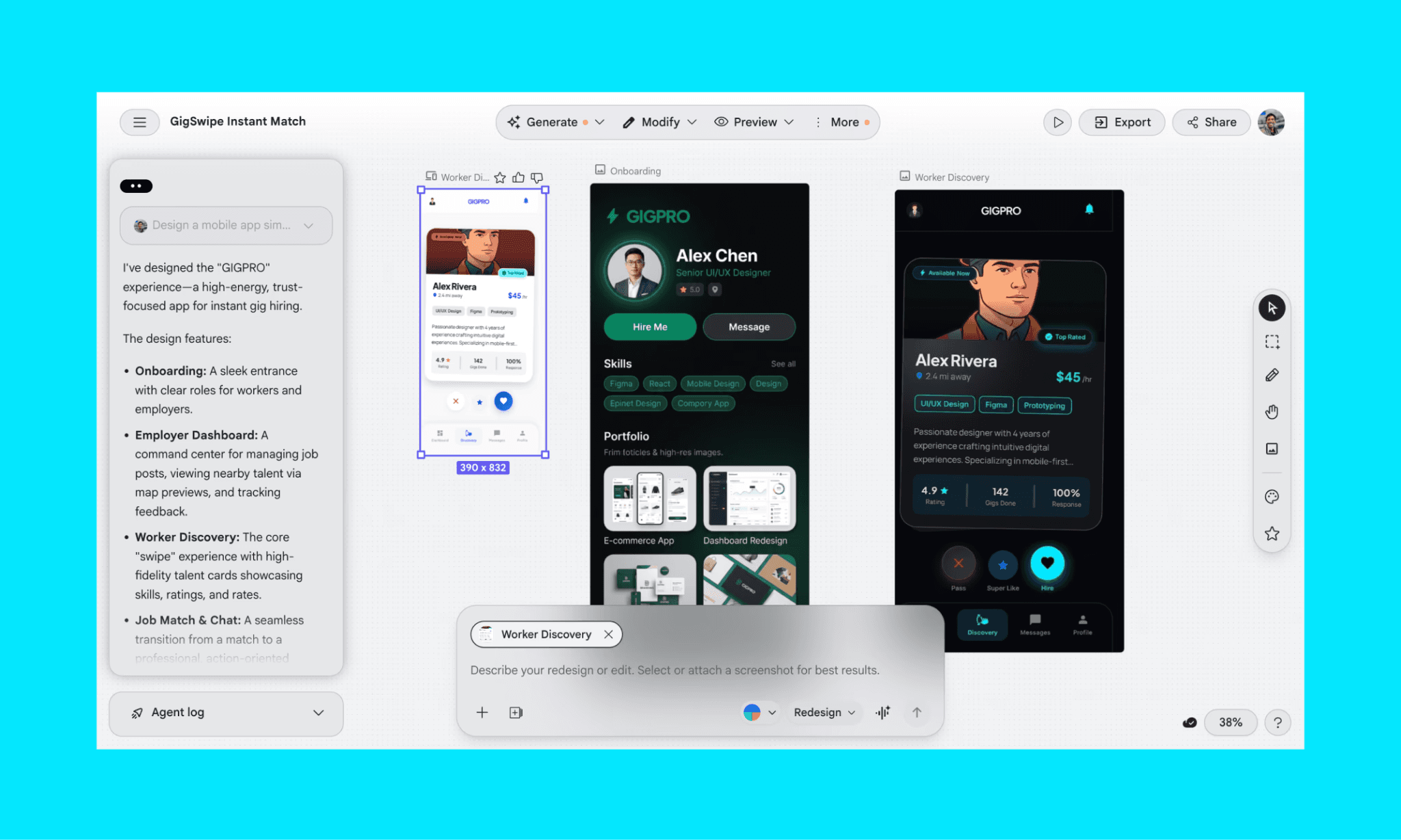
Why switch from Figma Make to Stitch by Google:
Native Gemini 3.1 Pro LLM backend for excellent UI design
Side-by-side views allow edit UI and wire prototype
Export clean HTML and CSS code following modern web standards
Create Design.md file and design system alongside prototype
For Refining Existing Product
Magic Patterns vs Figma Make
Magic Patterns generates UI layouts that use your own design tokens, spacing, and component library. Instead of generic React components, it outputs layouts that match your real product.
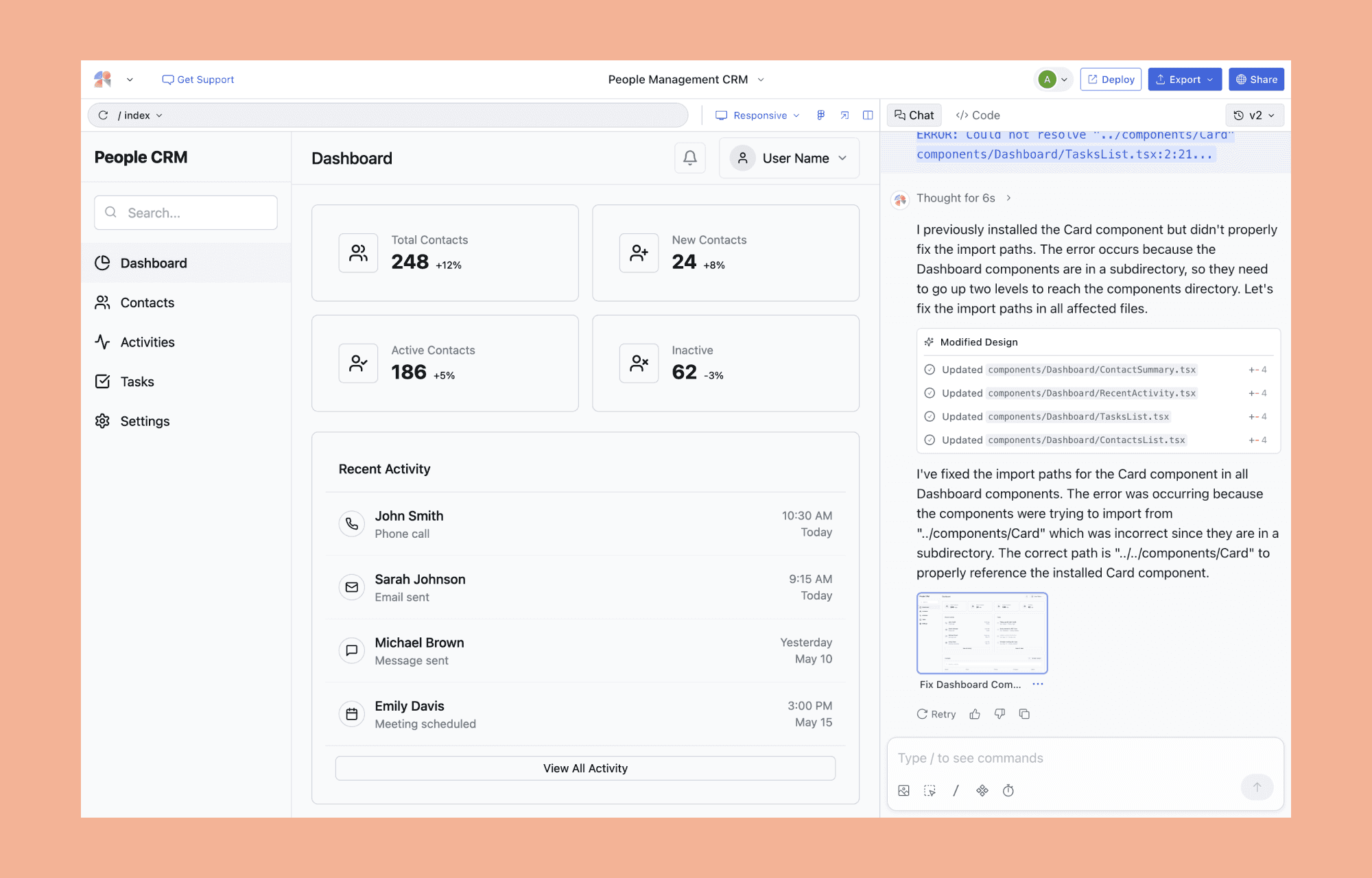
Why prefer Magic Patterns over Figma Make:
Uses your design system and tokens for product-matching layouts.
Captures live web pages via Chrome extension for visual consistency.
Generates reusable UI compatible with frameworks like Tailwind and Radix.
Facilitates real-time collaboration before exporting React code to Figma.
Top Magic Patterns Alternatives >
For Large Product Teams
Replit vs Figma Make
Replit offers a cloud-based development environment in which AI assists with feature scaffolding, code generation, and logic updates. Although its AI UI agent capabilities fall short of Figma Make, it's incredible for teams working on a production-grade app that is highly customizable and scalable.
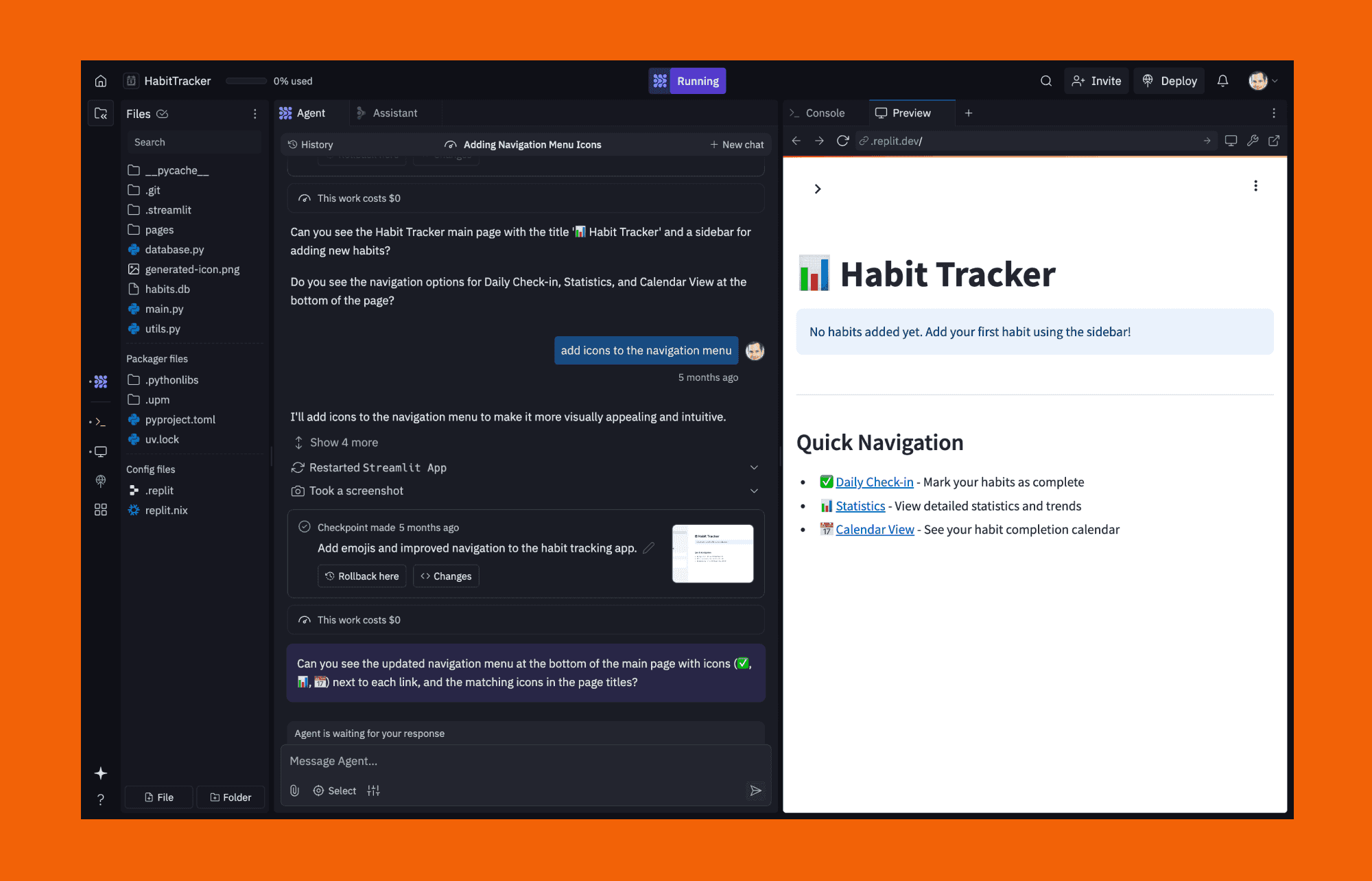
Why enterprise teams choose Replit over Figma Make:
Cloud environment provides complete backend logic and database support.
Delivers real runnable output instead of just static design files.
Balances AI generation with full access to production-ready code.
Enterprise teams benefit from strong collaboration and GitHub integration.
Provides a clearer path to production with integrated deployment.
Miro AI vs Figma Make
Miro AI transforms its classic collaborative whiteboarding into rapid prototyping AI. Its workflow allows teams to map user flows and brainstorm concepts (as sticky notes, diagram, sketches, etc.) on an infinite canvas and then summarize the whole session as a prompt for hi-fi interactive mockups.
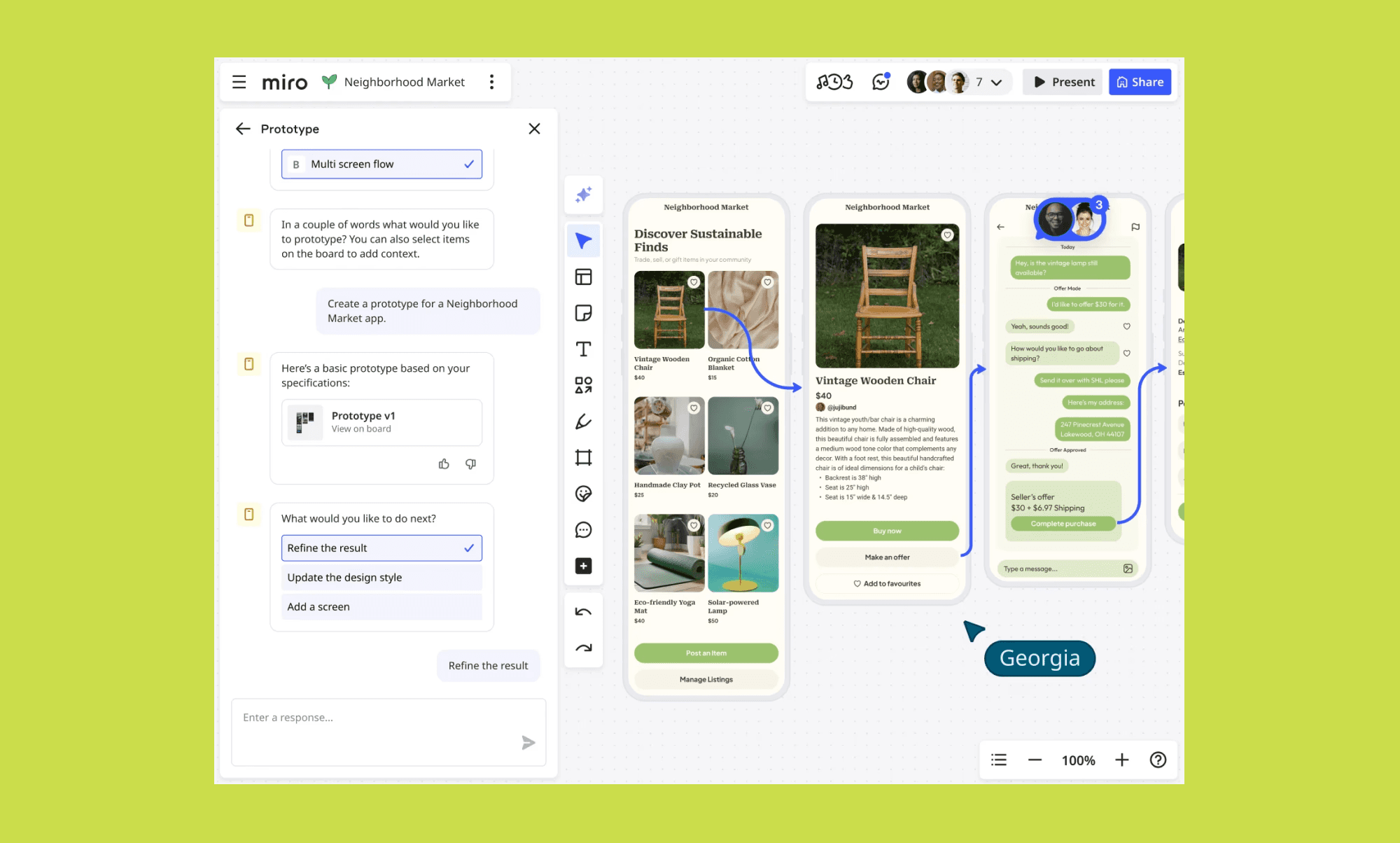
Reasons product teams prefer Miro AI over Figma Make:
Real-time collaboration keeps entire product teams aligned visually.
Summarizes large board content for faster stakeholder and team alignment.
Whiteboard-to-wireframe conversion captures rough ideas without losing context.
For Pro Developers
Claude vs Figma Make
Claude is an AI assistant that builds complete applications from text descriptions. Unlike Figma Make's UI-only focus, it generates full-stack code including backends, databases, and APIs. Claude also offer Claude Design to create prototypes, and interactive experiences using Claude models.
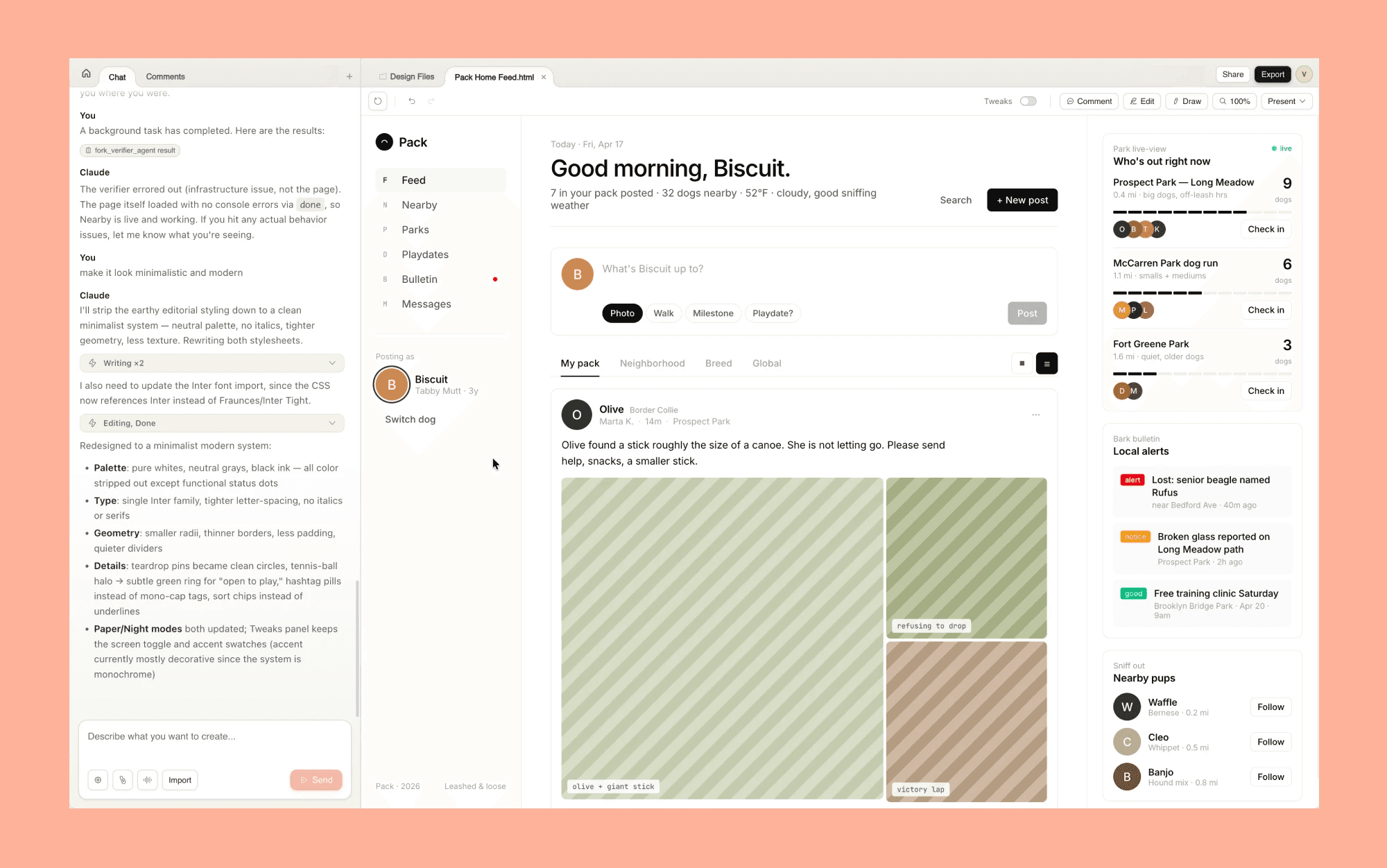
How Claude gives better app development control than Figma Make:
Understands complex architectural decisions and production-grade patterns.
Works with any framework or tech stack without restrictions.
Multi-turn conversations enable iterative refinement of code logic.
Top Claude Design Alternatives >
Cursor vs Figma Make
Cursor is an AI-native code editor built for professional developers managing production-ready codebases. Developers use it to seamlessly transition from AI-assisted ideation to actual app development and deployment.
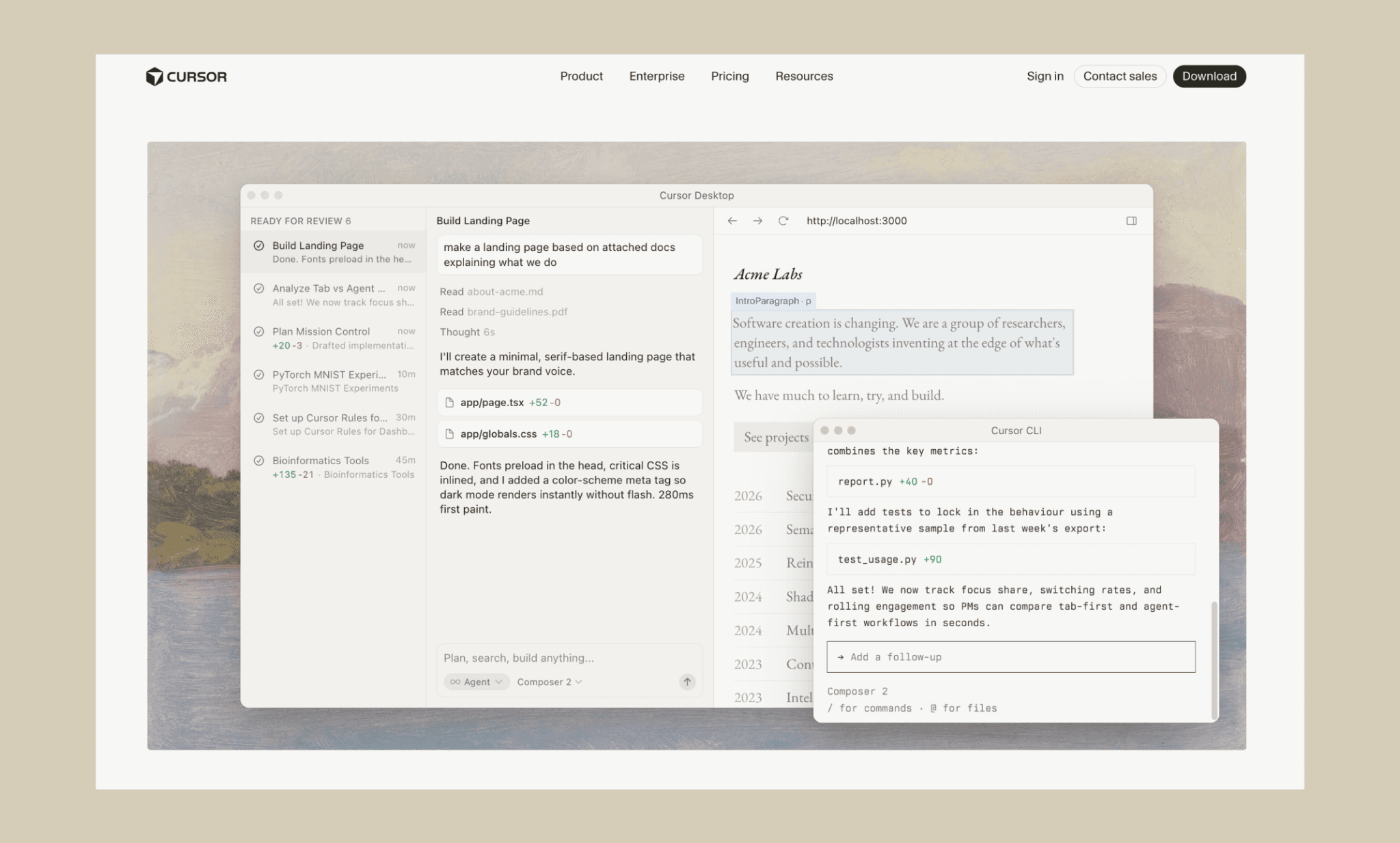
Why pro developers go with Cursor over Figma Make:
AI understands your entire codebase and maintains consistency.
Multi-file edits handle complex refactoring and architecture changes.
Git-aware changes keep all modifications reviewable and traceable.
Handles backend, APIs, and database logic alongside frontend.
Top BlackBox AI IDE Alternatives >
Dyad: Open Source Make Alternative
Dyad is an open-source AI app builder that serves as a powerful developer-centric alternative to Figma Make.
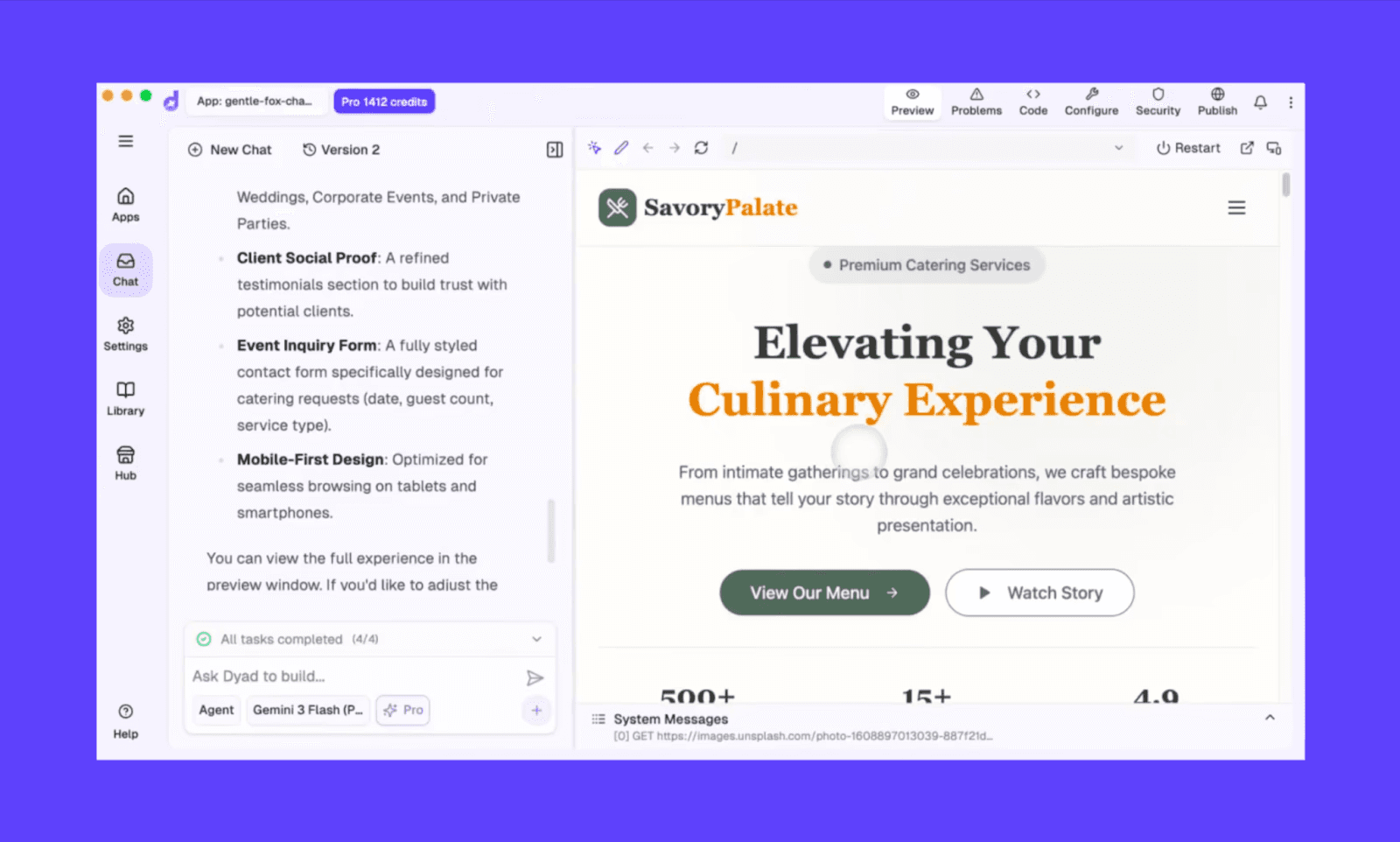
As an open-source tool, it prioritizes transparency, full code ownership, and community-driven development that proprietary platforms lack.
While it is generally free to access via its codebase, users should note that open-source tools typically require more technical setup or self-hosting compared to "one-click" proprietary services. Also, the tech is free, but you have to bring your own LLM API key. (Or, pay $20/mo to use 200 AI credits of various LLMs they support.)
Make AI Competitors Comparison
Tool | Key Features | Best For | Pricing |
Prompt-to-prototype, Figma export, design-to-code | Rapid prototyping, designers wanting control | - Free: ~170 designs/month - Paid from $20/mo (~400 credits/mo) | |
Full-stack apps, backend + database, one-click deployment | MVP validation, quick product launches | - Free: 30 credits/mo - Paid from $25/mo (100 credits) | |
React components with shadcn/ui, built-in Vercel integration | Dev teams, production-ready React code | - Free: $5 credits/mo - Paid from $20/mo | |
Gemini 3.1 Pro backend, design system creation | UI prototyping with visual control, design systems | - Free (beta, ~12.5k credits/mo limit) - No subscription or top-up | |
Design tokens respected, design system matching | Refining existing products design systems | - Free: Limited - Paid plan from $20/mo (~1k credits/mo) | |
Cloud IDE, backend scaffolding, GitHub integration | PMs/Founders, full-stack development, teams | - Free: 10 apps - Paid from $20/mo ($25 credit) | |
Whiteboard-to-wireframe, user flow mapping | Product teams, collaborative ideation, prototyping | - Free: Prototyping not included - Paid plan from $20/mo (350 credits) | |
Claude | Full-stack from text, multi-turn reasoning, architectural decisions | Pro developers, complex apps | - Free: Limited - Paid plan from $20/mo |
Cursor | Multi-file edits, Git-aware, backend-capable | Pro developers, existing codebases | - Free: Limited - Paid from $20/mo |
Dyad | Open-source, local-first, any AI model, full code ownership, zero lock-in | Developers valuing control, open-source preference | - Free: Bring own API key - Paid from $20/mo (200 AI credits) |
My Top Prototyping AI of 2026 >
Best Make Alternative For You
There’s no dearth of Figma Make alternatives in 2026. So you can imagine that there is no one best alternative to Make AI, but the one depending on your use case, workflows, and budget. To help yourself filter through the options, ask yourself these four questions:
1. Do you need a functional backend or just high-fidelity UI layouts?
2. Are you building solar or with a team?
Solo builder: Magic Patterns
Product team: Miro AI
3. How much control do you need over the final codebase?
Vibe-coding simplicity: Lovable, v0 by Vercel
4. Is affordable pricing a concern or priority is output at any (reasonable) cost?
Whatever Figma Make alternative you choose, you'll ship faster and cheaper by combining vibe design with vibe coding. Start with Banani to lock in your app design with Gemini-powered UI, and predictable pricing. Then move into your chosen full-stack builder for backend logic and deployment. This two-step workflow saves credits, reduces iteration cycles, and even help your app stand out.
FAQs on Figma Make Alternatives
Figma Make vs Figma AI: Are they the same?
No. Figma Make generates UI layouts from text prompts. Figma AI represents the broader AI-powered toolkit of classic Figma. It includes image editing, content generation, and design assistance across the Figma ecosystem.
So, Make AI is a specific tool, Figma AI is the overarching toolkit.
Is Lovable better than Figma Make?
For building functional products with frontend and backend, Lovable is superior. However, for pure visual design exploration within a familiar workspace, I’d prefer Figma Make.
Is Lovable better than Base44 in 2026? >
Between Figma Make and v0, which produces cleaner, more editable UI?
If one needs smoother UI edits, Figma Make’s AI chat and visual edits have an edge over v0. However, to make UI changes via code, I would lean towards v0 over Figma Make.
What are alternatives to Figma Make for creating product demos?
Lovable, Bolt, and Base44 come to mind as excellent Figma Make alternatives for product demo creation.
Product demo of Lovable vs Bolt >
What's the best Figma Make alternative that also generates code?
Two options to come to my mind: Claude and Banani. If you are looking for backend code generation, then Claude is the right alternative. Banani is surprisingly better at frontend code generation than Figma Make.
Is there a free Figma Make alternative?
The obvious name that comes up is Dyad; this open source alternative to Figma Make should be free. However, in reality, you have to bring your API key which is not exactly free. So the closest you get to a free Figma Make alternative is Banani. For it offers a generous free tier – ~170 design/redesign per month, at no cost. Not even a credit card sign up.


