

Key Tools | Make, Agent, Weave, Dev Mode |
Pros | Deep design-system context, multi-model choice, MCP bridges design to code |
Cons | Fragmented across 4+ surfaces, best features still in beta, credits burn fast |
Pricing | Limited Free credits. Paid plan from $16/mo (Full seat) where AI credits shared across the AI toolkit |
Alternatives | Canva AI, Adobe AI, Banani AI |
Fable 5 for UI Design: Examples >
What is Figma AI?
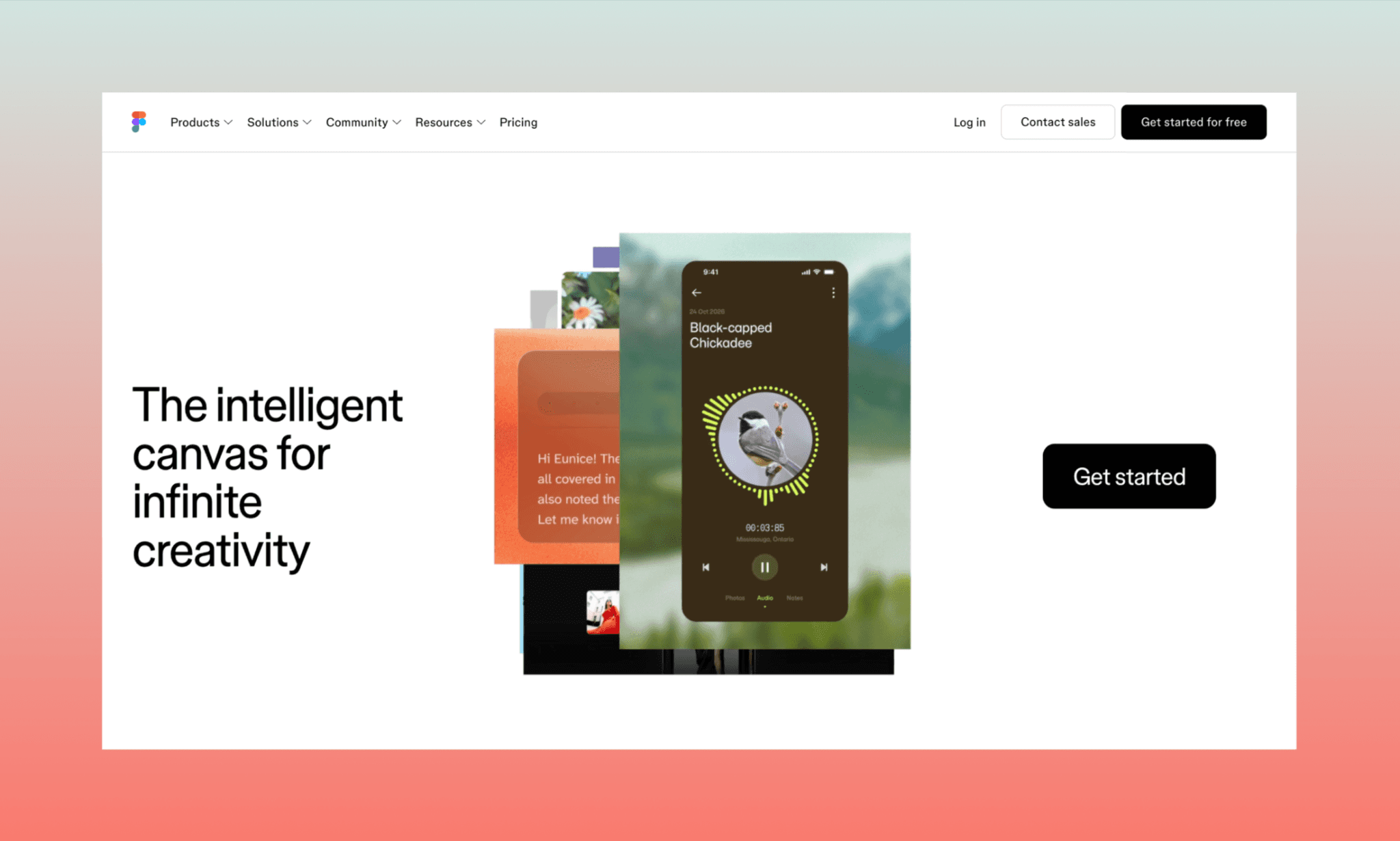
Figma AI is a set of AI tools inside the Figma ecosystem aimed to accelerate each step of the collaborative product design process[1]. The concept of Figma AI was first introduced in the 2024 Config event[2], has been evolving, and in 2026, it mainly includes Figma Agent for prompt-to-UI generation, Figma Make for text-to-app building, Figma Weave as a node-based canvas of multiple GenAIs, and more.
It’s worth noting that Figma Make AI app builder is such a popular AI by Figma that people often (mis-)use the terms ‘Figma Make’ & ‘Figma AI’ interchangeably.
Figma AI 2025 vs Figma AI 2026
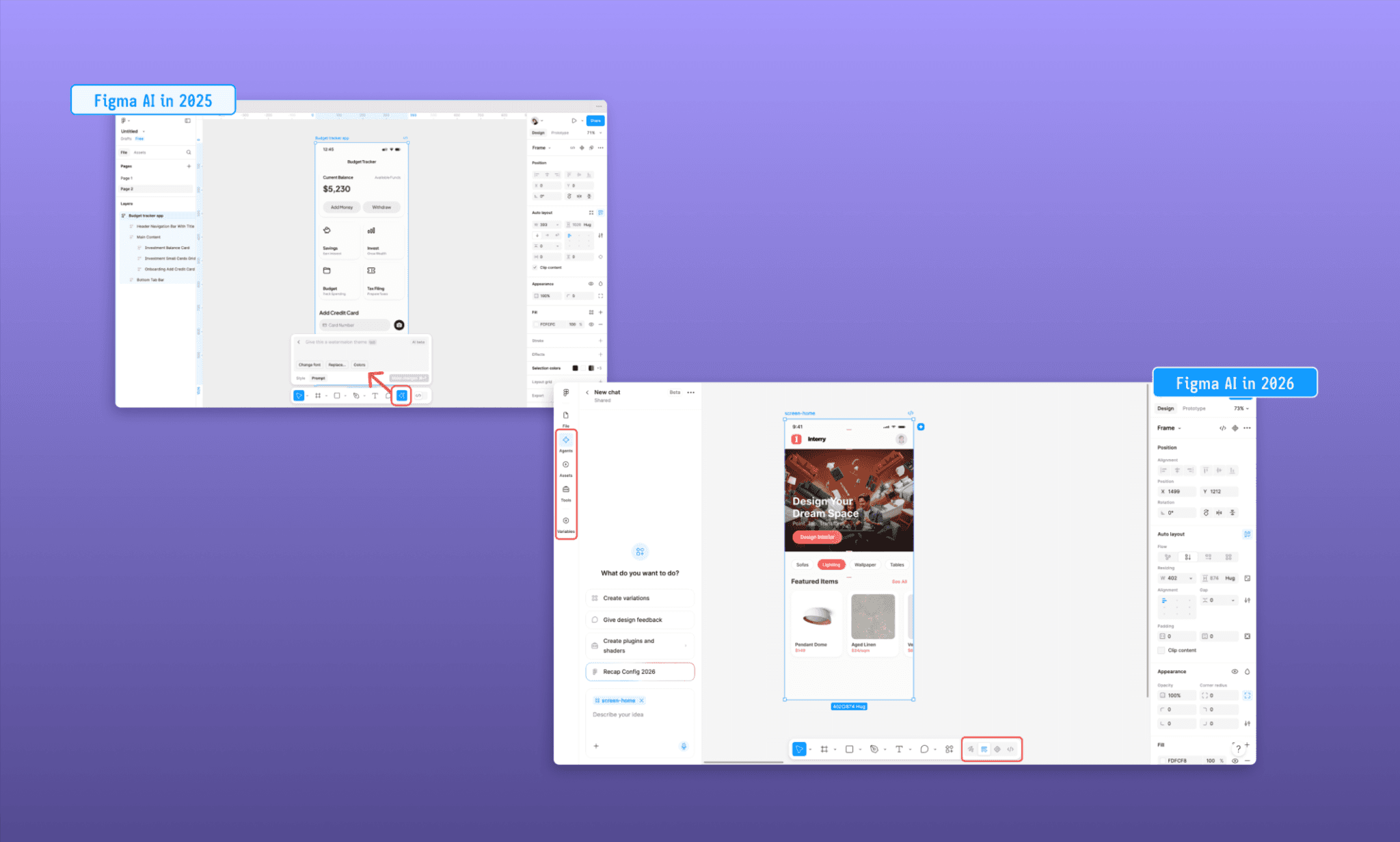
Figma AI’s evolution is in terms of both its features and accessibility. In 2025, Figma AI meant a handful of assists tucked under one sparkle button (or AI star icon) at the bottom navbar of Figma Design canvas: First Draft, image generation, layer renaming, etc. By 2026, it's grown into a full suite spanning ideation (Agent), asset generation (Weave), app building (Make), and code (Dev Mode, Code Layers) — each with its own surface; some with their own separate pricing and canvas.
While we’ll look at all the main tools in detail below, here should note that in the design canvas, you can access Figma Agent, and select Weave Tools from the left bar.
Which LLM powers Figma AI?
As of 2026, there is no single LLM behind Figma AI; and no proprietary model either. In fact, Figma AI runs a multi-model strategy where different tools use whichever model fits best. For instance, in Figma Make, you can choose the latest models of Claude, Gemini & GPT. Weave AI packs them and more, including Kling, Seeddance, Flux, etc.
It’s interesting that with Claude Design, Anthropic's role has angles of competition with Figma as the two grow.
Fable 5 vs Gemini vs GPT at UI Design >
Key Features of Figma AI in 2026
Figma AI Design Generator: Agent
Figma Agent is Figma's native AI design agent or assistant, built into the canvas with your design system as context. Think of it as the AI for Figma design that you can access via the AI star icon on the left panel or on any selected component.
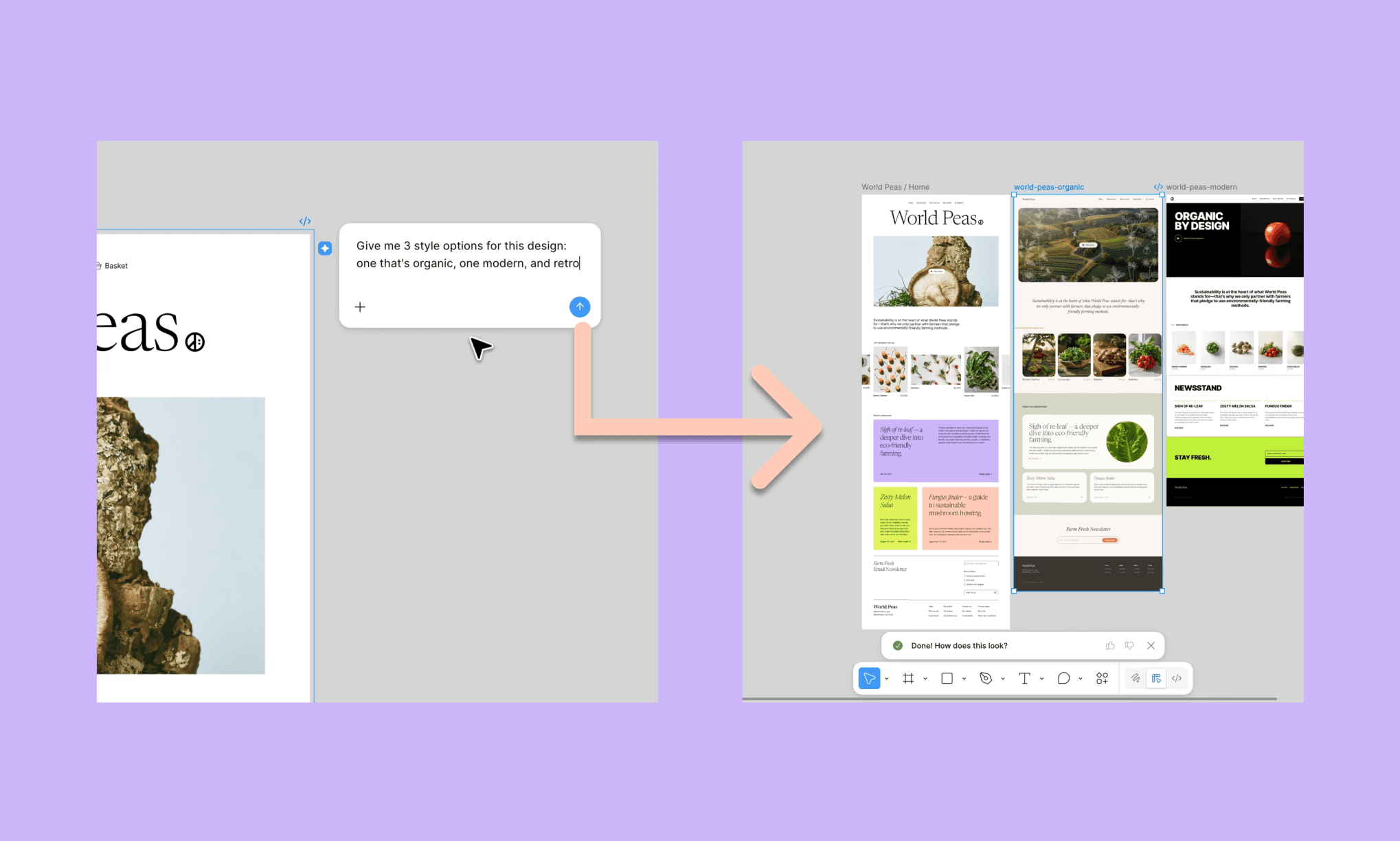
Key features of Figma Agent
Generates full designs and remixes from a single prompt
Bulk edits components, styles, and copy across screens
Summarizes scattered feedback into next steps
Simulates persona-based critique before real reviews
Figma Agent is best for teams already on Figma who want AI edits with full design-system context, not just from-scratch generation.
How to Use AI UI Agent like a Pro >
Does Figma AI generate UI design variations?
Yes. Agent can remix an existing design or generate multiple layout directions from one prompt.
Does Figma AI generate editable components?
Yes. Outputs land as native Figma layers and components, not flattened images; fully editable after generation.
Does Figma AI automate repetitive design tasks?
Yes. With Agent, you can select multiple frames and give a single prompt to request bulk edits like restyling components or updating copy across screens in one prompt.
Announced in Config 2026[3], as of mid-2026, Figma Agent is in closed Beta; not immediately available even for paid users. You can use Banani AI for similar UI design and editing features – starting for free!
Figma AI App/Website Builder: Make
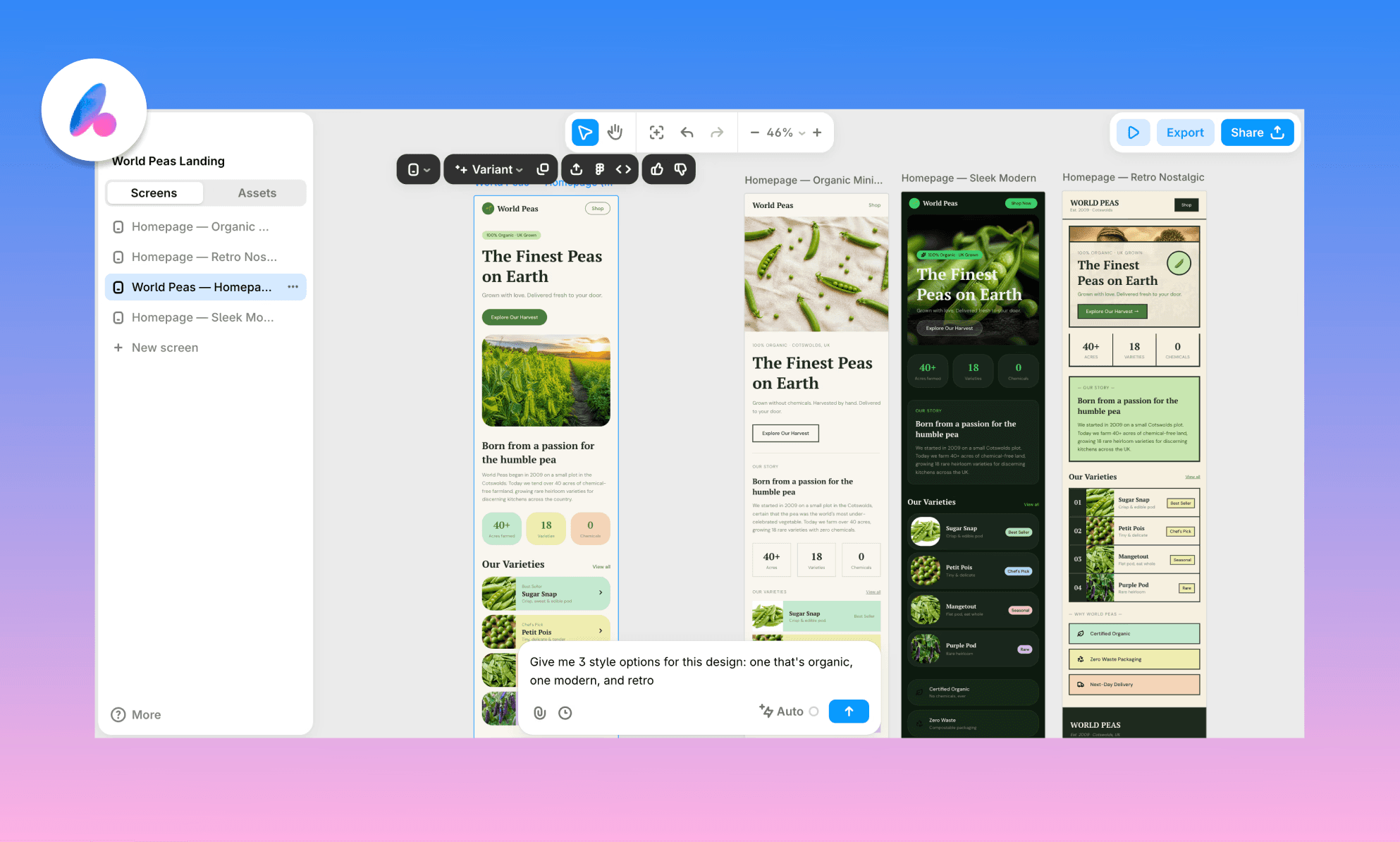
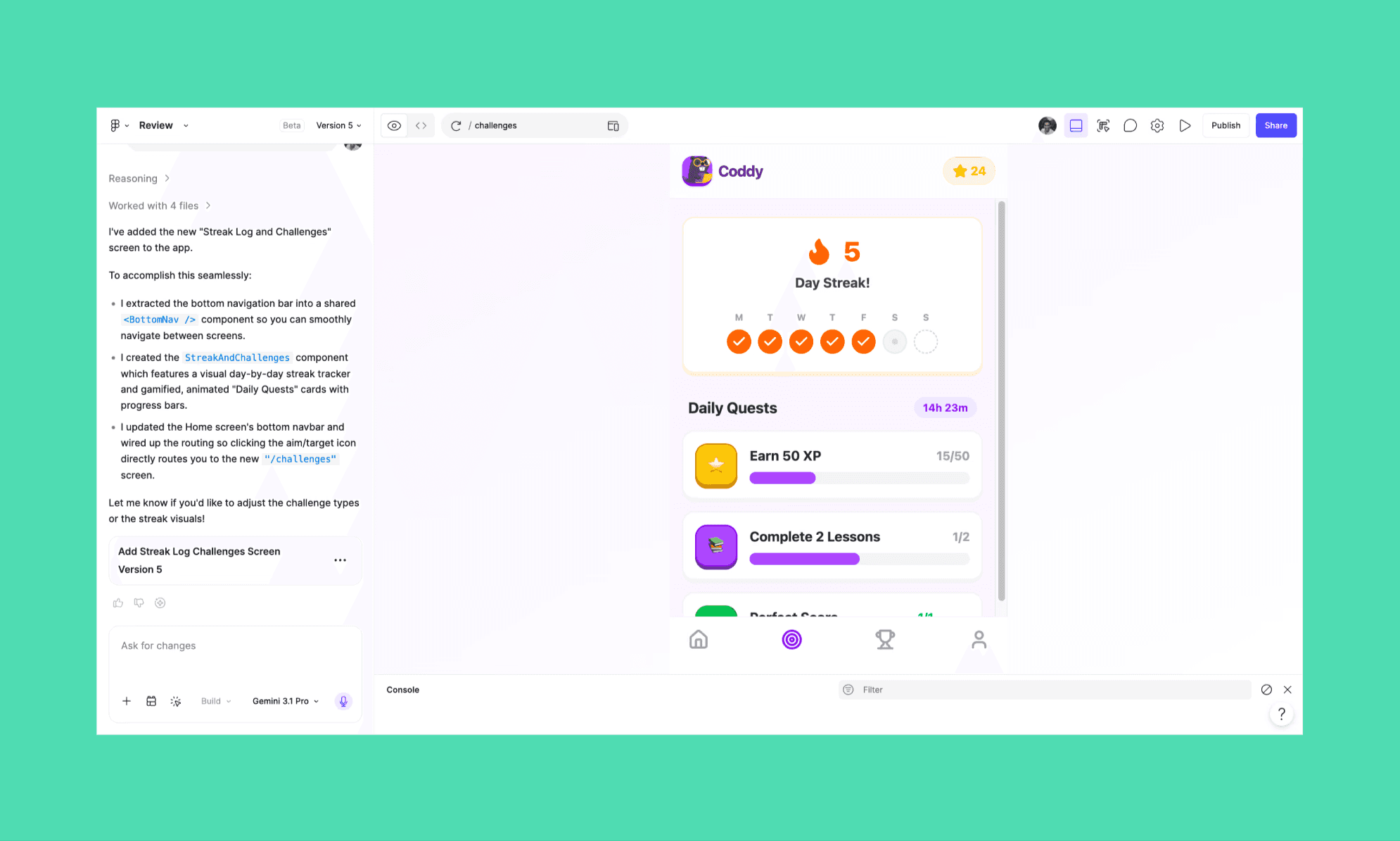
Figma Make is Figma's prompt-to-app tool. Describe an idea in text, attach references (optional), and it builds a functional, interactive prototype with real code. You can access it from the Figma dashboard banner or figma.com/make.
Key features of Figma Make
Builds multi-screen interactive apps from a single prompt
Manual point-and-click edits cost zero credits
Exports clean React + TypeScript, Tailwind, Vite code
Connects to GitHub, Supabase, and an MCP server for handoff
Figma Make is best for going from prompt to shippable code fast, though credits burn quickly and outputs tend to be generic without detailed prompts. So, I suggest: before vibe coding in Make AI, vibe design with Banani AI.
How to Use Figma Make like a Pro >
Figma AI Design Assets: Weave
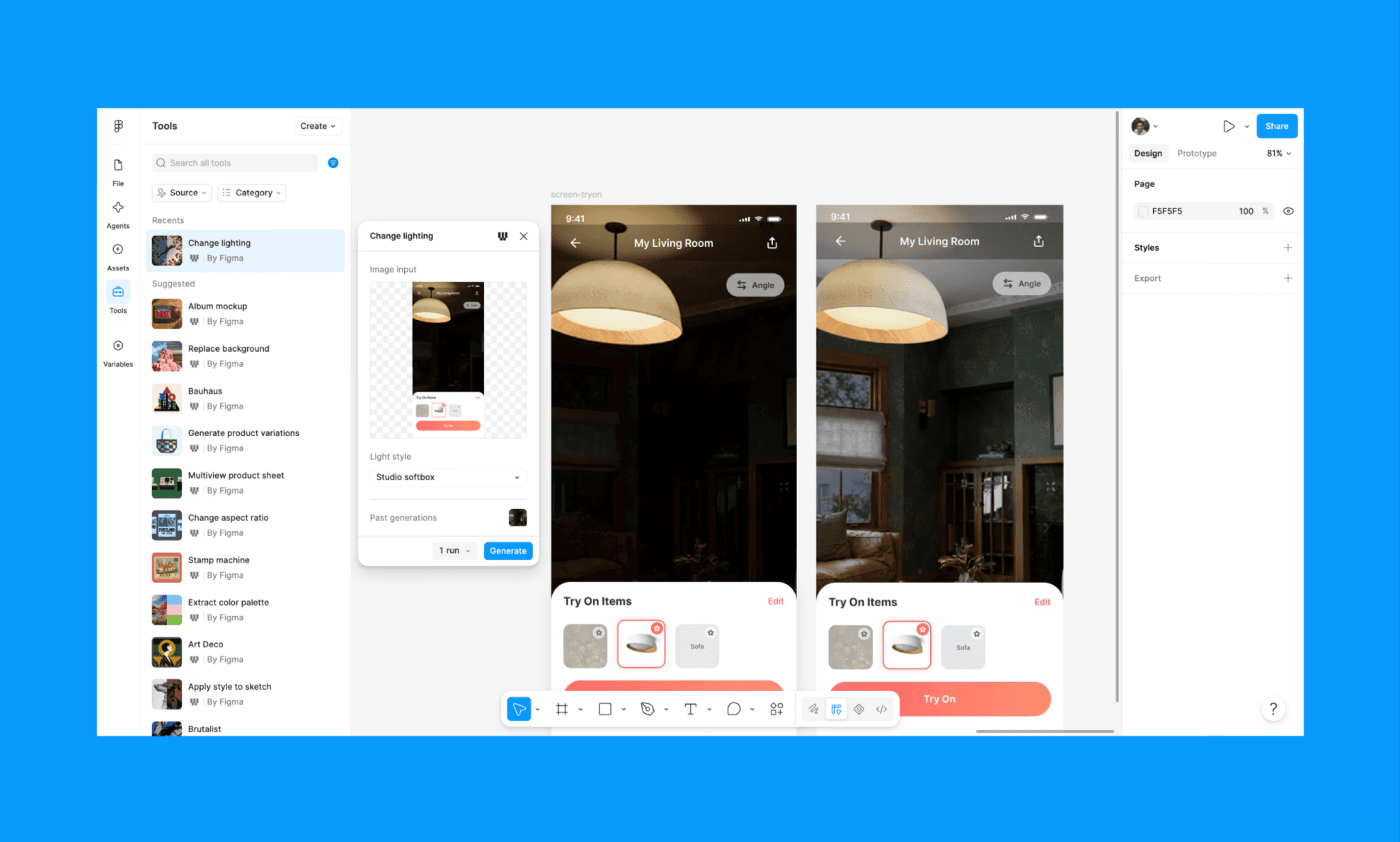
Figma Weave is Figma's node-based AI creative platform for generating and editing images and video across multiple GenAI models (similar to Flora AI). Access it separately at weave.figma.com, or via select Weave Tools inside Figma Design.
Key features of Figma Weave
Node-based canvas connecting prompts, references, and outputs
Runs 12+ image/video models like Flux, Imagen, Mystic
Select workflows now run as Tools directly in Figma Design
Figma Weave is best for pipeline-minded creative teams generating assets at scale, not quick one-off images. You can assemble the UI assets generated by Weave using Figma Agent or Banani AI.
How to Use Figma Weave to Generate UI assets >
Figma AI Frontend Code: Dev & MCP
Figma Dev Mode is Figma's design-handoff layer, surfacing CSS specs and connecting to AI coding agents via MCP. It can be accessed by pressing Shift+D or toggling Dev Mode from the canvas toolbar (*paid Dev Seat required).

Key features of Figma Dev Mode
Per-element CSS inspection for spacing, typography, colors
Platform-specific code exports: CSS, SwiftUI, Compose, XML
MCP server pipes design context into Claude Code, Codex, Cursor
Designer-only annotations are visible only in Dev Mode
Figma Dev Mode is best for structured teams with disciplined designers and developers fluent in CSS; not ideal for non-technical solo builders, though. If you want a simpler design-to-code tool with Figma-integration, use Banani AI.
Top Figma-to-Code AIs Compared >
Other Popular Figma AI Features & Plugins
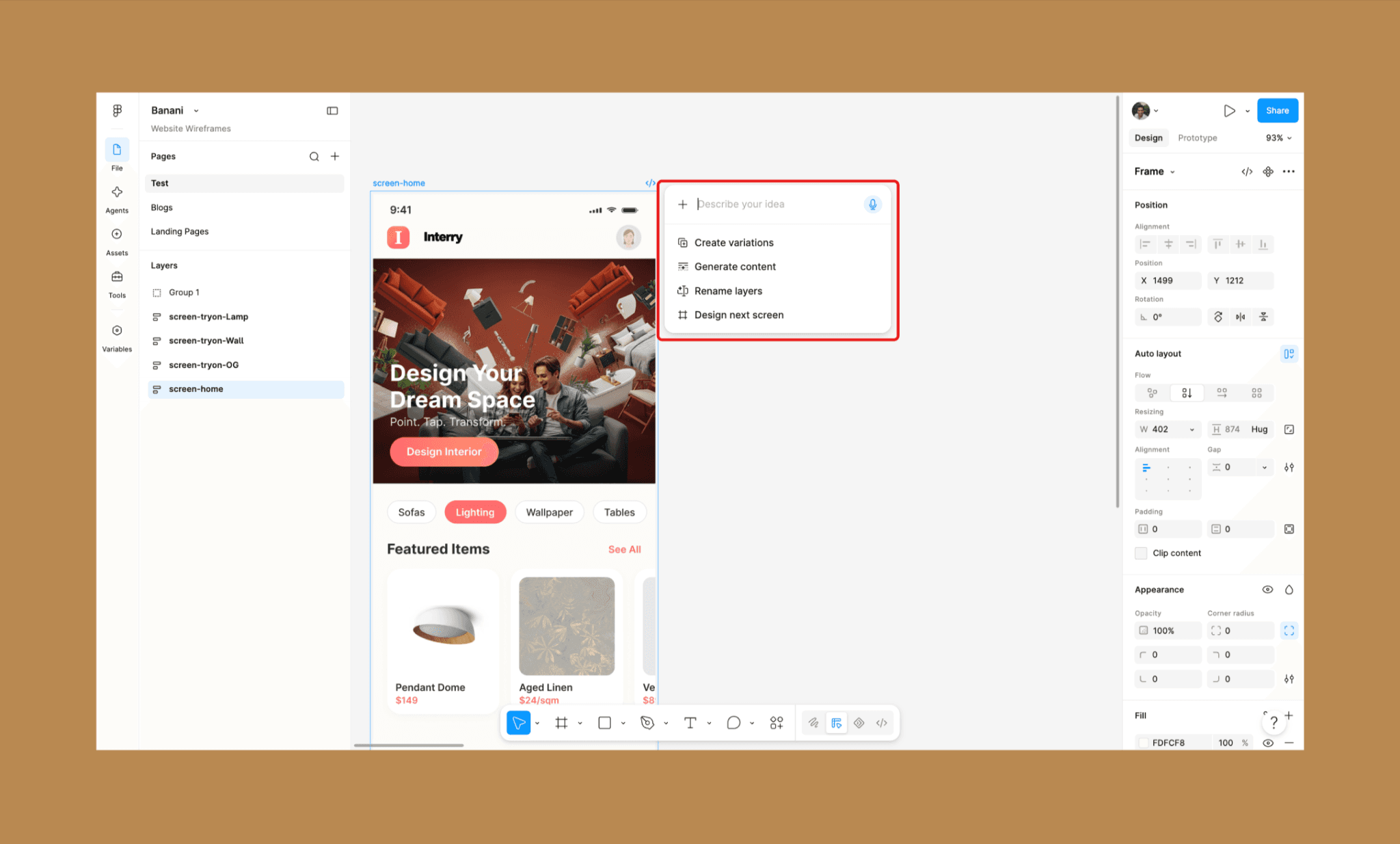
Scrolling through this guide on 2026 Figma AI, if you were wondering about where the features announced in 2025 are, namely First Draft, Image gen, Layer rename, etc. Well, their direct access is removed from the Figma design bottom nav. However, the features themselves are not entirely removed. You can find them in Figma AI Agent on selecting a frame/component.
Likewise there are additional interesting AI features of Figma not covered above – some even announced but not fully accessible yet – that one should know about.
Tool | Use Case | Accessibility |
Figma Motion | Timeline-based animation with agent-generated keyframes | Figma Design, Professional plan+ |
Shaders & generative plugins | Prompt custom WebGPU shaders and effects into existence | Full seat, open beta |
Code Layers | Convert any design layer into interactive, editable code | Early access from July 2026 |
Web search in Agent | Pull live web content into prompts instead of placeholders | Toggle in chat or org settings |
Custom plugin generation | Prompt the agent to build one-off tools like layer sorters | Full seat, paid plans, open beta |
3D transforms | Native spatial design with dev-ready export | Waitlist |
Figma AI Plugins
A Figma plugin is a third-party add-on installed from the Community tab that extends the canvas with functionality Figma doesn't build natively. Figma AI plugins specifically bring in a far larger and more specialized set of AI features than Figma's own native suite, built by designers & developers like you.
Plugin | Use Case | Price |
Removes backgrounds from images, no limits | Free | |
Generates a design system doc from your file | Free | |
ChatGPT access and UX copywriting inside Figma | Free | |
Design-to-code export for React and other frameworks | Freemium |
*Note: Banani AI does alone what several of these plugins do stitched together — web copy, design systems, design-to-code — without the plugin-hopping.
Top Figma AI Plugins vs Banani AI Design Tool >
Pros & Cons of Figma AI
Pros | Cons |
Deep native context: design systems, tokens, variables built in | Suite is fragmented across Agent, Make, Weave, and Dev Mode surfaces |
Multi-model choice: pick Claude, Gemini, or GPT per task | Best features are often stuck in closed beta or waitlist |
Bulk edits and dark-mode switches save real manual work | Component placement and spacing still break unpredictably |
Make exports clean, real React and TypeScript code | Credits burn fast, especially in Make and Weave |
MCP connects design context straight into the Claude Code, Cursor | Native code generation stays separate from the main canvas |
Weave centralizes 12+ models in one credit-transparent workflow | Learning curve steep for Weave's node-based interface |
Agent-built plugins remove the need to hunt Community for one-offs | No single entry point anymore; features scattered post-2025 |
Figma AI Pricing & Credits in 2026
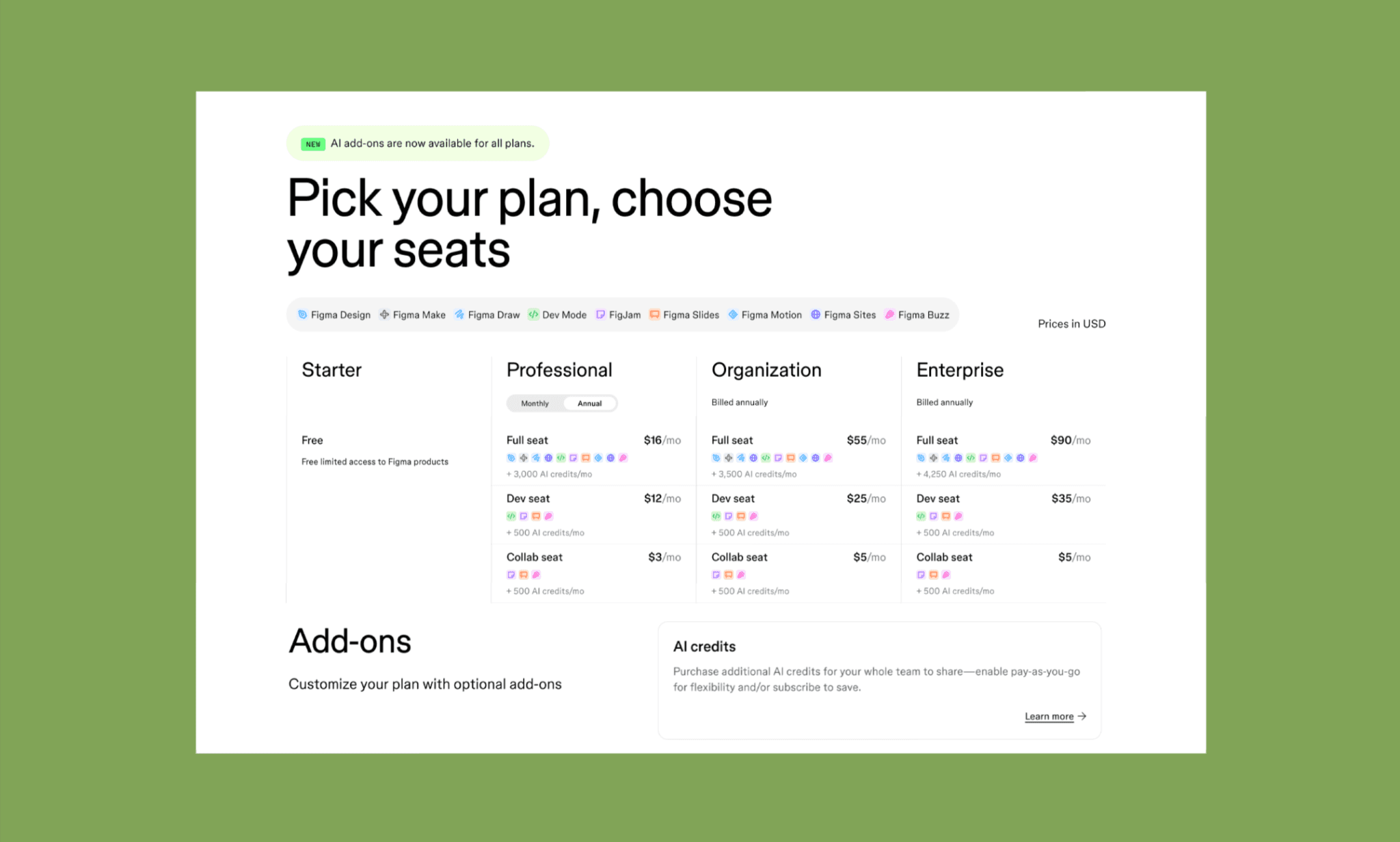
Figma AI isn't sold standalone. It's bundled into seat-based plans as shown in Figma Pricing Page[4] — Full, Dev, or Collab — each with a monthly AI credit allowance. These AI credits fuel every AI action across the suite, from Agent prompts to Make generations. Credits don't roll over, and heavier use means either a higher-tier seat or a paid credit top-up.
Tool | Min. Seat Cost | AI Credits/mo | AI Consumption |
Full seat, $16/mo | 3,000 (shared pool) | Charged per prompt/edit; beta usage often uncapped or discounted | |
Full seat, $16/mo | 3,000 (shared pool) | Generation costs credits; manual point-and-click edits are free | |
Dev seat, $12/mo | 500 | Mostly inspection/handoff; light or no AI-credit draw | |
150 credits free, $19/mo | 1,500 | Cost shown upfront per generation, varies by model chosen |
*Note: Figma Weave is priced separately as it sits outside the Figma AI ecosystem.
Full Price & Credit Breakdown of Figma AI >
Figma AI Alternatives
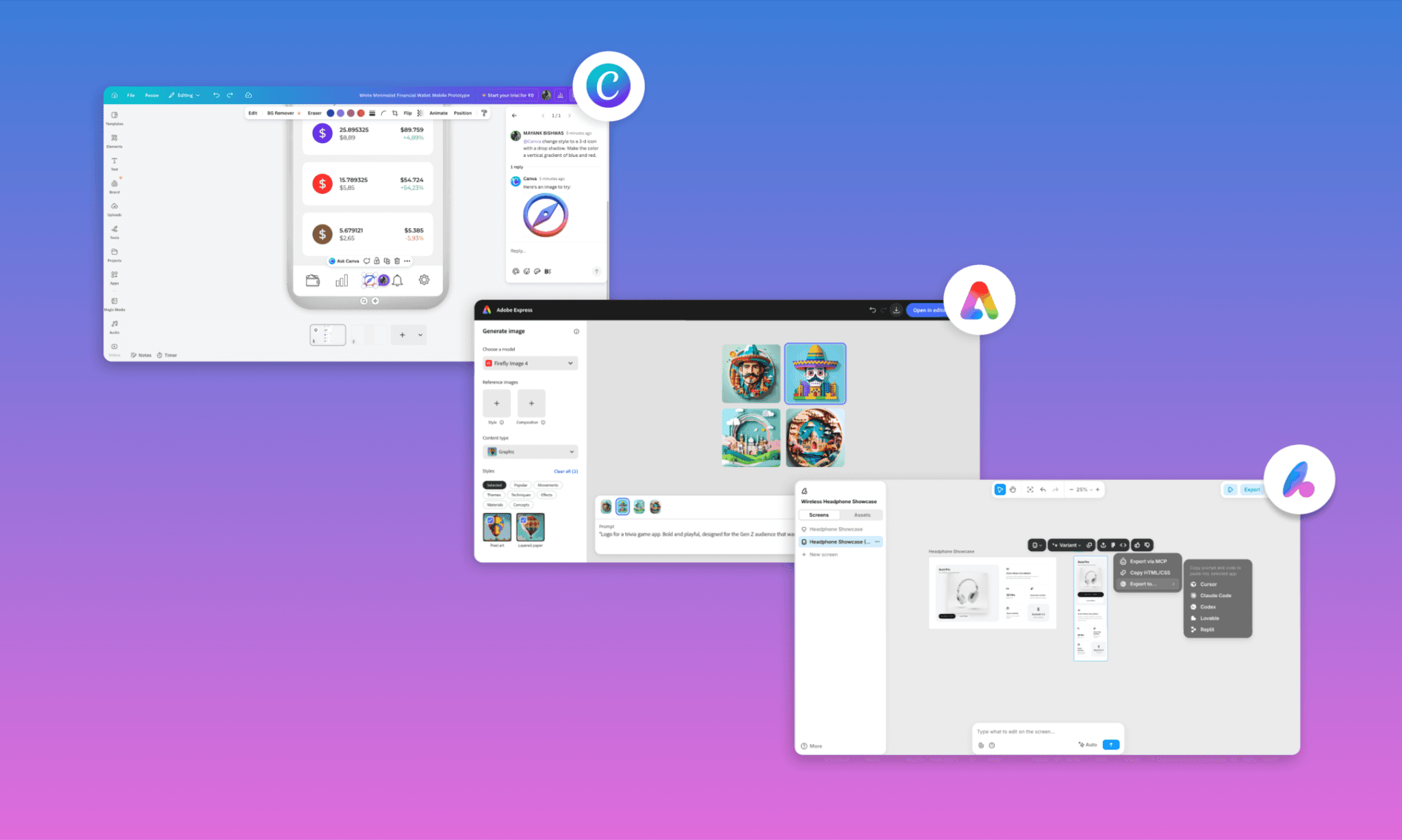
Figma AI is genuinely strong at what it's built for, viz. canvas-native design. But ‘AI design’ has quite a range: For instance, Canva AI is a chat-based content creator for marketing collateral, Adobe Firefly has generative image/video baked into Creative Cloud, and Banani is an AI-native UI design-to-code tool. A product team needs it all.
So, it’s imperative to not only be aware of Figma AI alternatives but also assess how good is Figma AI compared to other AI design tools.
Criteria | Figma AI | Canva AI | Adobe Firefly | Banani |
Focus | UI/UX | Marketing collateral | Image/Video | UI/UX & Frontend |
Editable output | Layers, components | Flat designs, templates | Flat images | Layers, components, code |
Design system awareness | Yes, via Agent | Via Brand Kit (content, not UI) | No | Yes, brand-aware generation |
Figma/code export | N/A (is Figma) | No | No | Figma, code (React, HTML) via MCP |
Starting price | $16/mo (Full seat) | Free / $15/mo Pro | Free / $9.99/mo | Free |
From the way I see it, Canva and Adobe are excellent at what they do, but Figma AI is a class above at UI/UX. That said, if you're choosing an AI tool specifically for UI/UX and don't need the full Figma ecosystem, Banani gets you further for less.
Verdict: How Good is Figma AI?
Figma AI is powerful and multi-faceted, for sure. Agent brings real design-system context to generation, Weave centralizes a dozen models with transparent pricing, MCP genuinely bridges design & code, and a plethora of AI plugins keep filling the small gaps as they emerge. However, the suite is also fragmented, its best features sit in closed beta, and credits burn fast once you're actually shipping. Frankly, it also seems to be catching up to its vision, keeping the users waiting.
So, if you want a fast, affordable, Figma-compatible UI/UX generation – powered by the latest Gemini and GPT models – into a single design-to-code canvas, just start with Banani AI, for free!
FAQs on Figma AI in 2026
What does Figma AI do?
Figma AI provides AI-powered workflows and tools inside the Figma ecosystem, spanning ideation (Agent), app building (Make), asset generation (Weave), and code handoff (Dev Mode). Additionally, it includes smaller assists like layer renaming and text generation, all built into the Figma canvas.
What is the Figma AI controversy?
The most infamous controversy regarding Figma AI came out in 2024 where Figma's "Make Designs" feature generated a UI nearly identical to Apple's Weather app[5]. And Figma paused the feature amid accusations it trained on existing apps.
Is Figma AI the same as Figma Make?
No. Figma Make is just one of the tools inside the Figma AI suite viz. an AI app builder. Figma AI also includes Agent, Weave, Dev Mode, and more.
Is it possible to use external AI in Figma?
Yes. You can use third-party plugins to bring in outside AI models in Figma AI. Additionally, Figma MCP lets external tools like Claude Code or Cursor read from and write to Figma files directly.
How to use Figma AI for design automation?
Use Agent by Figma for design automation, like bulk edits in a design canvas. You can select multiple frames, and give the AI Design Agent a prompt of your request.
What are the limits of Figma's AI design generation?
I can’t think of any as such, but I felt that over multiple AI edits of one design in Figma, the quality sometimes goes down. The image can start losing sharpness, the layers mix up, and merging two versions creates something unusable. Best features are also often gated to closed beta or higher-tier seats.
Is Figma AI secure?
Yes, as a reputable brand, Figma AI is secure, and it says itself that it doesn't train on customer data without explicit opt-in, and de-identifies data when permission is granted.
However, the 2025 default opt-in incident and ongoing lawsuit mean enterprise teams should verify their org's specific data settings with Figma AI, rather than assume[6].
Which is the best alternative to Figma AI for UI?
I believe Banani AI is the closest alternative to Figma AI for UI/UX. It’s a purpose-built, AI-native UI/UX tool with Figma integrations, but much more affordable; and can start for free.
References
[1] https://www.figma.com/ai/
[2] https://www.figma.com/blog/introducing-figma-ai
[3] https://www.figma.com/blog/config-2026-recap/
[4] https://www.figma.com/pricing/
[5] https://techcrunch.com/2024/07/02/figma-disables-its-ai-design-feature-that-appeared-to-be-ripping-off-apples-weather-app/
[6] https://www.reuters.com/legal/government/figma-sued-allegedly-misusing-customer-data-ai-training-2025-11-21/


