
tl;dr: 2026 Rork AI Review
Key Features | React Native + Swift output, cloud iOS simulator, Expo-based deployment |
Rating | Product Hunt: 4.6/5 | Trust Pilot: 2/5 |
Pros | No Mac/Xcode required for iOS, full GitHub code ownership |
Cons | No visual drag-and-drop builder, credit-heavy iterations |
Best Use Case | Consumer mobile apps, Apple-native builds |
Pricing | Free (5 credits), Pro ($20/mo), and Max ($200/mo) |
Alternatives | Lovable (better UI control), Bolt (faster web MVPs), Banani (superior AI UI design/prototyping) |
What is Rork AI?
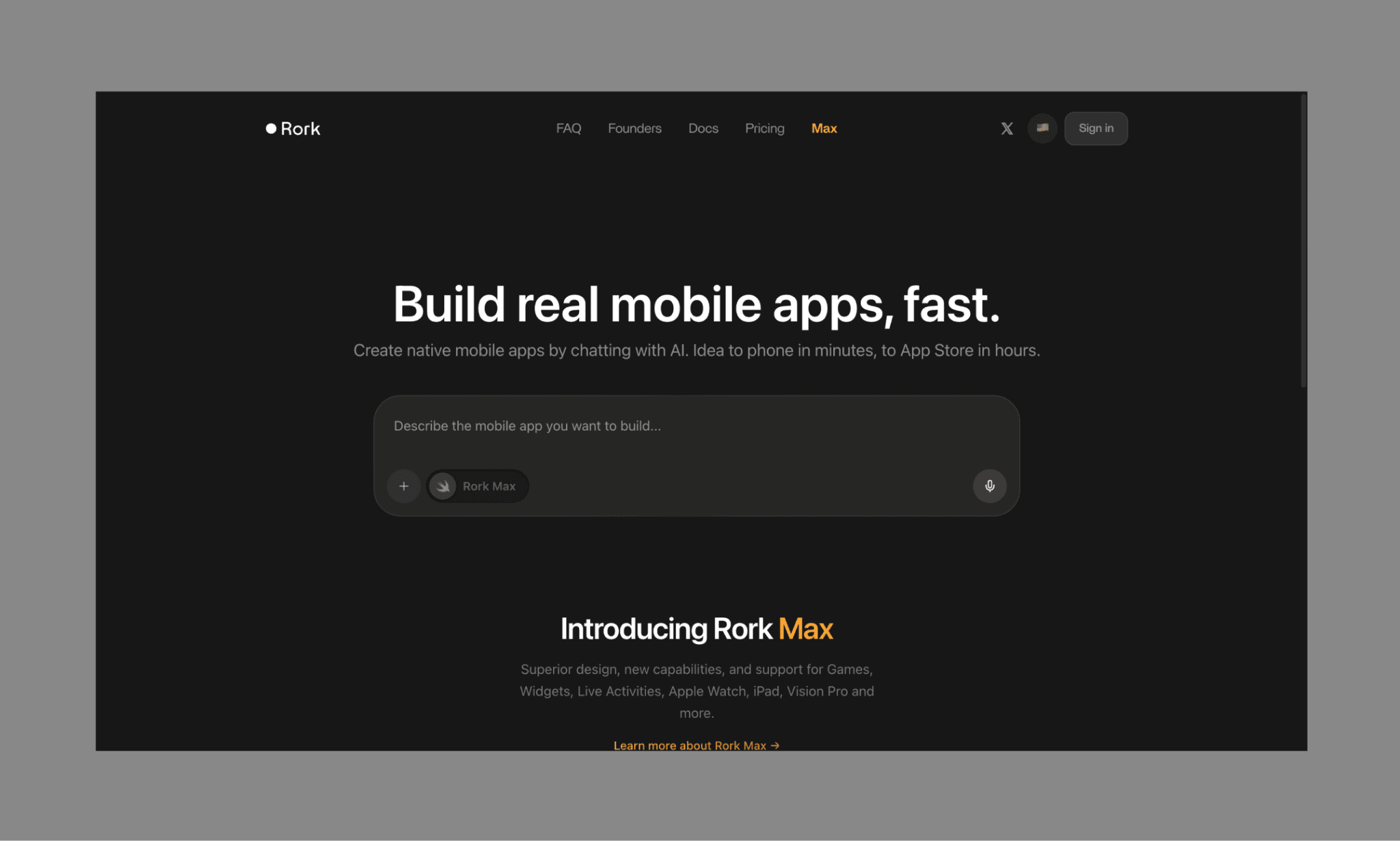
Rork AI is an AI app builder that turns plain-English text descriptions into fully functional mobile/web apps.
It defines its edge in native mobile development, using React Native and Expo to ensure apps feel smooth and responsive on mobile devices. Further, Rork Max is touted as the first Swift app builder on the web for developing and publishing apps across all Apple platforms (iPhone, iPad, Watch, TV, Vision Pro, and iMessage).
Read my list of top AI App Builders of 2026 >
How to Use Rork AI App Builder
Building an app with Rork has a straightforward prompt-to-app workflow. You input your idea as text and/or image, choose the model (default is Rork PRO, but you can toggle to Rork Max), and voila!
No hands-on coding or design skills needed. It also offers a ‘Plan Mode’ for brainstorming ideas.
Following is my Rork AI tutorial to make the most of it:
1. Start with a detailed prompt
Everything begins with your idea. You describe the app in plain English, covering core features, screens, user flows, and any specific logic. A vague prompt will give you a generic app, while a structured one (e.g., authentication, dashboard, profile, interactions) produces a far more usable first version.
2. Generate the initial app
Once submitted, Rork processes your input and generates a working app using React Native. This includes UI layouts, navigation, and basic functionality. Rork offers a responsive screen preview (for mobile, desktop, and even an Expo link to test interactivity on your own phone).
3. Refine through chat
The first version is rarely perfect. But I wouldn’t hold it against Rork. It’s just what app/product development is like. Rork uses an AI chatbot-like interface where you can request changes like adjusting UI elements, adding features, or fixing flows. This iterative process—often called “vibe coding”—is where most of the real work happens.
Note that each iteration consumes credits. Depending on the complexity, it can get uneconomical. And must say this is a real pain point (that even a few Rork reviews on Reddit mention), that’s why I prefer to vibe design my app before vibe coding to save credits.
4. Test on a real device instantly
I suggest testing on its Expo Go review. You can scan a QR code and run the app directly on your phone. This creates a tight feedback loop where you can quickly interact with the app during its build, evaluate usability, layout, and performance in a real-world context.
5. Export code or sync with GitHub
If you are a developer, then take it a step further and export the full codebase or sync it to GitHub. This is useful if you want to extend or debug the app using tools like Cursor or traditional development workflows.
Publishing an App with Rork AI
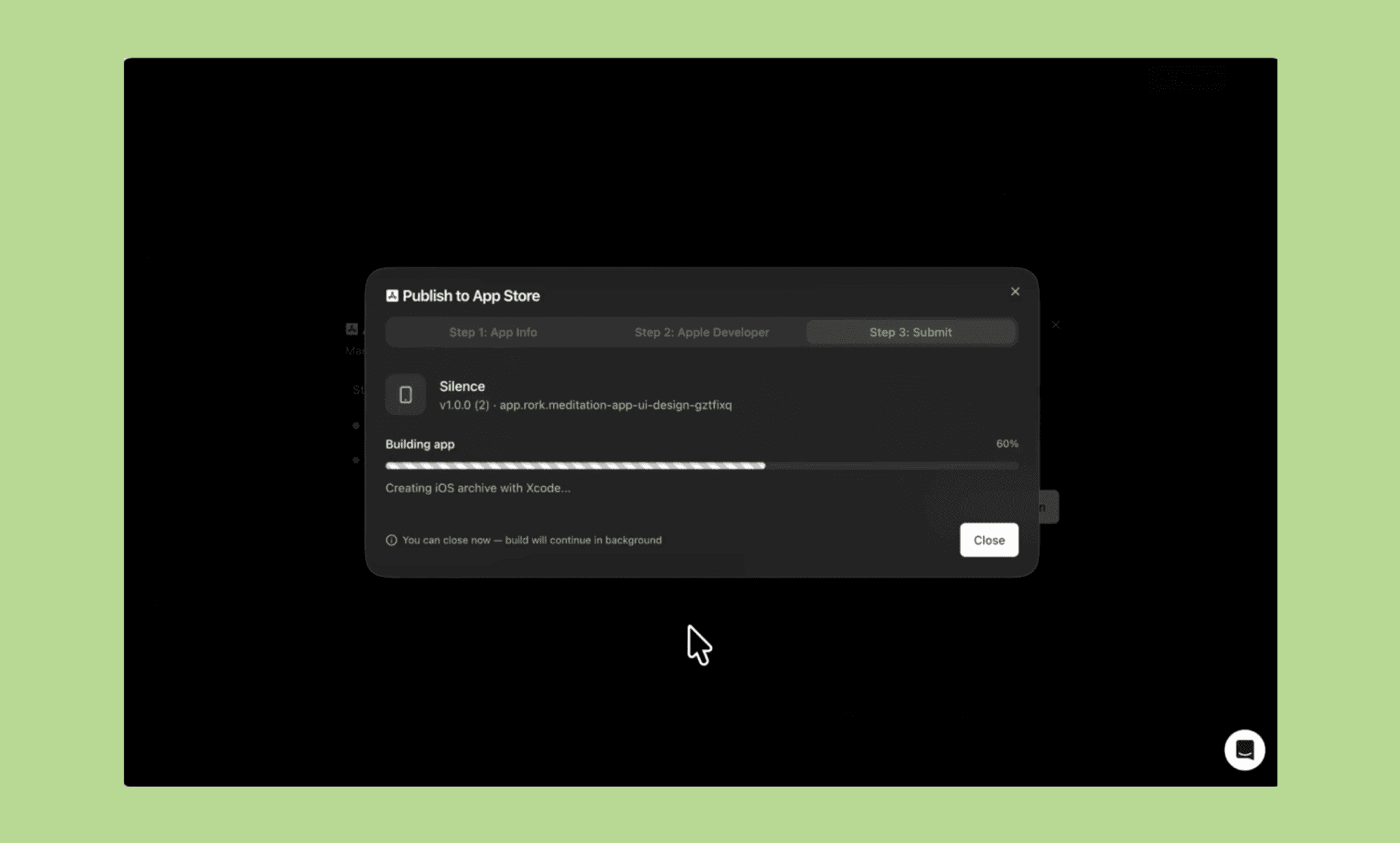
Like many, I, as a product builder myself, dread the deployment drama that both App Store and Play Store come with. Rork AI automates this step using Expo Application Services (EAS) to handle technical compilation directly in your browser.
How it works
Once your app is ready, you can trigger a build and push it to the Apple App Store or Google Play Store. You don’t need a Mac or Xcode; even Windows users can build and deploy iOS apps via their Apple ID. Rork takes care of certificates, provisioning profiles, and compilation behind the scenes.
For iOS, the app is sent to App Store Connect and can be tested via TestFlight before release. On Android, Rork generates the required build files and submits them to the Play Console.
What you still need
You’ll need your own developer accounts on Apple ($99/year) and Google ($25 one-time). Rork includes modules for mandatory Privacy Policies and EULAs, plus RevenueCat integration for in-app subscriptions.
That said, while Rork aims for "one-click" publishing simplicity, the process can be buggy. It almost always is. If the automated "Publish" button fails, you can sync to GitHub and export the full React Native source code for free to complete the submission manually.
Features I Liked in Rork App
Analyzing their changelog, the latest features of Rork in 2026 have a clear theme of native empowerment of the Apple ecosystem. Some key features include:
Rork Max (Native Swift app generation): Rork generates pure Swift code instead of React Native, enabling true native apps across iPhone, iPad, Apple Watch, Apple TV, Vision Pro, and even iMessage.
Cloud-based iOS simulator: A browser-based streaming iOS simulator lets you test apps on a real Apple environment without Xcode or Mac hardware.
One-click / Two-click App Store publishing: Rork aims to simplify deployment with automated App Store publishing, handling builds, certificates, and submissions without manual setup.
Advanced native hardware integration: Supports complex iOS features like HealthKit, ARKit/LiDAR, NFC, Dynamic Island, and Metal 3D graphics, pushing beyond typical no-code limitations.
Next-Gen AI coding engine: Powered by Claude Code and Opus 4.6, Rork can handle complex app logic, better UI generation, and deeper code reasoning.
Pros & Cons of Rork AI
Strengths of Rork AI | Weaknesses of Rork AI |
Build functional MVPs from prompts in minutes. | No visual editor; chat tweaks are inefficient. |
Uses React Native and Swift, not web wrappers. | Bugs, crashes, and preview failures are common. |
Deploy iOS apps without Xcode or Apple hardware. | Struggles with complex logic in larger apps. |
Export full codebase or sync with GitHub anytime. | Slow or unresponsive help, even for paid users. |
Instantly test apps via Expo Go QR scans. | Iterations consume credits quickly; no rollover (reportedly). |
Supports AR, NFC, HealthKit, Dynamic Island. |
Pricing of Rork AI
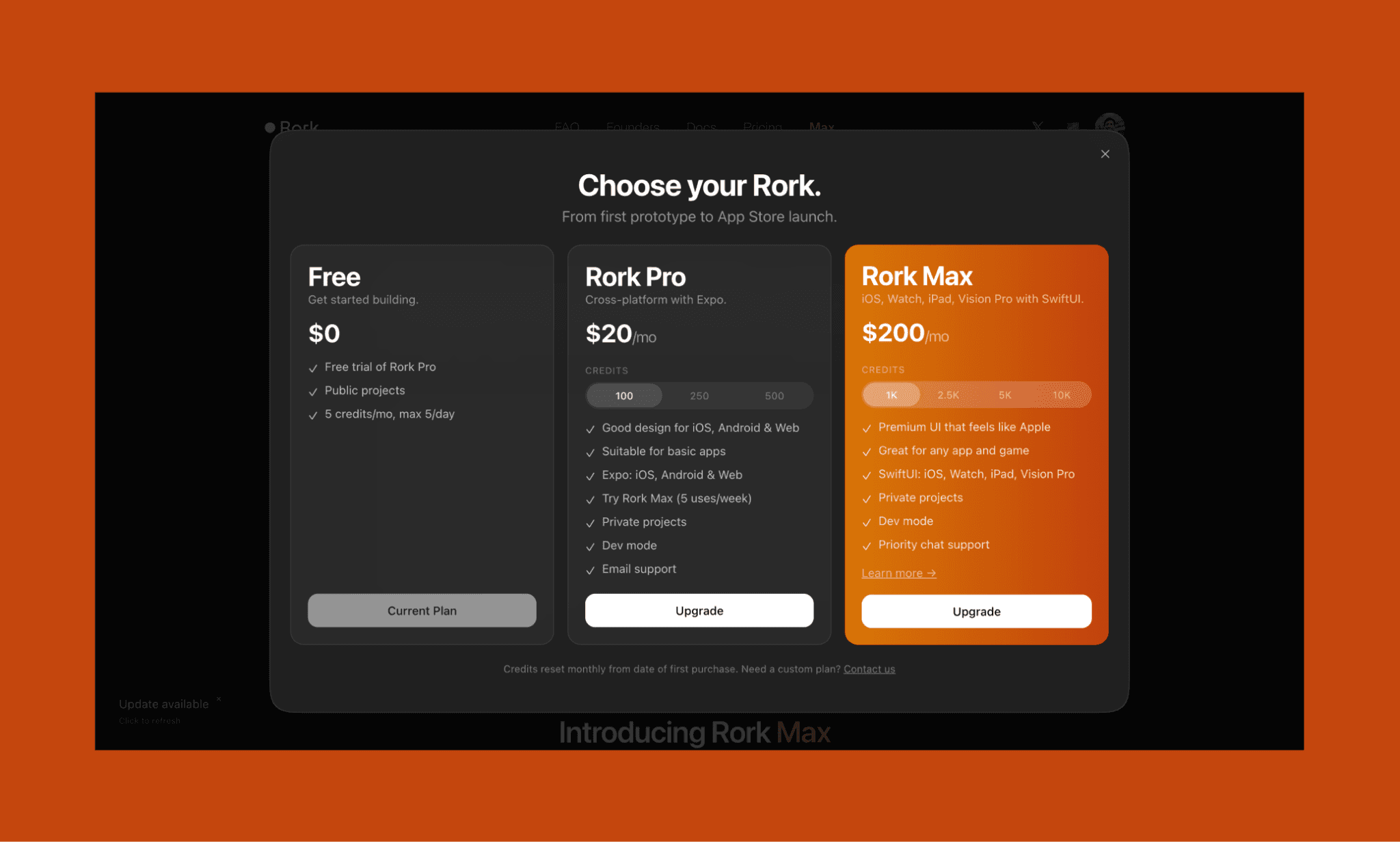
Rork AI pricing plans follow a typical freemium model. You can start building for free - no credit card required - and then upgrade to paid tiers as your project scales in size and complexity.
However, in my personal experience, the Rork Free plan was simply not working. I could see 5 credits/mo in Free tier, but I never got it on signing up; instead, was pushed to Rork Max on my attempt to upgrade. That was a little frustrating. Moreover, I corroborate several online customer reviews of Rork in 2026, that theirs is a credit-guzzling no-code app builder.
In other words, the Rork AI is free to try, but not really free to build seriously.
Plan | Price (USD/mo) | Key Features | Best For |
Free | $0 | - 5 credits/month (max 5/day) - Public projects, limited access to Pro features | Testing the platform, exploring UI generation |
Rork Pro | $20/month | - 100 credits (can buy up to 500 credits) - Cross-platform apps (iOS, Android, Web via Expo), private projects, dev mode | Indie builders, PMs, early MVPs |
Rork Max | $200/month | - 1K credits (can buy up to 10k credits) - SwiftUI native apps, premium Apple-like UI, advanced dev tools, priority support | Serious builders, startups, production-ready apps |
*Note: The above Rork plan & pricing as per April 2026
Best Use Case of Rork AI
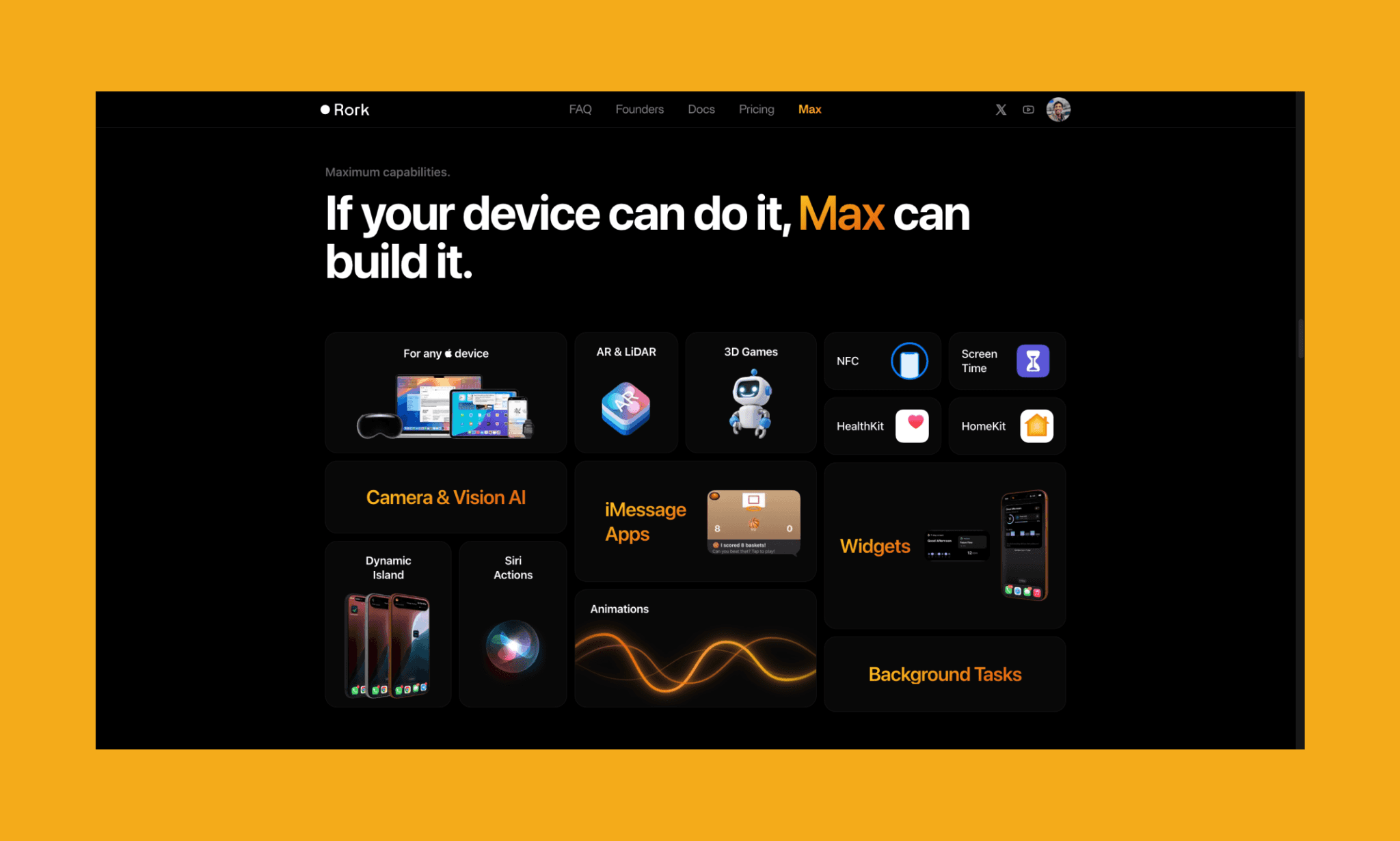
As advertised by themselves, the ideal use case of Rork AI (Rork Max to be precise) is building monetizable apps for the Apple ecosystem, ranging from HealthKit, AR, widgets, and 3D games.
Beyond this, I found the following to be the best use cases of Rork AI:
Rapid MVP validation for non-technical founders
High-fidelity client demos for agencies and freelancers
Project scaffolding (UI, auth, navigation) for developers
Build consumer-facing apps (utility & social)
How to Design Great Mobile Apps for iOS & Android >
Alternatives to Rork AI
Lovable vs Rork
Lovable is one of the most popular vibe-coding platforms. It generates production-ready React + Supabase apps with a strong focus on clean code and visual editing.
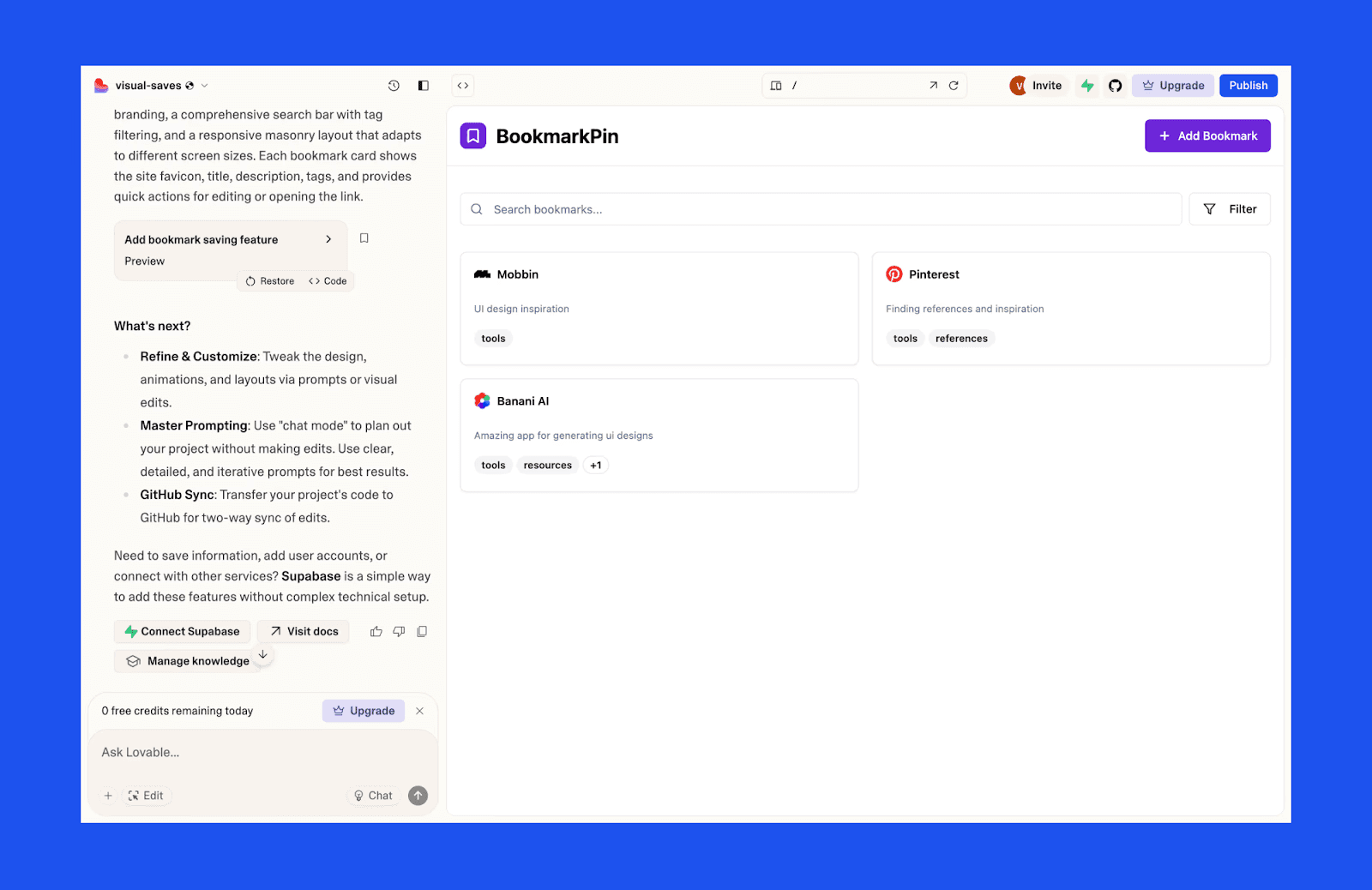
Why choose Lovable over Rork AI: Lovable offers a visual editing feature ideal for projects that need superior UI polish and control; while saving credits on iterations.
Limitation of Lovable: Less optimized for native mobile apps and lacks Rork’s deep Apple ecosystem integration (Swift, hardware access).
Check out Lovable Alternatives >
Bolt vs Rork
Bolt or Bolt.new (by StackBlitz) is a browser-based AI development agent that specializes in full-stack web applications. It provides a "Prompt-to-App" experience (similar to Rork) but is built on top of a specialized web container technology.
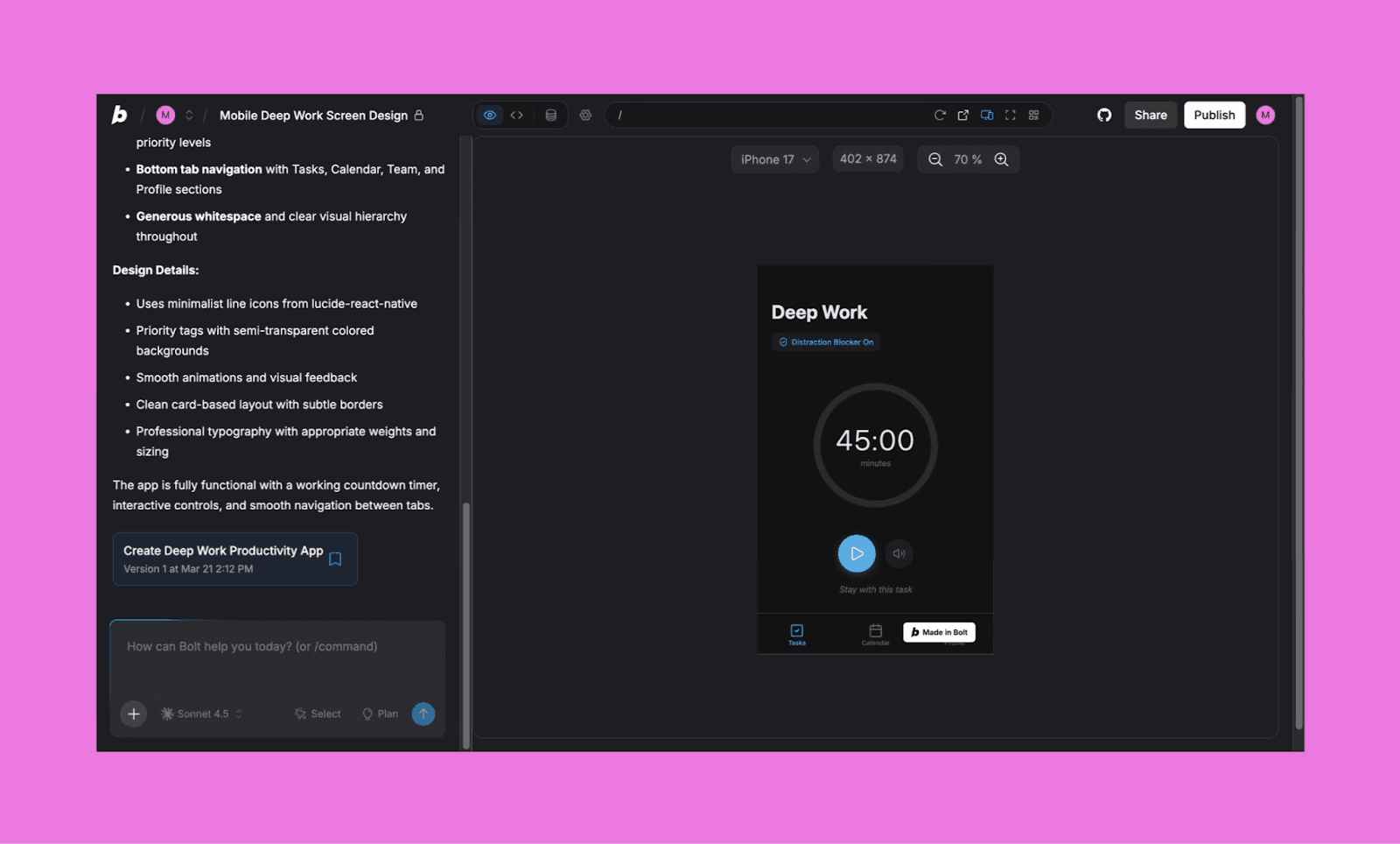
Why choose Bolt over Rork AI: Bolt is generally faster for web-based MVPs and offers a more transparent file-system view
Limitation of Bolt: If your goal is to push a binary to the Apple App Store or Google Play Store without a Mac, it’s out of Bolt’s scope; but, right up Rork’s alley.
Cursor vs Rork
Cursor is an AI-native code editor (a fork of VS Code), the gold standard for developers who want to write code alongside an AI. While it doesn't directly take a prompt to build the app for you, it offers plenty of control and assistance to build apps fast by yourself.
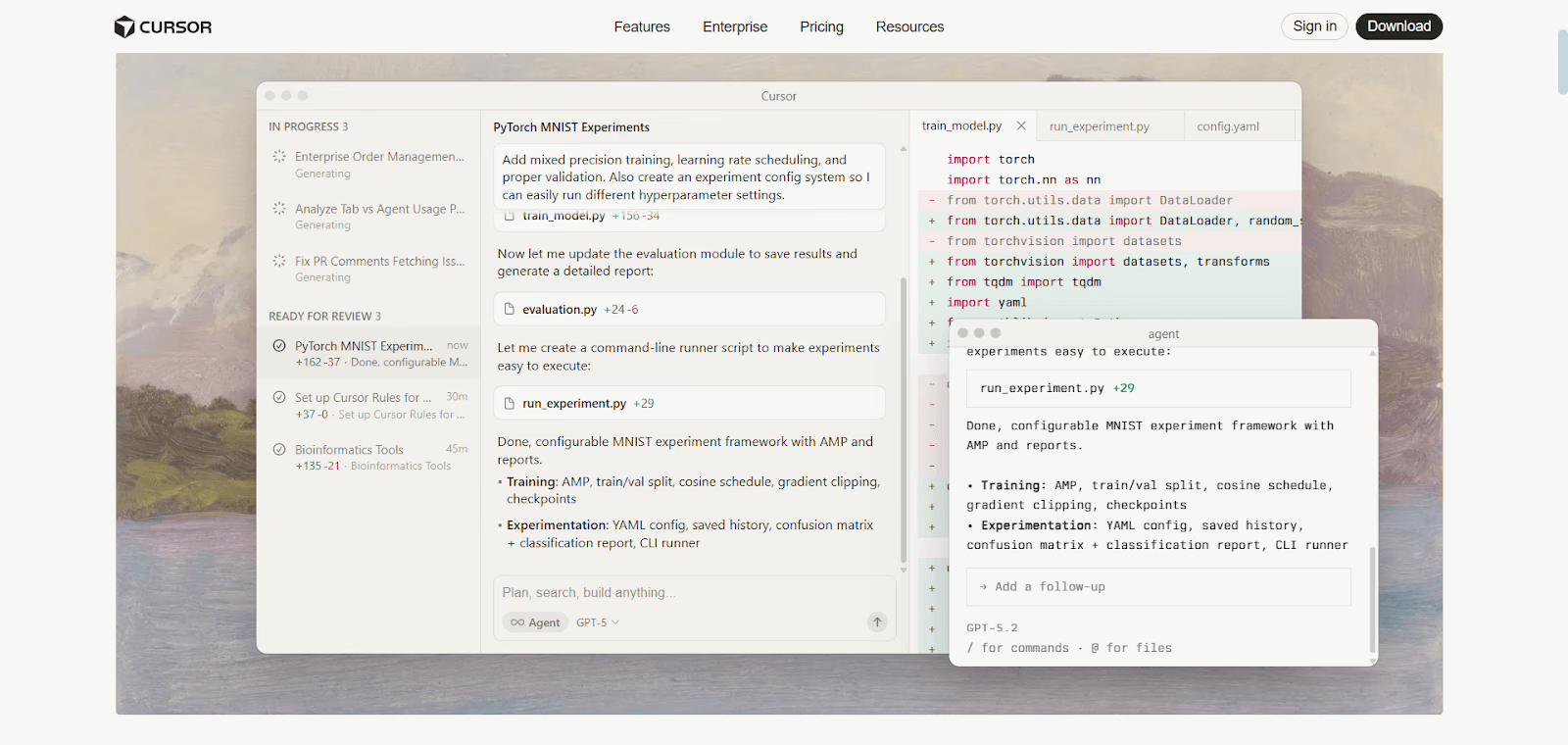
Why choose Cursor over Rork AI: Ideal for developers who prefer precision, flexibility, and debugging control over AI-generated abstractions.
Limitation of Cursor: You must handle your own hosting, backend, and App Store submission (Xcode/Android Studio).
Is there a Rork AI free alternative?
Frankly, there’s no free alternative that matches Rork AI's powerful prompt → product → publish platform.
That said, you can significantly reduce how much you spend on Rork.
I have figured that the biggest credit drain in Rork isn’t building logic, it’s UI iterations. The small design tweaks through chat quickly add up. This is where AI UI Designers like Banani come in handy to:
Generate multiple screen variations from a single prompt
Iterate quickly through chat without worrying about credits
Export designs as Figma files or clean HTML/CSS code
In practice, this means you can finalize your UI faster and cheaper with AI Design-to-Code Tools, and then use Rork AI only for app logic, integration, and deployment.
Create free UI with Banani AI >
Verdict: Is Rork AI Worth It?
AI app revenues skyrocketed by 180% in 2025, and there’s no sign of stopping in 2026[2]. And Rork AI is very well placed to both ride and propel this rocket. Among AI App Builders of 2026, I found it stands out for speed, native capabilities, and the ability to bypass Mac hardware for iOS publishing. But my Rork review also revealed its imperfections: UI iteration, credit costs, and occasional instability can slow you down.
The smarter approach? First, finish the UI with tools like Banani; it’s cheaper and faster at it. And then use Rork for logic and deployment.
FAQs on Rork AI App Builder
Is Rork AI any good?
Yes, Rork is good for building MVPs and native mobile apps with insane speed. However, it is primarily a "chat-only" UI, which can lead to stability issues or limited customization.
Is the Rork app free?
Rork offers a basic free tier with 5 credits per month for public projects. For private projects, developer mode, and full app publishing, you must upgrade to the Pro ($20/mo) or Max ($200/mo) plans.
What kind of apps can you build with Rork?
People are building a variety of apps on Rork, including games, trackers, utility apps, and even widgets. It’s usually preferred to build premium native apps using SwiftUI for iPhone, Apple Watch, iPad, and even Vision Pro.
Can I really publish a Rork app to the App Store?
Yes! Rork uses Expo Application Services (EAS) to automate the technical pipeline, allowing you to push app binaries directly to TestFlight and App Store Connect from your browser.
Who owns Rork AI?
Rork AI is co-owned by two serial entrepreneurs, Daniel Dhawan (CEO) and Levan Kvirkvelia (CTO). It was founded in 2024 in San Francisco, California.
Can Rork make games?
Absolutely. In fact, Rork Max is designed to build 3D games with real physics, AR experiences, and gameplay powered by on-device AI.
How to use Rork for free?
Beyond the 5 monthly credits, there is really no way to use the full suite of Rork for free. Unless you find a Rork promo code. Yet, a workaround to save on Rork free credits is to finalize your design in Banani first. By exporting a perfect UI into Rork, you avoid burning paid credits on iterations.
References
[2] https://www.businessofapps.com/news/ai-app-revenues-increase-180-percent/


