
92% of US developers use AI coding tools daily[1]. I am sure, many of them, at some point, have pondered over ‘Which is better, Bolt or Lovable?’. I was one of them. After all, they are among the most popular vibe coding tools. However, just comparing Lovable and Bolt by features on their website does not clarify which one is worth the money and time, given your use case. So, I decided to go a step further and compare these leading AI coding tools of 2026 by how they handle the same prompt.
Verdict: Lovable vs Bolt in 2026
Core difference between Lovable and Bolt: Lovable takes a design-first, structured approach to generate polished, production-ready apps, while Bolt follows a code-first path, prioritizing developer control, faster iteration, and real-world app scaffolding from the start.
Choose Lovable when: You are a non-techy product builder looking to create a prototype of a web/mobile app with strong UI/UX and clean, scalable TypeScript code.
Choose Bolt when: You are a developer who wants a full-stack environment with a professional IDE. Great for projects requiring deep customization and modern JS frameworks.
tl;dr: Lovable vs Bolt Comparison
Category | Lovable | Bolt |
Skill level | Beginner-friendly; designed for non-technical founders | Ideal for intermediate to advanced users; assumes more technical familiarity |
Speed | Slower (~60s) but uses a more thorough, step-by-step approach | Faster; initial generation in ~30s and 2-3x faster iterations via "diffs" |
Workflow | Primarily chat-based, which includes a detailed planning stage before generating code | Better in code-based approach, like a browser-based IDE for rapid prototyping |
Output | Focuses on sleek UI and structured applications | Prioritizes full-stack MVPs for shipping functional logic fast |
Control | Limited because changes are handled primarily through the AI chat assistant | High as it allows developers to edit code directly line-by-line in the browser |
Architecture | Supabase-backed full-stack apps (React + TypeScript, exportable codebase) | Full-stack JavaScript apps (React/Next + Node), via StackBlitz WebContainers |
Integrations | 8+ native connectors; supports custom APIs and integrations | Strong dev integrations; third-party APIs need manual setup |
Pricing model | Free tier includes 30 credits/mo. Paid plan from $25/mo for 100 credits. | Free tier includes 1M token/mo. Paid plan from $25/mo for 10M tokens. |
What is Lovable.dev
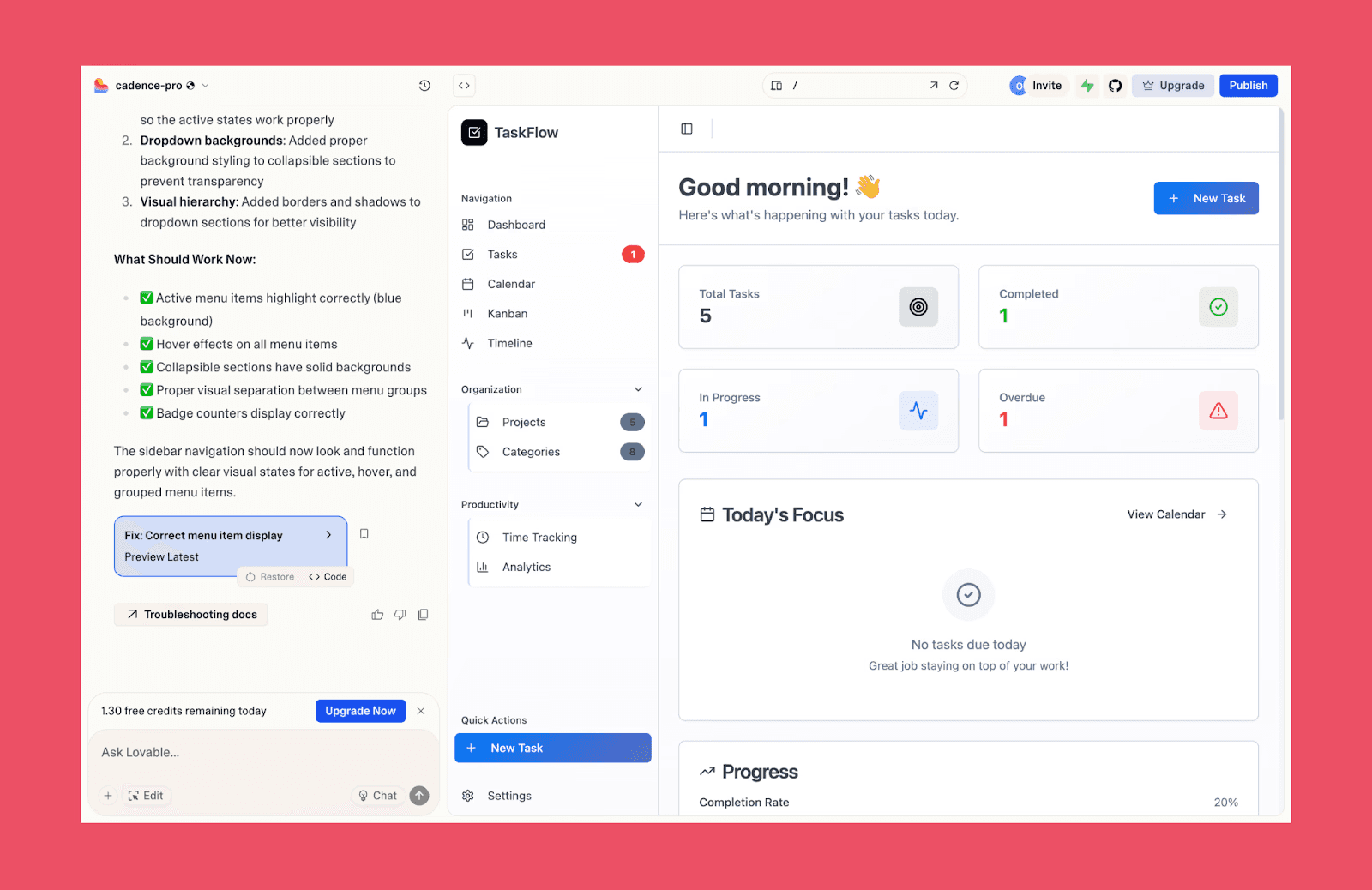
Lovable is a beginner-friendly, full-stack vibe coding app that generates production-grade TypeScript and React code through natural language chat. It is known to provide a designer-first approach to web/mobile app building featuring structured planning, Supabase integration, and GitHub sync for scalability.
What is Bolt.new
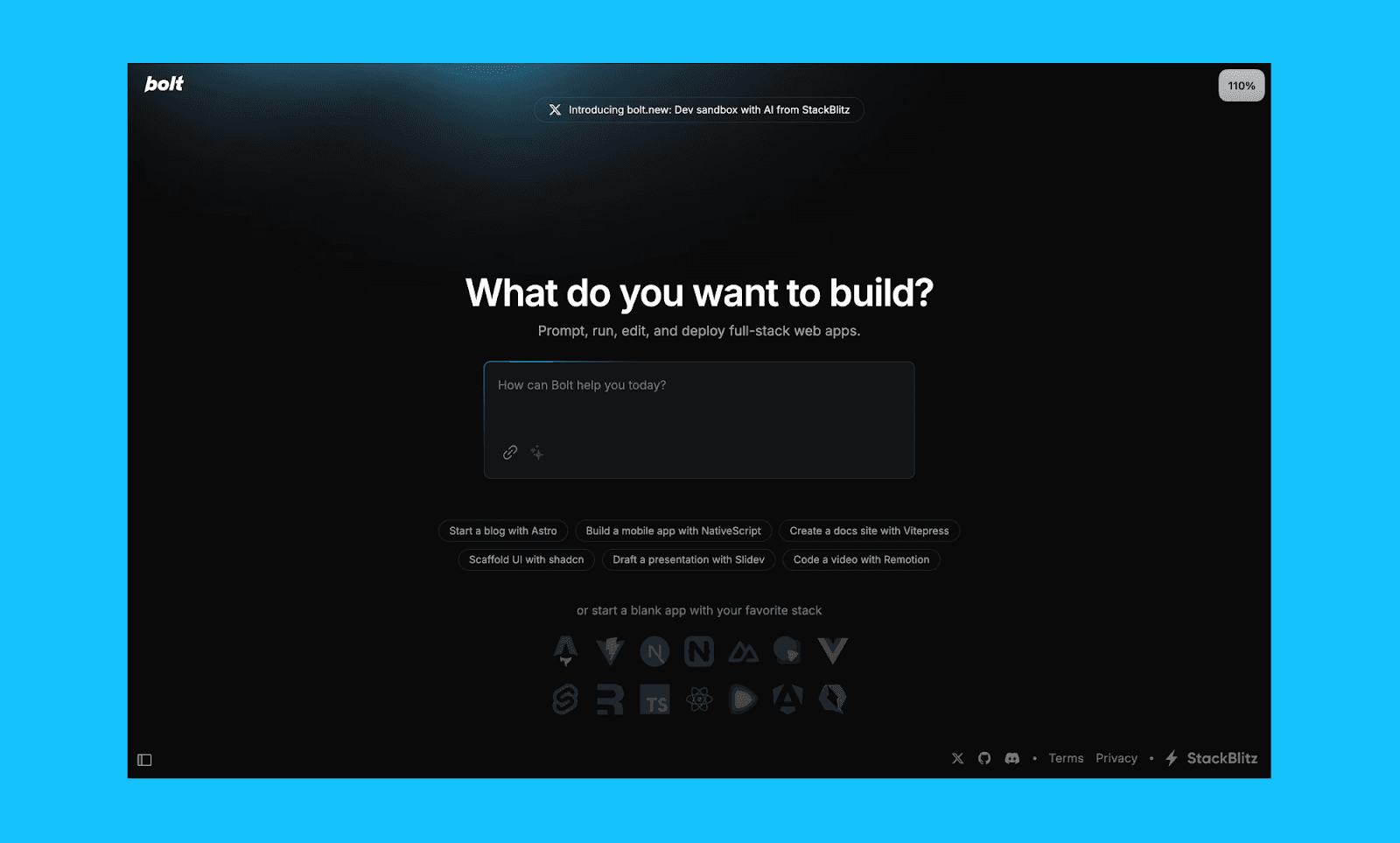
Bolt.new or simply Bolt, is an AI-powered, browser-based development environment for building full-stack applications. It can generate both frontend (React + Tailwind) and backend (Node.js + database) code inside a built-in web IDE without any local setup.
Bolt vs Lovable Prompt Handling
Now, to compare Bolt and Lovable head-on for AI app building, which is their core proposition, I gave them both the same prompt (of a finance app). Knowing we can always iterate for perfection, I wanted to assess the quality of their first draft in handling a complex prompt for UI design, screen interactions, and backend.
My Test Prompt
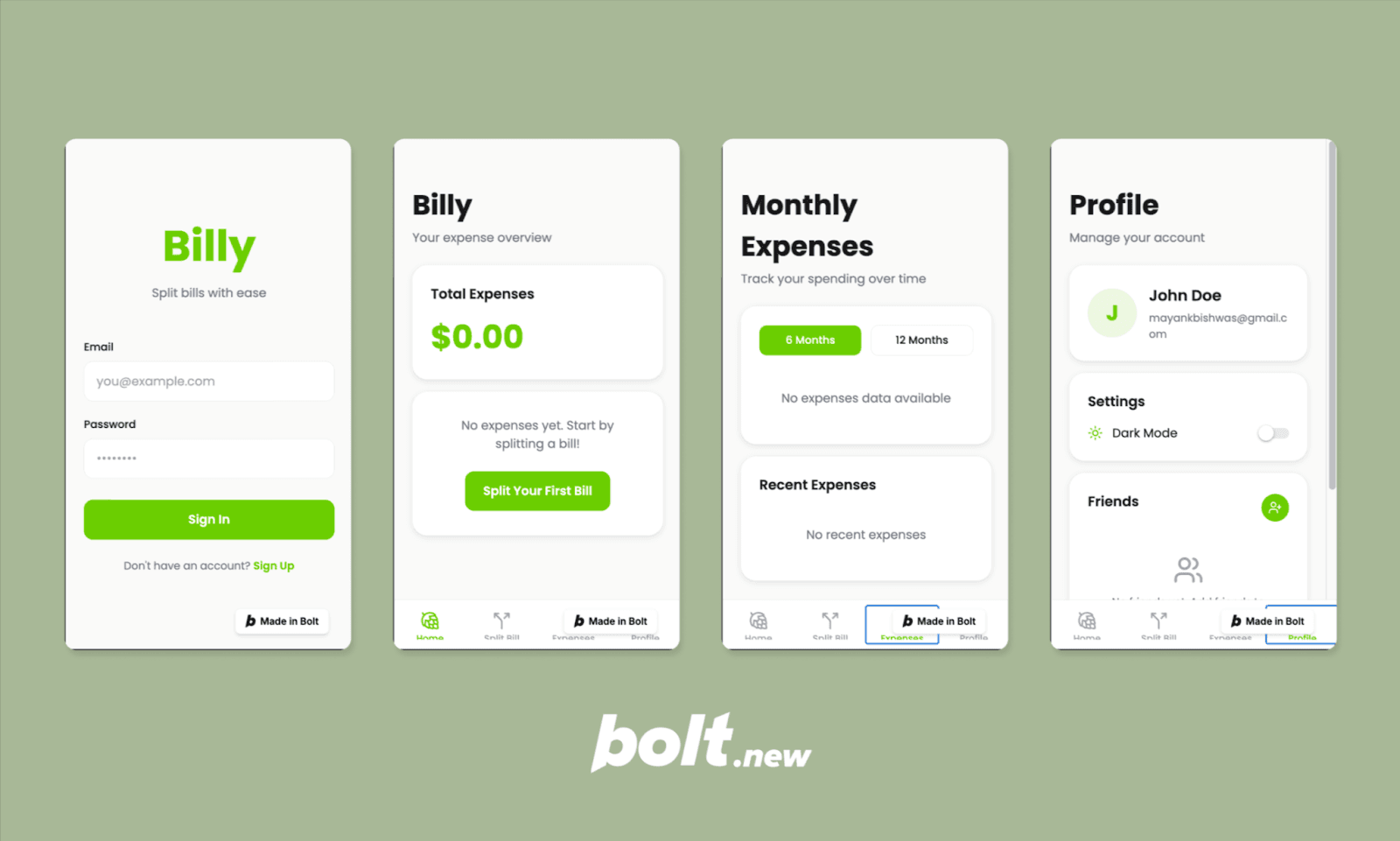
"Build a mobile bill-splitting app called 'Billy' with a sleek off-white theme and lime-green accents. Use Poppins typography and 3D icons. The home screen must feature a donut chart for split bills and expense tracking, with bottom-tab navigation to 'Split Bill,' 'Monthly Expenses' (including graphs), and 'Profile.' The 'Split Bill' flow should allow users to create expenses, add friends, tag categories, and calculate splits with real-time updates. Ensure smooth navigation and a dark mode toggle".
Output of Bolt AI App Builder
Output of Lovable AI App Builder
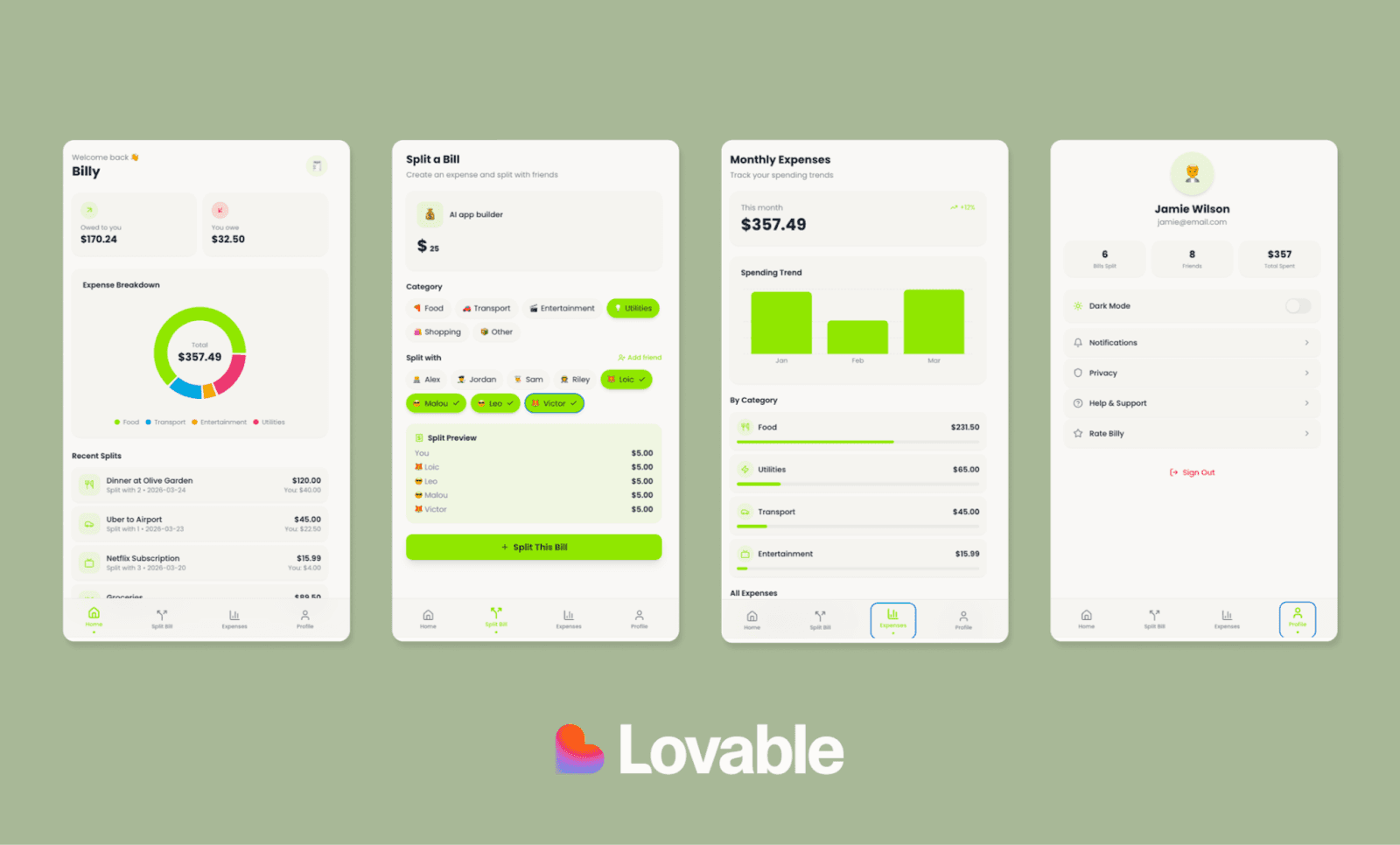
Review of Bolt vs Lovable Output
Seeing my "Billy" app come to life in Lovable vs Bolt was like watching two different personalities at work. Both got the colors, screens, and structure right.
Bolt.new treated my prompt like a brief for a real product. I was pleasantly surprised to see the first screen as Sign-In option – that actually worked. But was let down that all the screens inside were blank. However, I wouldn’t hold it against them since it felt much closer to a production-ready product. Lovable, on the other hand, took the brief as a prototype request. The UI was sleek, and it perfectly populated donut charts, graphs, tiles, etc. I liked the smooth flow of adding a bill to split.
Am sure both Lovable and Bolt.new outputs would improve with iterations, but if I were to build a prototype to align my team, I’d choose Lovable. If preparing for production, Bolt.new would be my preferred choice.
Base44 vs Lovable Prompt Test >
Lovable vs Bolt: Head-to-Head
Key AI Features
AI App Builder | AI Features Comparison of Bolt and Lovable |
Lovable | Generates production-ready apps by integrating React and TypeScript with a pre-configured Supabase backend. |
Bolt | Powered by the latest Claude model, it uses a unique "diffs" feature that intelligently updates only modified code segments. |
Winner: Bolt for faster, more efficient iteration with intelligent code updates.
Code Quality & Output
AI App Builder | Code Quality Comparison of Bolt and Lovable |
Lovable | Renowned for "best-in-class" TypeScript and React code. It uses mock data to make initial builds feel like a finished, populated product. |
Bolt | Delivers polished Full-Stack JavaScript (React, Tailwind, Node.js) with modern UI effects, though preview and deployment reliability can vary. |
Winner: Lovable for production-grade TypeScript architecture that beats JS builds.
Ease of Use
AI App Builder | Ease of Usage Comparison of Bolt and Lovable |
Lovable | Intuitive with its chat-driven development flow that feels natural for non-tech founders but still offers deep code access for pros. |
Bolt | Its browser-based IDE interface may feel overwhelming to non-coders. But handy for tech-adjacent users. |
Winner: Lovable for a more accessible, beginner-friendly building experience.
Framework Support
AI App Builder | Framework Comparison of Bolt and Lovable |
Lovable | Deeply optimized for a modern tech stack including React 18, TypeScript, Vite, Tailwind, and Supabase. |
Bolt | Strong JavaScript-based stacks (React, Next.js, Svelte) and features native Expo support for mobile development. |
Winner: Bolt for the widest range of JS frameworks and mobile support.
Iteration & Editing
AI App Builder | Code Editing Comparison of Bolt and Lovable |
Lovable | Has a robust "Chat Mode" for multi-file refactoring and a preview "diff" tool to see changes before they apply. |
Bolt | Offers a full-featured IDE with a terminal and file tree for direct manual code edits alongside AI prompting. |
Winner: A tie between Bolt (for developer-friendly debugging) and Lovable (for AI-assisted refactoring).
Platform Integrations
AI App Builder | Integration Comparison of Bolt and Lovable |
Lovable | Has 8 native shared connectors (ElevenLabs, Firecrawl, Perplexity, etc.) and supports personal connectors and APIs. |
Bolt | Integrates well with the developer ecosystem (GitHub, Netlify, Vercel) but requires more manual setup for third-party APIs. |
Winner: Lovable for easier, plug-and-play integrations without heavy setup.
Pricing & Value
AI App Builder | Price Comparison of Bolt and Lovable |
Charges on a token-based system ($25/mo for 10M tokens). Complex builds can burn through tokens rapidly. | |
Employs message-based pricing ($25/mo for 100 credits). So, heavy iteration can lead to frequent credit limits. |
Winner: A tie between Bolt (for more value for money on solo projects) and Lovable (for shared credits between team projects).
Lovable and Bolt Use Cases
We all know the fundamental use cases of Lovable and Bolt are not much different, if at all. You have an idea for a web/mobile app or landing page – just type it in – and get an interactive prototype in minutes. But before deciding whether to subscribe to Lovable or Bolt, I suggest knowing their range of product-building capabilities can help.
Range of Lovable.dev use cases
Analyze complex data from CSVs or PDFs to generate visual business insights.
Transform static files (spreadsheets or PRDs) specifications into fully functional interactive applications.
Create multimedia assets like custom images and 3D animations directly from chat prompts.
Plan product features by pulling and analyzing feedback from connected tools like Slack.
Range of Bolt.new use cases
Build professional websites and landing pages quickly according to a brand guideline.
Create internal business tools like custom CRMs and operations dashboards for tracking data.
Launch SaaS products with built-in authentication, dynamic data, and secure Stripe payment processing.
Release web-based games or niche community forums with real-time chat and moderation features.
Lovable and Bolt Alternatives
While weighing in Lovable and Bolt for product building, one might consider even their alternatives based on unique workflows. My top recommendations for alternatives to Lovable and Bolt include:
For developers seeking code-first control: Base44 and Replit
For PMs to prototype & align teams: Google Stitch and Miro AI
For Figma-native design-to-code projects: Figma Make and Banani
Where Both Need Add-on: UI Design
Despite all the differences between Lovable and Bolt, you must have noticed a rather problematic similarity. All their apps tend to look alike, viz., purple. This is plausibly because the LLMs powering them are mainly trained on default Tailwind components[2]. What makes it worse is their lack of granular UI control, which often wastes expensive credits/tokens on repetitive chat iterations.
My solution: vibe design before vibe coding. There are several AI UI generators for it; I like to use Banani to generate UI screens from prompt, perfect it by chatting with its AI, and then export design-to-code via Figma or MCP. Or, you can export to your favorite between Lovable and Bolt.
FAQs: Lovable & Bolt Differences
How is Lovable different from Bolt?
The main difference between Lovable and Bolt is that the former focuses on design-first production-ready app/website builds, whereas the latter has more of a code-first approach with its browser-based IDE for granular backend control.
Which is the best low-code AI app builder like Lovable and Bolt?
The top low-code AI app builders competitors of Lovable and Bolt include Base44, v0 by Vercel, and Replit.
Is Lovable.dev a successor to Bolt.new?
No. Lovable and Bolt are competitors, not successors. Interestingly, both were around late 2024, targeting similar AI app builder use cases.
Which is better, Bolt or Lovable?
The ‘better’ AI app builder between Bolt and Lovable depends on your goals. Bolt is superior for execution speed and granular developer control. Lovable wins for beginners requiring polished UI and detailed architectural planning.
Is Bolt cheaper than Lovable?
Comparing the monthly pricing plans Bolt and Lovable, both start from $25/mo. But Bolt’s token-based system is known to provide superior value for heavy users. However, Lovable’s shared credits can be significantly more cost-effective for collaborative teams.
Between Lovable and Bolt, which is better for non-technical founders?
Lovable is generally better for non-technical creators due to its intuitive chat-driven flow and design-focused output, which feels more like a finished product compared to Bolt's developer-centric IDE.
Why are tools like Lovable and Bolt not production-ready?
This is because AI coding tools like Lovable and Bolt often struggle with the final 20% of development. So, realising a product-ready app or scaling it to enterprise levels usually requires human developer oversight.
What is the solution for the UI limitations of Lovable, Bolt, and similar tools?
To bypass the UI limitation of AI coding tools, start your app development from AI design tools. Say, first finalize your UI with Banani AI, then move to Lovable or Bolt. This reduces iteration cycles, avoids generic designs, and prevents credit waste on UI fixes.
References
[1] https://www.secondtalent.com/resources/vibe-coding-statistics
[2] https://newsletters.ai/p/ai-vs-purple


