
What is Subframe
Subframe.com is an AI tool that sits between your design process and your codebase. Instead of creating static mockups like Figma, it lets you build real React and Tailwind CSS components in a visual editor with production-ready code underneath.
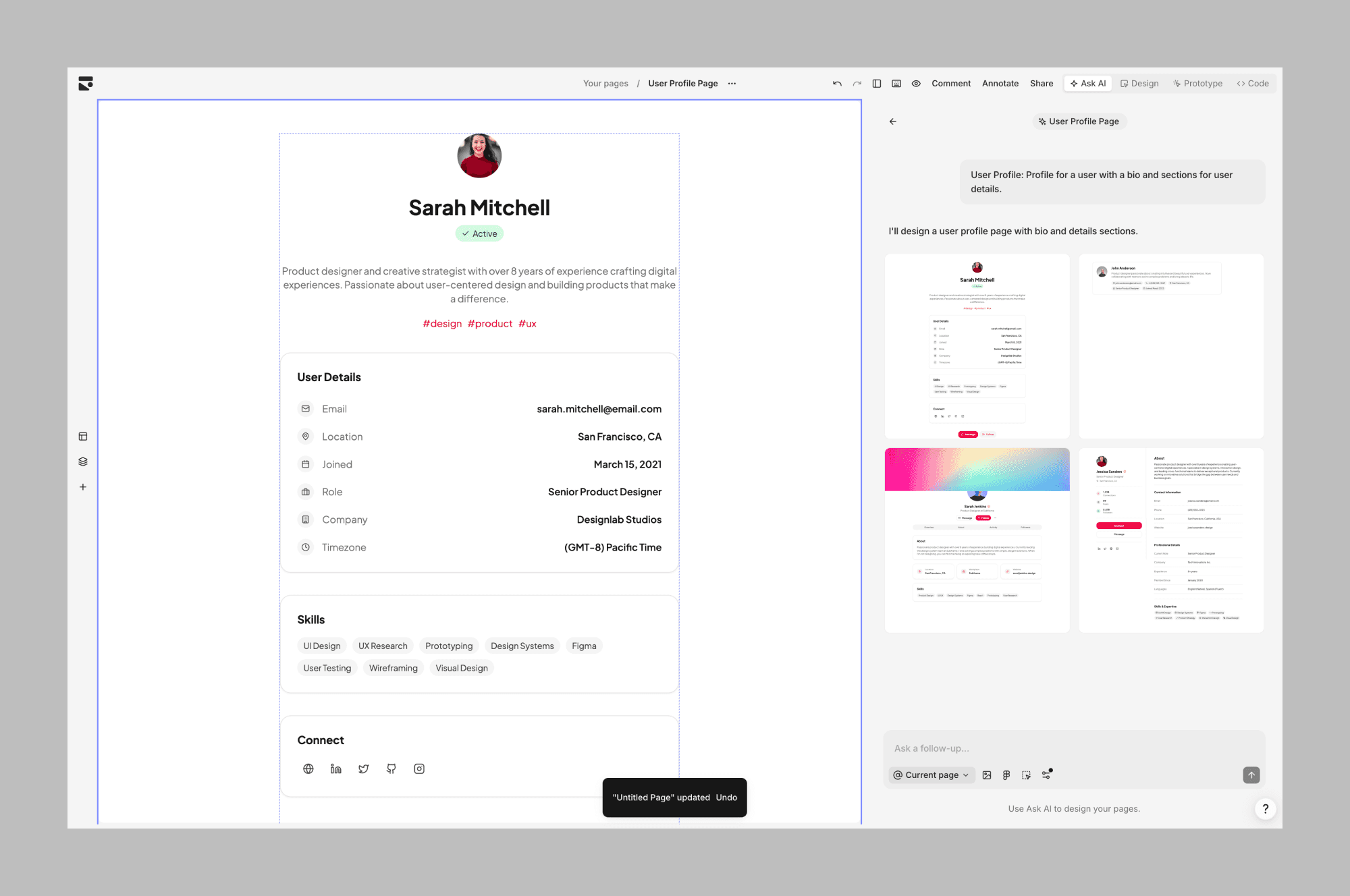
It's primarily a web app that was recently supercharged with its own CLI and MCP integration that let you and your coding agents interact with it through the terminal.
Subframe features
AI generation
Like other AI design tools, Subframe helps you generate new designs, edit specific components, or create theme variations using text and image prompts.
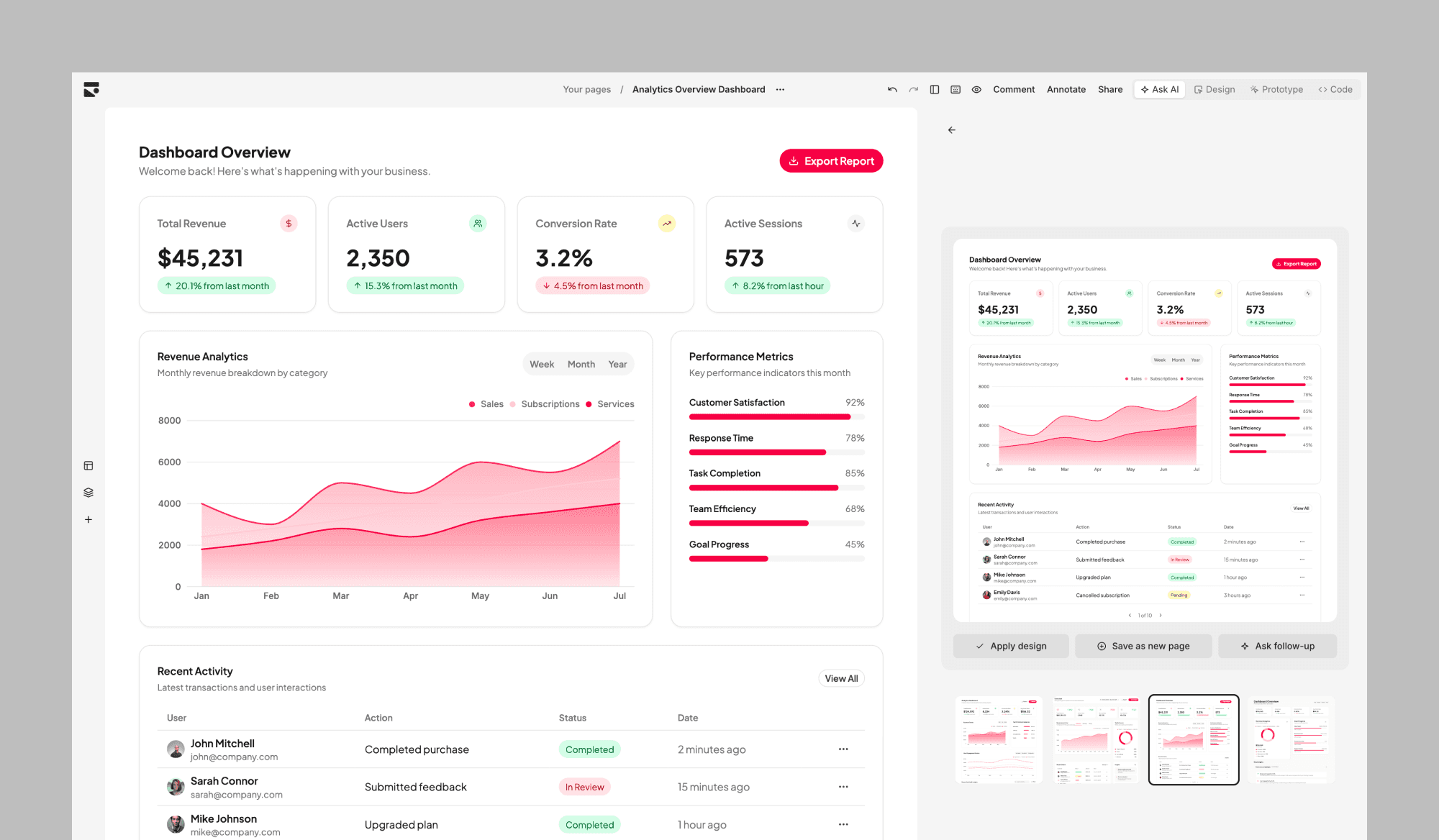
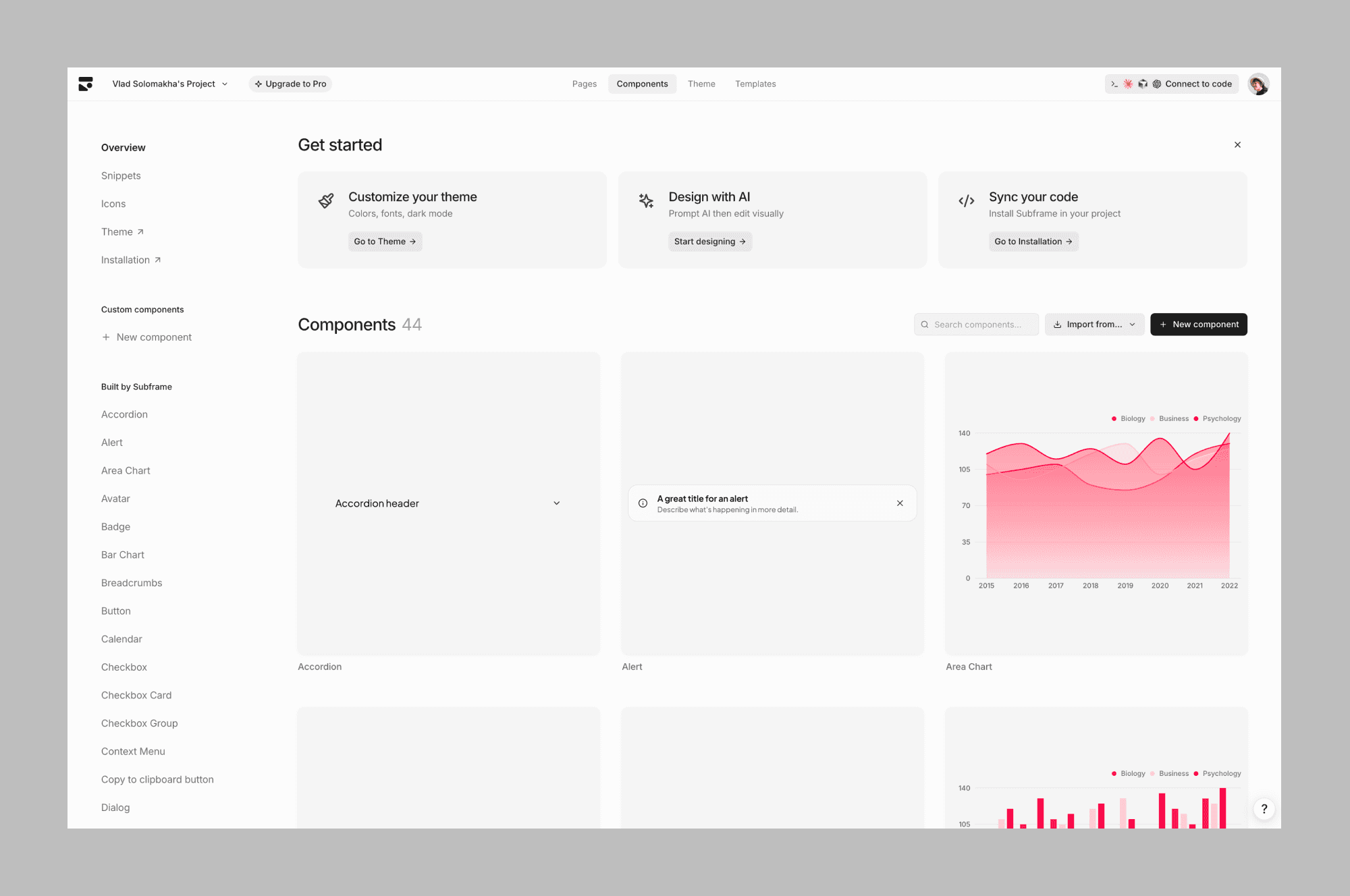
Subframe generates within a defined design system, making sure all designs stay consistent. It's both a positive and negative thing. Unlike Banani or Pencil, Subframe has limited "design exploration" features and works best when you already know how things should look.
Design editor
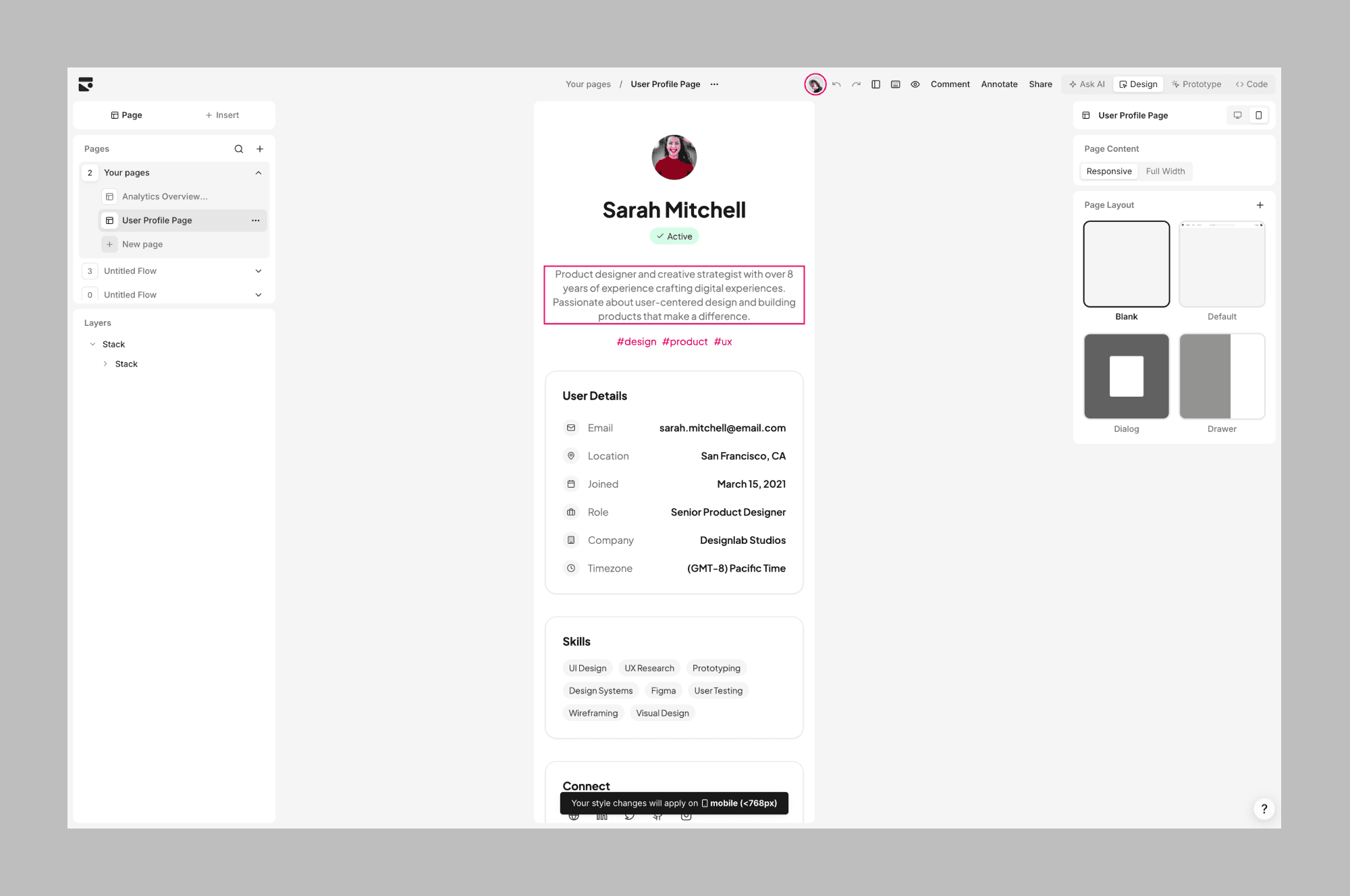
The core feature is its visual editor that feels similar to Figma Make but has actual code underneath all designs. It allows you to manually change properties of things you select, like colors, spacings, radius, and more advanced properties like flex-layout directions.
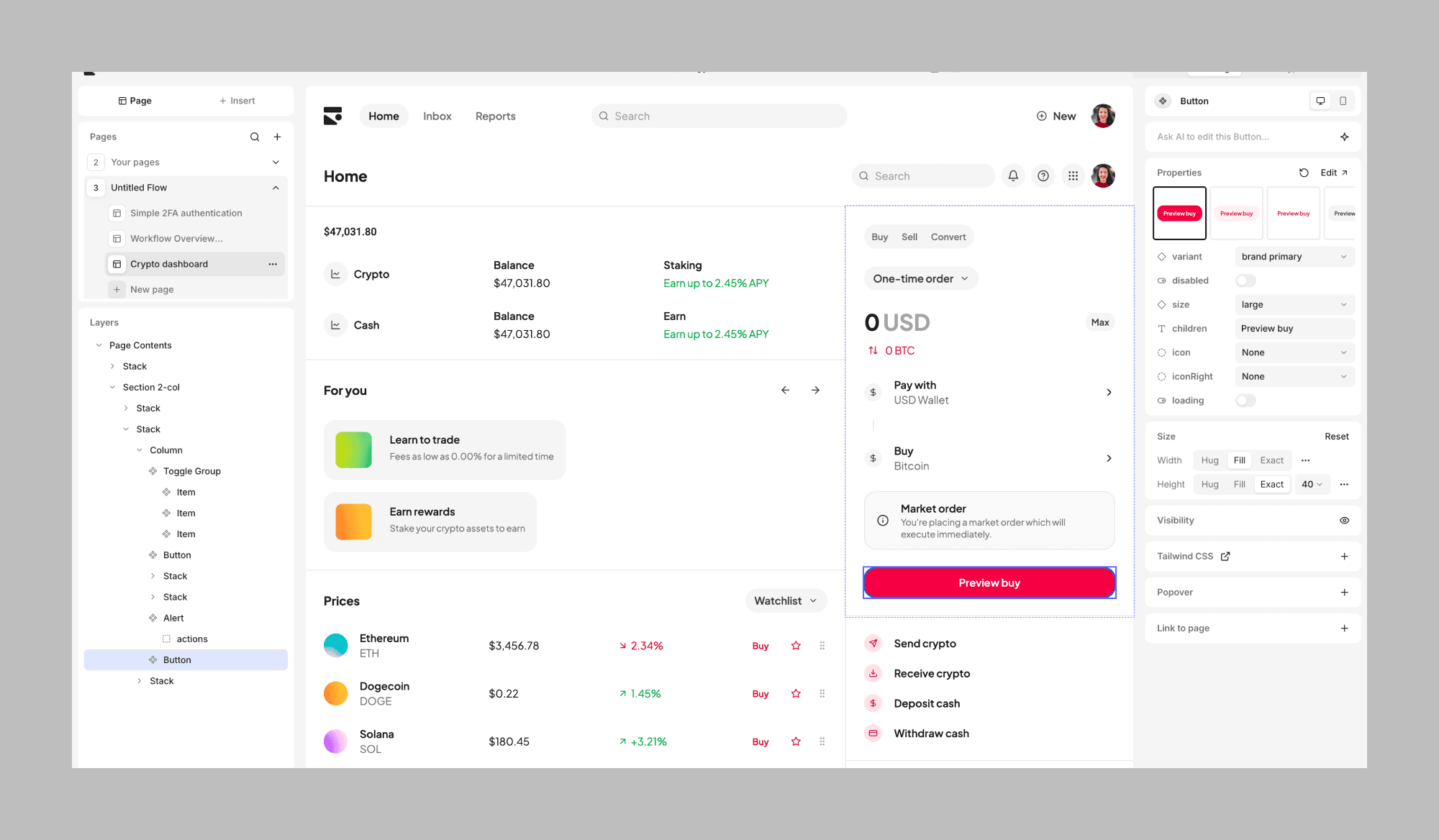
Though you don't have a canvas where you compare designs side by side, but there's a nice way to organise screens as "pages".
CLI and code export
You can use the Subframe CLI to sync designs and components you generated directly into your project. The result is clean, human-readable React and Tailwind code that you fully own.
Quickly syncing designs that otherwise would've required hours of manual CSS work saves a ton of time and ensures that what you see in the editor is exactly what ends up in production.
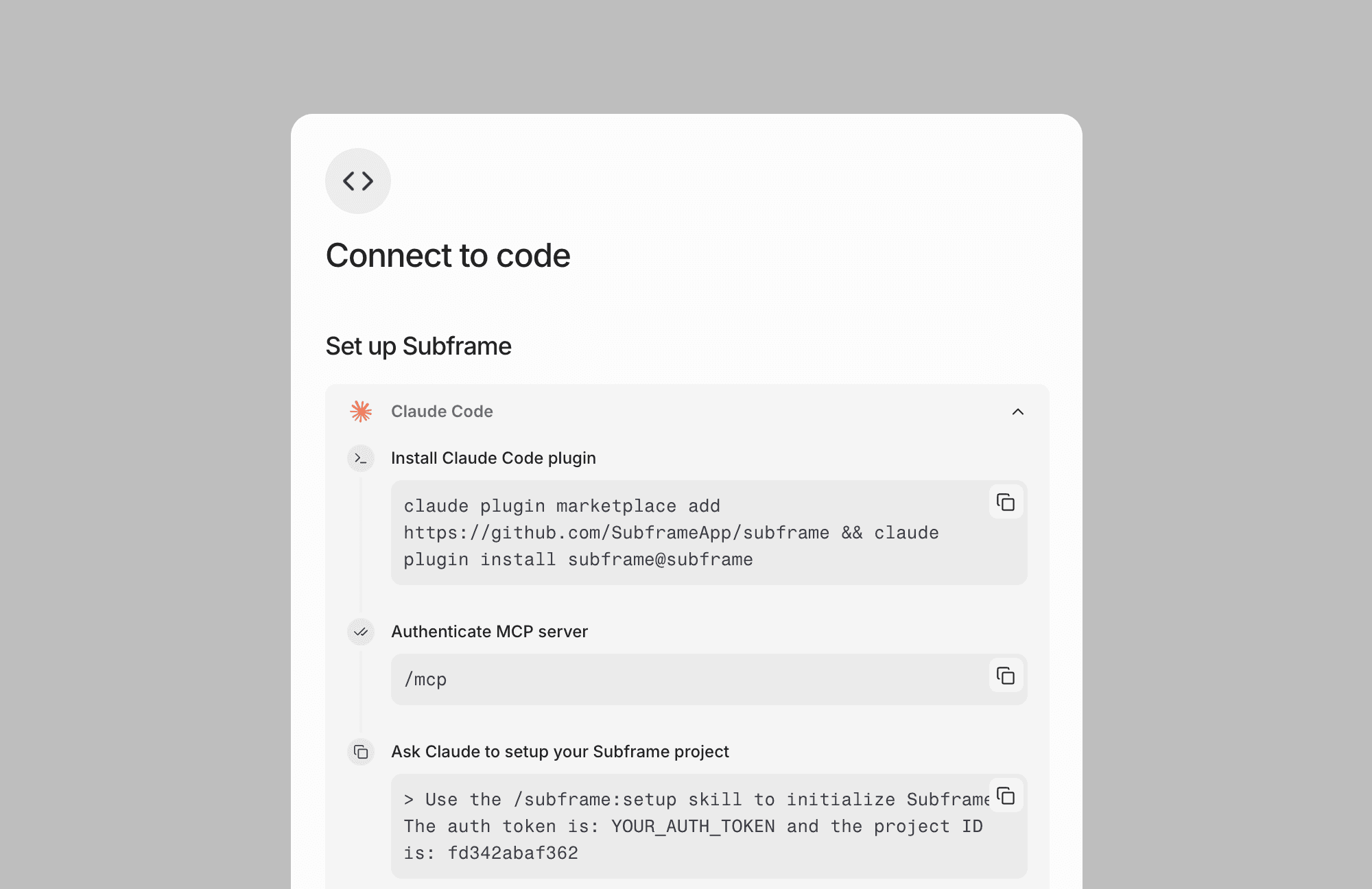
MCP and Claude Code integration
Subframe just shipped a big integration with Claude Code, Cursor, and other coding agents. You can connect your AI agent to Subframe's MCP and give it "agent skills" to pull your designs and generate new design concepts.
This isn't just code export. It turns your coding agent into something that actually understands your design system, can explore and iterate on UI, and show you previews before anything hits your codebase.
Subframe pricing
Surprisingly, Subframe.com offers unlimited AI generations and edits, previously only seen in a couple of tools, like Banani.
Free | $0 | 1 project, 5 pages, 1 AI prototype, unlimited team members |
Pro | $29/editor/mo | Unlimited projects/pages/AI prototypes, custom fonts, 7-day history |
Custom | Not availiable | For large teams and agencies needing enterprise-grade support |
Subframe alternatives
Banani
A great alternative if you're looking for something simpler and want an interface that's even closer to Figma where you can move things around and see designs and pages side by side.
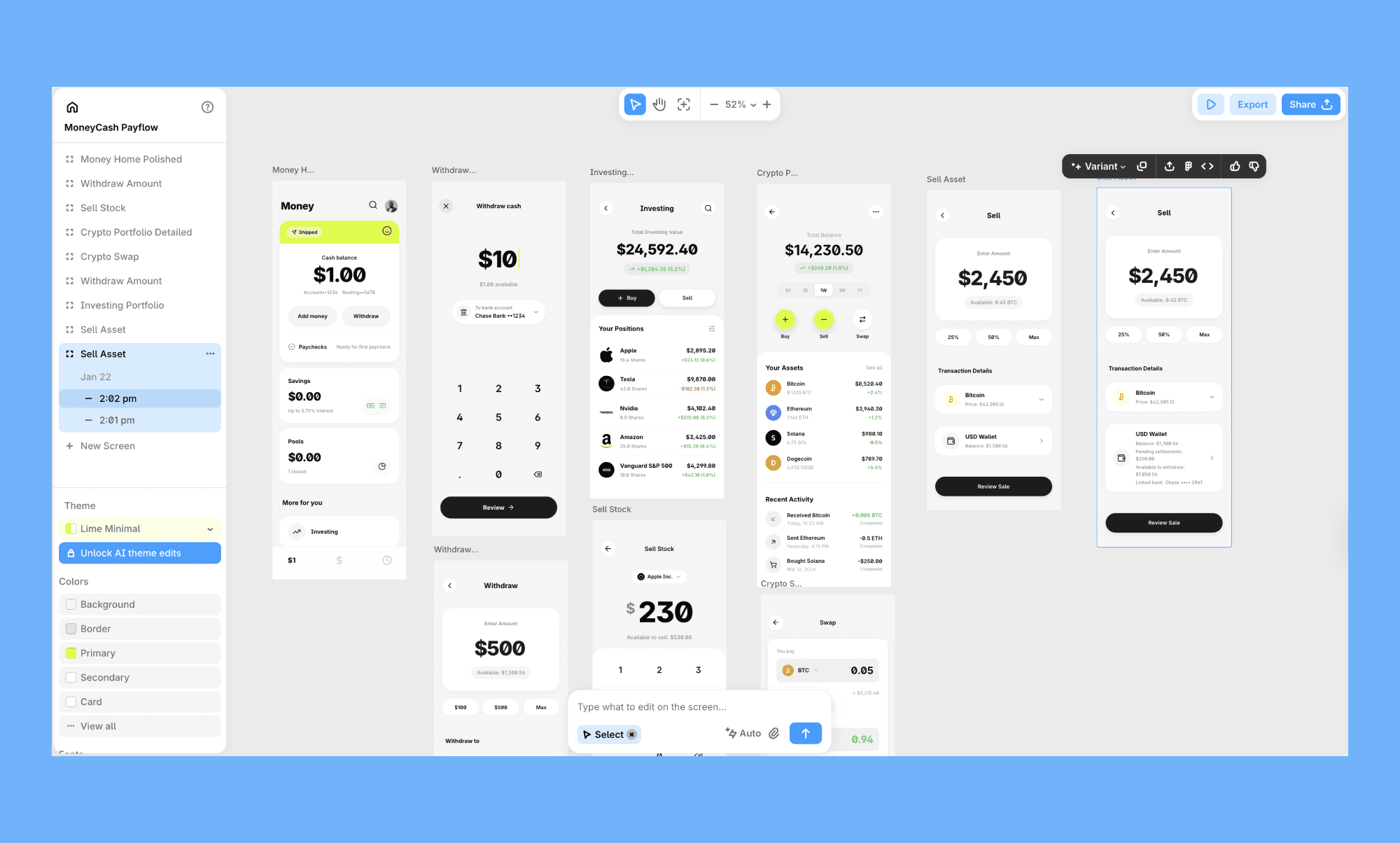
You get similar text or image to design AI generation and manual tweaking features with more generous free and paid plans. Just like Subframe, it also provides an MCP that allows Claude and other AIs to interact with generated designs. Also supports code export.
Pencil
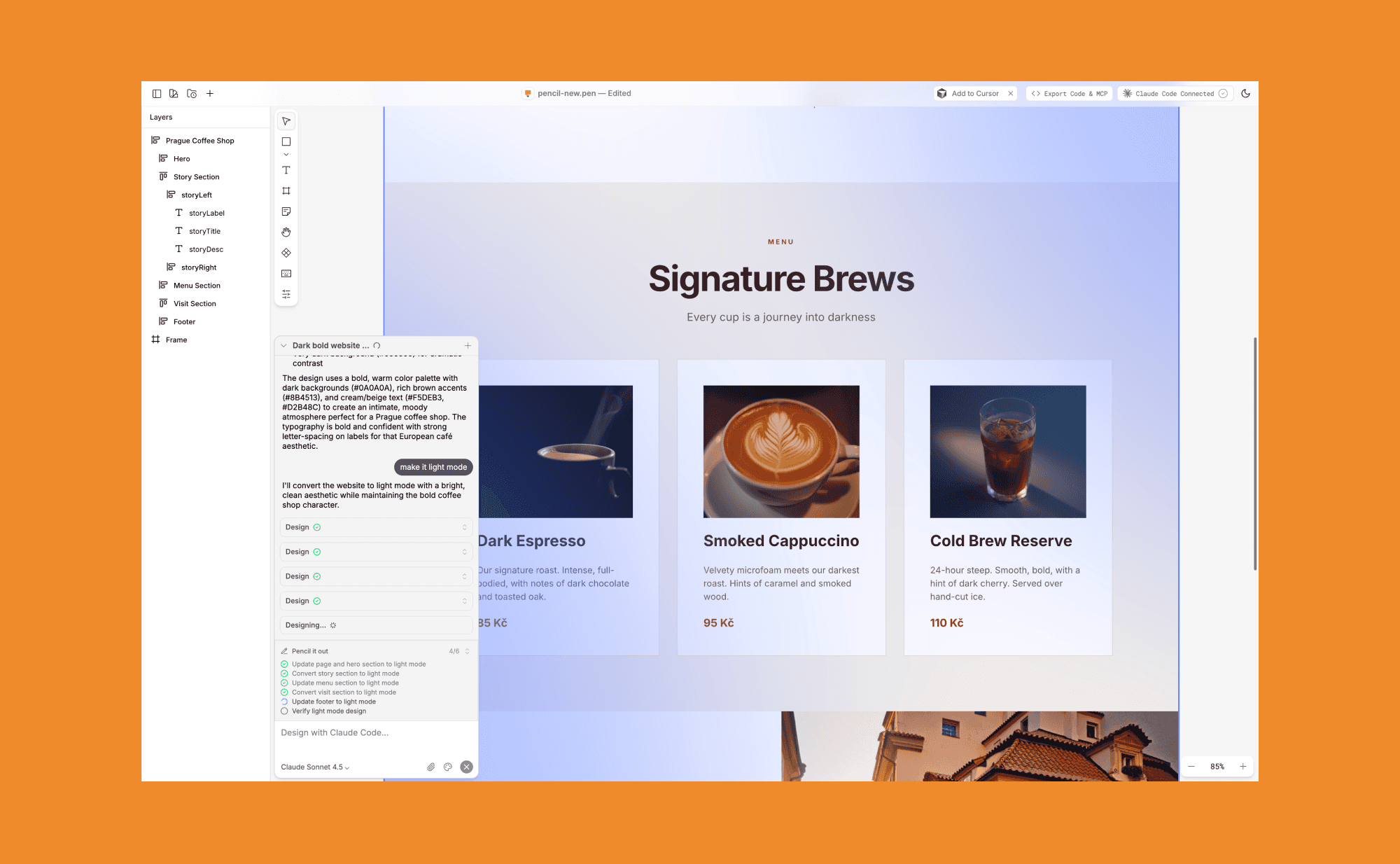
A newcomer in the AI design tools market that uses your own Claude Code instance underneath and gives a really nice interface to visually see all of the pages of your project on canvas, as well as providing manual editing options similar to Subframe.
Stitch
Google's AI design tool (originally Galileo AI) before it was acquired and rebranded. Stitch turns text prompts or uploaded sketches into UI designs powered by Gemini.
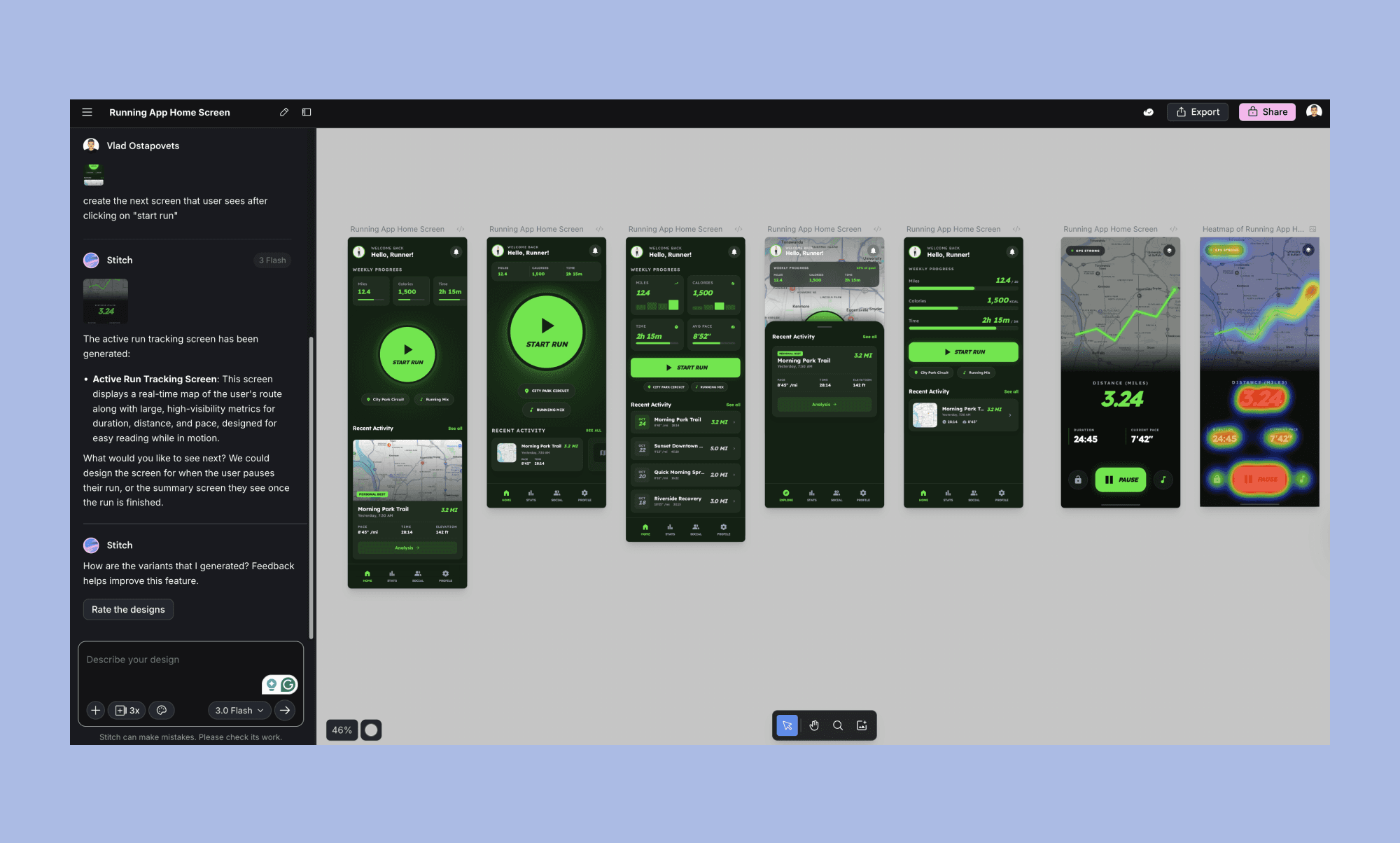
It exports to HTML/CSS code and also has an MCP integration. Great for quick prototyping, but limited when it comes to consistency and long-term project maintenance compared to Subframe.
Replit Design Mode
Replit's Design Mode lets you generate interactive mockups from a prompt. Unlike other tools in this list, it's primarily a vibe-coding tool, so it doesn't offer advanced features to organize different pages and design concepts. But nonetheless it's a solid alternative if you want a chat companion that can quickly visualize single concepts.
V0
Another vibe-coding alternative, a prompt-to-UI tool from Vercel. Just like Subframe, it has a heavy focus on generating clean React and Tailwind code. It’s great if you’re primarily looking for a developer-focused tool and want more focus on code than the design side.
Subframe use-cases
Vibe coders who want to supercharge Claude or Cursor with better design skills
Engineers who are tired of manual CSS tweaks and prefer to do it in a Figma-like interface
Founders who want to "vibe-design" their MVP without a dedicated designer
Subframe pros and cons
Pros
Powerful AI generation that respects your design system
Familiar Figma-like editing experience
Clean, production-ready React + Tailwind code
Integration with Claude Code and other coding agents
Cons
Very limited "design" exploration AI tools
React-only (no support for Vue, Svelte, etc. yet)
Learning curve for non-technical designers
Pro plan can be pricey for solo devs
Should you try Subframe
Subframe is the bridge you've been looking for if you've ever felt that the distance between your design tool and your code editor. With its new Claude Code integration, it's one of the most polished attempts at "designing in code" that can work for some use cases and teams.


