Pencil.dev Review: Features, Pricing, Alternatives

Vlad Solomakha

Jan 22, 2026

Jump to

Title

Jump to

Title

Generate UI designs and wireframes with AI

You'll learn how Pencil upgrades Claude Code with Figma-like features. And find if it's worth adding to your vibe-coding toolkit.

You'll learn how Pencil upgrades Claude Code with Figma-like features. And find if it's worth adding to your vibe-coding toolkit.

What is pencil.dev?

Is a new vibe-coding app that lets you interact with Claude Code models inside a Figma-like editor. It dramatically speeds up the design part of the process and can save you a ton of credits.
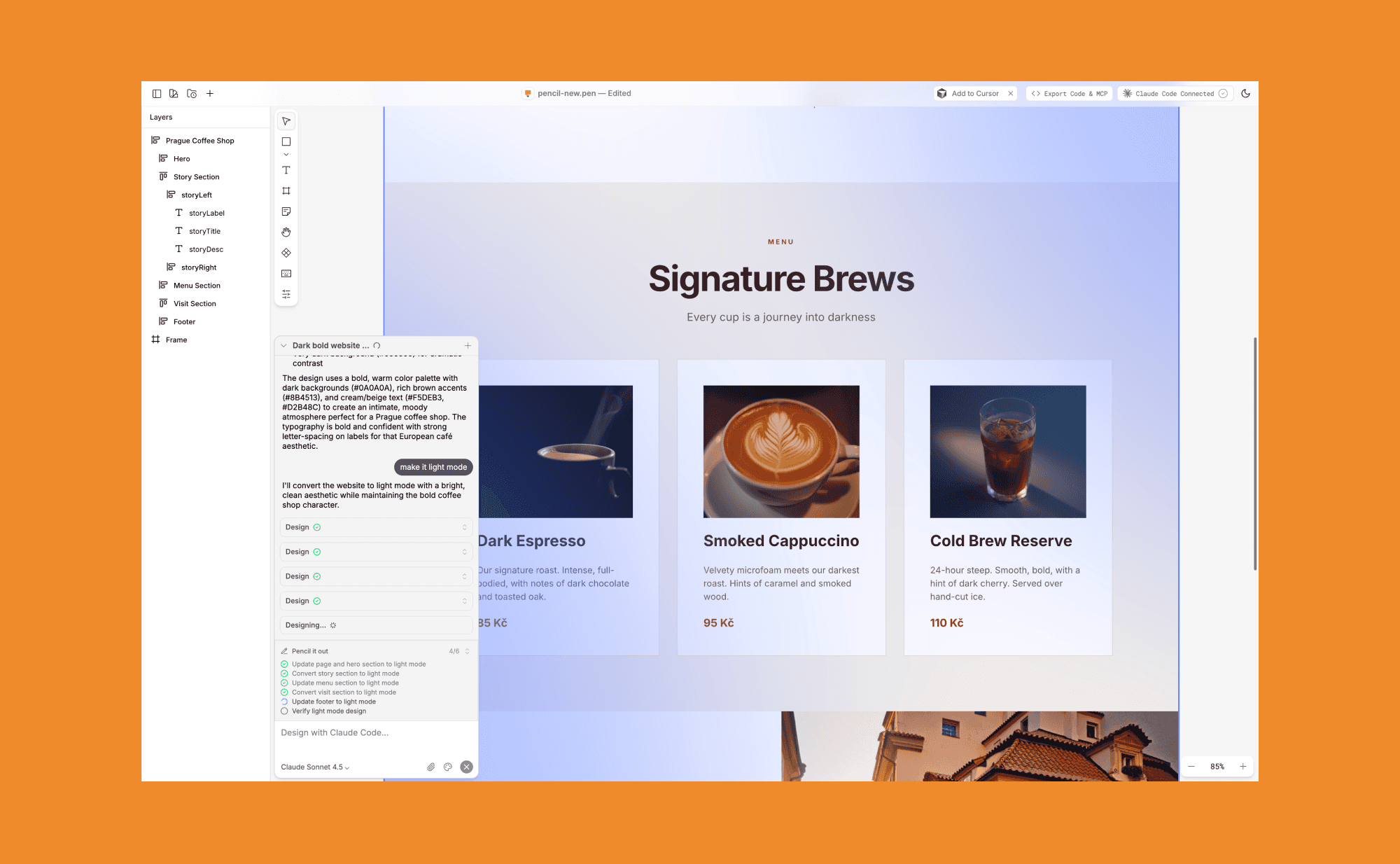
It can be used as a standalone desktop app or right inside your IDE as an extension! Though there's no browser version yet, since you need a locally run instance of Claude CLI.

Pencil.dev features

Claude on canvas

Pencil connects to your Claude Code and uses Anthropic LLM models to create UI designs. You can generate new screens and iterate existing designs directly in the canvas interface.
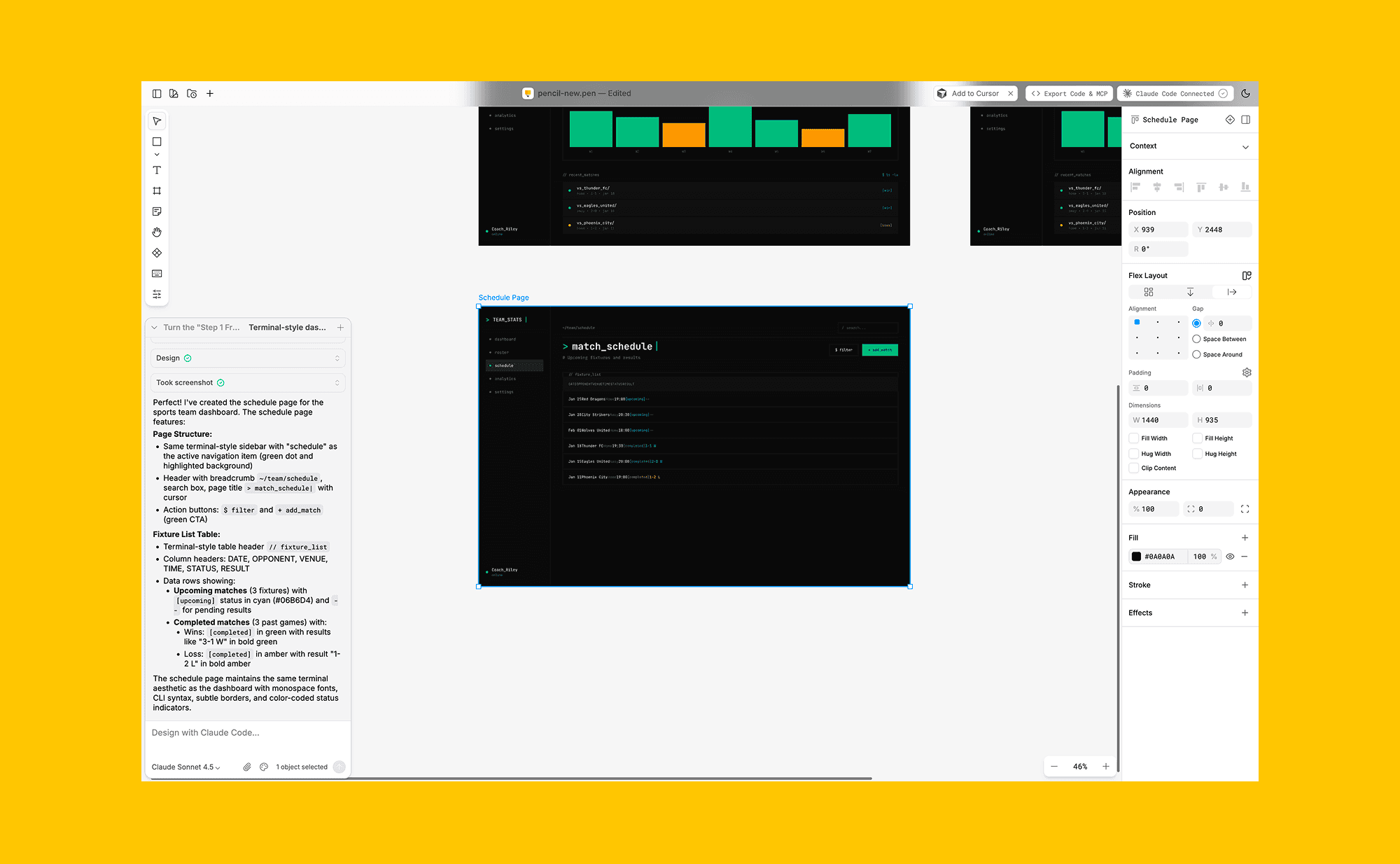
It's nice if your primary goal is to prototype UI. It gives more space to explore visuals, compared to the regular Claude CLI + browser combo.

Notes, Context, Prompts

You can also put sticky notes and other elements directly on canvas. Unlike comments in Figma, Notes can be turned into a runnable prompt that implement edits and gives an additional way to design using AI but outside of the chat.
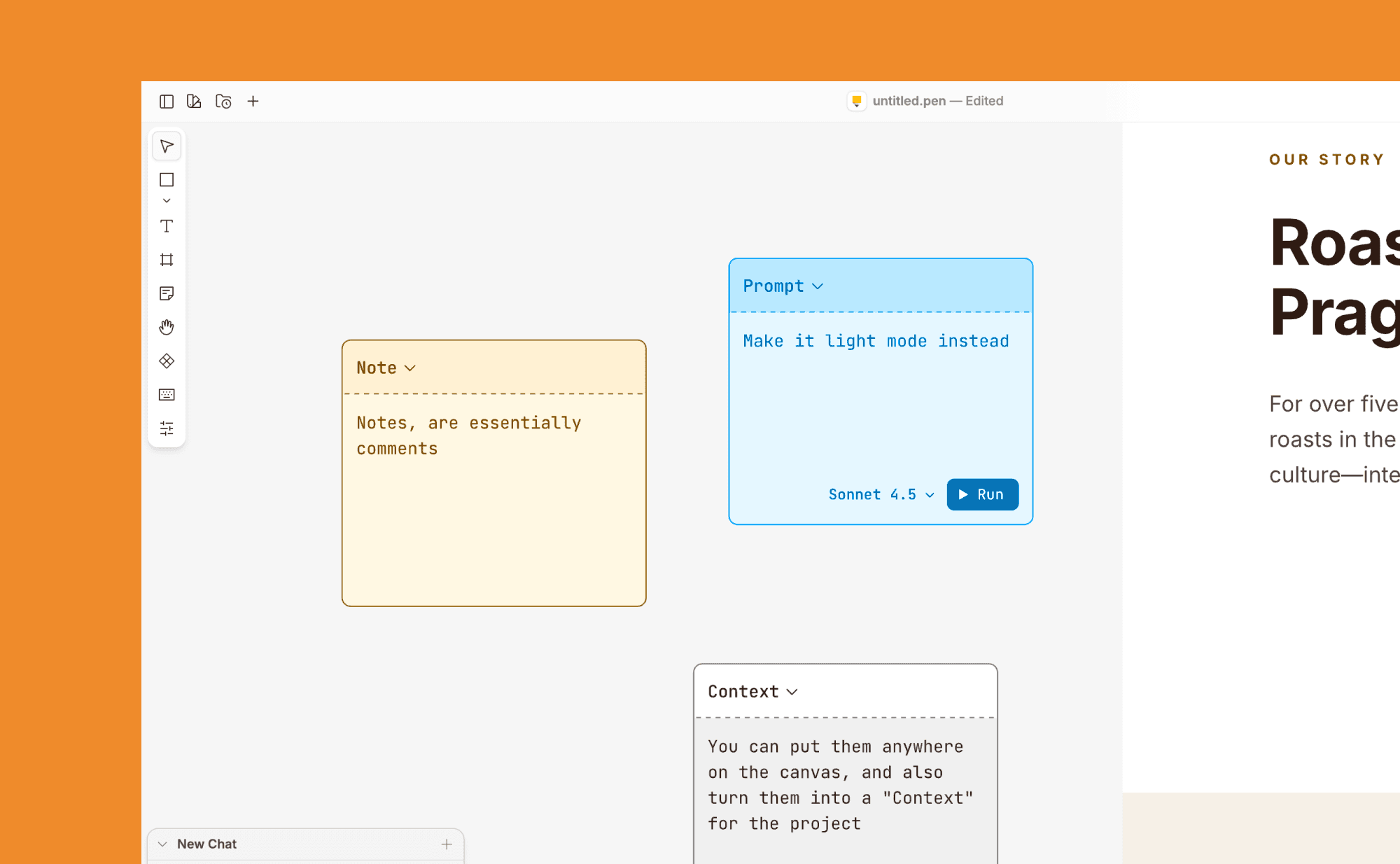
It makes the canvas feel more like an agent workspace than a static design file with chatbox on top.

Manual editing

Pencil looks and behaves a lot like Figma, practically removing the learning curve if you used the first one before.

You get a panel of layers, a panel with editable CSS properties, and direct manipulation features like the ability to rewrite UI texts and even move things around.
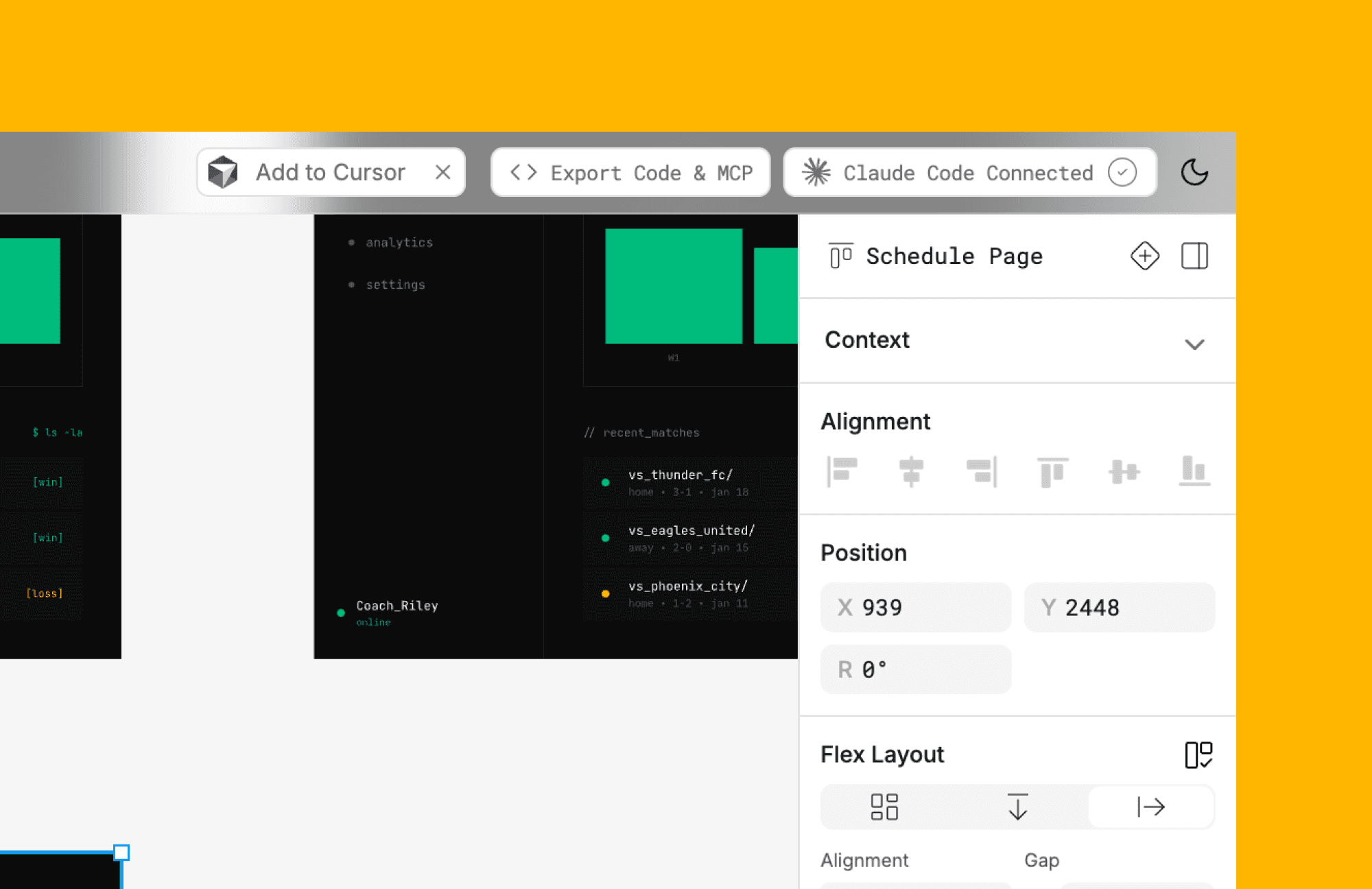
Quickly edits that otherwise would've eaten Claude Code tokens, cost nothing, and in addition save time to change them with a prompt or through code manually.

MCP server

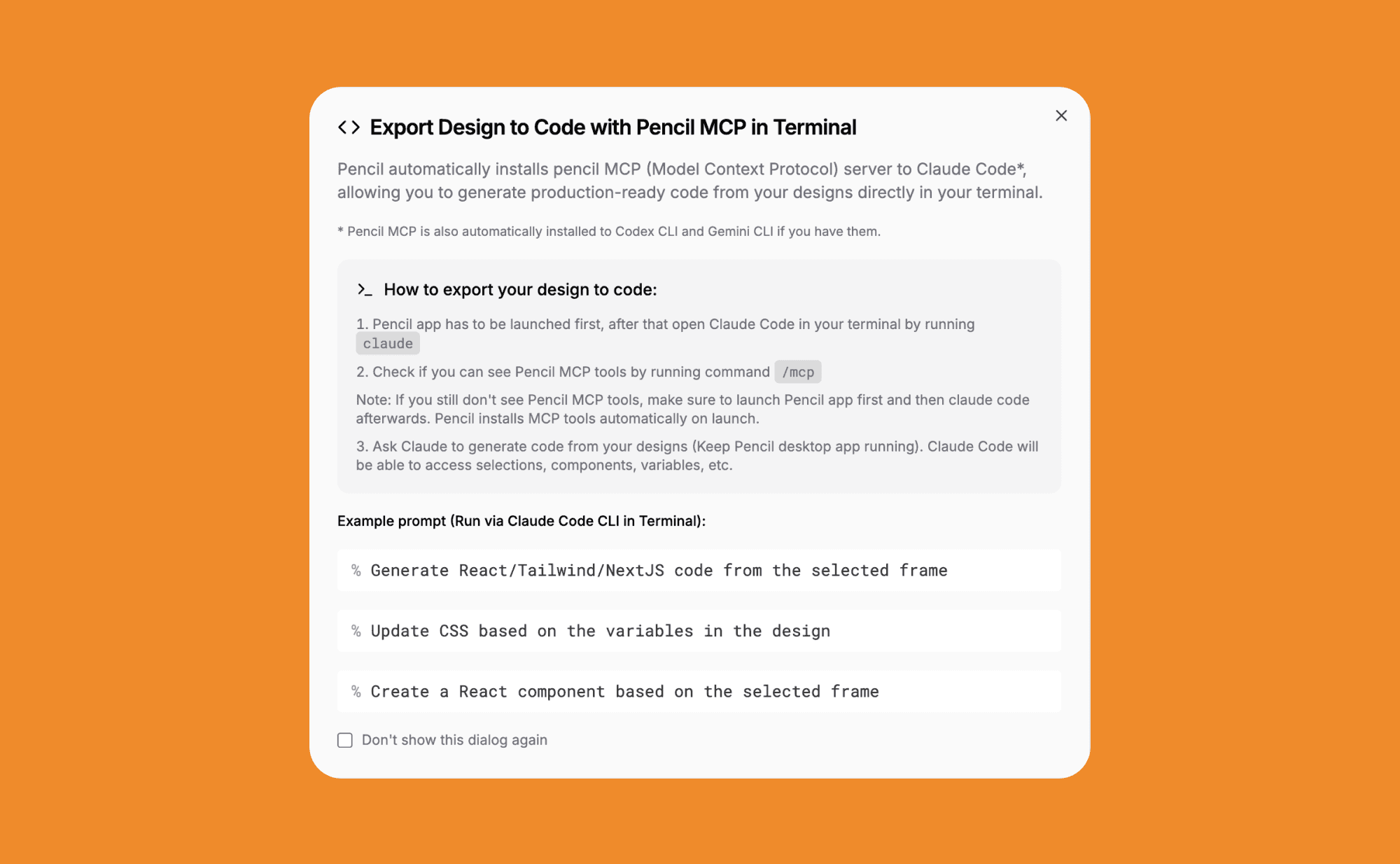
Pencil allows other tools connect to it through MCPs. That means you can plug-in your regular AI coding tool of choice, give context about your Pencil project, and implement designs into your own tech stack.
Pencil.dev pricing

Right now, pencil dev is in early access and free to use. That will probably change, but for now, you can download and use it with no limitations and no cost.

However, you need a Claude Code subscription, which starts from $20/month. Pencil acts as an "overlay" and doesn't actually generate anything. All that magic still happens on Anthropic's side.

Pencil.dev alternatives

Banani

Similarly to pen.dev, Banani lets you generate UI designs from simple text prompts and organize them on canvas. Great alternative for vibe designing, if you want more tools to quickly explore variants of design.
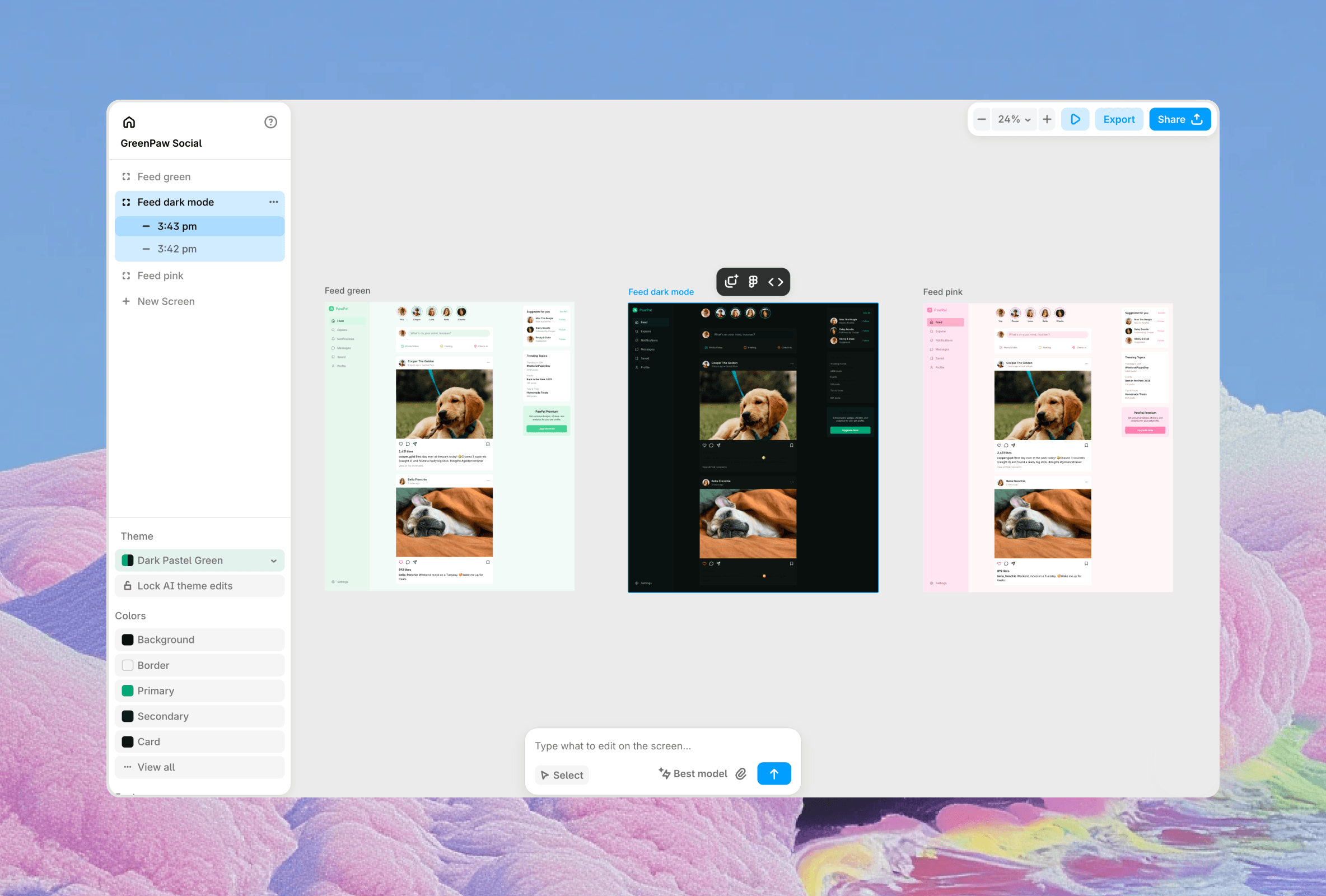
Aside from collaboration and sharing, it also has a better design quality, since it's not limited to Claude models, and actually allows you to switch between other providers.

Magic Path

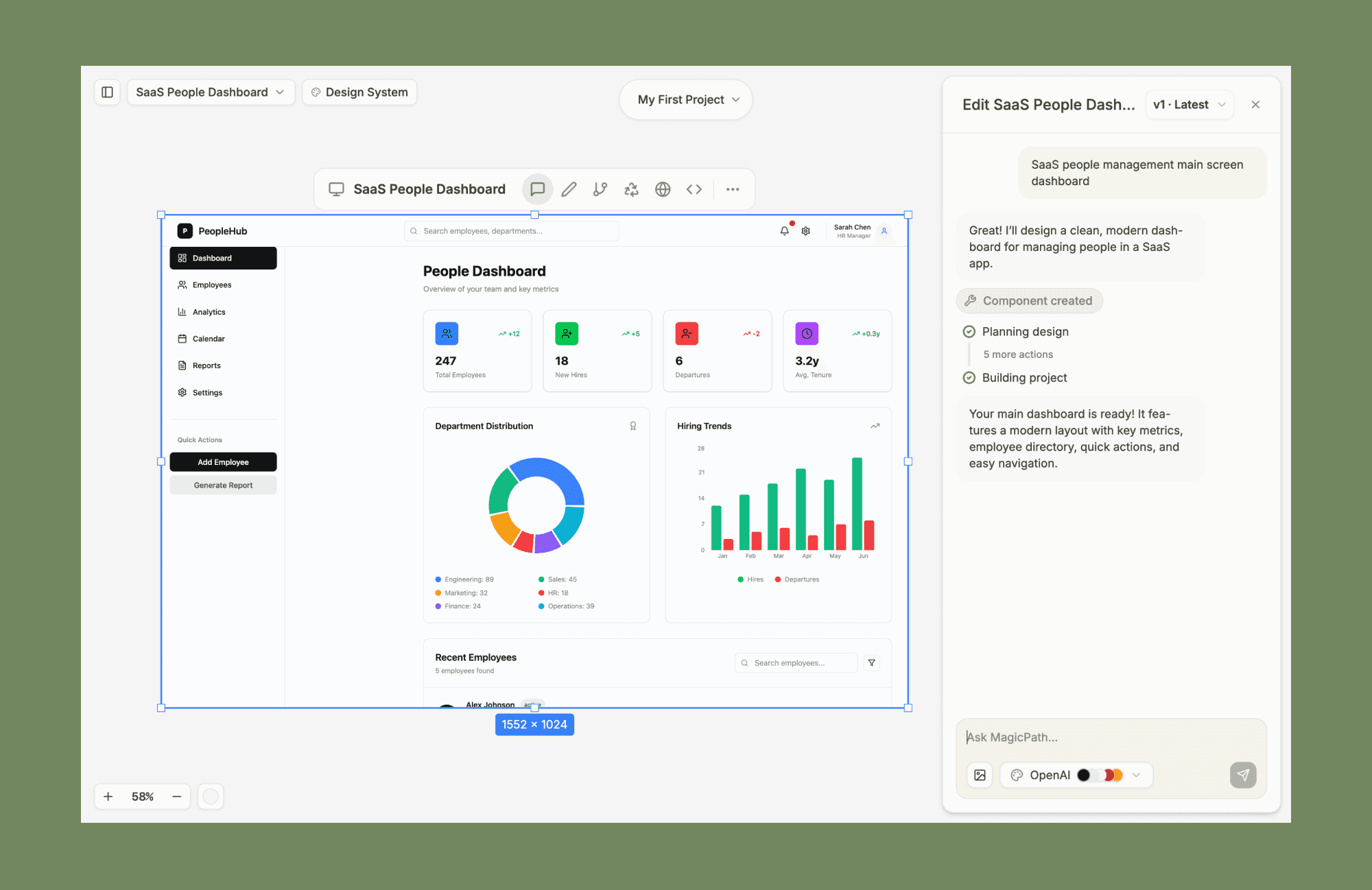
Focused on React UI design generation and canvas-style editing. Similar to Pencil Dev, MagicPath lets you explore new features or product ideas quickly and gives a lot of manual tools to tweak designs without interacting with AI.
MagicPatterns

Great alternative for teams who already fully embraced vibe coding and teams who are willing to connect their GitHub project. Unlike Pencil, MagicPatterns gives you a production-ready code as a final deliverable.

Google Stitch

Great new tool for generating simple UI screens. Stitch is good for quick ideation, but less helpful in designing something that you will ultimately use, and lacks more advanced features.

Pencil.dev use-cases

  • Heavy users of the Claude code who want to save credits

  • Small teams where one person handles both design and dev

  • Vibe-coders who want to explore UIs

  • Designers who start with vibe-coding

Pencil.dev pros and cons

Pros

  • Familiar Figma-like editing

  • Neat interface to use Claude Code

  • Components, variables

  • Free for now

Cons

  • Desktop only (Mac and Linux)

  • Still in an early stage

  • No collaboration

Should you try pencil.dev?

If you've been waiting for a "design mode" for Claude Code, pencil.dev is one of the clearest attempts so far. Beyond simply giving you a canvas to interact with Anthropic models, it offers a few neat, distinctive features such as notes, context, and prompt cards.

It can be a nice addition to your vibe-coding toolkit if you care about how things you vibe-code look and feel.

What is pencil.dev?

Is a new vibe-coding app that lets you interact with Claude Code models inside a Figma-like editor. It dramatically speeds up the design part of the process and can save you a ton of credits.

It can be used as a standalone desktop app or right inside your IDE as an extension! Though there's no browser version yet, since you need a locally run instance of Claude CLI.

Pencil.dev features

Claude on canvas

Pencil connects to your Claude Code and uses Anthropic LLM models to create UI designs. You can generate new screens and iterate existing designs directly in the canvas interface.

It's nice if your primary goal is to prototype UI. It gives more space to explore visuals, compared to the regular Claude CLI + browser combo.

Notes, Context, Prompts

You can also put sticky notes and other elements directly on canvas. Unlike comments in Figma, Notes can be turned into a runnable prompt that implement edits and gives an additional way to design using AI but outside of the chat.

It makes the canvas feel more like an agent workspace than a static design file with chatbox on top.

Manual editing

Pencil looks and behaves a lot like Figma, practically removing the learning curve if you used the first one before.

You get a panel of layers, a panel with editable CSS properties, and direct manipulation features like the ability to rewrite UI texts and even move things around.

Quickly edits that otherwise would've eaten Claude Code tokens, cost nothing, and in addition save time to change them with a prompt or through code manually.

MCP server

Pencil allows other tools connect to it through MCPs. That means you can plug-in your regular AI coding tool of choice, give context about your Pencil project, and implement designs into your own tech stack.

Pencil.dev pricing

Right now, pencil dev is in early access and free to use. That will probably change, but for now, you can download and use it with no limitations and no cost.

However, you need a Claude Code subscription, which starts from $20/month. Pencil acts as an "overlay" and doesn't actually generate anything. All that magic still happens on Anthropic's side.

Pencil.dev alternatives

Banani

Similarly to pen.dev, Banani lets you generate UI designs from simple text prompts and organize them on canvas. Great alternative for vibe designing, if you want more tools to quickly explore variants of design.

Aside from collaboration and sharing, it also has a better design quality, since it's not limited to Claude models, and actually allows you to switch between other providers.

Magic Path

Focused on React UI design generation and canvas-style editing. Similar to Pencil Dev, MagicPath lets you explore new features or product ideas quickly and gives a lot of manual tools to tweak designs without interacting with AI.

MagicPatterns

Great alternative for teams who already fully embraced vibe coding and teams who are willing to connect their GitHub project. Unlike Pencil, MagicPatterns gives you a production-ready code as a final deliverable.

Google Stitch

Great new tool for generating simple UI screens. Stitch is good for quick ideation, but less helpful in designing something that you will ultimately use, and lacks more advanced features.

Pencil.dev use-cases

  • Heavy users of the Claude code who want to save credits

  • Small teams where one person handles both design and dev

  • Vibe-coders who want to explore UIs

  • Designers who start with vibe-coding

Pencil.dev pros and cons

Pros

  • Familiar Figma-like editing

  • Neat interface to use Claude Code

  • Components, variables

  • Free for now

Cons

  • Desktop only (Mac and Linux)

  • Still in an early stage

  • No collaboration

Should you try pencil.dev?

If you've been waiting for a "design mode" for Claude Code, pencil.dev is one of the clearest attempts so far. Beyond simply giving you a canvas to interact with Anthropic models, it offers a few neat, distinctive features such as notes, context, and prompt cards.

It can be a nice addition to your vibe-coding toolkit if you care about how things you vibe-code look and feel.

Generate UI designs using AI

Convert your ideas into beautiful and user-friendly designs. Fast and easy.