
Die besten MagicPath-Alternativen
Kategorie | Top-Alternativen |
Beste Gesamtalternative | |
Direkte Konkurrenten | |
Figma-first-Alternativen | |
Teamorientierte Alternativen | |
Vibe-Coding-AI-UI-Tools |
Was ist MagicPath AI?
MagicPath AI ist ein KI-natives Design-Tool, das Textprompts in interaktive, editierbare App- und Website-UI verwandelt.
Als Komplett-Tool für KI-gestütztes Produktdesign positioniert, gehören dazu Design-KI-Agenten, die Web-Capture-Chrome-Erweiterung, React-Komponenten, Figma-Import/Export und Frontend-Code-Generierung für Entwickler-Handoff.
Warum eine MagicPath-Alternative suchen?
Zuerst helfen dir trendende AI-UI-Tools, MagicPath bei Preis und Features mit kostenlosen oder robusteren ähnlichen Tools zu vergleichen. Eine Frage der Designökonomie. Außerdem gibt es einige Limits bei fortgeschrittener Figma-Synchronisierung, Teamzusammenarbeit und tiefer Code-Anpassung. Darum ist der Vergleich von MagicPath-AI-Alternativen wichtig, um ein Design-Tool zu finden, das besser zu Designsystemen, Projekt-Skalierung und langfristigen Produktanforderungen passt.
MagicPath-AI-Konkurrenten im Vergleich
KI-UI-Tool | Kernfunktionen | Designtreue | Code-Kontrolle | Preis |
Text/Bild/Figma zu UI-Flows, Varianten, Canvas, Figma-Export, HTML/CSS | Hoch (hi-fi, flow-basiert) | Mittel (sauberer Export) | - Kostenlos: 20 Generierungen/Monat | |
Mehrere Bildschirme, HTML/CSS (Tailwind), Figma-Export | Mittel-Hoch | Hoch (saubere Code-Ausgabe) | - Kostenlos: Begrenzte Credits (Beta) | |
Screenshot zu UI, unendliche Canvas, wiederverwendbare Assets, Feedback-Tools | Hoch | Hoch (Design-to-Code-Fokus) | - Kostenlos: 5 Credits/Monat - Bezahlt: 15 $/Monat (100 Credits) | |
Text/Skizze zu UI, Varianten, edge-case-bewusstes Design | Mittel | Mittel | - Kostenlos: 45 Credits (einmalig) | |
Prompt-UI, Plugins, Designsystem, Zusammenarbeit | Sehr hoch | Niedrig (design-first) | - Kostenlos: Begrenzte Credits | |
Text/Bild/URL zu UI, Figma-ready, React/HTML-Export | Hoch | Hoch | - Kostenlos: 30 Credits, einmalig - Bezahlt: 17,5 $/Monat (480 Credits) | |
Canvas-KI, Brainstorming zu Prototypen, Zusammenarbeit | Niedrig-Mittel | Niedrig | - Kostenlos: Nicht verfügbar | |
Kollaboratives Wireframing, Kommentare, Berechtigungen, Handoff | Mittel | Niedrig-Mittel | - Kostenlos: 300 KI-Credits | |
Prompt zu Full-Stack-Apps, deploybare MVPs | Mittel | Sehr hoch | - Kostenlos: 5 tägliche Credits | |
Prompt zu React-Komponenten (shadcn/ui, Tailwind) | Mittel-Hoch | Sehr hoch | - Kostenlos: 5 $ monatliches Guthaben | |
Prompt zu Full-Stack-Apps, Frontend + Backend + Deployment | Mittel | Sehr hoch | - Kostenlos: 300K Token tägliches Limit |
*Hinweis: Die aufgeführten Preise gelten für jährliche Abrechnung, die für die meisten Tools günstiger ist als die monatliche Abrechnung
Banani: Top-MagicPath-Alternative
Banani AI ist der engste Konkurrent zu MagicPath AI als KI-UI-Design-Tool. Es ist für schnelle Ideenfindung und Iteration gebaut, mit Fokus auf hi-fi UI, Figma-Kompatibilität und sauberes Developer-Handoff.
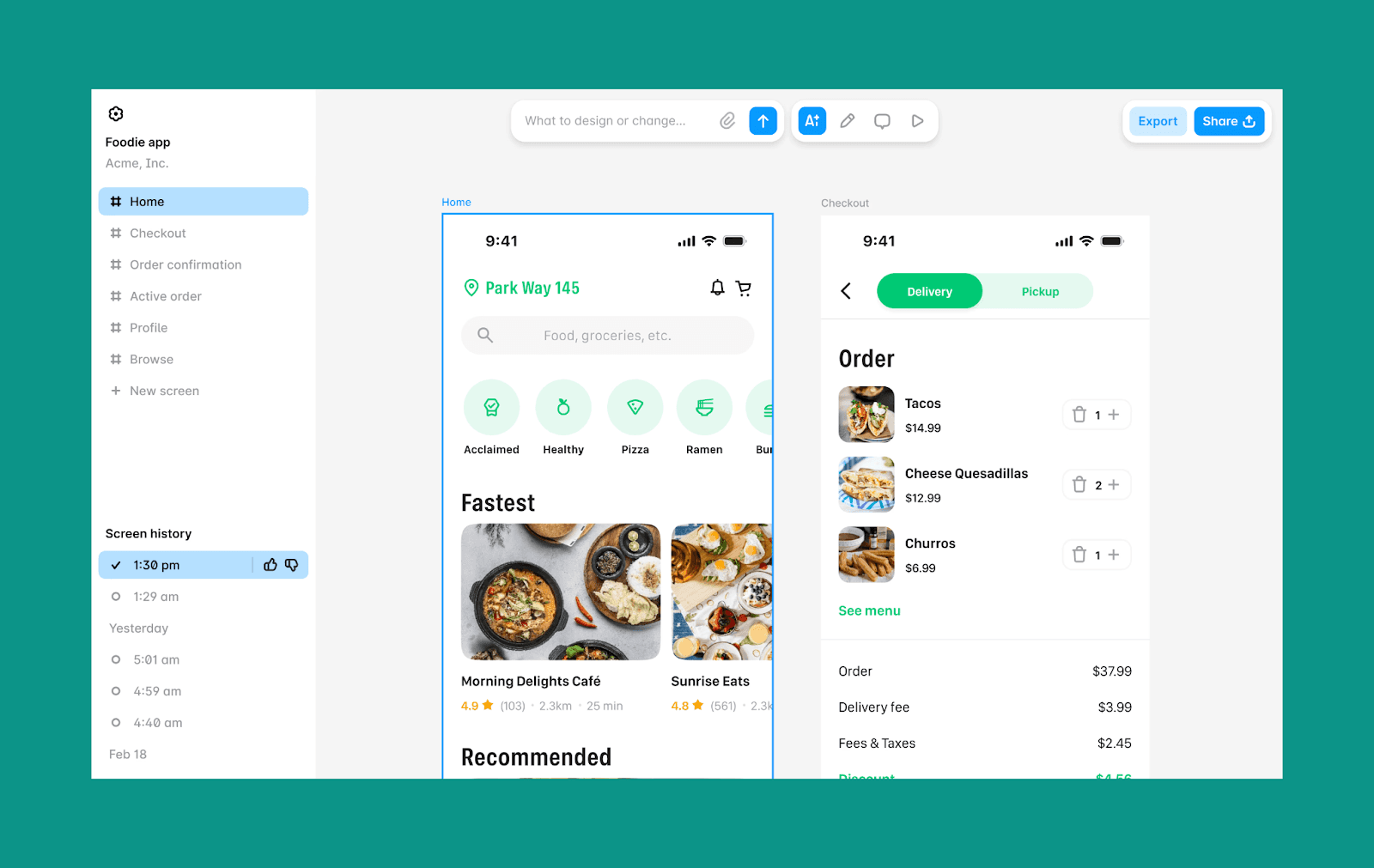
Die wichtigsten Funktionen von Banani
Text, Bild oder Figma in interaktive UI-Flows verwandeln
Bis zu 5 Design-Varianten pro Idee/Prompt
Strukturierte Canvas für mehrseitige User Journeys
Integrierter Figma-Import und -Export
Sauberer HTML/CSS-Export und MCP-Verbindungen
Warum Banani statt MagicPath AI wählen
Wenn dir sauberes, produktionsreifes UI wichtig ist, bietet Banani mehr Designtreue und klarere Flow-Ebene.
Banani-Preise
Kostenloser Plan: bis zu 170 Credits pro Monat
Bezahlter Plan: 12 $/Monat für 400 Credits und 30 $/Monat für unbegrenzte Credits
(beide Pläne gelten bei jährlicher Abrechnung).
Direkte Konkurrenten von MagicPath
Google Stitch vs MagicPath AI
Stitch von Google (ehemals Galileo AI) verwandelt Text-Prompts oder Skizzen in strukturierte UI-Layouts. Angetrieben von Gemini, steht es für Vibe-Design für frühe Konzepte, mit enger Integration in moderne Frontend-Workflows.
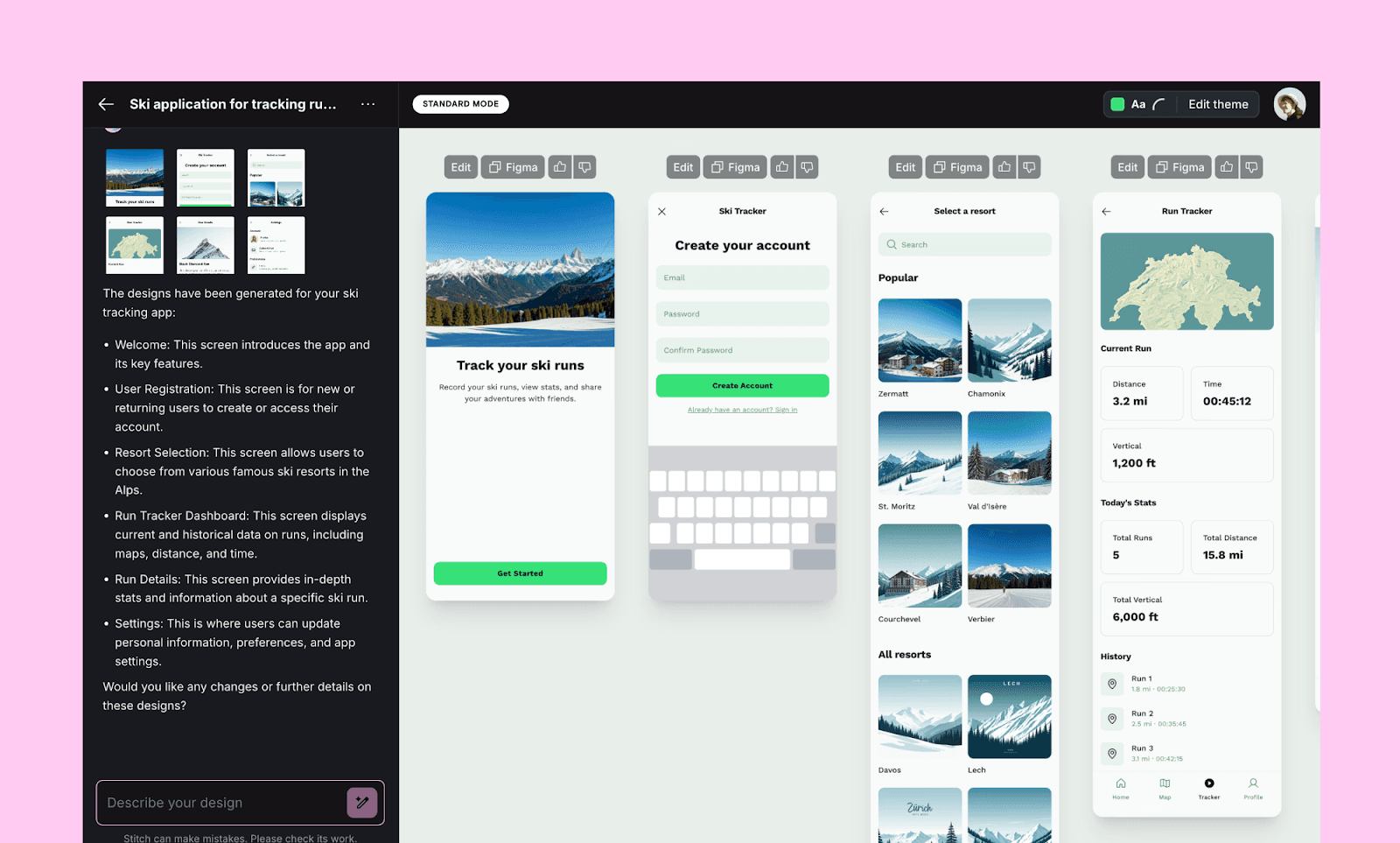
Die wichtigsten Funktionen von Google Stitch
Mehrere interaktive Flows über verschiedene Screens erstellen
Sauberes semantisches HTML und CSS generieren (inklusive Tailwind-Support)
Nahtloser Figma-Export und MCP-Verbindungen
Warum Google Stitch statt MagicPath AI wählen
Wähle Stitch, wenn du schneller UI für einen gesamten User Flow erzeugen willst.
Google-Stitch-Preise
Kostenloser Plan: Stand Anfang 2026 ist Stitch komplett kostenlos, mit begrenzten täglichen Credits.
Bezahlter Plan: Für Google Stitch gibt es während der Beta keinen bezahlten Plan.
UXPilot vs MagicPath AI
Als KI-Produktdesign-Suite positioniert, ist UXPilot eine Software, um Webanwendungen an einem Ort zu ideieren, zu gestalten und zu übergeben. Du kannst mit Text oder einer handgezeichneten Skizze starten, UI mit KI generieren, nach Figma importieren und Code mit GitHub synchronisieren.
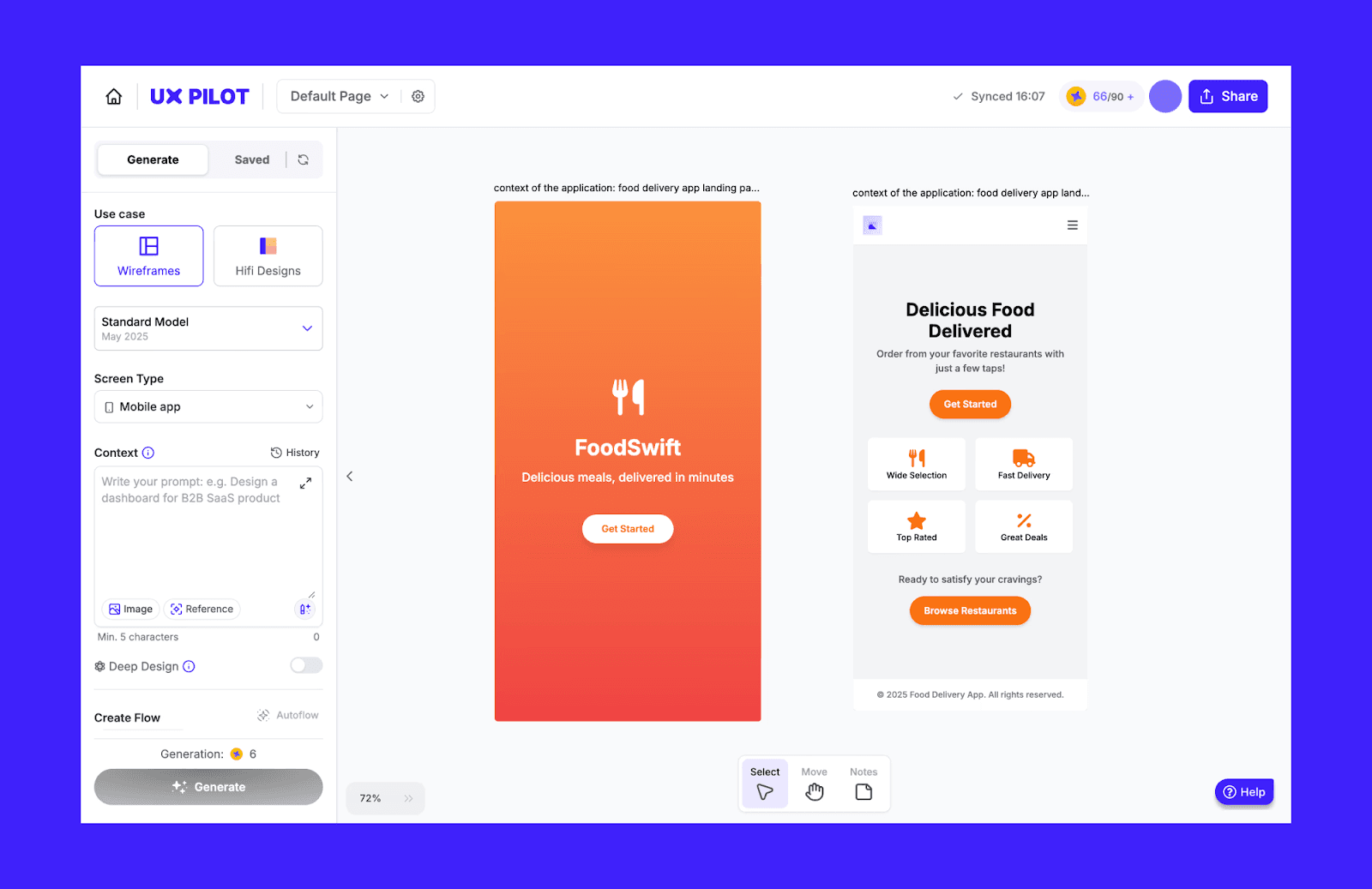
Die wichtigsten Funktionen von UXPilot
Bis zu 4 Design-/Look-Varianten pro Prompt
Das Blitz-Modell erstellt UI in Sekunden für schnelle Präsentationen
Automatische Einbindung von Tiefe, States und Produkt-Edge-Cases ins Design
Warum UXPilot statt MagicPath AI wählen
UXPilot ist die bessere Wahl, wenn du eine KI für UI/UX-Architektur statt einer offenen Canvas brauchst.
UXPilot-Preise
Kostenloser Plan: Einmaliger Zugriff auf 45 kostenlose Credits, nutzbar für bis zu 7 Screens.
Bezahlter Plan: Der Standard-Plan kostet 14 $/Monat (jährlich abgerechnet) und bietet 420 Credits/Monat für bis zu 70 Screens.
MagicPatterns vs MagicPath AI
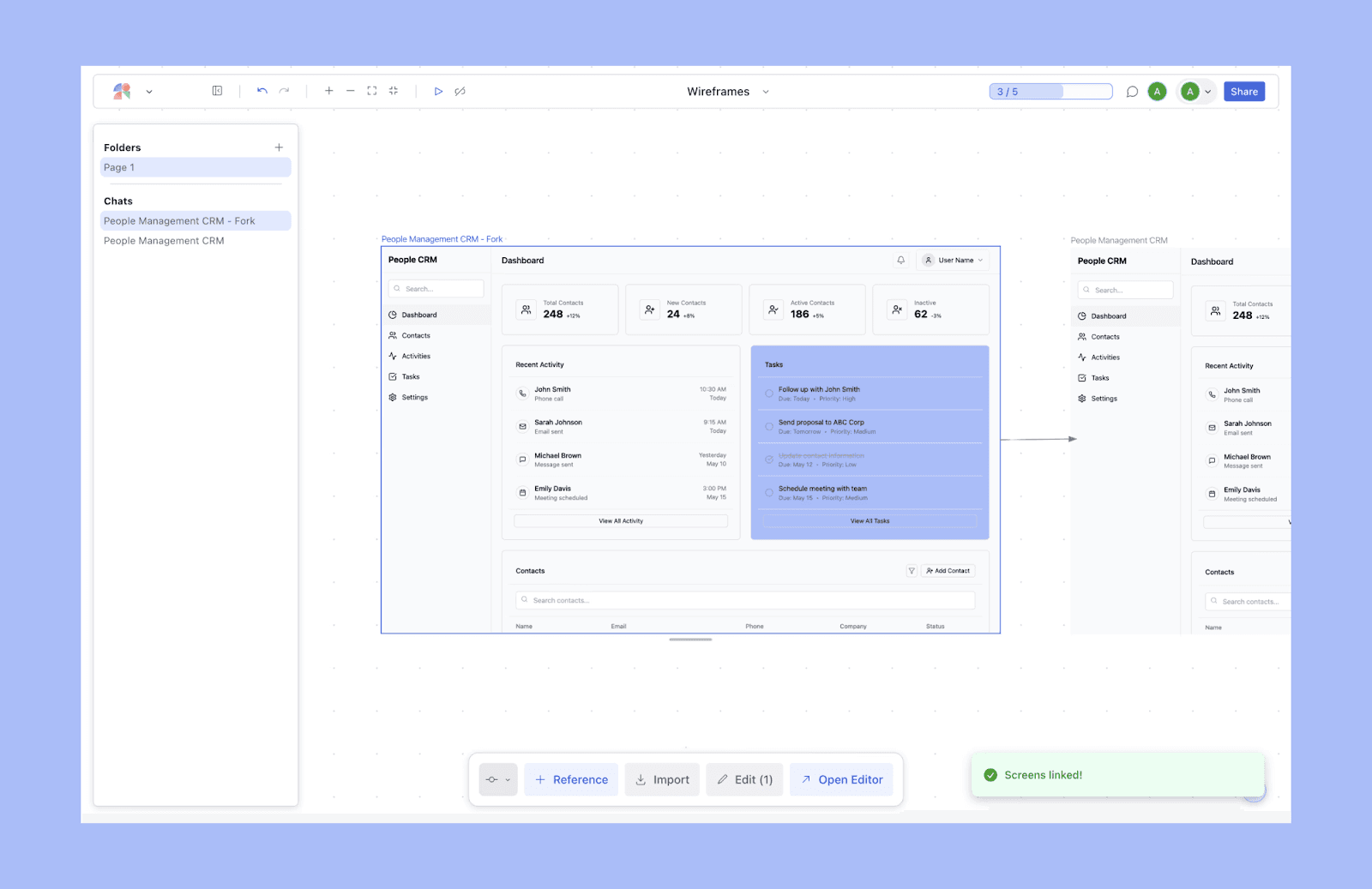
Für Produktteams gebaut, hilft MagicPatterns dir, Ideen in Prototypen zu verwandeln und außerdem Nutzerfeedback für Design-Überarbeitungen zu sammeln. Es kann einen Screenshot nachbauen, ein Design erstellen, das zu bestehenden Brand-Guidelines passt, und auch bei Slide-Decks helfen.
Die wichtigsten Funktionen von MagicPatterns
Zwei Modi: Einzel-Screen-UI-Generierung + unendliche Canvas
Sichere KI-native Designs für Enterprise-Ansprüche
Schnelles Prototyping mit UI, die zum bestehenden Produkt passt
Warum MagicPatterns statt MagicPath AI wählen
MagicPatterns ist als Design-to-Code-Tool mit wiederverwendbaren Assets stärker.
MagicPatterns-Preise
Kostenloser Plan: 5 monatliche Credits und eingeschränkte Design-Funktionen.
Bezahlter Plan: Der Starter-Plan heißt Hooby und kostet 15 $/Monat (bei jährlicher Abrechnung), mit 100 Credits pro Monat.
Figma-first-Alternativen
Figma AI vs MagicPath AI
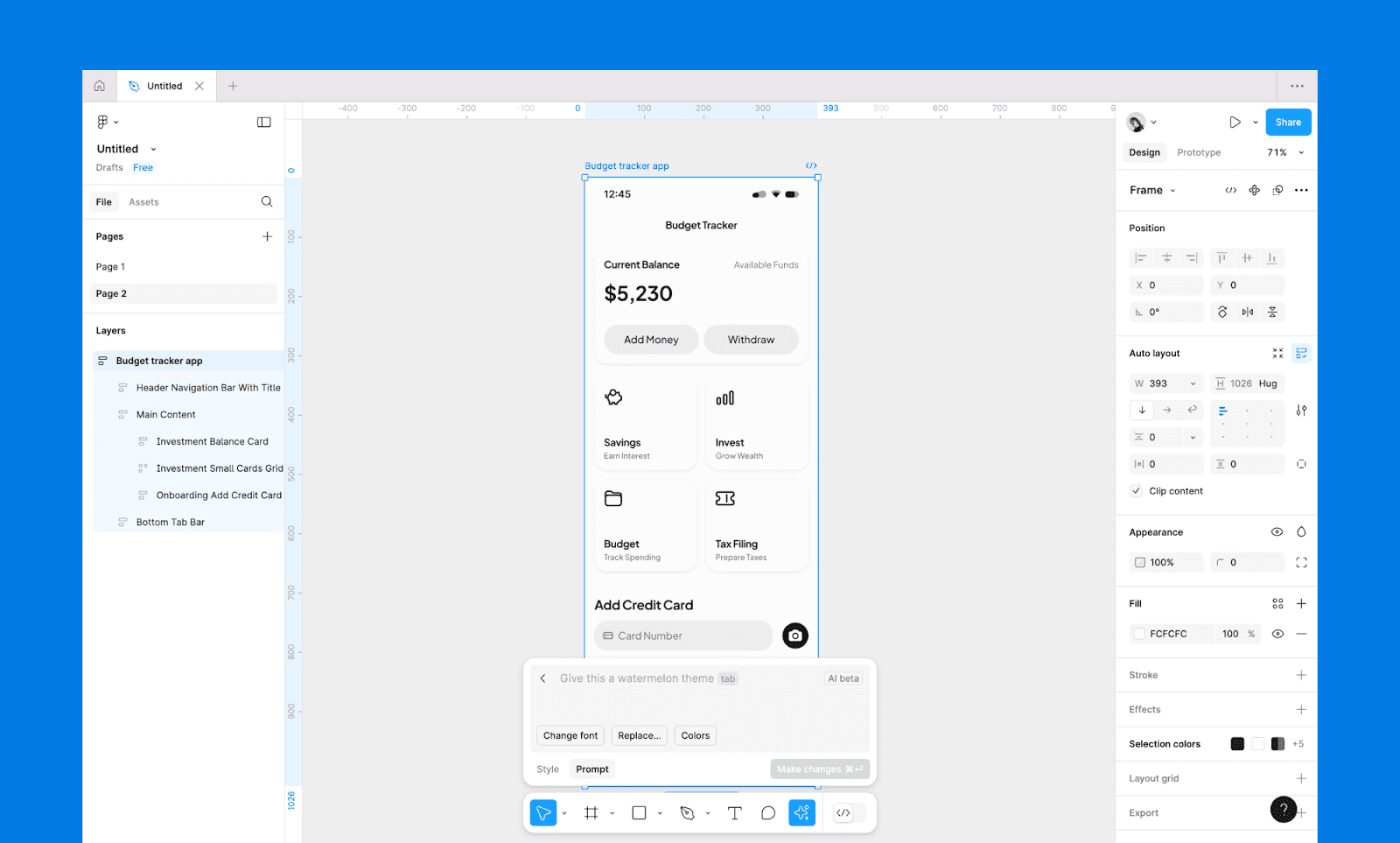
Figma AI erweitert die Kernplattform Figma um KI-gestützte Funktionen für UI-Prompts, Content-Generierung und automatisierte Design-Workflows. Zu den Kernfunktionen gehören Figma Make für Text-to-Design, Figma Sites für No-Code-Web-Publishing und über 10k Figma-Plugins, um fast jede Designaufgabe innerhalb des Figma-Designsystems anzupassen.
Warum Figma AI statt MagicPath AI wählen
Es ist der Industriestandard für ein produktionsreifes Designsystem mit fortgeschrittener Anpassung, Teamzusammenarbeit und Design-Handoff.
UXMagic vs MagicPath AI
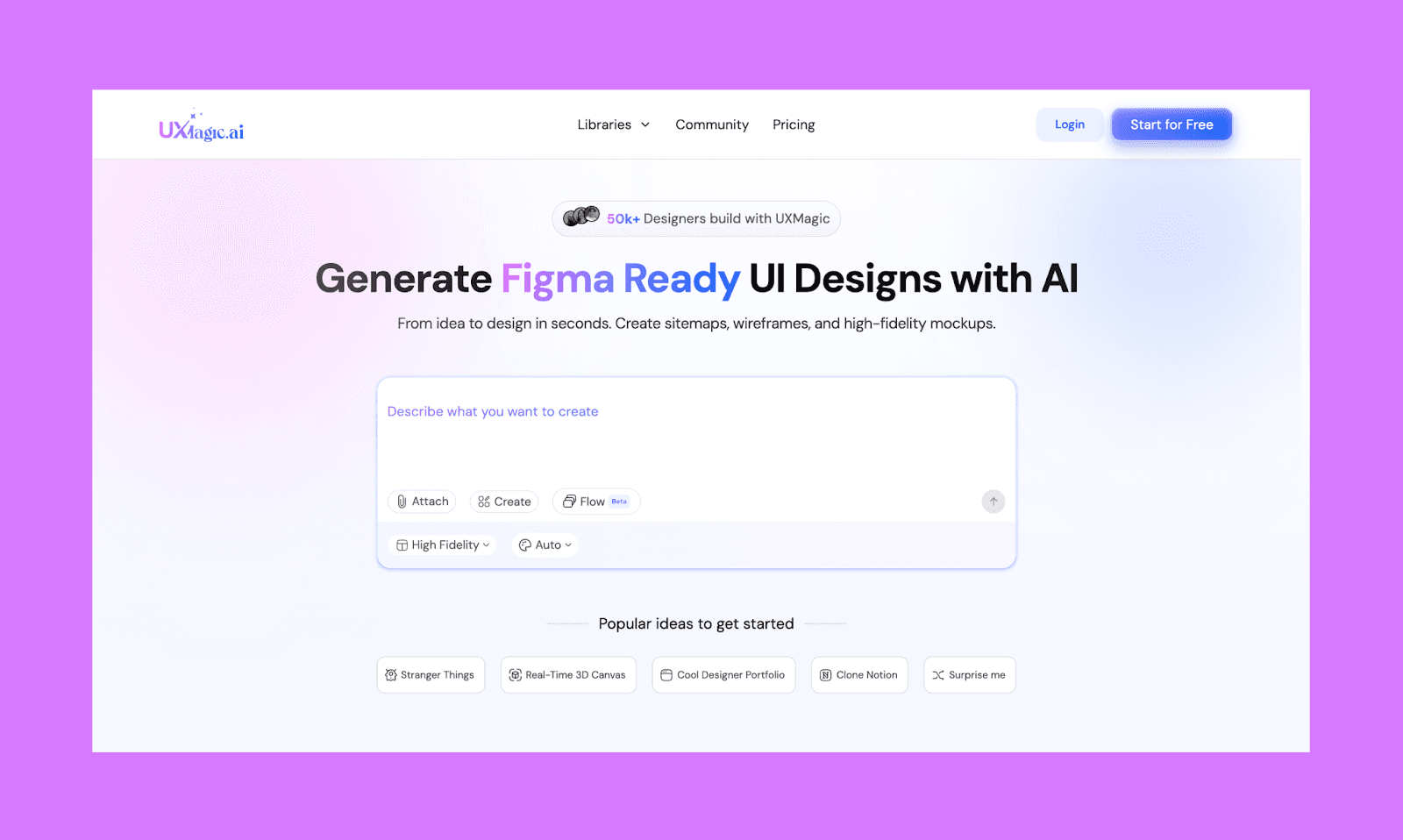
UXMagic ist spezialisiert auf die Generierung von UI-Design mit KI, das sehr gut mit dem Figma-Designsystem kompatibel ist. Zusätzlich zu Text zu UI und Bild zu UI kannst du auch eine Website klonen, um ihre UI zu bearbeiten, und entwicklerfreundliche HTML- & React-Komponenten exportieren.
Warum UXMagic statt MagicPath AI wählen
UXMagic ist besser für Anforderungen an Designsystem-Konsistenz und Figma-fähige Outputs.
Teamorientierte Tools wie MagicPath
Miro AI vs MagicPath AI
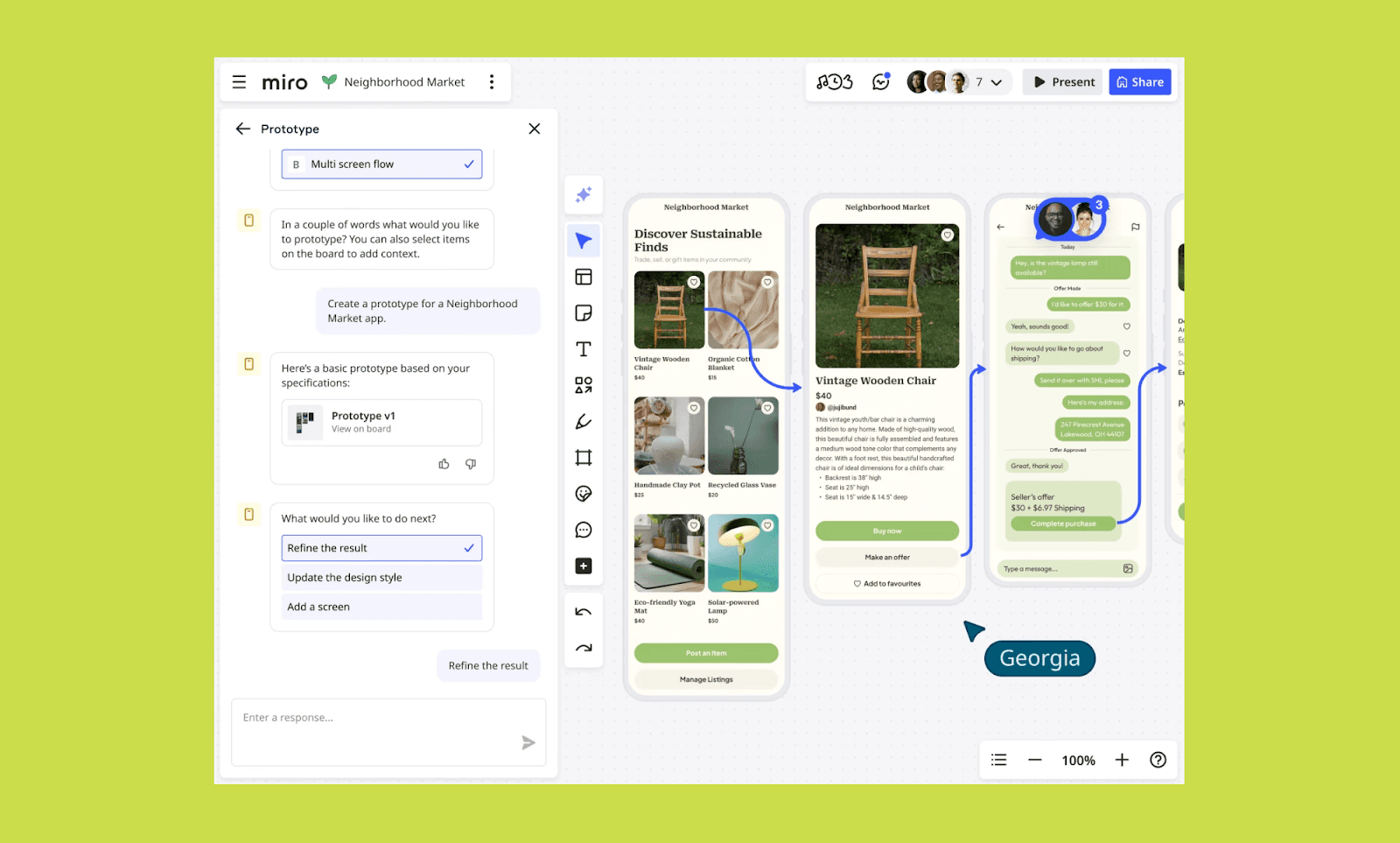
Miro AI ist eine kollaborative KI-Schicht im Miro Classic Canvas, die Teams ermöglicht, in einem Workspace vom Brainstorming zu einfachen UI-Prototypen zu kommen. Es kann Notizen, Prompts oder Screenshots in editierbare Prototypen verwandeln, mit Echtzeit-Zusammenarbeit, Kommentaren und interaktiven Flows.
Warum Miro AI statt MagicPath AI wählen
Für teamorientiertes Brainstorming und Iteration, statt individuell ausgefeilte UI-Designs zu erzeugen.
Visily vs MagicPath AI
Visily ist ein kollaboratives KI-Design-Tool für schnelles Wireframing in gemeinsam genutzten Workspaces. Es bietet flexible Berechtigungen, Kommentare und nahtlosen Design-to-Dev-Handoff, ideal für strukturierte Team-Workflows.
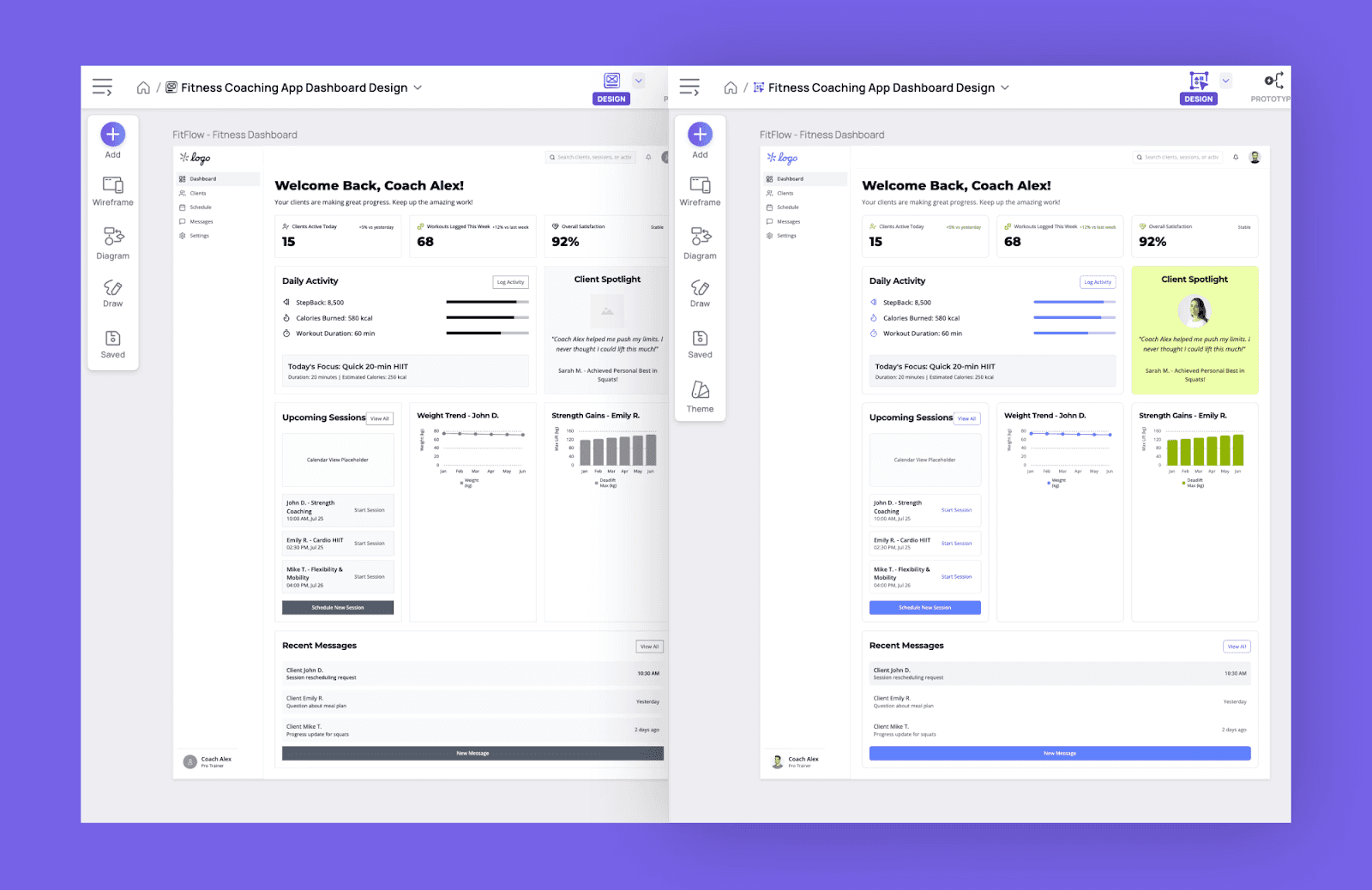
Warum Visily statt MagicPath AI wählen
Wähle Visily, wenn Teamabstimmung ebenso wichtig ist wie KI-UI-Generierung.
Vibe-Coding-AI-UI-Tools
Lovable vs MagicPath AI
Lovable ist ein beliebtes Vibe-Coding-KI-Tool, das Prompts in voll funktionsfähige Web-Apps verwandelt, nicht nur in UI-Mockups. Es konzentriert sich darauf, deploybare Produkte mit Logik, Backend und Frontend von Anfang an zusammenzubringen.
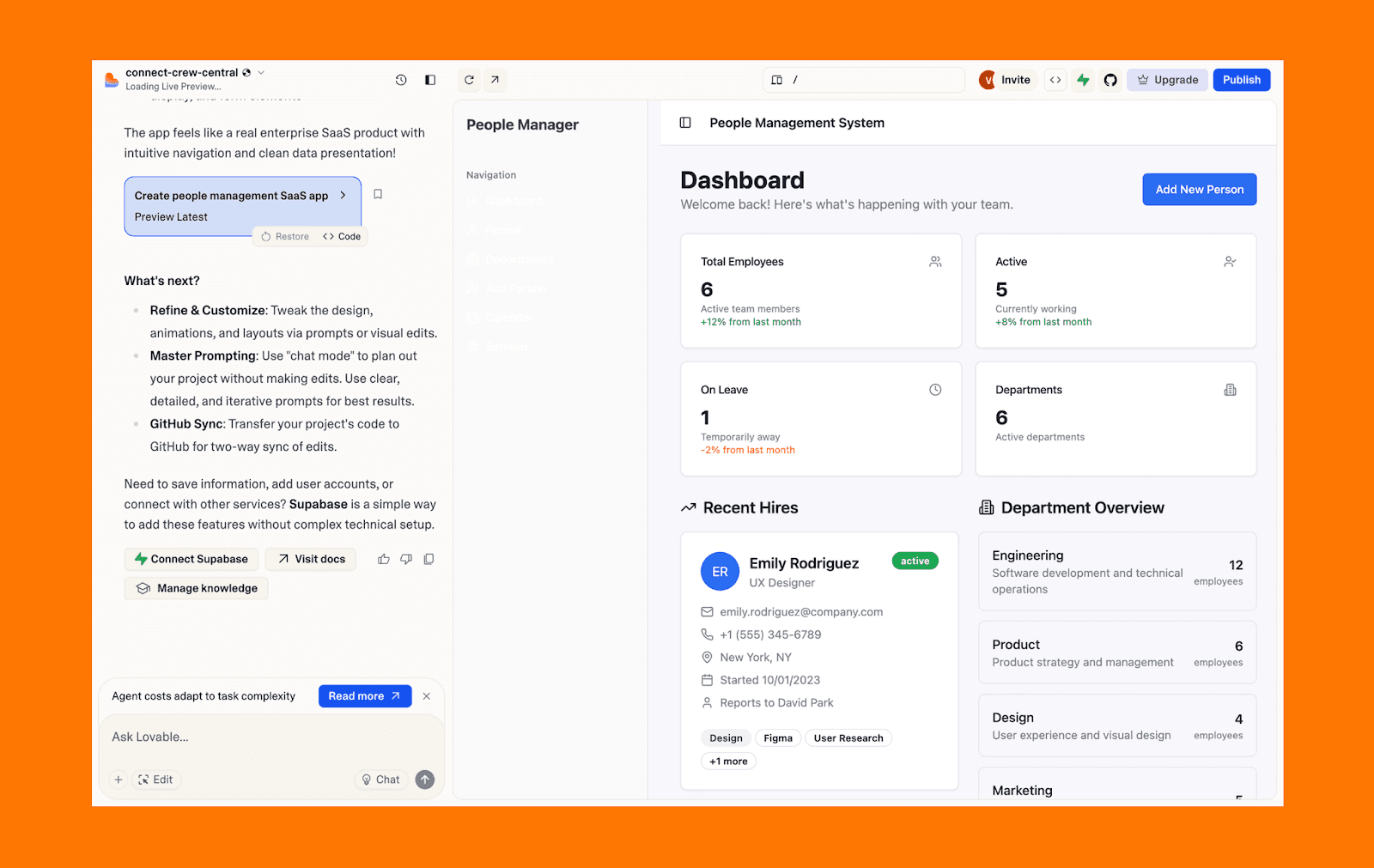
Warum Lovable statt MagicPath AI
Greif zu Lovable, wenn du funktionierende MVPs willst, um Stakeholder auf Linie zu bringen, statt nur einfache UI-Prototypen.
v0 by Vercel vs MagicPath AI
v0 ist ein spezialisiertes generatives UI-Tool von Vercel, das hochwertige, per Copy-Paste nutzbare React-Komponenten mit Tailwind CSS und shadcn/ui erzeugt. Es hilft Entwicklern dabei, ausgereifte Frontend-Elemente zu skizzieren, die sofort in Next.js-Projekte integriert werden können.
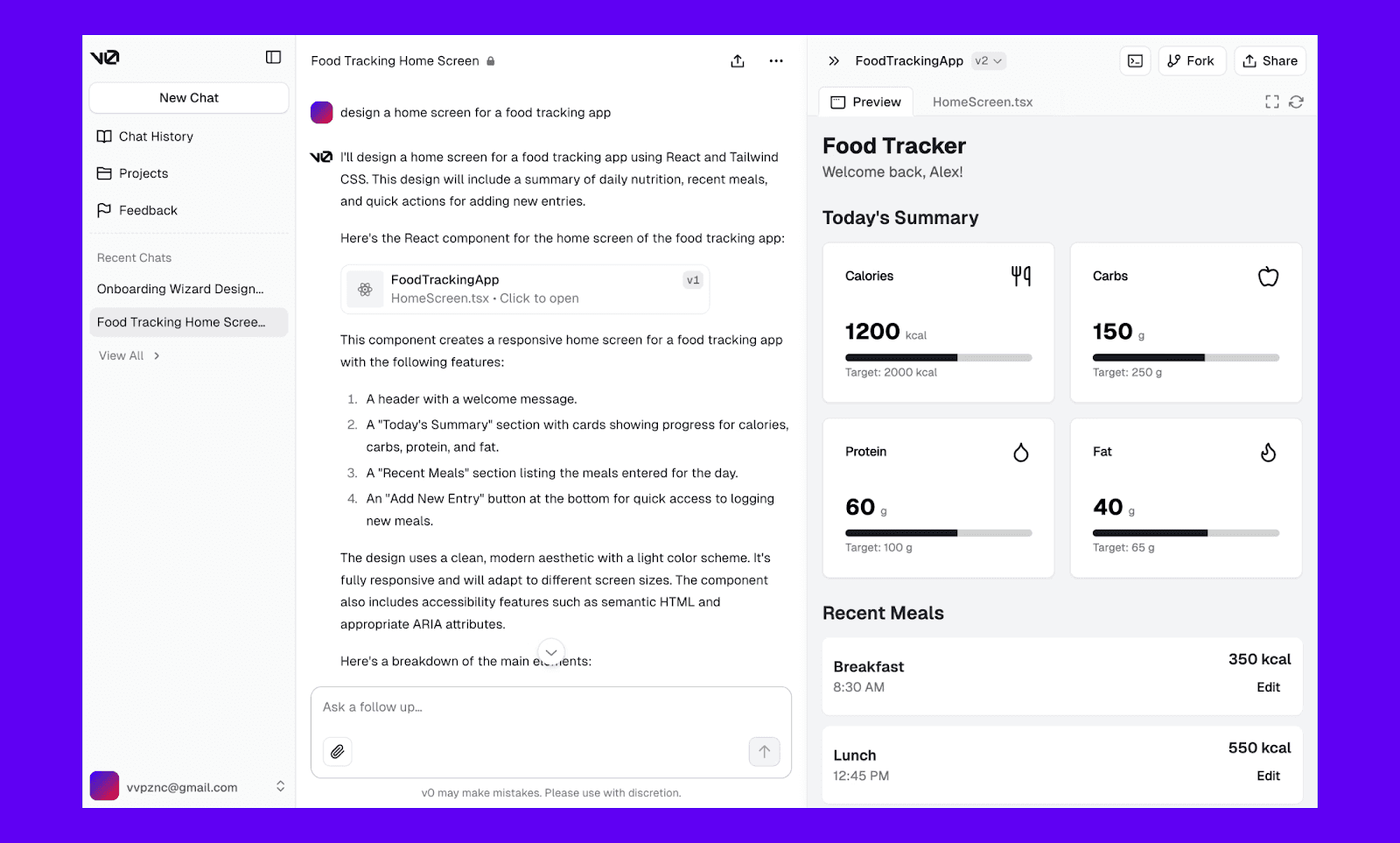
Warum v0 statt MagicPath AI
Wenn dein Produktentwicklungsziel mehr mit Code-Ausgabe als mit Design-Ausgabe zu tun hat, arbeite mit v0 von Vercel.
Bolt.new vs MagicPath AI
Bolt.new ist ein KI-Coding-Tool, das Full-Stack-Web-Apps direkt aus Prompts baut und Frontend, Backend und Deployment in einem Flow kombiniert. Es setzt auf Geschwindigkeit und Iteration von Idee → Design → live Produkt, ohne Tools zu wechseln.
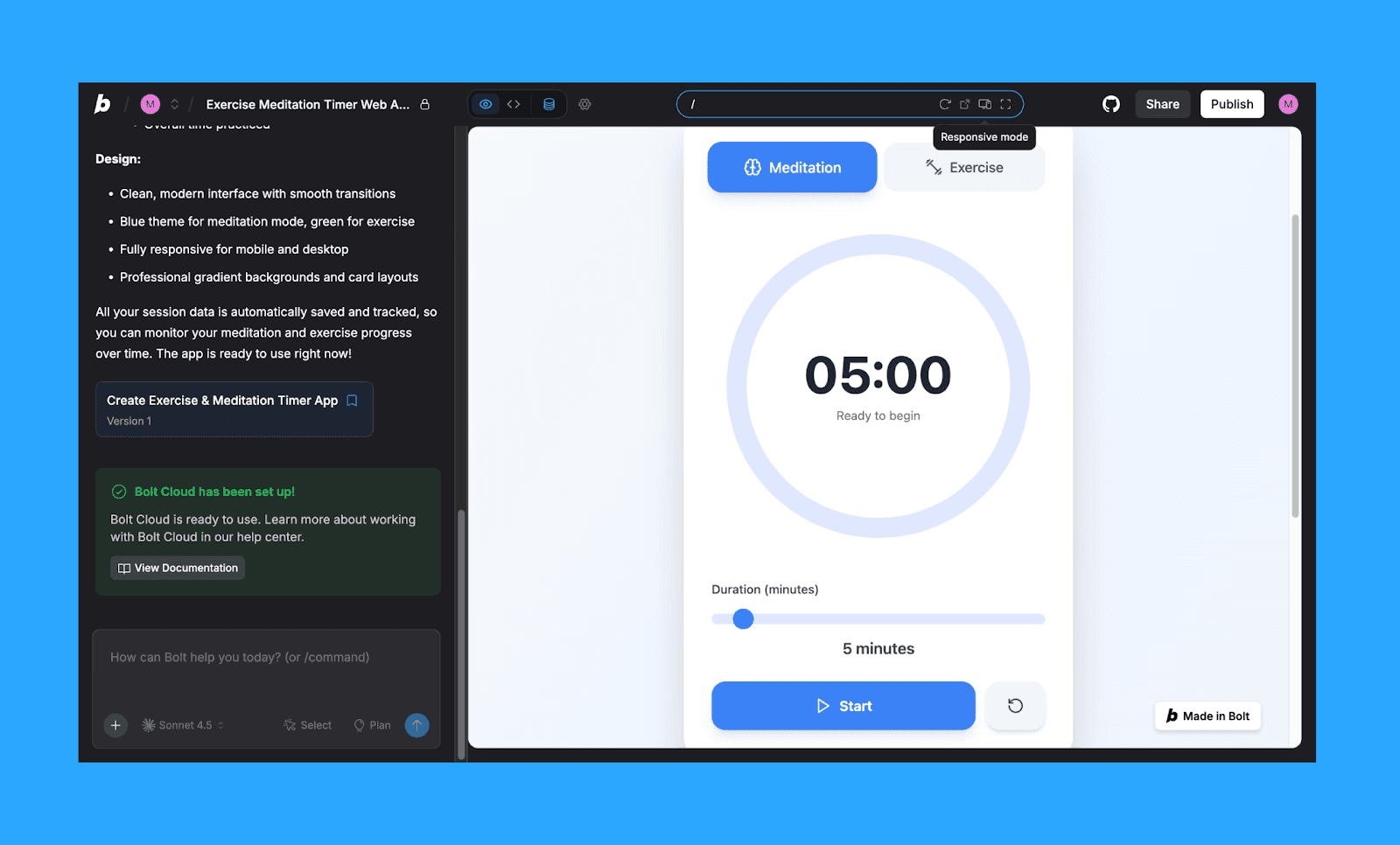
Warum Bolt.new statt MagicPath AI
Wähle Bolt.new, wenn deine Produktidee klar genug ist, die ganze App zu shippen, nicht nur Interfaces zu designen.
Ein Tool wie MagicPath AI wählen
Es gibt nicht die eine beste KI-UI-Generator-Alternative zu MagicPath AI, die zu allen Design-Workflows passt. Wenn du eine MagicPath-Alternative mit besseren Design-Outputs und günstigerem Preis suchst, nimm einfach Banani AI. Für spezifischere Anforderungen wähle zwischen den ähnlichen KI-UI-Tools wie MagicPath AI.
Für Nicht-Designer, die schnell Ideen entwickeln, oder fürs Vibe-Design, sind Banani und Google Stitch wegen ihrer einfachen Bedienung die beste Wahl.
Für ernsthafte Produktteams, bei denen Konsistenz und Zusammenarbeit zählen, bieten MagicPatterns oder Miro AI den nötigen robusten Workspace.
Frontend-Entwickler, die ein funktionierendes Produkt statt nur eines UI-Mockups shippen wollen, fahren mit v0 by Vercel oder Lovable gut.
Außerdem lohnt es sich, die praktische Seite nicht zu übersehen: Preis, Credit-Limits und Skalierbarkeit. Sobald du diese App/Web-Design-KI-Tools täglich nutzt, zählen sie genauso viel wie jede KI-Funktion.
Fazit: Top-MagicPath-Alternative
Wenn du die beste Alternative zu MagicPath AI suchst, sollte die Entscheidung nicht Tool gegen Tool sein, sondern Workflow gegen Ergebnis. Unter allen Optionen da draußen sticht Banani AI als Top-MagicPath-Alternative hervor mit seinem design-first Ansatz, hochwertiger UI-Generierung und nahtlosem Handoff.
FAQs zu MagicPath-Alternativen
Ist Figma AI ein Ersatz für MagicPath AI?
Ja, aber nur teilweise. Figma AI funktioniert am besten innerhalb eines bestehenden Designsystems und Team-Workflows, während MagicPath sich auf die Generierung von UI von Grund auf konzentriert. Daher kann Figma AI nur dann ein guter Ersatz für MagicPath AI sein, wenn du ohnehin Figma-first arbeitest.
Gibt es eine kostenlose Alternative zu MagicPath AI?
Ja. Google Stitch ist derzeit in der Beta kostenlos verfügbar und bietet hochwertige KI-UI-Generierung wie MagicPath AI.
Welcher ist 2026 der beste Konkurrent von MagicPath AI?
Es gibt dafür keinen klaren Sieger. Aber wenn du einen ausgewogenen, design-first Konkurrenten von MagicPath AI mit starken Ergebnissen und guter Usability suchst, sticht Banani heraus.


