

tl;dr: Galileo AI für UI 2026 Bewertung
Kernfunktionen | Text-zu-UI-Generierung, Skizze-zum-Design, Figma-Export |
Bewertung | Product Hunt: 4.9 / 5 | G2: 3/5 |
Vorteile | Schnelle UI-Generierung, benutzerfreundlich und saubere Code-Übergabe. |
Nachteile | Öffentliche Designs im Starter-Plan und Genauigkeitsprobleme im Layout |
Am besten geeignet für | Gründer und Nicht-Designer, die ein schnelles UI Prototyping-Tool suchen |
Preisgestaltung | Kostenlos: 10 Generierungen | Starter: $19/Monat | Pro: $39/Monat (alte Tarife) |
Alternativen |
Was ist Galileo AI?
Galileo AI ist ein AI UI Design-Tool, das geschriebene Eingaben und grobe Skizzen in editierbare, hochwertige Wireframes für Web- oder mobile Apps verwandelt. Es konzentriert sich auf die Beschleunigung des Produktdesigns in der Frühphase und die Vereinfachung der Entwicklerübergabe durch schnellen Code und Figma Exporte.
Galileo AI ist jetzt Google Stitch
Mitte 2025 wurde Galileo AI von Google übernommen und als Google Stitch neu gestartet, ein von Gemini unterstützter AI App Builder. Stitch erweitert die Text-zu-UI-Funktionen von Galileo AI, Figma-Design-Generierungen und produktionsbereiten HTML/Tailwind-Code aus einfachen Eingaben.
Galileo AI UI Design-Funktionen
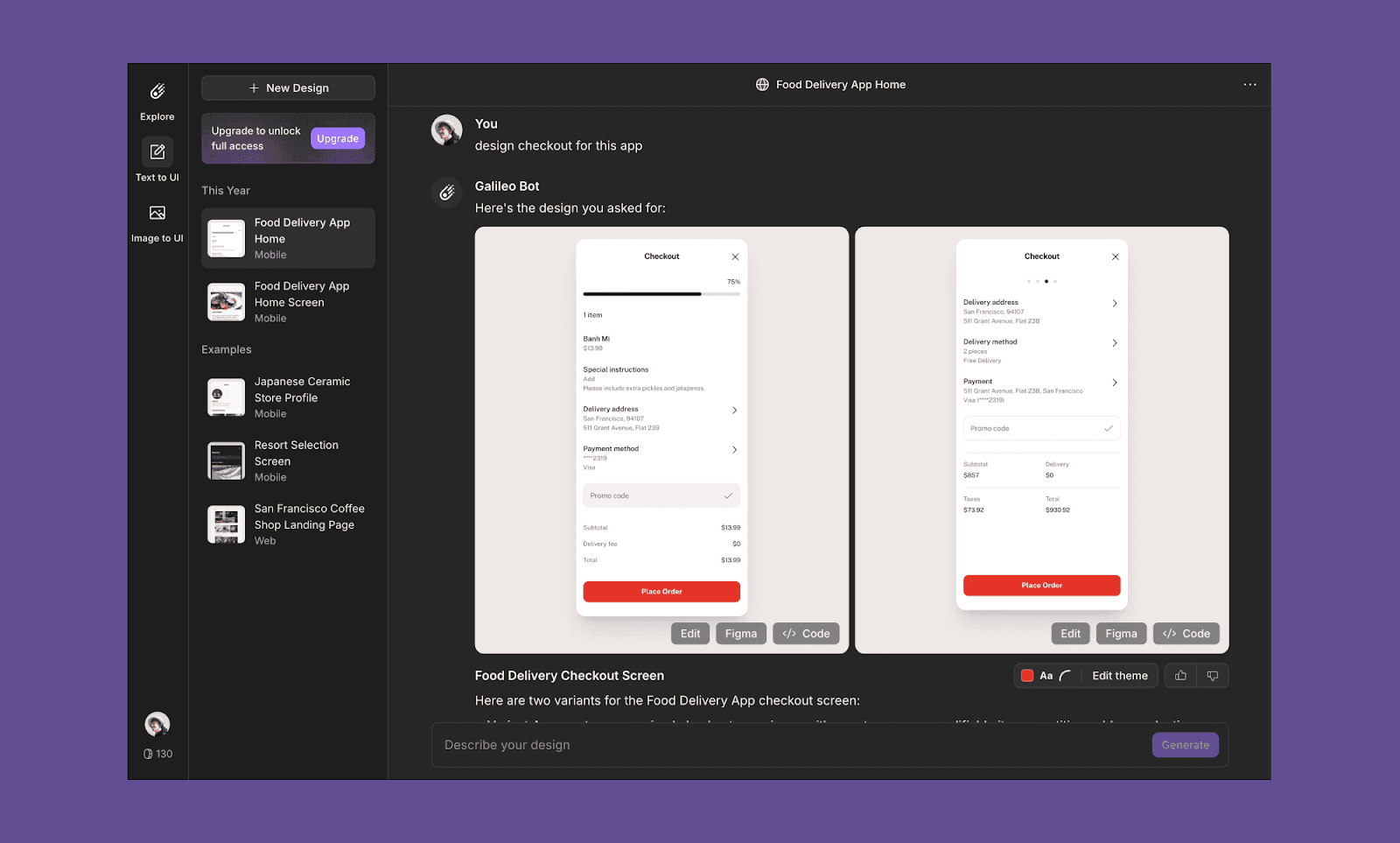
Text-zu-UI-Design
Generieren und ändern Sie UI Designs einfach durch deren Beschreibung in Textform. Die Eingabe kann eine detaillierte Erklärung des Bildschirms wie eine PRD enthalten oder einfach Benutzeranforderungen beschreiben.
Skizze zu Design
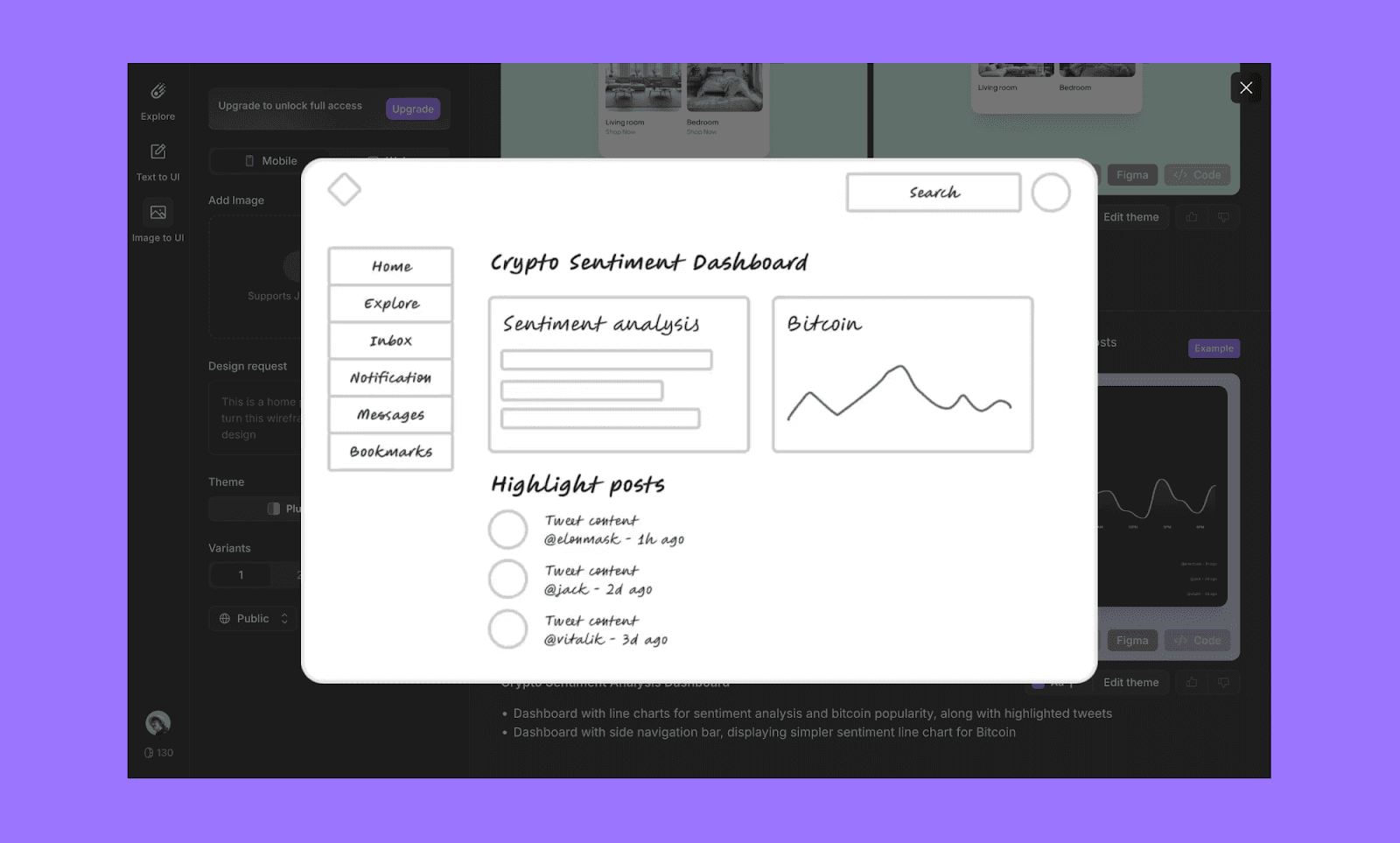
Galileo unterstützt auch Bild-Eingaben, mit denen Sie Bilder von Wireframes oder Skizzen hochladen können, um sie in hochauflösende Designs zu konvertieren.
Stilbearbeitung
Sie haben Kontrolle über den grundlegenden visuellen Stil des generierten Bildschirms. Galileo ermöglicht es Ihnen, Schriftarten, Akzentfarben und den Eckenradius zu ändern.
Figma Export
Direkte Exportierbarkeit von UI Screens in Figma. Dies ermöglicht es Designern, Layouts nachzubessern, Auto-Layout-Einstellungen anzupassen und die Konsistenz des Designsystems aufrechtzuerhalten.
Code Export
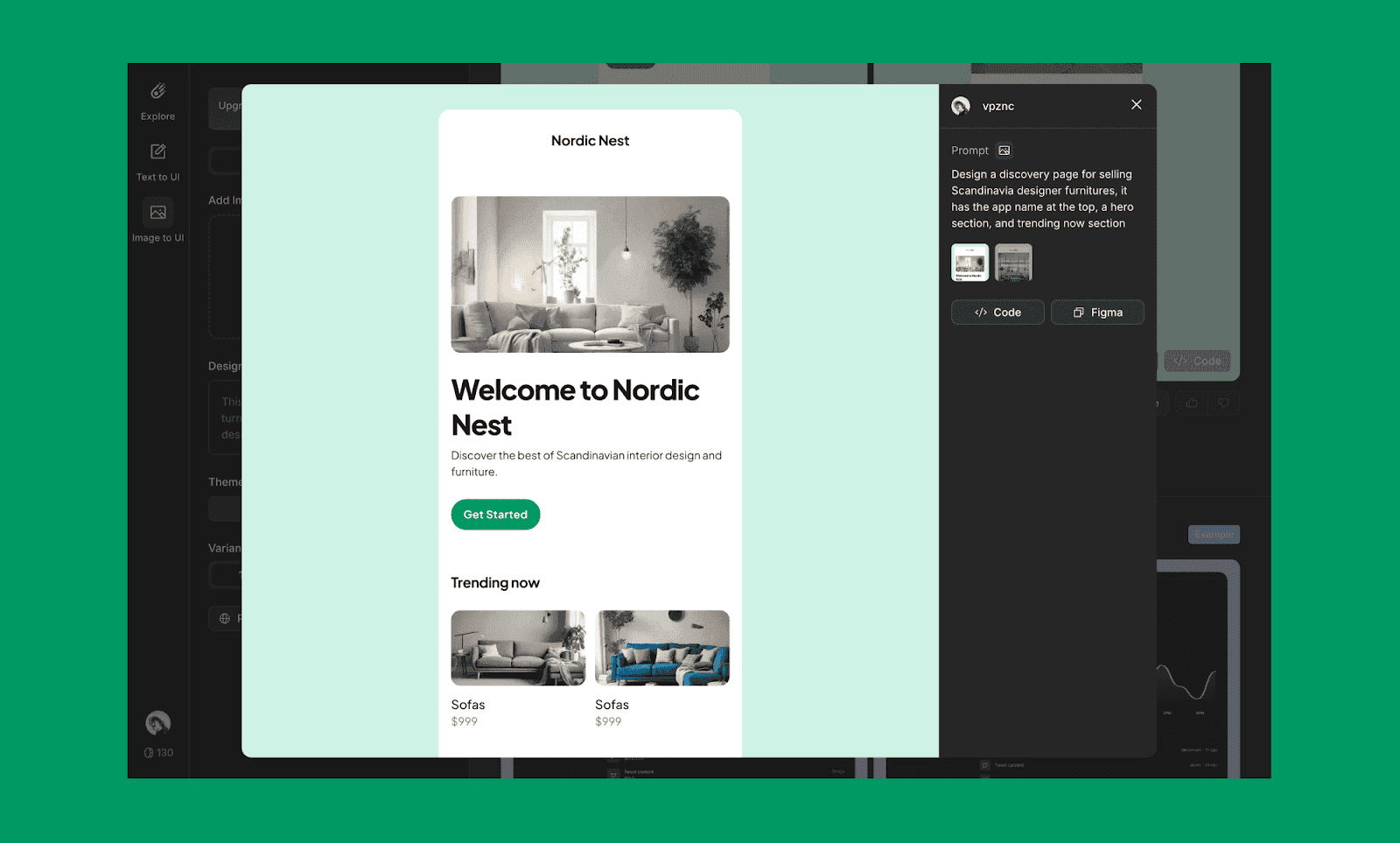
Das Galileo AI UI-Tool fungiert auch als Design-zu-Code-Tool, das nahtlose Entwicklerübergaben ermöglicht. Sie können das Design auch als Code in Replit oder anderen AI-Coding-Agenten öffnen.
Galileo AI Einsatzbereiche
Kleine Teams und Startups
Die benutzerfreundliche Oberfläche von Galileo AI macht es ideal für kleine Teams, die UI-Prototypen schnell ohne ein dediziertes Design-Team entwickeln möchten.
Für Nicht-Designer
Es ist für Nicht-Designer wie Produktmanager und Vermarkter zugänglich, die visuelle Mockups für Präsentationen oder Pitches erstellen müssen.
Für professionelle Designer
Erfahrene Designer können es nutzen, um schneller zu arbeiten und mehr Konzepte in kurzer Zeit zu erkunden. Die Design-zu-Code-Export-Funktionen machen es sowohl für größere Projekte als auch für kundenorientierte Lieferungen geeignet.
Galileo AI Preisgestaltung
Kostenlos
10 Design-Generierungen pro Monat
Web- und mobile App-Designs
Alle Designs sind öffentlich
Starter: $19/Monat
120 Design-Generierungen pro Monat
Unbegrenzte Code Exporte
Unbegrenzte Figma Exporte
Pro: $39/Monat
300 Design-Generierungen pro Monat
Privatmodus
Enterprise: Benutzerdefinierte Preisgestaltung
Unbegrenzte Generierungen
Erweiterter Datenschutz
Prioritätssupport
*Hinweis: Google Stitch ist in seiner Beta-Version Anfang 2026 kostenlos.Mehr über Google Stitch Preisgestaltung lesen.
Galileo AI Vor- und Nachteile
Vorteile
Benutzerfreundliche Oberfläche und schnelle Lernkurve.
Prompt-basierte Design-Generierung eignet sich sowohl für Anfänger als auch für erfahrene Designer.
Einfacher Code-Export
Nachteile
Sehr begrenzte Anzahl an Generierungen der kostenlosen Version
Alle Designs können von anderen gesehen werden, selbst im kostenpflichtigen Starter-Plan
Entwicklung bezüglich AI-Genauigkeit bei komplexen Layouts noch andauernd.
Galileo AI kostenlose Alternativen im Jahr 2026
Banani
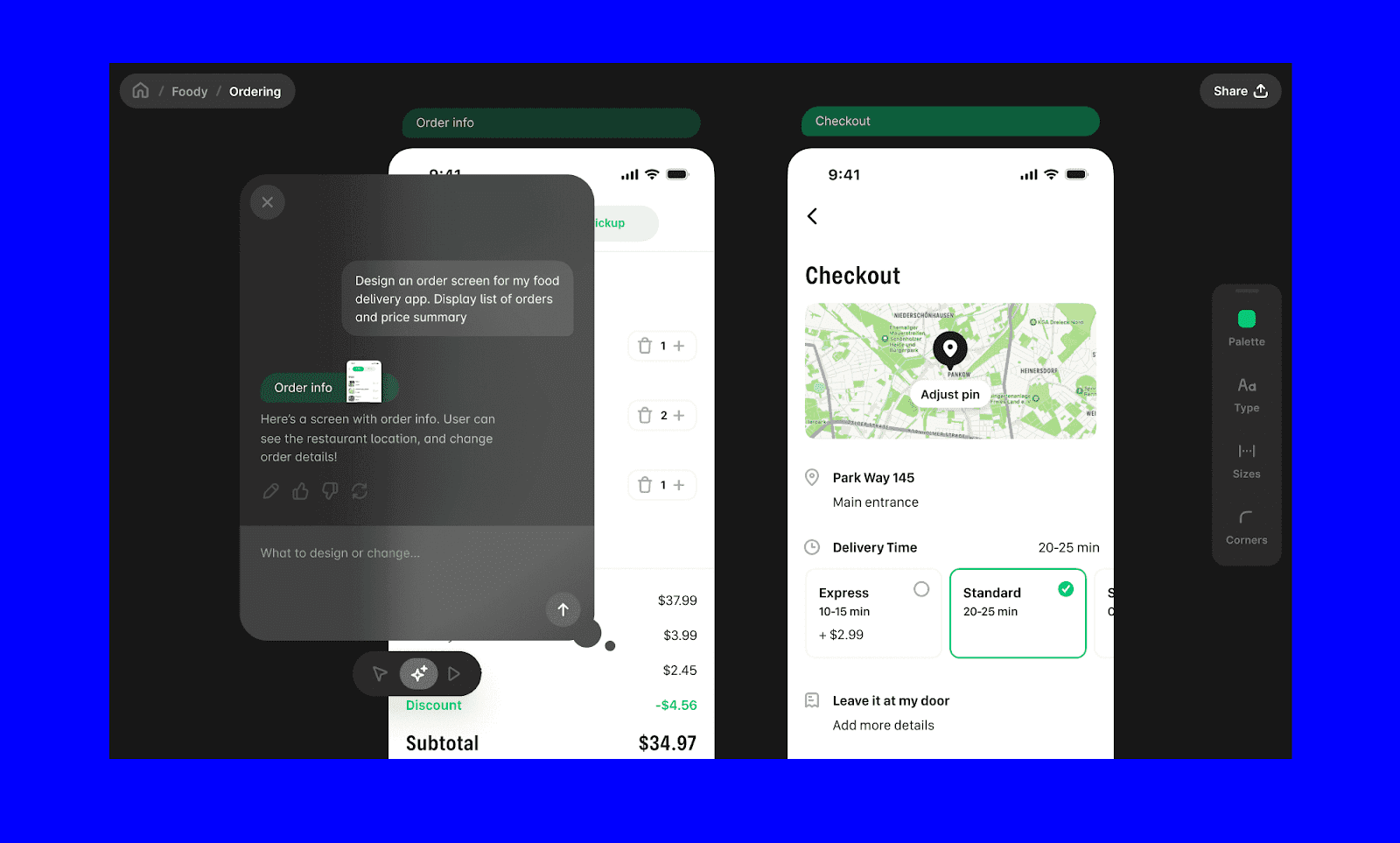
Banani bietet eine ähnliche Prompt-basierte Design-Generierung und keine öffentliche Veröffentlichung Ihrer Designs. Zu den einzigartigen Merkmalen gehören Mehrfach-Screen-Generierungen, Design-Varianten, Klicken um UI zu bearbeiten, Figma exportieren und der MCP-Server.
Banani AI bietet bis zu 20 kostenlose Bildschirmlandlartgeprojekte monatlich. Der kostenpflichtige Plan beginnt bei $12/Monat und bietet 100 Bildschirm-Generierungen. Für $30/Monat erhalten Sie Pro-Funktionen mit unbegrenzten Bildschirm-Generierungen. (Alle Preise gelten für jährliche Abrechnung.)
Probieren Sie Banani AI kostenlos aus >
Uizard
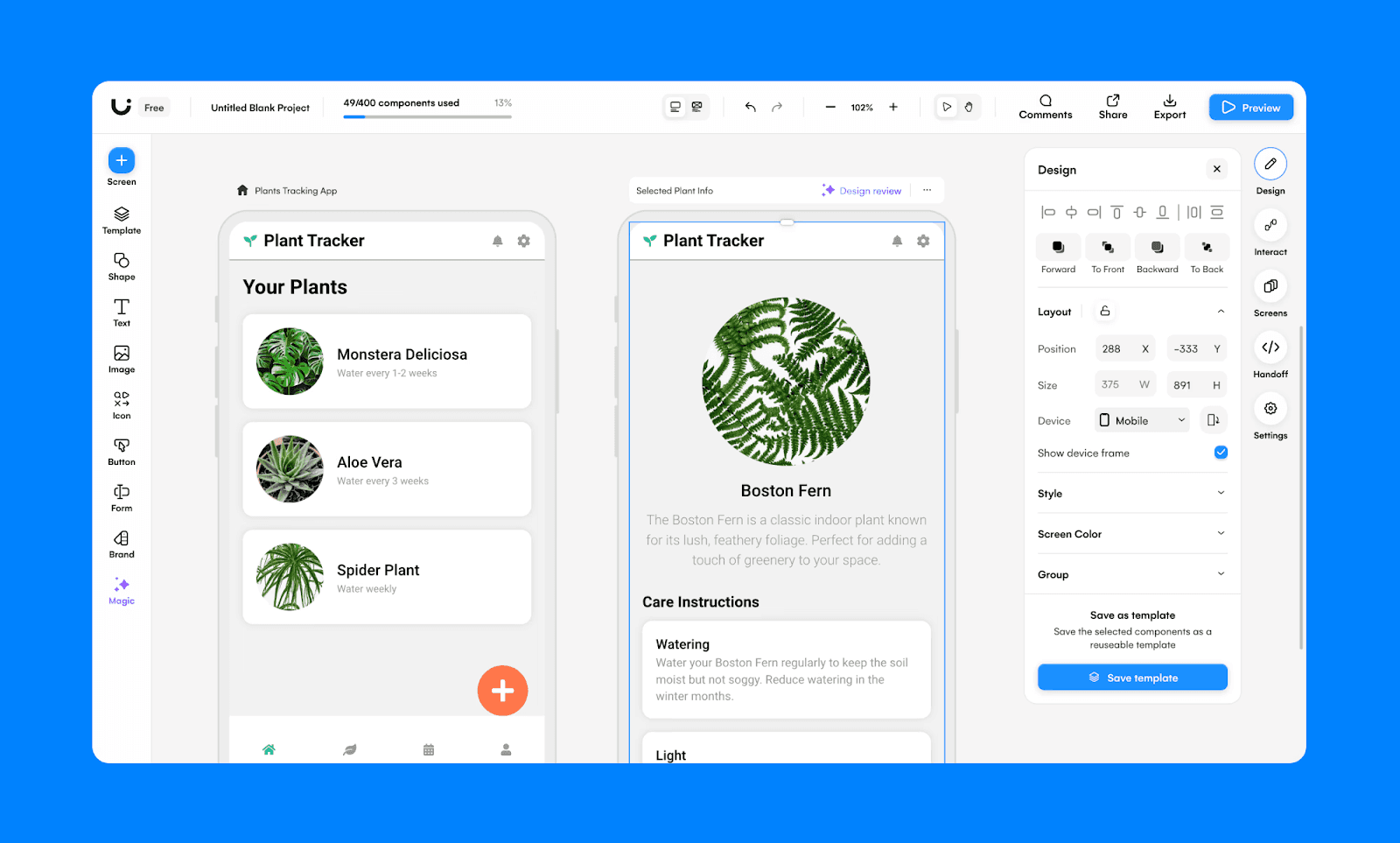
Uizard ist ein AI-UI-Builder mit einer proprietären Funktion namens Autodesigner. Ähnlich wie Galileo AI können Sie Skizzen und Texteingaben in UI-Designs umwandeln. Da Uizard jedoch ein Editor ist, hat es eine komplexere Oberfläche, die eine größere Investition von Ihrer Zeit erfordert, um loszulegen.
Der kostenlose Uizard-Tarif bietet 2 Projekte und 3 AI-Generierungen pro Monat. Der kostenpflichtige Plan beginnt bei $12/Monat/Sitzplatz und bietet 500 AI-Generierungen pro Monat.
Lovable
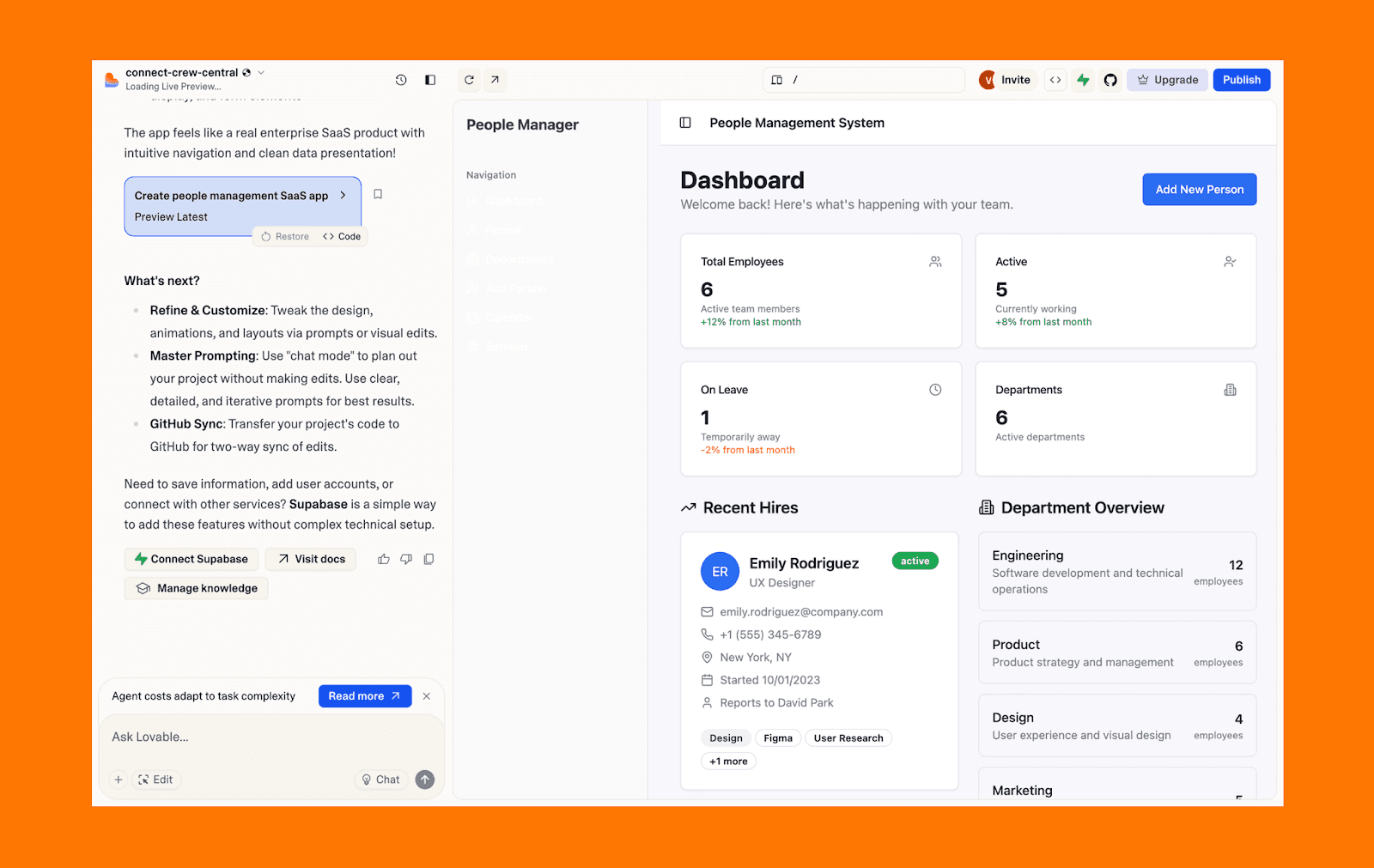
Lovable ist ein vollständiger AI App Builder, der aus Texteingaben echten, editierbaren Quellcode generiert. Es ist einen Schritt über der UI-fokussierten Herangehensweise von Galileo AI hinaus, da es den gesamten App-Lebenszyklus behandeln kann: vom UI-Design bis zur Entwicklung und Bereitstellung.
Liebenswertes kostenloses Paket umfasst 5 lovable.app Domains und 5 tägliche Credits (bis zu 30/Monat). Der Pro-Plan beginnt bei $25/Monat und bietet 100 monatliche Credits und unbegrenzte lovable.app Domains.
Urteil: Ist Galileo AI es wert?
Galileo AI hat bewiesen, dass die Text-zu-UI-Generierung das frühe Produktdesign erheblich beschleunigen kann. Seit der Übernahme durch Google und dem Übergang zu Stitch leben seine Kernfähigkeiten in einem mächtigeren Gemini-Ökosystem weiter. Allerdings war der ursprüngliche kostenlose Plan begrenzt.
Wenn Sie nach Alternativen zu Galileo AI im Jahr 2026 suchen, sind Tools wie Banani ein praktischer Ausgangspunkt für prompt-basierte UI-Designs.
Erstellen Sie ein kostenloses UI aus einem Prompt auf Banani >
FAQs zu Galileo AI für UI-Design
Ist Galileo AI kostenlos oder kostenpflichtig?
Galileo AI bot zuvor ein begrenztes kostenloses Tier (10 Generierungen) und kostenpflichtige Pläne ab $19/Monat an. Unter Google Stitch Preisgestaltung ist es ab Anfang 2026 in der Beta-Phase völlig kostenlos mit einigen Generierungsgrenzen.
Hat Google Galileo AI gekauft?
Ja. Google hat Galileo AI Mitte 2025 übernommen, um seine generative Designtechnologie in die Gemini-gesteuerte Google Stitch-Plattform zu integrieren.
Kann ich Galileo AI noch verwenden?
Nein. Galileo AI wurde vollständig in Google Stitch integriert und arbeitet nicht mehr als eigenständiges Produkt.
Können alte Benutzer von Galileo AI Daten zu Google Stitch importieren?
Ja. Ehemalige Galileo AI-Nutzer können ihre Gesprächshistorie über die Einstellungsseite von Stitch hochladen, um Zugriff auf frühere Chats zu erhalten. Allerdings sind importierte Gespräche nur lesbar und können in Stitch nicht fortgesetzt werden.
Wer ist der CEO von Galileo AI?
Galileo AI wurde von Arnaud Shen und Helen Zhou mitgegründet. Nach der Übernahme schloss sich das Management-Team Google an, um weiter an Stitch und anderen Google-Produkten zu arbeiten.
Was ist die beste kostenlose Alternative zu Galileo AI für UI-Design?
Wenn Sie eine Eingabeaufforderungs-basierte UI-Generierung mit einem großzügigen kostenlosen Paket benötigen, sind Tools wie Banani großartige kostenlose Alternativen zu Galileo AI.


