Lovable vs. Banani: Prompt-Test & kompletter Vergleich (2026)

Die Wahl zwischen Lovable und Banani beginnt mit dem Wissen, dass erstere ein KI-App-Builder ist, während letztere ein KI-UI-Generator ist. Beide überschneiden sich beim Design von App-/Web-Interfaces, unterscheiden sich jedoch im Workflow und den idealen Anwendungsfällen.
Schnelles Fazit
Wähle Lovable, wenn
Du willst eine funktionierende App mit Backend-Logik erstellen und hast kein Problem damit, längere Prompt-Sessions zu steuern.
Wähle Banani, wenn
Du willst schnelle, präzise UI-Screens aus einem einzigen Prompt – mit einfachem Editing und sauberem Handoff an Design oder Code.
Details
Lovable
Banani
Eingabe
Text, Bild, Datei, Sprache, URL
Text, Bild, Screenshot, PRD, Figma
Output
Full-Stack-App mit direkt deploybarem Code
Direkt editierbare UI-Designs & Prototypen
Bearbeiten
Visuelle Änderungen, Code-Editor, Dev-Mode, Browser-Tests
KI-Edits auf Komponentenebene, Klärungen durch Agenten
Key Features
Full-Stack-Builder — deployen, integrieren, shippen
UI-first – Multi-Screen-Generierung, Brand Assets, Figma-Export
Preisgestaltung
- Kostenlos: 5 Credits/Tag; 30 Credits/Monat
- Premium-Modell ab 25 $/Monat
- Credit-Verbrauch variiert je nach Prompt
- Kostenlos: ~100 Credits/Monat
- Paid-Plan ab 20 $/Monat
- ~2 Credits pro Generierung, 1 pro Edit
Idealer Anwendungsfall
Überzeugendes Ergebnis hier
Banani-Ergebnis hier
Prompt-Test-Vergleich
Prompt-Test 1: Mobiler Bildschirm
"Ein textbasierter Swipe-Screen für eine Mobile-App zur Erkennung von Fast-Fashion-Trends. Zeige eine bildschirmfüllende Outfit-Karte mit Foto, Markenname, Preisschild und Like-/Dislike-Buttons am unteren Rand.“
Lovable

Ein einzelner Screen, aber der Gradient-Card-Effekt mit überlagertem Text wirkt sofort extrem hochwertig.
Die Darstellung des Rabattpreises (340 $ durchgestrichen, 189 $ CTA-Pille) ist clever und passt perfekt zum Fast-Fashion-Bereich.
Die Swipe-Leiste mit drei Buttons (Pass / Magic / Like) ist gut durchdacht und lädt sofort zur Interaktion ein.
Keine Stilvarianten und ca. 3 Minuten Generierungszeit – das Ergebnis ist die einzige Option: nimm es oder lass es.
Banani

Drei unterschiedliche Stilvarianten — Dark Sleek, Minimal, Y2K — aus einem einzigen Prompt
CURATED (Mitte) ist am schwächsten — karg, eher Produktliste als Swipe-UI
Die Buttons der dritten Karte sind visuell unvollständig — leere Kreise schwächen den sonst starken Screen
Schnelle Ausgabe (~1 Min.) mit klärenden Rückfragen ist smarter UX
Prompt-Test 2: Web-/Desktop-Bildschirm
„Ein Projektmanagement-Dashboard für Desktop mit Sidebar, oberer Navigationsleiste, Task-Kanban-Board mit 3 Spalten und Benutzer-Avatar-Menü. Clean, minimal, professionell.“
Lovable

Stat-Karten, Prioritäts-Tags, Fälligkeitstermine und Kategorie-Labels – bemerkenswert detailreich
Die Symbolleiste für Einladungen/Filter/Sortierung wirkt absolut produktionsbereit, kein bloßer Platzhalter
Die dichte Informationshierarchie könnte nicht-technische Stakeholder überfordern
Keine Sidebar-Navigation generiert – ein seltsames Versäumnis, da der Prompt explizit danach verlangte.
Banani

Sauberes, minimales Kanban – geringes visuelles Rauschen macht das Erfassen von Aufgaben mühelos.
Mitarbeiter-Avatare sind ein nettes Detail; sie machen die Karten einfach menschlicher.
Keine Statistik-Karten, Prioritäts-Tags oder Fälligkeitstermine – der Prompt hat dies explizit verlangt.
Karten wirken etwas karg; es fehlen Metadaten, die jedes echte PM-Tool vom ersten Tag an zeigen würde.
Prompt-Test 3: Mobilen Screen editieren
"Gestalte den Screen neu für eine edle, dunkle Streetwear-Brand namens 'NOIR'. Mach den Hintergrund tiefschwarz und nutze Gold (#C9A84C) als Akzentfarbe für alles. Setze den Brand-Namen 'NOIR' in einer scharfen Serifenschrift. Passe das Preisschild an, um den exklusiven Member-Rabattpreis zu zeigen. Ändere die Like-/Dislike-Buttons zu zwei vollen Pill-Buttons: ein goldenes 'WANT IT' und ein schwarz umrandetes 'SKIP'. Pack noch ein Verknappungs-Tag auf die Outfit-Card: 'Only 3 left'."
Lovable

MEMBERS / NOIR / DROP 04 Header-Trio sorgt für ungeahnte redaktionelle Struktur – absolut beeindruckend!
Goldakzent und Serif-Typografie konsequent umgesetzt; wirkt am ehesten wie eine echte Luxusmarken-App
Das Preisschild für "Members" ist ungeschickt neben dem Preis platziert – die Hierarchie wirkt etwas unstimmig
SKIP und WANT IT als Pill-Buttons nebeneinander weichen von der Full-Width-Vorgabe ab
Banani

Das Design-Briefing wurde perfekt umgesetzt: tiefes Schwarz, goldene Akzente, NOIR-Branding, Serifenschrift – alles da!
Clarcity-Tag „NUR NOCH 3 VERFÜGBAR“ und „$850 Member“-Preis wurden exakt wie gefordert umgesetzt
„WANT IT / SKIP“-Buttons sind top, aber die untere „SHARE/SAVE“-Leiste wurde unverändert übernommen
Das Farbsystem ist konsistent, aber das Gold wirkt etwas flach – es fehlt die gewünschte luxuriöse Tiefe
Mach einen Prompt-Test in Banani – komplett kostenlos!
Designe einen Mobile-/Webscreen mit Banani AI und teste die schnelle, fantastische KI-UI-Generierung direkt selbst. Gratis!
Was ist Lovable?
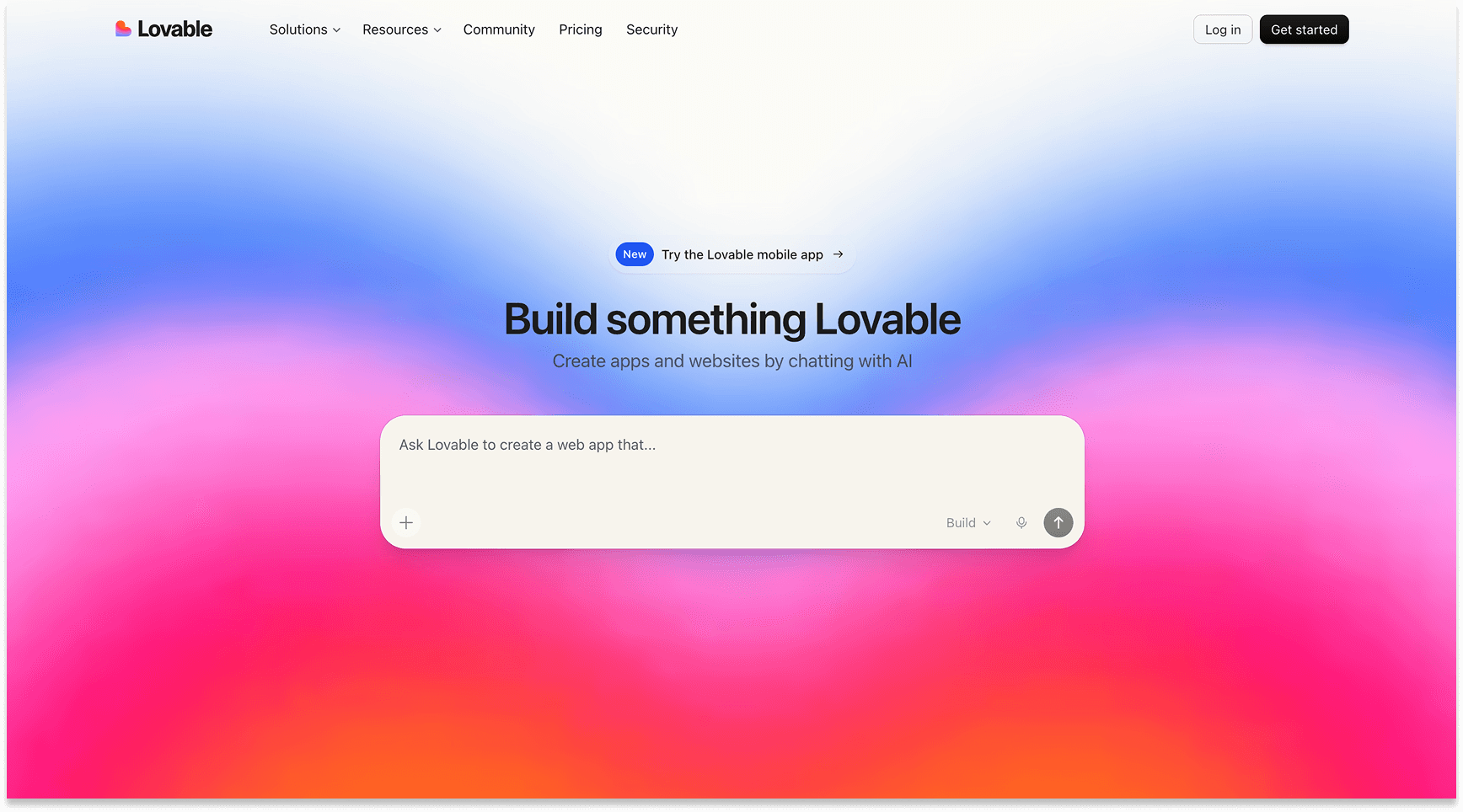
Lovable ist ein Full-Stack KI-App-Builder – Prompt eingeben, fertige App mit echtem Code erhalten, inklusive deploybarer Infrastruktur und editierbarer Quelle. Entwickelt für Gründer und Entwickler, die sich das Boilerplate sparen wollen.
Was ist Banani?

Banani ist ein KI-UI-Designtool, das Prompts, Screenshots und PRDs in editierbare Interfaces verwandelt. Perfekt für Produktteams, die produktionsreife, markenkonforme UIs wollen – ohne ständiges Feedback-Schleifen mit Designern.
Vergleich der Kernfunktionen
Feature
Lovable
Banani
Kern-Output
Full-Stack-App mit direkt deploybarem Code
Direkt editierbare UI-Designs & Prototypen
Input-Typen
Text, Bild, Datei, Sprache, URL
Text, Bild, Screenshot, PRD, Figma
Multi-Screen-Generierung
Ein einziger Screen pro Prompt
Mehrere Design-Varianten pro Prompt
Figma-Export
Über GitHub / Code-Export
Bulk-Export für mehrere Figma-Screens mit nur 1 Klick
KI-Modell-Unterstützung
Claude Opus 4.6, GPT-5.2, Gemini 3 Flash
GPT-5.4, Gemini (Auto-Modus)
Markenstruktur
Workspace-Wissen & Templates
Logos hochladen; KI holt die Markenfarben
Integrationen
Stripe, Shopify, Supabase, Slack, GitLab + 10 weitere
MCP-Export für das Handoff; Figma-Plugin
Bearbeiten
Visuelle Änderungen, Code-Editor, Dev-Mode, Browser-Tests
KI-Edits auf Komponentenebene, Klärungen durch Agenten
Deployment
1-Klick-Publishing, eigene Domain, CDN-Support
Links teilen für Handoffs – ohne Deployment!
Zusammenarbeit
Echtzeit-Co-Editing, Workspace-Rollen, Audit-Logs
Team-Tarif mit gemeinsamen Projekten
Schnelles Fazit:
Lovable setzt auf schnelles Shipping von Features wie Integrationen, Deployment und integriertem Code-Eigentum. Banani punktet mit Design-Features wie schnellerer UI-Generierung, Brand-Konsistenz und Figma-ready Handoff.
Preisvergleich
Tarife
Lovable
Banani
Kostenlos
5 tägliche Credits; unbegrenzte lovable.app-Subdomain; Basis-Features
12 monatliche Credits + 3 tägliche Refills; private Projekte
Bezahlt (monatlich)
Pro für 25 $/Monat: 100 Credits/Monat, eigene Domains, Credit-Übertrag, Cloud + KI
Business für 50 $/Monat: SSO, Team-Workspace, Design-Vorlagen, Priority-Support
Plus für 20u00a0$/Monat: ~400 Credits, unbegrenzter Figma-Export, 3x Geschwindigkeit, MCP/Code-Export
Pro für 50u00a0$/Monat: Unbegrenzte Credits, höchste Geschwindigkeit, Priority-Support
Credits-System
Credits werden pro Prompt-Komplexität berechnet: von 0,5 bis 3+ Credits/Prompt.
~2-3 Credits pro KI-Screen-Generierung, 1 Credit pro Bearbeitung.
Schnelles Fazit:
Banani bietet einen günstigeren Einstieg, unbegrenzte Generationen bei Pro und ein flaches Credit-System. Lovable ist teurer, deckt aber einen völlig anderen Umfang ab: Hosting, Deployment und einen direkt integrierten Entwicklungs-Stack.
Idealer Anwendungsfall im Vergleich
Lovable
Banani
Für wen es ist
Gründer, Solo-Entwickler und Creators ohne Tech-Hintergrund
Produktdesigner, PMs und Design-Teams
Primärziel
Bringe eine funktionierende, deploybare App schnell an den Start
UI-Richtungen schnell erkunden und validieren
Ideal für
Full-Stack-Apps mit Auth, Datenbank und Drittanbieter-Integrationen
Markenkonforme, Figma-bereite Screens für das Developer-Handoff
Sweet Spot
SaaS-Produkte, die Stripe, Shopify oder Slack bereits integriert haben
Frühzeitige Konzeptvalidierung, noch vor dem Aufbau eines Design Systems
Workflow-Passung
Langfristige Iteration an einem Produkt mit Versionskontrolle
Schnelles Multi-Screen-Prototyping für Kundenpräsentationen oder Pitches
Schnelles Fazit:
Lovable ist für Macher, die releasen wollen, während Banani primär für Designer gedacht ist, die wunderschöne, übergabebereite UIs erforschen möchten.
Fazit: Lovable vs. Banani in 2026
Lovable und Banani lösen unterschiedliche Probleme. Wer eine funktionierende App mit echtem Code, Datenbank und Live-URL braucht, greift zu Lovable. Wer schnell atemberaubendes UI in verschiedenen Varianten und direkt für Figma sucht, wählt Banani.
Produkt-Teams können beide smart kombinieren: Vibe-Design in Banani, Vibe-Code in Lovable.
FAQs zu Lovable vs. Banani
Was ist besser für UI-Generierung: Lovable oder Banani?
Was sind die besten Alternativen zu Lovable?
Kann ich Lovable und Banani zusammen nutzen?