
Features | Image+text rendering, character consistency, upscaling, layerize text, open-weight model |
Rating | My Experience: 4/5 | Trust Pilot: 4.2/5 |
Pros | High generation speed, strong text and character consistency, clean upscaling |
Cons | Inconsistent prompt fidelity, high credit cost |
Pricing | Free (limited, public); Paid plans from $20/mo; API from $0.03/image |
Alternatives | Midjourney, GPT Image 2, Nano Banana, Krea, Flux |
Summary of Midjourney AI Images >
What is Ideogram AI?
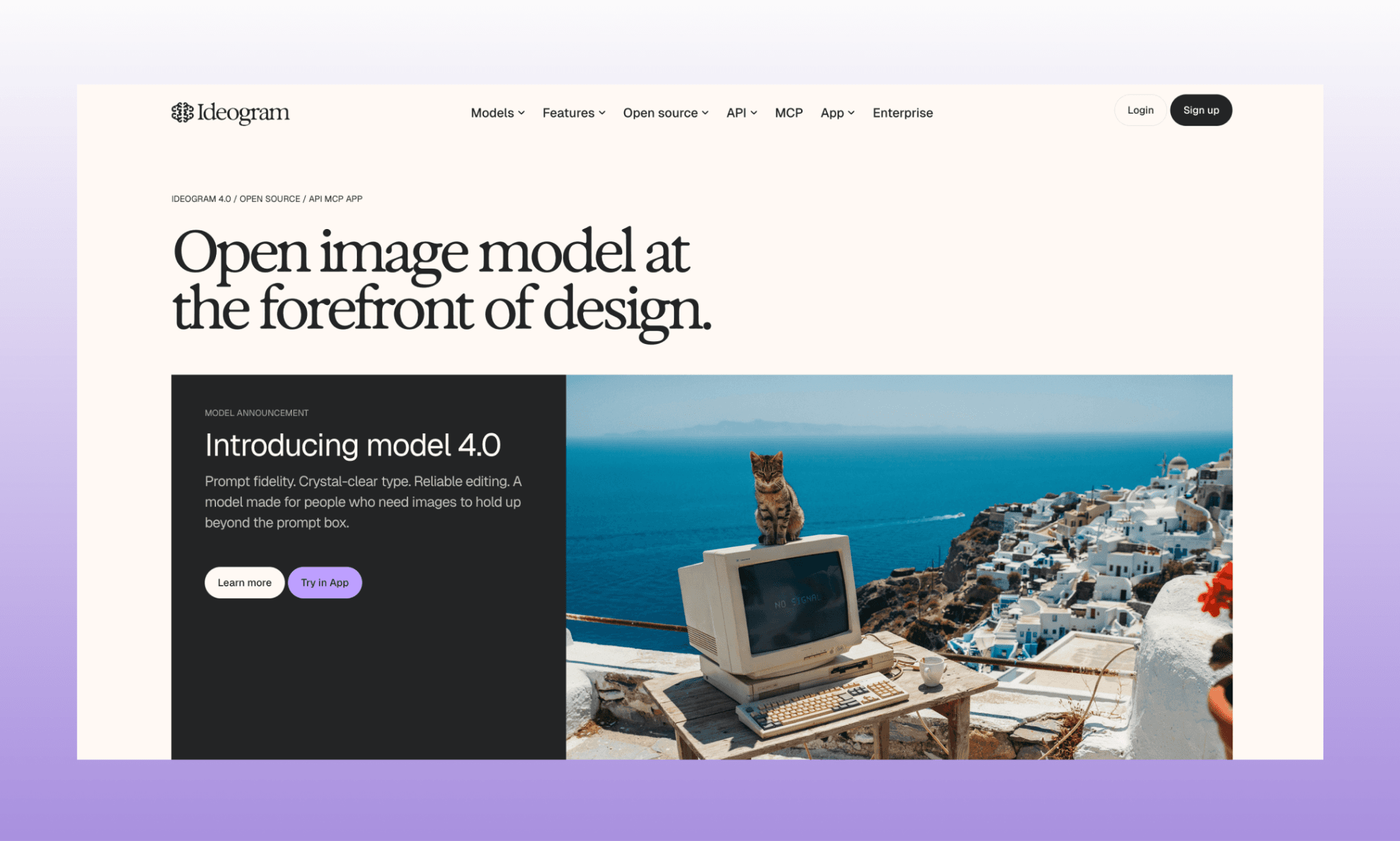
Ideogram AI is a text-to-image generation platform from Ideogram, Inc[1]. It’s best known for legible, accurate in-image text. Their latest image model, Ideogram 4.0, is also open-weight, letting developers run and fine-tune the model on their own stack. It is available via app, API, and MCP.
Try a Free AI Image Generator >
Running Image Tests on Ideogram 4
To review Ideogram 4 for product teams, I decided to generate UI assets for an imaginary company website, Rehumm, that recycles old stuff into everyday objects. In the process, I plan to test Ideogram’s ability of prompt fidelity, image+text render, editing details, character consistency, etc. And I’ll be using the Ideogram app; so guess, this review guide will double-up as a tutorial on how to run Ideogram 4 as well.
Understanding the web app of Ideogram
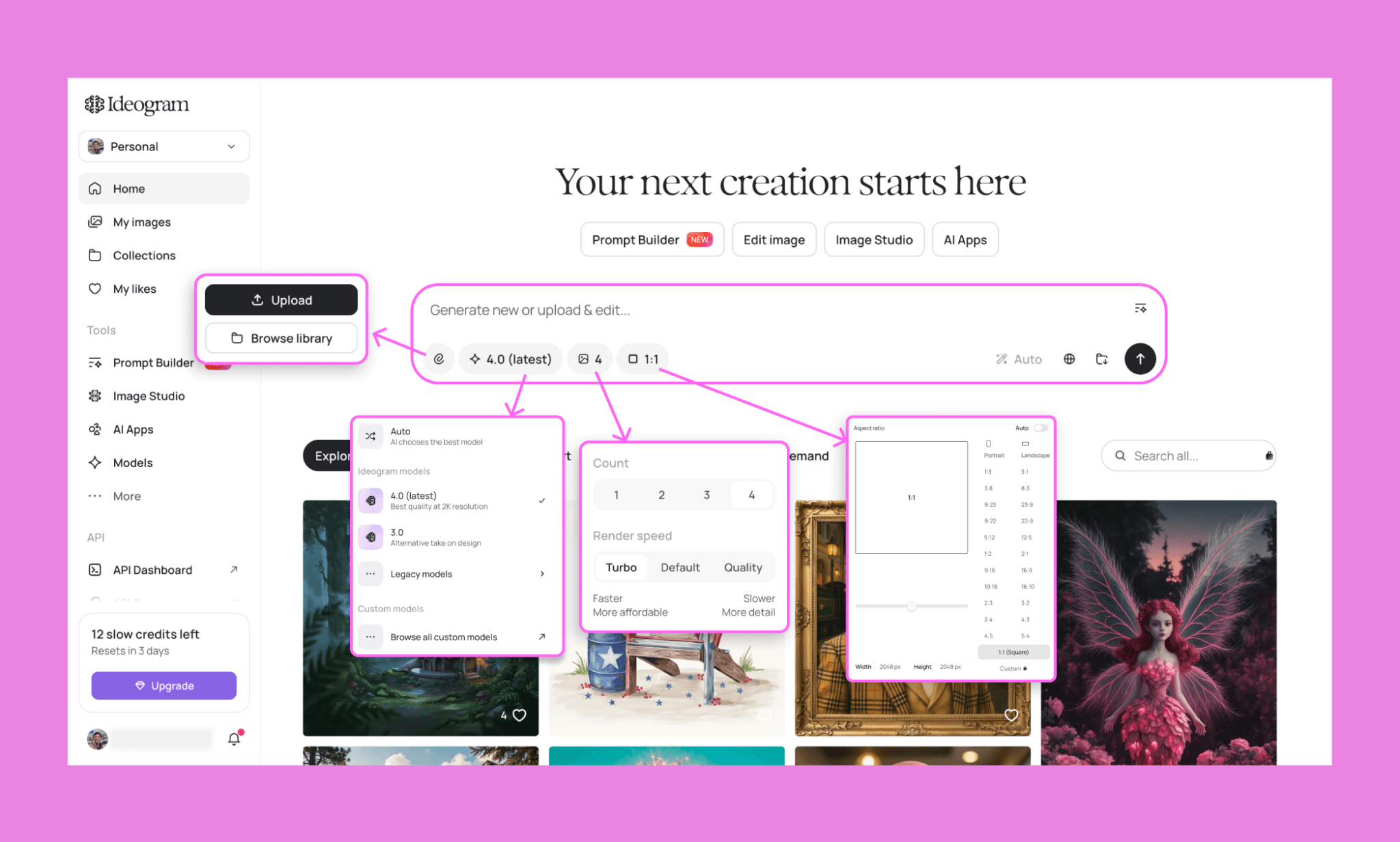
You can sign up/log in to Ideogram for free. On its homepage, you see an inviting prompt box with a handful of setting options:
Upload a photo to Ideogram to reference/edit. Could be style reference or even UI reference
Pick the image model: 4.0, 3.0, legacy models, or custom models submitted by the community
Count of images generated per prompt (1-4) and speed (the slower, the more detailed)
Aspect ratio. Choose from popular options, customize dimensions, or set it to ‘Auto’ for Ideogram to take care
For my tests, I plan to keep the image model 4.0 (obviously), count to 4 (to assess the variations), and change speed and aspect ratio as required.
How I Tested Reve AI Image Quality >
Hero image first-draft: Text rendering test
I started my test straight from the top: how good is Ideogram at rendering text. Because for the hero image, my idea was to show the tagline of the app made up of recycled objects:
“The words 'LOVE AGAIN, DIFFERENTLY' are sculpted entirely out of recycled materials — bent copper wire, woven fabric scraps, curled bottle caps, shredded cardboard, and reclaimed wood shavings — forming each letter as a three-dimensional object, not a flat overlay. Arrange the text across two centered lines: 'LOVE AGAIN,' on top and 'DIFFERENTLY' below, both bold and dimensional. Around the base, a scattering of the same raw materials: fabric offcuts, wire coils, wood shavings, and glass fragments, as if mid-transformation into the letters above. Clean studio lighting from above, soft shadow beneath each letter, neutral light grey backdrop. The mood is elevated and editorial — recycling styled as high fashion, not eco-craft.”
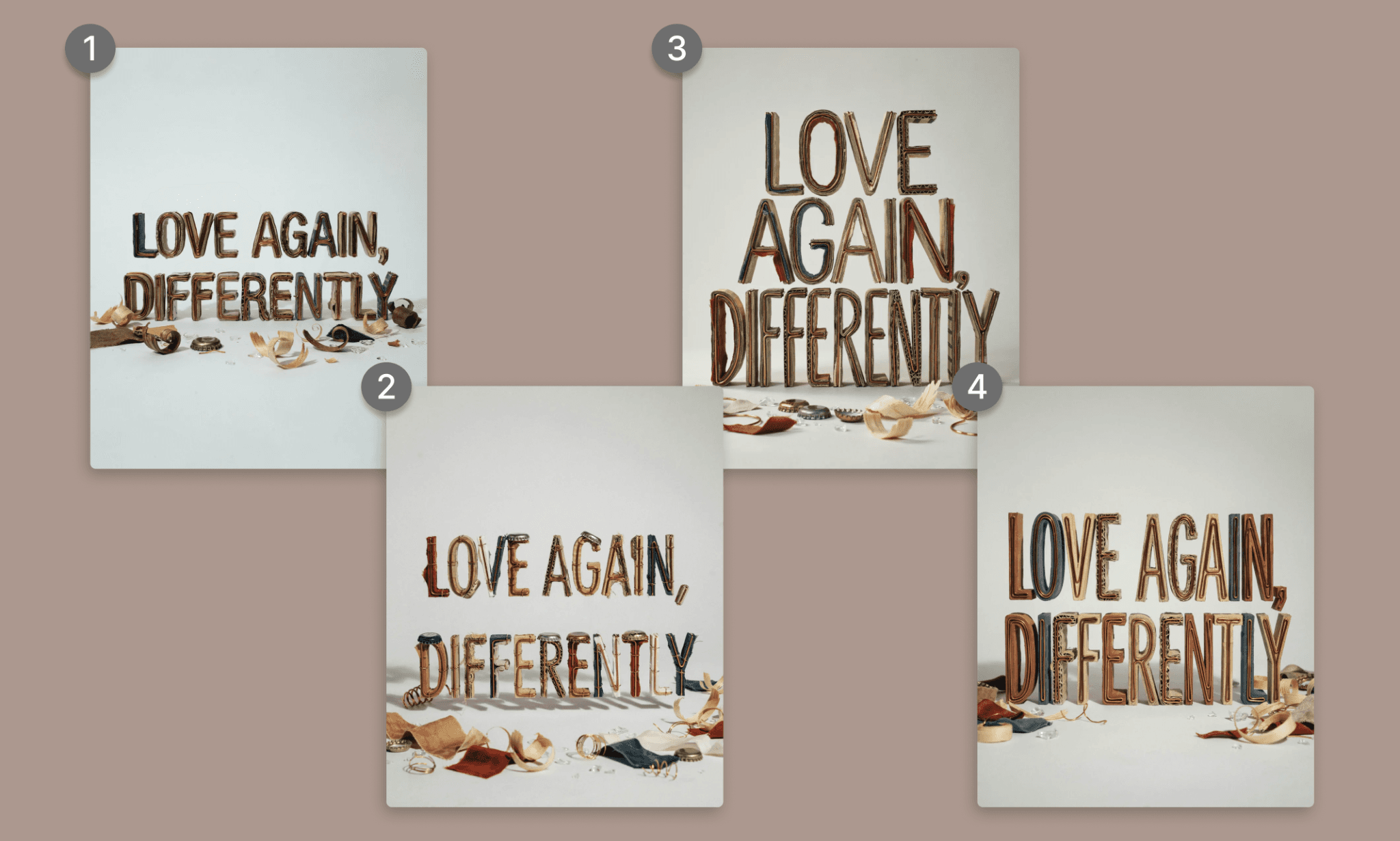
Time: ~30s | Credits: 12 credits | Speed: Quality (Slower, more detailed)
I am genuinely impressed by the quality of the image and legibility of the text for sure. And the speed as well (it rivals Midjourney’s quick drafts). However, the prompt fidelity is mediocre. I was expecting the letters to be made up of a mix of elements but it's mostly cardboards with sprinkles or other things. At 3 credits per image, the credit consumption is also too much; roughly 6 cents per image.
Not a great start but my expectations remain high.
Editing the hero image to perfection
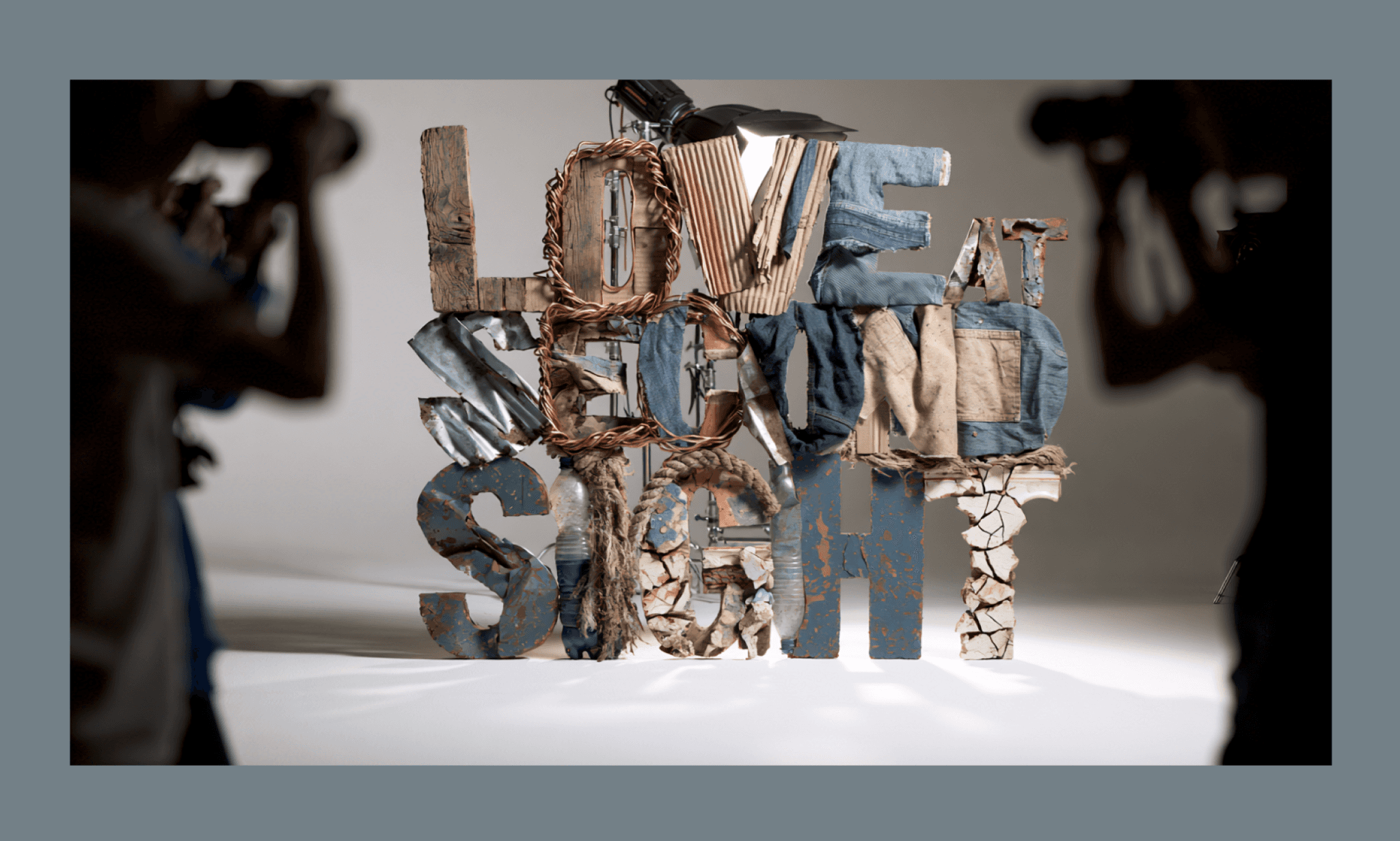
Out of the four images, I liked the #1 the most and proceeded to edit it. Can do it from the ‘Edit’ option next to the image in the dashboard. But I decided to see how editing works when we upload the image in Ideogram. Set the aspect ratio to 16:9 and speed to ‘Default’. Then prompted the detailing that I wanted including a change of text itself:
“Change the tagline text from 'LOVE AGAIN, DIFFERENTLY' to 'LOVE AT SECOND SIGHT,' keeping it centered and dominant in the frame, sculpted three-dimensionally out of recycled materials as before. This time use a wider mix of raw materials for the letterforms — reclaimed wood, twisted copper wire, corrugated cardboard, denim and canvas fabric scraps, bent metal sheeting, frayed rope, plastic bottles, and cracked ceramic shards — each letter rougher and more rugged than the last version, with visible texture, wear, and mismatched materials fused together rather than a uniform cardboard-and-wire look. Add a studio photoshoot setting around the text: professional studio lighting rigs and softboxes positioned just out of center frame, angled toward the lettering. On either side, blurred silhouettes of photographers and onlookers with cameras raised, shooting the scene, kept soft-focus and pushed to the edges so they frame the shot without competing with the tagline.”
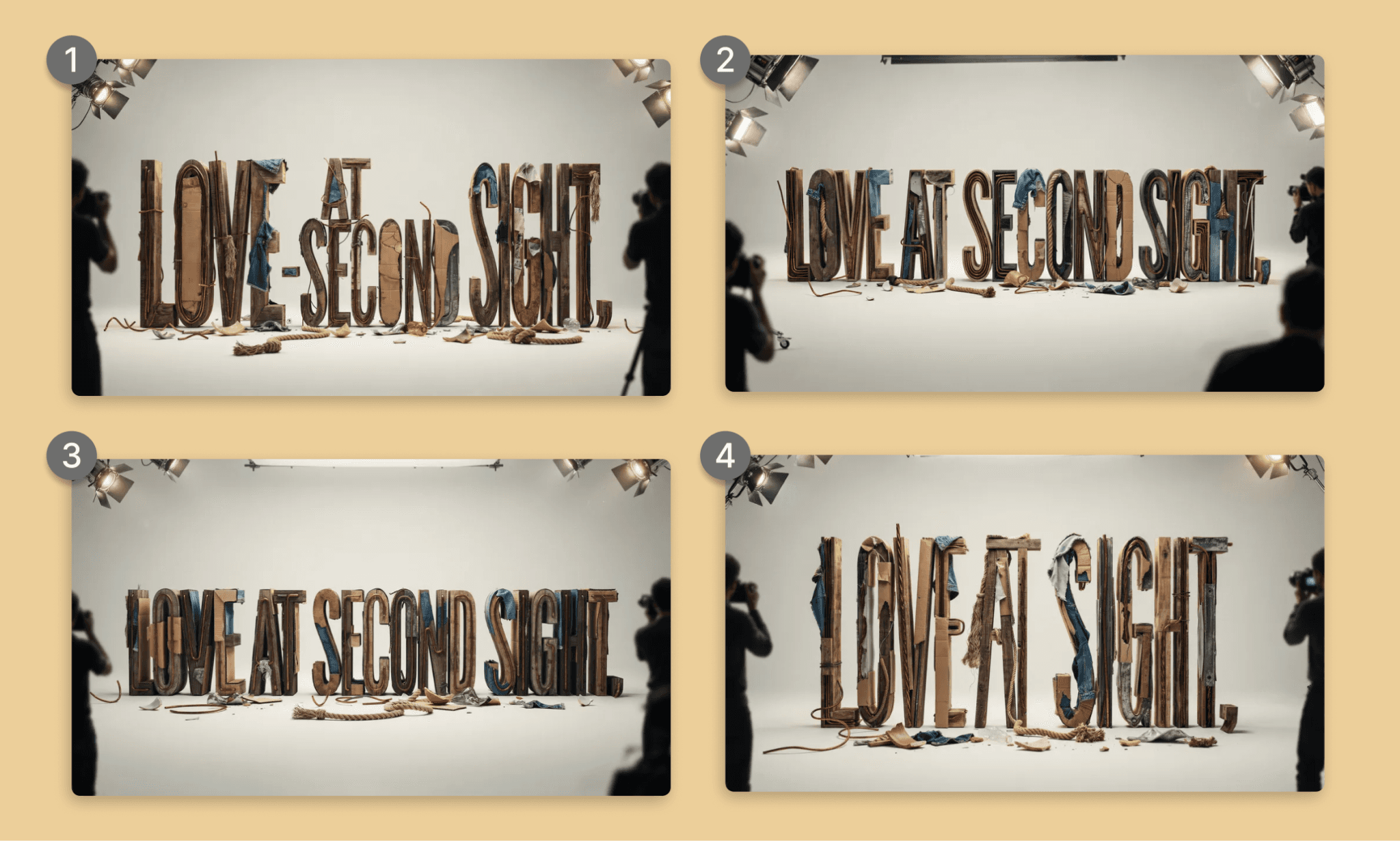
Time: ~45s | Credits: 8 credits | Speed: Default
Again, the speed was blazing fast. The clarity of the image is commendable. The text is more rugged as asked but more legible still (except for variation #4). The dimension change is clean. And the additional items match the prompt. If pressed to nitpick, I can only say that not all elements were used as requested (I see no plastic in any of the images.).
By the way, when I tried the editing feature of layerize the text, it didn’t work, but it ate 1 credit point. Still, I’ll give Ideogram the benefit of doubt that the text is too stylized to layerize.
Anyways, moving forward with the #1 variation as we have other images to work out.
How Good is Krea AI at Hero Image Generation >
Creating use-case images to test Ideogram features
Upscale test: A low-res lamp to hi-res in new setup
“Use the attached image as reference for the lamp only. Isolate the lamp and upscale the resolution. Then show that lamp is on a table next to a sofa in a drawing room. It’s the subject of the image, dimly lit, red light, and the only source of the light in the room.”
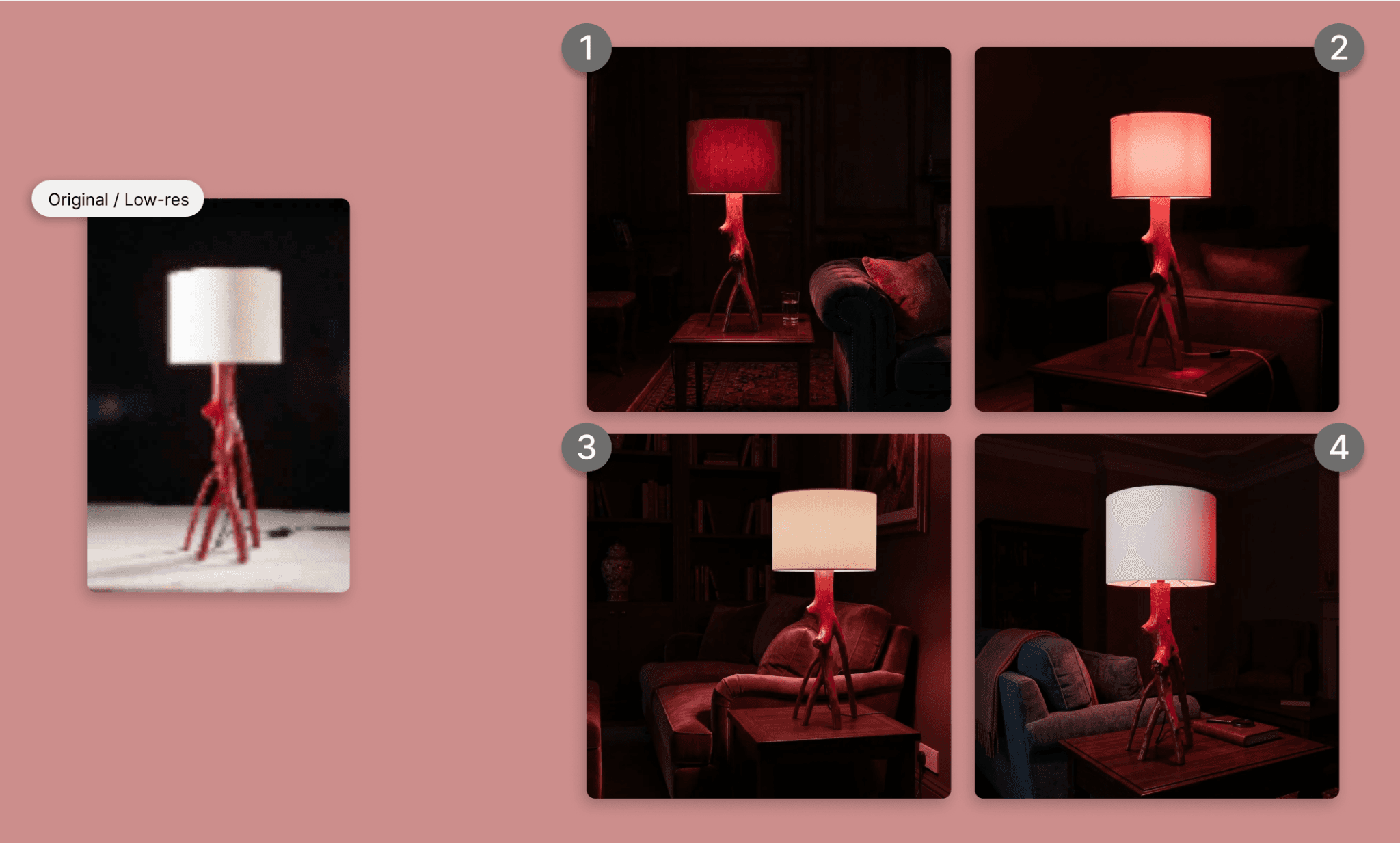
Time: ~20s | Credits: 6 credits | Speed: Turbo (fast & affordable)
All 4 variations nailed it. Everything from upscaling, to lighting and background.
Reference & remix test: the purse
"Using the first reference image for the purse's shape and structure, replace its material with the flowing amber-and-brown marbled pattern from the second reference image — apply it as the purse's surface texture, following the marbled swirls naturally across the folds and panels of the bag. Keep the stitching, straps, and proportions from the first reference intact. Place this restyled purse in place of the purse in the third reference image. Sharp focus on the purse's texture and stitching detail."
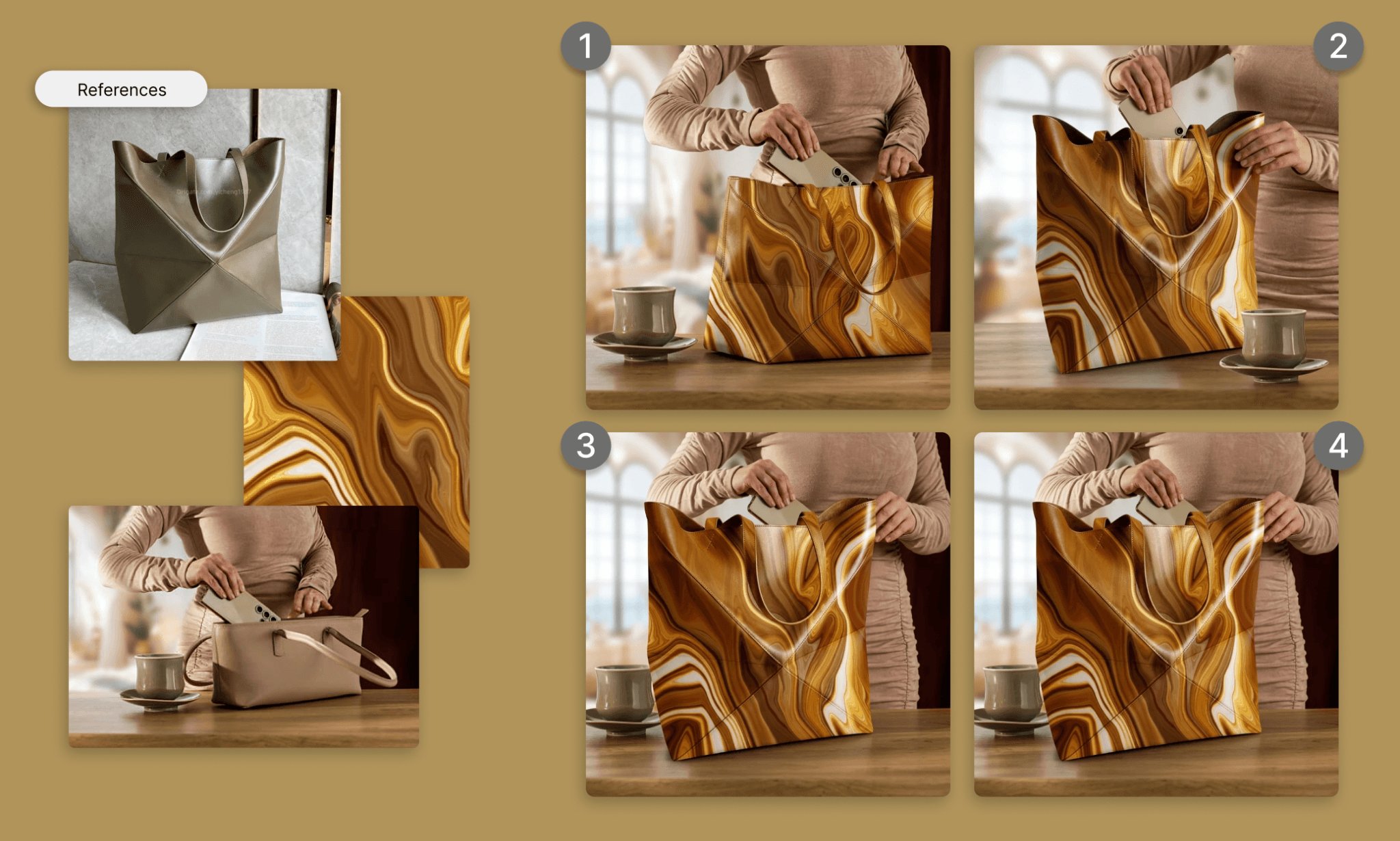
Time: ~45s | Credits: 6 credits | Speed: Turbo (fast & affordable)
All 4 variations remixed all three references correctly. #1 got it close to perfection. And others, that decided to change the angle are also great to keep.
Close-up macro test: the garment texture
"Close-up product photograph of denim jeans showing the waistband tag, a metal button, the zipper, stitching, and fabric texture. Natural side lighting, shallow depth of field. Floating tags with thin connecting lines point to each part with a short story: button — 'Once a bottle cap, melted and recast'; zipper — 'Scrap wire, reshaped by hand'; fabric — 'Woven from reclaimed cotton scraps'; stitching — 'Thread spun from recycled plastic'; tag — 'Pressed from recycled paper pulp.' Tags are small, sans-serif, on white chips with subtle shadows."
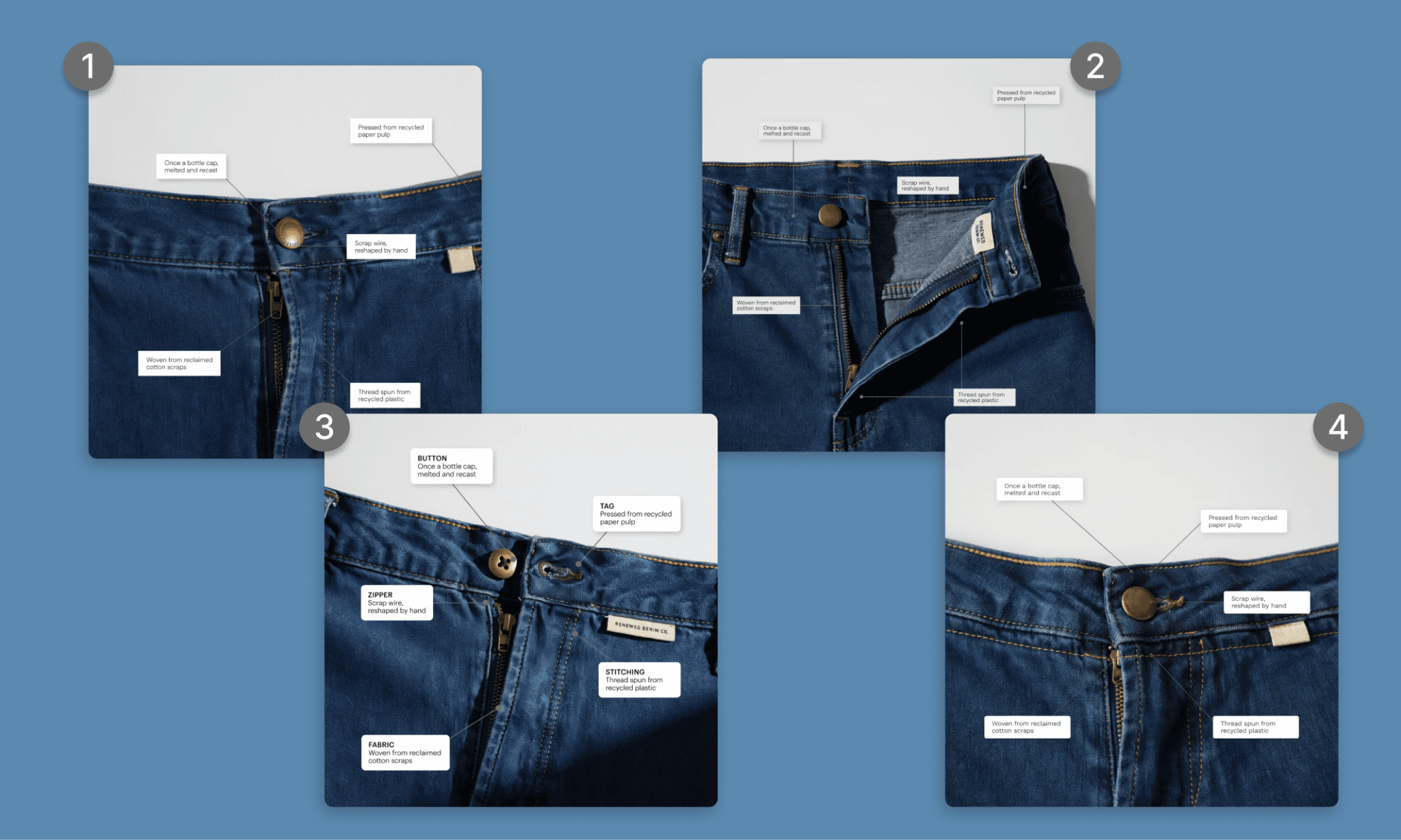
Time: ~30s | Credits: 4 credits | Speed: Turbo (fast & affordable)
This time Ideogram had to not only create the image but also understand the elements in it and name them. All images are file, but none get the naming perfect. #3 is the closest still.
Also, I noticed that the more complex the prompt the more the credit consumption even for the same model and speed.
CTA Banner with one model in various poses
"A wide banner image in three-part composition. On the left third: using the reference model, show her with an unhappy, dismissive expression, holding out discarded items at arm's length — a broken bottle cap, tangled wire, and a torn fabric scrap — as if throwing them away, slight motion blur on the discarded objects. Center third: empty negative space with a soft neutral gradient background, no objects or text, reserved for headline copy and a button. Right third: the same reference model, now with a warm, satisfied expression, shown with multiple arms/hands extending from her figure in a stylized surreal collage manner — one hand holding the denim jeans, another hand holding the woven purse, another hand holding the table lamp switched on. Each hand and object sharp and clearly separated so all three products are visible. Consistent studio lighting across all three sections, neutral warm-grey background throughout, soft shadow beneath each figure and object. Editorial, elevated mood — high-fashion, not eco-craft."
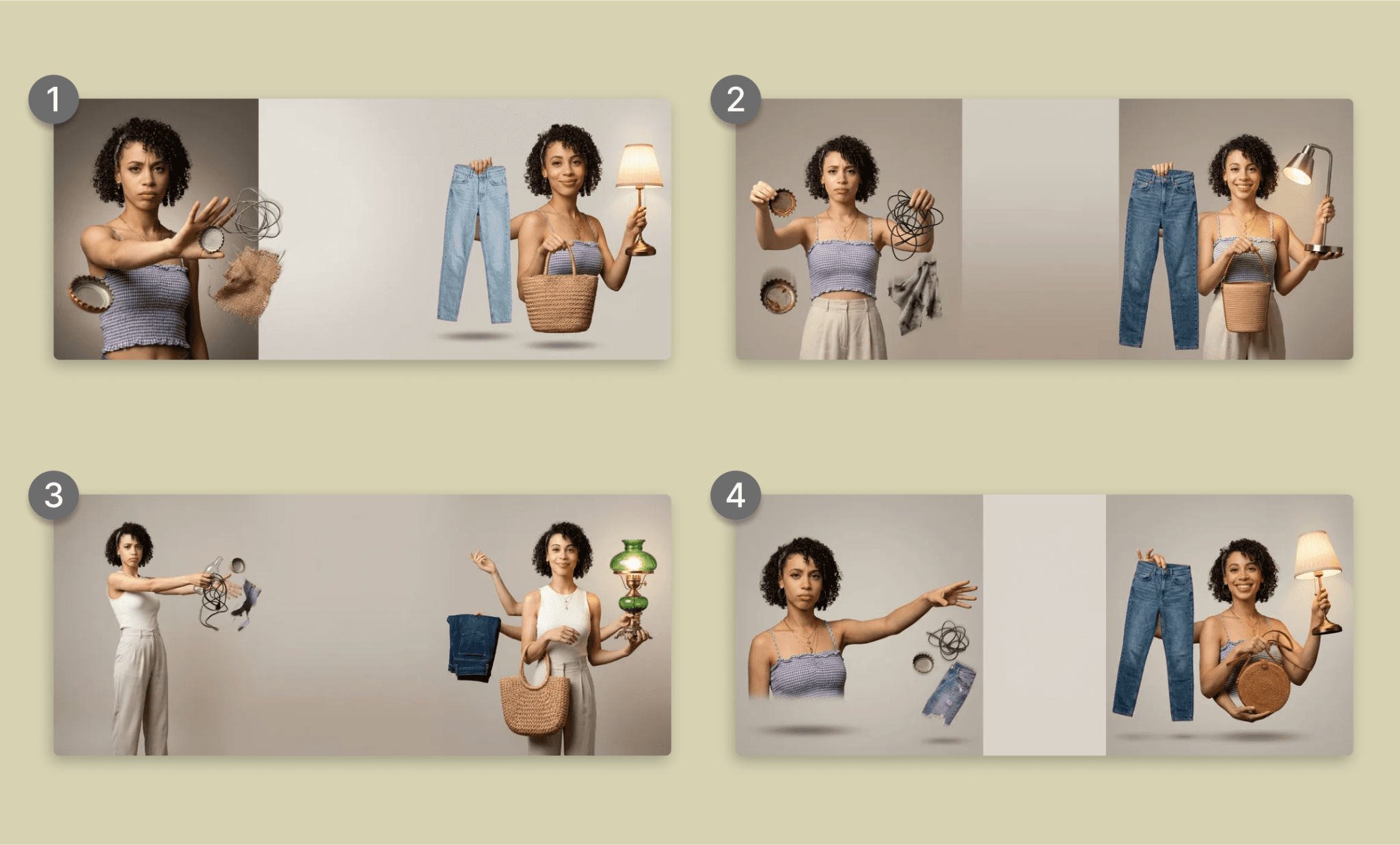
Time: ~20s | Credits: 6 credits | Speed: Turbo (fast & affordable)
The character consistency is really good across all the variations. But I think they took the left-right difference too hard. Still I think #3 gets my point the best and I can go along with it.
How Flora AI handles UI Asset Briefs >
Scoring Ideogram 4.0 AI Performance
Now, we have all the images and my notes on how Ideogram 4.0 performed across various metrics. As I present them as a table below, I must add that a key impressive factor for me was its speed and where I felt let down was its credit-guzzling nature.
Metric | Score | Notes |
Speed | 5/5 | Consistently 20–45s, even on complex prompts. |
Text rendering | 4.5/5 | Legible and dimensional, held up through edits and swaps. |
Prompt fidelity | 3/5 | Good but incomplete; missed materials, overcorrected contrast asks. |
Image editing | 3.5/5 | Material and text edits landed; layerize text failed outright. |
Character consistency | 4.5/5 | Same model held across poses, expressions, and collage styling. |
Reference/remix accuracy | 4.5/5 | Blended shape, texture, and scene from three references cleanly. |
Upscaling | 5/5 | Clean upscale plus full scene rebuild, fast Turbo speed. |
Object/text labeling accuracy | 3/5 | Tags rendered, but material-to-part naming never fully correct. |
Credit efficiency | 3/5 | Pricier than prior tools; cost climbs fast with complexity. |
Rating of Nano Banana 2 and PRO >
Overall, I’d rate the Ideogram 4.0 AI a 4/5.
That said, generating images for UI is a step in product design that leads to the next step of assembling it. Ideogram is not built for the latter; Banani is. So I just uploaded the images, described my idea, and within minutes, in one-shot, I got Rehumm homepage ready.
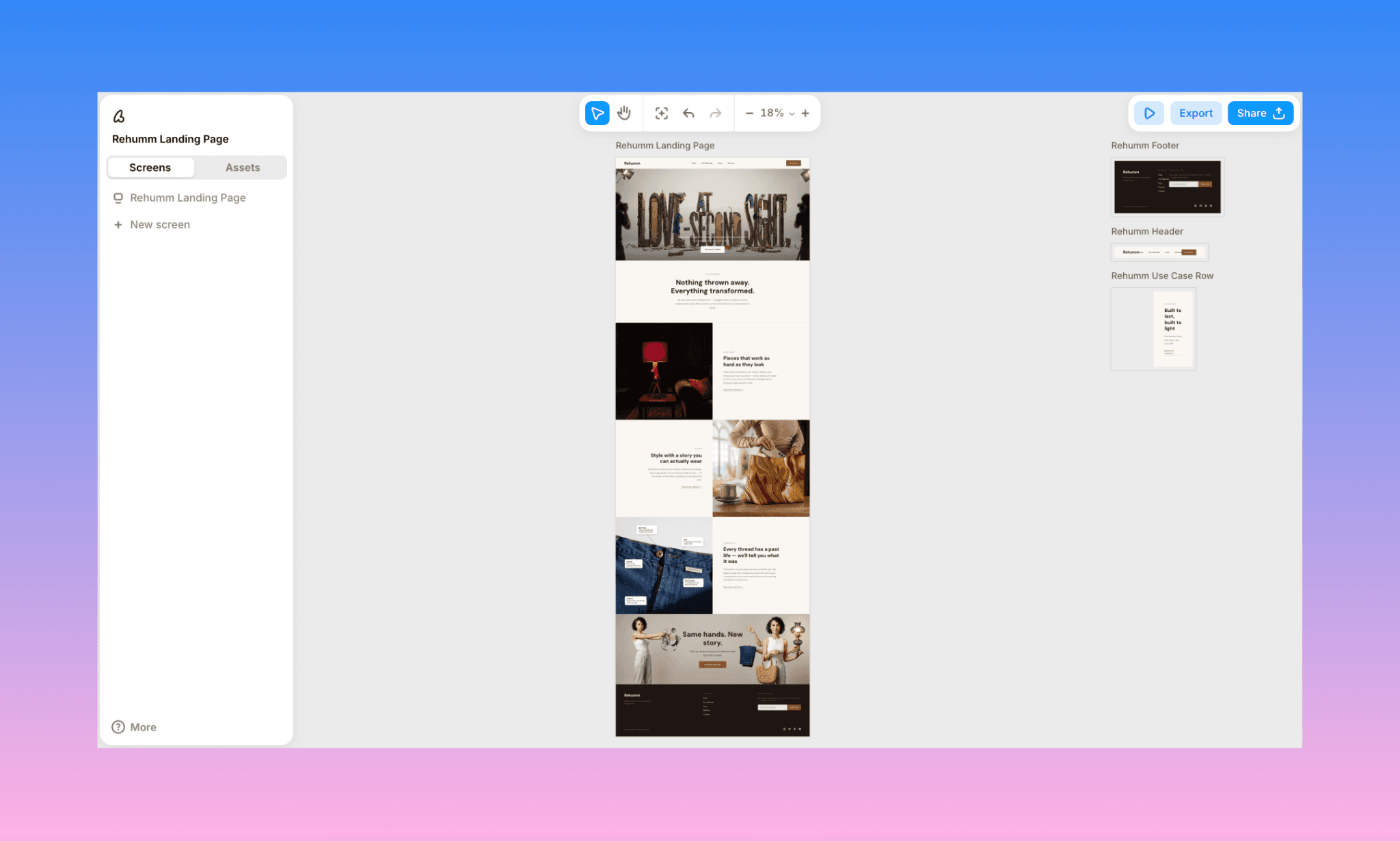
The UI generated by Banani is editable with AI chatbot, exportable to Figma and hand-off ready via MCP. It can also generate images on its own powered by Gemini and OpenAI latest models.
Pricing of Ideogram AI in 2026
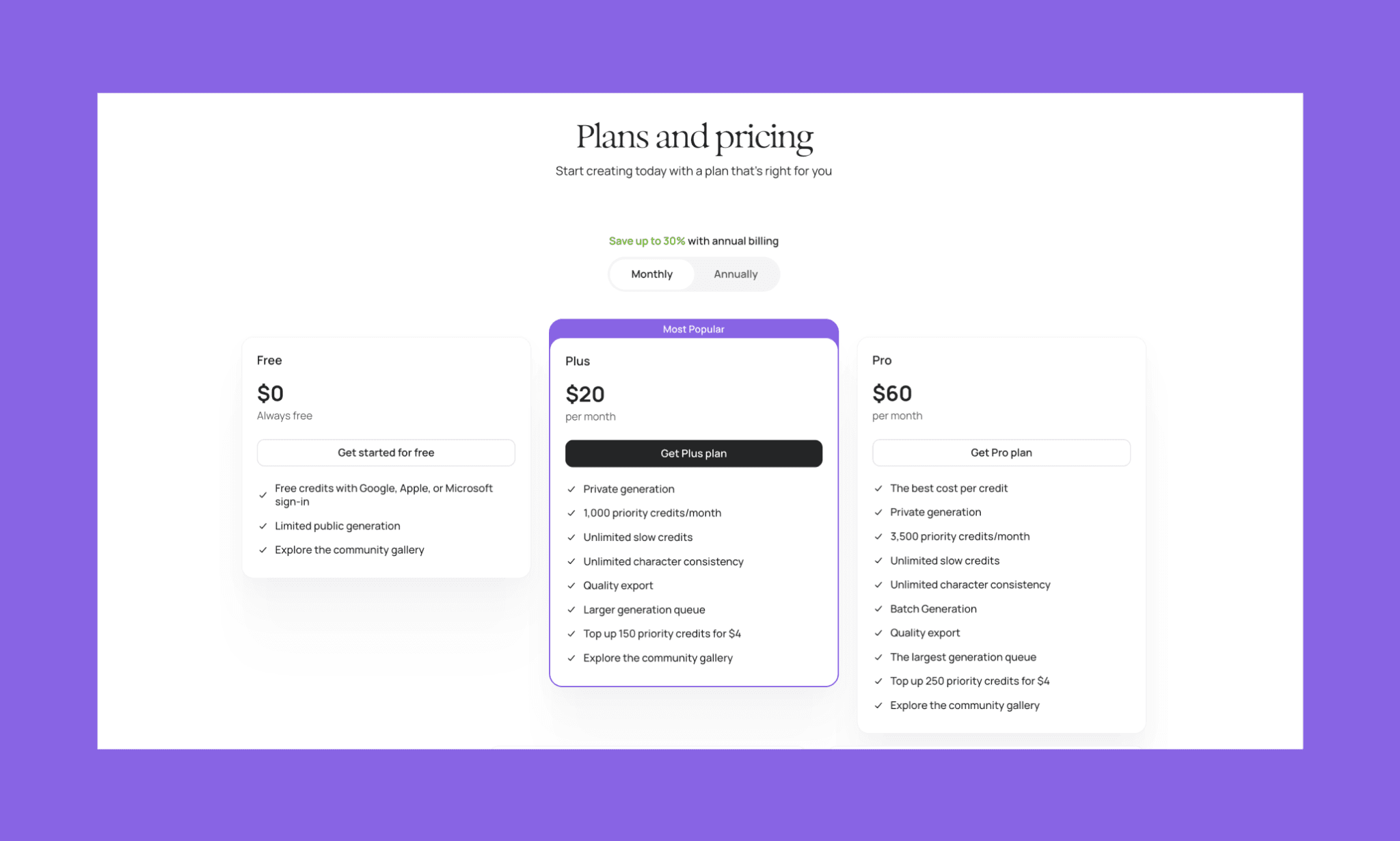
Ideogram AI image generator has a freemium pricing model[2]. You do NOT pay for their versions (whether the latest or the legacy). You mainly pay for the quantity, speed (they call Priority Credits), and privacy.
Ideogram Free Plan
Ideogram's free plan runs on slow, queue-based priority credits with no cost, generating publicly-visible images only. A solid way to test the model, but not built for private or commercial-ready work.
12 slow credits available every 3 days
Access to all models and key editing features
All creations are public by default
Ideogram Paid Plans
Plan | Cost | Credits | Key Feature |
Plus | $20/mo | 1,000 priority credits/mo | Unlimited character consistency, private generation |
Pro | $60/mo | 3,500 priority credits/mo | Best cost per credit, batch generation |
*Note: Annual billing of Ideogram is 30% cheaper
Ideogram API Costs
As an open weight image GenAI model, Ideogram also offers a pay-as-you-go API, priced per output image rather than by subscription. Costs range roughly from $0.03 for fast 4.0 Turbo generations up to $0.10–0.20 for Quality-tier or Gemini-powered outputs, with additional fees for upscaling, background removal, and layerizing.
Once Free, Now Midjourney Pricing May Overcharge >
Alternatives to Ideogram AI
In 2026, Ideogram alternatives AI boast strong competition across text rendering, image editing, and overall image quality. To see how the leading ones compare, I ran the same Rehumm hero prompt through each and evaluated the results based on one-shot output quality, editing capabilities, standout features, and the use cases where each performs best.
Tool | Image Sample | Key Feature | Best For |
 | Unmatched aesthetic range, Style/Omni Reference for consistency | Mood boards and visual ideation | |
GPT Image 2 | 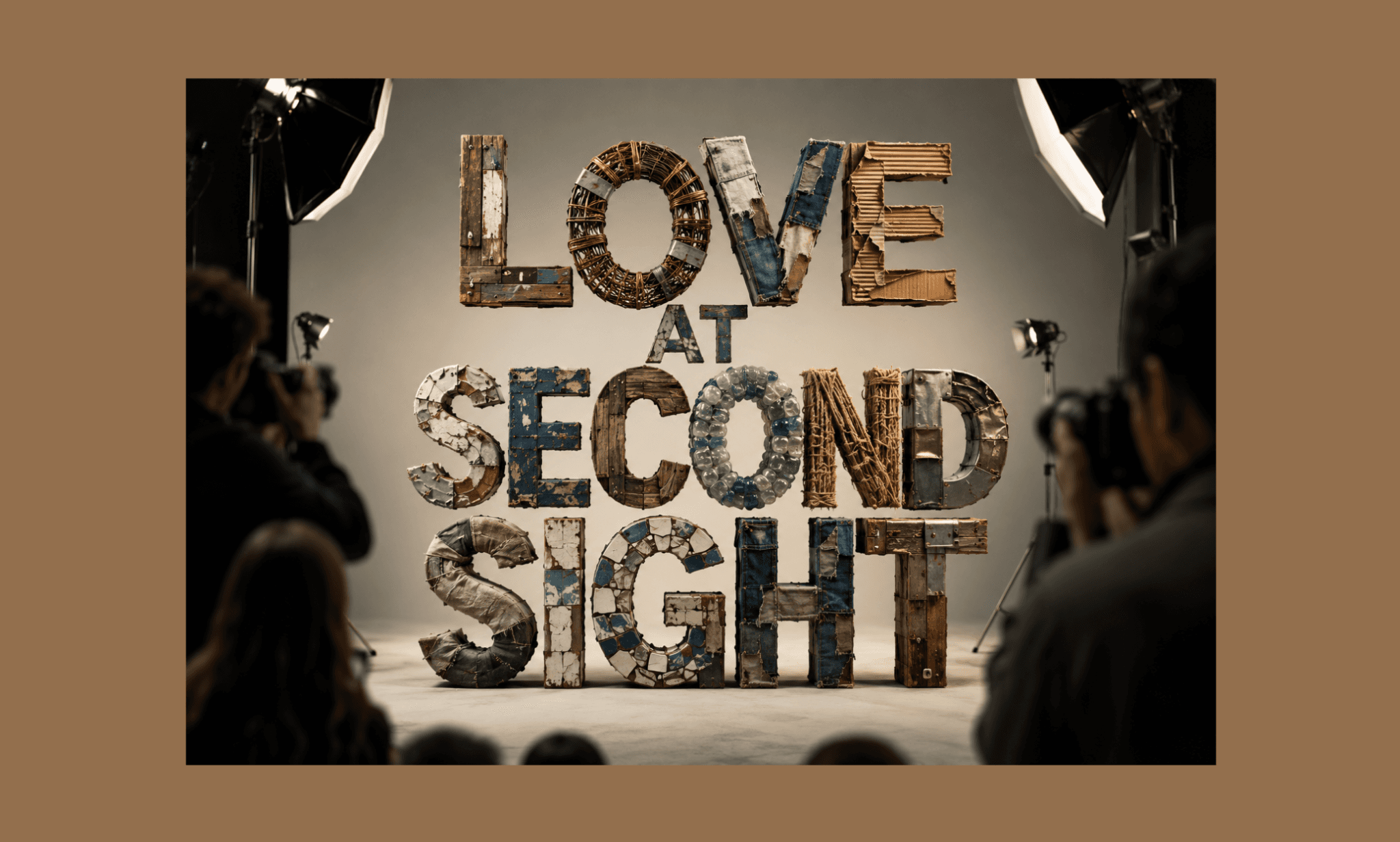 | Reasoning-based generation, near-perfect text rendering | Conversational, precise multi-turn editing |
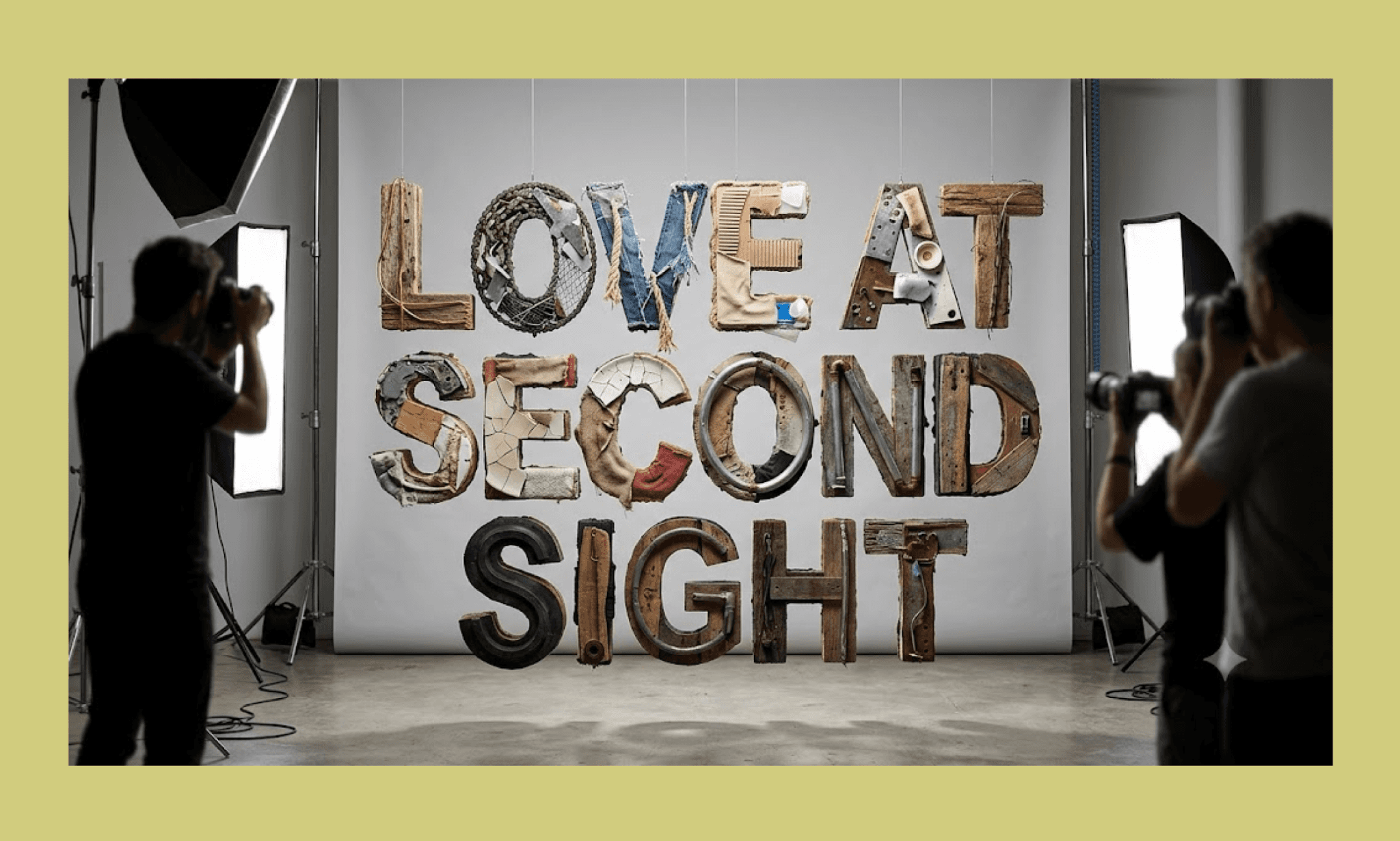 | Multi-reference editing, native 4K, SynthID watermarking | Text-heavy, print-ready visuals | |
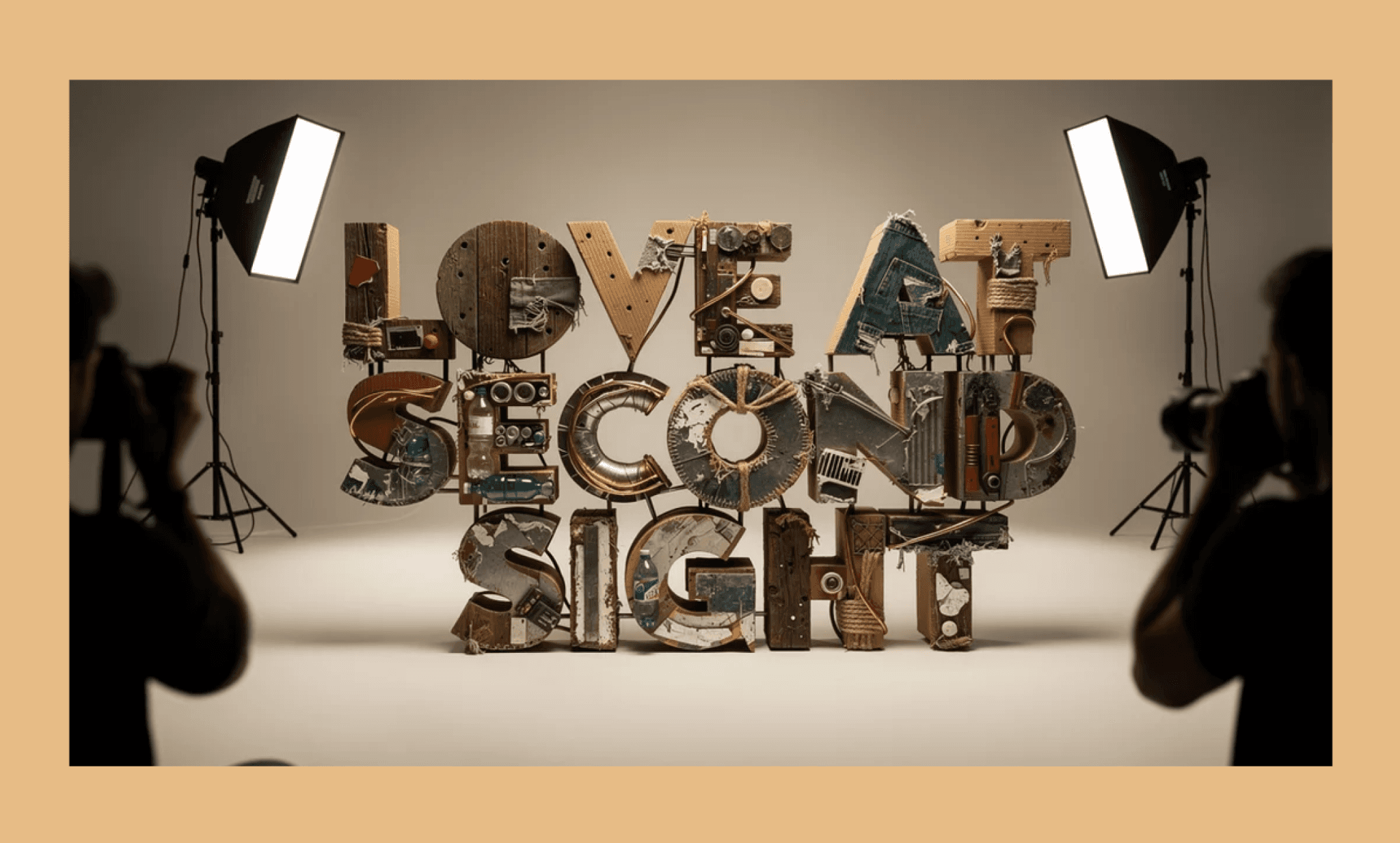 | 64+ models, real-time rendering, upscaling to 22K | Fast, accessible creative iteration | |
Flux 2 | 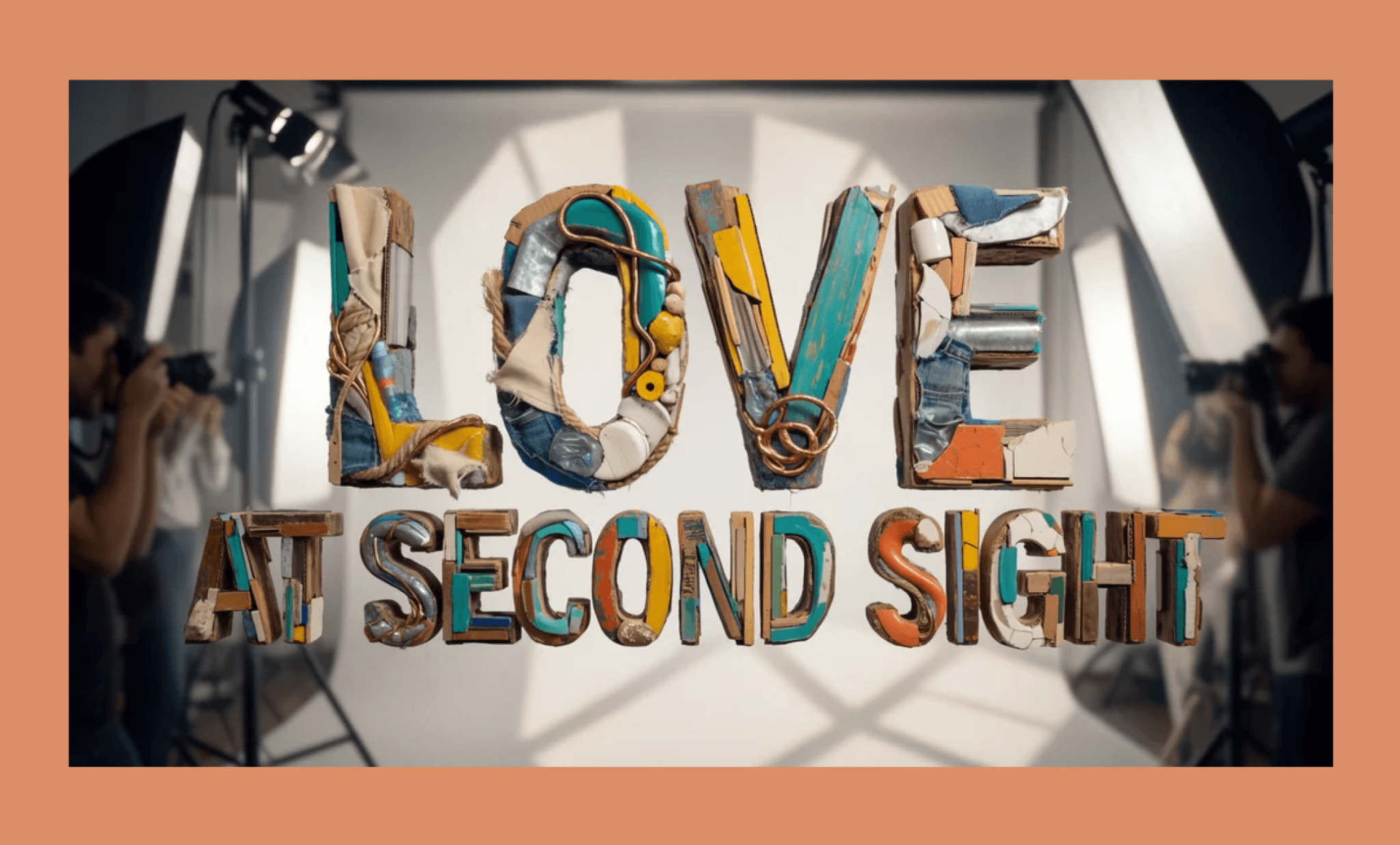 | Multi-reference control (up to 10 images), photorealistic 4MP output, strong text rendering | Production-grade photorealism at scale |
Best Free Midjourney Alternatives for UI Assets >
Verdict: Is Ideogram 4 Images Good?
After my smooth experience with Ideogram AI, I say, Yes, with caveats. Ideogram 4.0 renders text and holds character consistency better than almost anything I've tested. Its speed is genuinely impressive across every prompt. But prompt fidelity slips on complex, multi-material asks, its layerize-text feature failed outright. Also, Ideogram credit consumption climbs fast; making it pricier per image than tools like Reve.
For product teams, Ideogram is a strong pick specifically for typography-heavy assets and consistent characters. From there, use an AI UI generators like Banani to assemble those visuals into a polished, editable layout in minutes — for free.
FAQs on Ideogram AI Image Generator
What is Ideogram AI mainly used for?
Ideogram is mainly used for generating images with accurate, legible in-image text (say for posters, packaging, logos, and branded visuals) where typography matters.
How to use ideogram AI free?
Ideogram AI has a free tier that you can simply sign up for and get started. No credit card required.
What is an Ideogram workflow for image generation?
Typical Ideogram workflow for image generation is: Type a prompt or upload a reference image → pick a model (4.0, 3.0, or custom) → set count and speed, then generate. You can further edit, remix, or upscale the result.
Is Ideogram AI safe to use?
Yes. It's a legitimate GenAI platform from Ideogram, Inc., with standard commercial usage terms under its published licensing.
How to use Ideogram images for UI/UX?
Generate your visual assets in Ideogram, then upload them to an AI UI generator like Banani to assemble them into a full, editable layout in minutes.


