
V0 é um gerador de interfaces de usuário com IA amplamente reconhecido, frequentemente utilizado por equipes de frontend para criar rapidamente componentes React através do shadcn/ui. Para equipes que desenvolvem no ecossistema Vercel e Next.js, isso pode acelerar significativamente o desenvolvimento de funcionalidades.

Mas o v0 não é uma solução para todos os fluxos de trabalho. Algumas equipes exigem mais controle visual, enquanto outras preferem saídas composicionais em vez de código pronto para produção, e muitas equipes de produto que procuram ferramentas de design de IU com IA não estão trabalhando em um ambiente estritamente focado em React. É por isso que mais equipes estão ativamente comparando alternativas ao v0.
Neste guia, detalhamos 11 ótimas alternativas ao Vercel v0 para ajudá-lo a encontrar a ferramenta que melhor se adapta ao fluxo de trabalho de sua equipe.
Resumindo: Guia Rápido de Decisão
Precisa de uma resposta rápida?

Se você é um designer ou PM explorando conceitos de IU → Banani, MagicPath
Se você trabalha com um sistema de design → MagicPatterns, Builder.io
Se você precisa de um MVP funcional → Bolt.new, Base44, Lovable
Se você está entregando dentro de uma base de código existente → Cursor, Replit
Prós e Contras do v0
Antes de compararmos alternativas, vamos examinar os pontos fortes e fracos do v0.
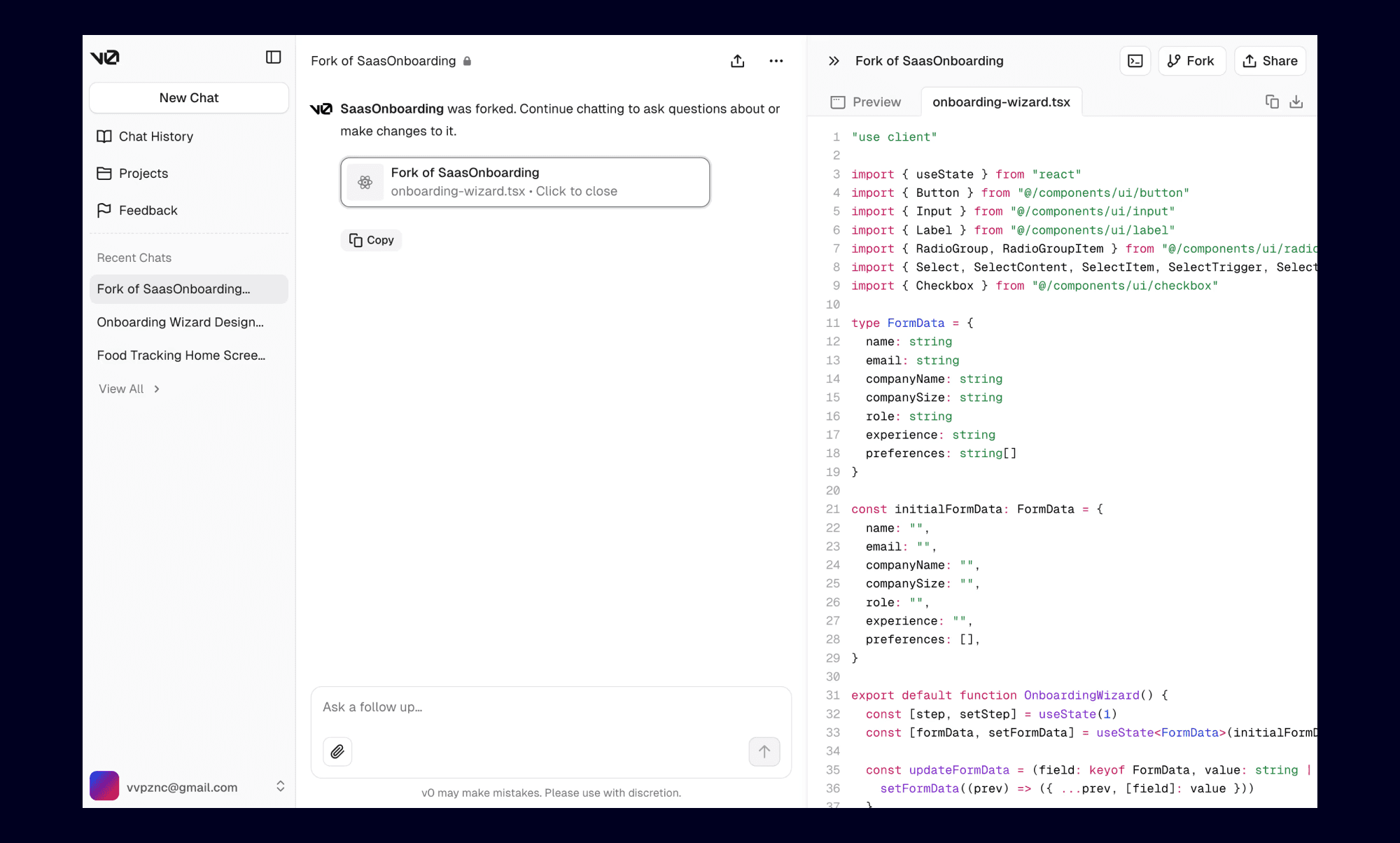
Prós
Feito para desenvolvedores que entregam funcionalidades reais
Integração profunda com o ecossistema Vercel
Cria componentes React limpos usando shadcn/ui
Foca na clareza do código e forte desempenho
Para equipes de produto que são orientadas por frontend e já usam Vercel, o v0 se encaixa perfeitamente em seu fluxo de trabalho existente.
Contras
Problemas frequentes de desempenho, tempos de geração lentos e inconsistência no cumprimento de instruções pelos IA. Muitos usuários relataram casos em que o IA gera consistentemente código com erros e não consegue seguir instruções de forma eficaz
Sem recursos extensos de visualização ou edição em uma tela ampliada
Muitos usuários relatam alto uso de crédito e custos. Refinamentos iterativos podem tornar-se caros, pois os usuários são cobrados mesmo por gerações intermediárias (incluindo as falhas ou incorretas).
Não é adequado para PMs, fundadores e designers que não estão familiarizados com o desenvolvimento frontend.
Otimizado para fluxos de trabalho React e Next.js usando Tailwind e shadcn/ui. O suporte para outros frameworks é mais limitado em comparação aos setups focados em React.
Dadas essas limitações, muitas equipes estão considerando uma alternativa ao Vercel v0 que tenha melhores fluxos de trabalho visuais, design colaborativo ou funções mais amplas, mais como um gerador de protótipos com IA.
Preços (USD)
Camada gratuita disponível
Premium: $20/mês
Equipe: $30/mês
Negócios: $100/mês
Empresa: Personalizado
Nota: Os preços são baseados em crédito/uso e a utilização de tokens varia substancialmente dependendo da complexidade de suas solicitações.
Alternativas para Prototipagem de Design
Banani
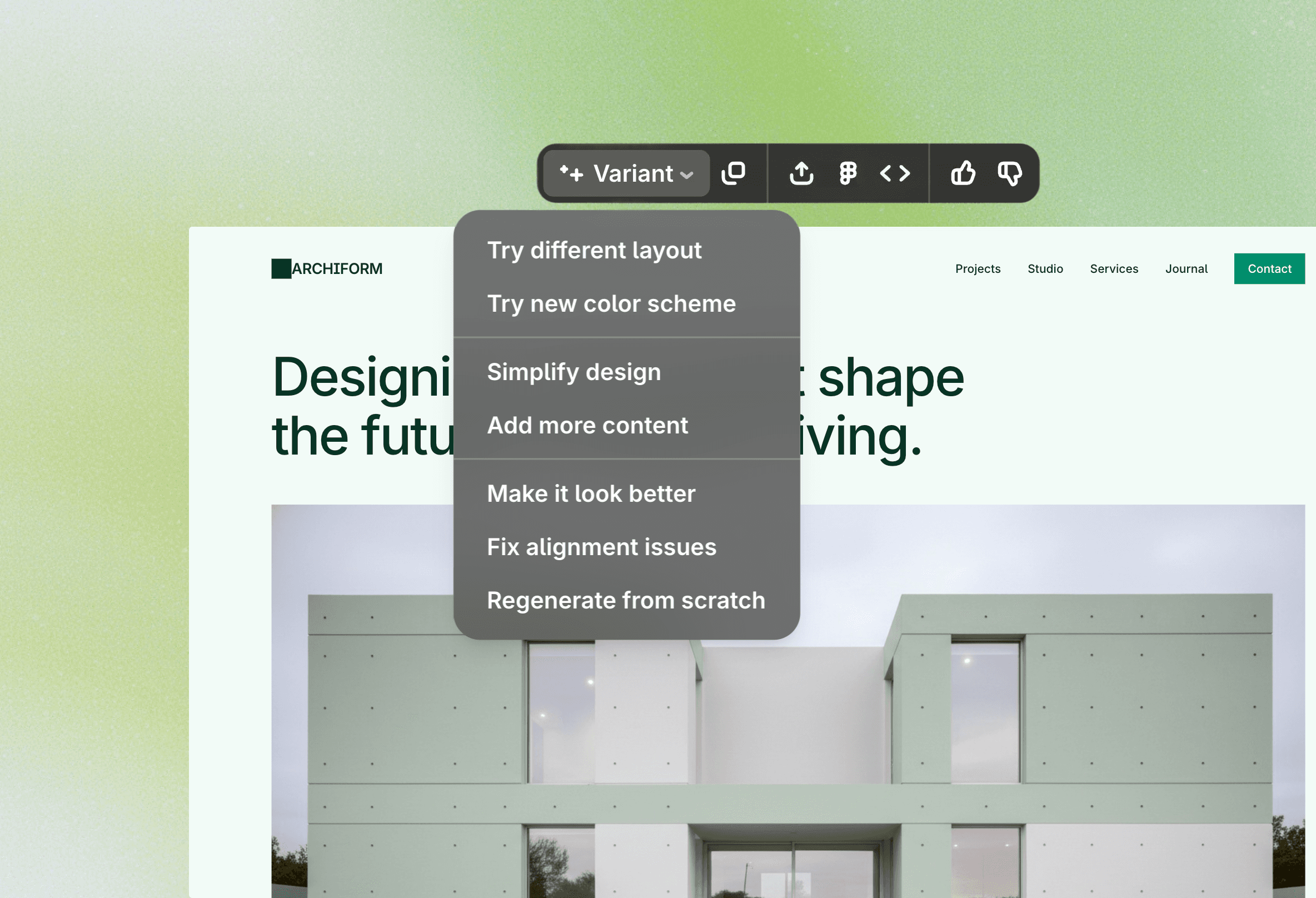
Banani transforma prompts de texto em designs de IU editáveis que você pode visualizar e refinar diretamente em uma tela visual. Ao contrário do v0, que se concentra na geração de código React, Banani é construído para equipes que desejam explorar layouts, fluxos e estrutura de IU visualmente. Ele também suporta o trabalho com sistemas de design existentes via importação do Figma, tornando-o adequado para equipes que estão aprendendo como projetar IU com IA sem tocar em código.
Por que é uma boa alternativa ao v0 para apresentação de design
Parece uma ferramenta de design visual, não uma plataforma de desenvolvedor
Tela editável com várias telas visíveis ao mesmo tempo
Iteração mais rápida sem mexer no código
Suporta sistemas de design existentes através de importações do Figma
Colaboração mais fácil para designers, PMs e fundadores
Preços (USD)
Camada gratuita disponível
Premium: $20/mês
Equipe Pro: $30/mês
Empresa: Personalizado
Nota: Banani usa preços de assinatura fixa, tornando os custos previsíveis independentemente do volume de geração, ao contrário do modelo baseado em crédito do v0.
Stitch (Google Stitch)
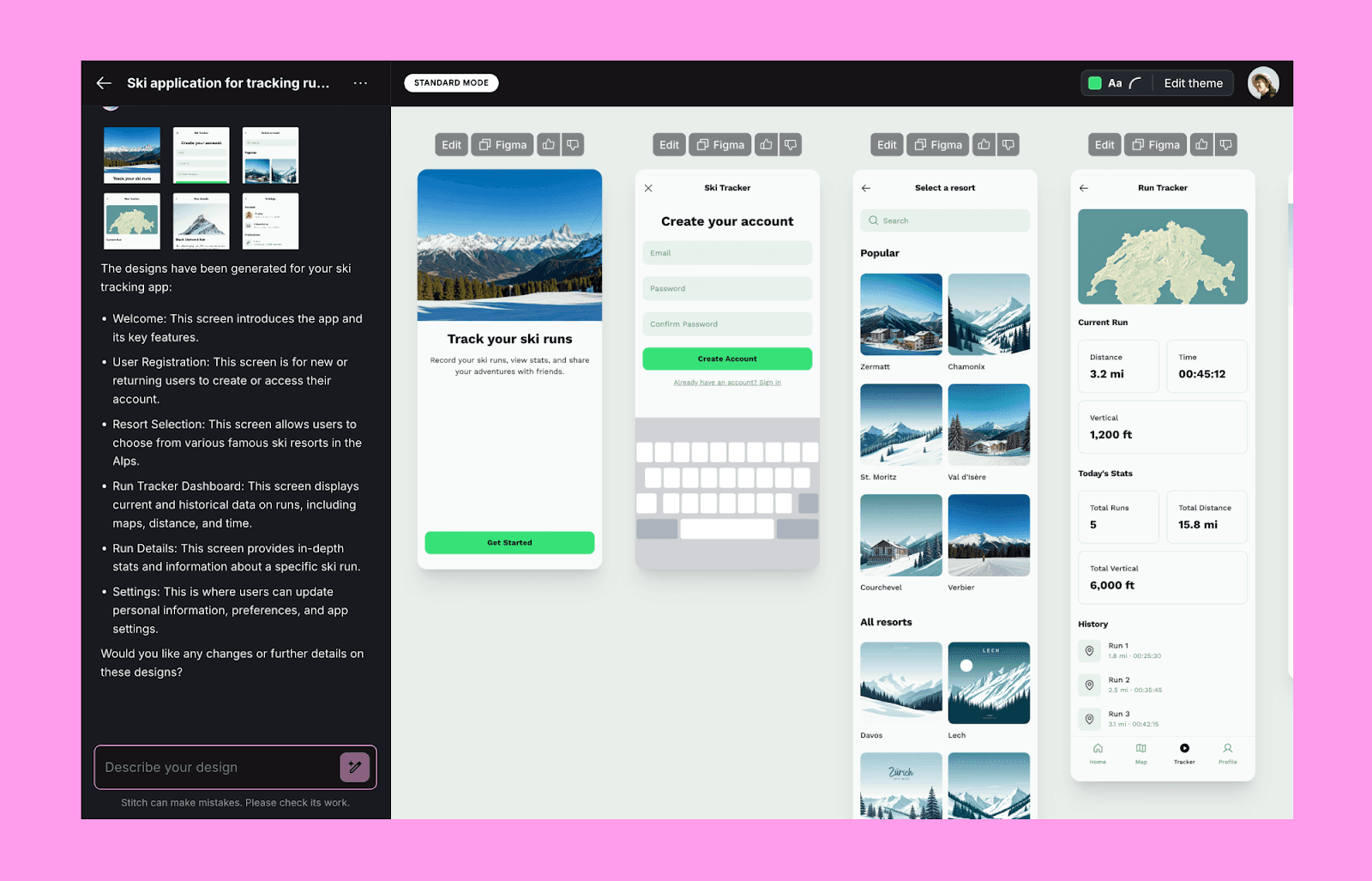
Google Stitch se concentra em gerar telas de IU visualmente estruturadas a partir de consultas textuais. Embora funcione como uma ferramenta de desenvolvedor, está mais voltada para a experimentação em UX e design visual do que para código final pronto para lançamento. Se você quiser saber mais sobre isso em profundidade, confira nossa revisão do Google Stitch AI, onde destacamos seus pontos fortes e explicamos como funciona.
Por que escolhemos o Stitch
Mais focado em UX do que em código
Permite avaliar várias telas lado a lado
Permite exportar para Figma, Jules do Google, ou copiar código para a área de transferência
Permite ajustes rápidos em estilos, cores e design geral
Bom para refinar e testar mockups iniciais
Preços (USD)
Gratuito
Nota: Atualmente disponível sem custo enquanto está em Labs. Os preços podem mudar à medida que o produto amadurece.
Magic Path
MagicPath é uma ferramenta de prompt para UI para designers que desejam geração assistida por IA sem perder o controle visual. Você define uma tela ou suas seções, e o MagicPath as gera diretamente na tela. É possível, então, ajustar o layout, espaçamento e estilo para atender às suas necessidades.

Por que é um bom substituto para o v0
Tela editável para ajustes diretos de design
Forte foco na iteração visual
UX familiar para designers
Mais apropriado para iteração de design em estágio inicial
Preços (USD)
Camada gratuita disponível
Criador: $19/mês
Pro: $30/mês
Nota: Planos pagos aumentam a capacidade de geração mensal e a flexibilidade de edição, mas os limites de geração ainda se aplicam.
Alternativas Focadas em Sistemas de Design
MagicPatterns
MagicPatterns é construído para equipes front-end que precisam de IA para projetar interfaces de usuário com seus próprios tokens de design e regras de layout. Sendo uma das ferramentas texto para IU mais avançadas para sistemas de design estruturados, ela incentiva você a construir padrões sustentáveis que podem ser reutilizados por produtos reais.
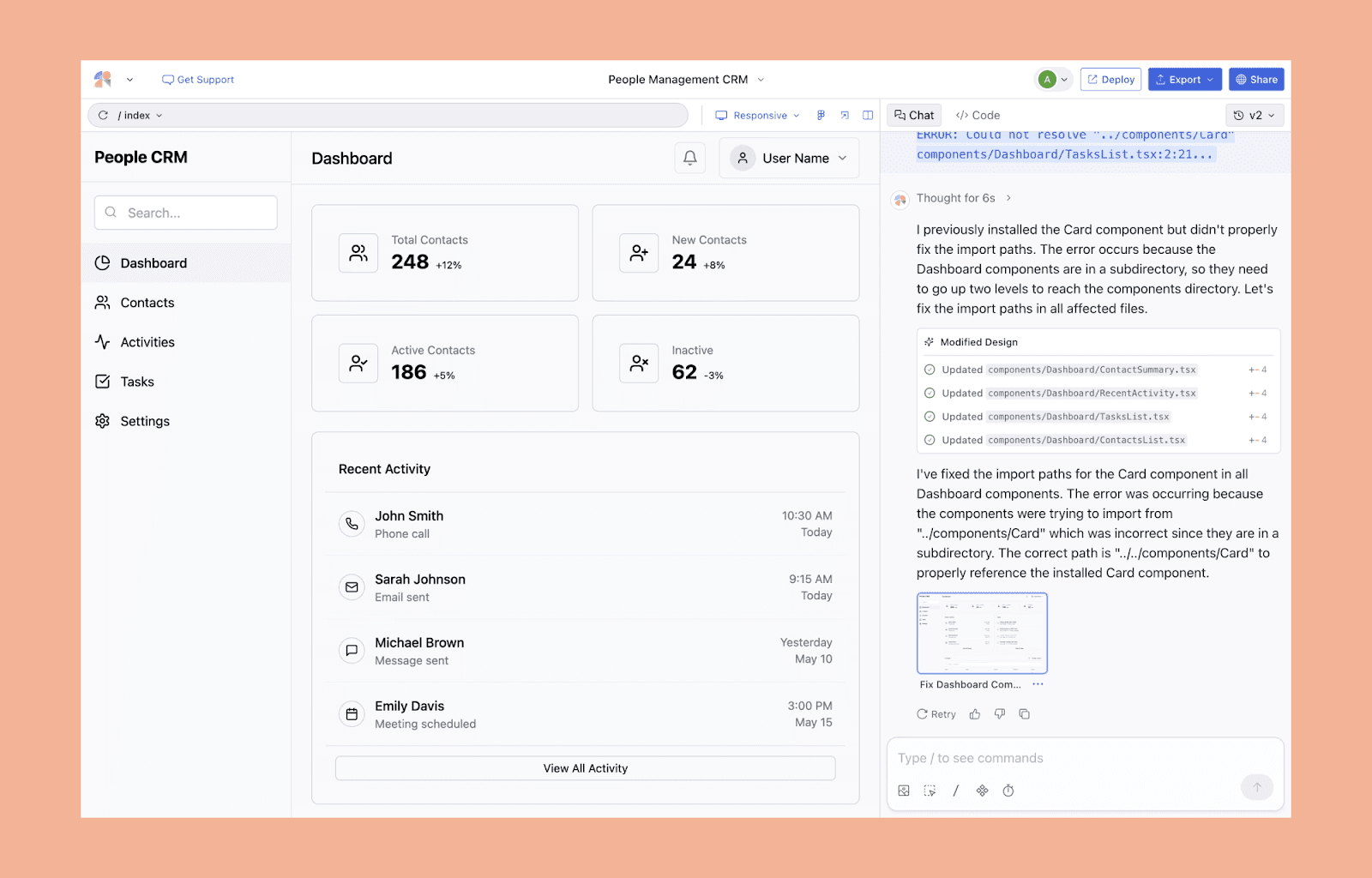
Por que escolhemos
Aproveita seu sistema de design importado, seguindo diretrizes de tokens e espaçamento
Projetado para Tailwind e bibliotecas de componentes
Foca mais em estruturas de layout consistentes e repetíveis
Otimizado para um crescimento de produto sustentável e a longo prazo
Extensão Chrome transforma IU ao vivo em ativos editáveis
Preços (USD)
Camada gratuita disponível
Hobby: $19/mês
Pro: $75/mês
Empresa: Personalizado
Nota: Os preços são baseados em uso, com níveis mais altos suportando geração de IU mais complexa e frequente vinculada a sistemas de design.
Builder.io
Builder.io reúne um gerador de design com IA, um editor visual e suporte integrado a frameworks. Ao contrário do v0, é capaz de produzir layouts com componentes e sistemas de design existentes que podem ser usados por equipes que constroem e crescem produtos reais. É geralmente citado como uma das melhores alternativas adoráveis para designers que buscam um fluxo de trabalho flexível, com foco em design primeiro.
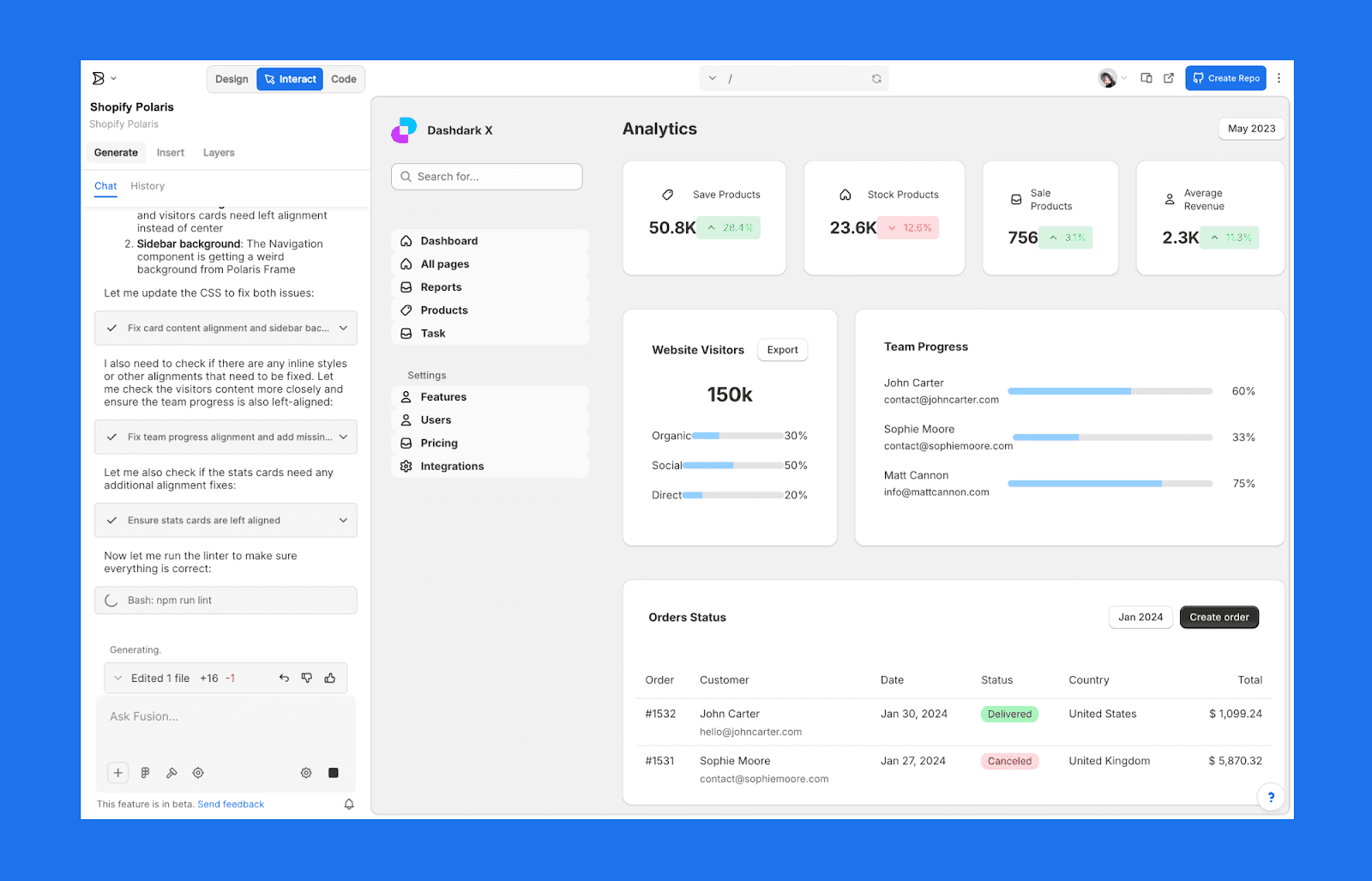
Por que escolher o Builder.io
Gerações de IA podem reutilizar seus componentes atuais
Suporta múltiplos frameworks, incluindo React, Vue e Next.js
Importação forte do Figma e fluxos de trabalho de design para dev
Mais flexível que a configuração fixa do v0
Preços (USD)
Camada gratuita disponível
Pro: $30/mês
Empresa: Personalizado
Nota: Os preços variam com base no uso, tamanho da equipe e recursos avançados, como integrações de frameworks e escala de conteúdo.
Alternativas de Geração de MVP e Aplicações Completas
Bolt.new
Bolt.new permite construir aplicativos completos em seu navegador. A implantação de front-end e backend também está incluída. É ótimo para prototipagem rápida e demos, onde a funcionalidade é mais importante que o design.
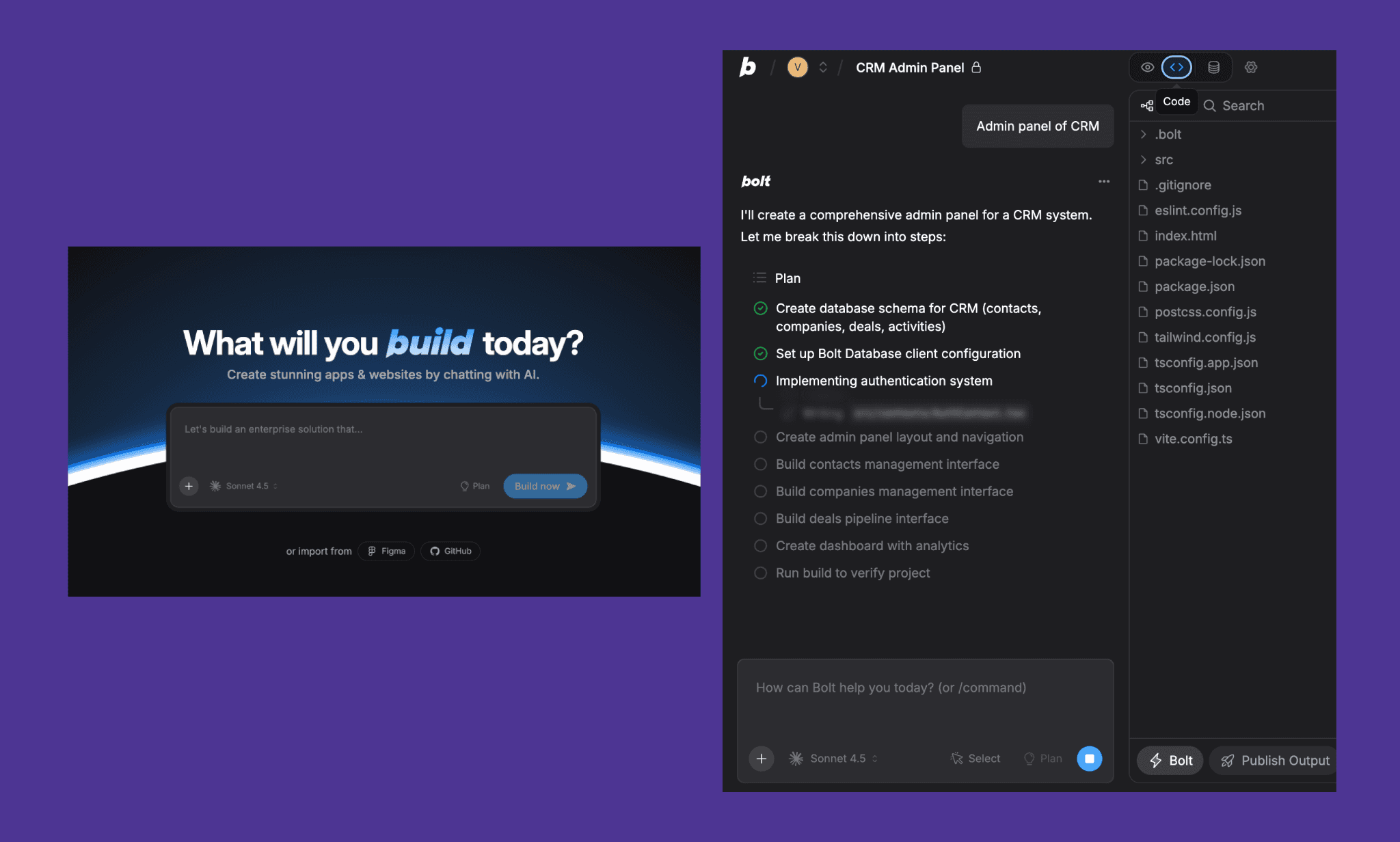
Por que escolhemos
A implantação está incluída com a geração full-stack.
Suporta prototipagem móvel e web
Fácil de compartilhar demos ao vivo
Permite transição mais rápida de conceito para produto testável
Preços (USD)
Camada gratuita disponível
Pro: $25/mês
Equipes: $30/mês
Empresa: Personalizado
Nota: Planos pagos aumentam os limites de uso e desbloqueiam recursos mais avançados de geração e implantação full-stack.
Base44
Base44 converte prompts de inglês simples em aplicativos full-stack operacionais, tornando-se uma boa opção para casos de uso de vibe coding onde a intuição e a velocidade superam configurações manuais. Ele autogera backend, frontend, autenticação e hospedagem. Em contraste com o v0, ele vai além da IU e oferece algo operacional e ao vivo.
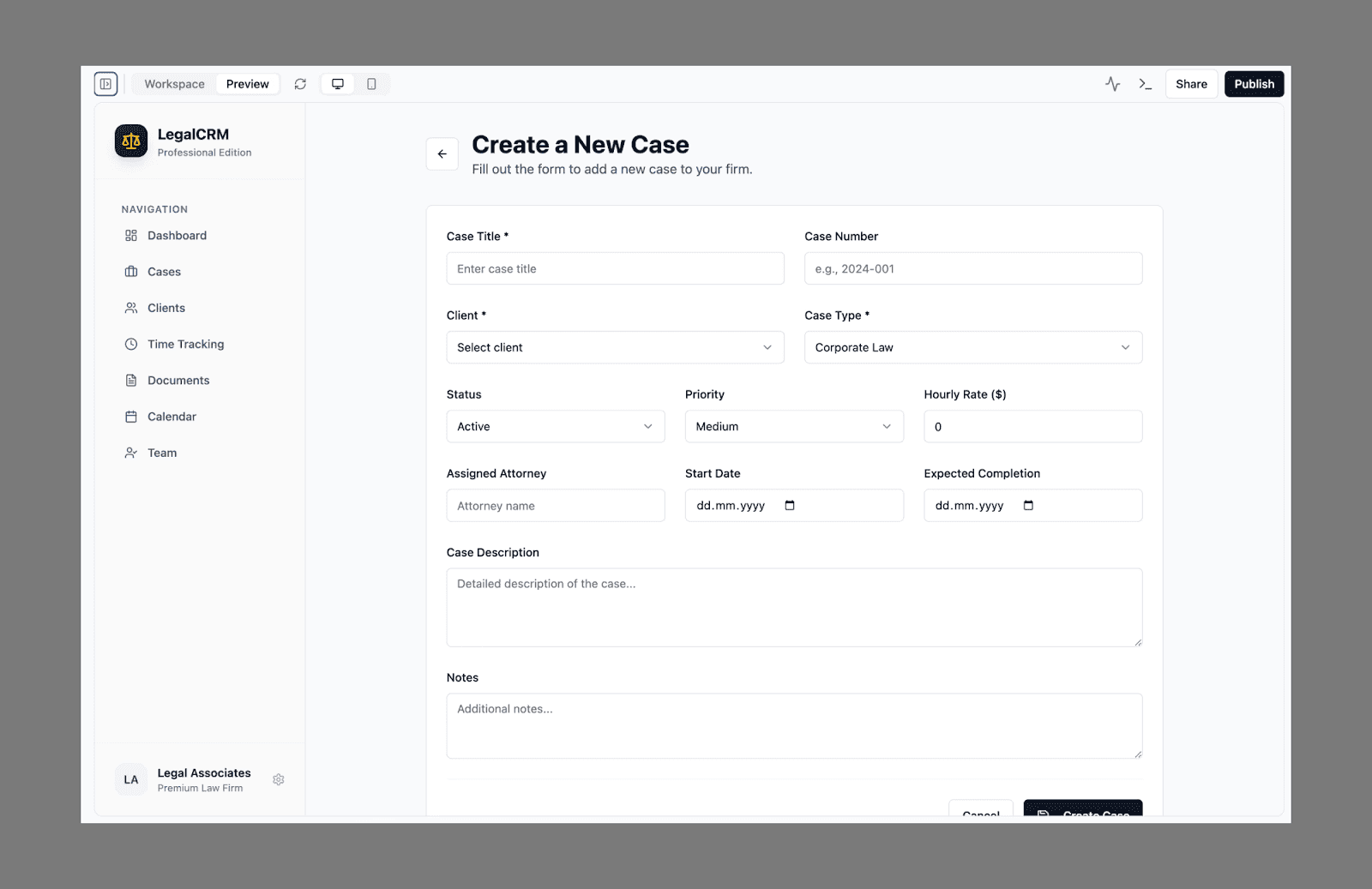
Por que é uma boa alternativa ao v0
Cria um aplicativo completo a partir de um único prompt
Sem gestão de infraestrutura ou configuração complexa
Pré-visualização em tempo real instantânea
Melhor indicado para validação inicial de MVP
Preços (USD)
Camada gratuita disponível
Starter: $20/mês
Builder: $50/mês
Pro: $100/mês
Elite: $200/mês
Nota: Os preços são baseados no uso, com níveis mais altos suportando aplicações mais complexas e construções em maior escala.
Confira nossa revisão das alternativas do Base44.
A0.dev
a0.dev é focado na geração de aplicativos full-stack mobile-first. Ele cria aplicativos React Native e cuida das compilações iOS/Android, sendo ideal para fundadores que desejam prototipar aplicativos móveis rapidamente.
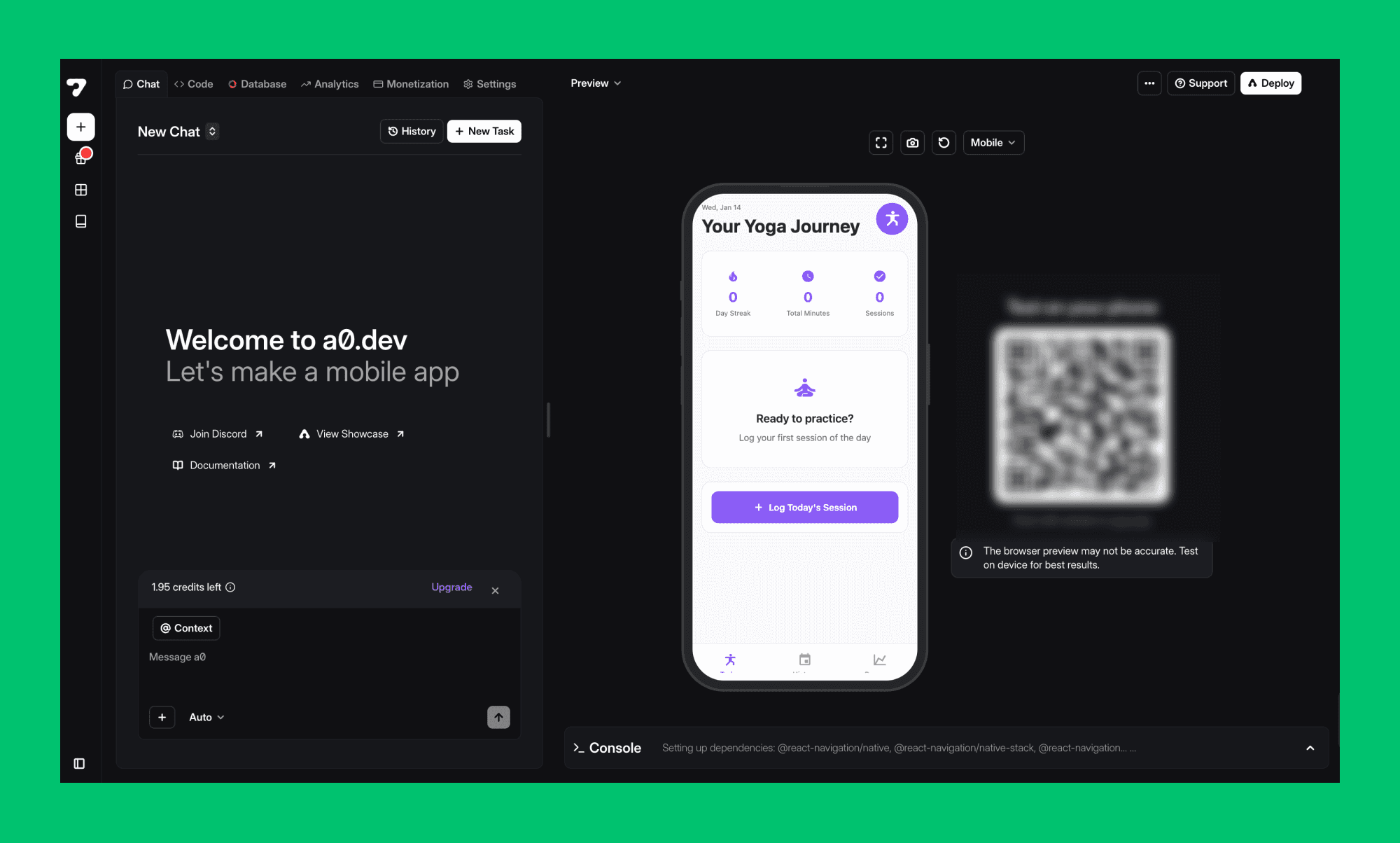
Por que é uma opção útil
Forte suporte a aplicativos móveis
Compila e gerencia implantações
Usa um fluxo de trabalho intuitivo e orientado por prompts
Minimiza obstáculos ao construir MVPs móveis
Preços (USD)
Camada gratuita disponível
Pro: $20/mês
Planos de nível superior disponíveis com preços mensais aumentados
Nota: Os preços são baseados no uso. Níveis mais altos suportam compilações móveis mais frequentes e capacidades mais amplas de geração de aplicativos para iOS e Android.
Alternativas de Fluxo de Trabalho para Desenvolvedores
Cursor
Cursor é um editor de código voltado para IA, construído sobre o VS Code. Ele conhece todo o seu código base e o ajuda com depuração, refatoração e adição de novas funcionalidades.
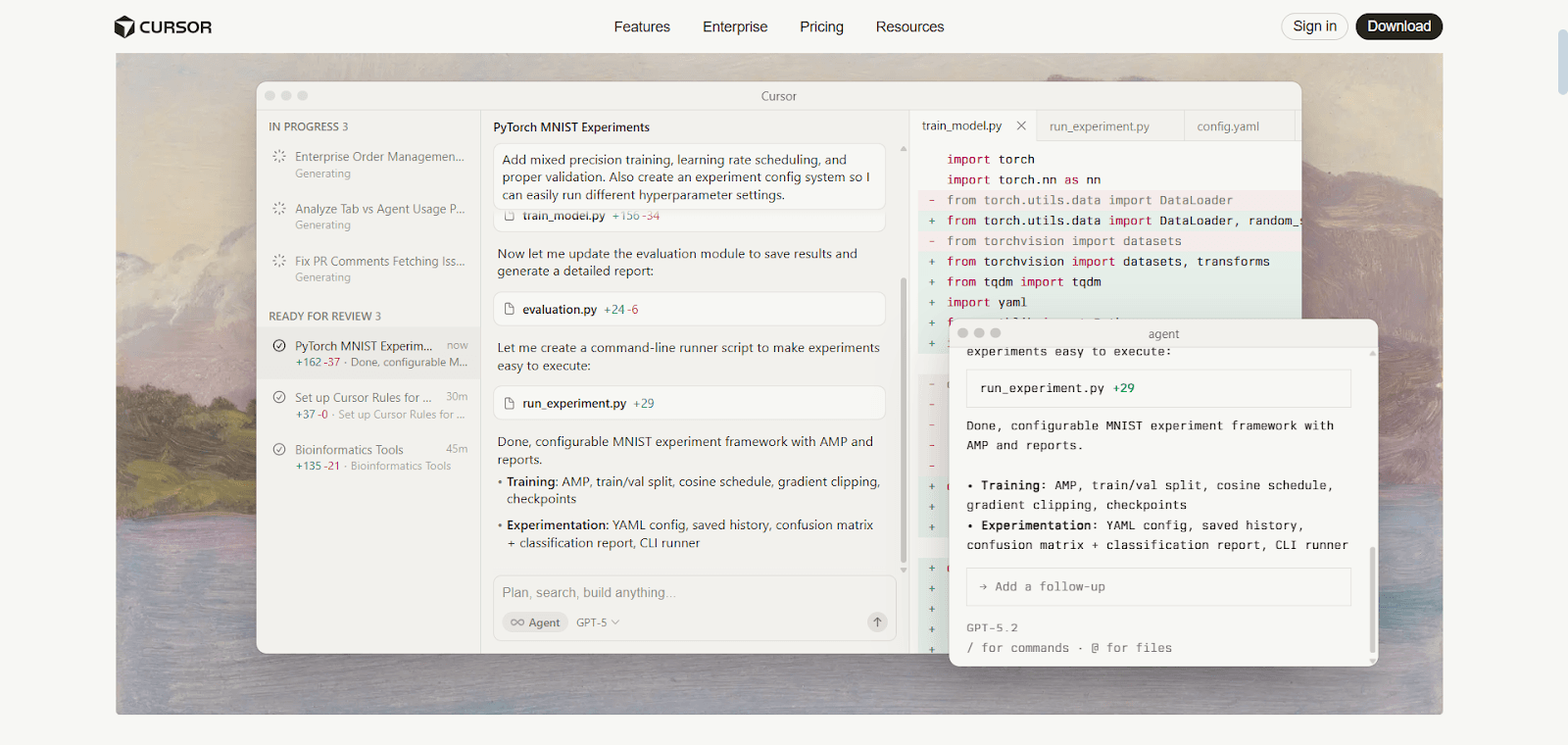
Por que é uma opção útil
Melhor escolha para desenvolvimento contínuo de produto
Ótima consciência de contexto do código atual
Bem adequado para grandes e complexas bases de código
Ergonomia forte para desenvolvedores
Preços (USD)
Camada gratuita disponível
Pro: $20/mês
Pro+: $60/mês
Ultra: $200/mês
Equipes: $40/usuário/mês
Empresa: Personalizado
Nota: Níveis mais altos aumentam os limites de uso de IA e desbloqueiam acesso a modelos mais avançados. O uso escala com o nível do plano, em vez de contagens fixas de solicitações.
Replit AI
Replit AI é um ambiente de desenvolvimento completo baseado em nuvem com IA para codificação. Ao contrário do v0, ele pode fazer seu trabalho diretamente dentro de seus arquivos de código existentes e permite que várias pessoas trabalhem juntas em tempo real.
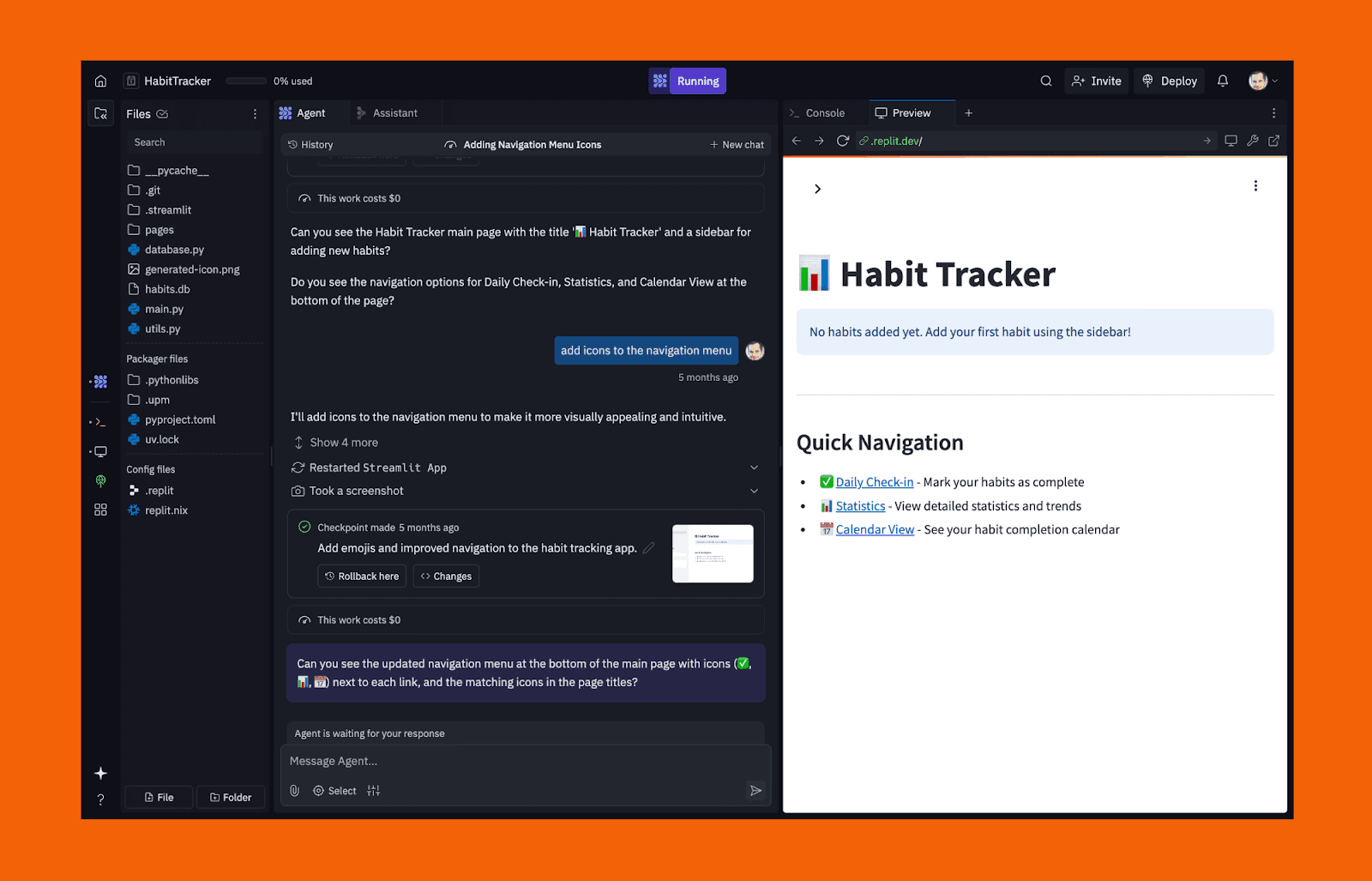
Por que é uma boa alternativa ao v0
Implantação ao vivo do mesmo ambiente
Funciona dentro de bases de código reais
Recursos de colaboração fortes
Útil além da geração de IU
Vai além da geração de código, permitindo construir infraestrutura de backend
Preços (USD)
Camada gratuita disponível
Core: $20/mês
Equipes: $35/usuário/mês
Empresa: Personalizado
Nota: Os planos incluem cotas de uso mensais cobrindo assistência de IA, implantações e infraestrutura. Os custos escalam com a complexidade do projeto e o uso da equipe.
Alternativas para Ferramentas de Validação de PM
Banani
Banani é mais adequado para PMs e fundadores que desejam visualizar rapidamente ideias, fluxos de usuário e estrutura de IU sem tocar no código. Ele foca na clareza e na iteração, facilitando o compartilhamento de designs com stakeholders e o alinhamento de equipes antecipadamente.
Melhor para: Mockups Visuais Rápidos e Prototipagem
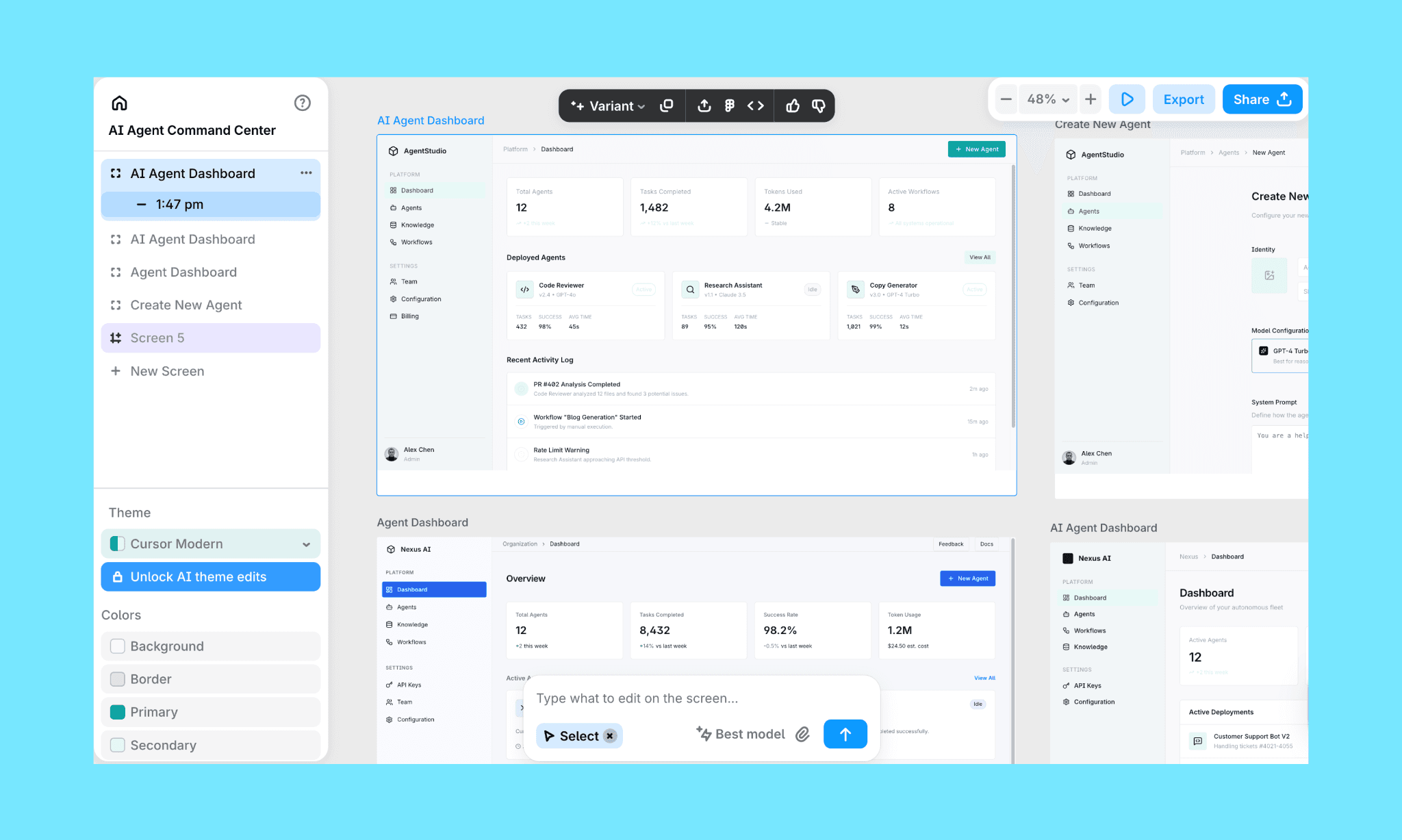
O que faz bem
Mockups de IU extremamente rápidos a partir de texto ou referências (imagem, Figma)
UX centrado em ideação e iteração
Tela visual fácil de editar e iterar
Compartilhamento simples com stakeholders por meio de links ou exportações (Figma, HTML/CSS)
Não é necessário histórico em design ou engenharia
O que considerar
Não é destinado à construção de produtos funcionais
Sem lógica de backend ou comportamento de aplicativo ao vivo
Quando os PMs devem usar
Exploração de produto inicial
Alinhando stakeholders antes do desenvolvimento
Validando layout, fluxo e direção de UX
Lovable
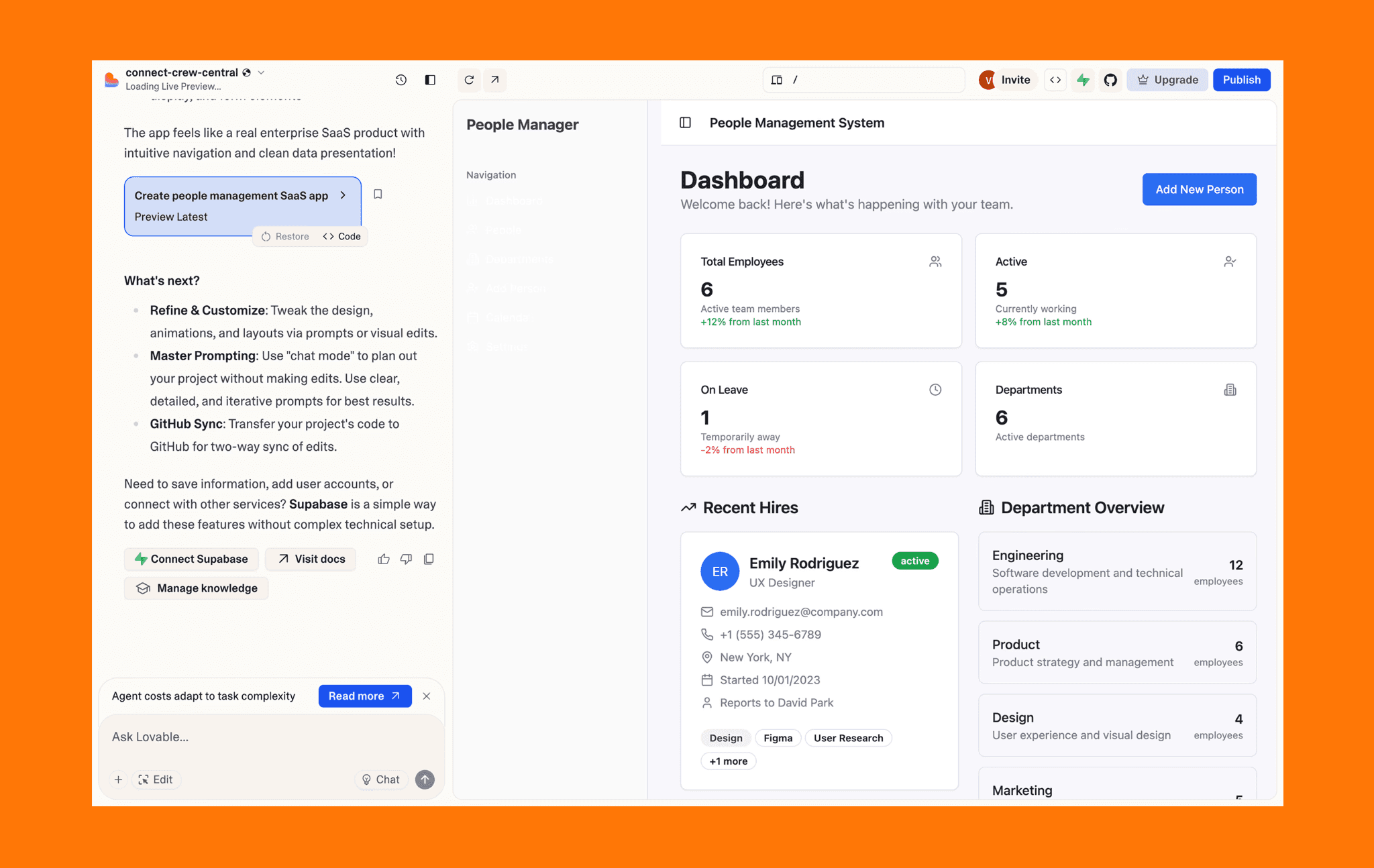
Lovable adota uma abordagem diferente. Em vez de parar nos mockups, ele gera aplicativos web front-end e full-stack funcionais usando linguagem natural. É comumente usado por PMs e fundadores que desejam algo testável, não apenas visual. Leia nossa avaliação de alternativas Lovable emergidas
Melhor para: MVPs Funcionais a partir de Prompts
O que faz bem
Gera aplicativos web completos a partir de prompts textuais
Usa shadcn/ui para layouts front-end responsivos
Integração Supabase para backend, autenticação e dados
Amigável para colaboração para testes iniciais de equipe
O que considerar
As designs podem parecer genéricos sem refinamento manual
Não é ideal quando apenas mockups estáticos ou conceitos de IU são necessários
Menos controle sobre nuances visuais comparado a ferramentas focadas em design
Quando os PMs devem não usá-lo
Quando o objetivo é apenas alinhamento visual rápido
Quando o polimento de design é mais importante que a funcionalidade
Quando um mockup simples seria suficiente
Preços (USD)
Teste gratuito disponível
Planos pagos a partir de $25/mês
Nota: Os preços são baseados no uso. Planos pagos desbloqueiam limites de geração mais altos e suportam a construção de aplicativos front-end e full-stack mais complexos, sujeitos a limites do plano.
Resumo rápido para ferramentas de validação
Use Banani para alinhamento visual rápido. Use Lovable quando precisar de um MVP funcional para testar comportamento real.
Tabela Comparativa
Ferramenta | Melhor para | Saída Principal | Opções de Saída | Preços (USD / mês) | Modelo de Preços |
v0 | Geração de UI com foco em código | Componentes React | React (shadcn/ui) | A partir de $20 / $30 | Baseado em uso |
Prototipagem Visual de UI/UX | Designs de UI Editáveis | Tela visual, exportação Figma, exportação HTML / CSS | A partir de $20 / $30 | Fixo | |
MagicPath | Mockups de UI em estágio inicial | Designs de UI Editáveis | Tela visual | A partir de $19 / $30 | Baseado em uso |
Fluxos de trabalho de design para código | UI + código de framework | React, Vue, Next.js | A partir de $30 | Baseado em uso | |
Bolt.new | MVPs funcionais | Aplicativos full-stack | Aplicativos web implantados | A partir de $25 / $30 | Baseado em uso |
MagicPatterns | UI driven por sistemas de design | Layouts de UI | Layouts baseados em tokens | A partir de $19 / $75 | Baseado em uso |
Base44 | MVPs full-stack | Aplicativos completos | Aplicativos implantados | A partir de $20 | Baseado em uso |
Google Stitch | Exploração de conceitos de UI | Telas de UI visuais | Layouts, Figma, trechos de código | Grátis (Labs) | Experimental / sujeito a mudanças |
a0.dev | MVPs de aplicativos móveis | Aplicativos móveis React Native | Compilações de aplicativos para iOS & Android | A partir de $20 | Baseado em uso |
Lovable | MVPs funcionais | Aplicativo full-stack | Aplicativo web implantado | A partir de $25 | Baseado em uso |
Conclusão
O Vercel v0 é uma escolha forte para equipes focadas em desenvolvimento dentro do ecossistema Vercel e Next.js, especialmente ao usar o React para a camada de IU. Como um gerador de mockups com IA, ele se destaca por transformar rapidamente prompts em componentes de IU funcionais diretamente dentro de um fluxo de trabalho moderno de frontend.
No entanto, se sua equipe prioriza a iteração de design visual, colaboração sem código, preços fixos ou protótipos de nível de aplicativo completos, outras ferramentas de gerador de mockups com IA como Banani, Bolt.new e Builder.io podem ser mais adequadas ao seu fluxo de trabalho. O gerador de mockups com IA ideal depende, em última análise, do seu resultado desejado, estrutura de equipe (designers vs. engenheiros vs. fundadores) e se a previsibilidade de custos, como o modelo de assinatura de custo fixo da Banani, é essencial para o seu orçamento.


