
Criteria | Nano Banana 2 | Nano Banana Pro |
Speed | 3.5/5 | 4/5 |
Prompt fidelity | 4.5/5 | 3/5 |
Image quality | 4/5 | 4.5/5 |
Editing | 4/5 | 3.5/5 |
Text rendering | 4.5/5 | 4.5/5 |
Character consistency | 3.5/5 | 4/5 |
Overall | 4/5 | 3.9/5 |
Nano Banana: Google’s Image GenAI

Nano Banana is an AI image generation model[1]. A part of Google, Nano Banana was released in late August 2025 as Gemini 2.5 Flash Image. Since then it has released two more versions (Nano Banana PRO and Nano Banana 2), and is popular for its low-latency, character consistency and text-rendering.
Note: Because "nano banana" has no trademark enforcement, there are a handful of entities that go by the name of ‘Nano Banana App’: a Play Store app unaffiliated with Google, and sites like nanobanana.io and nanobanana.im. None of these are the official product. The real thing is inside Gemini (gemini.google.com), Google AI Studio, or the Gemini API.
Gemini 3.1 PRO UI/UX Examples >
Testing Nano Banana 2 vs PRO for UI
To compare the two models of Nano Banana i.e. 2 and PRO, I plan to create images/UI assets for an imaginary smart glass, Iyce, using both.
The idea is to see their capabilities at one-shotting, editing, speed, consistency, and so on. I know that they can be called through Gemini (Gemini 3.1 Flash Image is Nano Banana 2, and Gemini 3 Pro Image is Nano Banana PRO), but I shall be running the test inside two separate chats of Google AI Studio — their original access point with image configuration options.
Understanding the Nano Banana configurations
First thing first: how to create Nano Banana images in Google AI studio. You can access it in ‘https://aistudio.google.com/models/nano-banana’. And on signing in (can start for free), you get an AI chatbot with messaging in the center, chats on left, and image settings on the right. From the right side, you can choose a Nano Banana model, the aspect ratio, resolution, thinking level, enable/disable Google Search grounding, and more.
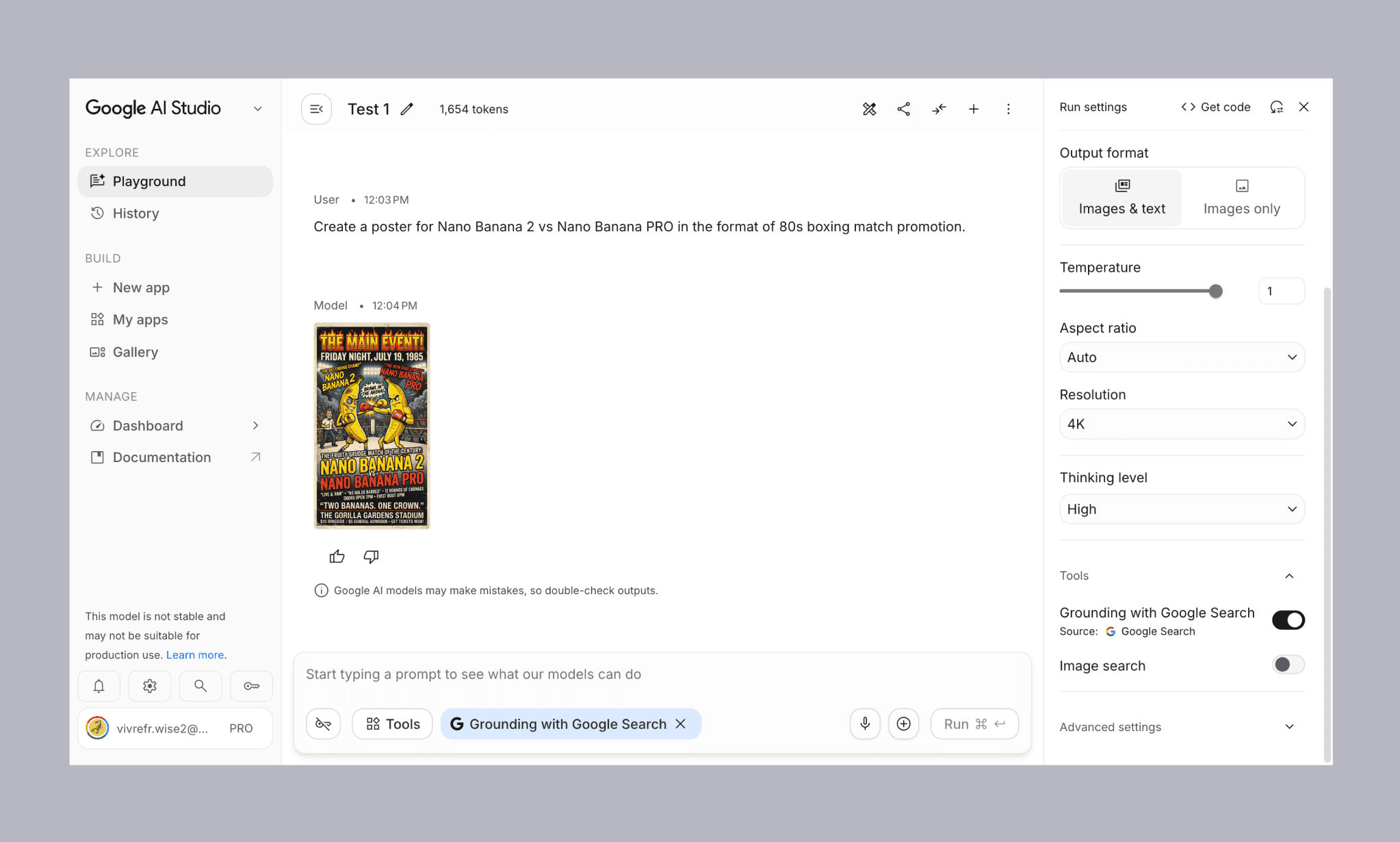
I shall change aspect ratio as required, but be keeping 4k resolution, thinking level high, and grounding turned on for the entirety of this test.
Understanding Flora AI Node-based Canvas >
Creating the hero image
Prompt for generating the first draft
"A pair of smart glasses held up to the camera by a hand, fingers visible on both sides. Shot from the perspective of looking through the lenses onto a busy city street. Background completely blurred out, bright daylight. Through the lenses, the street is in sharp focus — shops, people, everyday city life. Small floating AR tags point out things in the scene, clean modern UI style."
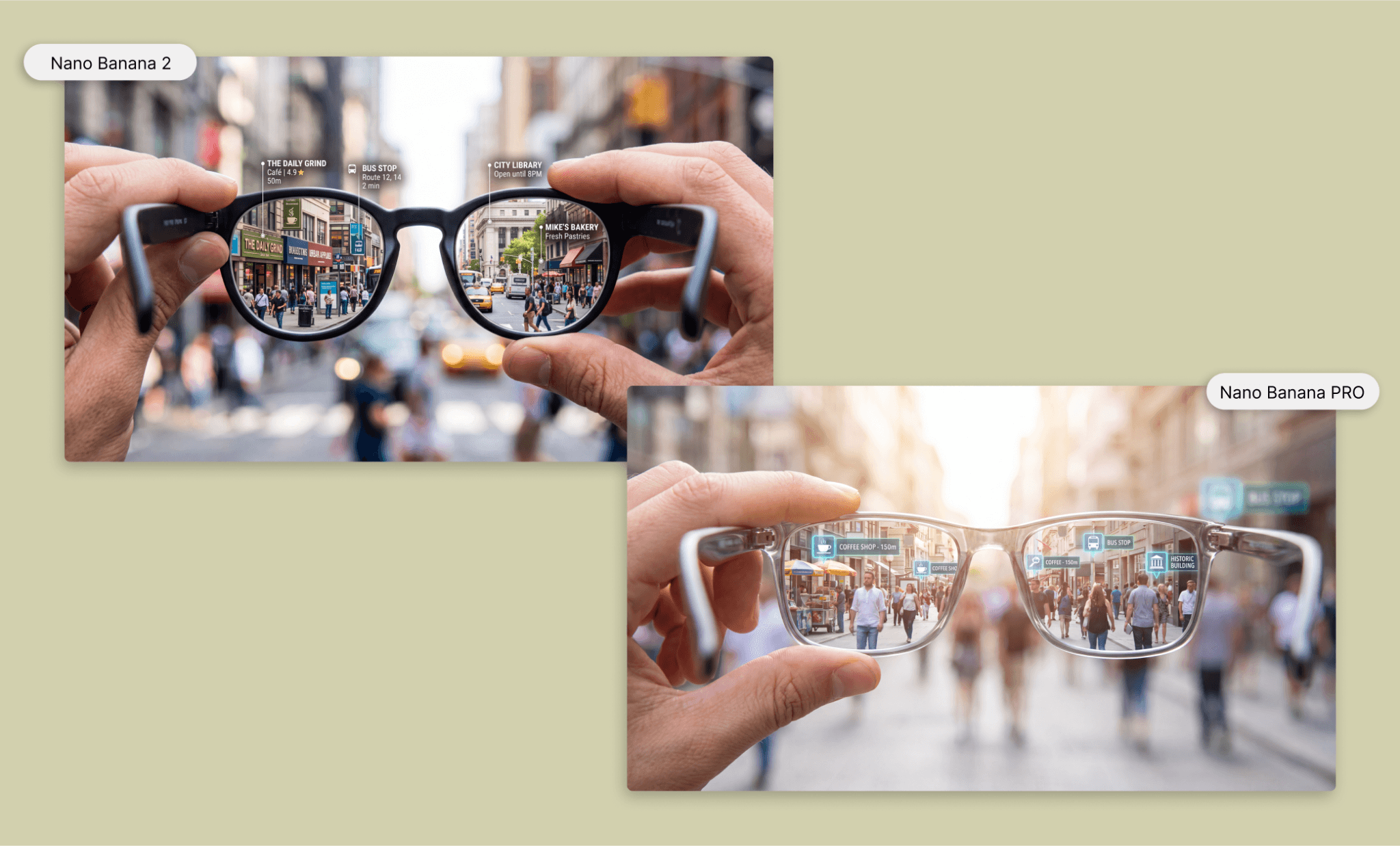
Both results are pleasantly surprising to me. They nailed the brief right for subject and background. Version 2 (short for Nano Banana 2 from now on) has better prompt adherence because it shows ‘...fingers visible on both sides’ and the floating AR tags outside the lens screen. But version PRO (short for Nano Banana PRO from now on) has done a more convincing out-of-focus to in-focus transition.
Both took around ~2 minutes each, but Nano Banana 2 was a bit faster than Nano Banana PRO to show the output; while, the thought process of the former is longer than the latter. An interesting and counterintuitive observation was that: 2 used more tokens but cost less, while Pro used fewer tokens but cost more per token. I’ll track this pattern for other images as well and summarize in the end.
Prompt to edit image for fine-tuning
"Edit this image: change the glasses frame to a brownish-red, semi-transparent, bolder acetate shape (like the image attached), similar to a chunky wayfarer silhouette. Add subtle 'Iyce' branding printed on the inside of the left temple arm. Change the hands to belong to a Black woman, with minimal, sheer reddish-toned nail polish, holding the glasses on both sides. Keep the mix of sharp in-lens focus and shallow blurred background. Add centered text at the bottom, not overlapping the glasses, reading 'See More' as the main line, with a short 10-word subtitle beneath it, and a CTA button below that."

Again, both took around ~2 minutes. In PRO, the Iyce wordmark is spot on, but is on both temples, instead of only the left as asked. And the finger remains on one side. So despite its high quality image, I see it lagging at following minute instructions. Version 2, followed my prompt better. However, I feel in terms of glasses design and typography, it falls behind PRO. And if I have to choose a final hero image, I’ll go with PRO.
Note: Version 2 also failed to generate the image once; had to retry to get the output.
How Reve 2.1 Touch-to-edit Images Work >
Sourcing images for feature list
I want to highlight three features of the Iyce glasses in alternating image-text grid patterns. For that, I ran commands for four different types of images in Nano Banana 2 and Nano Banana PRO – in 1:1 aspect ratio – as following:
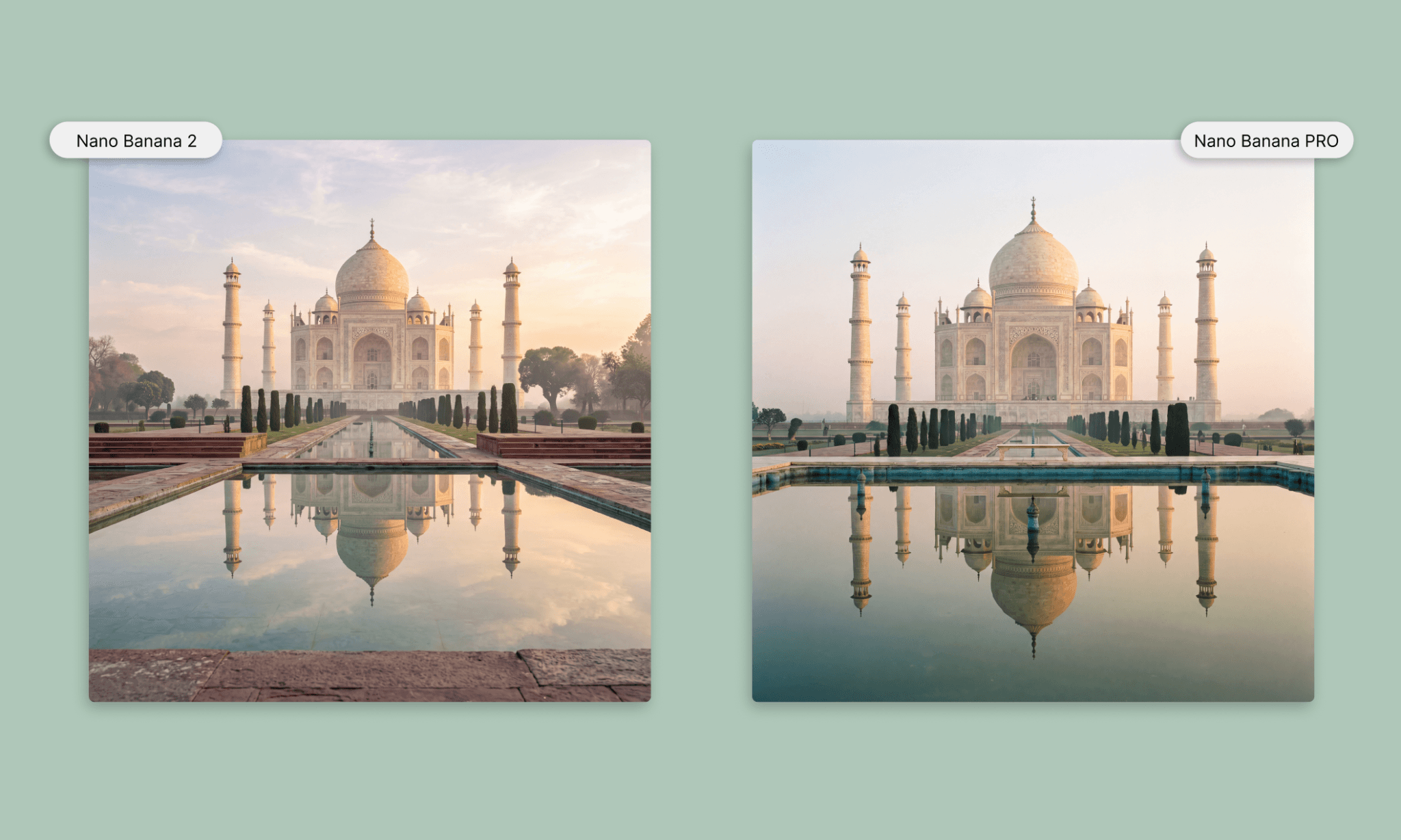
Landmark (grounding test)
"The Taj Mahal photographed at sunrise from the classic frontal angle across the reflecting pool, low camera height near water level, symmetrical composition. Soft golden light, mist in the air, sharp reflection of the dome and minarets in the water."
Festival (composition/crowd test)
"A lively Brazilian Carnival street scene, shot from a slightly elevated three-quarter angle looking down a decorated street. Colorful confetti and streamers in the air, samba dancers in vibrant feathered costumes mid-motion in the foreground, dense crowd extending into the background, festive floats visible further down the street, warm dusk lighting, vibrant and energetic atmosphere."
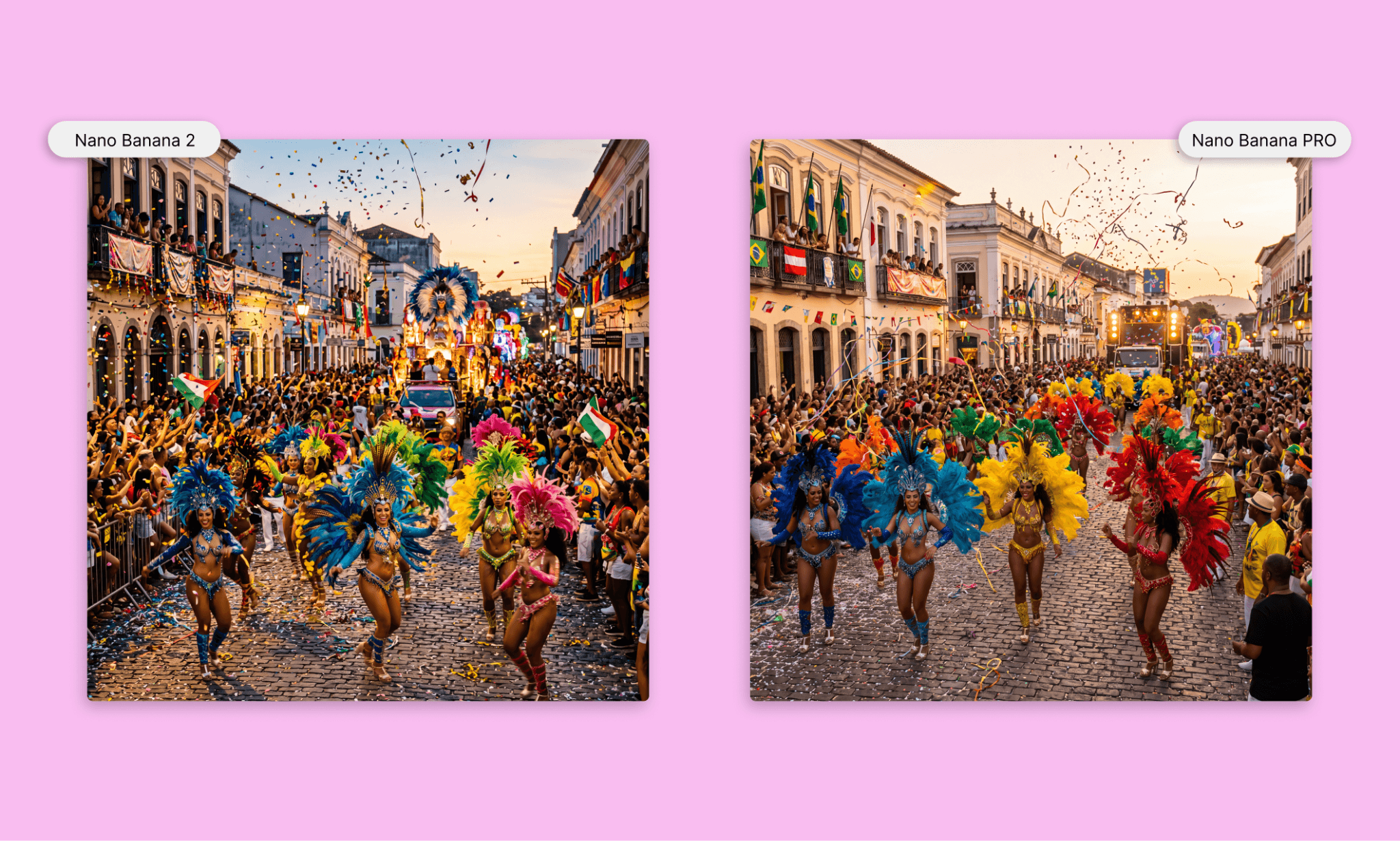
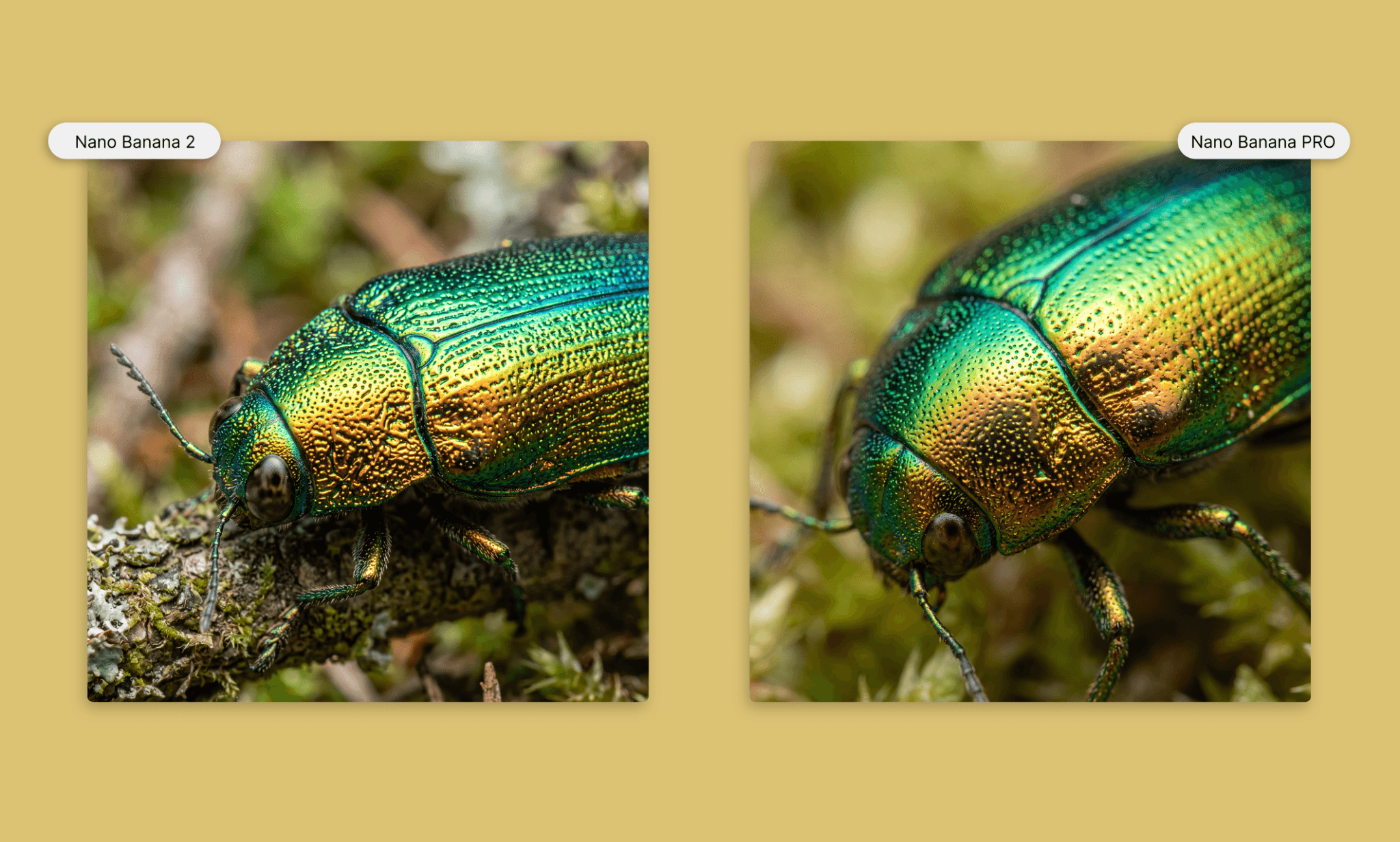
Macro object (close up/detailing test)
"An extreme macro close-up of a jewel beetle, showing the iridescent shift in its exoskeleton. Intricate textured shell detail, natural light reflecting off the surface in shifting greens and golds, razor-sharp focus on the texture, soft blurred background."
A collage of one model in different looks
On the website, I want to present Iyce glasses as a style statement; not an odd wearable. And the catch is to show the same model in various looks viz. testing how good is character consistency in Nano Banana 2 and PRO.
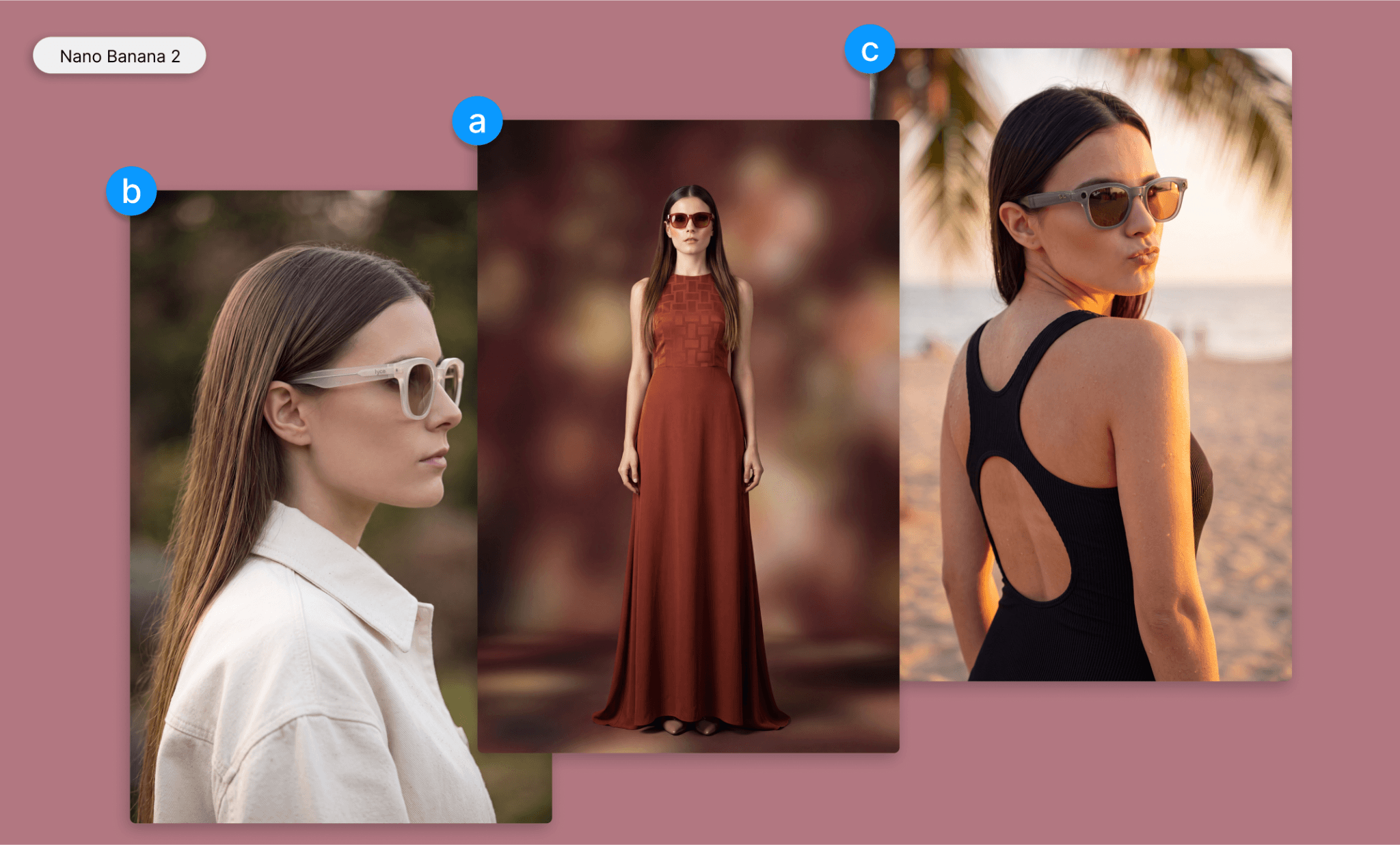
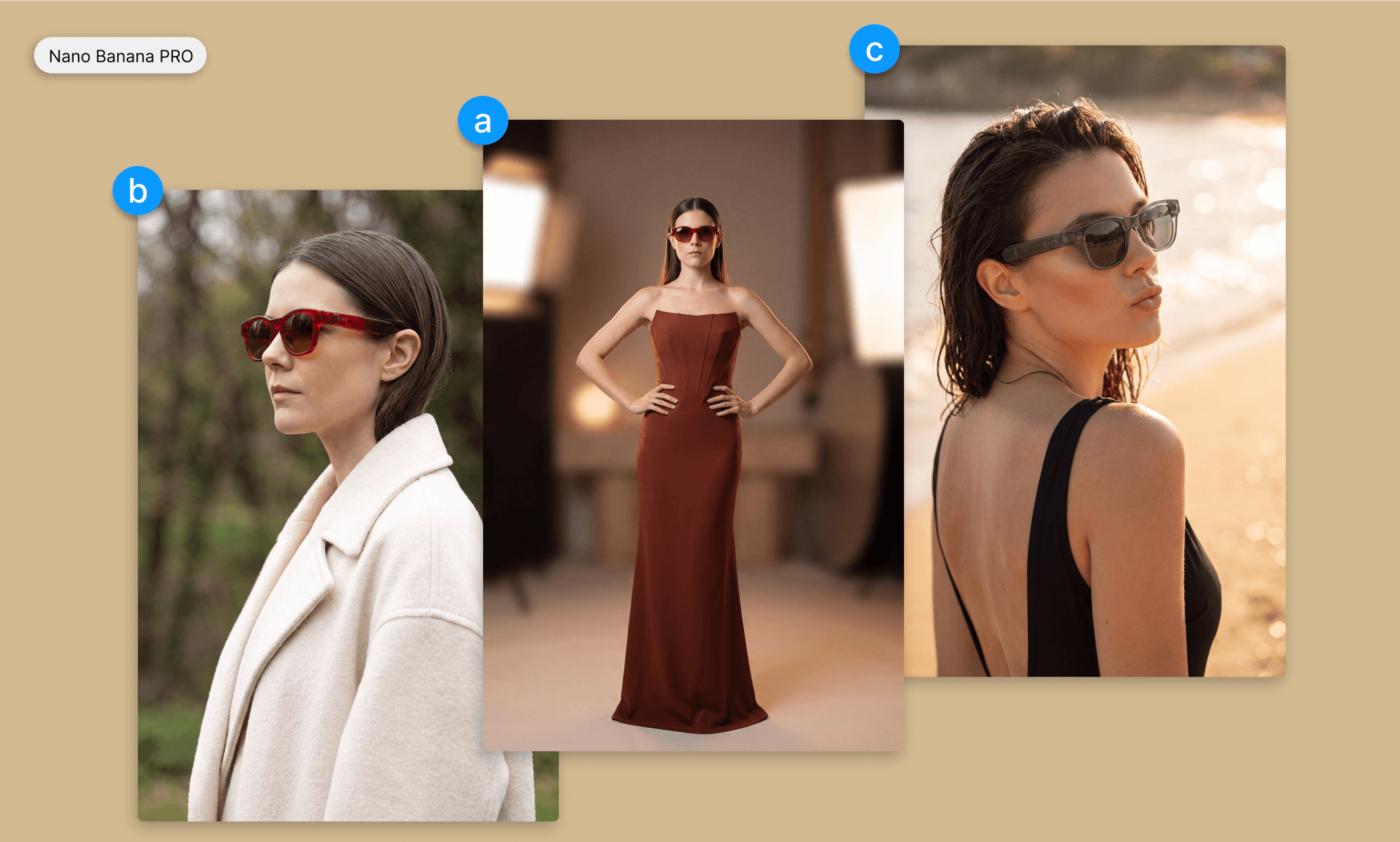
Note: Nano Banana 2 initially rejected a benign fashion prompt (c) twice for "policy violation," though retries succeeded. Pro passed instantly. The former also mislabeled Iyce glasses as "Ray-Ban" despite explicit branding instructions.
CTA banner with product and abstract design
Lastly adding a CTA banner in the end with the product and some copy. This time, instead of being explicit about the background and color, I asked both models to convey a certain mood to test their creativity:
“Create a CTA banner image. The right side features the Iyce smart glasses exactly as shown in the attached reference image, floating at a slight angle with soft studio lighting. The left side is left open and uncluttered for text and a button to be added later. The background is a modern, sleek abstract gradient pattern with overall mood: premium, futuristic, minimal.”

Nano Banana Pro delivered in about 3.5 minutes with a clean gradient. Nano Banana 2 failed twice with internal errors after 6 minutes of thinking each time, before finally producing a genuinely striking geometric-gradient result — but at a real time cost.
Separately, it is worth noting that opening a new chat in AI Studio takes over a minute to load and save, a meaningful workflow drag compared to its competitors e.g. Midjourney, Reve, and Krea AI.
Assembling Nano Banana images into UI
Now that we have all the images from the two Nano Banana models, let's put it together into a UI layout for the Iyce website landing page. I am using Banani AI for it, powered by Gemini 3.1 PRO agent. Much like GenAI tools, I simply upload the reference images (the ones generated so far), describe the page, and that’s it.
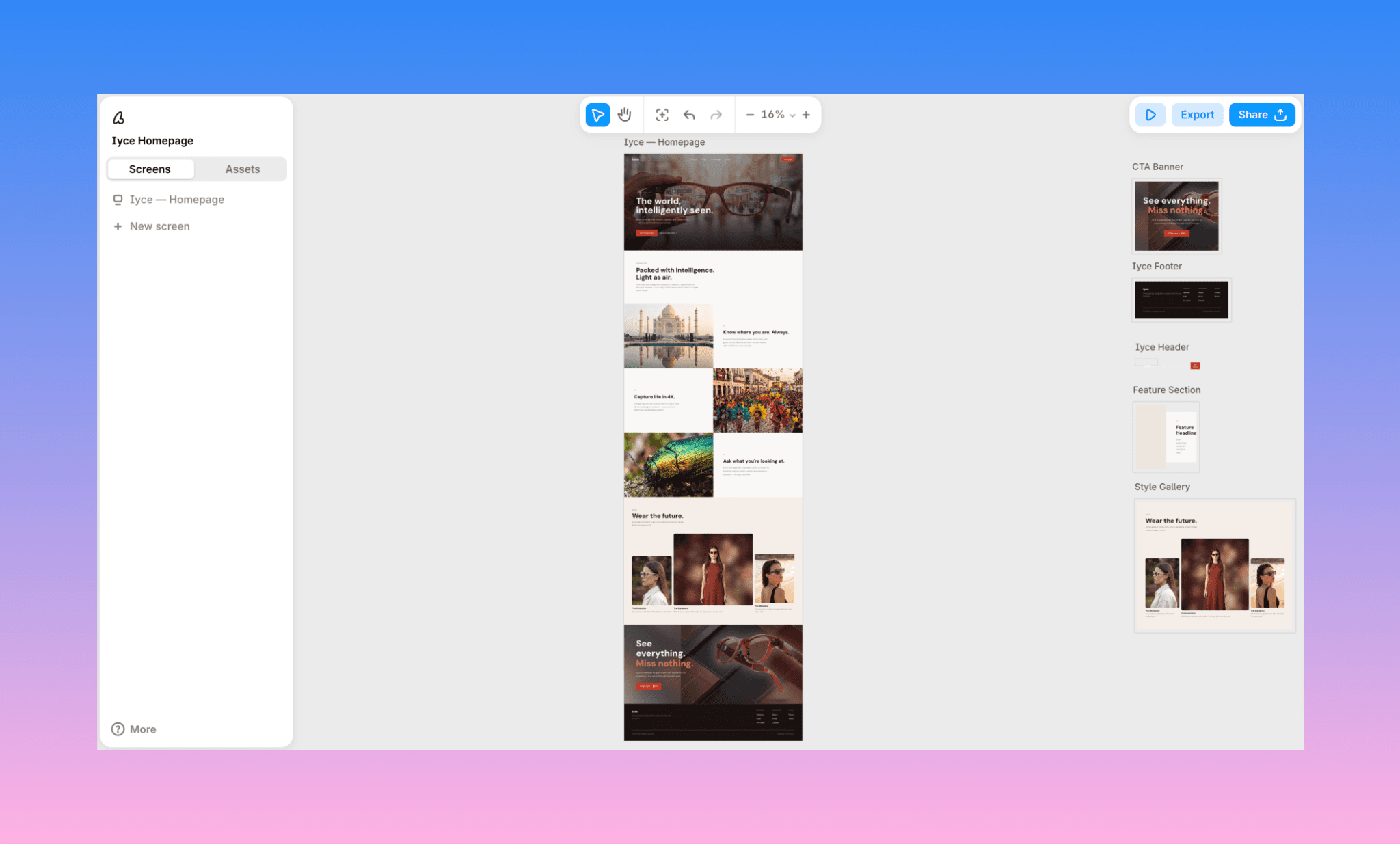
The UI by Banani is editable by AI chat, exportable to Figma and ready for handoff via MCP.
How to Design UI with AI like a Pro >
Which Nano Banana Version is Best?
Based on my experience of using Nano Banana PRO & Nano Banana 2 for the same prompts, I genuinely found each really reliable in general. They live up to the name of Google’s product. It’s a close call, so my nuance point is to:
Choose Nano Banana 2 for fast iteration where you're willing to double-check outputs. It tends follows granular instructions more literally and costs less per image, but watch for context bleed across a long chat and occasional brand-name substitution.
Choose Nano Banana Pro for polished, client-ready visuals in fewer attempts. It's more strong on consistency and overall image cohesion, but it takes creative liberties with fine details and costs more per generation.
That said, across six tests, the strangest pattern had nothing to do with image quality: Nano Banana 2 used more output tokens yet cost less per image, while Pro cost more despite thinking less.
Comparing Magnific (Freepik AI) Image Models >
Which AI is better than Nano Banana?
Better is often subjective and so is the case for AIs better than Nano Banana too. It depends on what you're optimizing for. So instead of a spec-sheet ranking, I took the comparison with Nano Banan further: ran the same Iyce hero image prompt through Midjourney, GPT Image 2, and Imagen, using the same glasses reference image, to see where each pulls ahead of Nano Banana on its own turf.
Midjourney vs Nano Banana
Midjourney is a Discord-born image generator, now primarily used via Midjourney.com, known for unmatched aesthetic range and mood. It's a favorite among designers and artists for tools like Style Reference and Omni Reference for visual consistency.
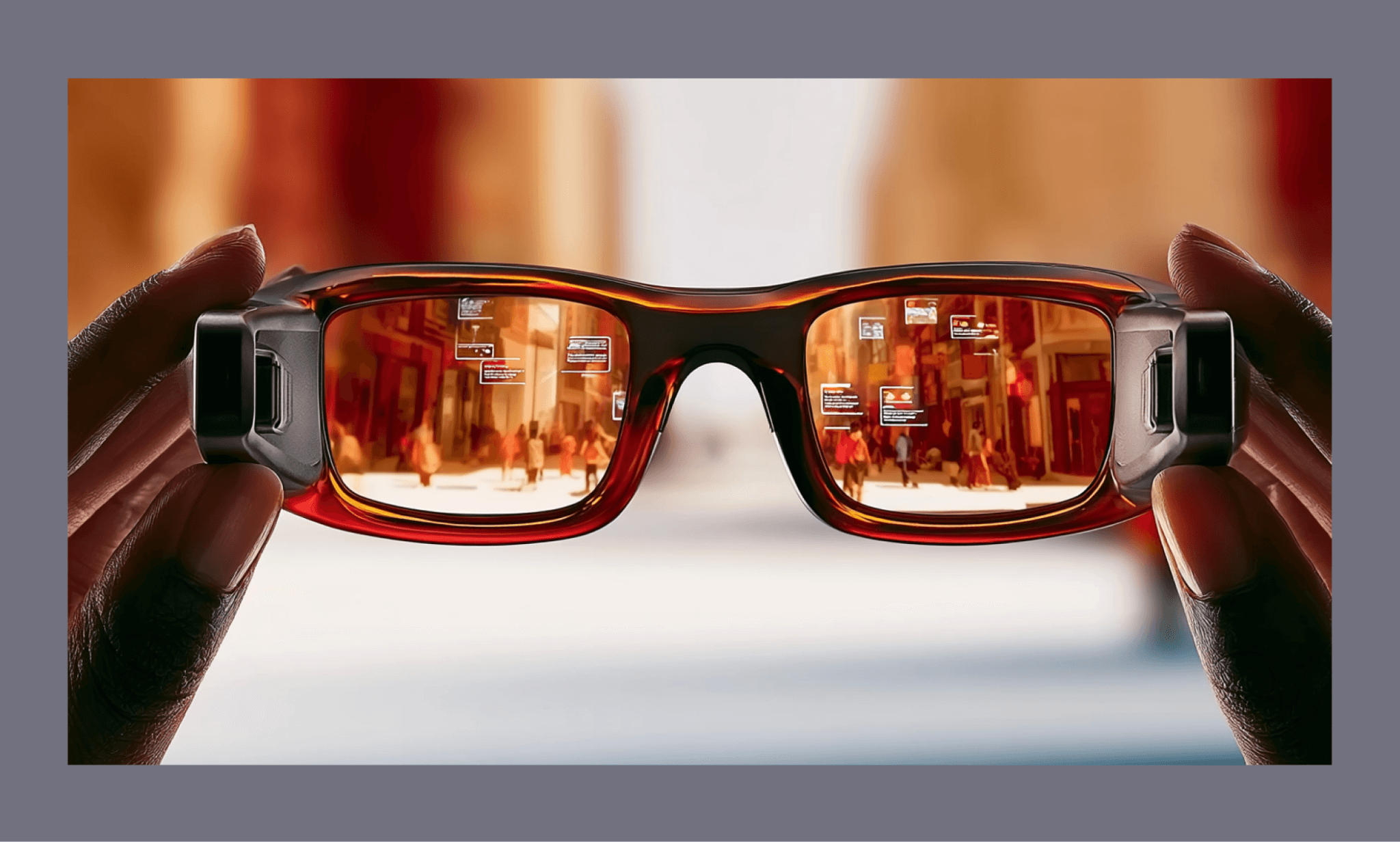
Choose Midjourney over Nano Banana for stronger artistic range and mood across styles and genres.
See how Midjourney Image Models Compare >
GPT Image 2 vs Nano Banana
GPT Image 2 is OpenAI's latest image model, natively built into ChatGPT with reasoning that plans and self-checks before rendering. It’s prized for near-perfect multilingual text rendering and precise instruction-following.
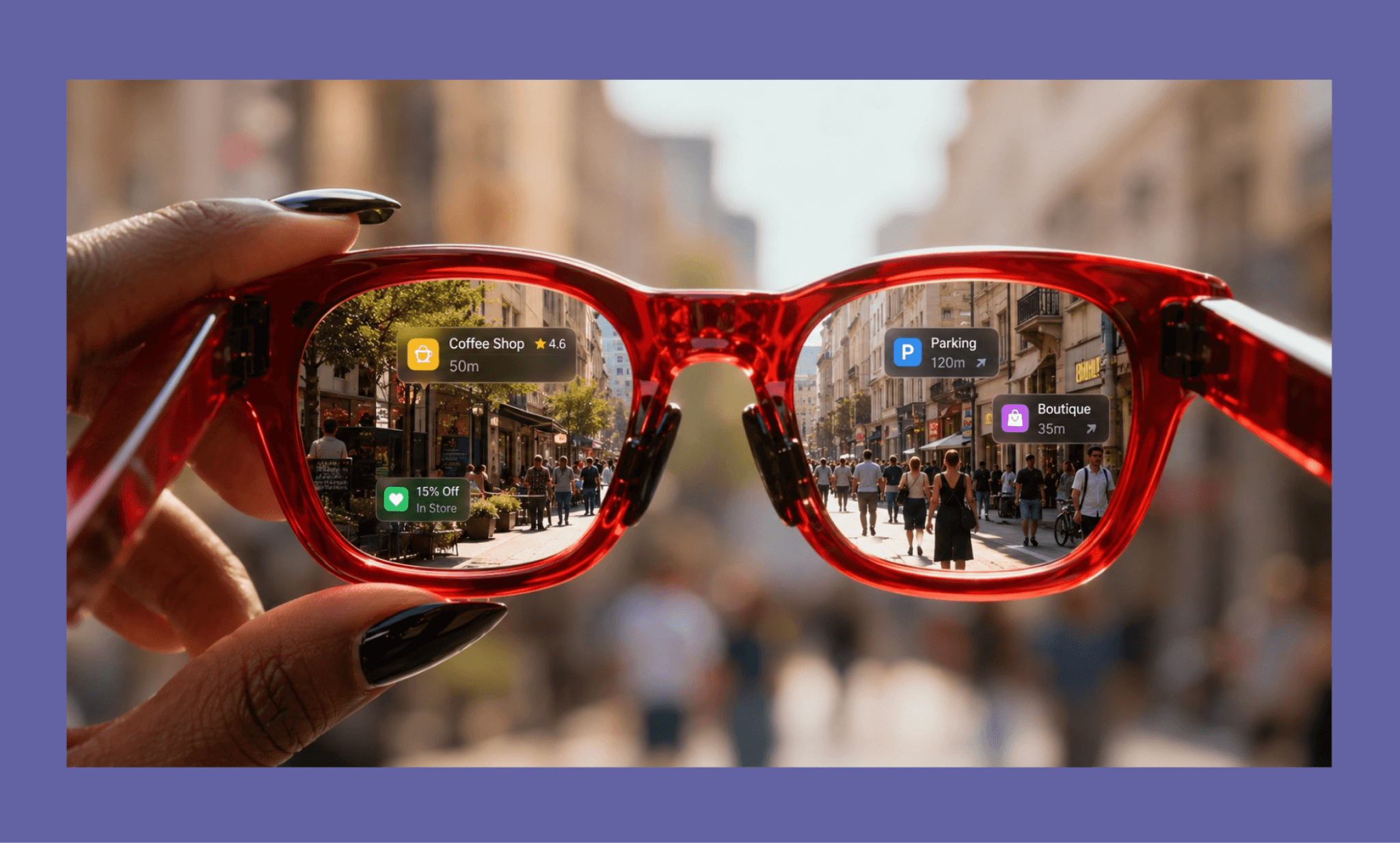
Choose GPT Image 2 over Nano Banana for a more reliable text accuracy and stricter instruction-following.
How Good is GPT 5.6 at UI Design >
Imagen vs Nano Banana
Imagen 4 is Google’s other image model specifically designed for photorealism. It's built for fine-detail rendering — fabrics, water droplets, natural textures — and is popular for high-fidelity product and landscape photography at up to 2K resolution.
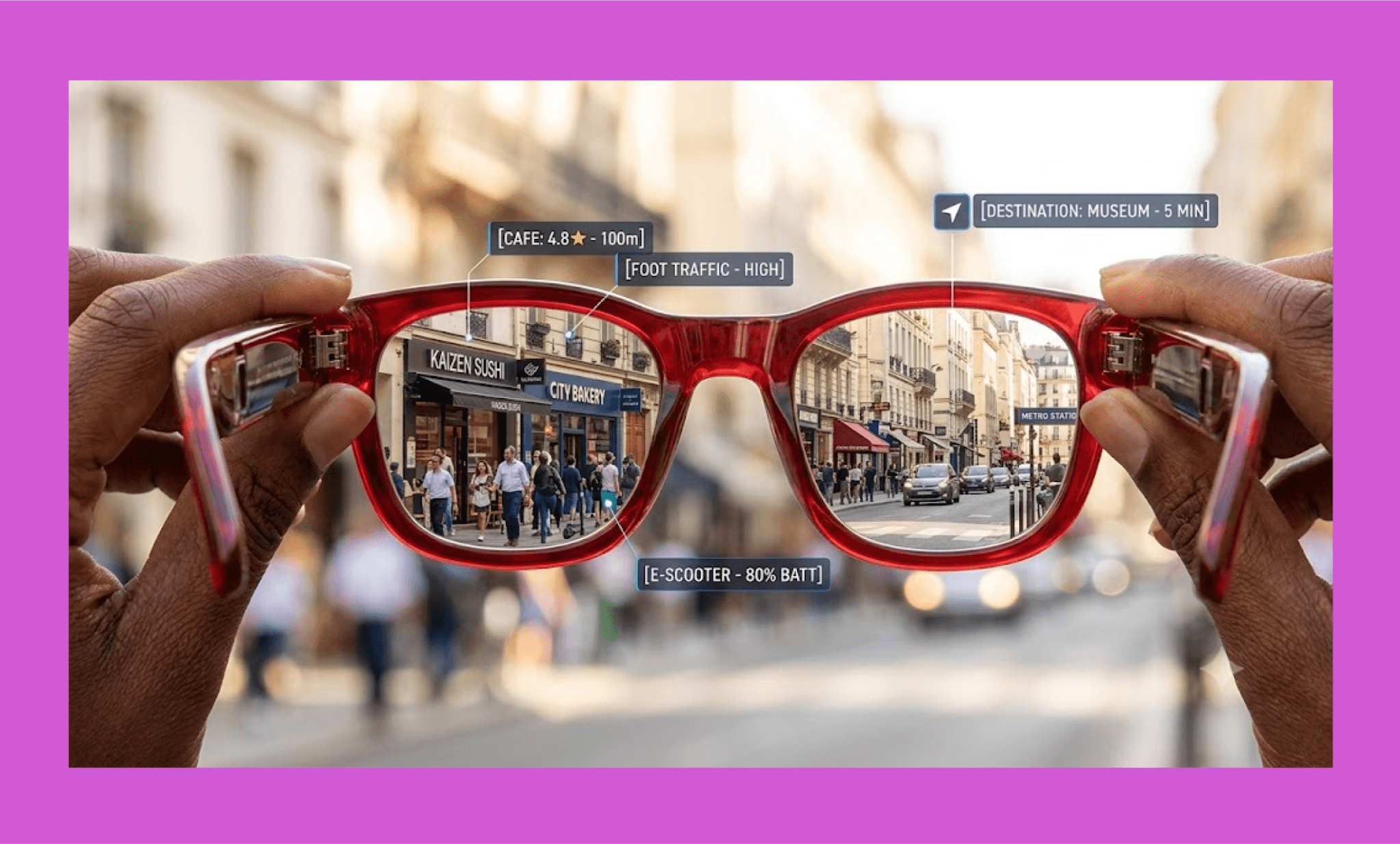
Choose Imagen over Nano Banana for a sharper photorealistic texture and fine surface detail.
If you're in a product team using image GenAI for UI assets – whether Nano Banana or otherwise – bring them together with a dedicated AI UI generator like Banani. Just upload your visuals, describe the page, and get an editable, Figma-exportable layout ready for handoff.
FAQs on Nano Banana Image Generator
Is Nano Banana Gemini?
Yes. "Nano Banana" is the nickname for Google's image generation models inside Gemini: the original is Gemini 2.5 Flash Image, Nano Banana 2 is Gemini 3.1 Flash Image, and Nano Banana Pro is Gemini 3 Pro Image.
Why is it called Nano Banana?
Nano Banana got its name from DeepMind Product Manager Naina Raisinghani. She combined her personal nicknames: "Naina Banana" and "Nano" (for her height and love of computers) while submitting the model anonymously for an AI leaderboard (LMArena).
Is the Nano Banana app safe?
The official Nano Banana is as safe as any of the Google products. However, several unrelated copycat apps and websites use the same name; those aren't affiliated with Google and their safety can't be vouched for.
How do I use Nano Banana Pro?
You can access Nano Banana Pro through the Gemini app, Google AI Studio, the Gemini API, or Vertex AI for enterprise use.
Which AI is better than Nano Banana?
It depends on the use case. Midjourney offers stronger aesthetic range, GPT Image 2 has more reliable text rendering, and Imagen is Google's other photorealism-focused model. For iterative, node-based creative workflows, Figma Weave and Flora AI are also worth considering.
How to assemble Nano Banana images into UI?
Once you've generated your image assets, use an AI UI generator like Banani to arrange them into a complete, polished webpage fast.


