

En bref : Revue de Galileo AI pour UI 2026
Caractéristiques principales | Génération de texte à UI, croquis à design, export Figma |
Note | Product Hunt : 4.9 / 5 | G2 : 3/5 |
Avantages | Génération rapide d'UI, convivial pour les débutants, transfert de code propre. |
Inconvénients | Designs publics dans le plan Starter, et problèmes de précision du layout |
Meilleur pour | Fondateurs et non-designers cherchant un outil rapide de prototype UI |
Tarification | Gratuit : 10 générations | Starter : 19 $/mois | Pro : 39 $/mois (tarifs hérités) |
Alternatives |
Qu'est-ce que Galileo AI?
Galileo AI est un outil de design AI UI qui transforme des prompts écrits et des croquis sommaires en wireframes haute fidélité et éditables pour applications web ou mobiles. Il vise à accélérer le design de produit en phase initiale et à simplifier le transfert au développeur grâce à des exportations rapides en code et Figma.
Galileo AI est maintenant Google Stitch
À la mi-2025, Galileo AI a été acquis par Google et relancé sous le nom de Google Stitch, un créateur d'applications AI propulsé par Gemini. Stitch étend les capacités de génération de texte à UI de Galileo AI, générations de designs Figma, et code HTML/Tailwind prêt pour la production à partir de prompts simples.
Fonctionnalités de Conception de Galileo AI UI
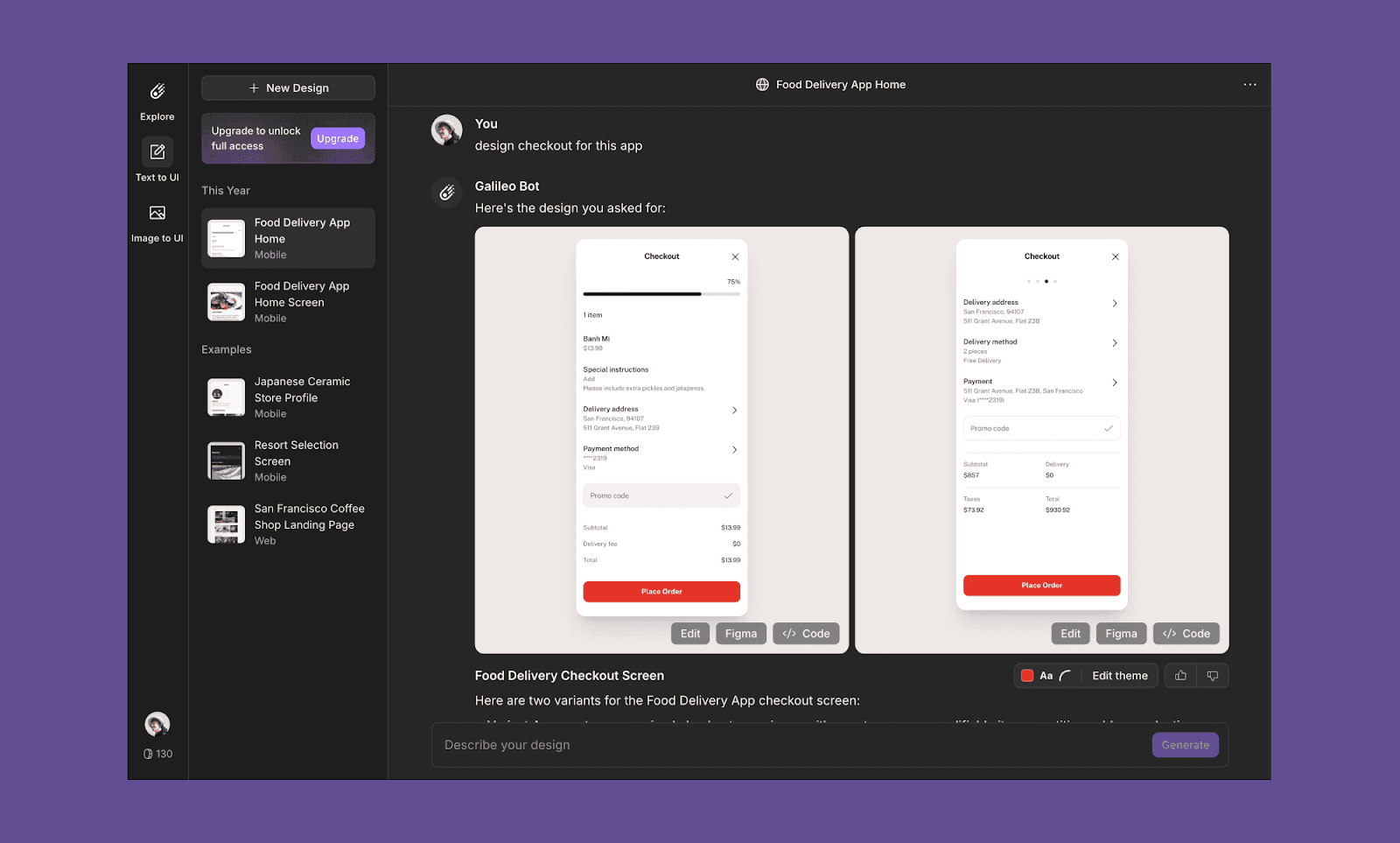
Conception de texte à UI
Générez et modifiez des designs UI simplement en les décrivant sous forme de texte. Le prompt peut contenir une explication détaillée de l'écran, comme un PRD, ou être quelque chose de simple décrivant les besoins de l'utilisateur.
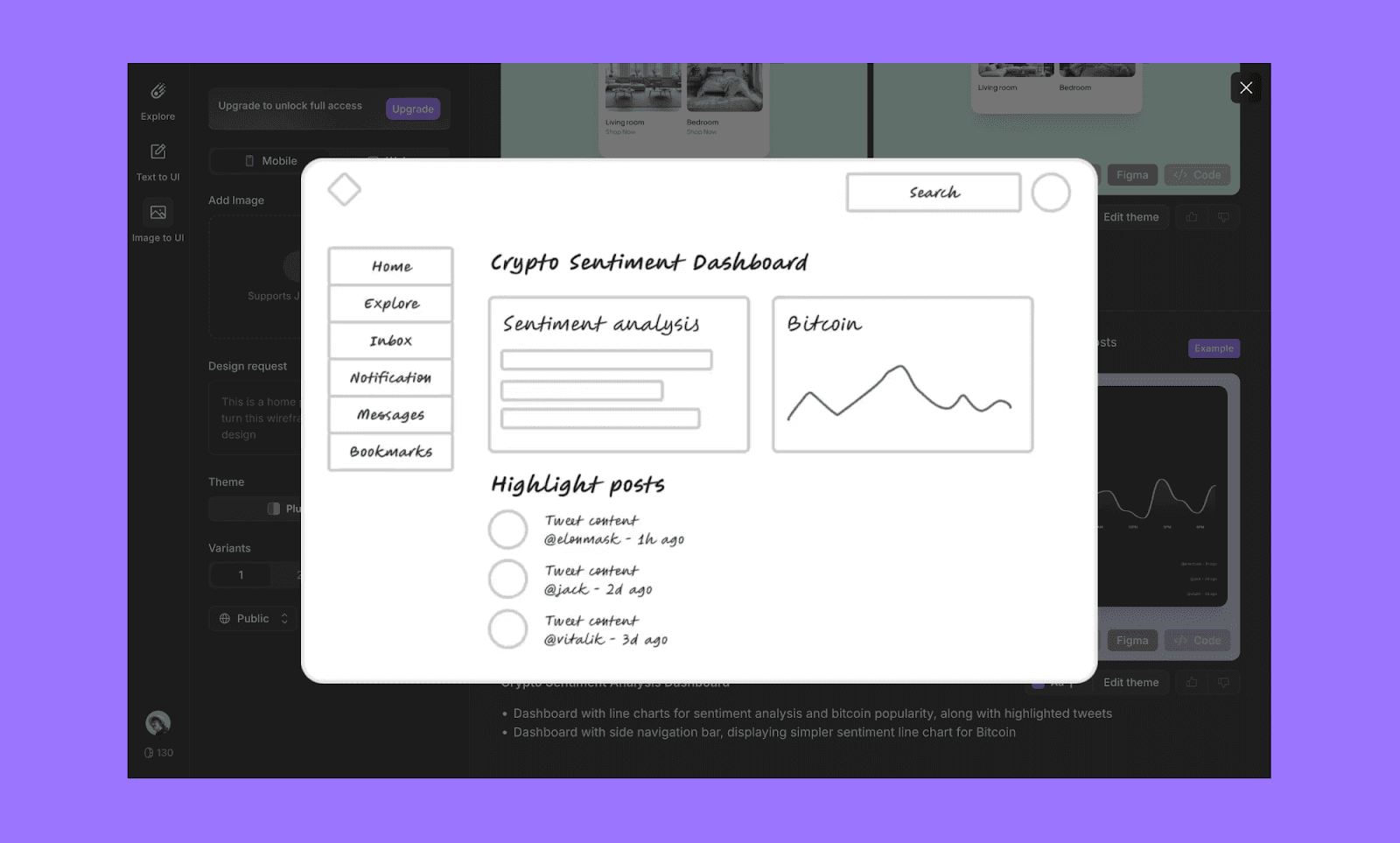
Croquis à design
Galileo prend aussi en charge les prompts d'image, vous permettant de télécharger des images de wireframes ou croquis pour les convertir en designs haute fidélité.
Édition de style
Vous contrôlez le style visuel de base de l'écran généré. Galileo vous permet de changer les polices, couleurs d'accentuation, et le rayon des bordures.
Export Figma
Directement exportez des écrans UI dans Figma. Cela permet aux designers d'affiner les layouts, d'ajuster les paramètres de mise en page automatique, et de maintenir la cohérence du système de design.
Export de code
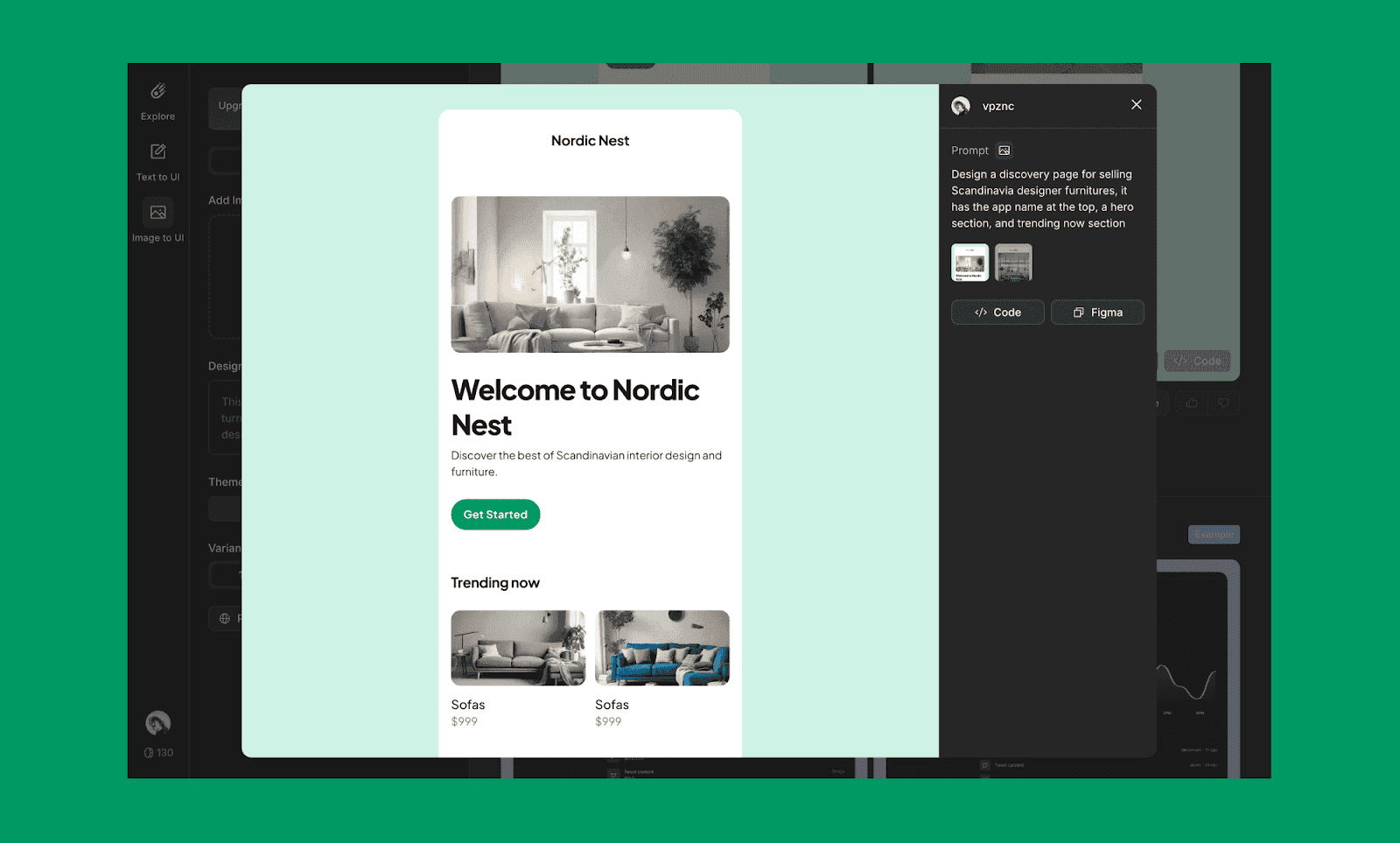
L'outil Galileo AI UI sert aussi d'outil de design vers code, permettant un transfert transparent au développeur. Vous pouvez également ouvrir le design en tant que code dans Replit ou d'autres agents de codage AI.
Cas d'utilisation de Galileo AI
Petites équipes et startups
L'interface conviviale de Galileo AI le rend idéal pour les petites équipes cherchant à développer des prototypes UI rapidement sans équipe de design dédiée.
Pour les non-designers
C'est accessible aux non-designers comme les chefs de produit et les marketeurs qui peuvent avoir besoin de créer des maquettes visuelles pour des pitches ou présentations.
Pour les designers professionnels
Les designers expérimentés peuvent l'utiliser pour être plus rapides et explorer plus de concepts dans un court laps de temps. Les fonctionnalités d'export de design vers code le rendent bien adapté pour les grands projets et les livrables destinés aux clients.
Tarification de Galileo AI
Gratuit
10 générations de designs par mois
Designs d'applications web et mobiles
Tous les designs sont publics
Starter : 19 $/mois
120 générations de designs par mois
Exports de code illimités
Exports Figma illimités
Pro : 39 $/mois
300 générations de designs par mois
Mode privé
Entreprise : Tarif personnalisé
Générations illimitées
Confidentialité avancée des données
Support prioritaire
*Note : Google Stitch est gratuit dans sa version bêta début 2026. En savoir plus sur la tarification de Google Stitch.
Avantages et Inconvénients de Galileo AI
Avantages
Interface conviviale et courbe d'apprentissage rapide.
La génération de design basée sur de prompts est adaptée tant aux débutants qu'aux designers expérimentés.
Exportation de code simple
Inconvénients
Nombre très limité de générations dans une version gratuite
Tous les designs peuvent être vus par d'autres, même dans le plan payant starter
Toujours en évolution en termes de précision AI pour les mises en page complexes.
Alternatives Gratuites à Galileo AI en 2026
Banani
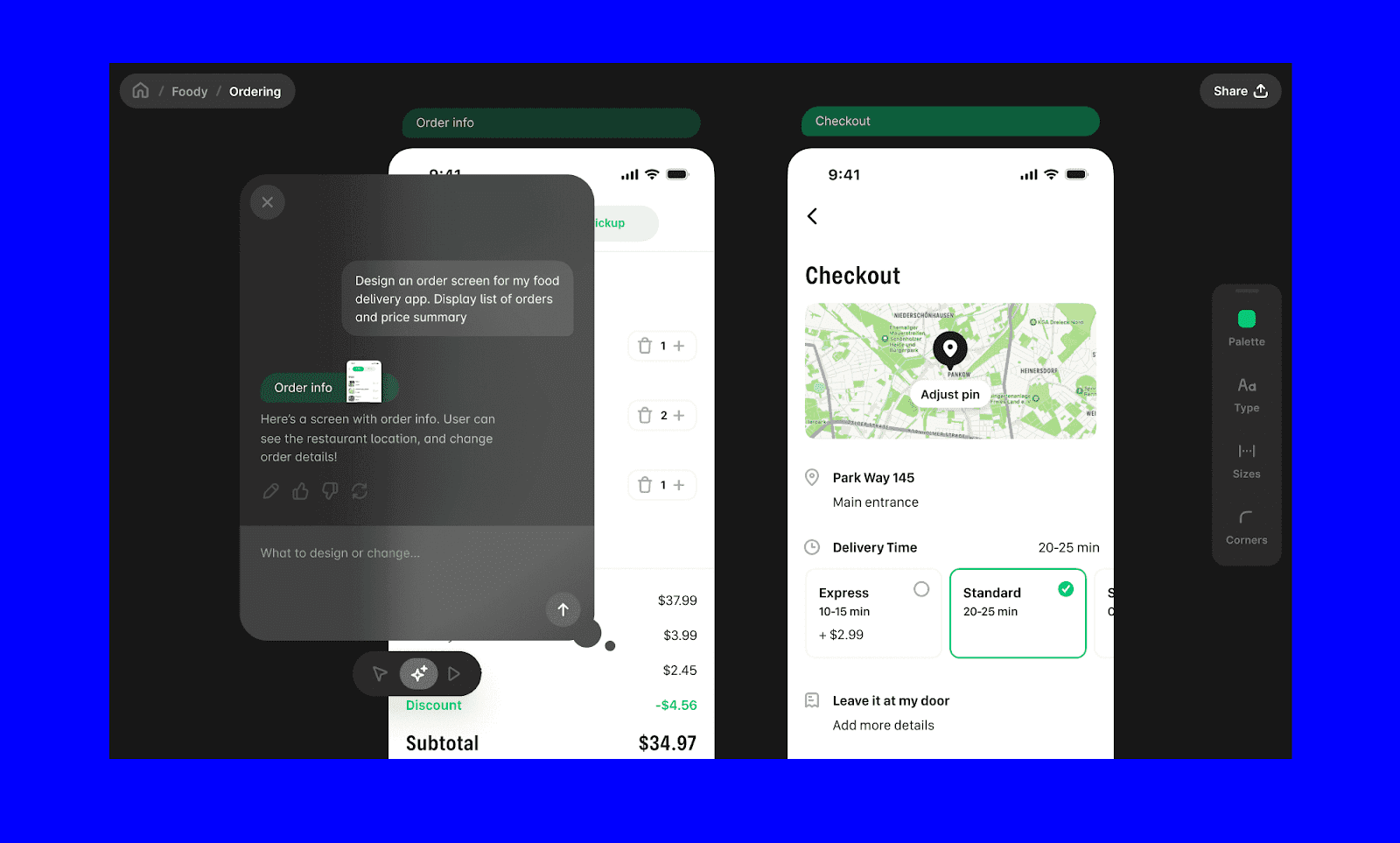
Banani offre une génération de design basée sur des prompts similaire, et pas de publication publique de vos designs. Ses fonctionnalités uniques incluent la génération multi-écrans, les variantes de design, les éditions d'UI à clic, l'export Figma, et le serveur MCP.
Banani AI propose jusqu'à 20 générations d'écrans gratuites par mois. Son plan payant commence à 12 $/mois, offrant 100 générations d'écrans. Pour 30 $/mois, vous obtenez des fonctionnalités Pro avec des générations d'écrans illimitées. (Tous les prix sont pour facturation annuelle.)
Essayez gratuitement Banani AI >
Uizard
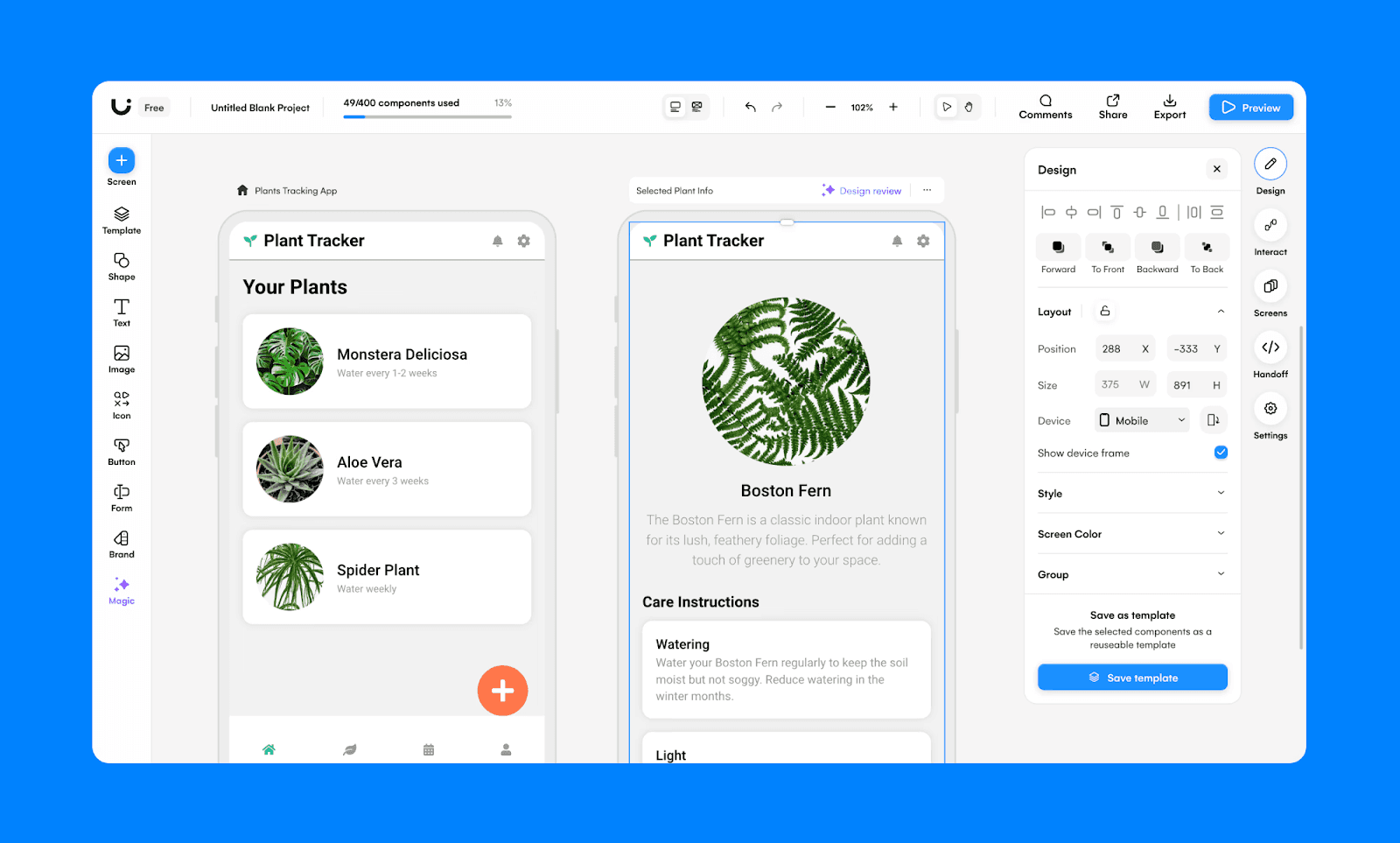
Uizard est un créateur UI AI avec une fonctionnalité exclusive appelée Autodesigner. Similaire à Galileo AI, vous pouvez convertir des croquis et des prompts textuels en designs UI. Cependant, étant donné qu'Uizard est un éditeur, il a une interface plus complexe qui nécessite plus de temps d'investissement de votre part pour prendre en main.
L'option gratuite d'Uizard offre 2 projets et 3 générations AI par mois. Son plan payant commence à 12 $/mois/place, offrant 500 générations AI par mois.
Lovable
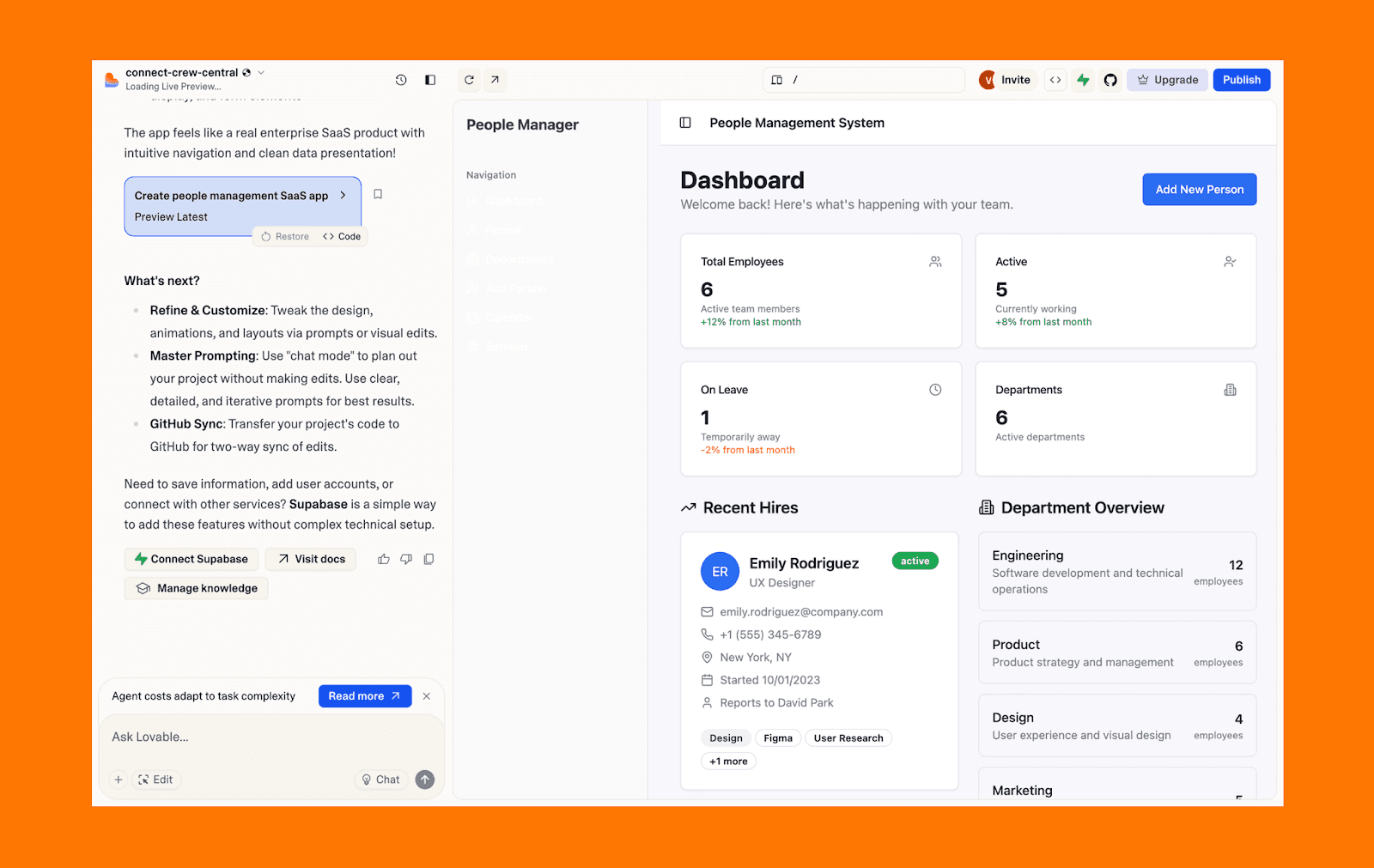
Lovable est un constructeur d'applications AI full-stack qui génère un code source réel et éditable à partir de prompts textuels. C'est un cran au-dessus de l'approche centrée sur l'UI de Galileo AI, car il peut gérer tout le cycle de vie de l'application : du design d'UI au développement et déploiement.
Le niveau gratuit de Lovable comprend 5 domaines lovable.app et 5 crédits quotidiens (jusqu'à 30/mois). Son plan Pro commence à 25 $/mois, offrant 100 crédits mensuels et des domaines lovable.app illimités.
Verdict : Galileo AI en vaut-il la peine ?
Galileo AI a prouvé que la génération de texte à UI pouvait accélérer considérablement le design de produit en phase initiale. Depuis son acquisition par Google et sa transition vers Stitch, ses capacités essentielles continuent dans un écosystème Gemini plus puissant. Cependant, son plan gratuit d'origine était limité.
Si vous explorez des alternatives à Galileo AI en 2026, des outils comme Banani offrent un point de départ pratique pour le design UI basé sur des prompts.
Créez un UI gratuit à partir d'un prompt sur Banani >
FAQs sur Galileo AI pour le Design UI
Galileo AI est-il gratuit ou payant ?
Galileo AI proposait auparavant un niveau gratuit limité (10 générations) et des plans payants à partir de 19 $/mois. Sous la tarification Google Stitch, début 2026, c'est totalement gratuit en bêta avec certaines limites de génération.
Google a-t-il acheté Galileo AI ?
Oui. Google a acquis Galileo AI à la mi-2025 pour intégrer sa technologie de design génératif dans la plateforme Google Stitch alimentée par Gemini.
Puis-je encore utiliser Galileo AI ?
Non. Galileo AI a été entièrement intégré à Google Stitch et ne fonctionne plus comme un produit autonome.
Les anciens utilisateurs de Galileo AI peuvent-ils importer des données dans Google Stitch ?
Oui. Les anciens utilisateurs de Galileo AI peuvent télécharger leur historique de conversation via la page de paramètres de Stitch pour accéder aux anciens chats. Cependant, les conversations importées sont uniquement consultables et ne peuvent pas être continuées dans Stitch.
Qui est le PDG de Galileo AI ?
Galileo AI a été cofondé par Arnaud Shen et Helen Zhou. Après l'acquisition, l'équipe dirigeante a rejoint Google pour continuer à développer Stitch et d'autres produits Google.
Quelle est la meilleure alternative gratuite à Galileo AI pour le design UI ?
Si vous avez besoin de génération UI basée sur des prompts avec un niveau gratuit généreux, des outils comme Banani sont d'excellentes alternatives gratuites à Galileo AI.


