
Fonctionnalités | Canevas infini basé sur des nœuds, plus de 50 modèles d'IA, agent FAUNA, génération par lots, collaboration en temps réel |
Avantages | Photographie de produit haute qualité, génération multi-modèle via un seul prompt, flux de travail basés sur des références réutilisables |
Inconvénients | Courbe d'apprentissage abrupte, coûts variables, génération d'UI perfectible, nombreuses itérations requises |
Tarifs | Gratuit (17 générations). Payant à partir de 18 $ - 200 $/utilisateur/mois |
Alternatives | Banani, Weavy (Figma Weave), Krea, Higgsfield, Freepik (Magnific) |
C'est quoi Flora AI & l'agent Fauna ?
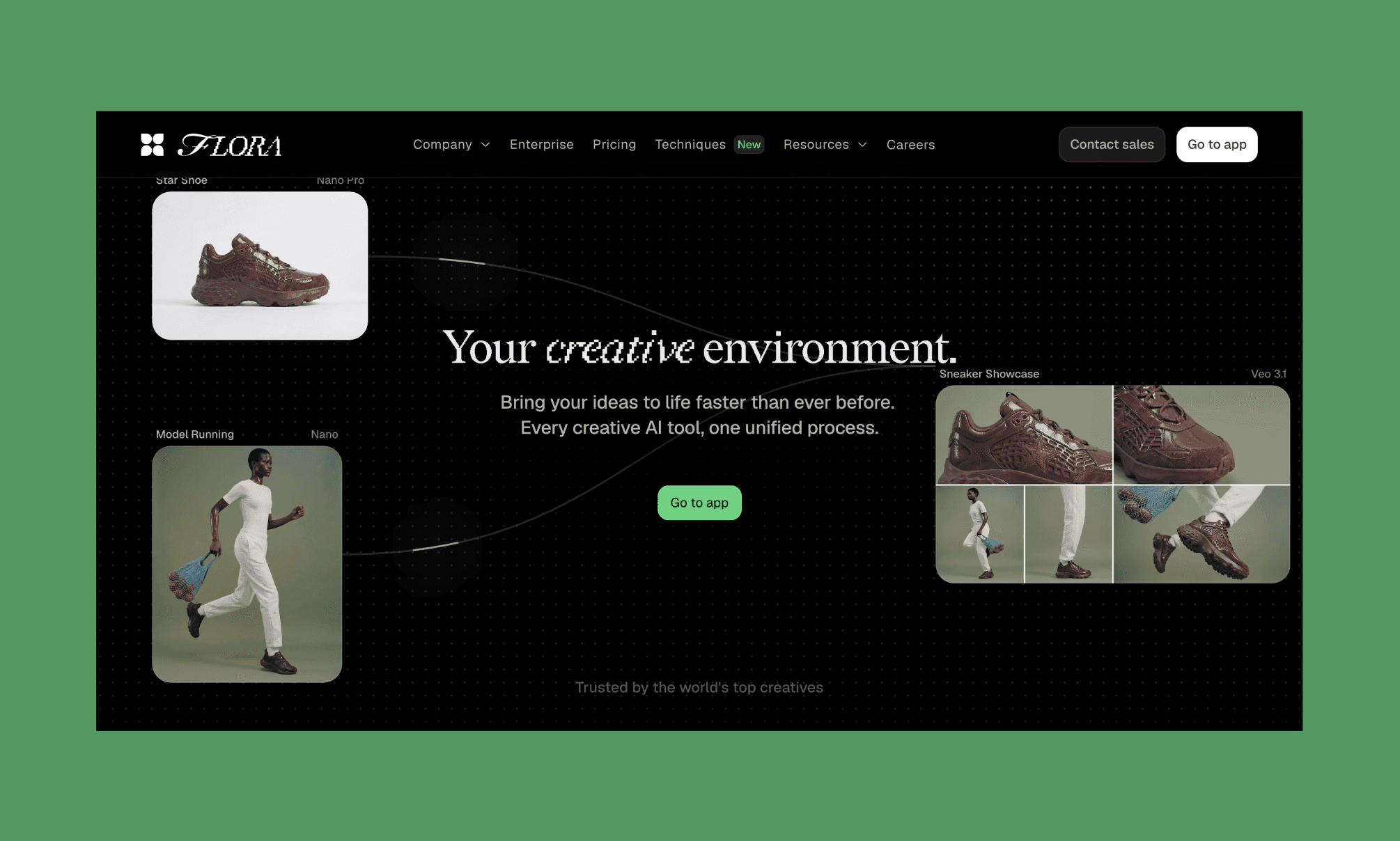
Flora AI[1] est une suite créative générative sur navigateur construite sur un canevas infini. Elle regroupe plus de 50 modèles d'IA (texte, image, vidéo, audio) dans un environnement de travail unique basé sur des nœuds. Fauna est son agent de design IA intégré qui vous permet de diriger, d'itérer et d'enchaîner les créations de manière conversationnelle.
Flora a été fondée par Weber Wong en 2024 (sous le nom de FloraFauna AI). Depuis, le projet a bien évolué, mais leur mission reste la même : résoudre le problème des outils créatifs d'IA conçus par des non-créatifs, pour des non-créatifs[2].
L'évolution de Freepik vers Magnific AI >
Utiliser le générateur d'images de Flora AI
Pour évaluer les capacités de génération d'images de Flora AI (et de Fauna) pour les équipes produit, je vais créer les assets visuels et l'UI de la landing page d'un e-shop de poterie haut de gamme. Mais attention : Flora AI n'est pas un outil de GenAI classique avec un simple champ de prompt. Non, c'est une véritable suite de design IA, et cela saute aux yeux dès qu'on découvre sa grille infinie.
Mon retour d'expérience sur la génération d'images de Freepik AI >
Comprendre le canevas infini de Flora
Dès votre inscription ou connexion sur Flora AI (gratuite pour commencer), un canevas vierge s'affiche avec la mention : « Double-cliquez n'importe où pour créer un nœud ou utilisez ⌘+/ pour FAUNA ».
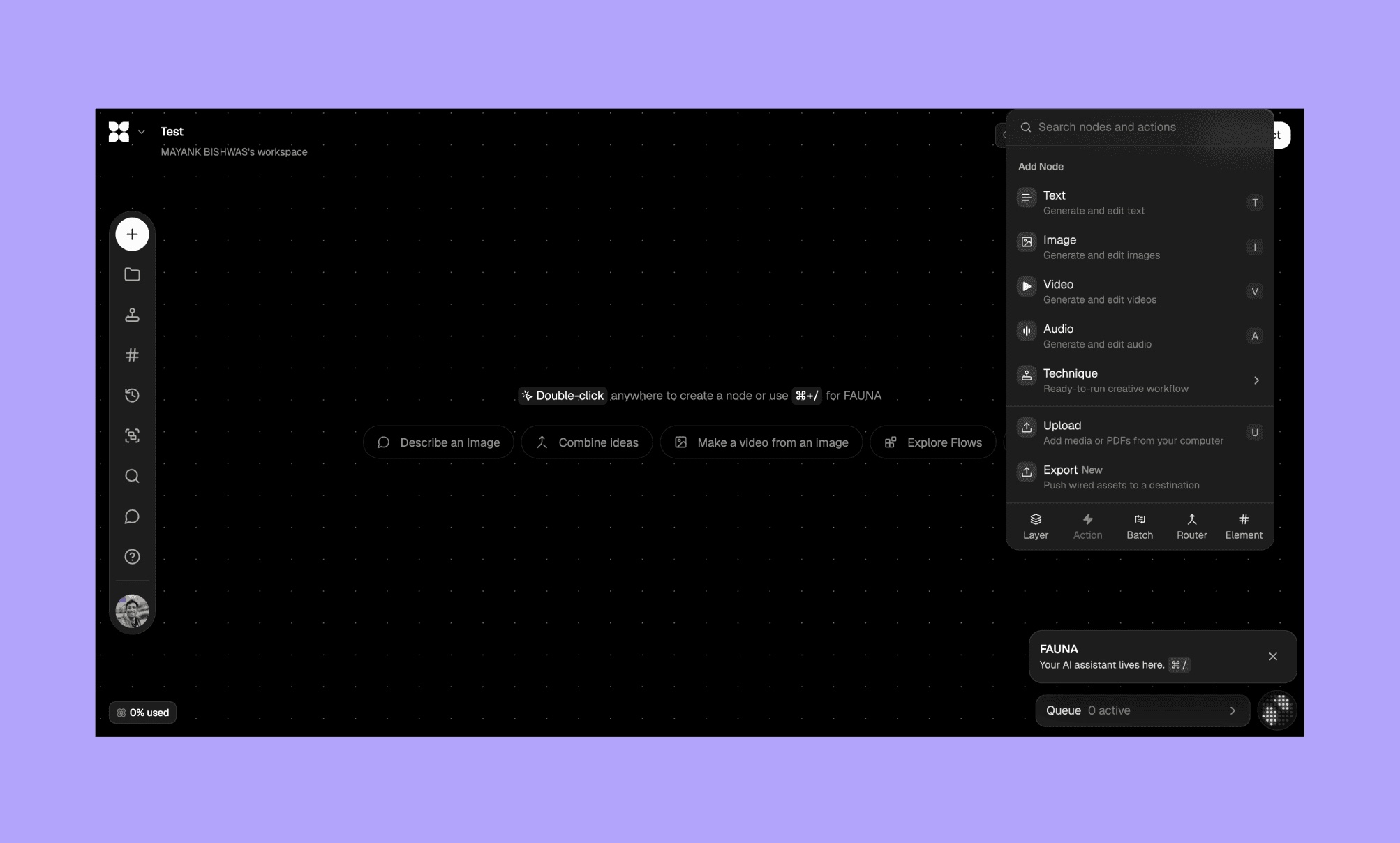
*Remarque : Sur la capture d'écran ci-dessus, j'ai double-cliqué pour afficher les options de nœud.
Je commence par ajouter un nœud d'image pour créer le visuel principal (hero header) de ma page :
“Flat lay product photography. Artfully arranged collection of ceramic pottery on neutral beige linen. Includes: handmade terracotta bowls in warm orange-brown, white glazed ceramic vessels, soft blue matte mugs, cream textured vases. Studio lighting with soft shadows.
Professional e-commerce aesthetic. Minimal background. Sharp focus on products.”
J'ai choisi le mode « Auto » pour le modèle, avec une qualité à 100 % et un format 16:9.
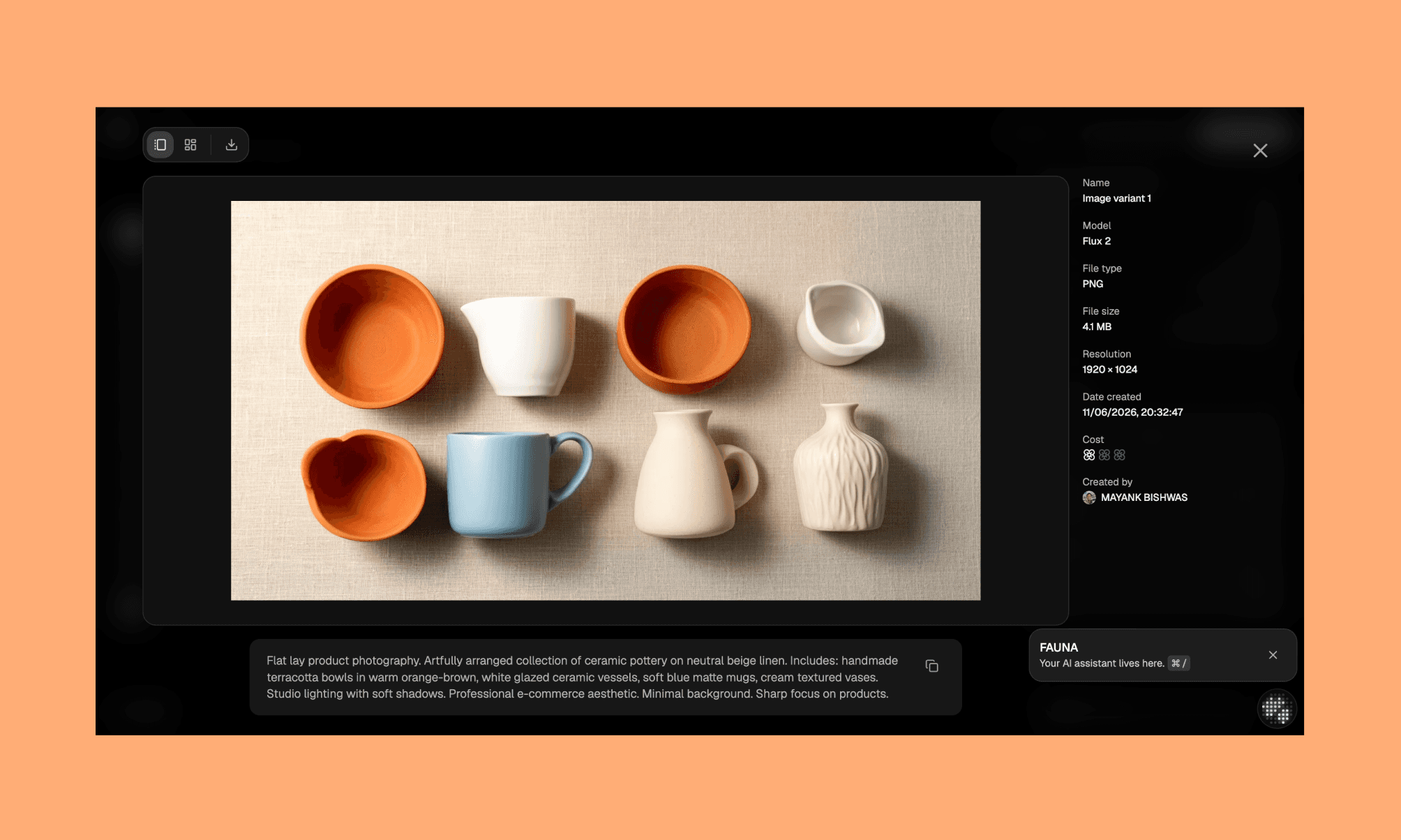
Généré en ~15 secondes via Flux 2 (un modèle phare également utilisé par Freepik/Magnific AI), pour un coût de 0,009 $.
Sur ce premier essai, l'intention du prompt et la lumière sont bien là, mais il manque cette touche créative et harmonieuse dans la mise en scène. La qualité d'image est excellente, mais je veux affiner le tir.
Créer un nœud de référence de style
La meilleure méthode pour guider l'IA est d'uploader vos propres références, de les lier via des nœuds et de lui demander de s'en inspirer.
J'ai d'abord rassemblé plusieurs images inspirantes sur Google, puis je les ai ajoutées dans ma bibliothèque (projet « Pot Collection »).
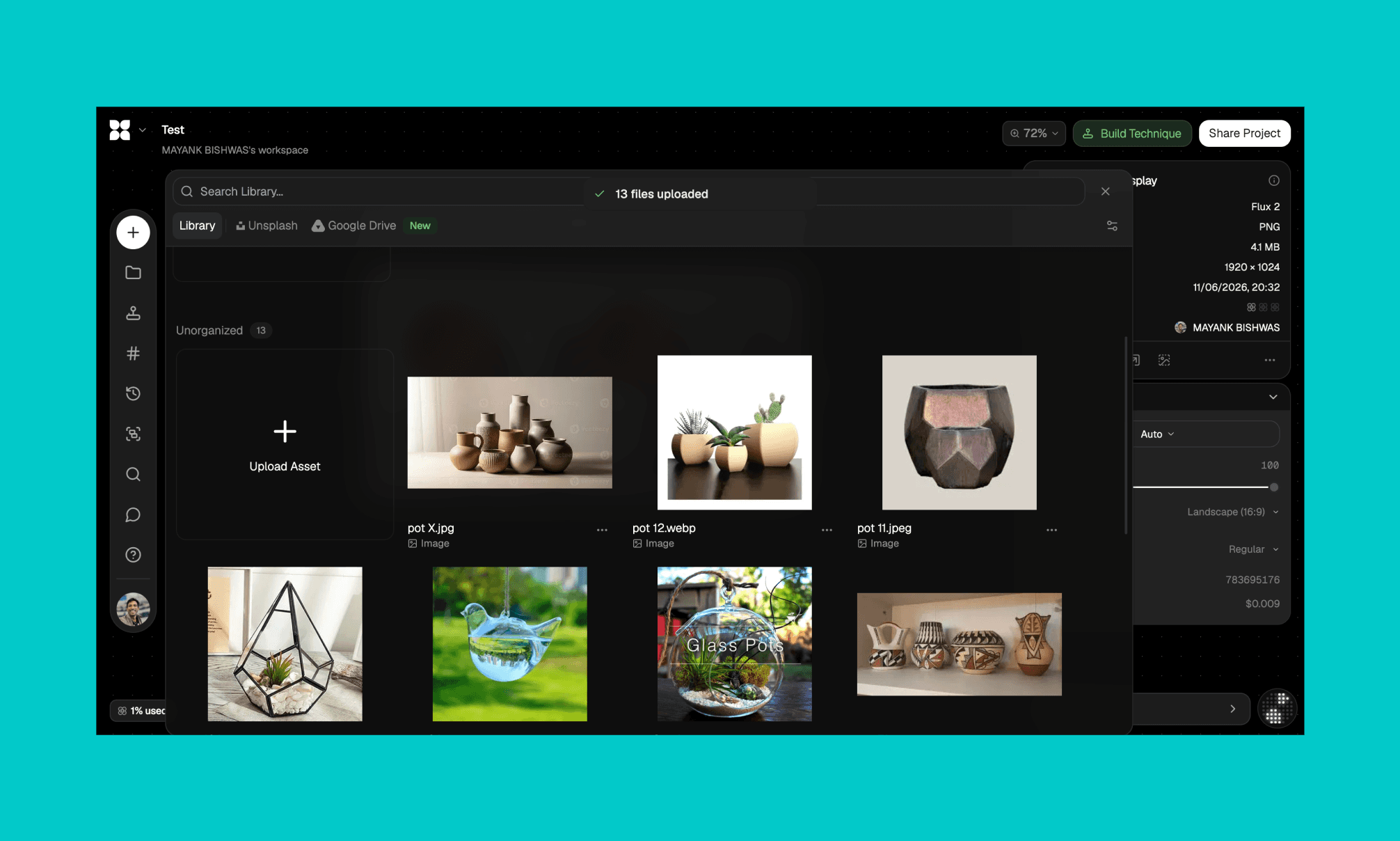
Ensuite, j'ai créé un Field sur le canevas via la barre latérale gauche (touche « F »), associé quelques styles clés, chargé l'image de référence pour le rendu final, et connecté le tout à un nœud d'image avec ce prompt :
“Using the reference images of pots from the field, I want to create an image of pots placed artistically like the image 'ceramic vase display'.
Style and composition guidance: generate a product photography hero image for an upscale pottery e-store. Arrange ceramic vessels of varied heights, shapes, and textures — tall vases, round pots, textured jugs — in a warm, artful grouping like the arrangement reference. Neutral beige background. Soft studio lighting with gentle shadows. Upscale aesthetic.”
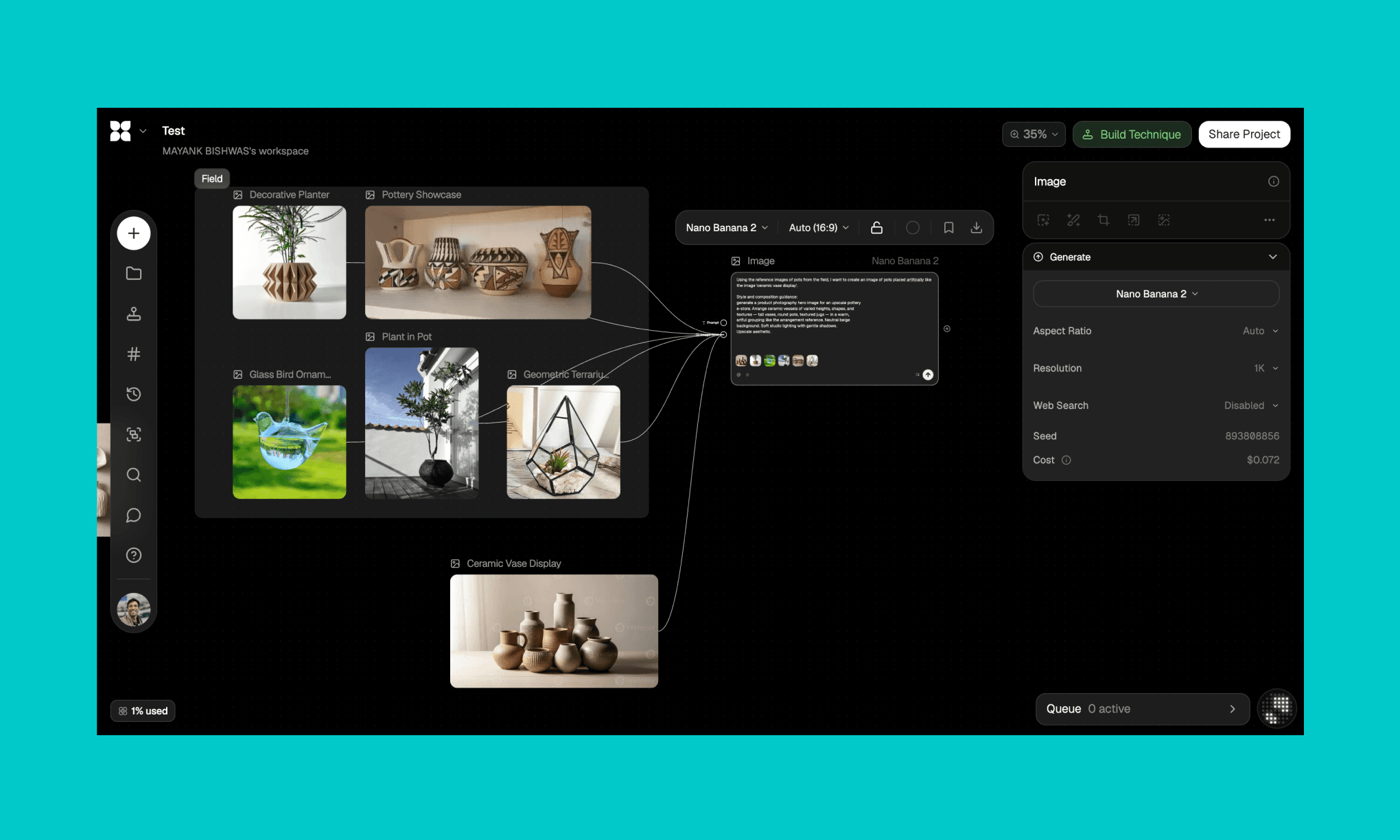
Pour ce run, j'ai sélectionné le modèle Nano Banana 2, basé sur Gemini. Et là, bluffé !
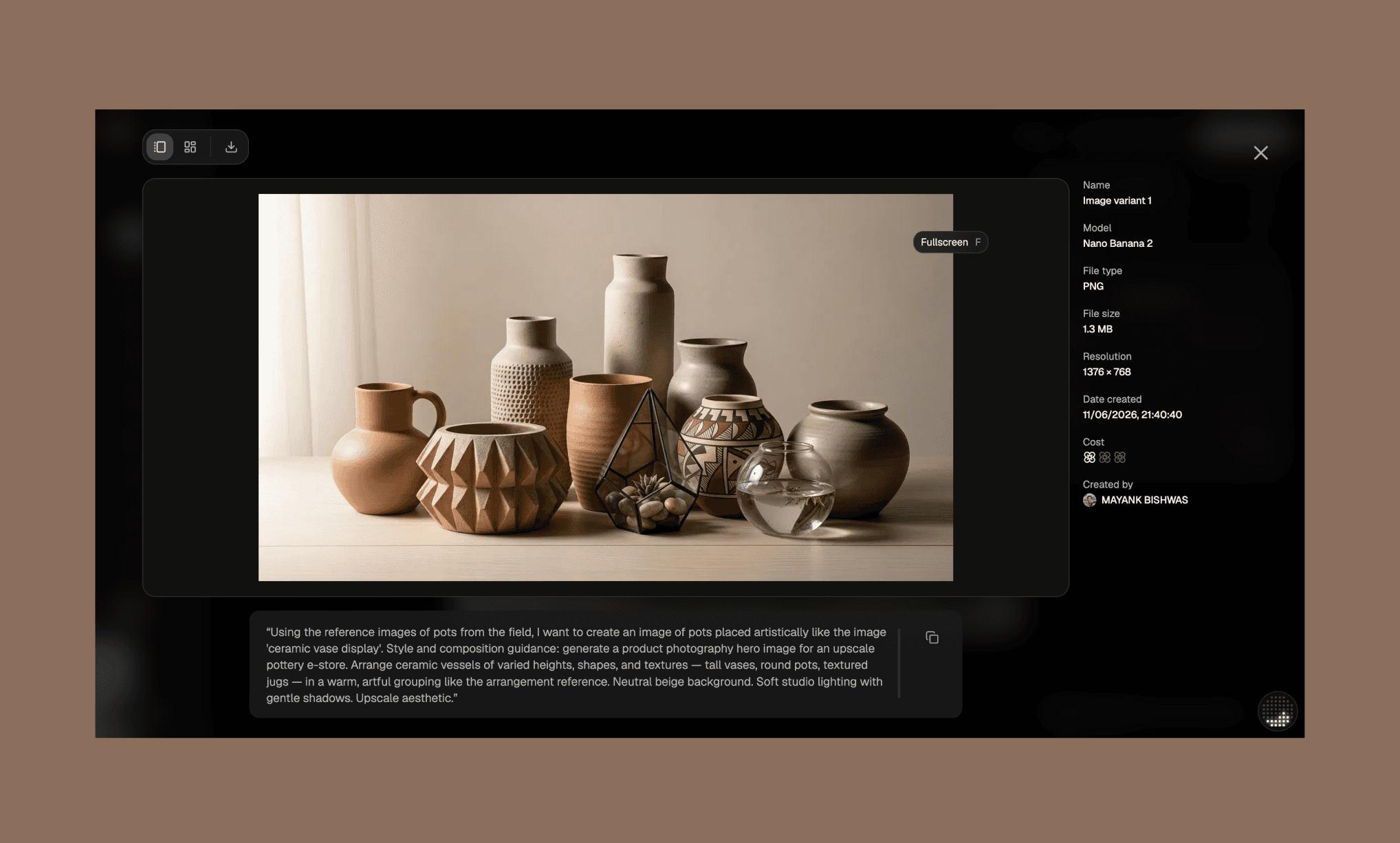
Le rendu de Flora AI est impeccable. La compo, la disposition, le respect des références : tout y est. Génération en ~1 minute pour un coût de 0,072 $ (et 7 % de ma limite d'utilisation). C'est plus long et plus cher que le premier essai, mais le résultat est ultra-qualitatif.
Éditer avec l'agent Fauna AI
Pour peaufiner ce hero shot, j'ai fait appel à Fauna, l'agent IA de Flora accessible en bas à droite de l'écran. J'ai sélectionné mon image, soumis ma demande et demandé de générer 4 variantes avec différents modèles pour comparer :
“Hey Fauna, I have this image I want to use as a hero for an upscale pottery e-store. Regenerate it but with fewer pots — just 4-5 pieces of varied heights, shapes, and colors. Add an ivory silk draped on the surface whose color matches the blurred background. A few dried wildflowers and dark berries scattered around the base. Soft front lighting, shallow depth of field.
Give me 4 variations. Once each from: Nano Banana 2, GPT Image 2, Flux 2 Max, and Seedream 5.0 Lite.”
L'agent Fauna a instantanément créé 4 nœuds sur mon canevas, et les images sont apparues une par une en environ 5 minutes.
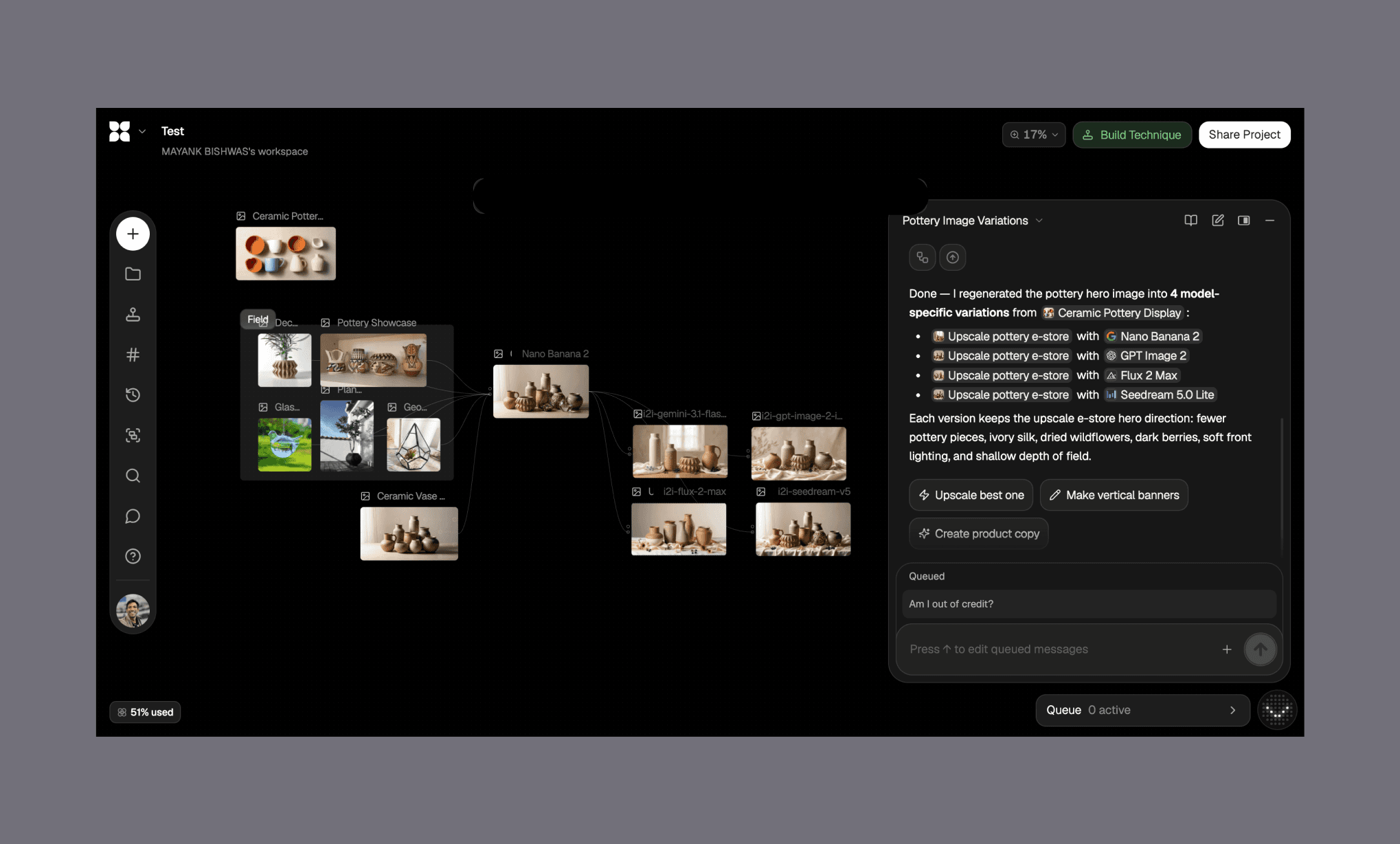
Au-delà du résultat, l'expérience sur ce canevas est incroyablement fluide. La prise en main est plus exigeante qu'un MidJourney, mais l'interface rend l'itération super agréable.
Match : Nano vs GPT vs Flux vs Seedream
Voici les 4 rendus générés à partir du même prompt par les différents modèles de Flora AI.
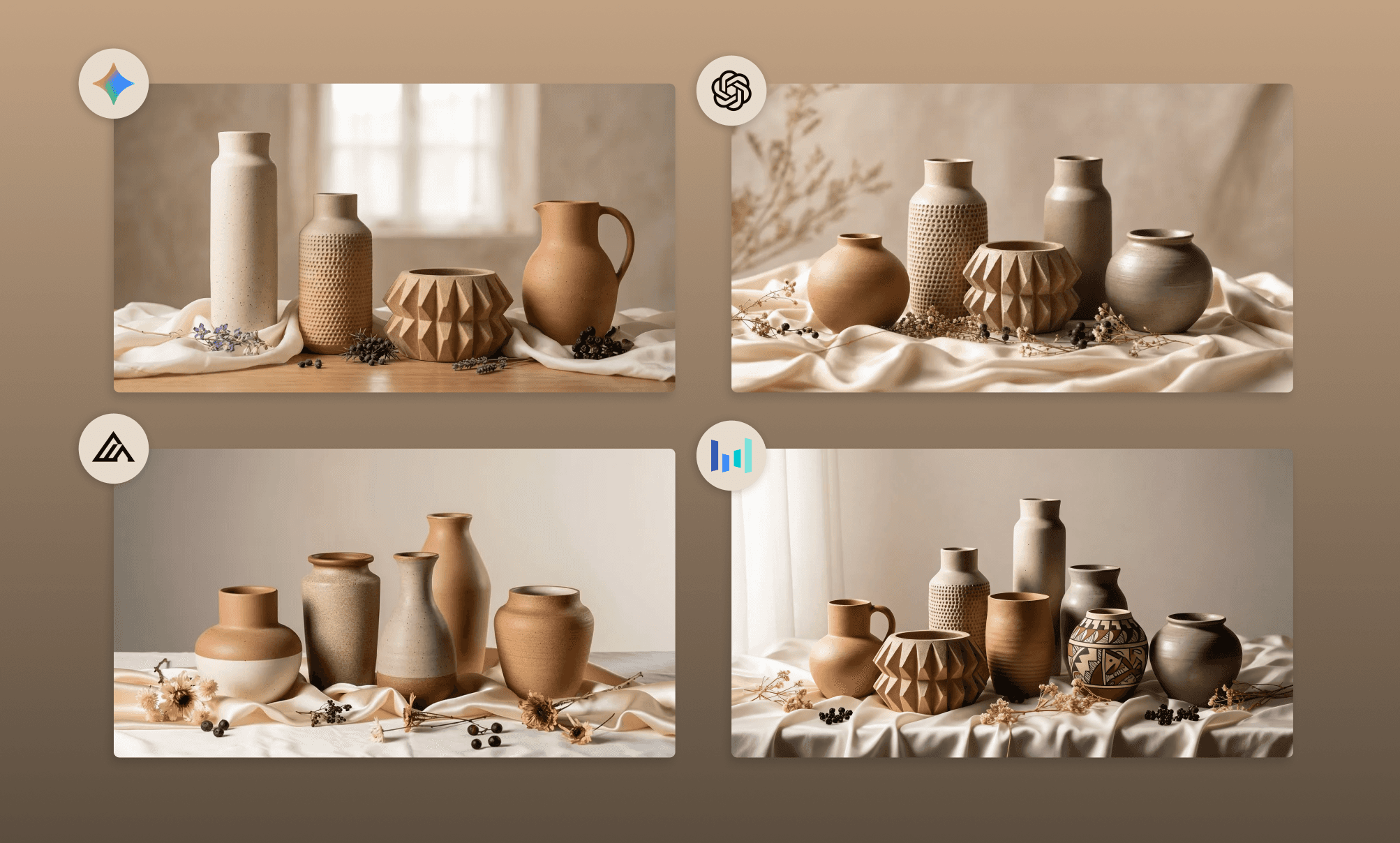
Images générées via références multiples | ||||
|---|---|---|---|---|
Nano Banana 2 (Gemini) | GPT Image 2 (OpenAI) | Flux 2 Max (Black Forest) | Seedream 5.0 Lite (ByteDance) | |
Sujet | 5/5 | 4/5 | 3/5 | 3/5 |
Lumière | 4/5 | 4/5 | 4/5 | 4/5 |
Éléments de style | 4/5 | 4/5 | 4/5 | 4/5 |
Netteté | 4/5 | 4/5 | 4/5 | 4/5 |
Vitesse de génération | 5/5 | 3/5 | 4/5 | 4/5 |
Rendu créatif | 4/5 | 5/5 | 3/5 | 5/5 |
Le modèle qui s'en sort le mieux et colle parfaitement à ma vision est : Seedream 5.0 Lite !
C'était serré. J'ai donc corsé le test : j'ai demandé aux modèles de générer des visuels pour différentes catégories de matériaux de poterie, en leur laissant carte blanche sur la créativité.
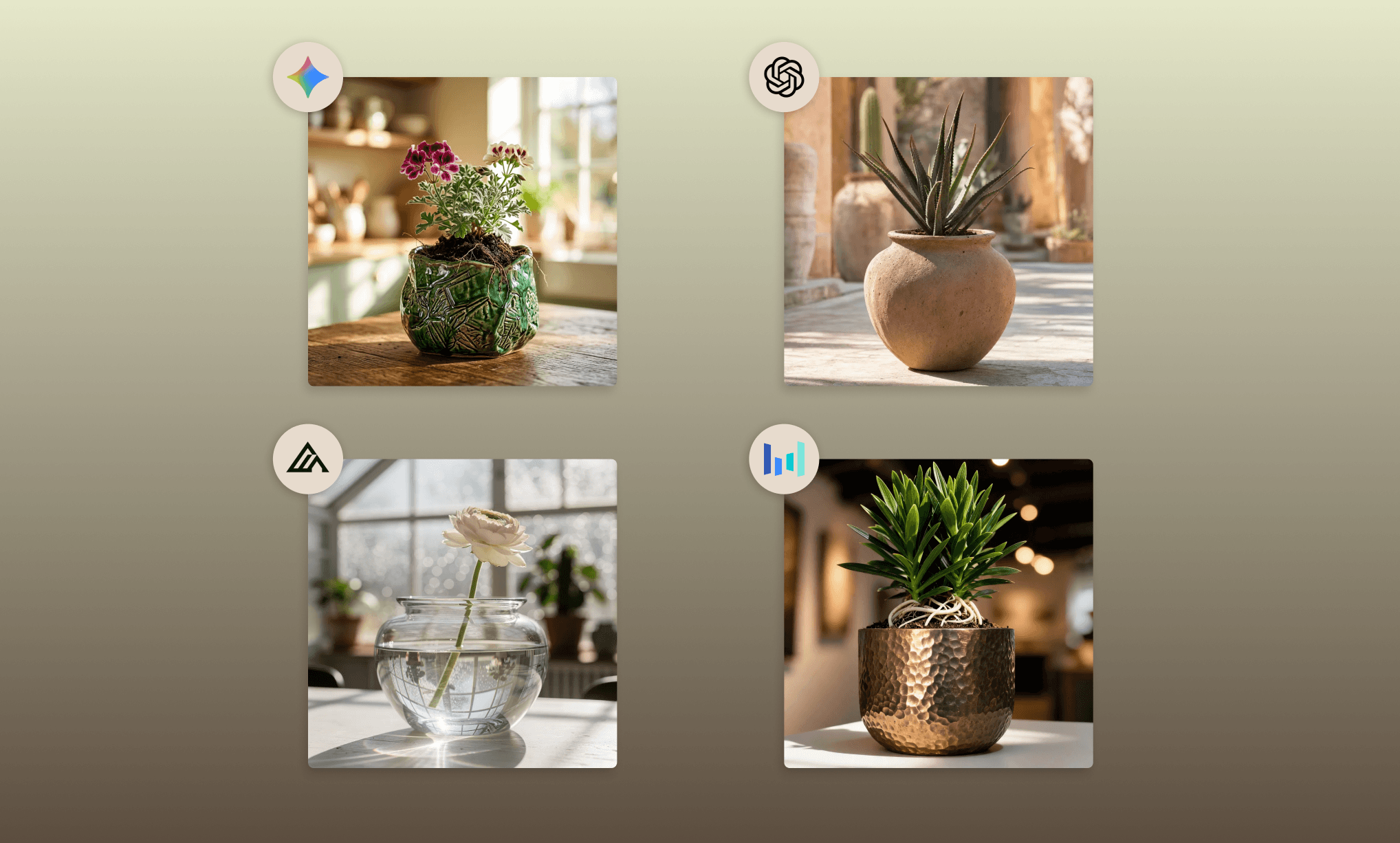
Images générées sans référence | ||||
Nano Banana 2 (Gemini) | GPT Image 2 (OpenAI) | Flux 2 Max (Black Forest) | Seedream 5.0 Lite (ByteDance) | |
Sujet | 4/5 | 4/5 | 5/5 | 3/5 |
Lumière | 4/5 | 4/5 | 5/5 | 4/5 |
Éléments de style | 4/5 | 3/5 | 5/5 | 5/5 |
Netteté | 4/5 | 4/5 | 5/5 | 5/5 |
Vitesse de génération | 5/5 | 3/5 | 4/5 | 4/5 |
Rendu créatif | 3/5 | 3/5 | 4/5 | 5/5 |
Ici encore, duel très serré, mais le grand gagnant de ce round est : Flux 2 Max.
Comparatif des modèles d'image GenAI sur Freepik >
Intégrer les images de Flora dans notre UI
Mes visuels prêts, je passe à la conception de l'UI de mon e-shop premium. Je demande donc à Fauna AI :
“Hey FAUNA, using the hero image and 4 material shots on this canvas, create a full landing page for an upscale pottery brand.
Start by giving the brand an exquisite name, a warm muted color palette, and poetic but minimal copy that matches the editorial aesthetic of the images.
Layout:
- Hero — full-width hero image, brand name, one tagline, two CTAs: "Explore Collection" and "Visit Store."
- Shop by Material — 4-card grid using the ceramic, clay, glass and metal images. Each card: material name, one evocative line, "Shop Now" button.
- Featured Products — 4 premium selling cards. Each: product image, poetic name, one-line description, price, "Add to Cart.
- About Us — brand philosophy in two short paragraphs. One strong headline, "Our Story" CTA.
- Footer — brand name, nav links, newsletter signup.”
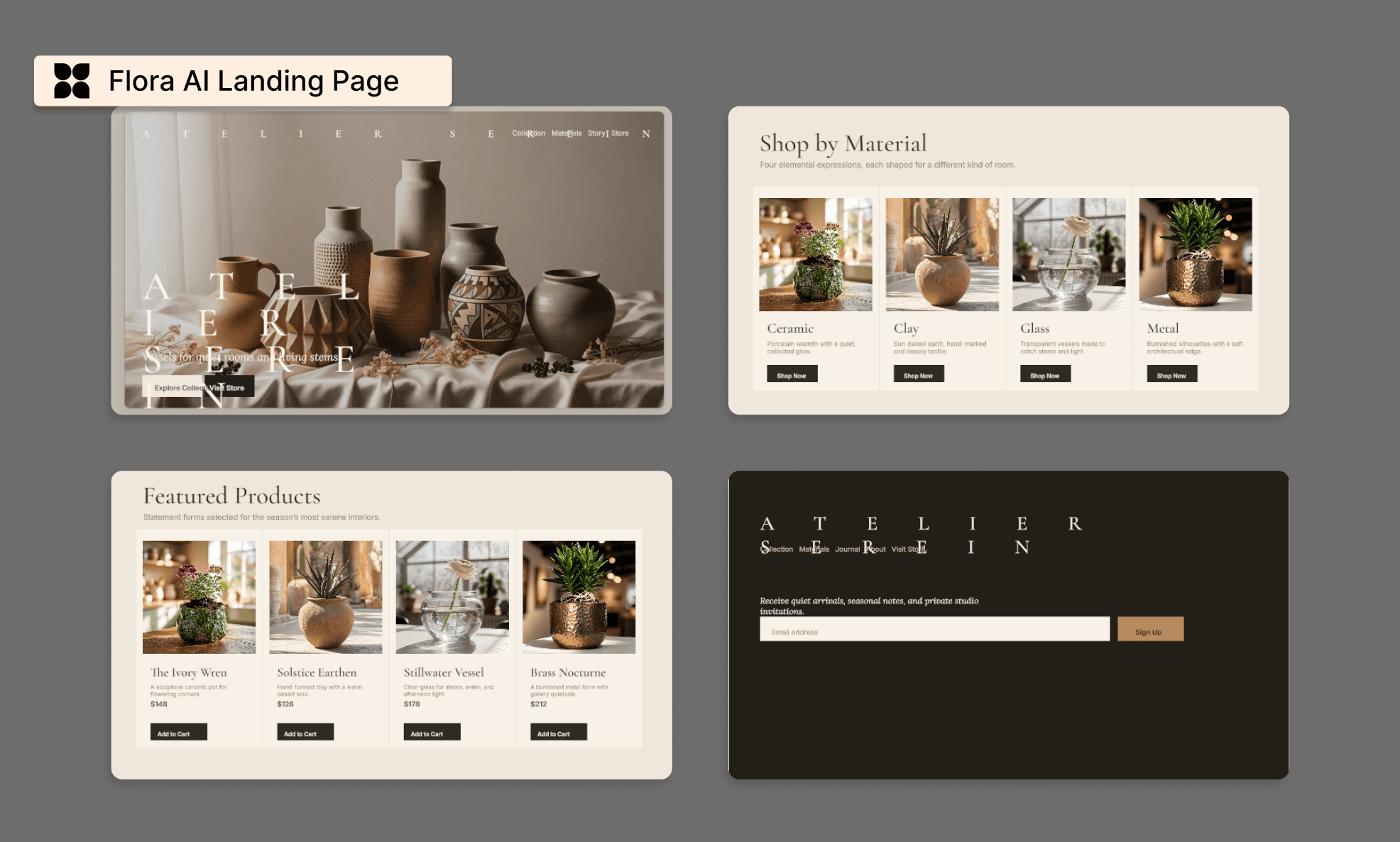
*Remarque : J'ai recadré ce long visuel de landing page par section pour une meilleure lisibilité.
Le livrable respecte la structure demandée, mais le rendu est décevant. Les mêmes images tournent en boucle, la lisibilité des textes est mauvaise, et plusieurs boutons ou blocs se chevauchent ou sont mal alignés. Quant au footer, il est raté.
Temps de génération : ~15 minutes.
On peut évidemment repasser dessus (via IA ou à la main), mais pour une suite de design aussi réputée, on s'attendait à mieux.
Surtout quand on compare ce résultat à celui obtenu sur Banani AI avec les mêmes images et le même prompt : la différence est flagrante.
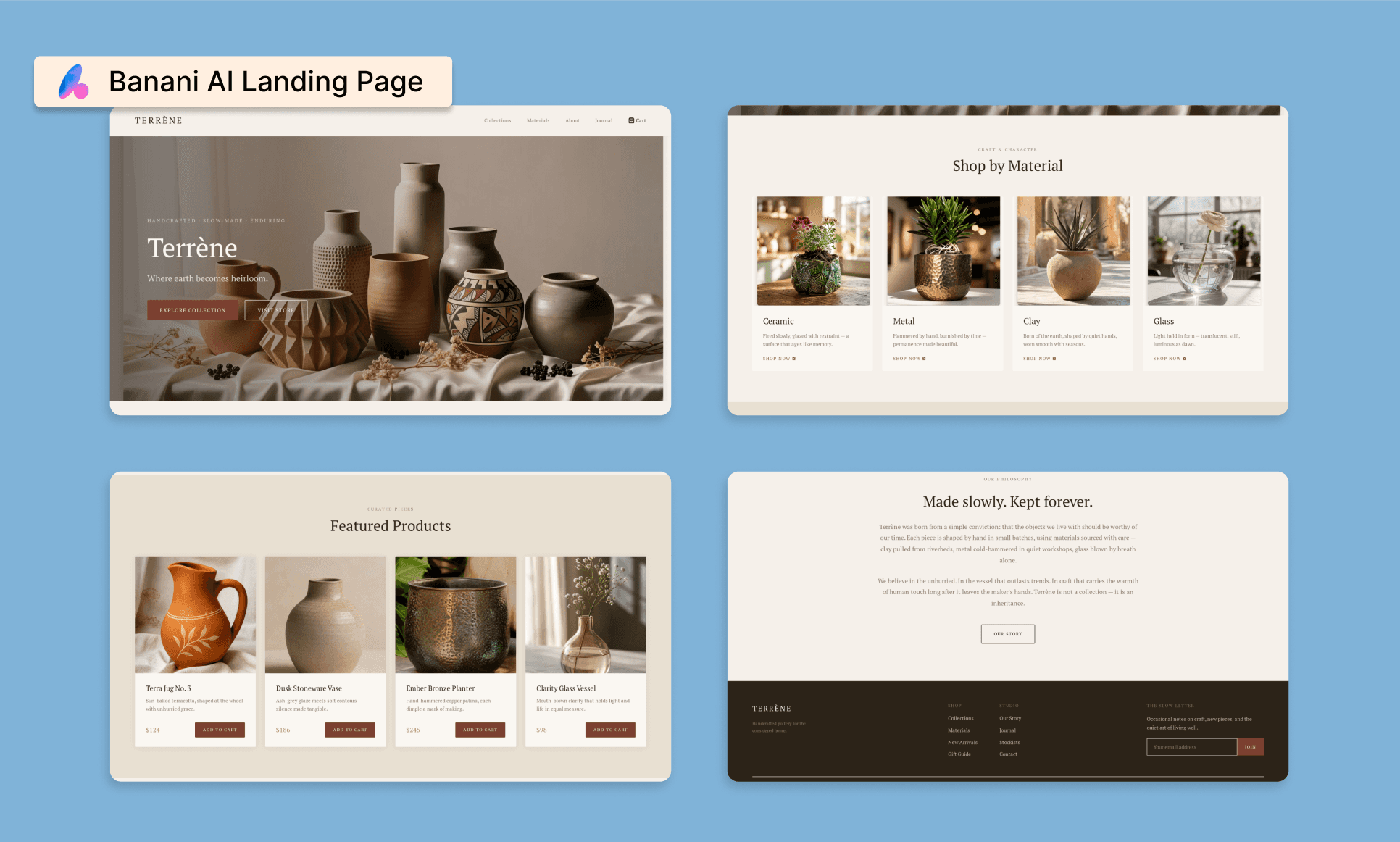
Découvrez et pilotez le rendu de Banani gratuitement >
Banani a non seulement mieux disposé les visuels, mais a aussi pris l'initiative de générer d'autres assets cohérents pour la section produits. Le copywriting est percutant, l'alignement impeccable sans aucun chevauchement. Le tout généré par Banani en moins de 5 minutes.
Bilan : si Flora AI excelle pour la création d'assets visuels, pour l'UI pure, un outil dédié comme Banani AI est bien plus efficace.
(Pour info, Banani AI génère aussi vos visuels d'interface avec Gemini et les modèles GPT.)
Générez votre UI gratuitement avec Banani AI >
Avantages & Inconvénients de Flora AI Image Gen
Avantages | Inconvénients |
Le canevas basé sur des nœuds offre un contrôle ultra-précis du flux de travail | Courbe d'apprentissage abrupte et peu intuitive pour les débutants |
Plus de 50 modèles combinés (Flux 2, Nano Banana 2, GPT Image 2, Seedream 5.0) au même endroit | Coûts très variables : Nano Banana 2 est ~8x plus coûteux que Flux 2 |
Utilisation simple d'images de référence pour garder une vraie cohérence de style | Connecter des assets à des nœuds de génération est parfois déroutant |
Qualité d'image professionnelle, typée studio photo | Nécessite souvent de nombreuses itérations pour obtenir le résultat voulu |
L'agent Fauna peut lancer des générations multi-modèles avec un seul prompt | Les maquettes UI souffrent de problèmes d'alignement et de répétitions |
Générations de base rapides (~15 sec) et très abordables (~0,009 $) | Les flux complexes peuvent prendre ~5 min et coûter ~10x plus cher |
Fonctionnalités intégrées d'inpainting, outpainting et recadrage | Moins adapté à de la génération directe (« one-shot ») |
Possibilité de maquetter des landing pages avec vos propres visuels | La qualité d’intégration reste en deçà des outils de design UI de référence |
Avantages et inconvénients du générateur Krea AI >
Les tarifs de Flora AI
Version gratuite
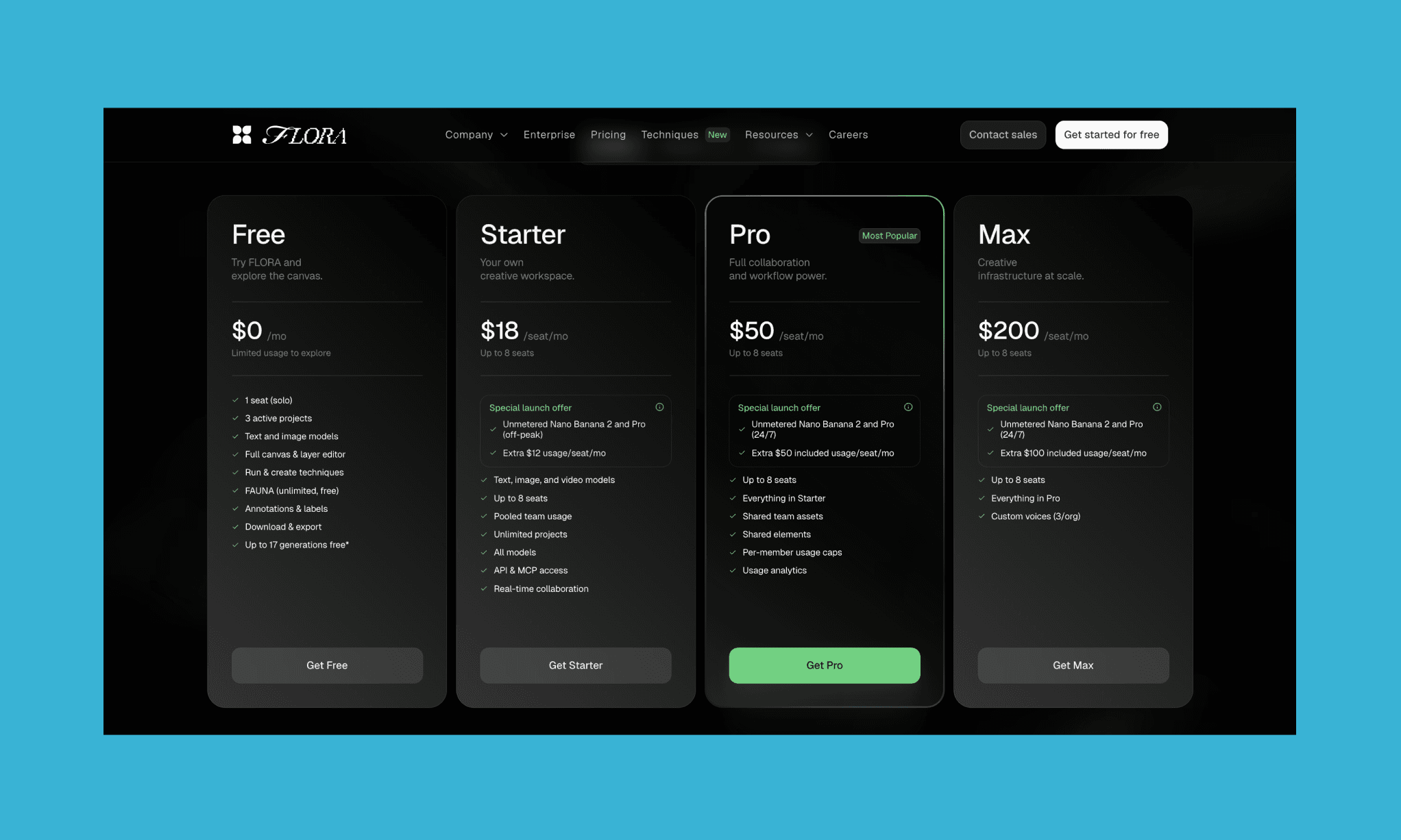
Comme la plupart des IQ GenAI du marché, Flora AI propose une formule freemium. Elle vous donne accès au canevas infini et permet de tester jusqu'à 17 générations d'images, le tout sans carte bancaire.
1 utilisateur unique
3 projets actifs
Accès aux modèles texte et image
Éditeur de canevas complet et gestion des calques
Agent FAUNA (gratuit et illimité)
Annotations, exports et téléchargement
Les offres payantes
Starter | Pro | Max | |
Prix (facturé mensuellement) | 18 $/utilisateur/mois | 50 $/utilisateur/mois | 200 $/utilisateur/mois |
Utilisateurs | Jusqu'à 8 | Jusqu'à 8 | Jusqu'à 8 |
Modèles | Tous (texte, image, vidéo) | Tous les modèles | Tous les modèles |
Projets | Illimités | Illimités | Illimités |
Collaboration | En temps réel | En temps réel | En temps réel |
Assets d'équipe | Consommation partagée | Assets + composants partagés | Assets + composants partagés |
Contrôle d'utilisation | — | Limites par membre + analytics | Limites par membre + analytics |
API & MCP | Oui | Oui | Oui |
Voix personnalisées | — | — | 3/organisation |
Idéal pour | Créateurs solo et petites équipes ayant besoin d'un accès complet aux modèles | Équipes gourmandes en Nano Banana 2 et friandes de rapports d'utilisation | Agences et studios opérant une infrastructure créative à grande échelle |
*Remarque : La facturation annuelle permet d'économiser 20 % sur l'ensemble des forfaits Fauna AI.
À noter : Fauna AI propose une offre Entreprise sur mesure avec des flux dédiés, onboarding, conformité et support dédié.
Midjourney est-il devenu trop cher ? >
Comparatif des alternatives à Flora AI
Banani AI vs Flora AI
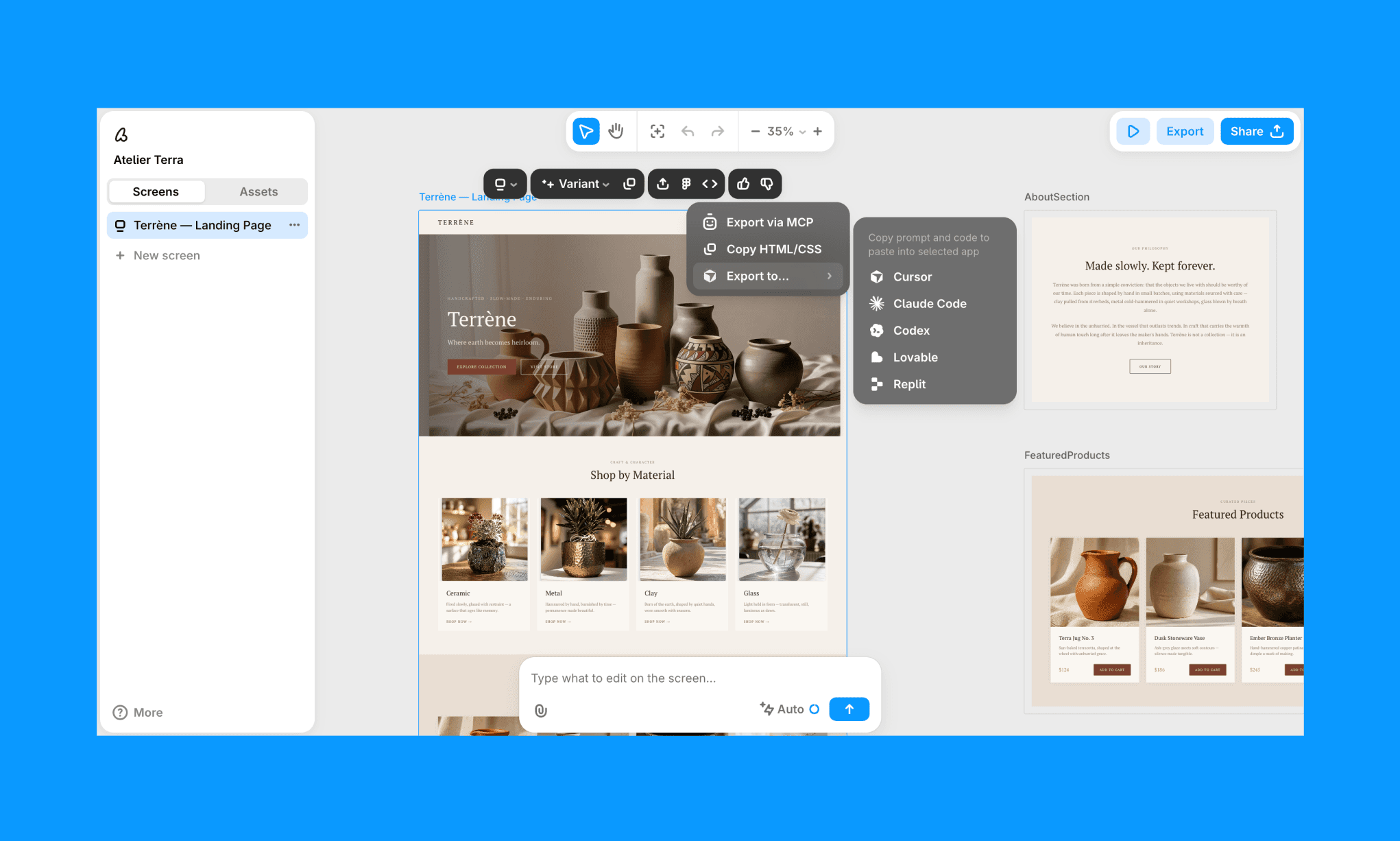
Banani AI est un outil de design d'interfaces spécialisé qui génère des écrans et des landing pages complexes à partir d'un prompt texte ou image, avec un export direct vers Figma ou en version HTML.
Flora AI l'emporte sur la qualité des assets purement graphiques, mais Banani s'impose largement pour la génération d'UI: plus simple, plus propre, sans raté d'alignement et pensé exclusivement pour les product designers.
Générez une UI avec Banani AI gratuitement >
Weavy AI (désormais Figma Weave) vs Flora AI
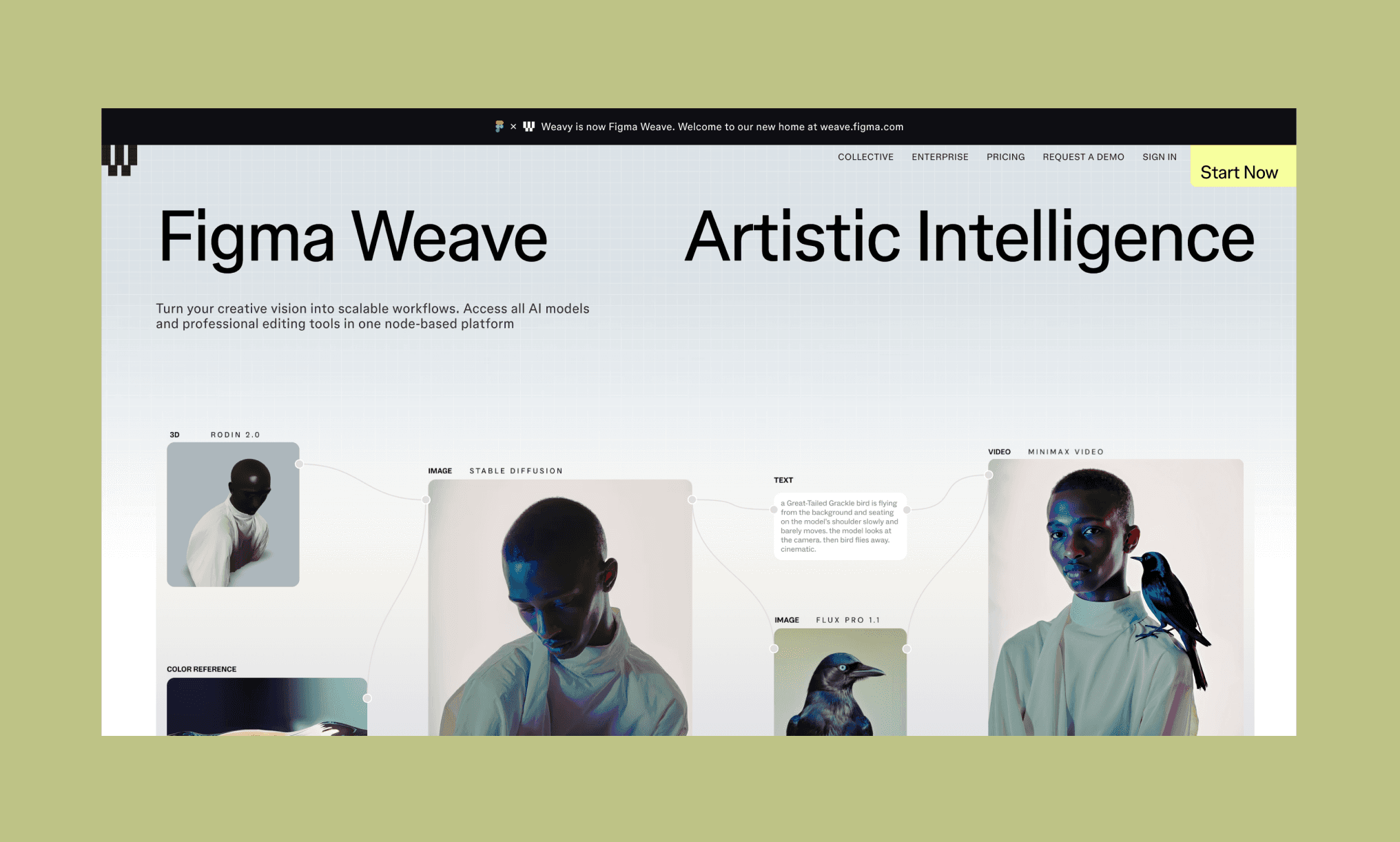
Weavy AI combine génération d'images/vidéos multi-modèles et fonctionnalités de retouche avancées (inpainting, relighting, upscaling) dans un flux de travail basé sur les nœuds. C'est l'alternative la plus proche de Flora AI en matière d'expérience utilisateur, mais Weave bénéficie d'une précision de retouche supérieure et de la notoriété de la marque Figma.
Top 10 des alternatives de Figma Make en 2026 >
Krea AI vs Flora AI
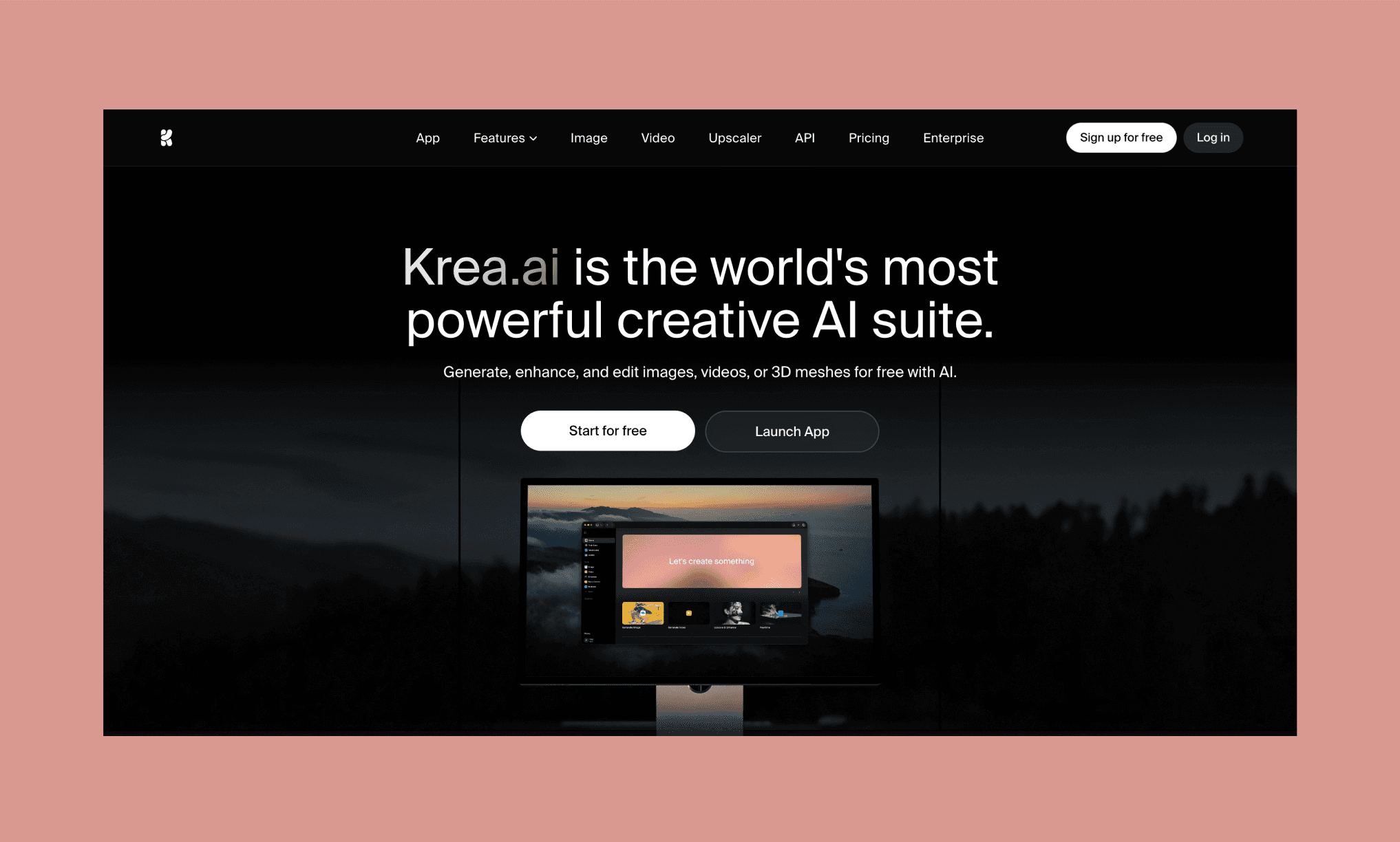
Krea est une suite de création IA regroupant de la génération d'images, de vidéos, de la 3D, du rendu en temps réel et de l'upscaling jusqu'à 22K. La plateforme intègre plus de 64 modèles et 1 000 styles sous une interface ultra-minimaliste. Plus accessible et plus rapide que Flora, elle ne propose cependant pas sa profondeur d'organisation par nœuds ni ses fonctions de collaboration.
Freepik (ex-Magnific AI) vs Flora AI
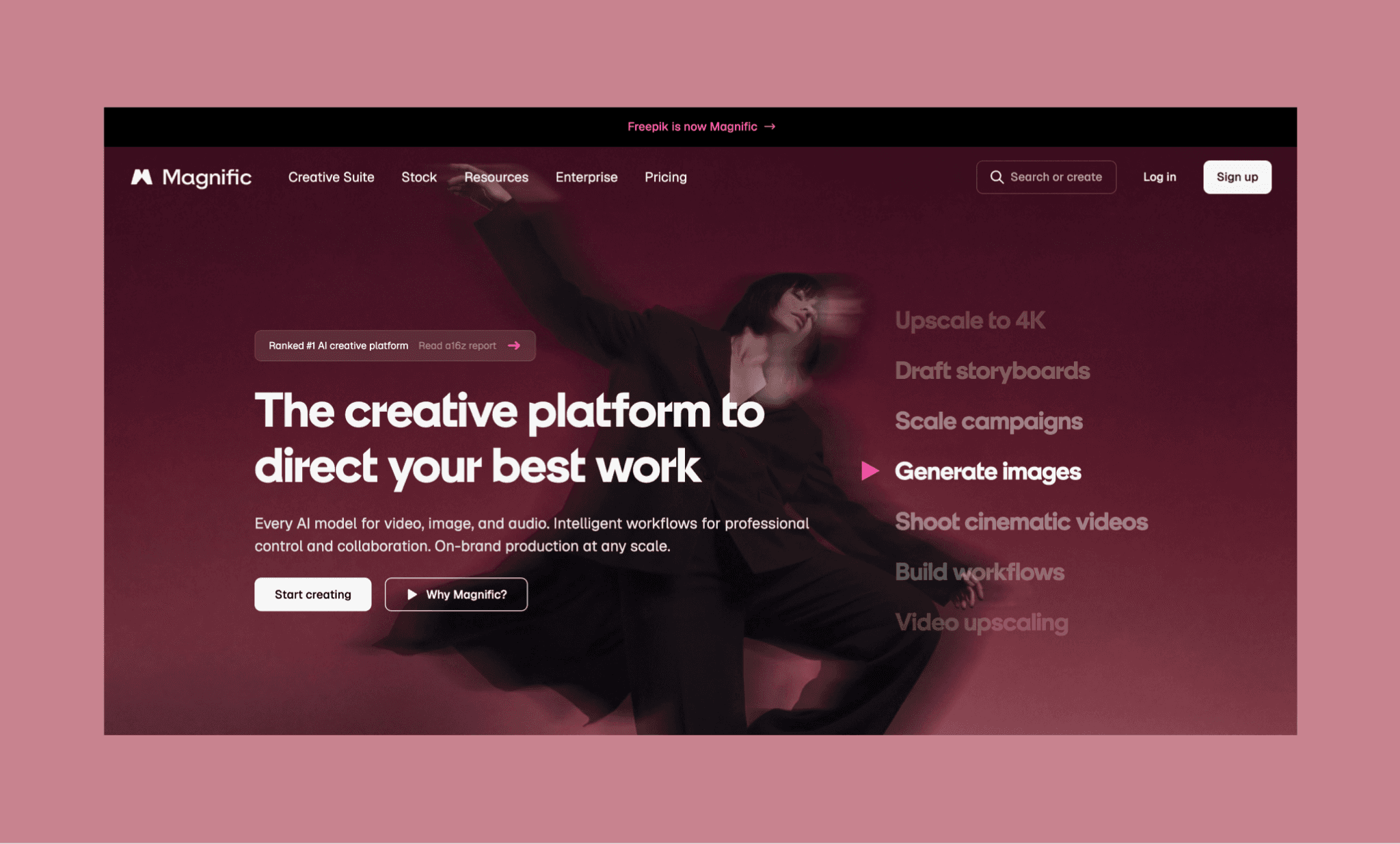
Freepik, le célèbre catalogue d'assets, s'est déployé massivement dans la génération d'images par IA, proposant de nombreux modèles et de la retouche haute fidélité. Idéal et économique pour des générations d'images uniques, sa structure ne permet pas l'enchaînement de tâches complexes comme sur Flora.
Les meilleures alternatives à Freepik AI >
Flora AI vaut-il le coup pour concevoir vos UI ?
L'équipe derrière Flora AI a parfaitement compris que la création est un processus itératif et a calqué son canevas infini sur cette philosophie. Carton plein là-dessus. Pour créer des assets visuels, l'outil est formidable : multi-modèle, gérant l'upscaling d'image de référence et ultra-performant. En revanche, le coût imprévisible et les limites sur la génération de maquettes pures freinent l'adoption.
Si votre objectif est de prototyper des interfaces réelles avec de superbes visuels, un outil dédié comme Banani AI s'avère plus efficace, dix fois plus rapide et bien plus économique.
FAQ Flora AI
Est-ce que Flora AI est disponible gratuitement ?
Oui. Flora AI dispose d'un forfait gratuit sans carte bancaire qui offre un accès complet à l'espace de travail infini, à l'agent Fauna AI et jusqu'à 17 générations d'images.
Combien coûte l'abonnement à Flora AI ?
Les forfaits payants débutent à 18 $/mois (Starter), 50 $/mois (Pro) et 200 $/mois (Max), avec 20 % de réduction en souscription annuelle. Les coûts de génération dépendent du modèle choisi : de 0,009 $ pour un rendu standard sous Flux 2, à 0,072 $ avec Nano Banana 2 guidé par des images de référence.
Comparez les tarifs des meilleures IA d'image >
Quels sont les usages de Flora AI ?
Il est principalement utilisé pour de la création d'images, de vidéos et de voix off par IA. Son canevas basé sur des nœuds convient particulièrement aux équipes créatives qui ont besoin de flux de travail répétables et structurés, plutôt que d'images générées de façon isolée.
Flora est-elle une plateforme fiable ?
Tout à fait. Flora AI est soutenue par une levée de fonds de 52 millions de dollars menée par Redpoint Ventures, a16z et Menlo Ventures. L'outil compte déjà des clients de renom comme Nike, Netflix, Pentagram ou Lionsgate.[3]
Quelle est la meilleure alternative à Flora AI pour l'UI ?
Pour tout ce qui concerne la conception d'interfaces concrètes, Banani AI s'impose comme l'alternative idéale à Flora AI. Plus précis, plus rapide, moins onéreux et doté d'un export direct vers Figma.
Références
[1] https://flora.ai/
[2] https://docs.flora.ai/getting-started/publish-your-docs/manifesto
[3] https://techcrunch.com/2026/01/27/node-based-design-tool-flora-raises-42m-from-redpoint-ventures/


