

Características | Exploración de diseño, edición por lotes, síntesis de feedback |
Pros | Contexto de sistema de diseño, deshacer confiable, sin curva de aprendizaje. |
Contras | Uso inconsistente de componentes, espaciados rotos, lento a veces |
Acceso/Precio | Beta cerrada, incluso para usuarios de pago. Unirse a lista de espera para asignación. |
¿Qué es Figma Agent?
Figma Agent[1] es el asistente nativo de diseño de IA de Figma. Otra herramienta del ecosistema en expansión Figma AI, este agente está integrado directamente en el lienzo en lugar de ser una herramienta externa o plugin. Puede generar, editar y refinar diseños en tus archivos existentes, usando los componentes, tokens y variables de tu sistema de diseño como contexto integrado para cada prompt.
No debe confundirse con Figma Make, que es su creador de aplicaciones con IA integrado con Figma.
Prueba el Agente de UI con IA, gratis >
¿Cómo acceder a Figma AI Agent?
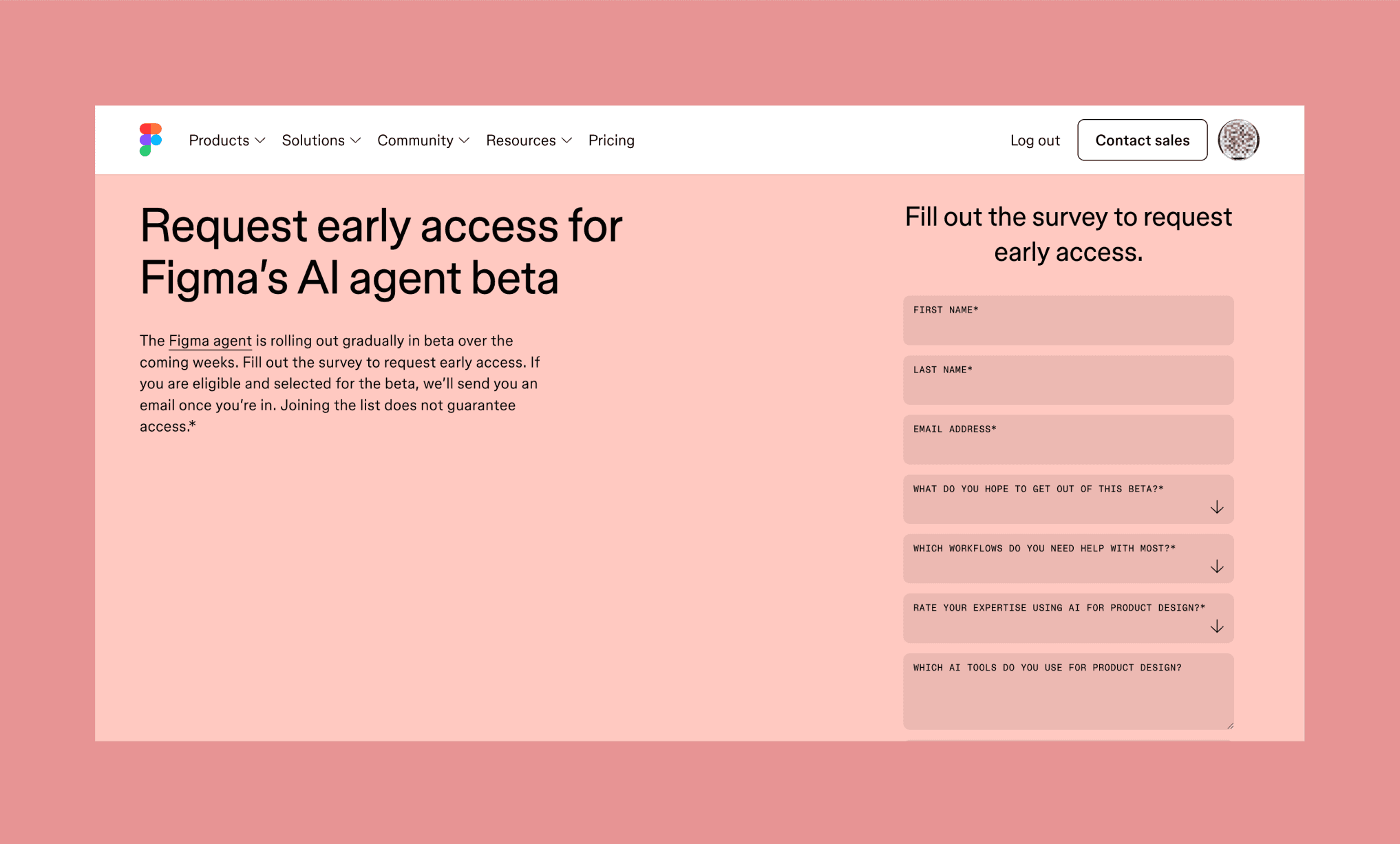
Figma Agent está actualmente en beta cerrada. A pesar de su anuncio a finales de mayo de 2026, no está disponible para todos. De hecho, tampoco necesariamente para usuarios de pago. Invitan a los interesados a apuntarse a una lista de espera[2] aclarando que la prioridad la tienen los usuarios con asientos Full de los planes Professional, Organization y Enterprise.
Dicho esto, algunos usuarios de Reddit informan haber tenido acceso sin haberse registrado nunca para el acceso anticipado.
¿Cuándo estará Figma Agent disponible para todos?
Según respuestas de oficiales de Figma en la comunidad de Figma, el acceso se despliega gradualmente por equipo u organización en lugar de por cuenta individual. Unirse a la lista de espera muestra interés, pero no garantiza nada. Aún no hay un calendario definitivo para el lanzamiento general.
¿Figma Agent tiene coste?
No realmente, pero hay un matiz. Que te asignen acceso a Figma Agent es una lotería, por así decirlo; pero no requiere pago para participar. Aun así, considerando su preferencia por usuarios de planes de pago, se podría decir que cuesta un mínimo de $20 de suscripción a Figma tener una oportunidad de probarlo.
Por otro lado, durante la fase beta, Figma Agent no consume créditos de IA de tu plan para ningún prompt o acción. Es completamente gratuito para los usuarios aptos.
Desglose de precios de herramientas individuales de Figma >
Análisis de funciones de Figma Agent
Figma Agent está creado para encargarse de tres grandes tareas: llevar la exploración del diseño más allá, quitarte de encima las tareas monótonas y convertir el feedback disperso en acciones concretas. Todo sin salir del lienzo clásico de Figma.
Al analizar estas capacidades, hice una comparación directa con lo que un agente de diseño nativo en IA ya existente, como Banani AI, puede hacer en la misma línea.
Explorar direcciones de diseño
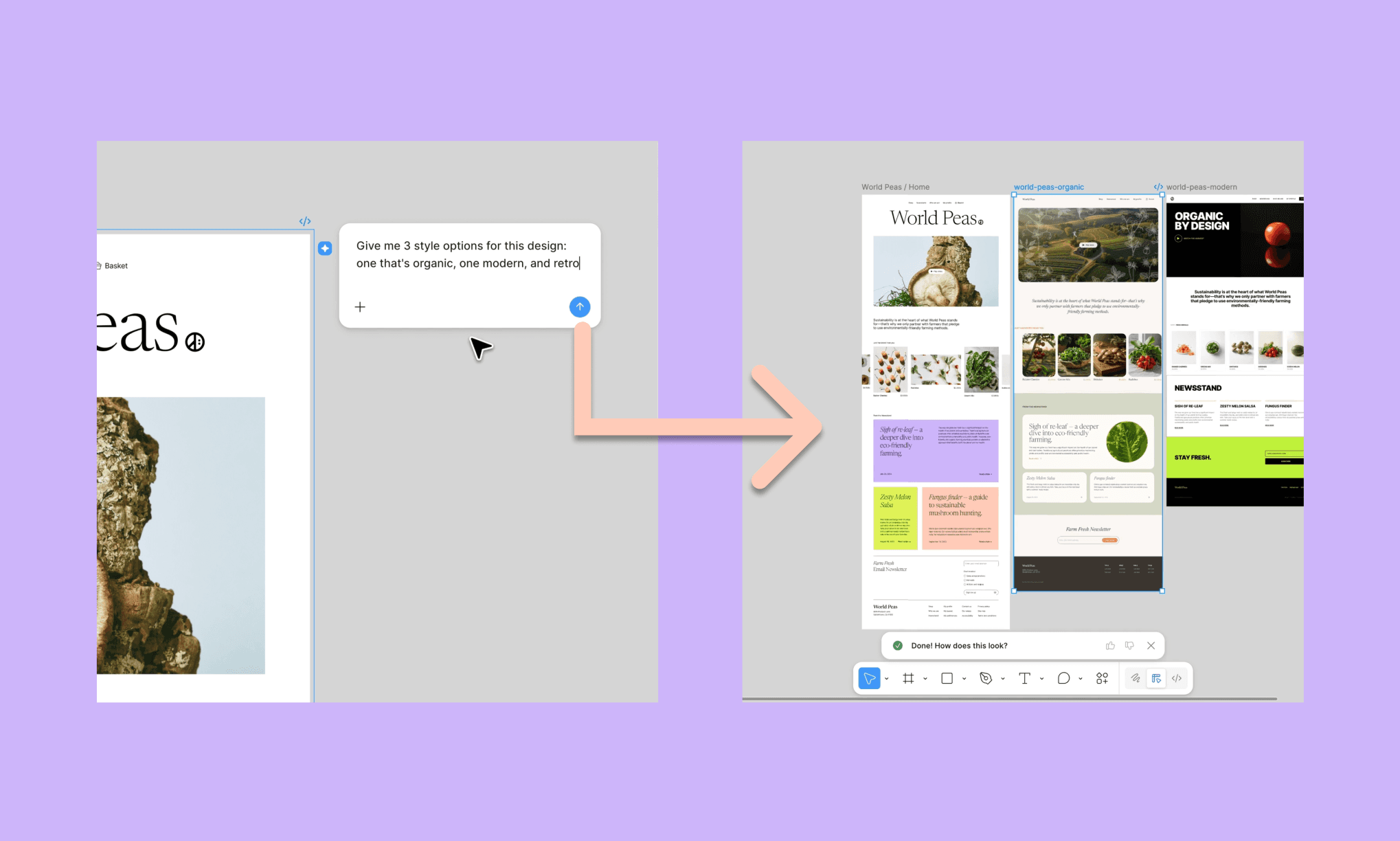
Pedir a la IA regeneración/remixes: Genera distintas direcciones para la misma pantalla a la vez, usando los componentes de tu sistema de diseño.
De Prompt a UI desde cero: Describe tu idea o sube una referencia de UI y obtén un marco de diseño editable en Figma en minutos.
El agente Banani AI puede explorar diseños más rápido
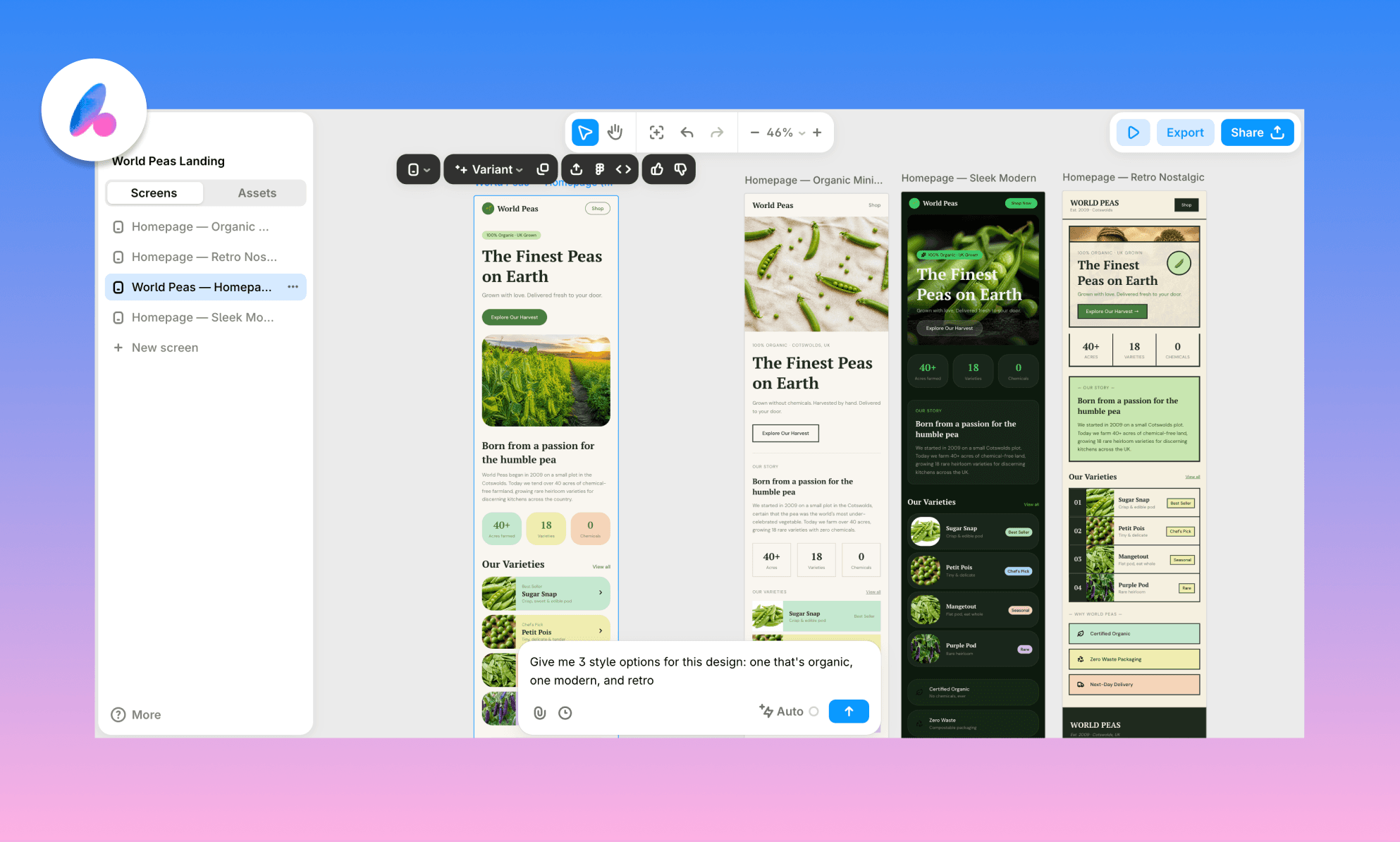
Banani AI UI Agent te permite hacer ambas cosas y, al parecer, más rápido en la mayoría de los casos. Además, los diseños generados son exportables a Figma y también como código a través de MCP.
Figma Agent puede funcionar mejor en variaciones de diseño a nivel profundo aprovechando su década de datos de usuarios.
Genera UI desde texto con IA, gratis >
Automatizar tareas monótonas
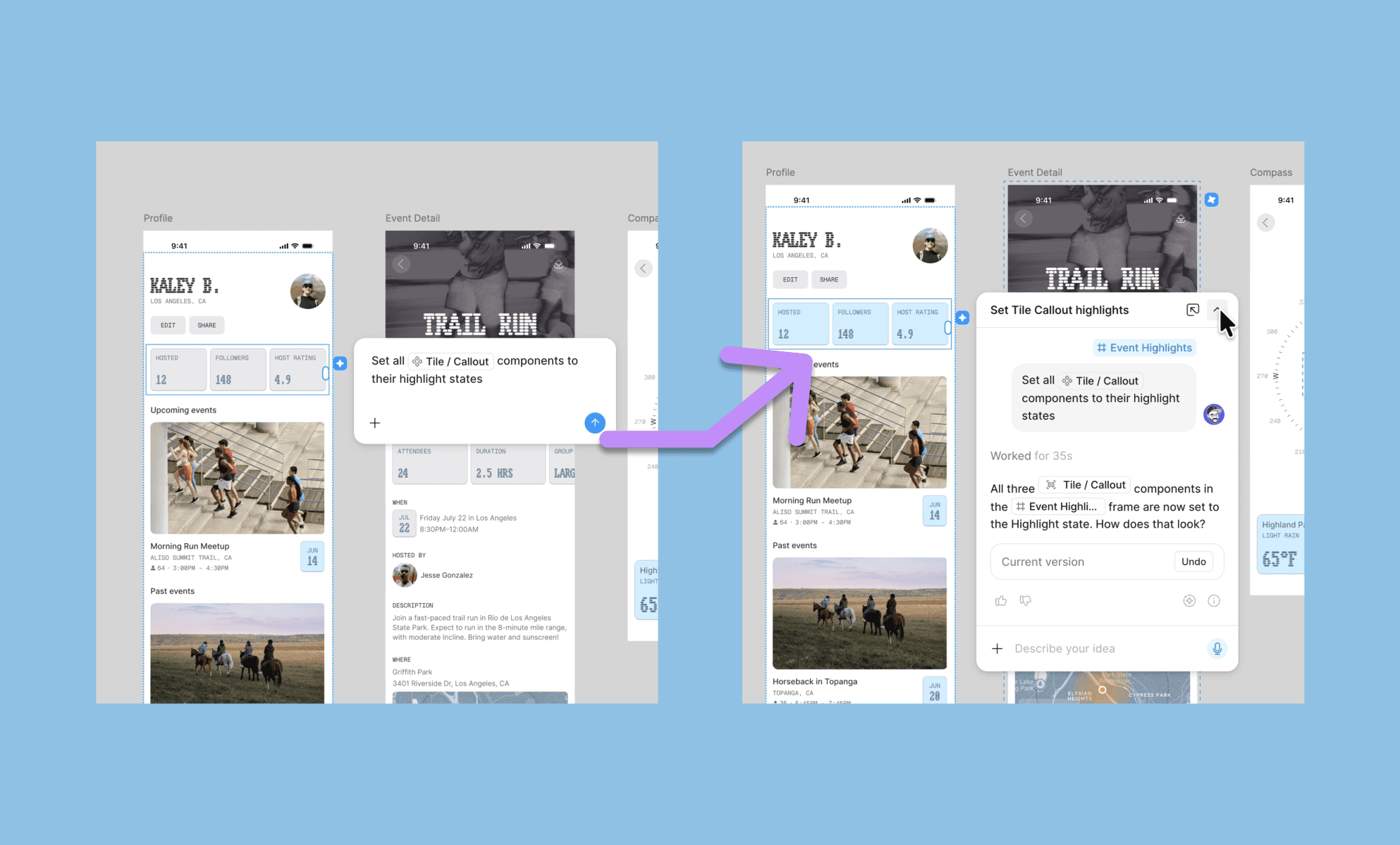
Ediciones masivas de componentes y estilos: Reemplaza un componente en muchas pantallas o aplica cambios de espaciado, tipografía o color en un flujo de trabajo con un solo prompt.
Cambio a modo oscuro y relleno de contenido: Convierte pantallas al modo oscuro o reemplaza textos e imágenes de marcador de posición con contenido real a gran escala.
Banani Agent va más allá en la edición con IA
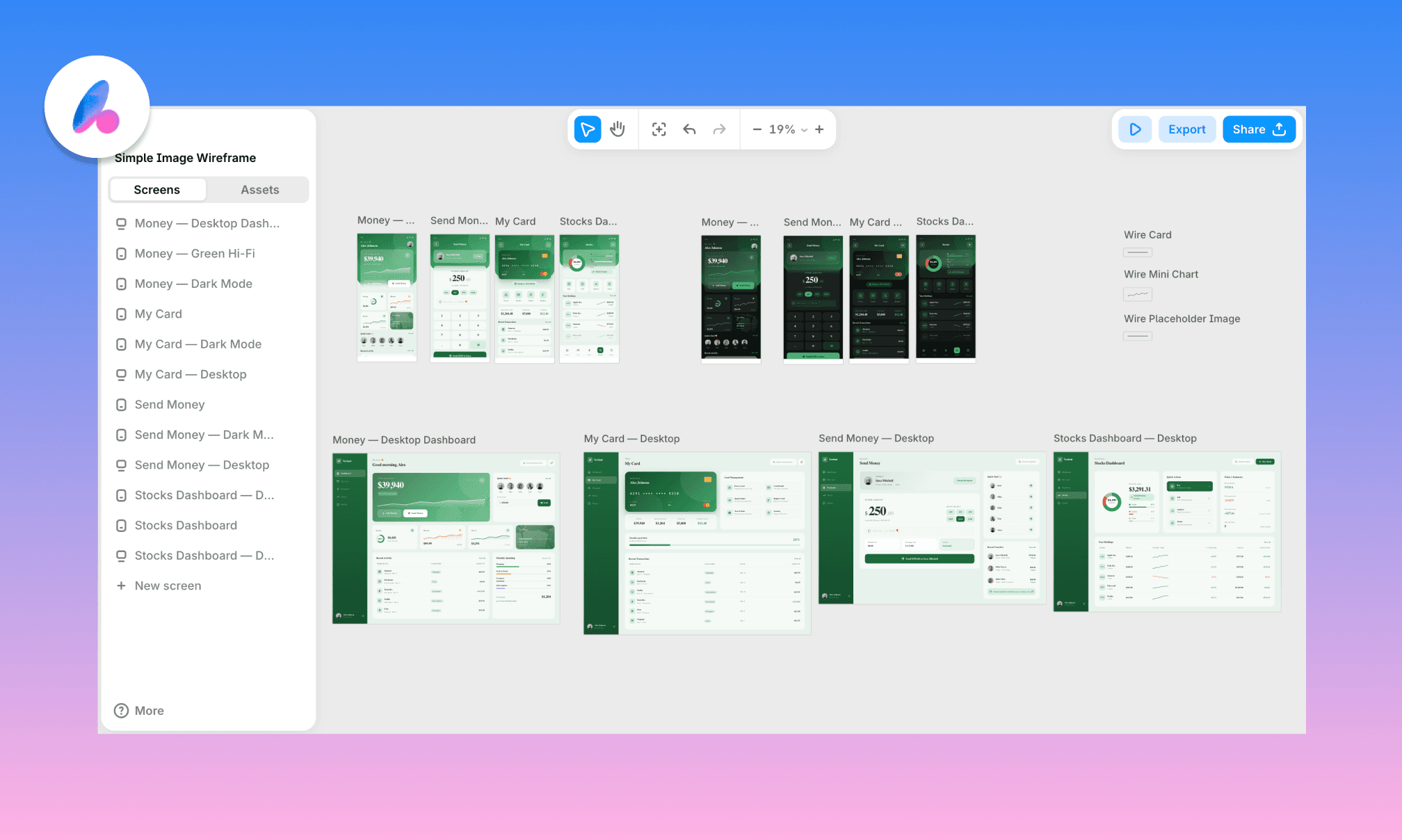
Además del modo oscuro masivo, la edición de componentes y copias, Banani puede incluso adaptar interfaces móviles a escritorio (y viceversa) manteniendo el estilo.
Figma Agent tiene una ventaja, sin embargo: puede recibir múltiples prompts en paralelo para solicitudes de edición y trabajar en ellos simultáneamente.
Genera componentes de diseño reutilizables, gratis >
Sintetizar y aplicar feedback
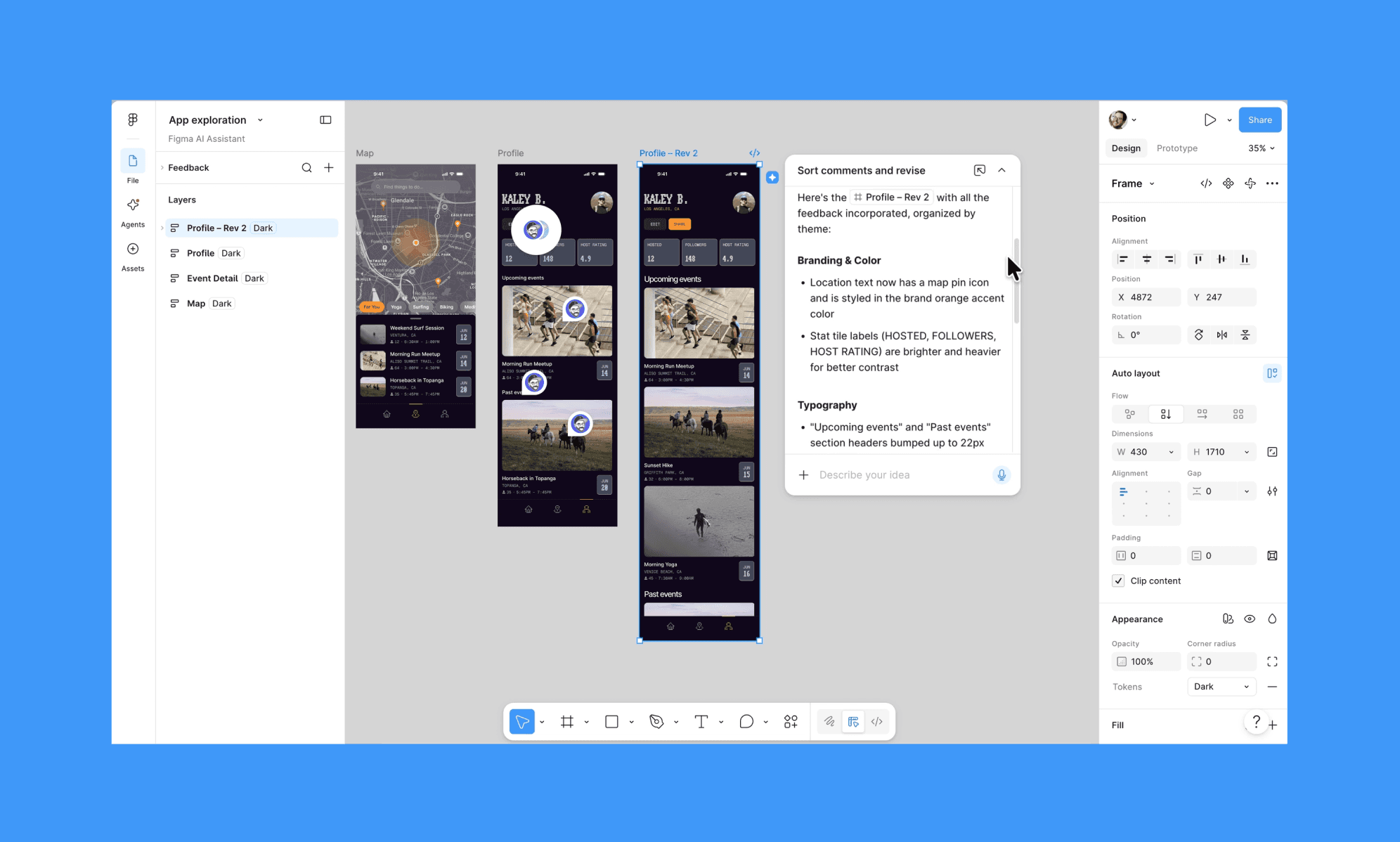
Resumen de feedback: Clasifica comentarios dispersos por temática y conviértelos en una lista clara de siguientes pasos.
Crítica basada en personas: Simula comentarios desde una perspectiva específica, como un vicepresidente enfocado en ingresos, antes de una revisión real.
Banani Agent solo puede compartir enlace de duplicado
Esto es algo que Banani Design Agent no puede hacer por ahora. Se limita a compartir enlaces del lienzo con colaboradores para previsualización y darles la opción de duplicar el diseño para editarlo.
Pero como diseñador de UI con IA en rápida evolución, lanza nuevas funciones con frecuencia. Y si esto es importante para ti, puedes pedírselo directamente.
Lo que puedes (y no puedes) hacer en Miro AI Canvas >
Pros y contras de Figma Agent (beta)
Reddit (y el resto de internet) está que arde con la experiencia de Figma Agent. Por un lado, frustración por el lento despliegue y, por otro, elogios a su versatilidad. El siguiente es un resumen de mi análisis y la experiencia pública de los usuarios con Figma Agent.
Pros | Contras |
Detecta bien los componentes y tokens del sistema de diseño, a menudo sin pedirlo. | Inconsistente al clavar un componente en múltiples pantallas. |
Realmente rápido en tareas tediosas, repetitivas y monótonas. | Inserta bien los componentes pero rompe el espaciado y padding a su alrededor. |
Los prompts paralelos funcionan de verdad en múltiples marcos. | El acceso a la beta sigue siendo una gran barrera, incluso para usuarios de pago. |
Fiablemente bueno resumiendo comentarios dispersos en siguientes pasos claros. | Toma decisiones de UX extrañas a pesar de mantener la estructura correcta. |
Deshacer es simple, a un clic o Cmd/Ctrl+Z. | Más lento para procesar prompts; sobre todo con peticiones complejas. |
Sin curva de aprendizaje, accesible desde cualquier capa. |
La verdad sobre el diseño de UI con Canva >
Veredicto: ¿Vale la pena pagar el Pro por Figma Agent?
No. Puede que le falte matiz a la respuesta, pero es lo que siento firmemente tras revisar Figma Agent: pasarte a Professional te hace elegible, no te garantiza el acceso. En su lugar, te recomiendo unirte a su lista de espera de forma gratuita. Al menos por la característica única de usar todo el lienzo como contexto y hacer ediciones a escala. De hecho, eso ya debería bastar para pagar por ello una vez que la beta sea estable y se lance por completo.
Dicho esto, hasta que madure, no tienes que esperar para usar funciones de generación y edición similares a las de Figma Agent. El agente de UI con IA de Banani cubre la mayor parte de este terreno hoy mismo, con integración nativa en Figma. ¡Y es gratis para empezar!
Preguntas frecuentes sobre Figma AI Agent
¿Cómo usar Figma Agent?
Si consigues acceso a Figma Agent, lo verás directo en tu lienzo de diseño en el panel izquierdo. Es un icono de estrella de IA que abre un chatbot. Para usarlo a nivel de componente, selecciona cualquiera y aparecerá un icono de estrella junto al propio componente. Haz clic en él para abrir la caja de prompts del agente.
¿Qué hace Figma Agent?
Figma Agent te ayuda a generar direcciones de diseño, automatizar ediciones masivas y sintetizar feedback, todo directamente en el lienzo de Figma. Su objetivo es acelerar todo el proceso de diseño UI con IA.
¿Cuál es el mejor agente para Figma?
Lo ideal sería que fuera Figma Agent, pero sigue en beta cerrada con una fiabilidad irregular. Por eso, otros agentes de diseño populares para Figma incluyen Noddy de UXPilot, Buddy de Anima y similares.
¿Cuál es la mejor alternativa a Figma Agent?
Banani AI UI Agent está disponible ya como la mejor alternativa a Figma Agent. No tiene lista de espera y puedes empezar ahora mismo gratis.
Referencias
[1] figma.com/blog/the-figma-agent-is-here/
[2] help.figma.com/hc/en-us/articles-how-to-access-figma-agent


