

¿Qué es Google Stitch?
Google Stitch (antes Galileo AI) es una herramienta gratuita de diseño de UI de Google Labs que convierte prompts de texto, bocetos o capturas en interfaces para apps móviles y web. Funciona con modelos Gemini y te permite exportar diseños a Figma o como código HTML/CSS. Es rápida para explorar ideas en fases tempranas, pero tiene límites reales — sobre todo cuando necesitas flujos multiherramienta, más control de marca o un camino a producción.
TL;DR: guía rápida de decisión
Lo más parecido a Stitch (texto a UI y prototipos multiherramienta): Banani, UX Pilot
Primero Figma (prompt dentro de tu sistema de diseño): Figma Make
Publicar algo en vivo (sitio/app): Framer, Lovable
De diseño a código (Figma a código front-end): Locofy, Anima
Dónde Stitch AI brilla / falla
Stitch AI está hecho para explorar UI rápido: entra el prompt, sale la UI, normalmente con un estilo por defecto tipo Material Design.
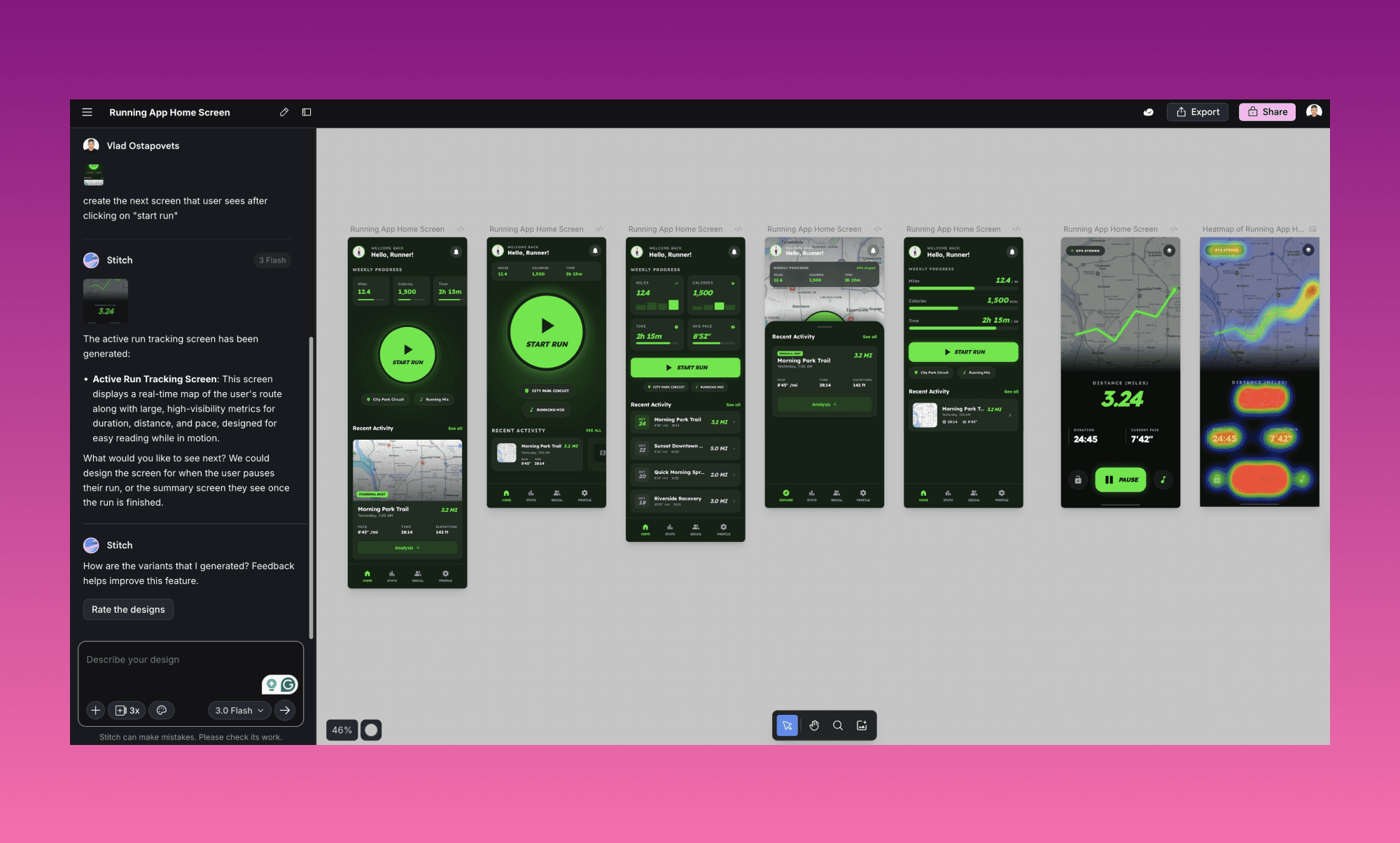
Bueno para
Variaciones rápidas de prompt a layout
Patrones de UI alineados con Material
Previsualizaciones multi-dispositivo
Comprobaciones básicas de accesibilidad
HTML/CSS + exportación de capas a Figma (según el modo)
Se queda corto cuando necesitas
Flujos largos y conectados de varias pantallas
Más control de estilo a nivel marca
Salida responsive sin limpieza manual
Lógica de backend/producto (auth, DB, workflows)
Uso intensivo sin topar con límites mensuales
Funciones de colaboración más profundas (versionado, trabajo en equipo sólido)
Herramientas de texto a UI
Estas son las herramientas que deberías mirar primero si tu equipo quiere el mismo flujo base: describes la UI → generas pantallas → iteras.
Banani
Mejor para: Crear prototipos editables de varias pantallas desde texto, capturas o enlaces de Figma
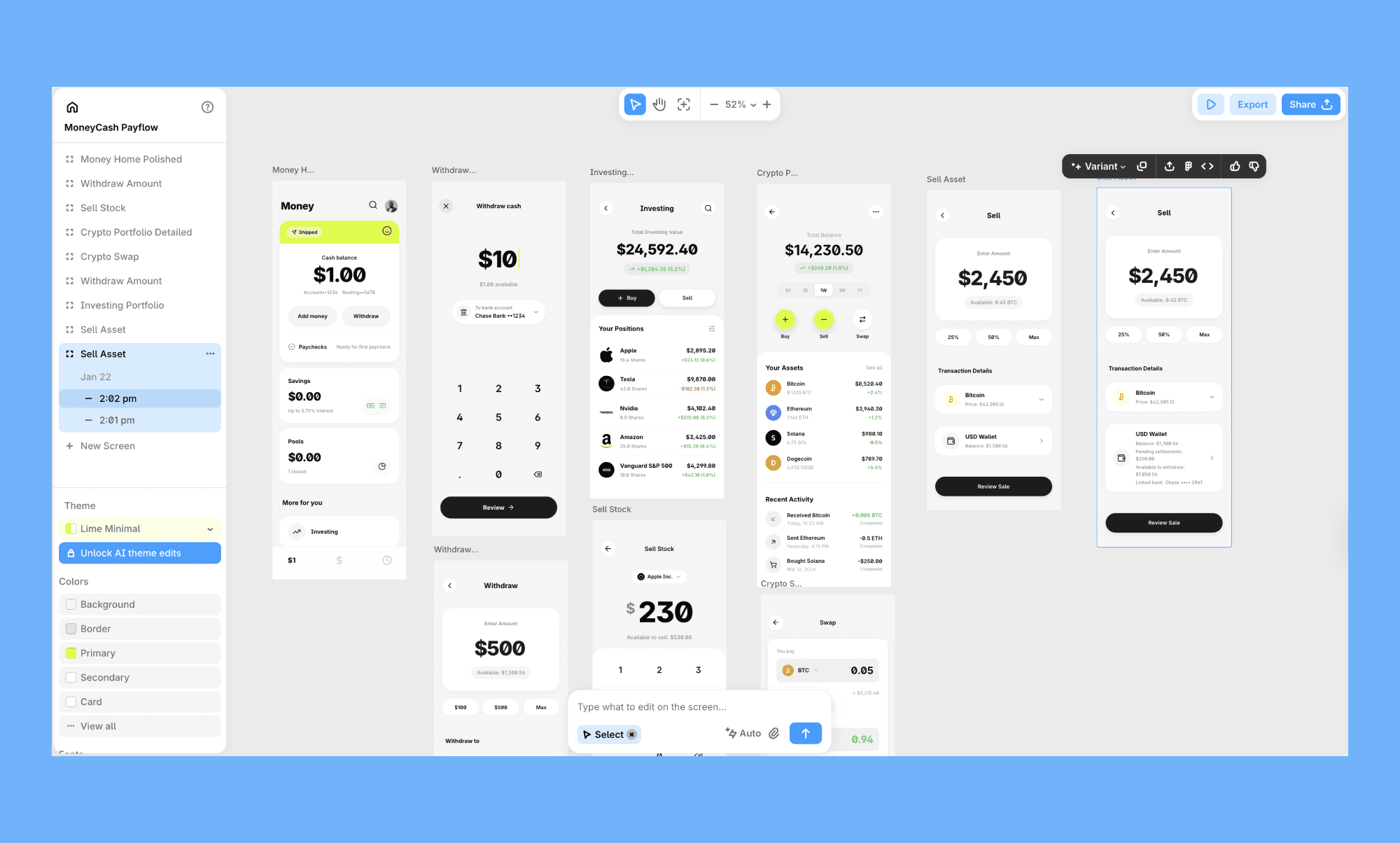
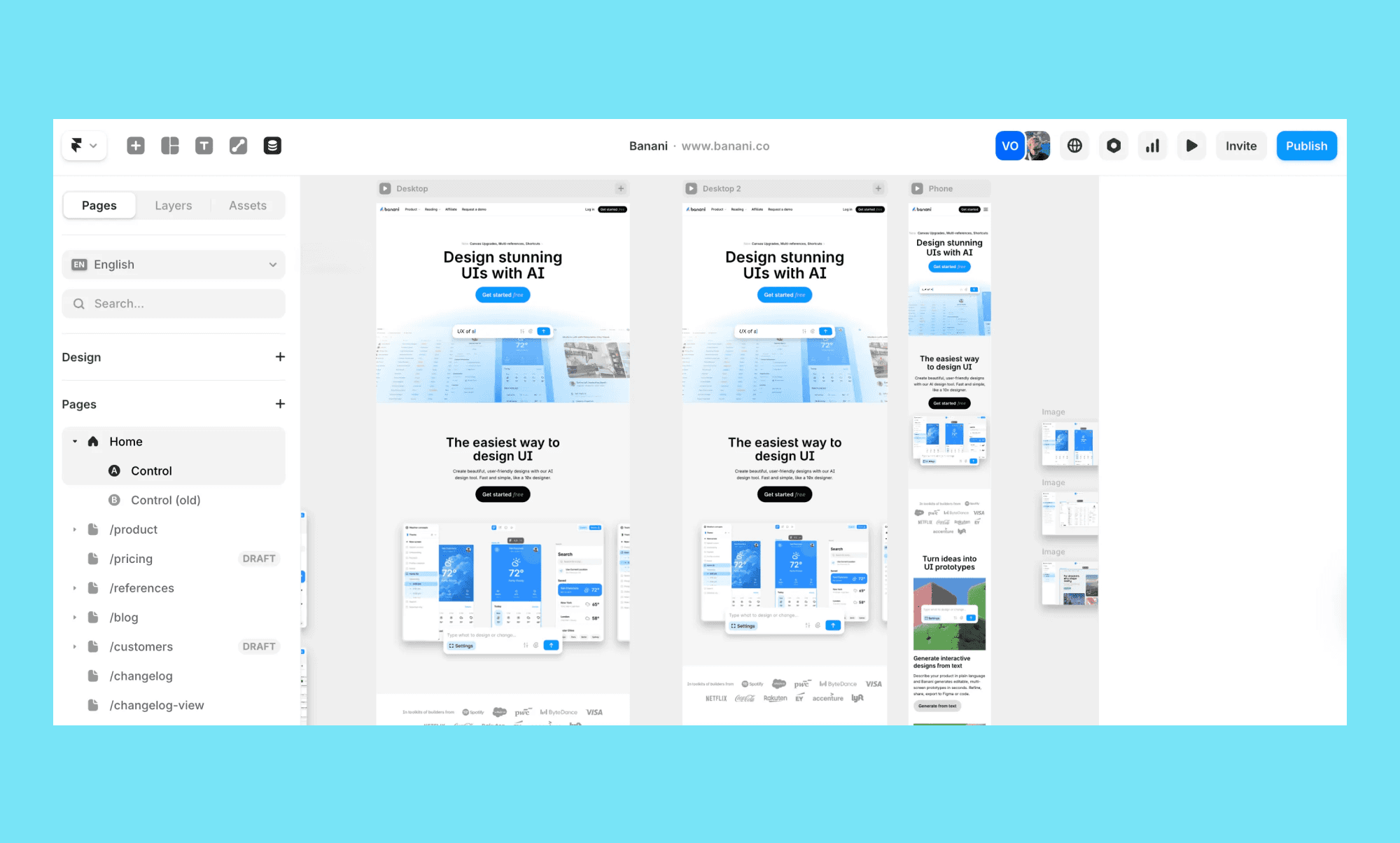
Banani es una herramienta de diseño UI con IA que convierte prompts, capturas o enlaces de Figma en layouts interactivos de varias pantallas. Frente a Stitch, apuesta más por construir flujos e iterar—sobre todo cuando necesitas más que una sola pantalla aislada.
Por qué es buena:
Genera UI multiherramienta desde un prompt (no solo una vista)
Ajusta colores, tipografía y tokens de diseño para un control de estilo más fino
Crea estados de seguimiento desde interacciones (útil para flujos)
Exporta a Figma o HTML/CSS
Comparte por enlaces para revisión asíncrona
Limitación clave: La calidad de salida depende mucho de la claridad del prompt, y la personalización más profunda suele requerir ajustes manuales de tokens.
Precio: Empieza en $20/mes (individual) y $30/mes (equipos), con un plan gratis que incluye 20 generaciones gratis al día y 3 exportaciones a Figma.
Si quieres algo que se sienta como Stitch pero funcione mejor para flujos reales de producto, prueba a crear tus primeros diseños en unos clics.
Uizard
Mejor para: Equipos cross-funcionales que quieren wireframes rápidos y prototipos editables
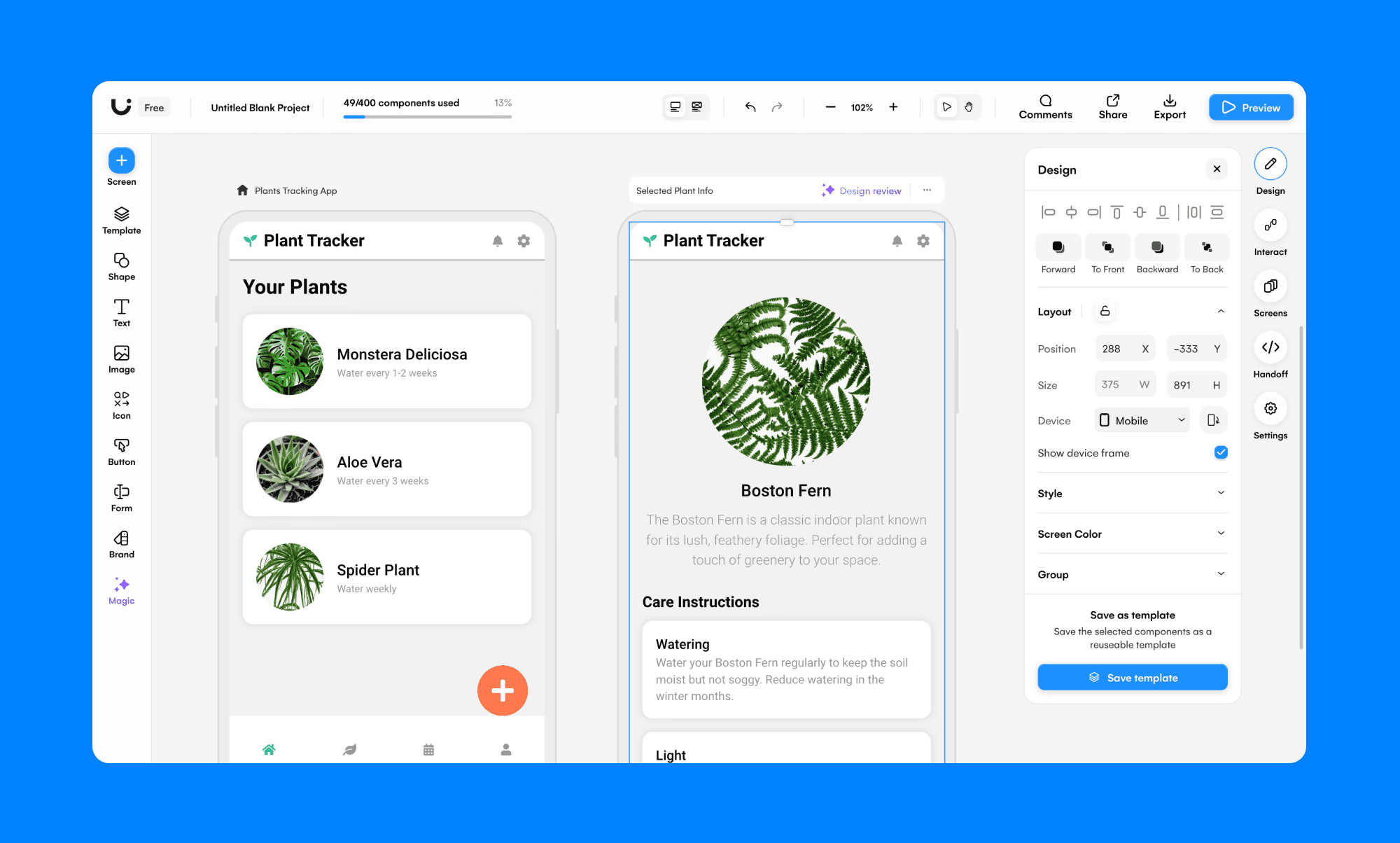
Uizard va muy bien cuando tu equipo necesita sacar pantallas MVP rápido—especialmente si participan PMs y personas no diseñadoras. Es más “llega rápido a un prototipo usable” que “UI de marca pixel-perfect”.
Por qué es buena:
Generación de varias pantallas (sobre todo en flujos tempranos)
Conversión de capturas + bocetos
Colaboración en tiempo real
Generación de temas para cambios de estilo rápidos
Limitación clave: Las exportaciones directas de archivos de diseño totalmente editables son limitadas; las exportaciones tipo SVG son un workaround en muchos flujos.
Precio: Los planes de pago empiezan en $19/mes, con un plan gratis.
UX Pilot
Mejor para: Pantallas high-fidelity + salida lista para Figma
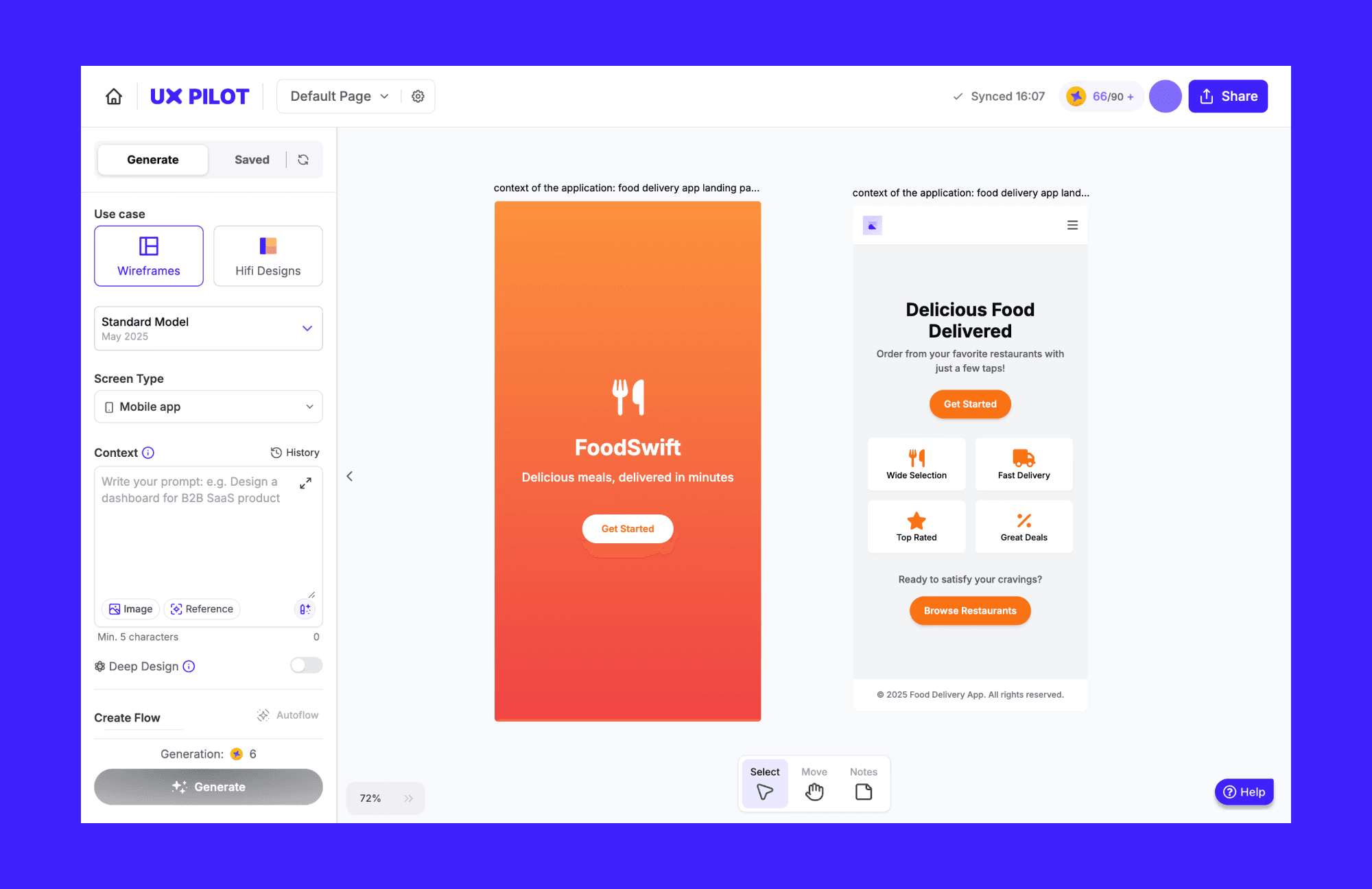
UX Pilot apunta a equipos que quieren algo más cercano a una UI pulida que a wireframes sueltos. Es especialmente útil cuando quieres llevar trabajo a Figma rápido.
Por qué es buena:
Generación de UI de alta fidelidad y wireframes
Creación de flujos de pantalla / journeys
Plugin de Figma + ruta de exportación
Soporte de estilo basado en referencias
Limitación clave: Las ediciones iterativas pueden volverse inconsistentes, y los defaults estrictos de “best practices” pueden dificultar seguir direcciones de UI poco comunes.
Precio: Los planes de pago empiezan en $19/mes, con una opción gratis y limitada.
Herramientas de diseño a código
Si tu problema principal es “ya tenemos diseños, ahora conviértelos en código”, Stitch no es el punto de partida correcto. Estas herramientas están pensadas para flujos de Figma → código.
Figma Make
Mejor para: Equipos de diseño ya dentro de Figma que quieren prototipado guiado por prompts
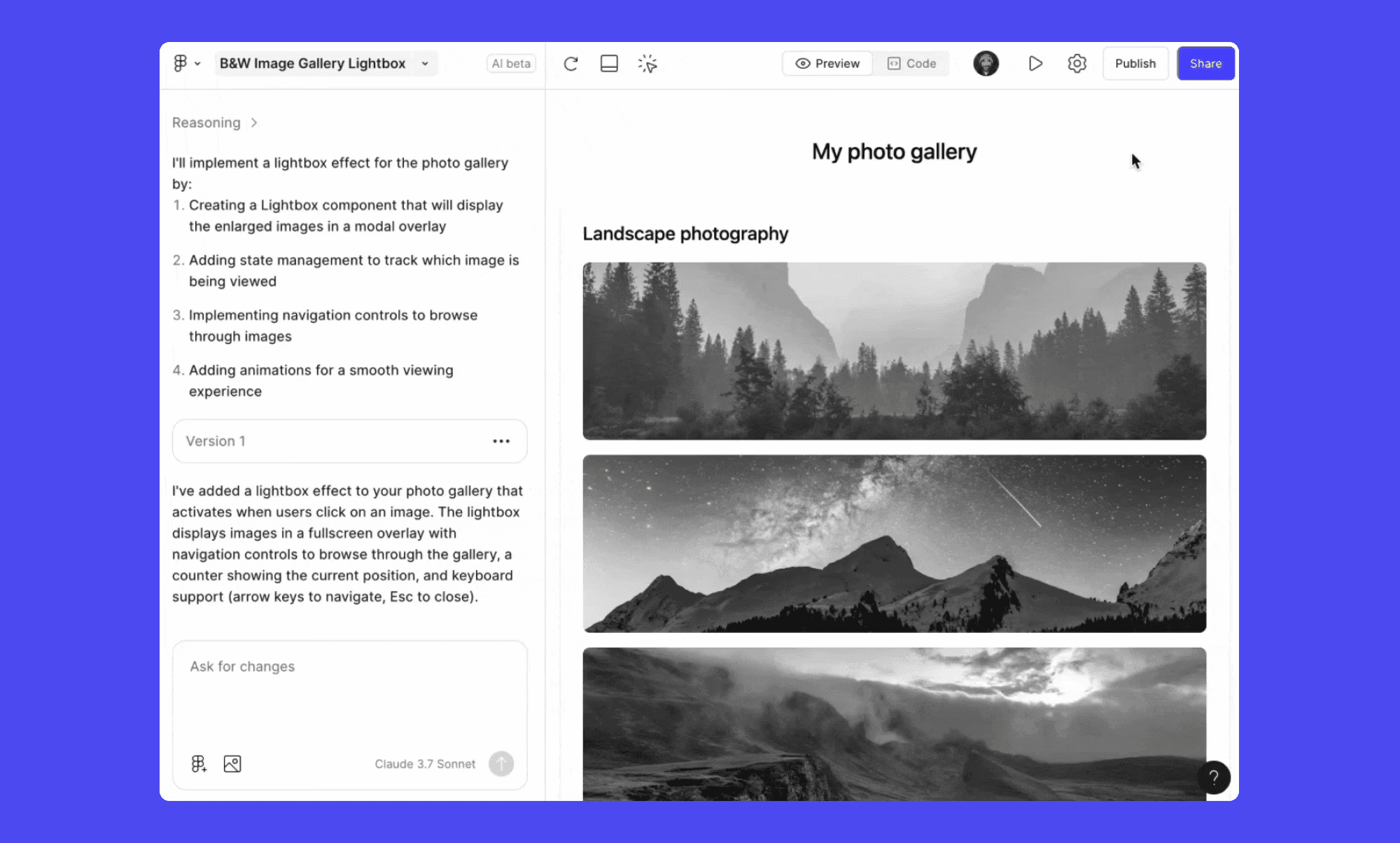
Figma Make se plantea como una forma nativa de Figma para generar prototipos interactivos dentro del canvas. La gran ventaja es seguir en Figma con capas nativas, sin saltar entre herramientas.
Por qué es buena:
Integración profunda con componentes y estilos de Figma
Ediciones guiadas por prompt + cambios directos en el canvas
Ruta de publicación vía Figma Sites
Limitación clave: Funciona mejor dentro del ecosistema Figma, pero pierde atractivo si tu equipo no estandariza en Figma.
Precio: Los planes de pago empiezan en $20/mes, con una opción gratis y limitada.
Locofy.ai
Mejor para: Equipos liderados por ingeniería que quieren código front-end listo para producción desde Figma/Penpot
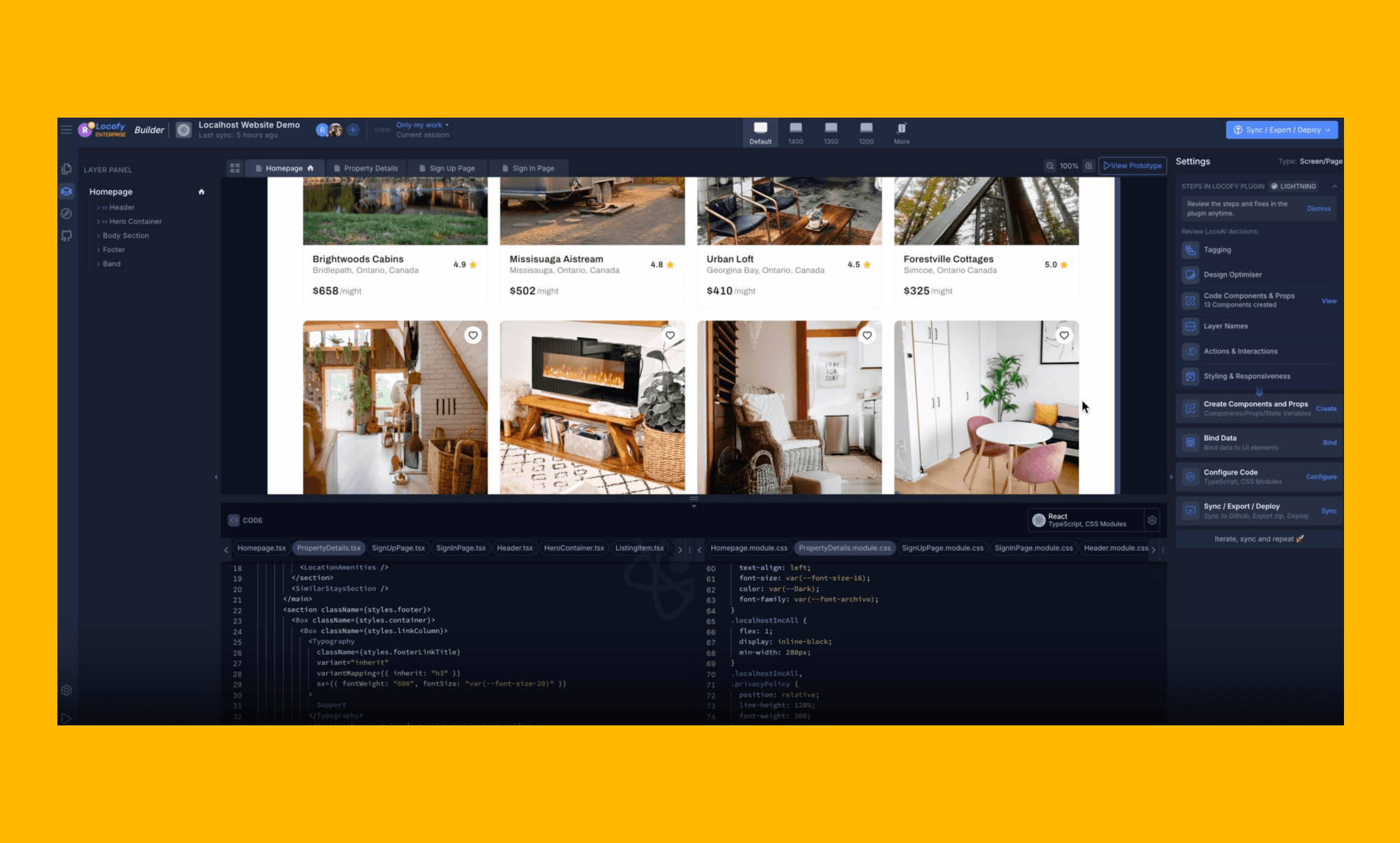
Locofy es otro tipo de “alternativa”. No va de explorar ideas de UI, sino de sacar código. Si tu equipo ya tiene diseños en Figma y quiere construir rápido en React/React Native/Flutter, este es el camino.
Por qué es buena:
Exportación de código multi-framework (React, React Native, Flutter, HTML/CSS y más)
Workflows de etiquetado y conversión a componentes basados en plugin
Integraciones con GitHub y editores (útil para equipos reales)
Funciona con sistemas de diseño comunes (Material UI, Ant Design, etc.)
Limitación clave: Es más fuerte en UI estática → código front-end. La gestión avanzada de estados y la lógica de backend aún requieren tiempo de ingeniería.
Precio: Pago por uso a $0.40 por token, o $399/año por ~2,500 tokens.
Anima
Mejor para: Equipos que quieren un flujo de builder más amplio (prompt → UI → despliegue)
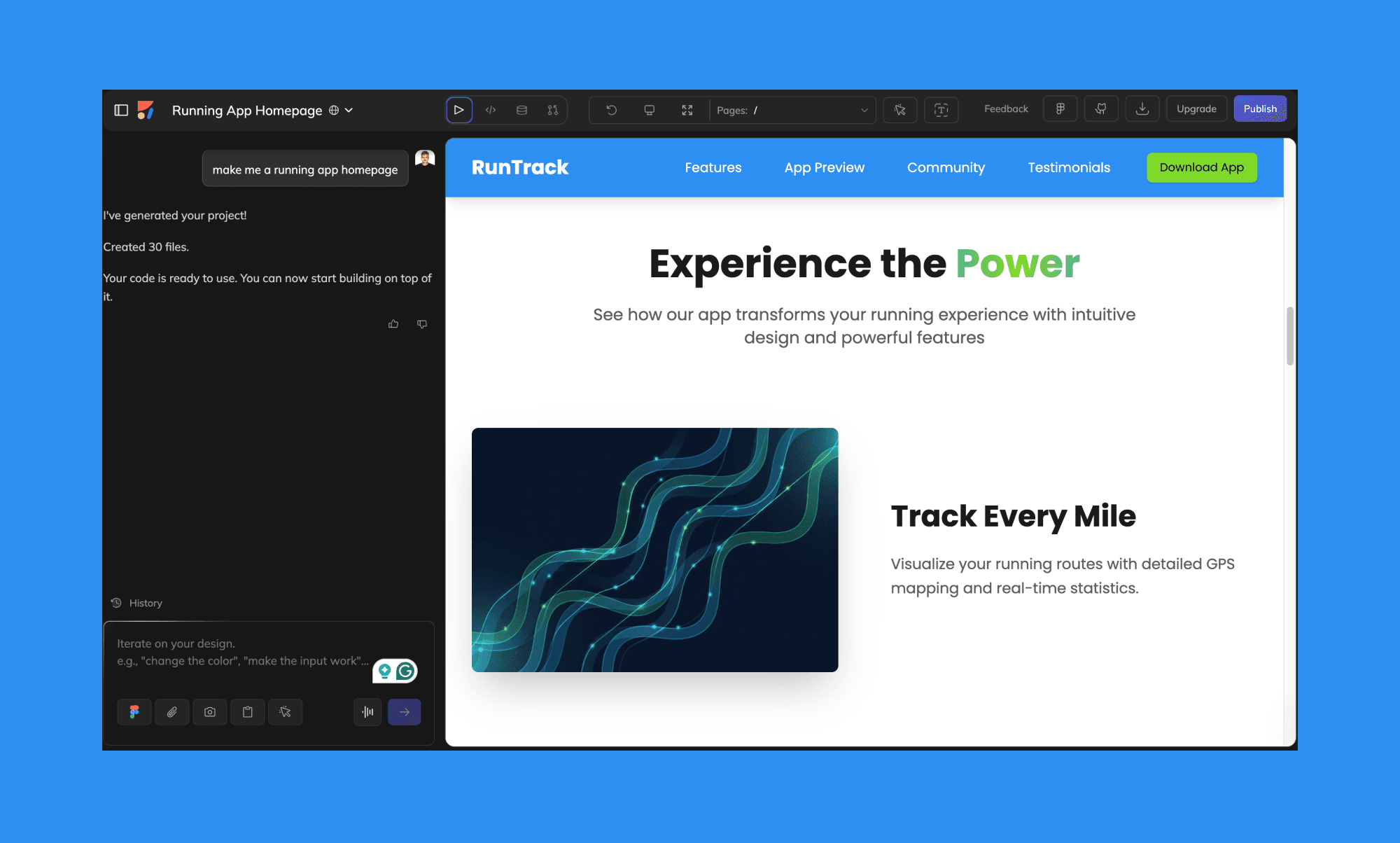
Anima se acerca más al terreno de “product builder”. Soporta puntos de partida con prompt o capturas, pero también integra despliegue y workflows de desarrollo vía APIs.
Por qué es buena:
Generación de UI por prompt + workflows de Figma a código
Previsualizaciones en vivo + enlaces compartibles
Opciones de despliegue con un clic
Acceso a API para tooling de dev y agentes IA
Limitación clave: El código generado suele necesitar limpieza, y algunos equipos reportan lag/bugs del plugin.
Precio: Starter es $25/mes, con una opción gratis y limitada.
De prototipo a publicación
Si lo que realmente quieres es “poner algo online”, un generador de diseño solo no basta. Estas herramientas sirven para publicar.
Framer
Mejor para: Equipos que construyen webs con diseño + CMS + SEO en un solo lugar
Framer es ideal cuando quieres un creador de sitios moderno que soporte layouts responsive, animaciones y un flujo real de publicación.
Por qué es buena:
Generación de layouts asistida por IA
Colaboración + iteración rápida en páginas en vivo
Herramientas de localización y SEO
CMS integrado
Limitación clave: El control a nivel de código puede sentirse restrictivo, y la profundidad del CMS tiene límites según el plan.
Precio: Los planes de pago empiezan en $15/mes, y hay precios enterprise disponibles.
Relume
Mejor para: Planificación estructurada de webs (sitemaps + wireframes) antes del diseño
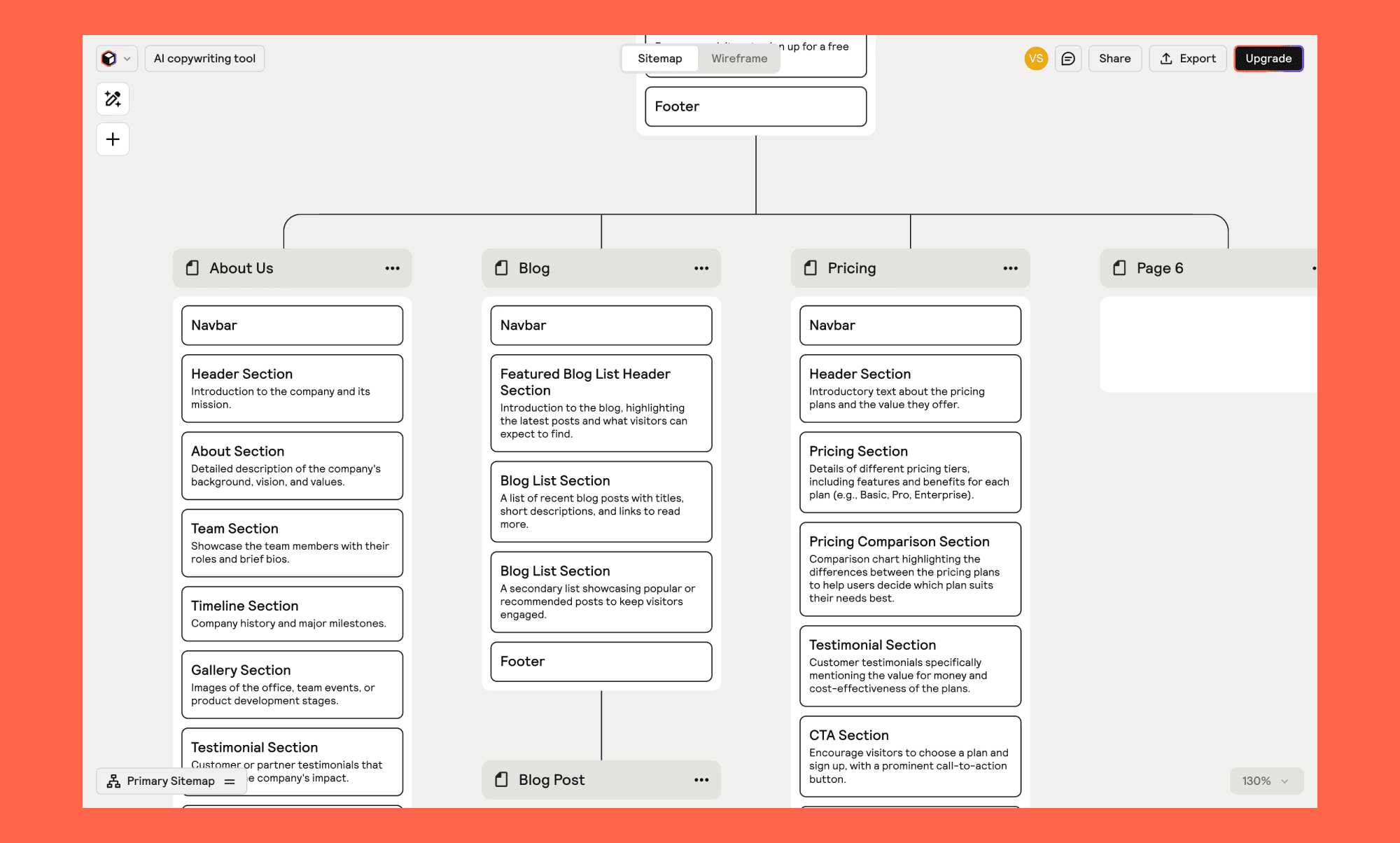
Relume apuesta por “planificar primero”. Si tu equipo tiene más problemas con la arquitectura de información que con el layout de UI, este es un gran punto de partida—luego exportas a tu herramienta de diseño/desarrollo preferida.
Por qué es buena:
Sitemaps + wireframes generados por IA
Bibliotecas grandes de componentes (se mencionan 1,000+ elementos)
Constructor de style guide para la dirección de marca
Exportación a Figma/Webflow/React
Limitación clave: No sustituye un host/CMS—es más una herramienta de planificación + handoff.
Precio: Los planes de pago empiezan en $26/mes, con una opción gratis y limitada.
Constructores primero código
Estas herramientas no son “reemplazos de Stitch” en el sentido puramente de diseño. Se describen mejor como sustitutos de Stitch para equipos que quieren una app desplegable rápido.
v0 de Vercel
Mejor para: Generación de prompt a UI que se puede desplegar rápido (sobre todo en un flujo de Vercel)

v0 es útil cuando quieres generar UI rápido y avanzar hacia un flujo real de despliegue de web app.
Por qué es buena:
Genera UI/componentes útiles rápidamente
Modo de edición visual
Templates + sistemas de diseño
Sincronización con GitHub + despliegue en Vercel
Limitación clave (según se describe): No genera endpoints completos de backend/API por defecto, así que la funcionalidad real aún necesita ingeniería.
Precio: Los planes de pago empiezan en $20/mes, con una opción gratis y limitada.
Lovable
Mejor para: Equipos pequeños que quieren un flujo conversacional de prompt a app
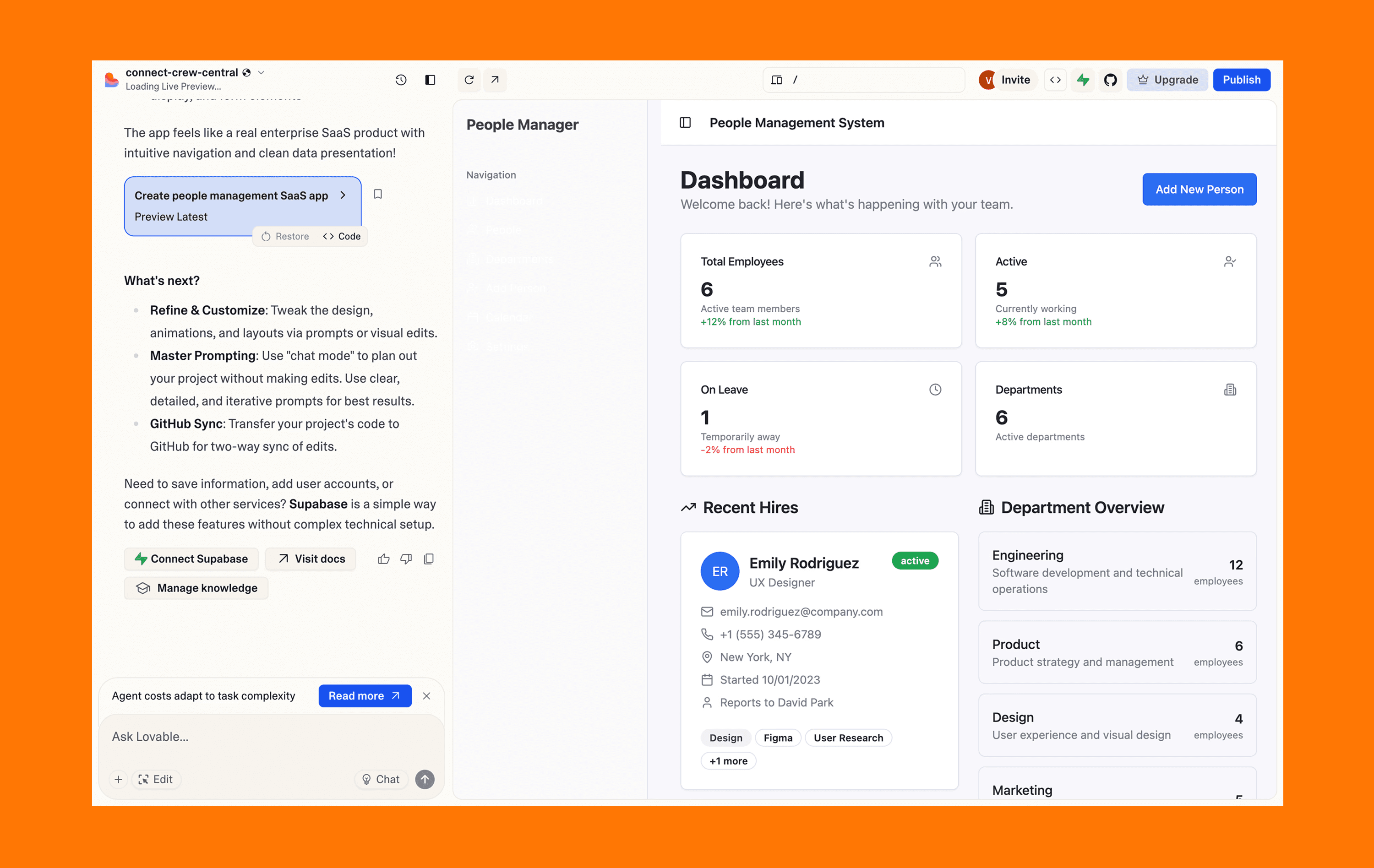
Lovable es directo: chat, templates, salida rápida. Va bien cuando el objetivo es velocidad y simplicidad.
Por qué es buena:
Creación guiada por chat
Biblioteca de templates para patrones comunes de sitios
Soporta adjuntos para dar contexto
Ruta rápida a sitios básicos
Limitación clave: Menor control profundo para personalización avanzada; los modelos basados en créditos pueden hacer que iterar se sienta caro.
Precio (según se describe): Los planes de pago empiezan en $25/mes, con una opción gratis y limitada.
Bolt.new
Mejor para: Apps/sitios guiados por prompt con el plumbing de despliegue incluido
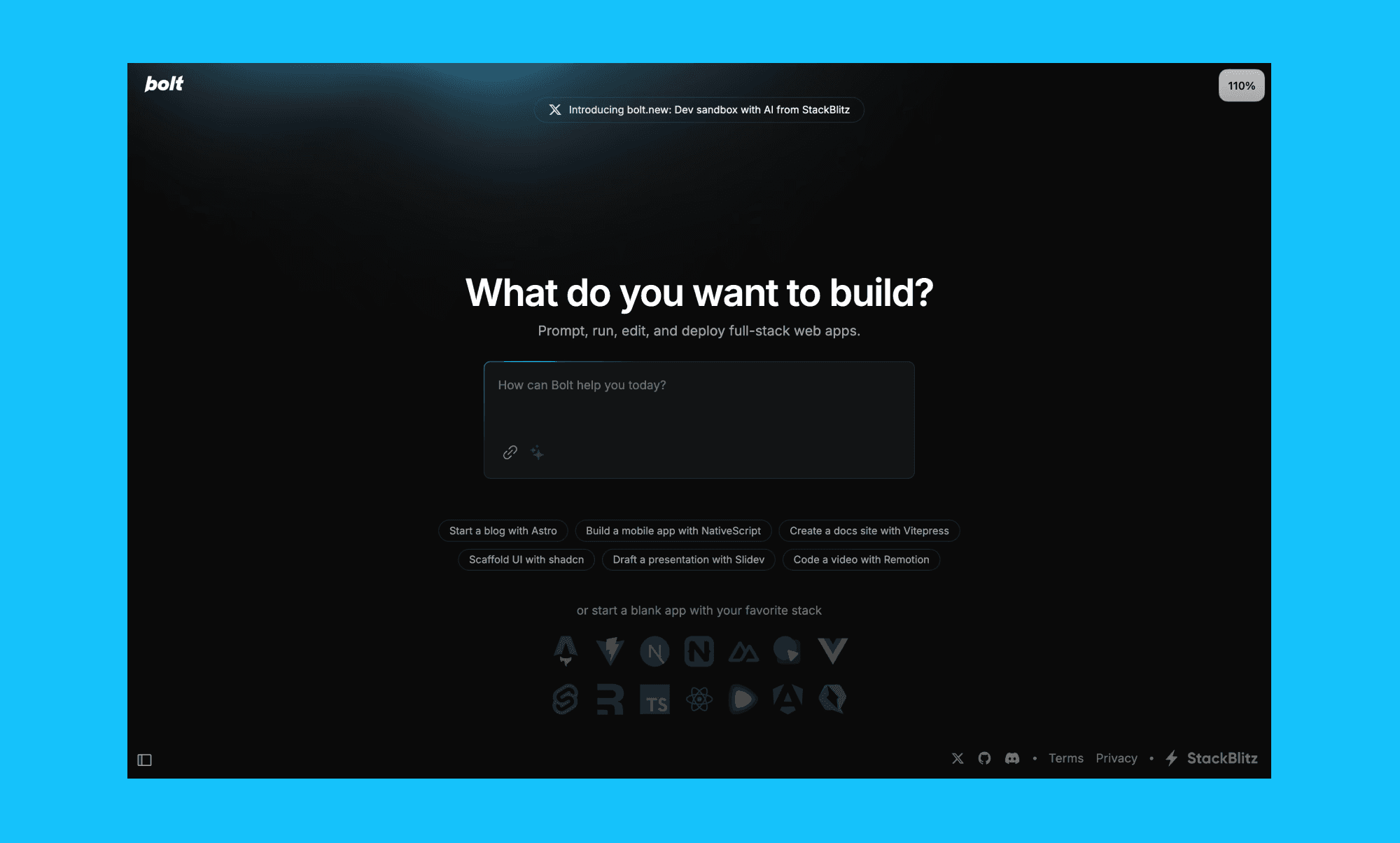
Bolt.new está pensado para generar webs y apps por chat, con integraciones que importan cuando los desarrolladores tienen que tomar el relevo.
Por qué es buena:
Flujo de prompt a app
Hosting + gestión de base de datos mediante Bolt Cloud
Soporta builds móviles y web
Integraciones (se mencionan Figma, GitHub, Expo, Stripe)
Limitación clave: Está orientado sobre todo a stacks basados en JS (limitado para necesidades de backend en Python o no JS).
Precio: Pro cuesta $25/mes, con una opción gratis y limitada.
Paraflow
Mejor para: Flujo de trabajo tipo “agente IA” basado en canvas que va de producto a UI
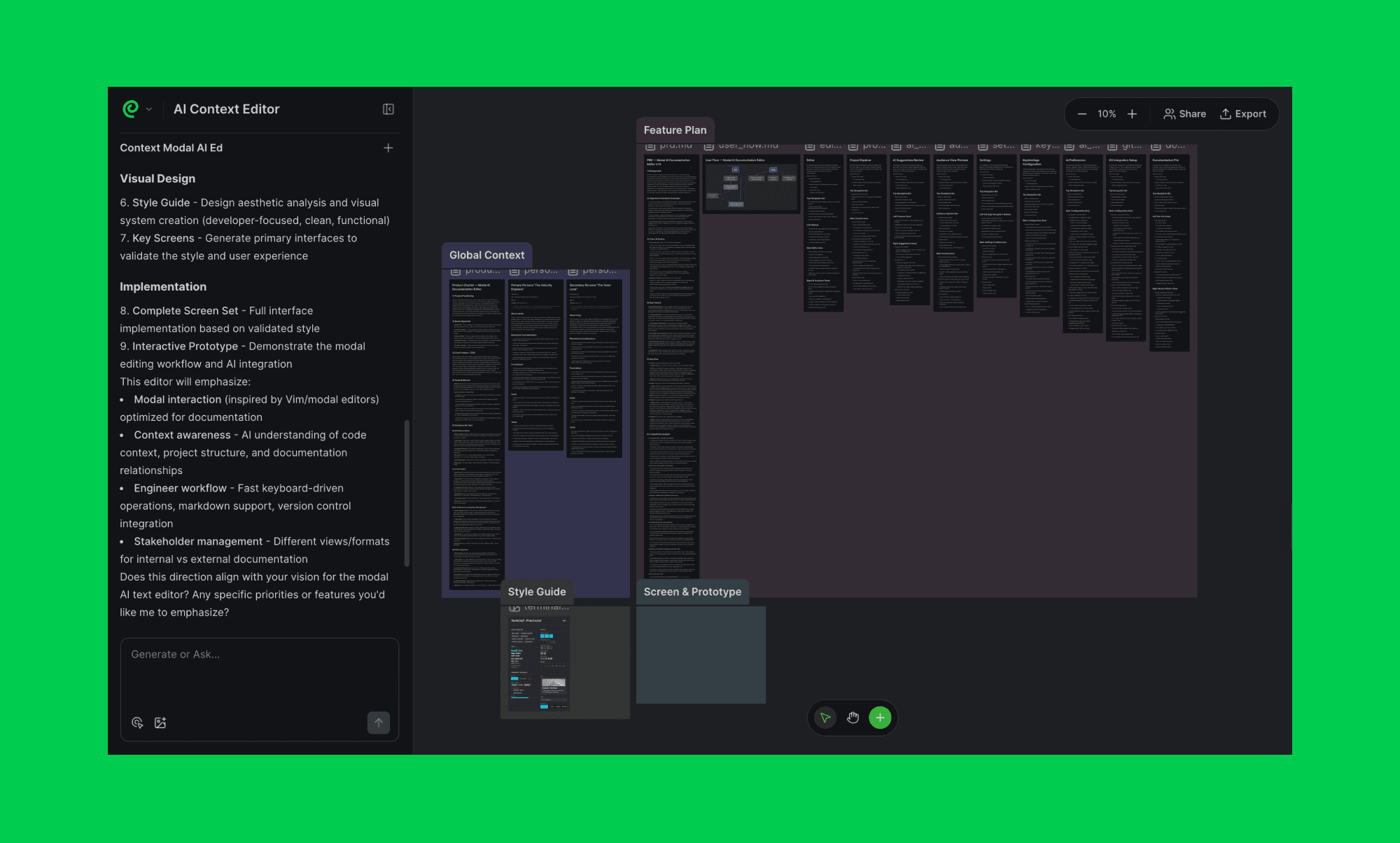
Paraflow es más un workspace de producto de extremo a extremo que un generador de UI. Si a tu equipo le gusta definir requisitos, mapear flujos y generar UI en un solo canvas, puede funcionar.
Por qué es buena:
Generación de PRD + mapeo de user flows
UI de alta fidelidad coherente con el estilo
Prototipos interactivos + previsualizaciones en vivo
Handoff de código front-end
Limitación clave: Las integraciones pueden ser más limitadas que en herramientas que los equipos ya usan a diario.
Precio (según se describe): Pro cuesta $25/mes, con una opción gratis y limitada.
Tabla comparativa rápida
Esto está simplificado a propósito para que siga siendo legible.
Herramienta | Mejor para | Entradas | Exportaciones | Modelo de precio |
Banani | Diseños UI editables de varias pantallas | Texto, imágenes, frames de Figma | Figma, HTML/CSS | Plan gratis + seats desde $20/mes |
Uizard | Wireframes + prototipos rápidos | Texto, imágenes | Exportaciones limitadas | Plan gratis + seats desde $19/mes |
UX Pilot | UI + flujos | Texto, referencias | Figma | Plan gratis + seats desde $19/mes |
Figma Make | Prototipado nativo en Figma | Texto, Figma | Figma | Plan gratis + seats desde $20/mes |
Locofy | Figma → código front-end | Figma/Penpot | React/HTML/CSS/etc. | Precio por token o anual |
Anima | Builder + despliegue + API | Texto, imágenes, Figma | Código + despliegue | Plan gratis + seats desde $25/mes |
Framer | Publicar webs | Texto, input de diseño | Sitio alojado | Seats desde $15/mes |
Relume | Sitemaps + wireframes | Texto | Exportaciones a Figma/React | Plan gratis + seats desde $26/mes |
v0 | Prompt → UI desplegable | Texto, imágenes | React + despliegue | Plan gratis + desde $20/mes |
Lovable | Prompt a app simple | Texto | App alojada | Plan gratis + desde $25/mes |
Bolt.new | Prompt a app + infra | Texto | React + despliegue | Plan gratis + desde $25/mes |
Paraflow | Flujo de producto basado en canvas | Texto, imágenes | Figma/HTML/CSS | Plan gratis + desde $25/mes |
Preguntas frecuentes
¿Las alternativas a Stitch AI son fáciles para principiantes?
Algunas sí. Si quieres la incorporación más sencilla, herramientas como Banani y Lovable suelen sentirse más simples. Herramientas como v0 y Paraflow pueden ser más complejas porque asumen flujos de varios pasos y/o participación de desarrolladores.
¿Qué alternativas soportan integración con Figma?
Según los flujos descritos arriba, Banani, UX Pilot, Relume y Figma Make son las rutas más amigables con Figma. Bolt.new menciona integración con Figma, y Framer tiene soporte limitado dependiendo de tu flujo.
Conclusión
Stitch AI es una herramienta potente, pero para elegir mejor, hazte una pregunta simple.
¿Quieres diseños, código o un producto en vivo?
Si quieres diseños y prototipos, quédate en la categoría de texto a UI, usa Banani/Uizard/UX Pilot
Si quieres código front-end, ve a diseño a código, usa Locofy/Anima
Si quieres un sitio/app en vivo, ve a publicar o primero código, usa Framer/Bolt/Lovable/v0


