
Features | One-shot text-to-image, reference-based editing, multi-face consistency, image-to-image, infographic/text rendering |
Rating | My Experience: 4.2/5 | Product Hunt: 4.9/5 |
Pros | Strong one-shot quality, excellent character consistency, affordable per-image cost, good design/layout sense |
Cons | Weak text rendering, edits don't always follow instructions precisely, Omni mode very slow |
Pricing | Free (66 credits/day) to $180/mo; ~$0.015 per image on Standard plan |
Alternatives | Midjourney, Nano Banana, GPT Image, Flux, Krea, Reve, Ideogram |
Summary of Ideogram AI Images >
What is Kling AI?
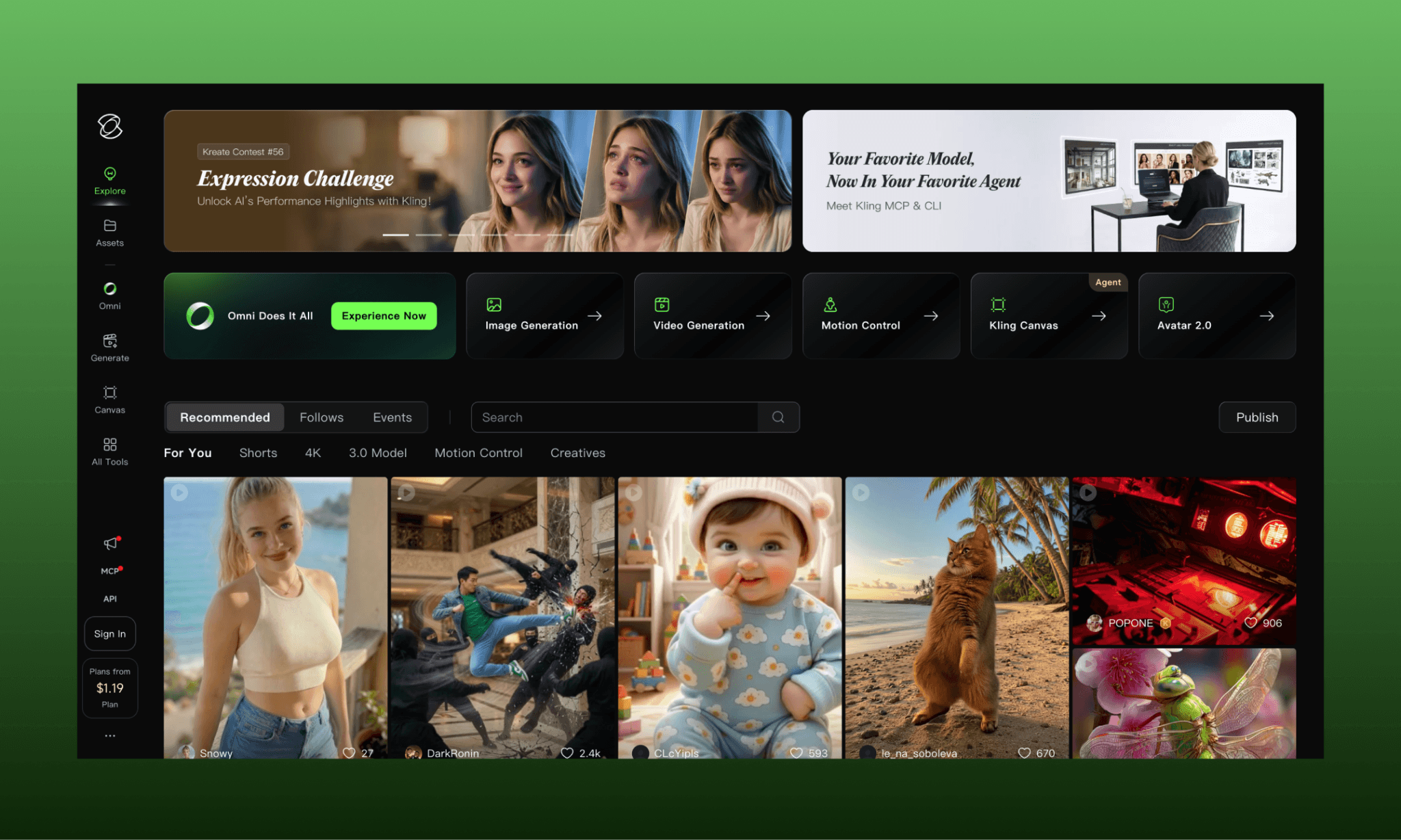
Kling AI is a video and image generation AI by Kuaishou. It is primarily known for its video engine, but can impressively handle prompt-to-image & image-to-image creation a well. First released in 2024, Kling 3.0 and 3.0 Omni are their latest GenAI models as of 2026[1].
Kling AI can be accessed from their official website (viz. kling.ai), on App Store and Play Store by the name of ‘Kling AI’ app, or several AI creative tools including Flora AI, Freepik AI (now Magnific), and Figma Weave.
Try a Free AI Image Generator >
Testing Kling AI Image Generator
To test the image generation capabilities of Kling AI for product teams, I decided to create UI assets for the homepage of an imaginary face serum, Verael. I plan to test its abilities at one-shotting, editing, character consistency and more – while tracking its speed and credit consumption to see how expensive Kling AI is.
Hero image to test one-shotting
Text-to-image with Kling 3.0
Starting right off by creating the hero image for Verael website, I gave a simple prompt to Kling 3.0 AI image generator:
"A minimalist serum bottle levitating center-frame, surrounded by orange slices, sunflower petals, and translucent mineral crystals suspended mid-air in fluid, lucid motion. Soft caustic light ripples through the scene, like sunlight filtered through water, casting rippling refracted patterns across the bottle and background. Backdrop fades from a sunny green field into a deep, star-flecked space gradient. Clean, editorial product photography, soft shadows, high detail."

Time: ~1 minute | Credit: 1
Frankly, the overall look and layout exceeded my expectations. Kling 3.0 killed it in the first go. All subjects and backgrounds are there with right shifts of focus. The image is 2k HD quality which does not pixelate when zooming in.
However, the prompt is not fully adhered to in terms of lighting; I had asked for caustic sunlight but it’s not there. Lets see if it can handle it in edit.
Text-to-image with Kling 3.0 Omni vs Kling 3.0
Then I ran the same prompt in Kling 3.0 Omni to see how it compares with the standard Kling 3.0 standard. And for one thing Kling 3.0 won right away was speed because Kling 3.0 Omni showed it’ll take ~10 minutes to generate the image. It in fact took > 15 mins.
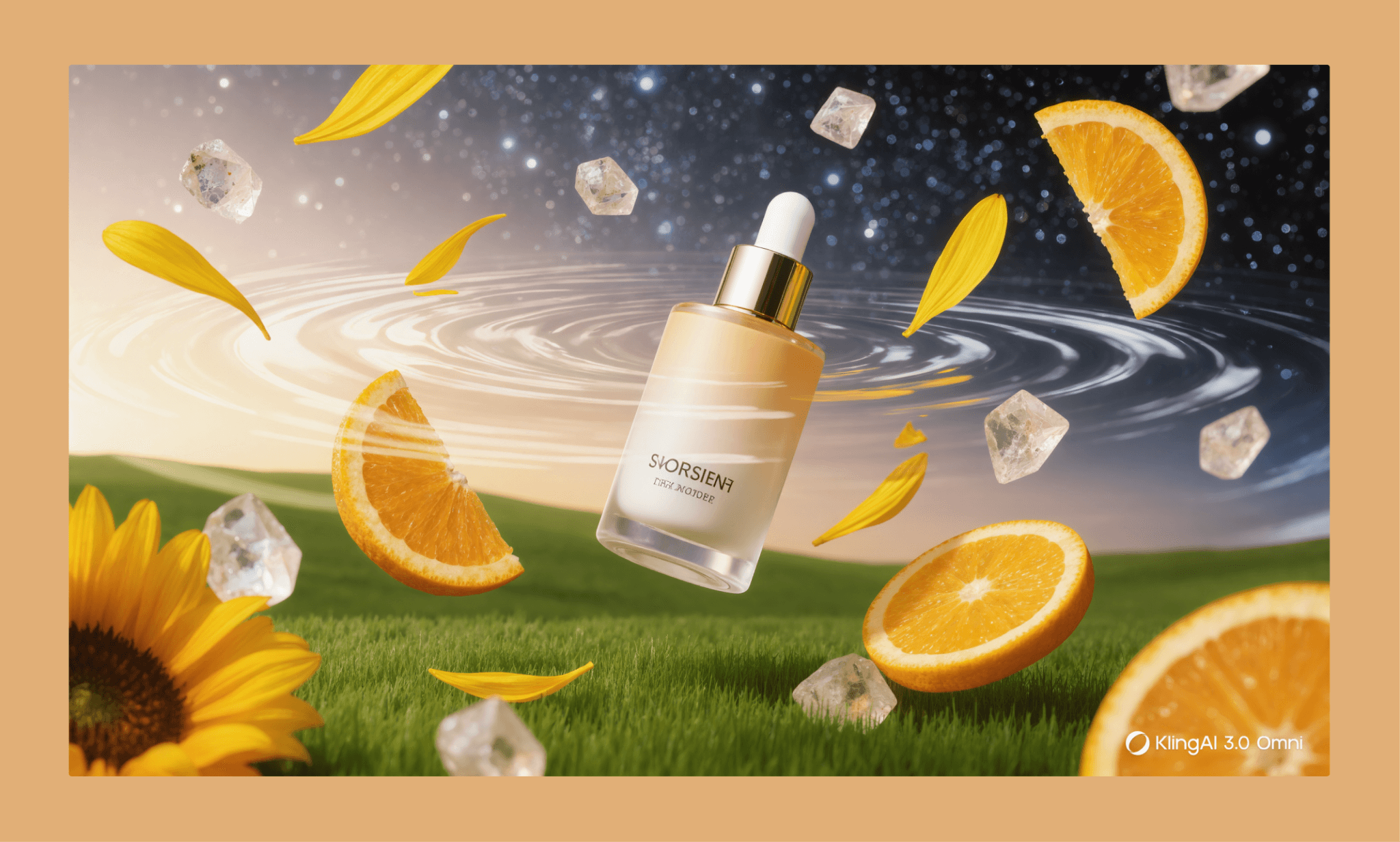
Time: ~15 minute | Credit: 2
Must say that Kling 3.0 Omni does have an edge over Kling 3.0 image output. It’s simply more happening. However, given the time it takes, it’s not suitable for quick turn around so am going to stick with Kling 3.0 for this test of mine.
One-shot Example of Reve AI Images >
Polishing the hero image with Kling image editor
Using the ‘Edit’ option directly
Just hovering over or expanding the image in Kling highlights editing features. Handy. In addition to fixing the lighting, I wanted to put the name ‘Verael’ on the bottle to see how good is Kling with typography.
"Add soft caustic light ripples across the bottle and scene, like sunlight filtered through water, casting rippling refracted patterns on glass and elements around it; NOT on the backdrop. Make the bottle translucent frosted glass, showing a hint of pale fluid and small bubbles inside, with a subtle dropper visible at the neck. Replace the wordmark on the bottle with 'Verael' in a clean, minimal cursive.”
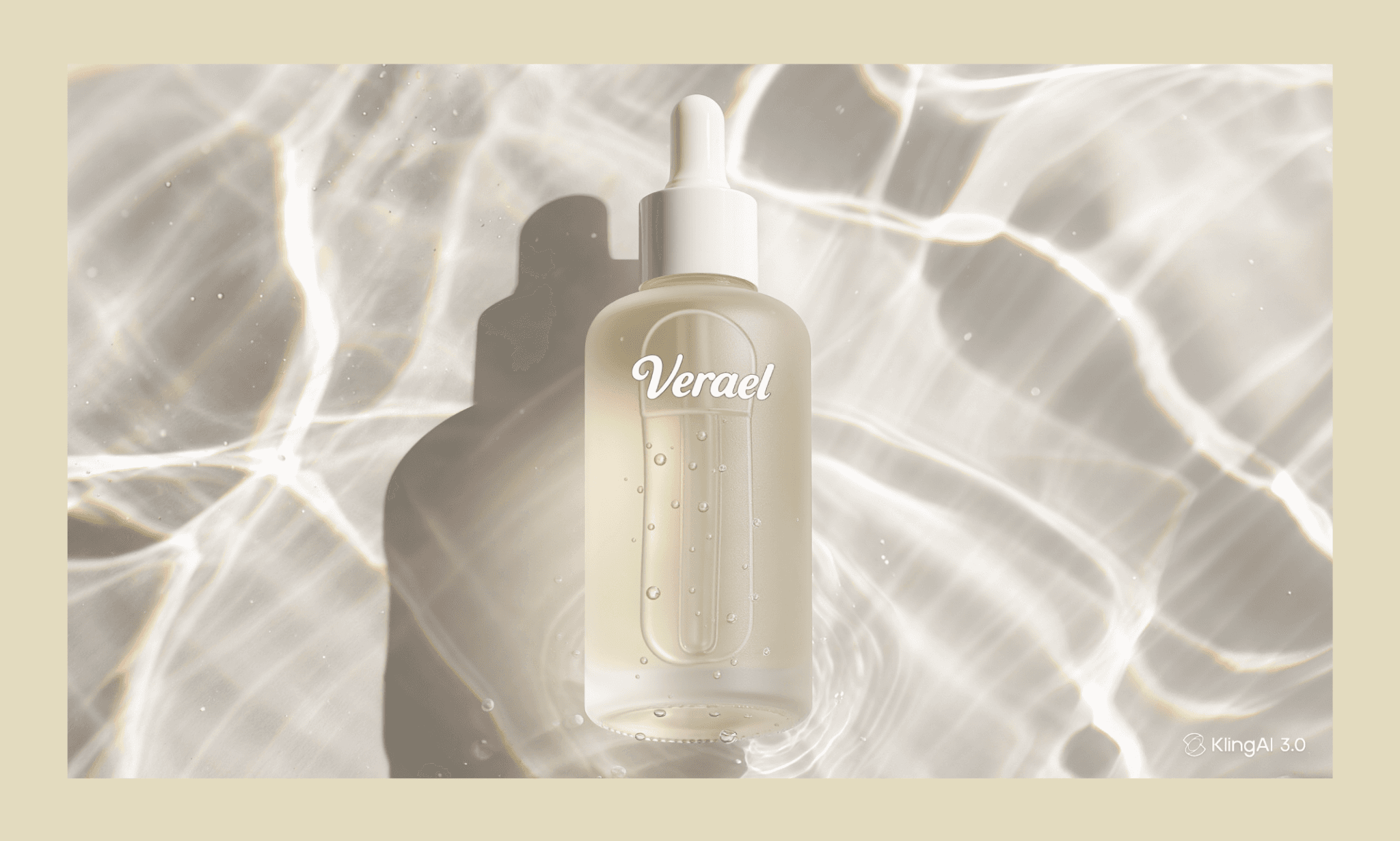
Time: ~1 minute | Credit: 1
It does show the elements I asked for but not by editing the original hero image — by creating a new one altogether. It is beautiful and neat for sure, but not useful.
Editing by uploading the reference image
Clearly, something had gone wrong. But am sure to have used Kling’s ‘Edit’ option next to the image. So, I decided to upload the original hero image as reference and then ask to make the same changes.
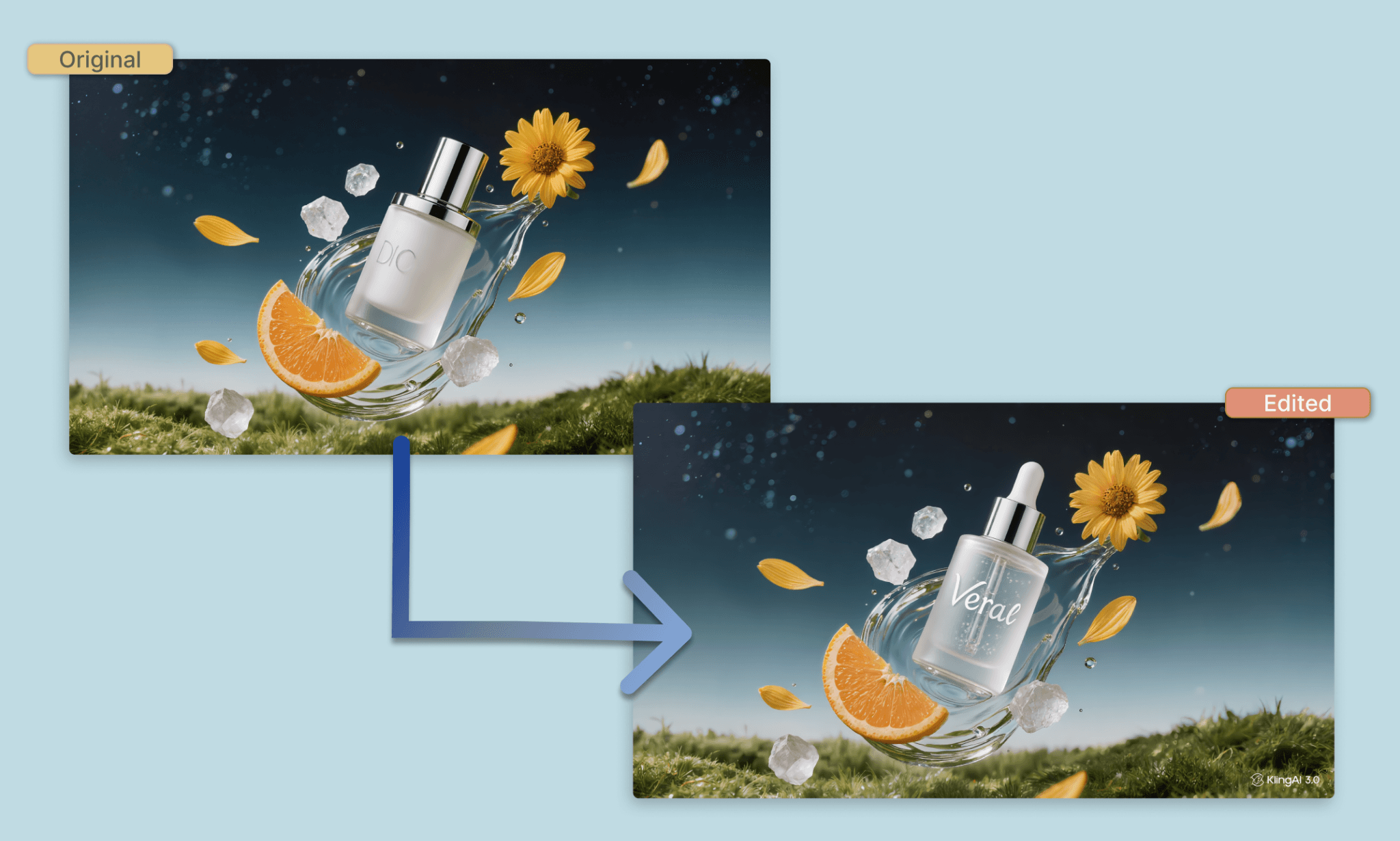
Time: ~1 minute | Credit: 1
This time it did work. The original image is intact, while making surgical changes on the bottle’s look as asked. However, the name and light both failed to be edited into it. Anyways, in the fairness of one-shot, am going to proceed with what we have.
Reviewing Krea’s AI Image Editing Features >
Feature cards creation to test range of Kling 3.0 images
i) Multiple reference images
"Using the three reference faces provided, place all three women together in one image, laughing naturally with each other. Preserve each person's exact facial features and likeness from their reference photo. Bright, sunny outdoor setting with a soft, out-of-focus depth-of-field background. Natural candid framing, warm golden daylight, editorial beauty photography style.”
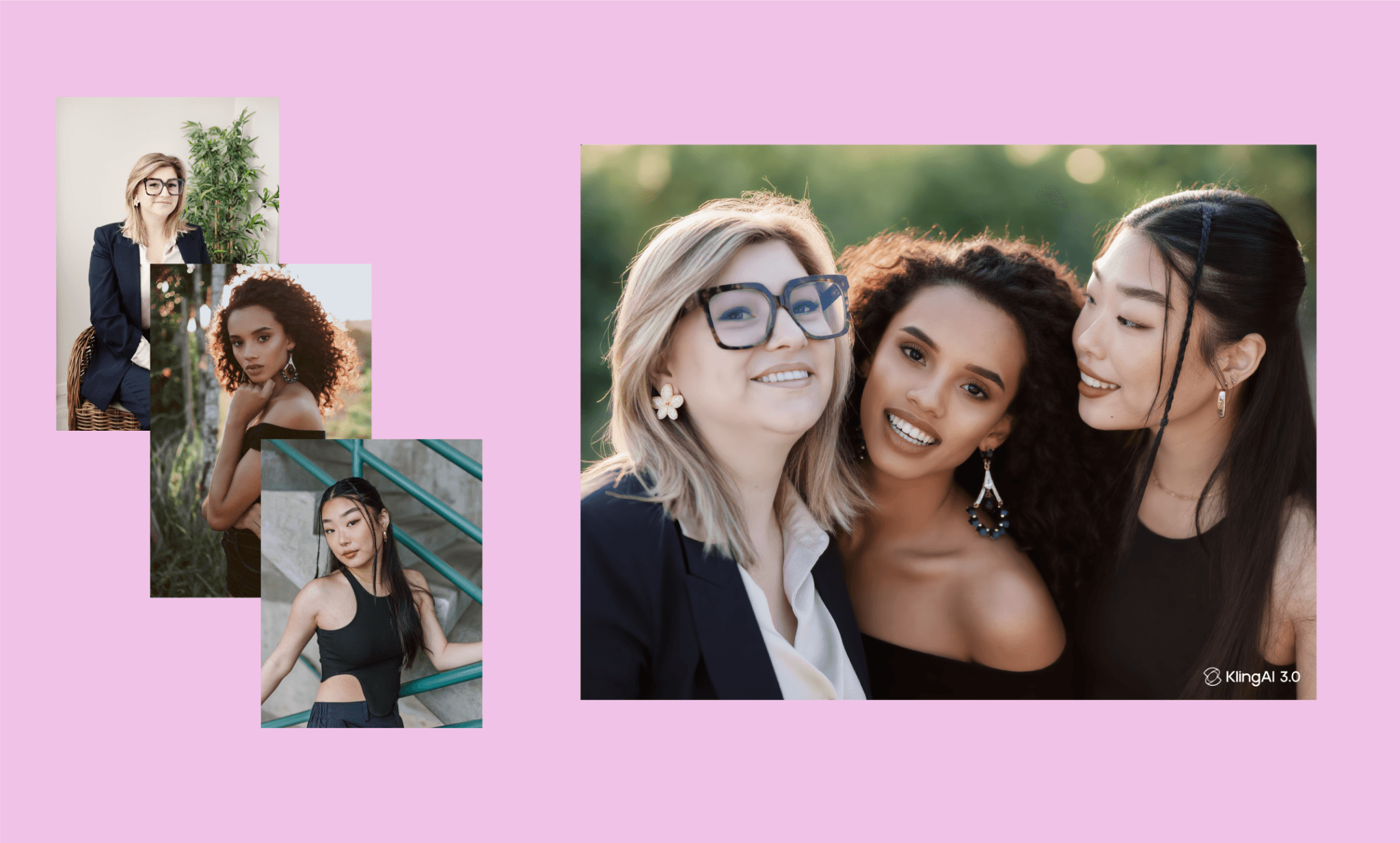
Time: ~1 minute | Credit: 1
This is genuinely strong multi-reference identity preservation. And I also liked how the image has an elegant blocking of models.
ii) Text to infographic creation
"An infographic showing four circular photo callouts connected by curved arrows:
a mineral crystal cluster labeled 'Minerals — Strengthens skin barrier',
a water droplet labeled 'Hyaluronic Fluid — Deep hydration',
an orange slice labeled 'Vitamin C — Brightens skin',
and a sunflower labeled 'Sunflower Extract — Soothes irritation'.
Clean white background with soft green accents."
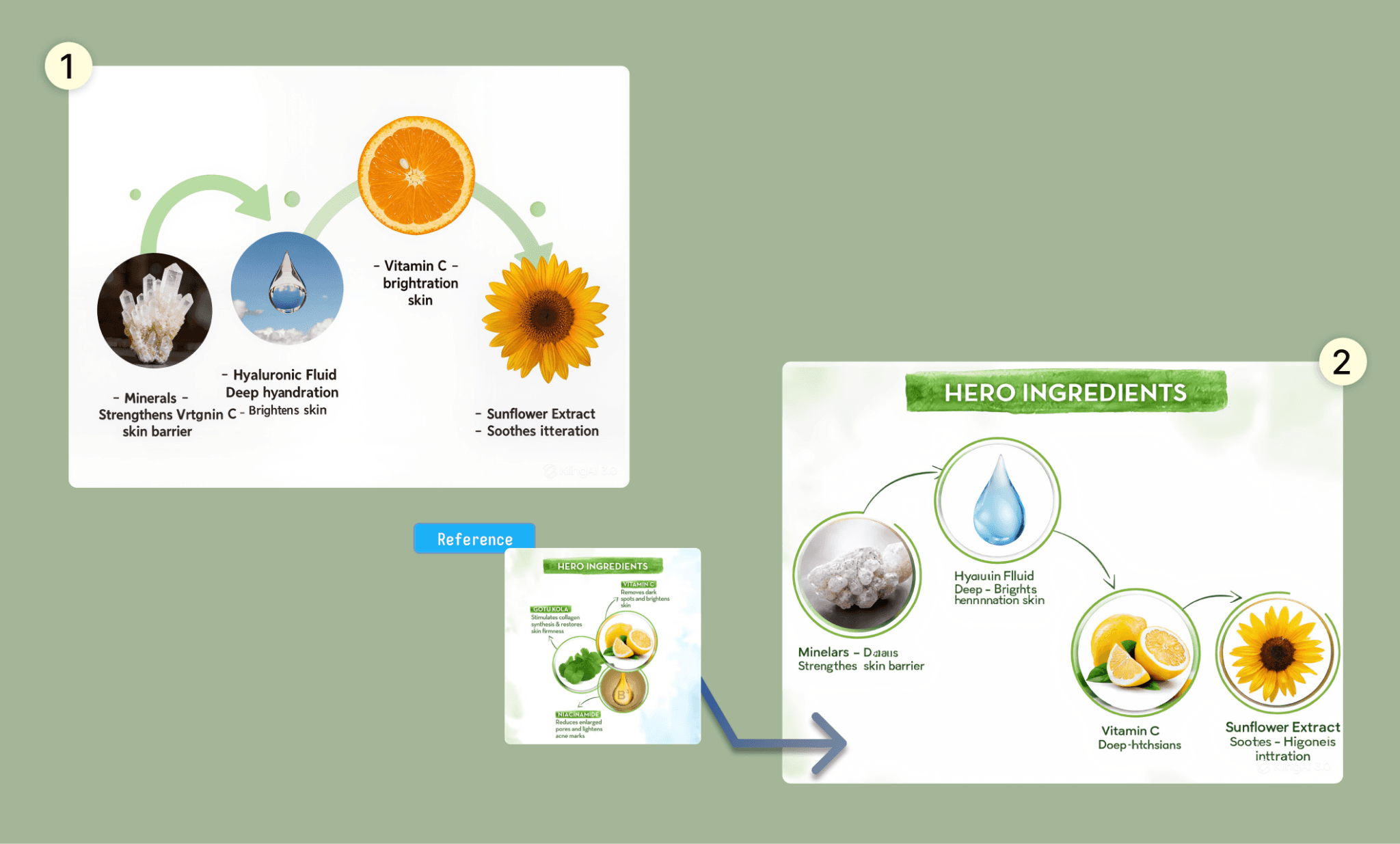
Time: ~1 minute | Credit: 1
The infographic in the first shot (without reference image) was – plainly put – not good. The arrangement, the text, the graphic/arrow are all messed up. But when created with a reference image, it’s much better. Still, looking closely at the copy, the text rendered is illegible, inconsistent font and color.
How Good is Ideogram at Text Rendering >
iii) Close up detailing
"Close-up portrait of a young woman smiling directly at the camera, soft natural lighting. On the left half of her face, keep the skin with slightly uneven tone and a few small blemishes. On the right half, render smooth, even, radiant skin texture. Same face, same expression, same lighting — only skin texture/tone differs between the two halves."
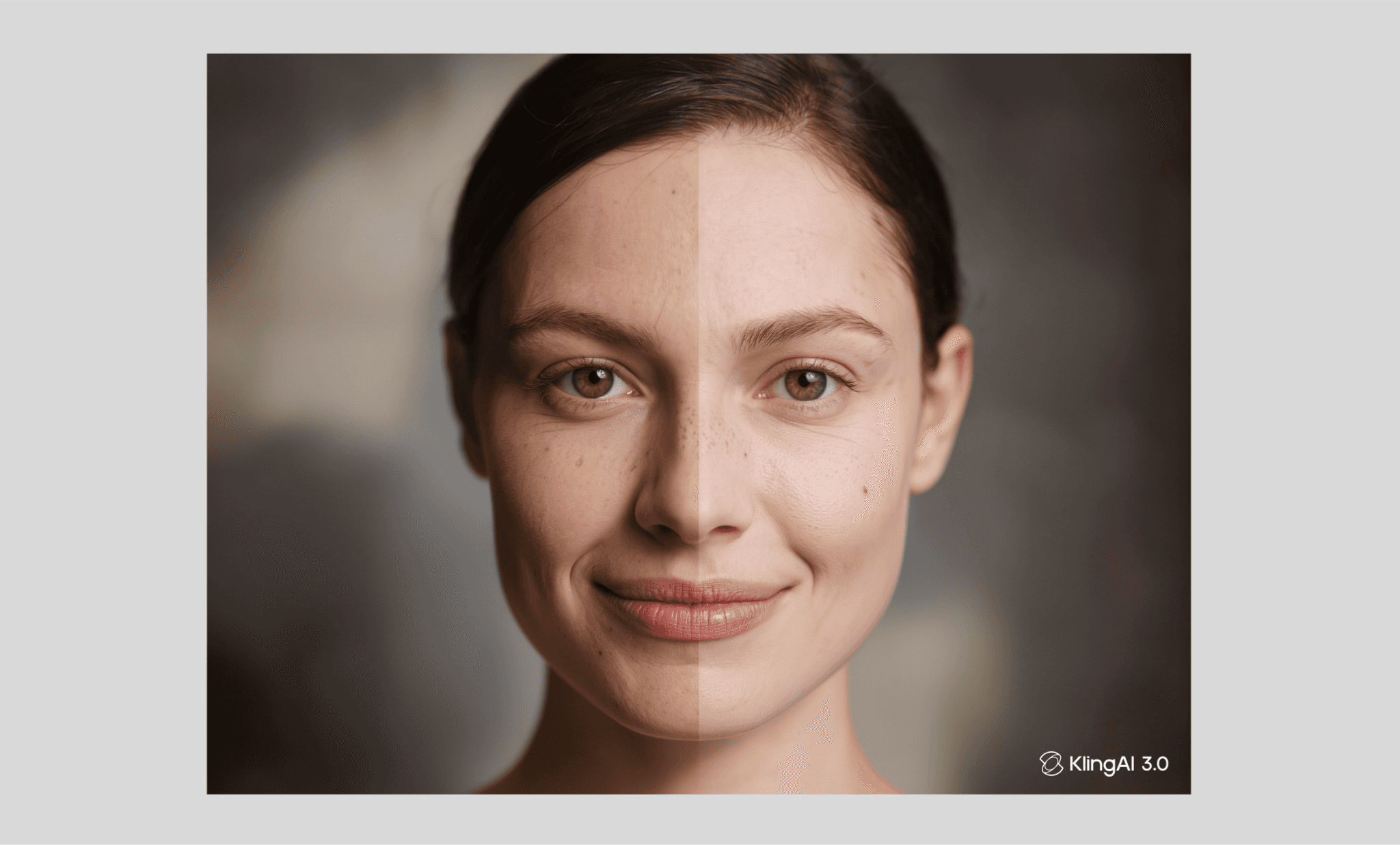
Time: ~45 s | Credit: 1
Firstly, this image was created faster than others; a clear sign that prompt complexity decides the time consumed in image creation by Kling. (Although I wouldn’t say it’s as fast as the GenAIs like Midjourney.)
As for the image itself, it's quite detailed and decent. Followed the prompt to have a left-right difference but I feel the blemish difference is not as much as I wanted.
Macro Close-up Test of Nano Banana >
CTA banner to test abstract design intelligence
"Using this Verael serum bottle as reference, create a banner image with the bottle positioned on the right side, glowing softly with warm inner light. Leave the entire left half as clean, empty negative space for text overlay. Background is abstract, with soft caustic light ripples rippling across it like sunlight filtered through water, echoing the bottle's translucent glow. Minimal, premium, editorial mood."
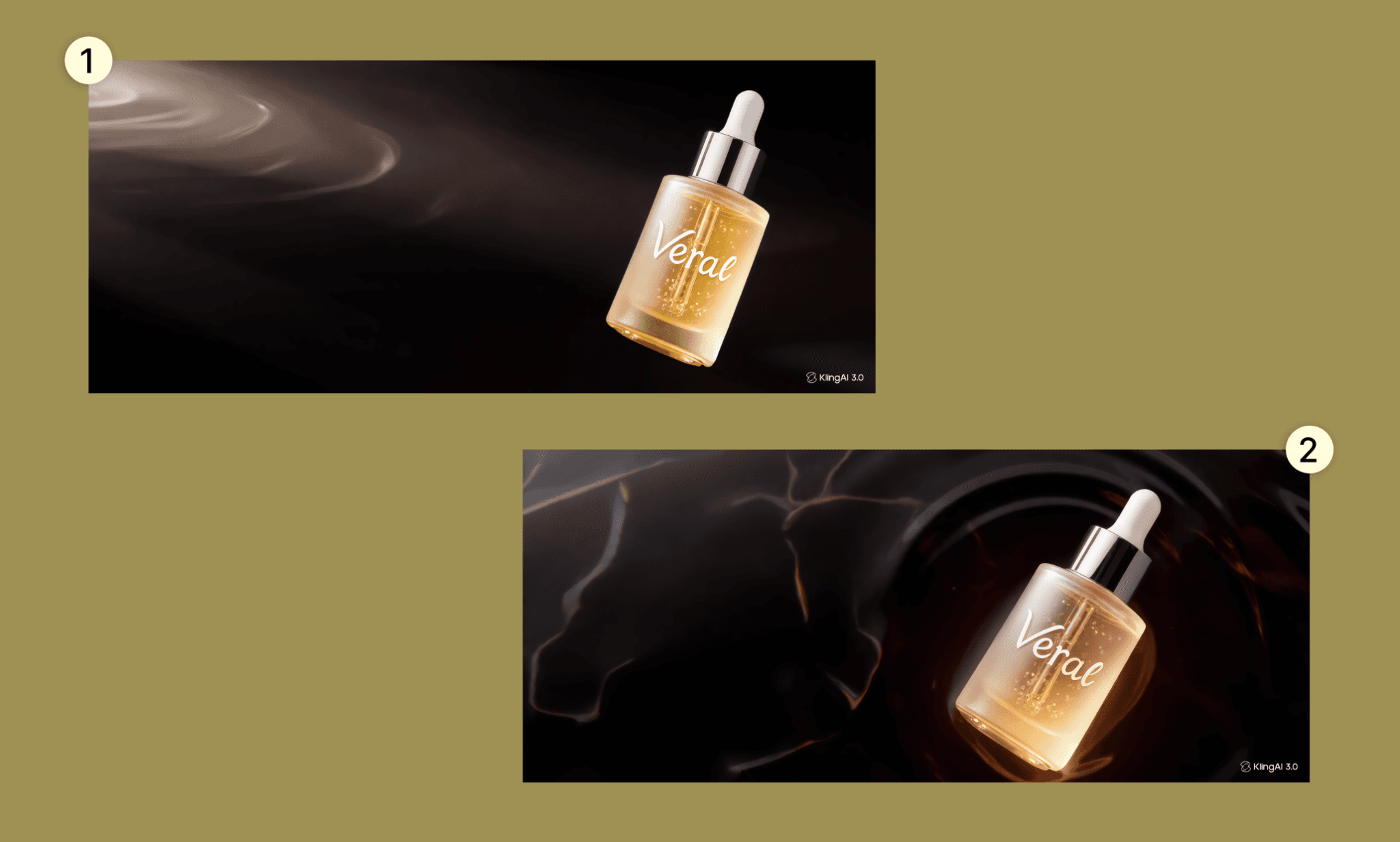
Time: ~35:10 s | Credit: 1
This time I generated two images from the same prompt – with the hero image as reference for the bottle – to see how it treats variation. Both came out good: the bottle was correctly referenced, but the color was changed unsolicited. I was expecting a white glow, but I assume that the word ‘warm’ could have weighed in on the prompt for yellow-ish color. The background is dark with ripples and light in line with my prompt.
Rating My Kling 3.0 AI Experience
Done with testing of Kling 3.0 for product teams, below I rate my experience across various criteria. The overall rating is 4.2/5 and overarching sentiment: Kling is genuinely excellent at visual/compositional tasks (one-shotting, character consistency, abstract layout) but weak at precision control (exact edit instructions, text rendering).
Criteria | Rating | Commentary |
One-shot Quality | 4.5/5 | Nailed composition, lighting details needed manual fixing |
Editing Accuracy | 3.5/5 | Reference-based edits work, but misses some instructions |
Character Consistency | 4.5/5 | Strong multi-face likeness preservation, elegant model blocking |
Text Rendering | 2.5/5 | Illegible copy, inconsistent fonts even with reference |
Speed | 3/5 | Fast for simple prompts, slow with Omni model |
Design Intelligence | 4/5 | Good layout sense, minor unsolicited color changes |
That said, now that we have all the UI assets for the website generated by Kling, the product team needs to put it together. They can use Banani AI to do so with ease and speed. Just upload the images, describe the idea telling what goes where and in minutes it’ll assemble them together into an editable UI.
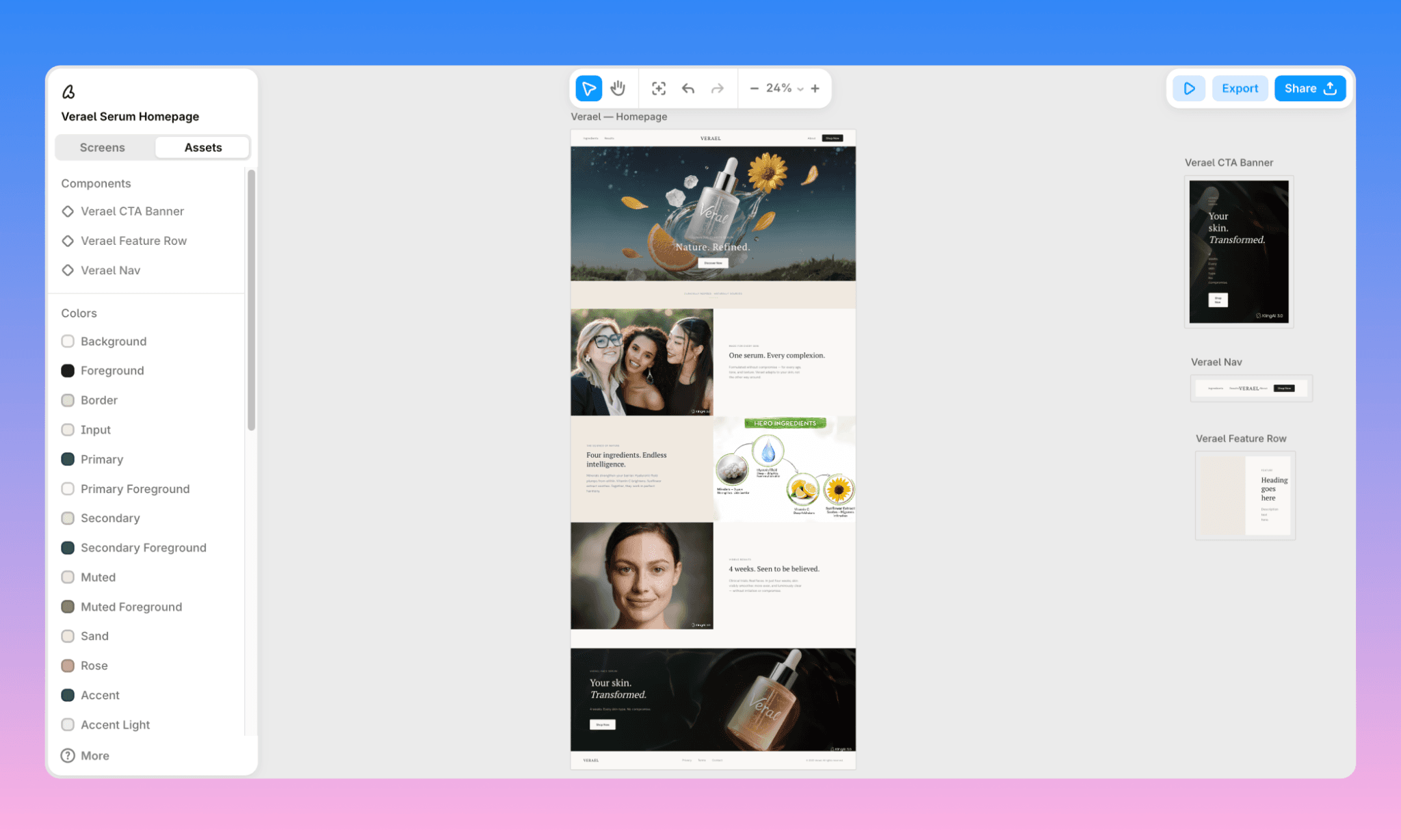
The UI by Banani is powered by Gemini and GPT models, exportable to Figma and ready for handoff via MCP.
How to Design UI with AI like a Pro >
Pricing of Kling AI in 2026
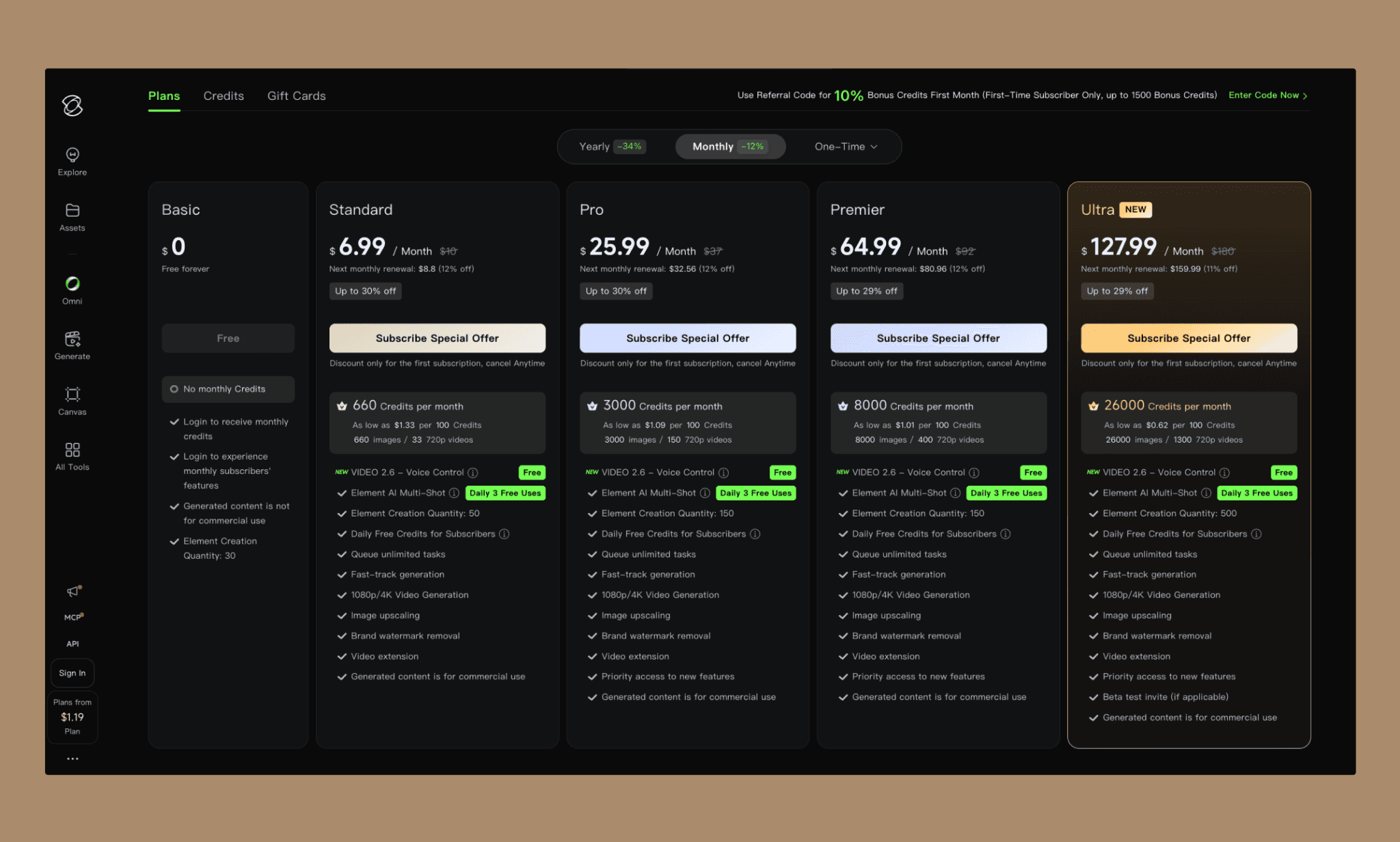
*Kling AI's pricing[2] is built around video, since that's still its primary product. However, since we're testing images here, we'll break down what image generation in Kling actually costs.
Kling AI per Image cost
As per my testing of Kling 3.0 photo generator, typically each image cost just 1 credit per generation; and even the Standard plan works out to roughly 660 images a month. So roughly 1–1.5 cents per image, dropping further as you go up tiers.
Since Kling follows a freemium pricing model, you can get started with ~66 credits/month.
Kling AI Free Plan
Kling 3.0 image generations run at 1 credit per generation, so credits translate almost directly to image count on the free tier.
66 free credits per month and bonus credits for various milestones
Generated images carry a visible watermark
Commercial use isn't allowed on the free tier
Slower processing queue vs paid plans
Kling AI Paid Plans
Plan | Monthly Price | Monthly Credits | Key Features |
Standard | $10/mo ($6.99 first month) | 660 | 1080p/4K video, image upscaling, watermark removal, commercial rights |
Pro | $37/mo ($25.99 first month) | 3,000 | Same as Standard + higher element creation quantity (150) |
Premier | $92/mo ($64.99 first month) | 8,000 | Bulk-scale credits, same feature set as Pro |
Ultra | $180/mo ($127.99 first month) | 26,000 | Highest credit pool, 500 element creation quantity, no generation limits |
*Note: Taking Kling AI yearly subscription is 34% cheaper
Once Free, Now Midjourney Pricing May Overcharge >
Alternatives to Kling AI Images
There is no dearth of AI Image generators in 2026 and compared to Kling AI, I’ve found Midjourney is faster, Ideogram does better typography, Freepik has a broader range and so on. However, to answer which is better than Kling AI would depend upon what is your primary preference in such a GenAI. That in mind, below I ran the brief of hero image through some of the popular alternatives to Kling AI to compare their image quality, and list their key features.
AI Image Tool | Hero Image Example | Key Features |
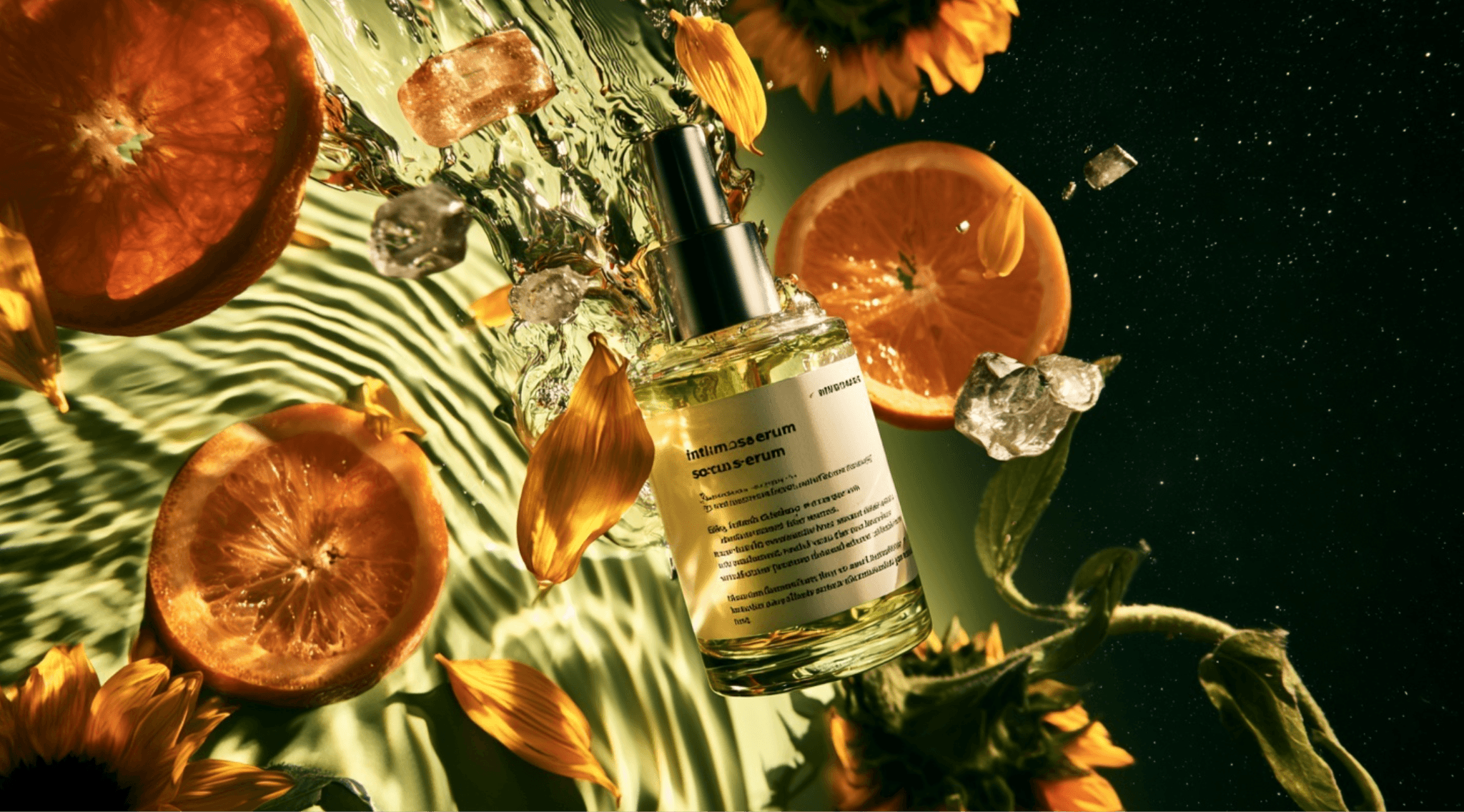 | 5x faster generation, native 2K HD output, sharper text rendering, stronger prompt adherence, character reference locking | |
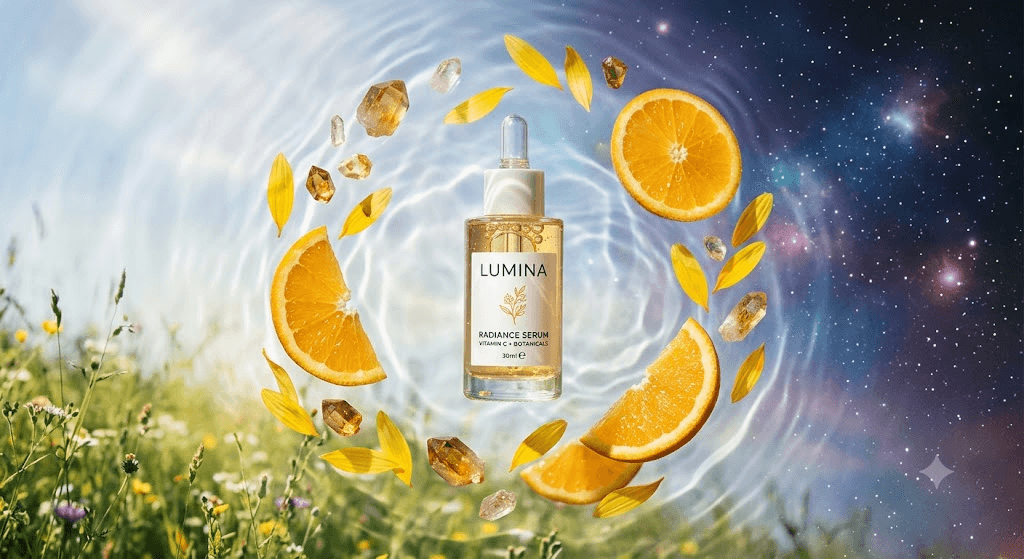 | Multimodal Gemini backbone, strong scene coherence, Google Search image grounding, competitive pricing, occasional branding/context slip-ups | |
GPT Image | 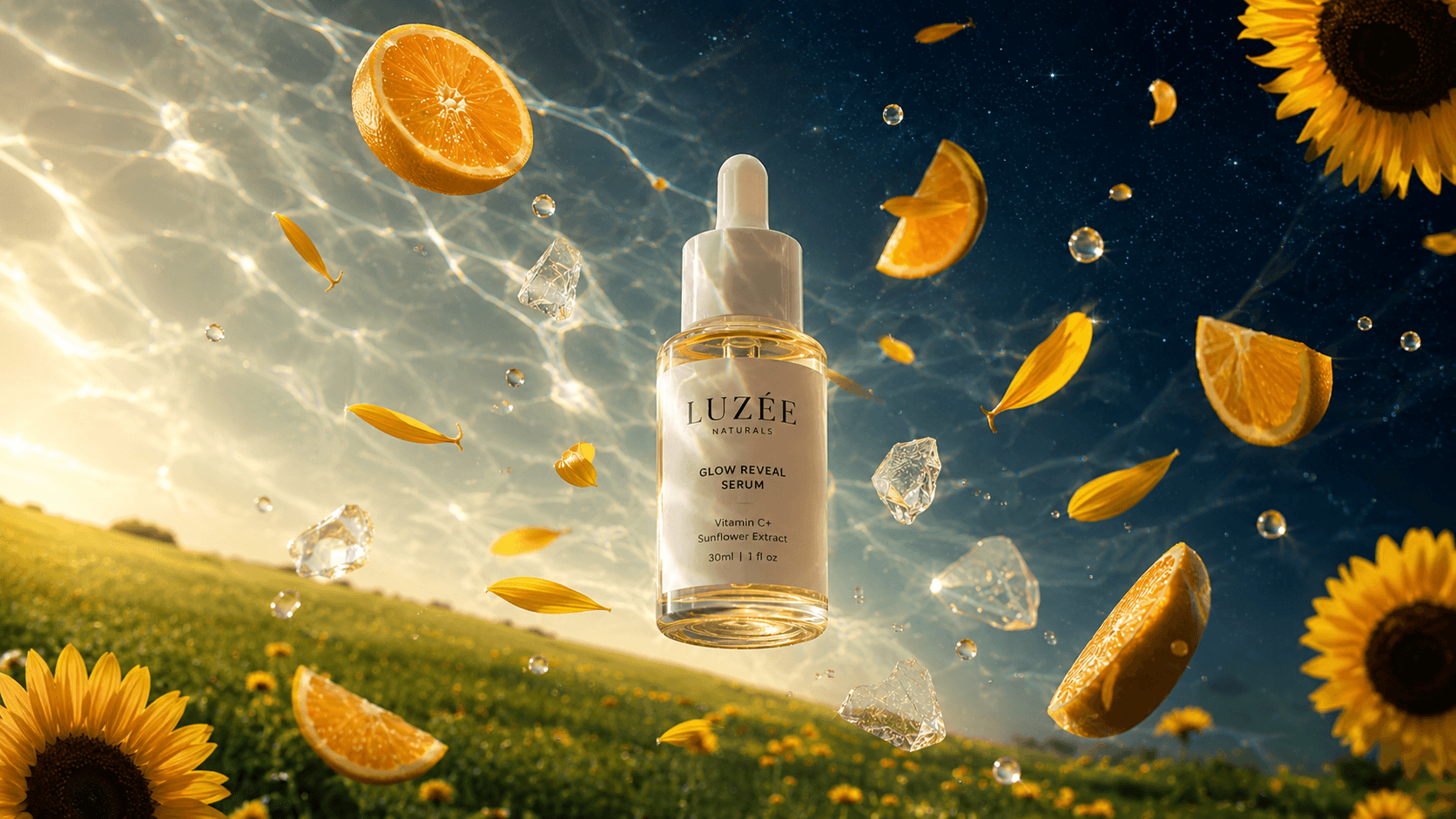 | easoning-driven generation, near-perfect multilingual text rendering, up to 4K resolution, multi-turn contextual editing, built into ChatGPT |
Flux 2.0 | 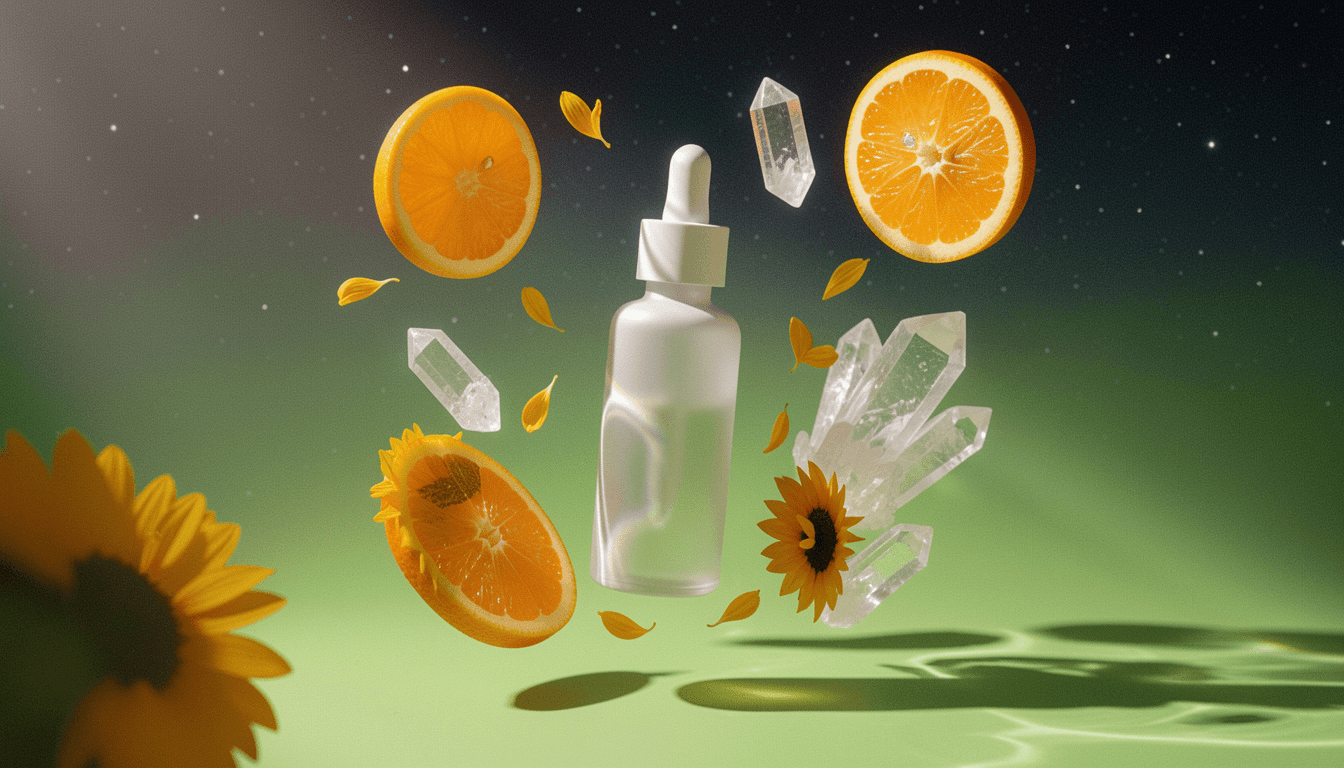 | Multi-reference conditioning across 10 images, 4-megapixel output, open-weight options, hex color steering, strong photorealism |
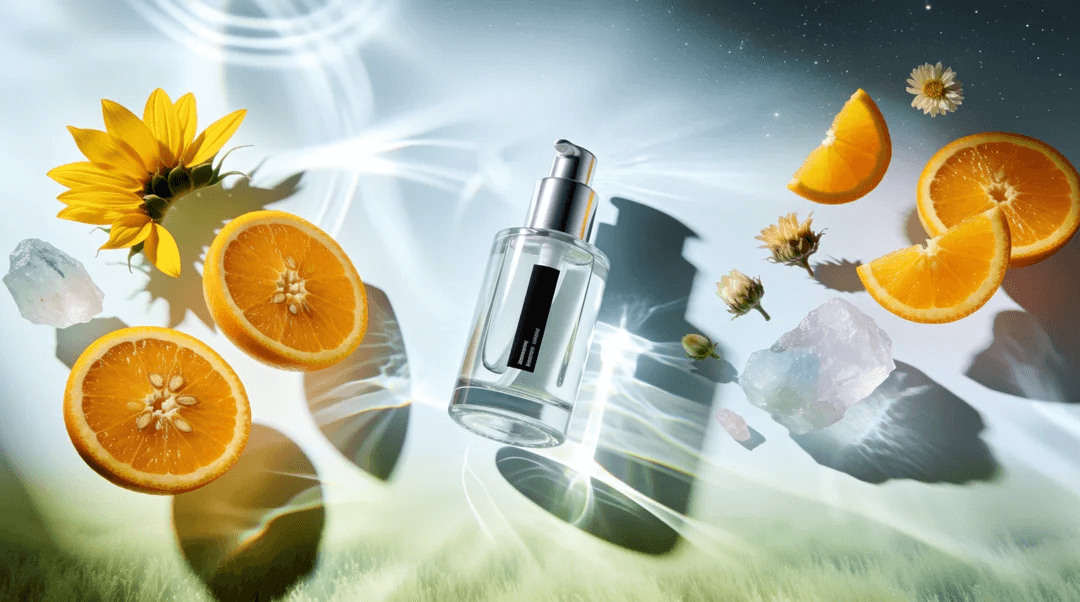 | Real-time canvas generation, strong style-transfer control, fast iteration workflow, solid editing tools, developer-friendly API access | |
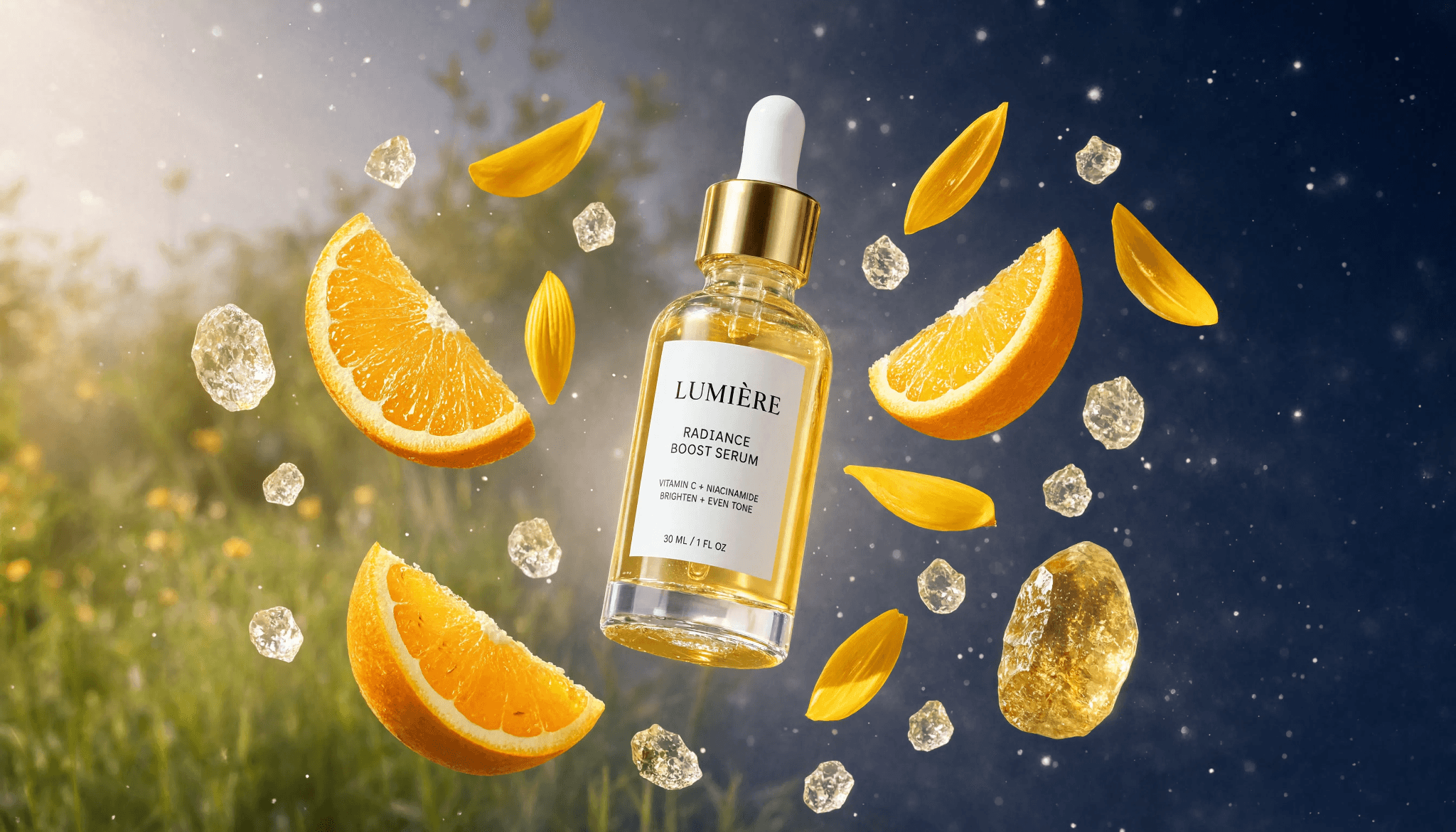 | Reference-guided generation, touch-to-edit components, layout-based editing, reliable prompt fidelity, especially strong under lighting-heavy scenarios | |
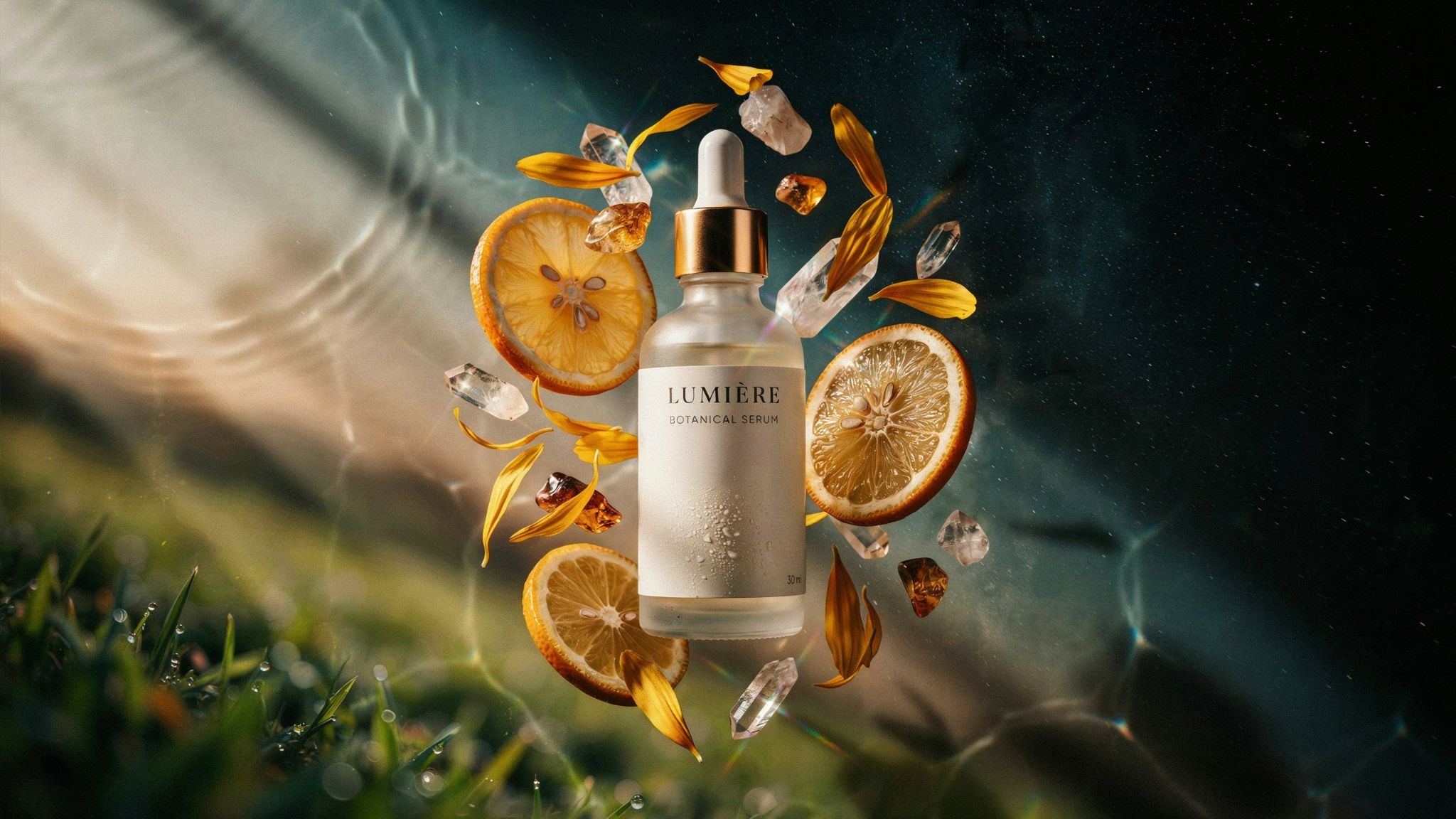 | Best-in-class text rendering, clean typography control, strong logo/poster generation, solid editing features, reliable brand-consistent output |
*Note: One interesting thing I note is how each of the competitors of Kling AI nailed the caustic sunlight effect right.
Midjourney Free Alternatives for UI Assets >
Is Kling 3.0 Worth it for Images?
In my experience of using Kling 3.0 for images, I’d say yes, it’s a killer but with caveats. Kling 3.0 one-shots complex scenes beautifully and holds multi-face character consistency better than expected. Its abstract, editorial design sense genuinely surprised me. But precision editing is shaky: instructions get half-followed, and text rendering remains illegible even with references. On the other hand, Kling AI’s $0.015/image cost makes it one of the more affordable options for image generation at scale.
All in, for product teams, Kling is a strong pick for hero shots, lifestyle imagery, and mood-driven visuals. From there, they can use an AI UI generator like Banani to assemble those visuals into a polished, editable layout in minutes — for free.
FAQs on Kling AI Image Generator
Is Kling 3.0 expensive?
Not particularly. Kling AI paid plans start around $10/month for 660 credits, and since Kling 3.0 images cost 1 credit each, that works out to roughly $0.015 per image.
How to get Kling AI images for free?
Kling AI offers free images with up to 66 daily credits by simply signing up. Not that their free-tier images carry a watermark and aren't licensed for commercial use.
Can I use Kling AI in India?
Yes. Kling AI's global site and Kling AI app is accessible in India as regular. Just sign up directly at kling.ai with an email, Google, or Apple account.
Is Kling AI safe to use?
In general, yes. Kling AI runs standard content moderation and blocks NSFW, harmful, or illegal content.
Are Kling AI images private?
Kling AI's terms allow use of your uploads/generations to improve their models unless you opt out (where available); free-tier generations may also be viewable in community feeds.
What is the difference between Kling 3.0 and Grok?
Kling 3.0 is a dedicated image/video generation model from Kuaishou, focused on visual quality and motion. Grok (xAI) is a general-purpose AI assistant with image generation as one feature (via Aurora/Grok Imagine).
How to assemble images generated by Kling AI into UI?
Banani AI is the best way to assemble Kling AI images into an UI. Just upload the generated images, describe the layout you want, and it assembles them into an editable, exportable UI in minutes.
References
[1] https://kling.ai
[2] https://kling.ai/app/membership/membership-plan


