
2026 Freepik Yapay Zeka Görsel Oluşturucu İncelemesi
Özellikler | Çoklu model görsel üretimi (Flux, Mystic vb.), stil şablonları, stok + YZ entegrasyonu |
Artılar | Güçlü istem uyumu, göz alıcı çıktılar ve düzenleme araçlarıyla hepsi bir arada iş akışı |
Eksiler | Zayıf tipografi ve ikon işleme, karmaşık/arayüz istemlerinde tutarsız sonuçlar |
Fiyatlandırma | Kredi bazlı sistem. Ücretsiz planda 'Auto' model sınırı var. Yıllık ödemede aylık 7.5$'dan başlayan fiyatlar. |
Alternatifler |
Freepik’in Magnific AI'a Dönüşümü
2010'dan beri ücretsiz stok vektör ve fotoğraf arşivi olan Freepik, 2023'teki ilk yapay zeka dalgasında yön değiştirdi. Freepik; Flux, Kling, ChatGPT, ElevenLabs ve daha fazlasıyla 200 milyondan fazla stok varlığı YZ ve düzenleme araçlarıyla birleştirip 'Freepik AI Suite'e dönüştü[2].
Mayıs 2026 itibarıyla Freepik, kendisini Magnific olarak yeniden markalandırdı. Bu adım, yaratıcı erişim sağlamaktan yaratıcı altyapı inşa etmeye geçişlerini simgeliyor. Mevcut abonelik, varlık ve projeleriniz aynen korunuyor.
MidJourney'nin Ücretsizden Sadece Ücretliye Geçişi >
Freepik Yapay Zeka Görsel Testlerim
Başlangıç: Arayüz, modeller ve kurulum
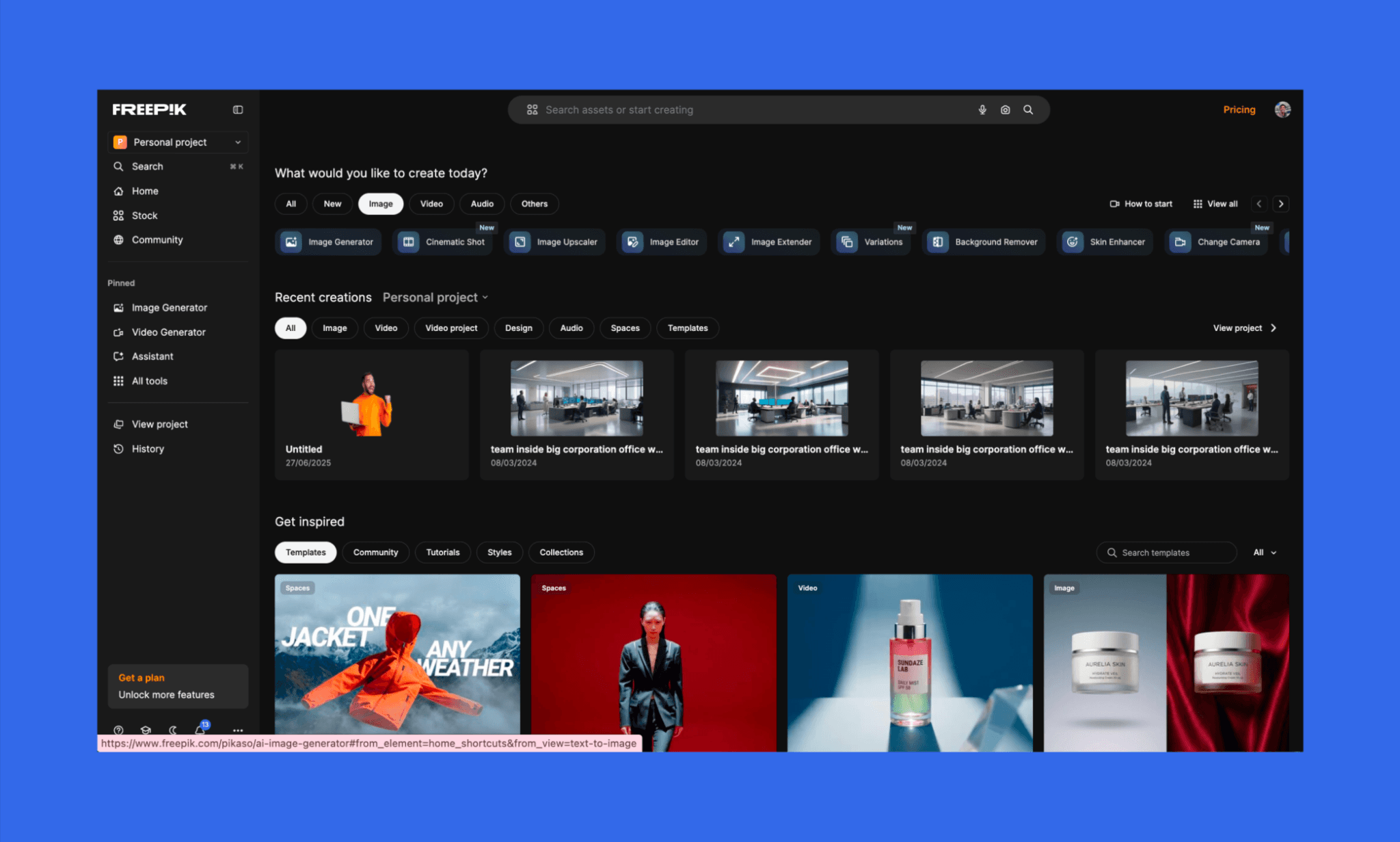
Freepik incelememe katılım süreciyle başladım; oldukça akıcı ve can sıkıcı pop-up'lar (denemeden önce satın almaya zorlayan pencereler) olmadan ilerledi. Yapay zeka görsel oluşturucuyu başlatmak için üst satırdaki veya sol kenar çubuğundaki butonları doğrudan kullanabiliyorsunuz.
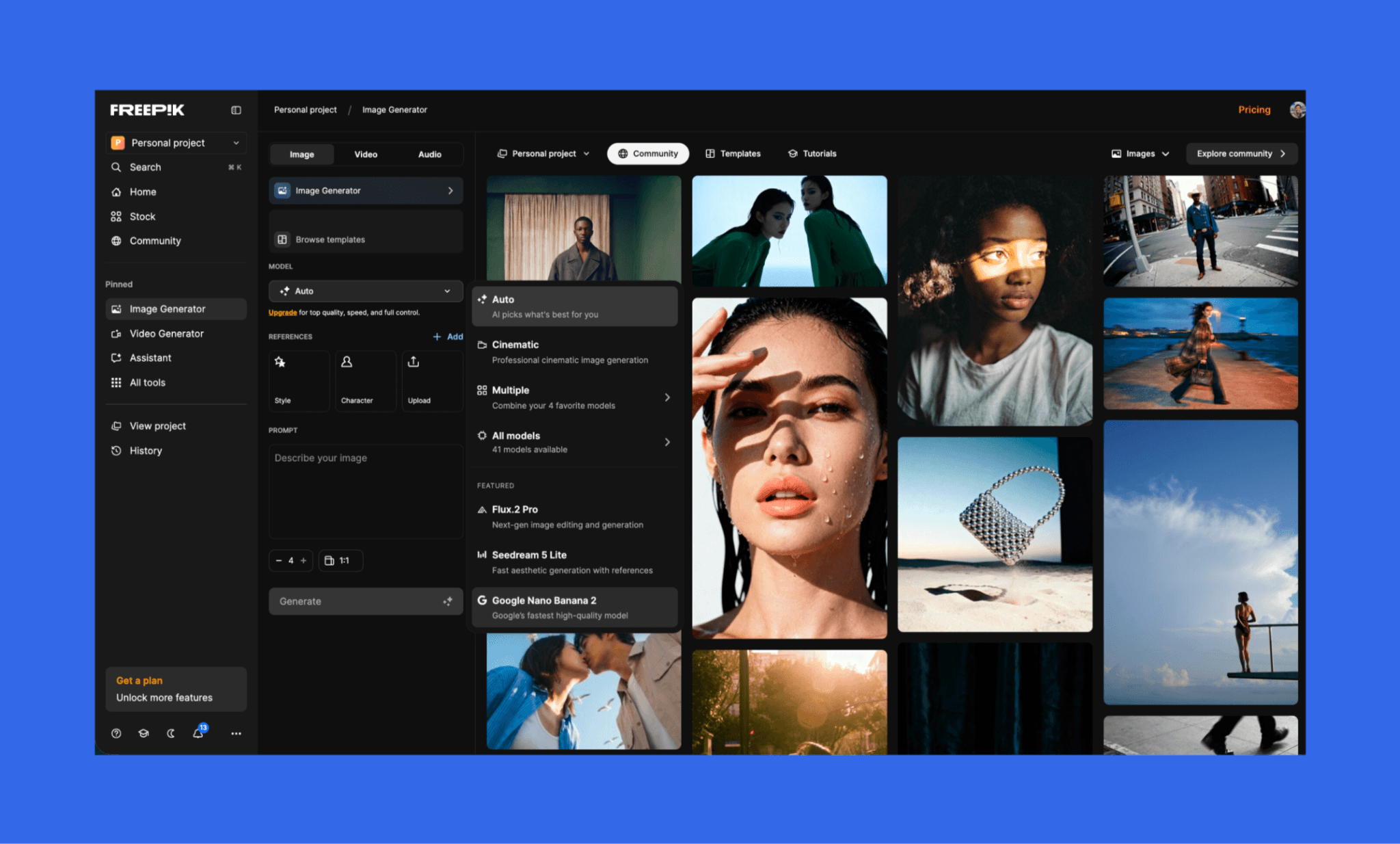
Görsel oluşturucuyu açtığınızda, istediğiniz sonucu almak için birçok ayar sunuluyor. Görseli ölçekleyebilir, arka planı silebilir, hazır şablonları (moda, teknoloji, belgesel stili vb.) seçebilir ve Flux.2 Pro, Mystic 2.5 Fluid, Nano banana dahil 41'den fazla YZ modelini deneyebilirsiniz.
İstemden görsele üretim
İlk olarak, en uygun modeli kendi seçsin diye 'Auto' modunu ayarlayıp basit bir istem girdim. Sadece 1:1 formatında tek bir varyasyon istedim. (Normalde 10 farklı en-boy oranında 4 varyasyona kadar destekliyor.)
Görsel üretim istemim:
“Sığ alan derinliği olan, yeşil, sisli bir doğa arka planında modern bir meditasyon uygulaması ana sayfasını gösteren havada asılı duran bir akıllı telefon.”
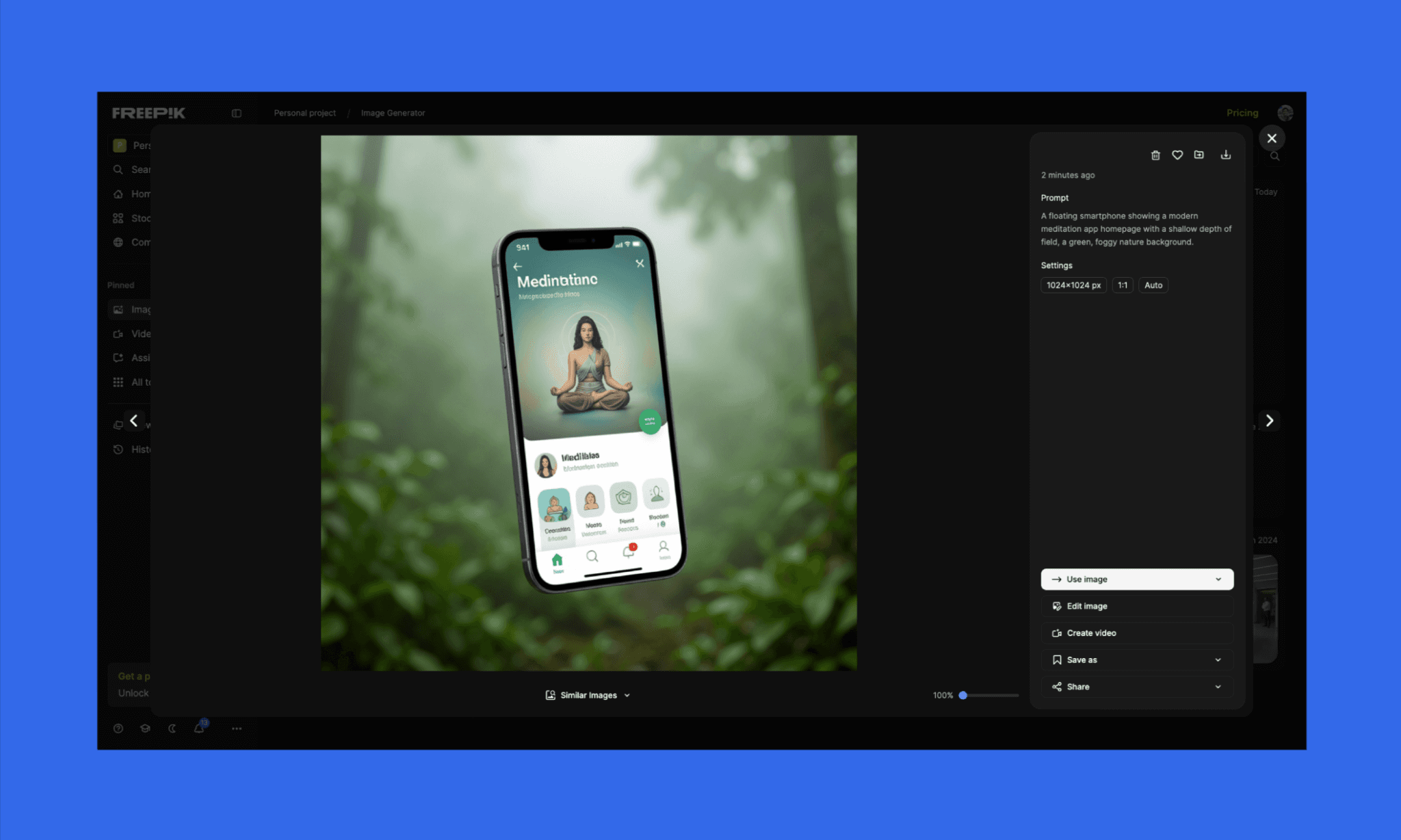
Sonucun istemimle harika şekilde uyuştuğunu ve 4K kalitesinde üretildiğini görünce sevindim. Fakat belirsiz ikonlar ve bozuk tipografi beni hayal kırıklığına uğrattı. Yazılar da anlamsızdı ama o an bunu önemsemedim. Hangi YZ modelini seçtiğini belirtmemesi ise şeffaflıktan uzaktı.
Güzel yanı, 'Görseli düzenle' seçeneğini hemen elinizin altında tutmuş olmaları.
Düzenleme ve çoklu eleman stres testi
İyi bir başlangıcın ardından, üretime hazır bir çıktı almak üzere özel düzenlemeler istedim.
Düzenleme istemim:
“Bu görseli cilalanmış bir uygulama tanıtım görseline dönüştür. Uygulama adını 'ZenFlow' yap. Üste sade, minimal bir logo (yaprak ikonu) ekle. Temiz, okunabilir sans-serif yazı tipi kullan. Tüm ikonları keskin ve tutarlı yap.
Başlık yazısını 'Find Your Calm' olarak güncelle.
Alt başlık ekle: 'Guided meditations for focus, sleep, and stress relief'Dinamik bir görünüm için telefonu 3/4 açıyla hafifçe döndür.
Telefon ekranının altına yüksek kontrastlı, düz yeşil renkte, üzerinde 'Start Free Trial' yazan Instagram tarzı belirgin bir buton ekle.
Yumuşak yeşil, sisli doğa arka planını ve minimal estetiği koru. Arayüzün, bozuk yazı veya ikon barındırmayan, gerçek ve üretime hazır bir ekran gibi görünmesini sağla.”
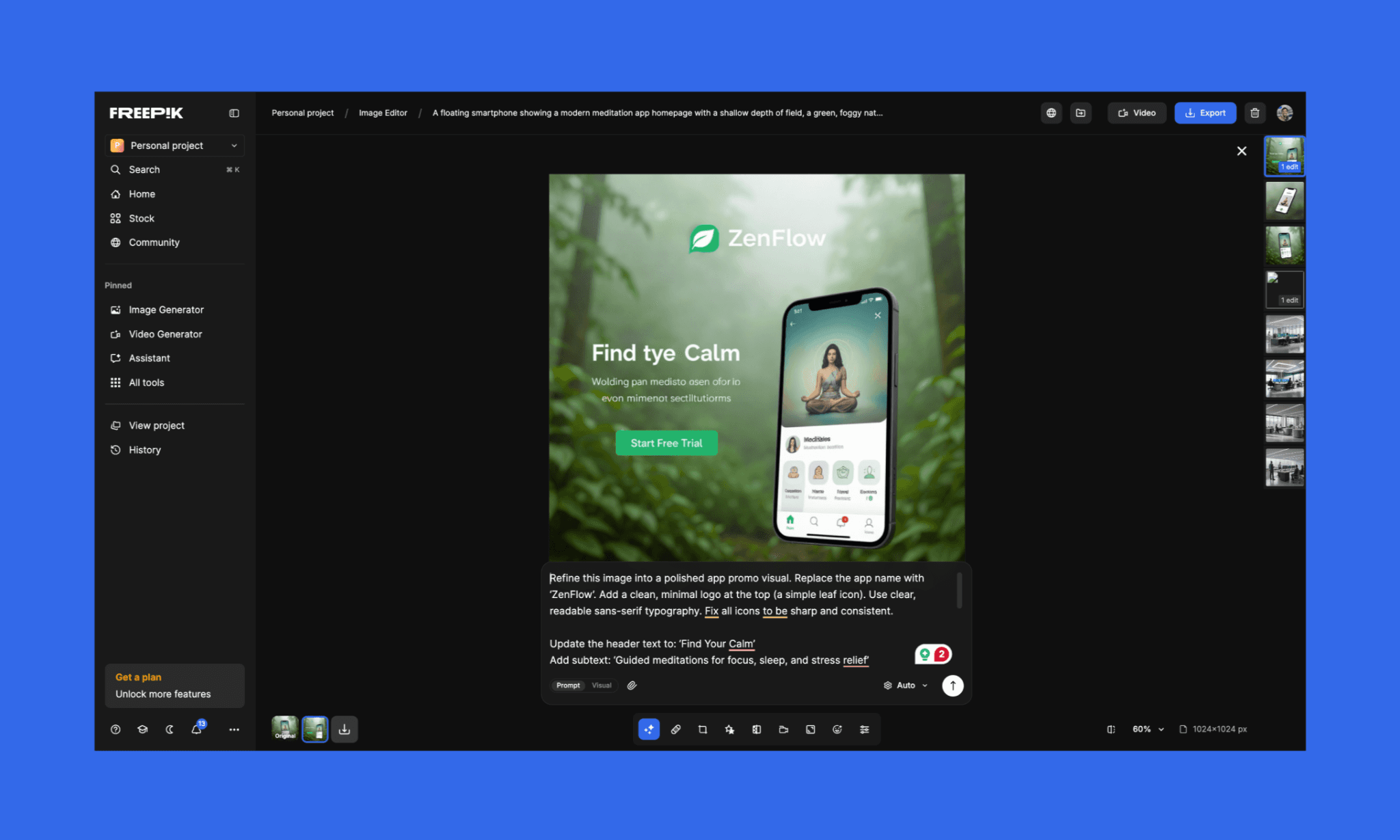
Bu kez de algılanan öğeler doğruydu ancak ne yazık ki kalite beklediğimden çok daha fazla düştü. (Bozuk metinleri göz ardı ettiğimde bile durum buydu.)
Görsel yapay zeka modelleri karşılaştırması
Değerlendirmeyi bir adım ileri taşıyıp popüler üç modelinin en son versiyonlarını test ettim: Mystic 2.5 Fluid, Flux.2 Pro ve Seedream 5 lite.
İstem 1:
“Kalabalık bir kafe ortamında, bir kişinin elinde tuttuğu akıllı telefonda görüntülenen modern bir fintech mobil uygulaması arayüzü. Ekranda grafikler, işlem geçmişi ve 'Para Gönder' butonu olan temiz bir arayüz var. Arka planda bulanık insanlar, kahve fincanları ve sıcak bir ışıklandırma mevcut. Ekranda gerçekçi yansımalar, doğru perspektif, keskin ikonlar, temiz, okunabilir yazılar, sığ alan derinliği, sinematik stil.”
Çıktı görselleri 1:
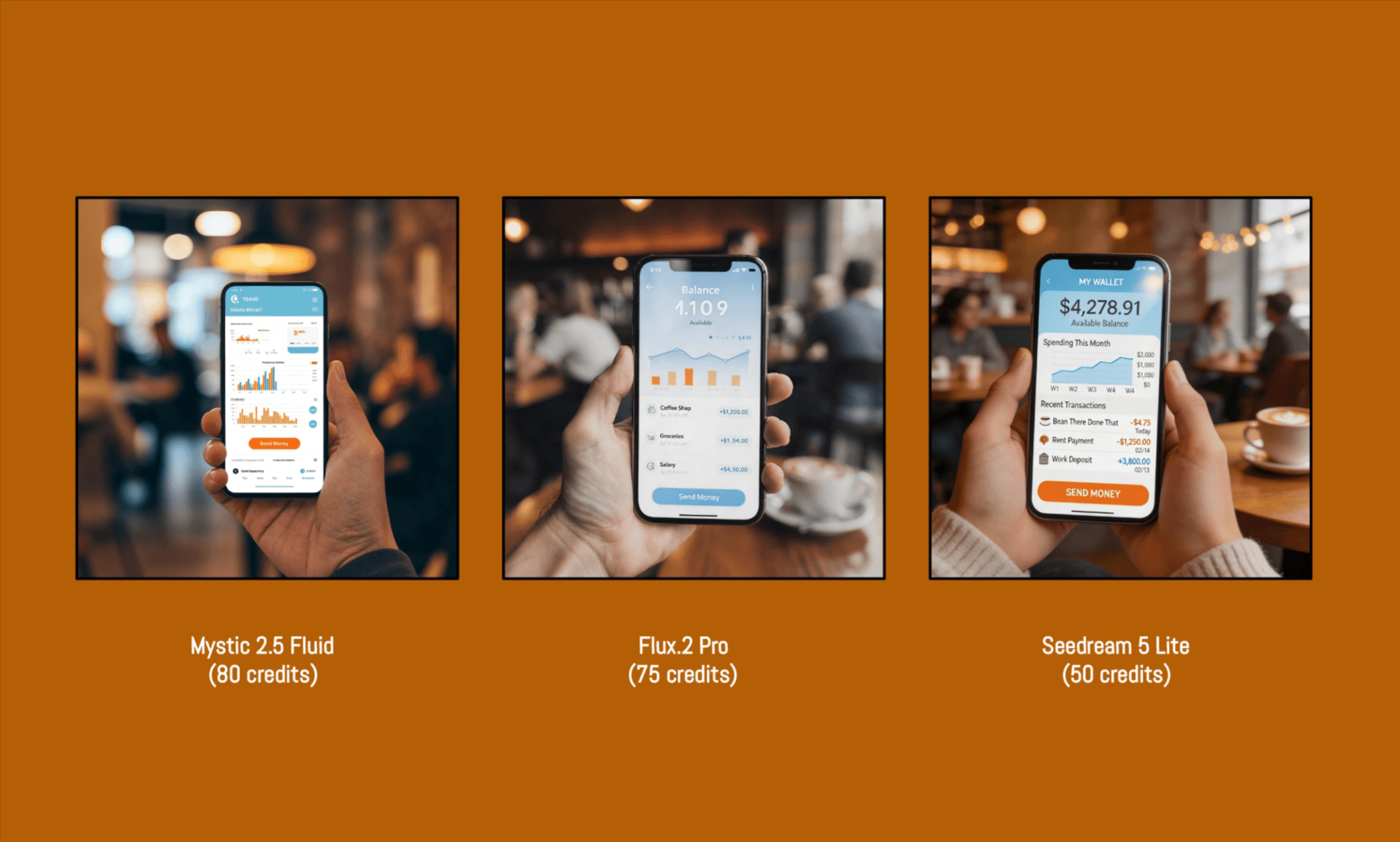
İstem 1 (Basit) | ||||
Talimata uygunluk | Görsel kalitesi | İkonografi/ Tipografi | Harcanan kredi | |
Mystic 2.5 Fluid | Orta | Yüksek | Düşük | 80 |
Flux.2 Pro | Yüksek | Yüksek | Yüksek | 75 |
Seedream 5 Lite | Orta | Orta | Orta | 50 |
Her üç model de çoklu eleman stres testini başarıyla geçti ve farklı derecelerde de olsa bana oldukça gerçekçi geldi.
Son kararımı vermeden önce, bu kez daha soyut bir şey denemek istedim.
İstem 2:
“Tamamen geri dönüştürülmüş plastik atıklardan (şişeler, ambalajlar, kapaklar) yapılmış, bir stüdyoda tabure üzerinde modellik pozu veren gerçek boyutlu bir oyuncak ayı. Farklı plastik malzemeleri gösteren son derece detaylı dokular.
Objenin renklerini, gölgelerini ve siluetini vurgulayan minimal, nötr arka plan. Softbox'lar ile dramatik ama temiz gölgeler oluşturan profesyonel stüdyo aydınlatması.
Sığ alan derinliğiyle, bir ekip üyesinin gözünden, 3/4 açıyla hafif aşağıdan çekim. Sol taraftaki yansıtıcı yüzeyde kamera ekibinin bir kısmının hafif yansıması.
Ultra gerçekçi, keskin odaklama, canlı ama dengeli renkler, editoryal moda fotoğrafçılığı tarzı.“
Çıktı Görselleri 2:
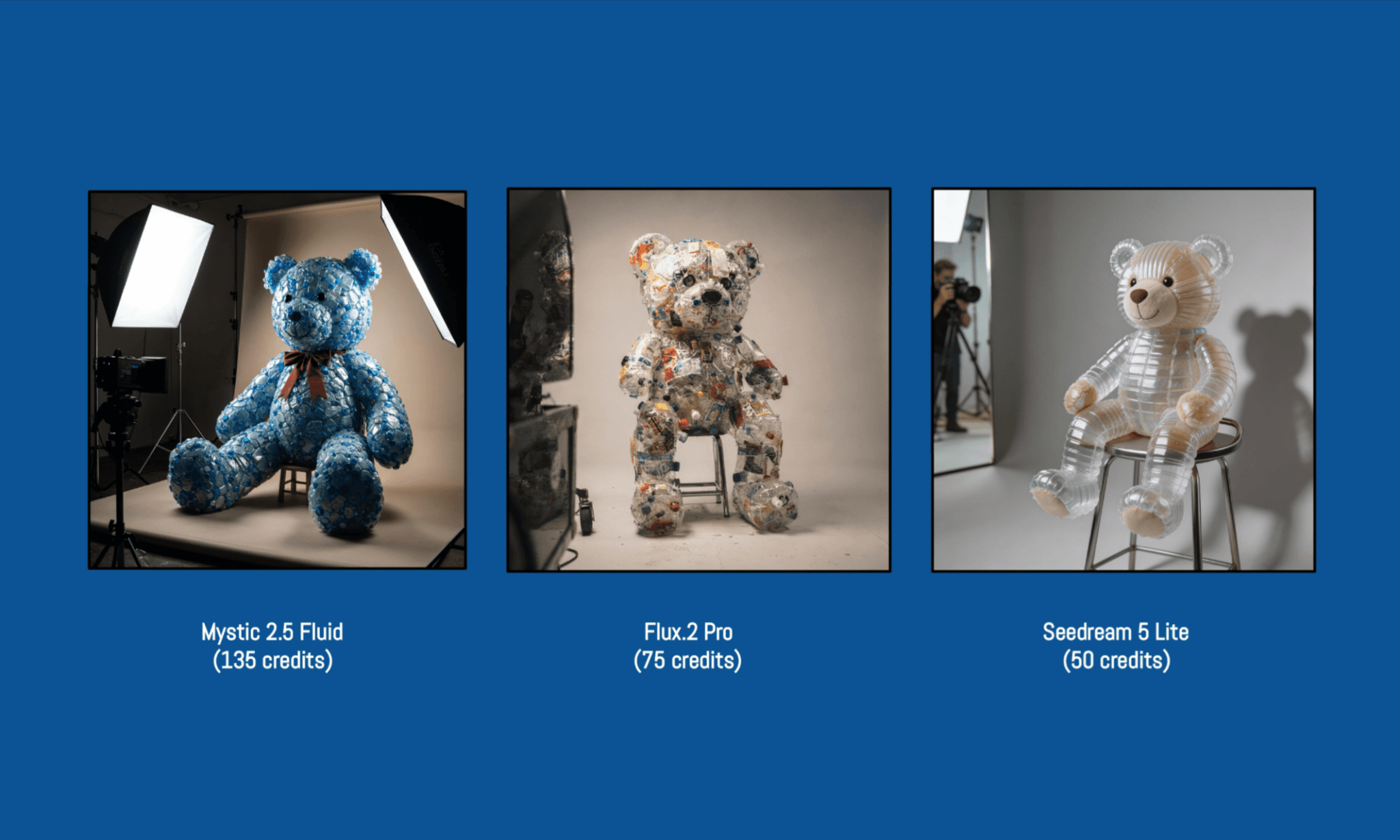
İstem 2 (Karmaşık) | ||||
Talimata uygunluk | Görsel kalitesi | Renk zekası | Harcanan kredi | |
Mystic 2.5 Fluid | Orta | Yüksek | Yüksek | 135 |
Flux.2 Pro | Yüksek | Yüksek | Yüksek | 75 |
Seedream 5 Lite | Düşük | Yüksek | Orta | 50 |
İkinci istem oldukça karmaşıktı ve modelleri talimatları takip etme konusunda zorladı. Mystic 2.5 Fluid modelinde, karmaşıklığa göre harcanan kredinin değiştiğini (80'den 135'e) fark ettim; oysa menüde sabit bir sayı gösteriyordu (bunu biraz yanıltıcı buldum).
Genel olarak, Freepik modelleri karşılaştırmasında Flux.2 PRO açık ara kazanan oldu.
Görsel Üretimi İçin En Sevdiğim Figma Eklentileri >
Kredi tüketimi
Ücretsiz bir hesap açarken kredi kartı gerekmedi ve yükseltme pop-up'ı çıkmadı. Günlük 20 ücretsiz görsel hakkı vardı, ancak bu yalnızca 'Auto' seçili modellerde geçerliydi; Mystic veya Flux gibi gelişmiş olanlarda değil.
Ücretli plana geçtikten sonra (8 bin kredi için 10 dolar), kalan kredilerimi net bir panelde görebildim. Ancak her modelin istem başına ne kadar harcayacağı sadece görsel üretildikten sonra netleşiyor. Tahmini kredi counts gösterilse de istemin zorluğuna göre değişebiliyor; bu da bütçesini önceden planlamak isteyenler için süreci biraz karıştırabilir.
Canva Yapay Zeka ile Arayüz Tasarımının Gerçeği >
Freepik Fiyatlandırma & Krediler
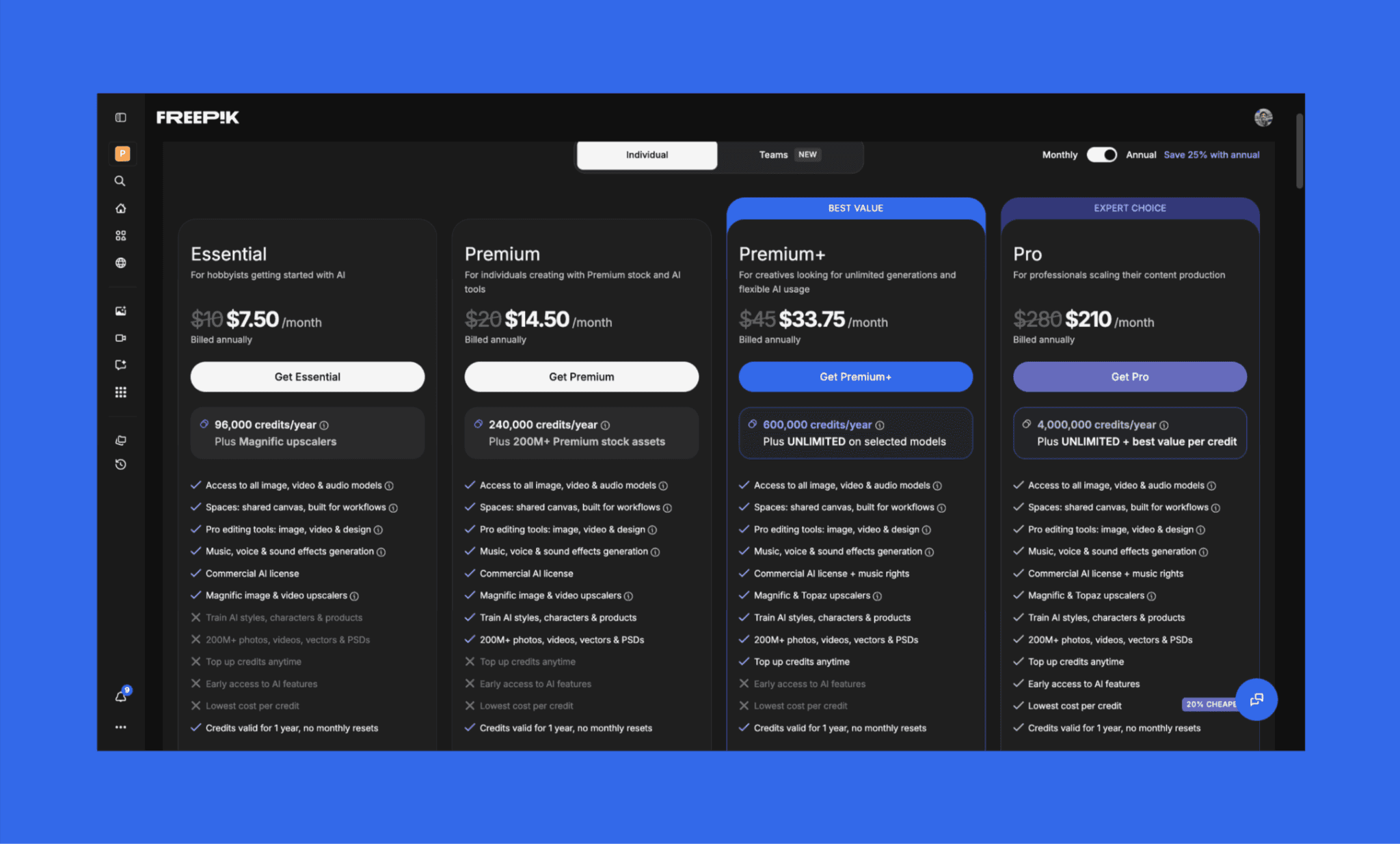
Freepik AI, paketine ücretsiz erişim sunuyor. Görsel oluşturucu için günde 20 ücretsiz hak veriyor ancak sadece gelişmiş modelleri kapsamayan 'Auto' modunda çalışıyor. Yapay zeka maliyet dengesini beğensem de genel olarak beklenenden pahalı buldum.
Görsel oluşturma için en ucuz Freepik AI planı, yıllık ödemede yıllık 96 bin kredi için aylık 7.50$; ya da aylık planda 10$'dır.
Freepik Yapay Zeka Paket Fiyatları
Plan | Fiyat (Yıllık) | Krediler | Görsel Üretim Özellikleri | Diğer Araçlar | Şunun İçin En İyisi: |
Essential | $7.50/ay | Yıllık 96K kredi | Tüm modellere erişim, sınırsız kullanım yok | Temel düzenleme, Magnific upscaler, sınırlı stok | Deneme yapan meraklılar |
Premium | $14.50/ay | Yıllık 240K kredi | Tüm modellere erişim, sınırsız kullanım yok | Tam stok kütüphanesi (200M+), stil eğitimi, düzenleme araçları | Freelance çalışanlar ve içerik üreticileri |
Premium+ | $33.75/ay | Yıllık 600K kredi | ~30 modelde sınırsız üretim + tam erişim | Topaz + Magnific upscalers, müzik hakları, öncelikli araçlar | Yoğun YZ kullanıcıları, pazarlamacılar |
Pro | $210/ay | Yıllık 4M kredi | Sınırsız + en yüksek kredi verimliliği | En yüksek limitler, ekip ölçekli kullanım, erken erişim | Ekipler ve yüksek hacimli üretim yapanlar |
*Not: Bu fiyatlar yıllık ödeme içindir. Aylık ödemelerde fiyatlar yaklaşık %25 daha yüksektir.
Freepik Yapay Zeka Kredi Sistemi
Krediler; görsel, video, ses üretimi veya düzenleme gibi farklı görevlere ve modellere göre değişen oranlarda harcanır. İndirmeler ücretsizdir. Krediler aylık ya da yıllık sıfırlanır, bir sonraki aya devretmez.
Sadece Premium+ ve Pro kullanıcıları ek kredi satın alabilir; aboneliğinizi iptal etseniz bile bu ek krediler korunur.
MidJourney Görsel Üretim Maliyeti >
Freepik Yapay Zekasının Artıları ve Eksileri
Detaylı incelemelerime göre, ürün geliştirenler için Freepik AI'ın parladığı ve zorlandığı noktaların özeti:
Artılar | Eksiler |
Sade ve orta düzey karmaşık istemlerde güçlü uyum | Yoğun arayüz çıktılarında zayıf tipografi ve ikon tasarımı |
Harika kompozisyona sahip, estetik ve yüksek kaliteli görseller | Çok bileşenli karmaşık istemlerde tutarsız sonuçlar |
Karşılaştırma ve esneklik sunan çoklu model desteği (Flux, Mystic vb.) | Düzenleme araçlarının bazen kaliteyi artırmak yerine düşürmesi |
Görsel üretimi ve düzenlemeyi birleştiren hepsi bir arada iş akışı | İstem zorluğuna göre kredinin öngörülemez şekilde değişmesi |
Büyük stok arşivi ve yapay zekanın bir arada olması pratik değer katıyor |
Freepik AI Alternatifleri
Krea AI vs Freepik AI
Krea AI; görsel, video ve 3D üretimi için Flux, Kling gibi modellerin yanı sıra kendi Krea 2 modelini de içeren 64'ten fazla seçenek sunan tarayıcı tabanlı bir araçtır. Freepik aksine stok kitaplığı barındırmaz.
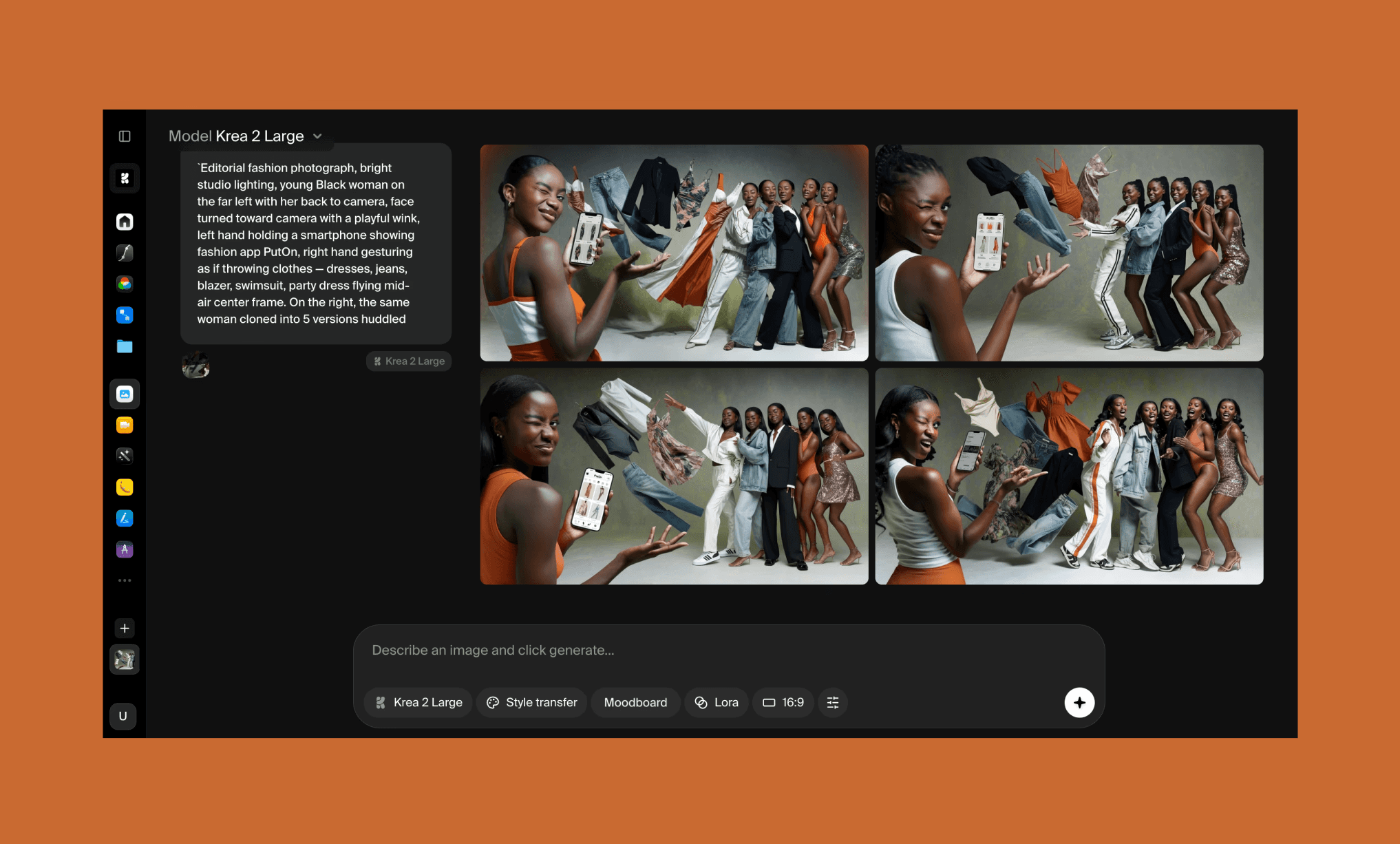
Neden Krea AI seçilmeli: Daha hızlı üretim, gerçek zamanlı kanvas ve karakter yapısını koruyarak kıyafet değiştiren özel Clothes Changer aracı için.
Dezavantajı: Düzenleme araçları yüzeyseldir, yüz klonlama her üretimde tutarlı çalışmaz ve geliştirme sonuçları ayarlara göre istikrarsızdır.
Flora AI vs Freepik AI
Flora AI, 50'den fazla modele sahip olan ve yaratıcı süreçleri sohbet yöntemiyle birbirine bağlayan yapay zeka ajanı (Fauna) ile sonsuz kanvas üzerinde çalışan düğüm (node) tabanlı bir araçtır. Freepik'in basitliği yerine iş akışı odaklıdır.
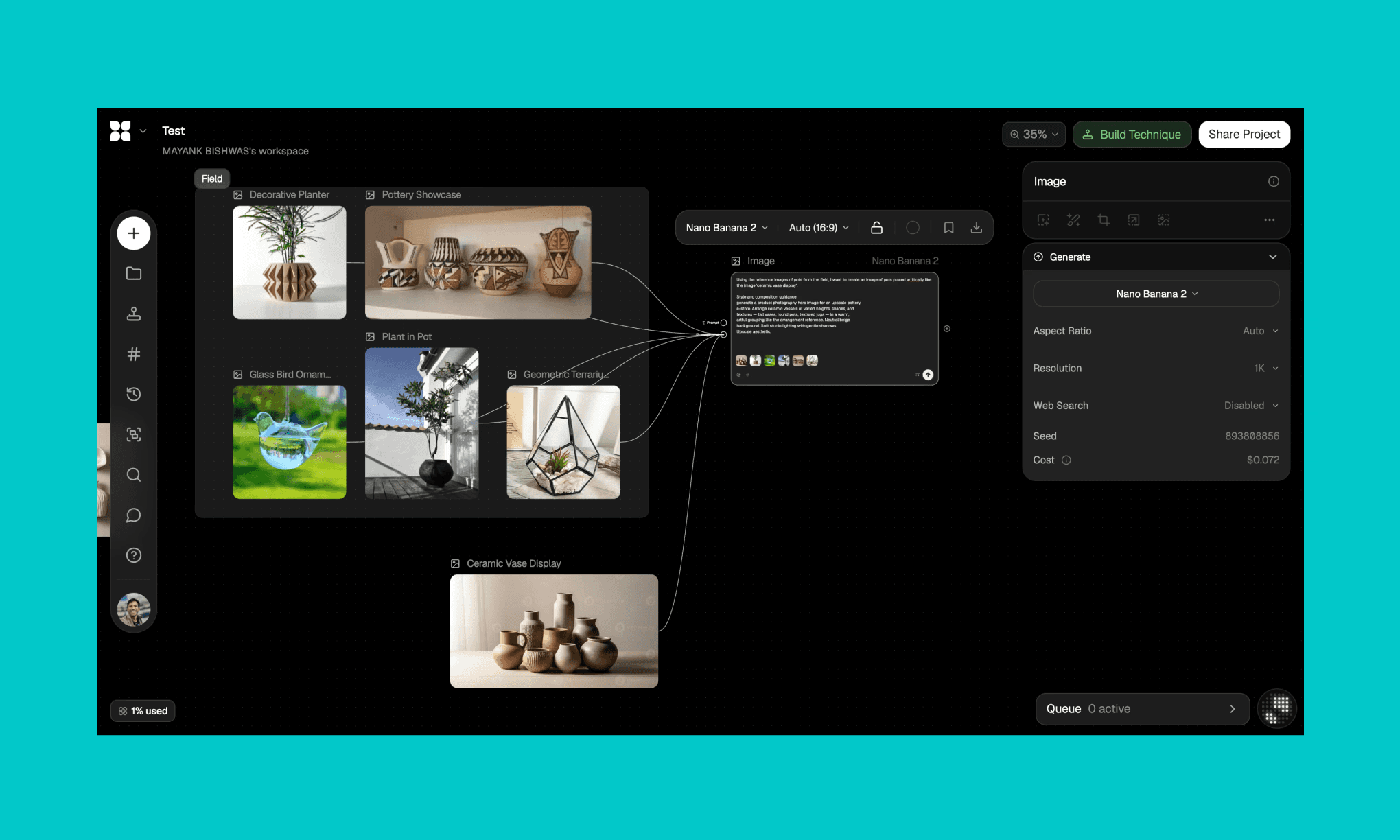
Neden Flora AI seçilmeli: Yüksek kaliteli, referans görsel odaklı üretim ve ekipler için tekrarlanabilir düğüm iş akışları oluşturmak için.
Dezavantajı: Öğrenme eğrisi diktir, maliyetler belirsizdir ve kullanılabilir sonuç almak için çok fazla deneme gerektiren zayıf arayüz üretimine sahiptir.
Görsel Üretiminde Flora AI Nasıl Kullanılır >
Midjourney vs Freepik AI
Midjourney, en popüler bağımsız görsel üreticilerden biridir. Discord ve kendi web editörü üzerinden çalışarak stok görselden ziyade benzersiz, sanatsal işlere odaklanır.
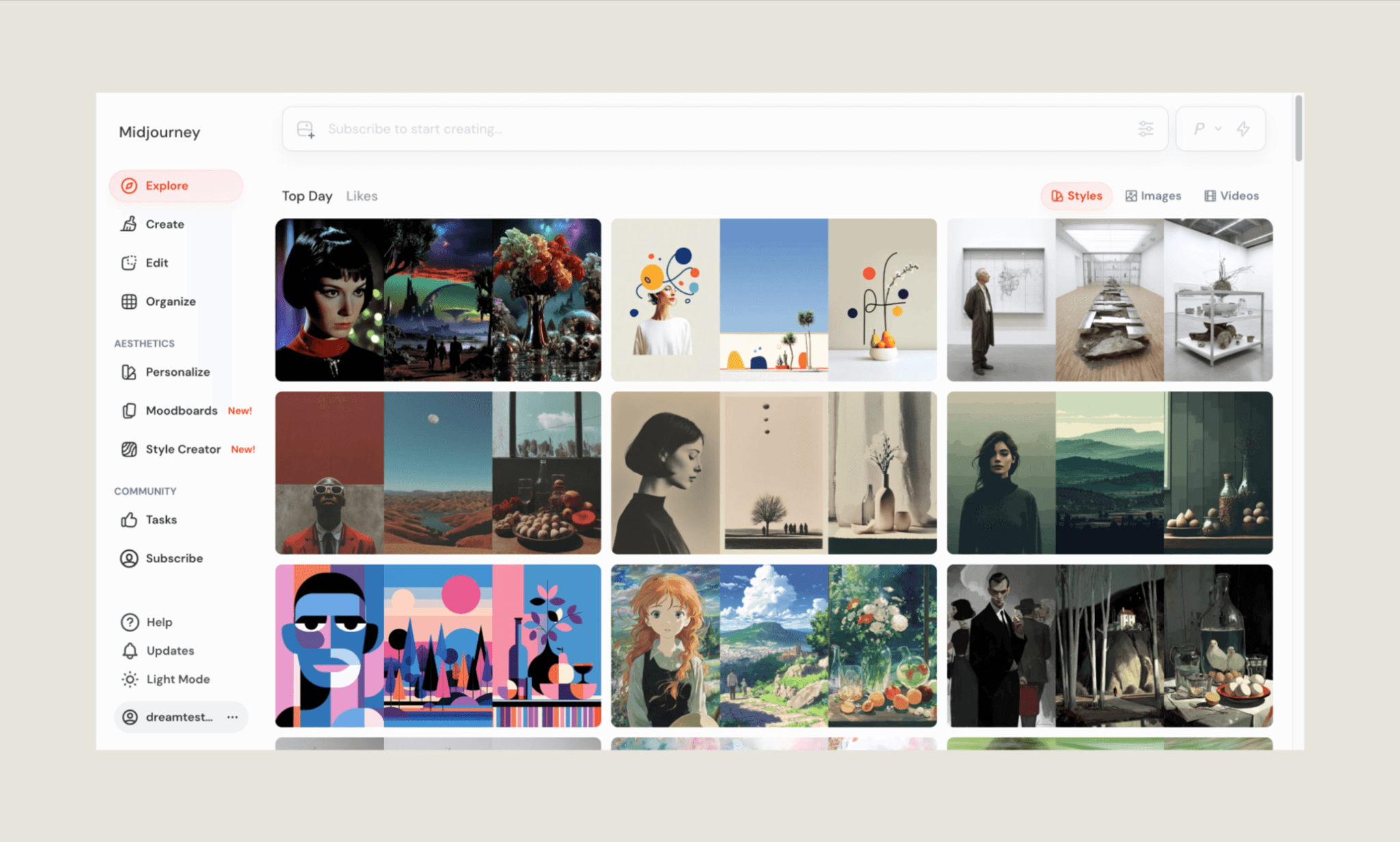
Neden Midjourney seçilmeli: Çok daha kaliteli, sanatsal ve temiz görseller üretir.
Dezavantajı: Entegre düzenleme araçları veya hazır stok arşivi yoktur, esas olarak Discord üzerinden çalışır.
MidJourney Rakiplerinin Karşılaştırması >
Kling AI vs Freepik AI
Kling AI gelişmiş video üretimiyle bilinse de güçlü bir görsel üreticidir. Freepik gibi düzinelerce model sunmak yerine daha az ama optimize edilmiş modeller sunar.
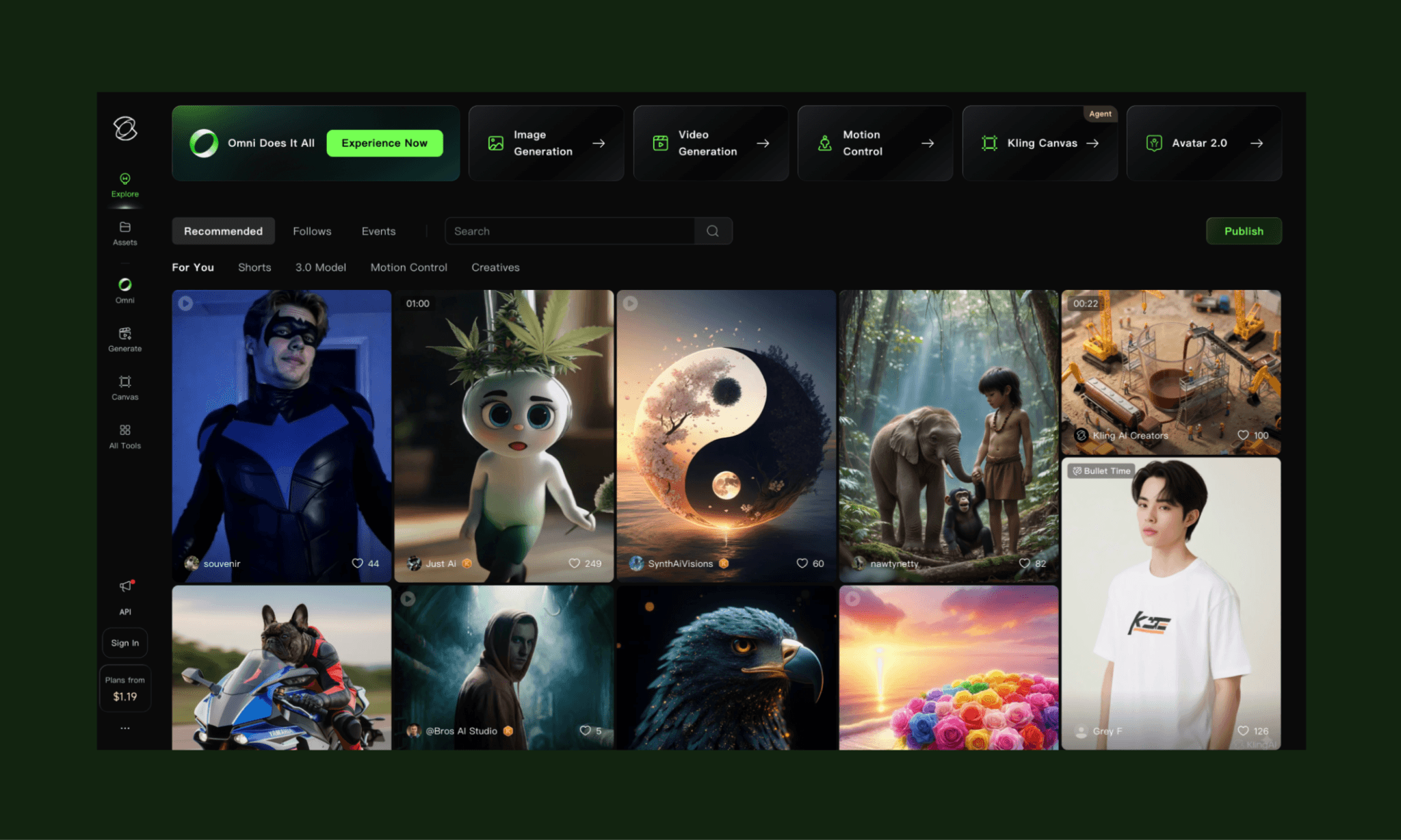
Neden Kling AI seçilmeli: Güçlü görsel tutarlılığa sahip, son derece gerçekçi ve sinematik çıktılar için idealdir.
Dezavantajı: Ekosistemi sınırlıdır ve Freepik gibi geniş bir stok dizini veya zengin iş akışları barındırmaz.
Envato vs Freepik AI
Envato, aslen şablon ve grafik odaklı köklü bir stok platformudur ancak sistemine yapay zekayı entegre etmeye başlamıştır. Freepik ile kıyaslandığında, Envato sıfırdan üretime değil, hazır tasarım materyallerine odaklanır.
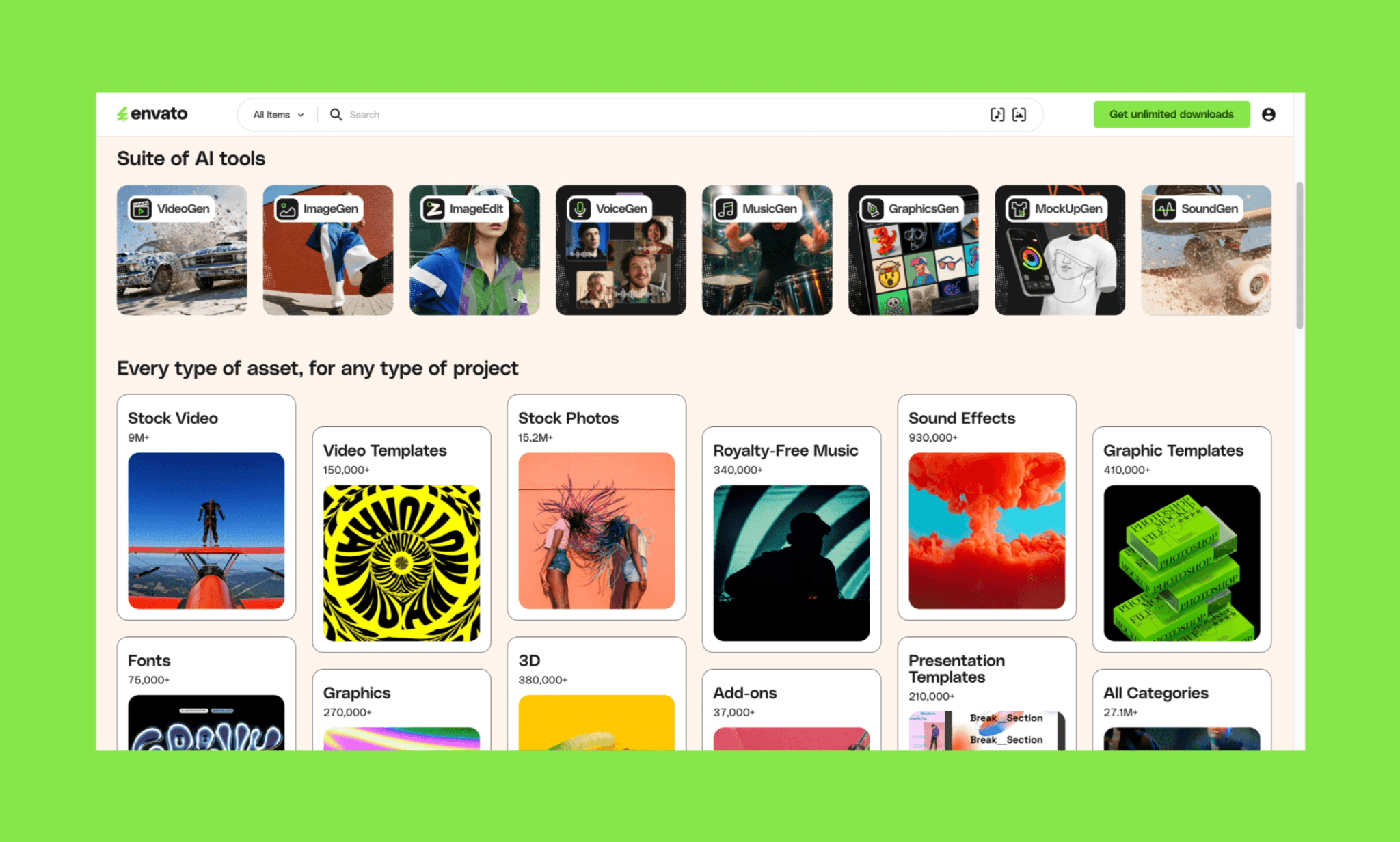
Neden Envato seçilmeli: Öngörülebilir sonuçlar sunan, yüksek kaliteli ve kullanıma hazır mock-up ile şablonlar için daha iyidir.
Dezavantajı: Yapay zeka görsel üretimi, Freepik’in çoklu model sistemine kıyasla daha az gelişmiş ve esnektir.
Karar: Arayüz Tasarımında Freepik AI
2026 Freepik Yapay Zeka incelemem, aracın temel özellikleri başarıyla sunduğunu gösteriyor. İstem uyumu ve güçlü kompozisyon, basit projeler için çok başarılı. Model çeşitliliği ve pratik düzenleme araçları oldukça hızlı. Ancak iş arayüz odaklı çıktılara geldiğinde zorlanıyor. Temiz fontlar ve ikonlar elde etmek güç, düzenleme bazen kaliteyi düşürüyor. Kredi harcama düzeni de eklenince, Freepik AI deneyimi maliyetli hale gelebiliyor.
Görsel üretmekle kalmayıp onu tasarıma uygulamak isteyen ekipler için Banani bu aradaki boşluğu mükemmel şekilde doldurabilir.
Arayüz için ücretsiz görsel oluşturmaya başlayın >
Freepik AI Hakkında SSS
Yapay zeka görsel oluşturucu nedir?
Bir yapay zeka görsel oluşturucu, metin komutlarından veya görsel referanslardan saniyeler içinde, farklı stil ve formatlarda görseller yaratır.
Freepik AI ticari kullanım için ücretsiz mi?
Evet, ancak sadece ücretli planlarda. Ücretli üyelikler ticari lisans sağlarken, ücretsiz kullanıcıların atıf yapması gerekebilir ve kullanım sınırları bulunur.
Freepik AI kullanımı ücretsiz mi?
Evet, Freepik günlük 20 görsel hakkı sunan sınırlı bir ücretsiz plan sunmakta. Ancak gelişmiş modeller ve ticari kullanım için ücretli üyelik gerekir.
Freepik abonelikleri Magnific geçişinde ne olacak?
Aboneliğinizde bir değişiklik olmayacak ve mevcut planınız doğrultusunda devam edecek. Geçiş dalgalar halinde yapıldığından, gerektiğinde bilgilendirme e-postası alacaksınız.
Canva mı Freepik mi daha iyi?
İhtiyacınıza göre değişir. Canva, sunum veya sosyal medya gibi komple projeleri tasarlamak için; Freepik ise görsel, video ve stok kaynakları üretmek için daha iyidir.
Mock-up üretimi için Freepik AI'dan daha iyi ne var?
Freepik ücretli planlarında hızlı mock-up'lar için işe yarasa da, Banani gibi özel yapay zeka mock-up araçları arayüz tasarım süreçlerinde çok daha tutarlı sonuçlar verir.


