
V0 est un générateur d'UI IA largement reconnu utilisé par les équipes frontend pour échafauder rapidement les composants React via shadcn/ui. Pour les équipes développant dans l'écosystème Vercel et Next.js, cela peut considérablement accélérer le développement des fonctionnalités.

Mais v0 n'est pas une solution pour tous les flux de travail. Certaines équipes nécessitent plus de contrôle visuel, tandis que d'autres préfèrent des résultats compositionnels plutôt qu'un code prêt à la production, et bon nombre d'équipes produit recherchant des outils de conception d'IA UI ne travaillent pas dans un environnement strictement orienté React. C'est pourquoi davantage d'équipes comparent activement les alternatives à v0.
Dans ce guide, nous décomposons 11 excellentes alternatives à Vercel v0 pour vous aider à trouver l'outil qui correspond le mieux au flux de travail de votre équipe.
TL;DR: Guide de décision rapide
Besoin d'une réponse rapide ?

Si vous êtes un designer ou PM explorant des concepts UI → Banani, MagicPath
Si vous travaillez avec un système de design → MagicPatterns, Builder.io
Si vous avez besoin d'un MVP fonctionnel → Bolt.new, Base44, Lovable
Si vous êtes en pleine livraison dans une base de code existante → Cursor, Replit
v0 Avantages et Inconvénients
Avant de comparer les alternatives, examinons les forces et faiblesses de v0.
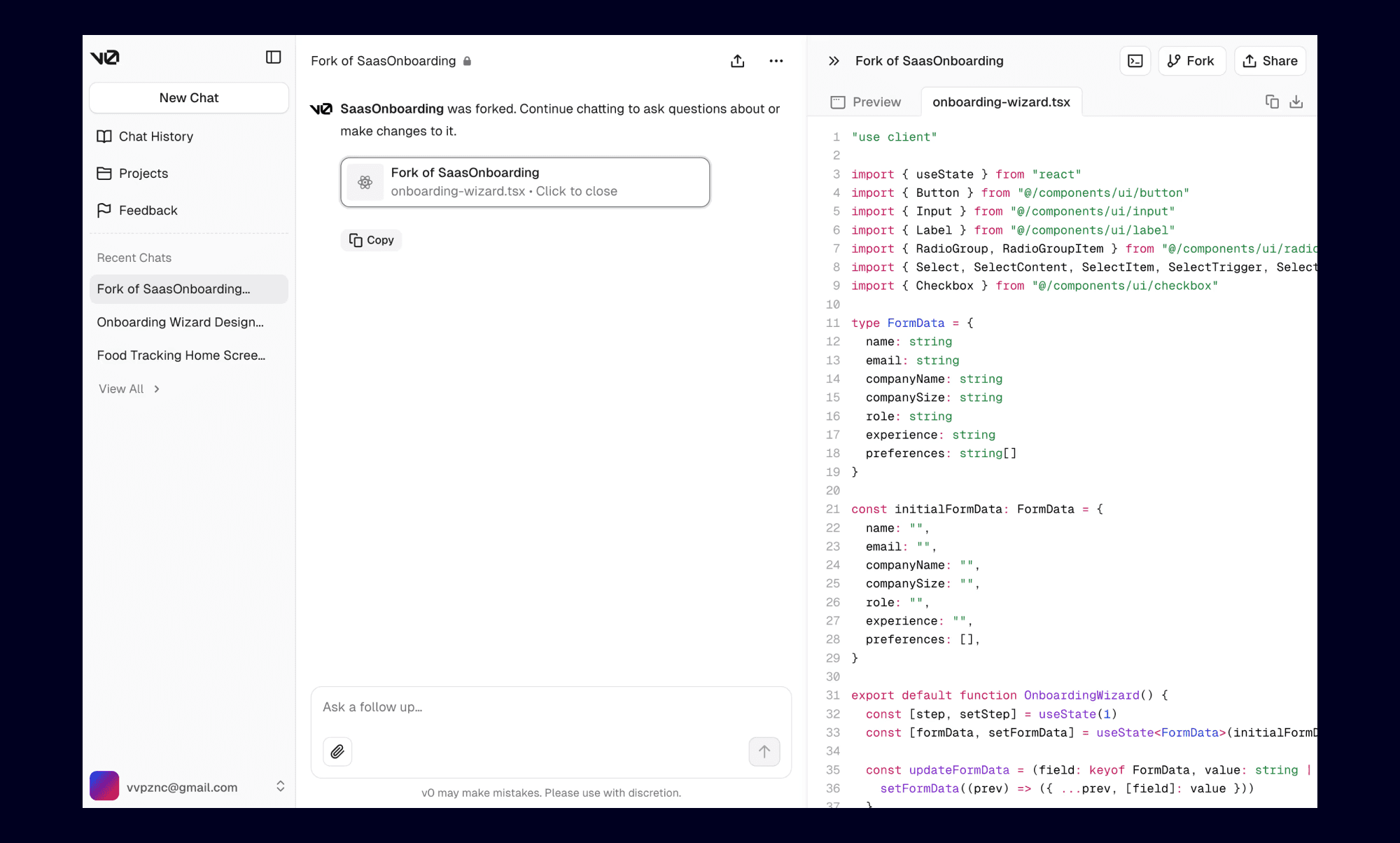
Avantages
Conçu pour les développeurs livrant de vraies fonctionnalités
Intégration profonde avec l'écosystème Vercel
Crée des composants React propres à l'aide de shadcn/ui
Se concentre sur la clarté du code et une performance solide
Pour les équipes produit axées sur le frontend et utilisant déjà Vercel, v0 s'intègre parfaitement à leur flux de travail existant.
Inconvénients
Problèmes de performance fréquents, temps de génération lents et suivi inconsistant des instructions par l'IA. De nombreux utilisateurs ont signalé des cas où l'IA génère systématiquement du code avec des erreurs et ne suit pas efficacement les instructions.
Aucune fonction de visualisation étendue ni de fonctionnalités d'édition sur canevas étendu
De nombreux utilisateurs signalent une utilisation élevée des crédits et des coûts élevés. Les raffinements itératifs peuvent devenir coûteux, car les utilisateurs sont facturés même pour les générations intermédiaires (y compris les échecs ou les erreurs).
Inadéquat pour les PMs, fondateurs et designers qui ne maîtrisent pas le développement frontend.
Optimisé pour les workflows React et Next.js utilisant Tailwind et shadcn/ui. Le support d'autres frameworks est plus limité comparé aux configurations prioritaires React.
Compte tenu de ces limitations, de nombreuses équipes envisagent une alternative à Vercel v0 avec de meilleurs flux de travail visuels, une conception collaborative ou des fonctions plus larges, à l'instar d'un générateur de prototype IA.
Tarification (USD)
Niveau gratuit disponible
Premium : 20 $/mois
Équipe : 30 $/mois
Entreprise : Personnalisé
Remarque: La tarification est basée sur le crédit/l'utilisation et l'utilisation des jetons varie considérablement selon la complexité de vos demandes.
Alternatives de Prototypage de Conception
Banani
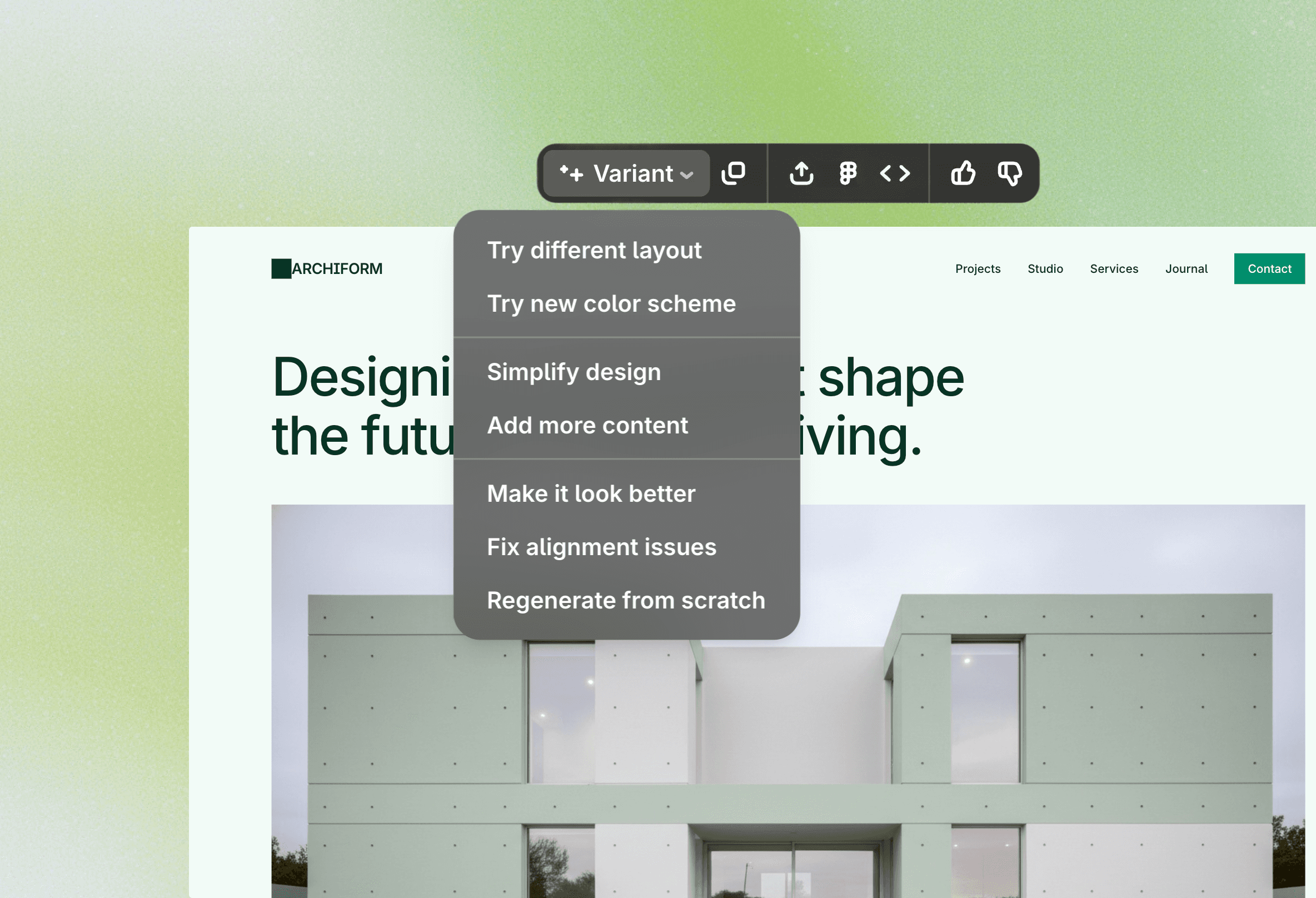
Banani transforme les invites textuelles en conceptions UI éditables que vous pouvez visualiser et affiner directement sur un canevas visuel. Contrairement à v0, qui se concentre sur la génération de code React, Banani est construit pour les équipes souhaitant explorer visuellement les mises en page, les flux, et la structure de l'UI. Il prend également en charge le travail avec des systèmes de design existants via l'importation Figma, le rendant adapté aux équipes apprenant comment concevoir des UI avec l'IA sans toucher au code.
Pourquoi c'est une bonne alternative à v0 pour le prototypage de conception
Ressemble à un outil de conception visuelle, pas à une plateforme pour développeurs
Canevas éditable avec plusieurs écrans visibles en même temps
Itération plus rapide sans toucher au code
Prend en charge les systèmes de design existants via les imports Figma
Collaboration plus facile pour les designers, PMs, et fondateurs
Tarification (USD)
Niveau gratuit disponible
Premium : 20 $/mois
Équipe Pro : 30 $/mois
Entreprise : Personnalisé
Remarque: Banani utilise une tarification par abonnement fixe, rendant les coûts prévisibles quel que soit le volume de génération, contrairement au modèle basé sur le crédit de v0.
Stitch (Google Stitch)
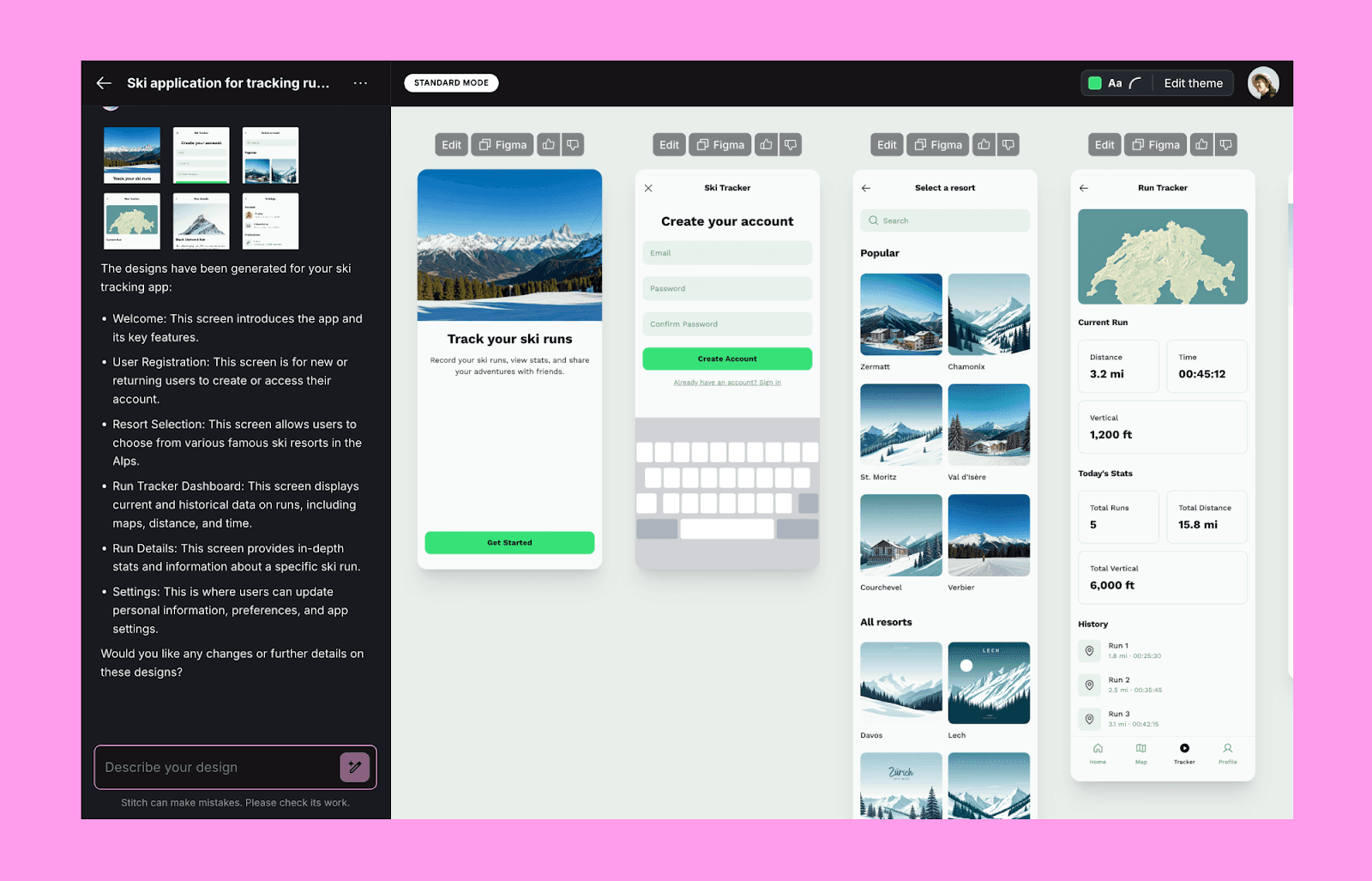
Google Stitch se concentre sur la génération d'écrans UI visuellement structurés à partir de requêtes textuelles. Bien qu'il se comporte comme un outil pour développeurs, il est plus axé sur l'expérimentation UX et la conception visuelle que sur le code final prêt à être lancé. Si vous voulez en savoir plus, consultez notre revue de l'IA Google Stitch, où nous mettons en évidence ses atouts et expliquons son fonctionnement.
Pourquoi nous avons choisi Stitch
Plus axé sur l'UX que sur le code
Vous permet d'évaluer plusieurs écrans côte à côte
Vous permet d'exporter vers Figma, Google’s Jules, ou de copier le code dans le presse-papiers
Permet des ajustements rapides aux styles, couleurs, et au design global
Bon pour affiner et tester des maquettes initiales
Tarification (USD)
Gratuit
Remarque: Actuellement disponible sans frais lorsqu'il est en Labs. Les prix peuvent changer à mesure que le produit mûrit.
Magic Path
MagicPath est un outil prompt-to-UI pour les designers qui désirent une génération assistée par l'IA sans perdre le contrôle visuel. Vous définissez un écran ou ses sections, et MagicPath les génère directement sur le canevas. Vous pouvez ensuite ajuster la mise en page, l'espacement et le style selon vos besoins.

Pourquoi c'est une bonne substitution à v0
Canevas éditable pour ajustements directs de conception
Forte concentration sur l'itération visuelle
UX familière pour les designers
Plus approprié pour l'itération de conception en début de projet
Tarification (USD)
Niveau gratuit disponible
Créateur : 19 $/mois
Pro : 30 $/mois
Remarque: Les plans payants augmentent la capacité de génération mensuelle et la flexibilité d'édition, mais des limites de génération s'appliquent toujours.
Alternatives axées sur le Système de Design
MagicPatterns
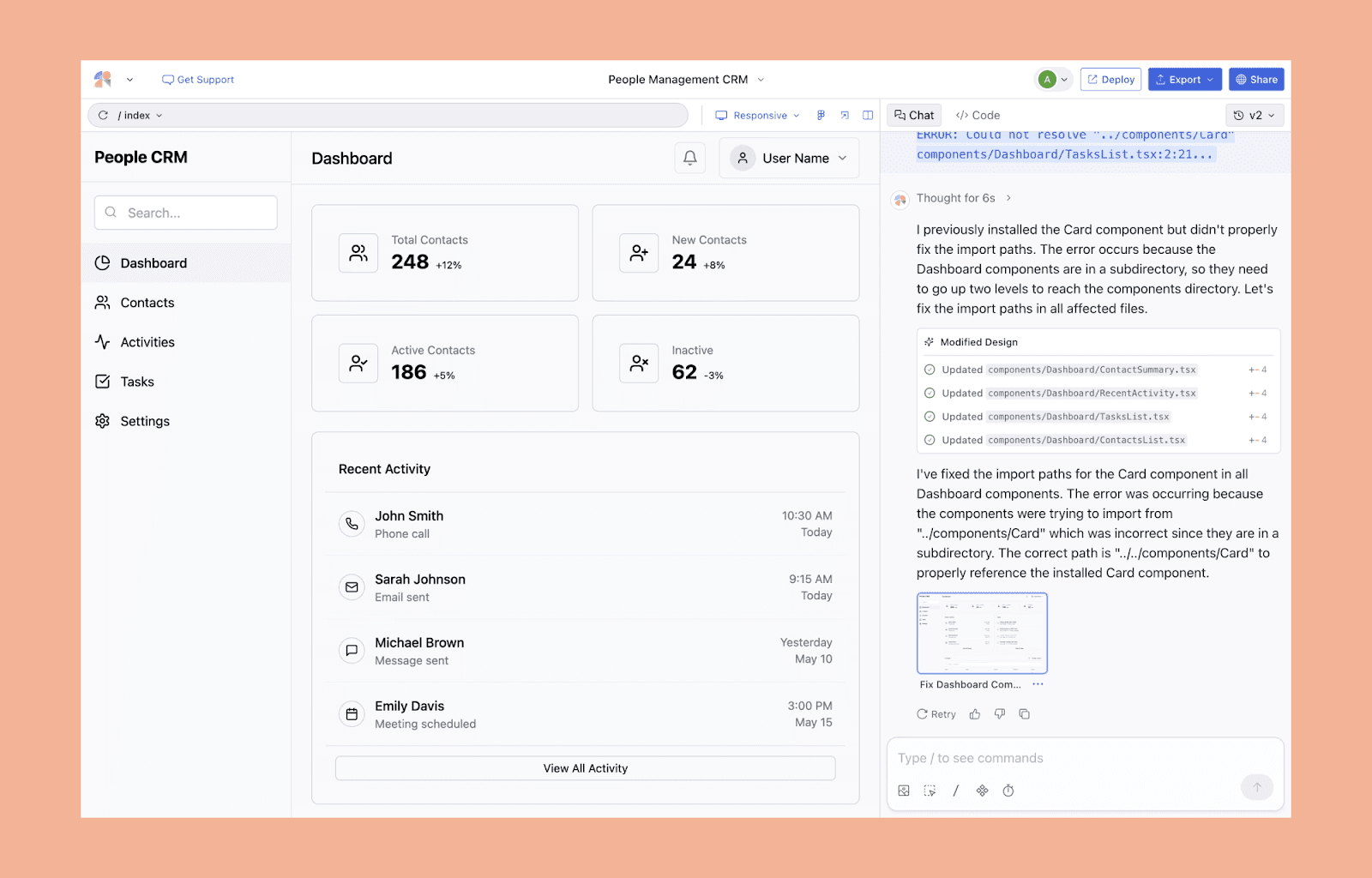
MagicPatterns est conçu pour les équipes front-end qui ont besoin d'une IA pour concevoir des interfaces utilisateur avec leurs propres jetons de conception et règles de disposition. Comme l'un des outils texte vers UI les plus avancés pour les systèmes de design structurés, il vous encourage à créer des modèles maintenables pouvant être réutilisés par de véritables produits.
Pourquoi nous l'avons choisi
Tire parti de votre système de design importé, en suivant les jetons et les directives d'espacement
Conçu pour Tailwind et les bibliothèques de composants
Se concentre davantage sur des structures de disposition cohérentes et reproductibles
Optimisé pour une croissance de produit durable et à long terme
L'extension Chrome transforme l'UI en direct en actifs éditables
Tarification (USD)
Niveau gratuit disponible
Hobby : 19 $/mois
Pro : 75 $/mois
Entreprise : Personnalisé
Remarque: La tarification est basée sur l'utilisation, avec des niveaux supérieurs prenant en charge des générations UI plus complexes et fréquentes liées aux systèmes de design.
Builder.io
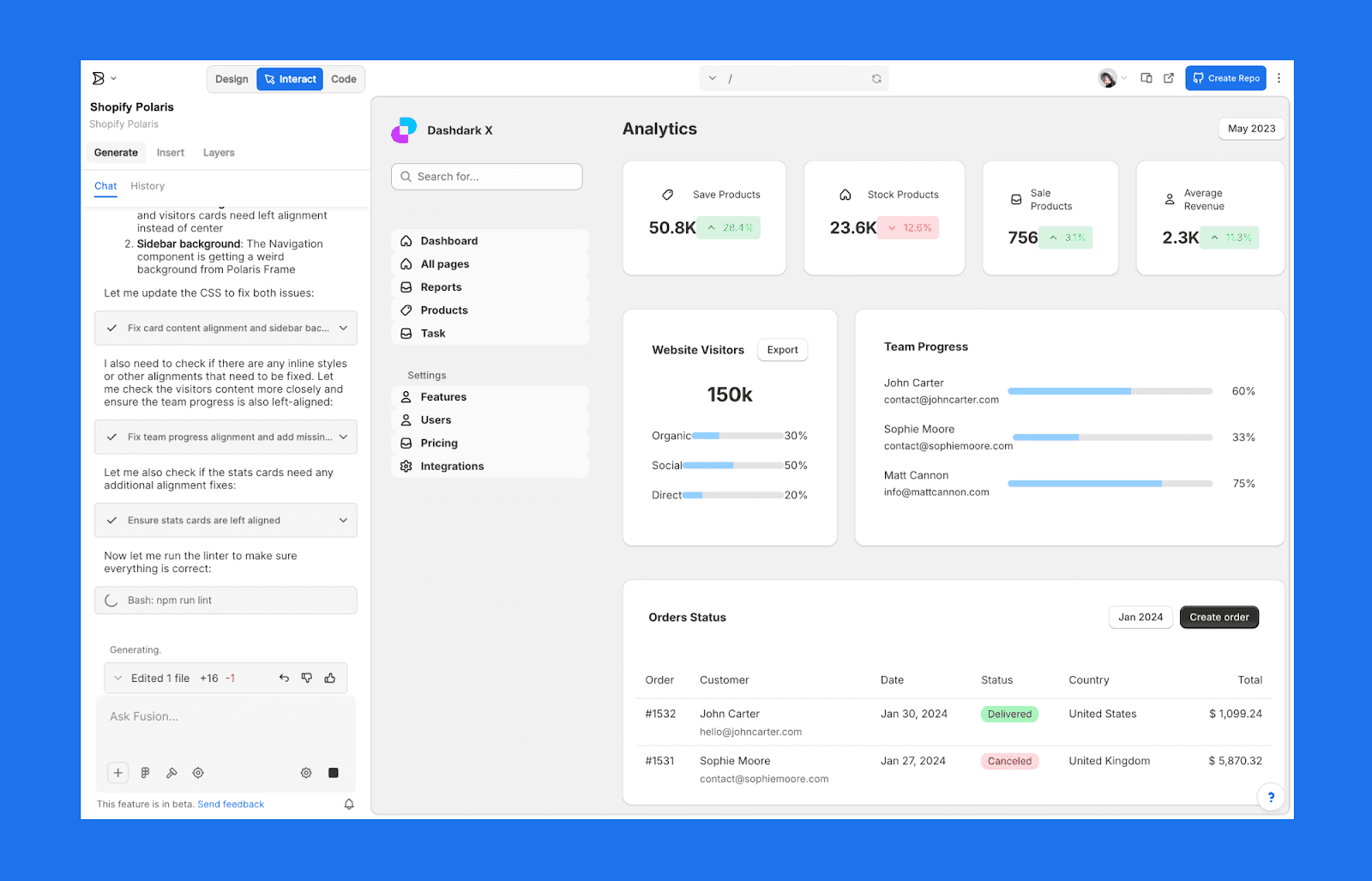
Builder.io regroupe un générateur de design AI, un éditeur visuel, et un support de framework intégré. Contrairement à v0, il est capable de produire des mises en page avec des composants existants et des systèmes de design qui peuvent être utilisés pour des équipes construisant et développant de véritables produits. Il est souvent cité comme l'un des meilleures alternatives Lovable pour les designers recherchant un workflow flexible, axé sur le design.
Pourquoi Builder.io
Les générations AI peuvent réutiliser vos composants actuels
Prend en charge plusieurs frameworks, y compris React, Vue, et Next.js
Importation Figma solide et workflows design-to-dev
Plus flexible que la configuration fixe de v0
Tarification (USD)
Niveau gratuit disponible
Pro : 30 $/mois
Entreprise : Personnalisé
Remarque: La tarification varie en fonction de l'utilisation, de la taille de l'équipe, et des fonctionnalités avancées telles que les intégrations de framework et l'échelle du contenu.
Alternatives pour la Génération de MVP & Applications Complètes
Bolt.new
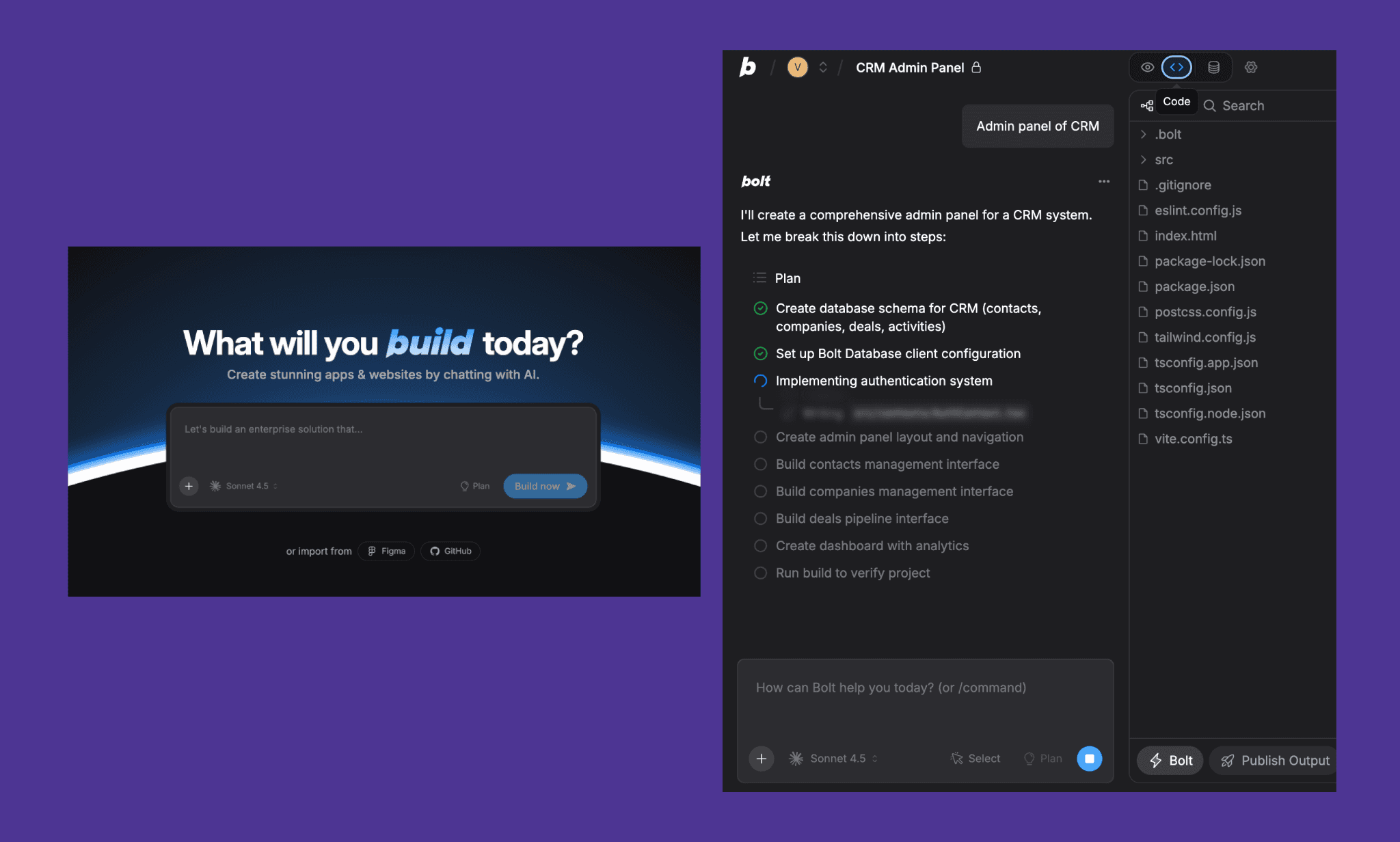
Bolt.new vous permet de construire des applications entières dans votre navigateur. Le déploiement front-end et backend est également inclus. C'est idéal pour le prototypage rapide et les démos, où la fonctionnalité est plus importante que le design.
Pourquoi nous l'avons choisi
Le déploiement est inclus avec la génération full-stack.
Supporte le prototypage mobile et web
Facile de partager des démos en direct
Permet une transition plus rapide du concept au produit testable
Tarification (USD)
Niveau gratuit disponible
Pro : 25 $/mois
Équipes : 30 $/mois
Entreprise : Personnalisé
Remarque: Les plans payants augmentent les limites d'utilisation et débloquent des capacités de génération full-stack et de déploiement plus avancées.
Base44
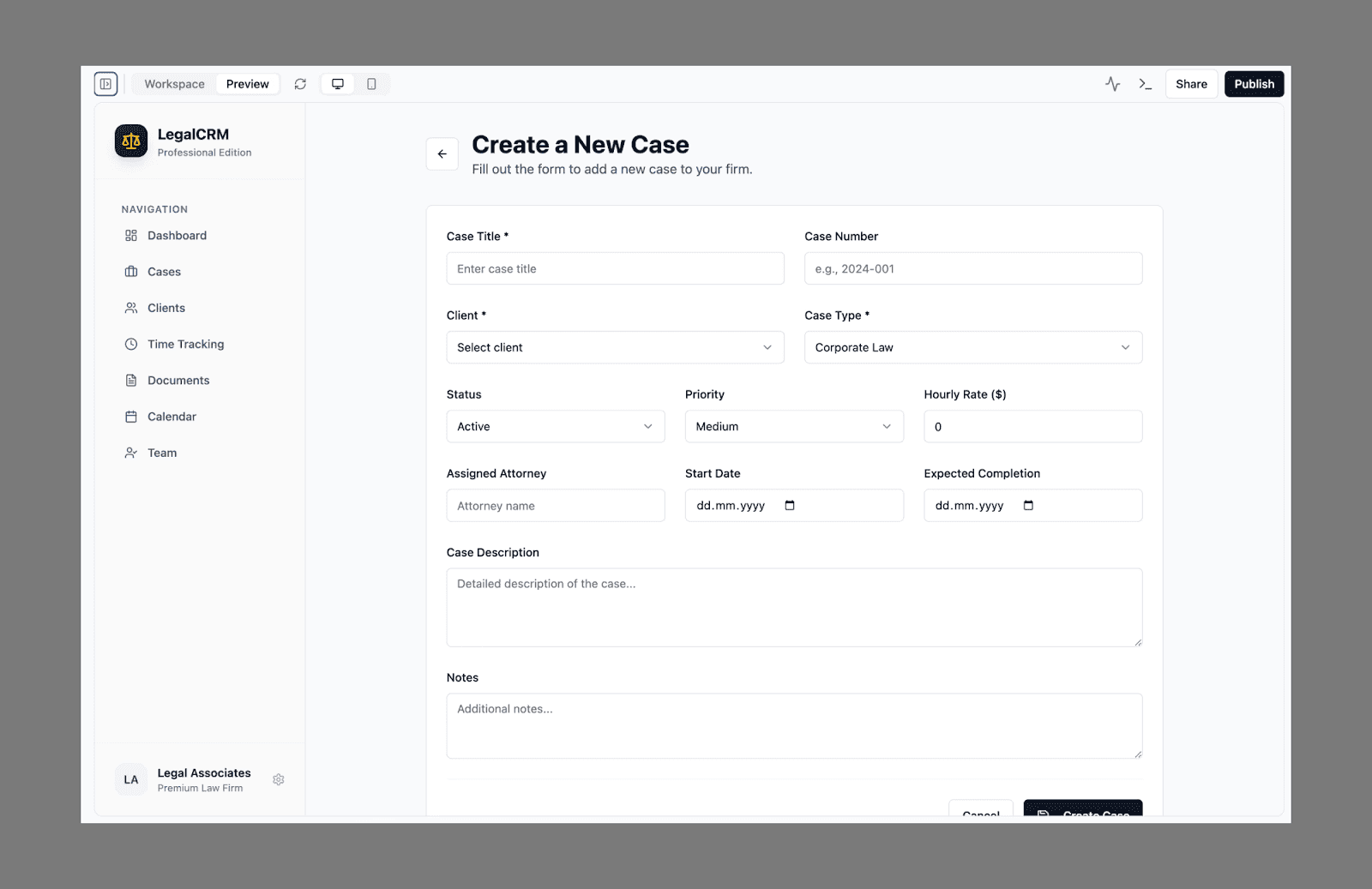
Base44 convertit des invites en anglais simple en applications full-stack fonctionnelles, en faisant une bonne option pour le codage intuitif où l'intuition et la vitesse importent plus que les configurations manuelles. Il génère automatiquement le backend, le frontend, l'auth, et l'hébergement. Contrairement à v0, il va au-delà de l'UI et délivre quelque chose d'opérationnel et en direct.
Pourquoi c'est une bonne alternative à v0
Crée une application complète à partir d'une seule invite
Aucune gestion d'infrastructure ou configuration complexe
Aperçu instantané en temps réel
Le mieux adapté pour la validation précoce du MVP
Tarification (USD)
Niveau gratuit disponible
Starter : 20 $/mois
Builder : 50 $/mois
Pro : 100 $/mois
Élite : 200 $/mois
Remarque: La tarification est basée sur l'utilisation, avec des niveaux supérieurs prenant en charge des applications plus complexes et des constructions à plus grande échelle.
Consultez notre revue des alternatives à Base44.
A0.dev
a0.dev se concentre sur la génération d'applications full-stack axées sur le mobile. Il génère des apps React Native et prend en charge les builds iOS/Android, ce qui le rend idéal pour les fondateurs cherchant à prototyper rapidement des apps mobiles.
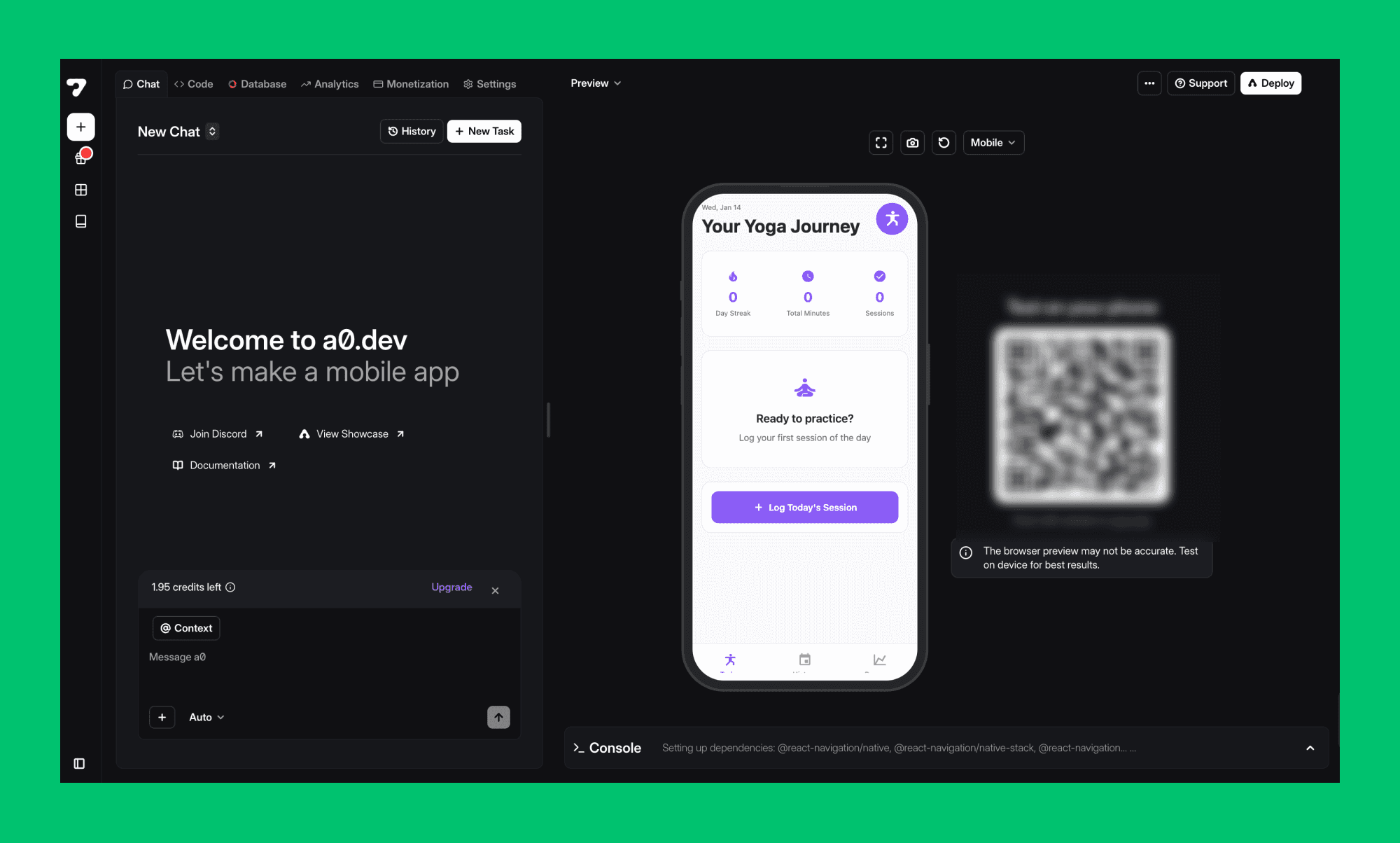
Pourquoi c'est une option utile
Bon support pour les apps mobiles
Construire et gérer les déploiements
Utilise un workflow intuitif, basé sur des invites
Réduit les obstacles lors de la création de MVP mobiles
Tarification (USD)
Niveau gratuit disponible
Pro : 20 $/mois
Des plans de niveau supérieur sont disponibles avec des tarifs mensuels accrus
Remarque: La tarification est basée sur l'utilisation. Les niveaux supérieurs supportent des builds mobiles plus fréquents et une génération d'applications iOS et Android plus large.
Alternatives pour le Workflow de Développement
Cursor
Cursor est un éditeur de code à dominante IA construit sur VS Code. Il connaît l'ensemble de votre base de code et vous aide à déboguer, refactoriser et ajouter de nouvelles fonctionnalités.
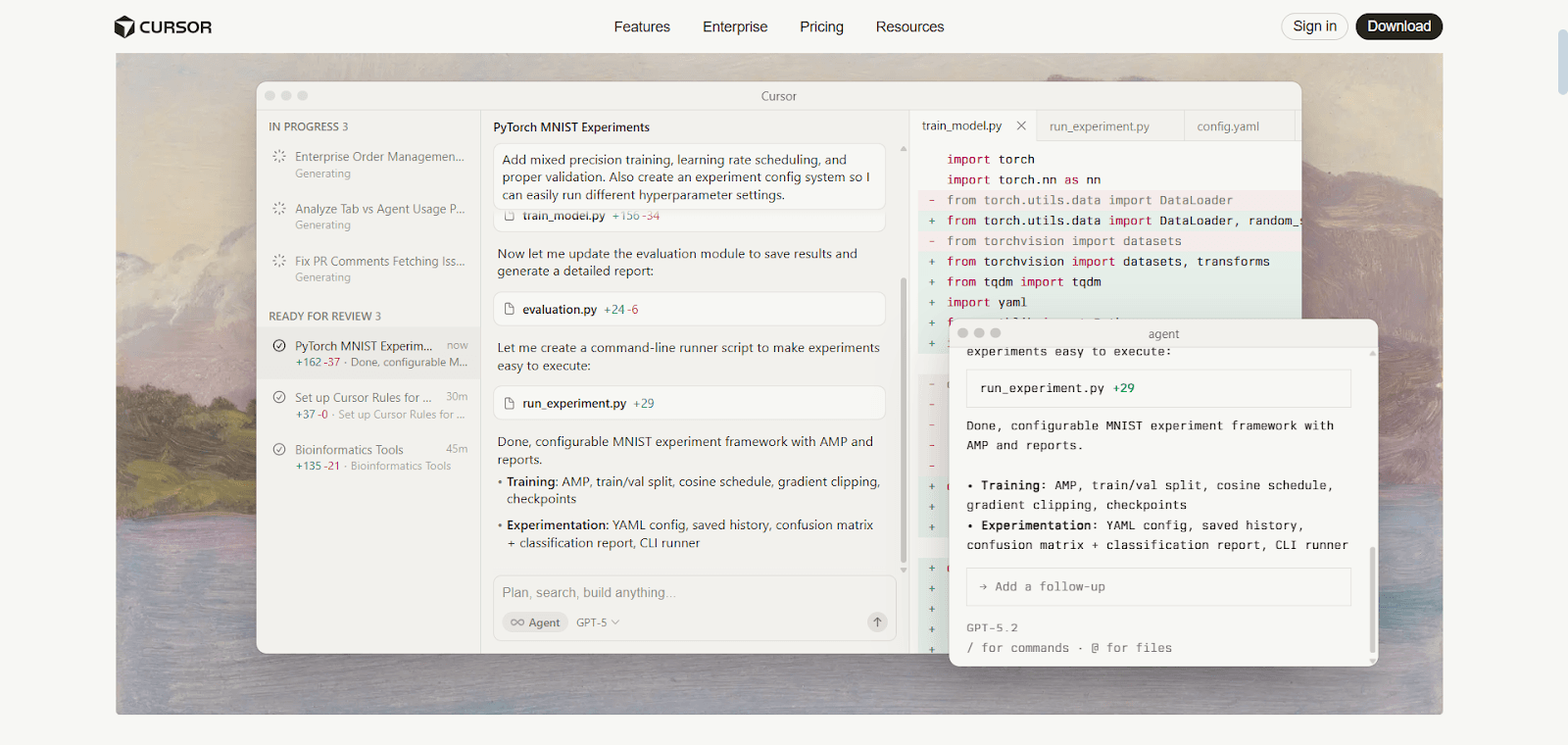
Pourquoi c'est une option utile
Meilleur choix pour le développement de produit continu
Bonne prise en compte du contexte de code actuel
Bien adapté pour des bases de code de grande taille et complexes
Ergonomie forte pour les développeurs
Tarification (USD)
Niveau gratuit disponible
Pro : 20 $/mois
Pro+ : 60 $/mois
Ultra : 200 $/mois
Équipes : 40 $/utilisateur/mois
Entreprise : Personnalisé
Remarque: Les niveaux supérieurs augmentent les limites d'utilisation de l'IA et débloquent l'accès à des modèles plus avancés. L'utilisation évolue avec le niveau du plan plutôt que des comptes fixes de requêtes.
Replit AI
Replit AI est un environnement de développement entièrement basé sur le cloud avec IA pour coder. Contrairement à v0, il peut faire son travail directement dans vos fichiers de code existants et permet à plusieurs personnes de travailler ensemble en temps réel.
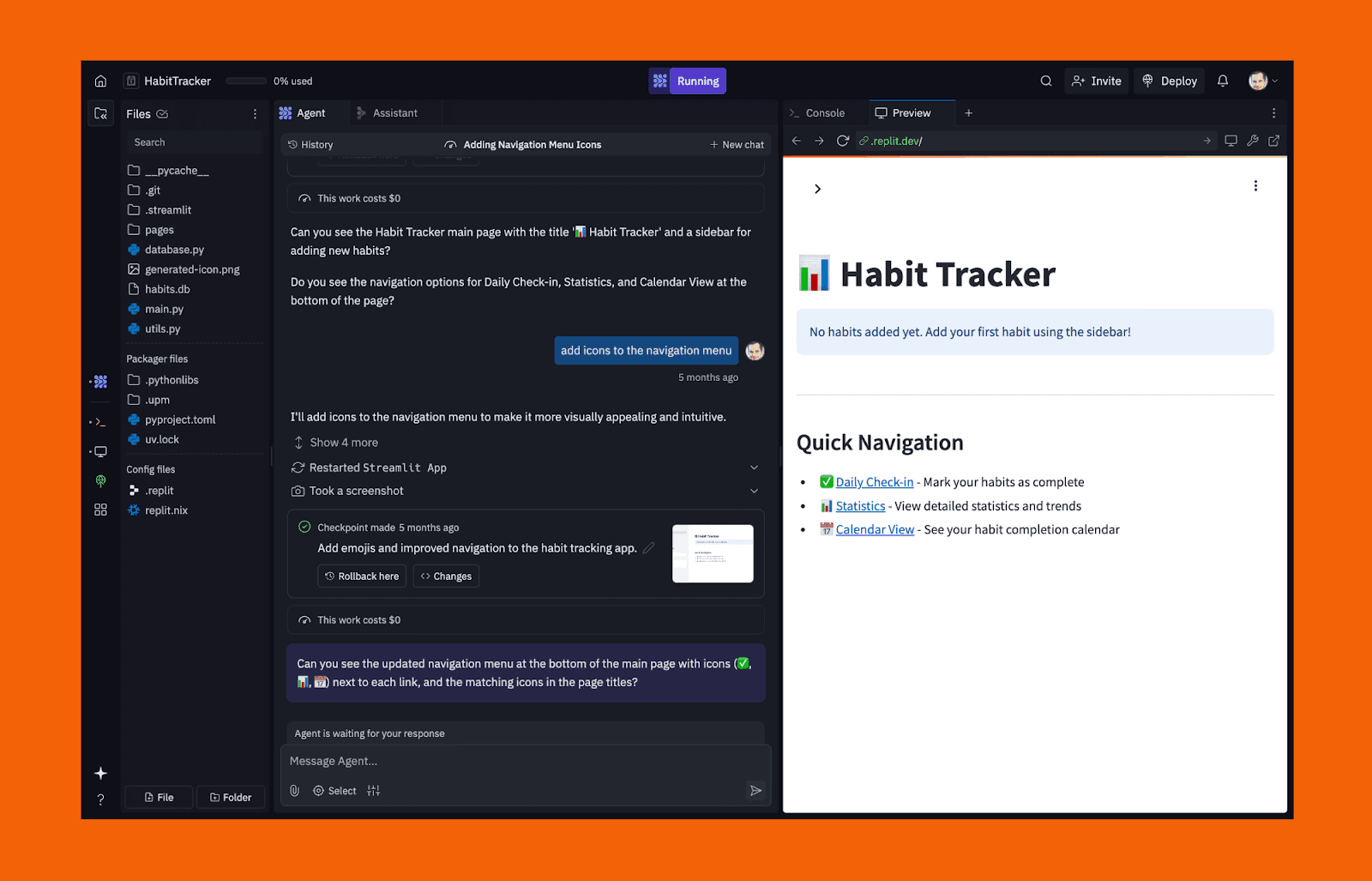
Pourquoi c'est une bonne alternative à v0
Déploiement en direct depuis le même environnement
Fonctionne à l'intérieur de vraies bases de code
Fonctionnalités de collaboration puissantes
Utile au-delà de la génération d'UI
Va au-delà de la génération de code, vous permettant de construire une infrastructure backend
Tarification (USD)
Niveau gratuit disponible
Core : 20 $/mois
Équipes : 35 $/utilisateur/mois
Entreprise : Personnalisé
Remarque: Les plans incluent des forfaits d'utilisation mensuelle couvrant l'assistance AI, les déploiements et l'infrastructure. Les coûts augmentent avec la complexité du projet et l'utilisation par l'équipe.
Alternatives aux Outils de Validation pour les PMs
Banani
Banani est idéal pour les PMs et fondateurs qui veulent rapidement visualiser des idées, des flux utilisateurs, et la structure UI sans toucher au code. Il se concentre sur la clarté et l'itération, ce qui facilite le partage de conceptions avec les parties prenantes et l'alignement des équipes tôt.
Idéal pour: Maquettes Visuelles Rapides et Prototypage
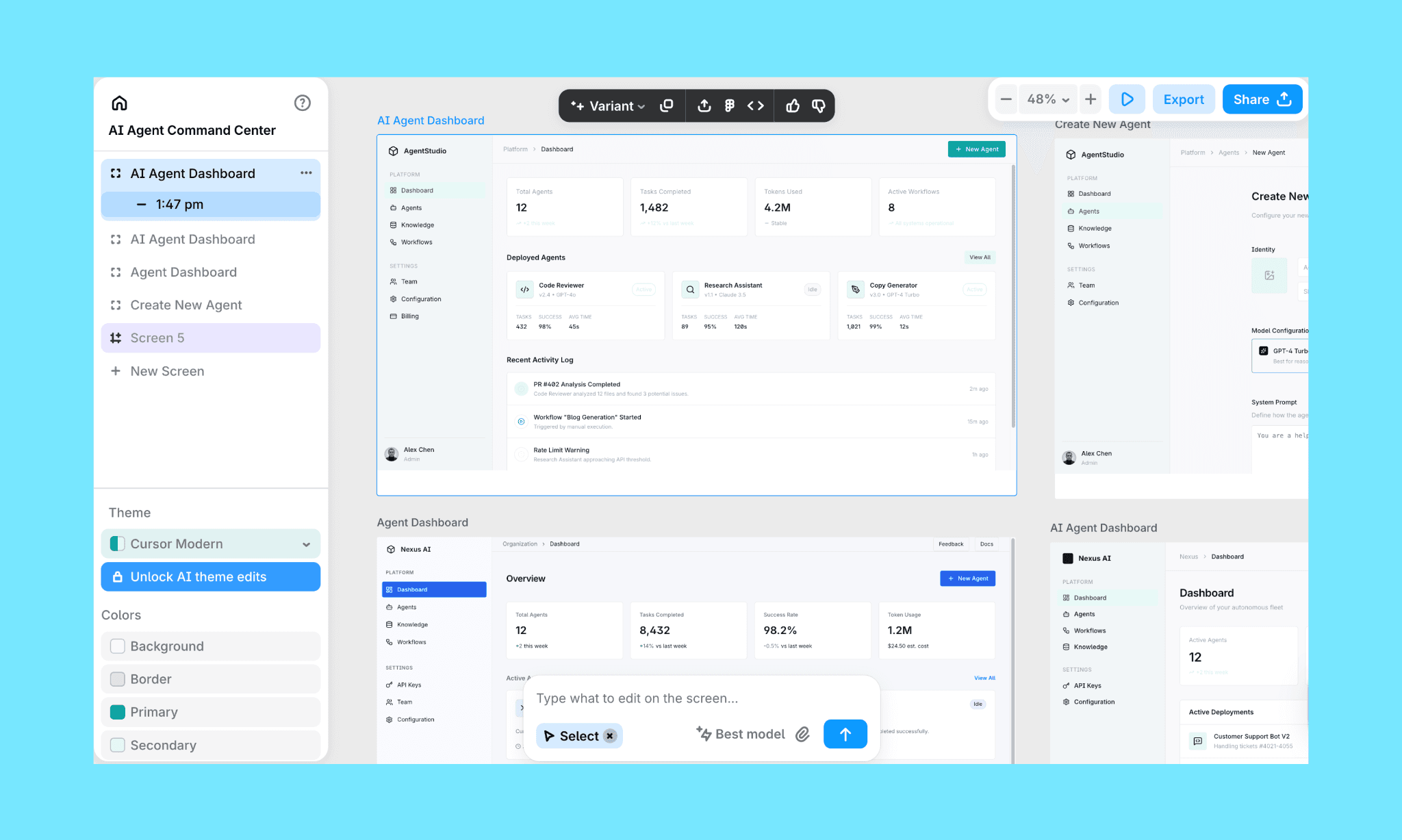
Ce qu'il fait bien
Maquettes UI extrêmement rapides à partir de texte ou références (image, Figma)
UX centrée sur l'idéation et l'itération
Canevas visuel facile à éditer et à itérer
Partage simple avec les parties prenantes via des liens ou des exports (Figma, HTML/CSS)
Aucunement besoin de formation en design ou en ingénierie
À prendre en compte
Pas conçu pour construire des produits fonctionnels
Aucune logique backend ni comportement d'app en direct
Quand les PMs devraient l'utiliser
Exploration de produit précoce
Alignement des parties prenantes avant le développement
Validation de la disposition, du flux, et de la direction UX
Lovable
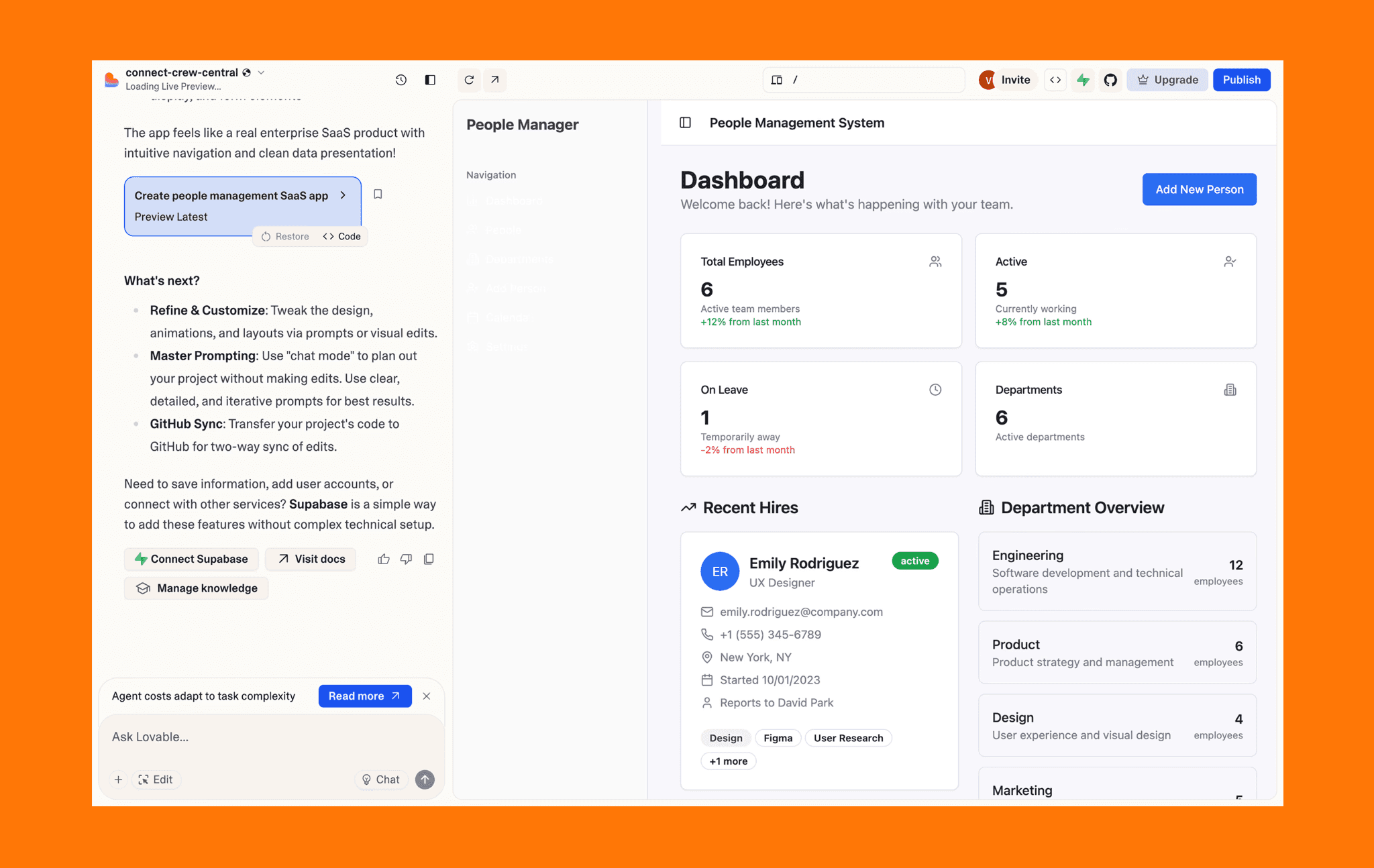
Lovable adopte une approche différente. Au lieu de s'arrêter aux maquettes, il génère des applications web frontales complètes et de stack full-stack à partir du langage naturel. Il est couramment utilisé par les PMs et les fondateurs qui veulent quelque chose de testable, pas seulement visuel. Lisez notre revue des alternatives Lovable a émergé
Idéal pour: MVPs Fonctionnels à partir d'Invites
Ce qu'il fait bien
Génère des applications web complètes à partir d'invite textuelle
Utilise shadcn/ui pour les mises en page frontales réactives
Intégration Supabase pour le backend, l'authentification, et les données
Convivial pour la collaboration lors des premiers tests en équipe
À prendre en compte
Les designs peuvent sembler génériques sans affinage manuel
Pas idéal lorsque seules des maquettes statiques ou concepts UI sont nécessaires
Moins de contrôle sur les nuances visuelles comparé aux outils axés sur le design
Quand les PMs ne devraient pas l'utiliser
Lorsque le but est un alignement visuel rapide uniquement
Lorsque la finition du design importe plus que la fonctionnalité
Lorsque qu'une simple maquette suffirait
Tarification (USD)
Essai gratuit disponible
Plans payants à partir de 25 $/mois
Remarque: Prix basé sur l'utilisation. Les plans payants débloquent des limites de génération plus élevées et prennent en charge des constructions d'apps frontales et full-stack plus complexes, sous réserve de limites planifiées.
Résumé rapide pour les outils de validation
Utilisez Banani pour un alignement visuel rapide. Utilisez Lovable lorsque vous avez besoin d'un MVP fonctionnel pour tester un véritable comportement.
Tableau de Comparaison
Outil | Idéal Pour | Résultat Principal | Options de Résultat | Tarification (USD / mois) | Modèle de Tarification |
v0 | Génération d'UI axée sur le code | Composants React | React (shadcn/ui) | À partir de 20 $ / 30 $ | Basé sur l'utilisation |
Prototypage UI / UX visuel | Conceptions UI éditables | Canevas visuel, Exportation Figma, Exportation HTML / CSS | À partir de 20 $ / 30 $ | Fixé | |
MagicPath | Maquettes UI en phase initiale | Conceptions UI éditables | Canevas visuel | À partir de 19 $ / 30 $ | Basé sur l'utilisation |
Workflows design to code | UI + code framework | React, Vue, Next.js | À partir de 30 $ | Basé sur l'utilisation | |
Bolt.new | MVPs fonctionnels | Applications full-stack | Applications web déployées | À partir de 25 $ / 30 $ | Basé sur l'utilisation |
MagicPatterns | UI axée sur le système de design | Mises en page UI | Mises en page par jetons | À partir de 19 $ / 75 $ | Basé sur l'utilisation |
Base44 | MVPs full-stack | Applications complètes | Apps déployées | À partir de 20 $ | Basé sur l'utilisation |
Google Stitch | Exploration de concepts UI | Écrans UI visuels | Mises en page, Figma, extraits de code | Gratuit (Labs) | Expérimental / sujet à changement |
a0.dev | MVPs d'app mobiles | Apps mobiles React Native | Builds d'app iOS & Android | À partir de 20 $ | Basé sur l'utilisation |
Lovable | MVPs fonctionnels | Application full-stack | App web déployée | À partir de 25 $ | Basé sur l'utilisation |
Conclusion
Vercel v0 est un choix solide pour les équipes axées sur les développeurs travaillant dans l'écosystème Vercel et Next.js, en particulier lorsqu'elles utilisent React pour la couche UI. En tant que générateur de maquettes AI, il excelle à transformer rapidement des invites en composants UI fonctionnels directement à l'intérieur d'un workflow frontend moderne.
Cependant, si votre équipe privilégie l'itération de design visuel, la collaboration sans code, des prix fixes, ou des prototypes de niveau application complète, d'autres outils générateurs de maquettes AI comme Banani, Bolt.new, et Builder.io peuvent être mieux adaptés à votre flux de travail. Le bon générateur de maquettes AI dépend finalement de votre résultat désiré, de la structure de votre équipe (designers vs. ingénieurs vs. fondateurs), et de la nécessité de prévisibilité des prix, tels que le modèle d'abonnement à coût fixe de Banani, pour votre budget.


